
Table of Contents

- 1. 10 Multi-Entity Accounting Automation Tips
- 2. Fast close accounting: How to close your books in 3 days or less
- 3. Intercompany reconciliation: 7 steps for accurate financial reporting
- 4. Strategic Scenario Planning: A Practical Guide for Finance Teams
- 5. Incremental Budgeting: A Complete Guide for Finance Teams
- 6. FP&A AI: Complete Guide to Artificial Intelligence in Financial Planning
- 7. Strategic budgeting: A complete guide to aligning finances with long-term goals
- 8. How to Create an Operating Budget (Step-by-Step Guide)
- 9. How to Do Vertical Analysis of a Balance Sheet
- 10. How to Do Sensitivity Analysis in Excel: A Complete Guide
- 11. CFO Reports to the Board of Directors: A Complete Guide
- 12. Cost volume profit analysis: A complete guide for finance teams
- 13. Workflow Automation for Fractional CFOs & Finance Service Firms
- 14. 11 Account Reconciliation Best Practices
- 15. How to build budget vs. actual reporting in spreadsheets
- 16. Automate Your Month End Close Process: A CFO’s 5-Step Playbook
- 17. 8 Must Automate Processes for Fractional CFO & Accounting firms
- 18. 6 Ways for CFO Firms to Provide Better Client Reporting
- 19. 6 Great Excel Report Templates for Fractional CFOs
- 20. How to Perform Price‑Volume‑Mix (PVM) Analysis in Excel — Free Template
- 21. How to Build a 13‑Week Cash‑Flow Forecast in Excel (Free Template)
- 22. How to Calculate Trailing‑12‑Month (TTM) Metrics in Spreadsheets + Free Template
- 23. How to do Scenario Analysis in Spreadsheets
- 24. Best Practices for Consolidating Financial Statements



Most finance teams spend hours building budgets that go stale the moment they’re approved. Manual exports from accounting systems, copy-pasting data into spreadsheets, and chasing down department heads for updates. By the time your operating budget is ready, the numbers are already out of date. The process feels like running in place.
This guide walks you through creating an effective operating budget using a proven 7-step framework. You’ll learn how to build realistic projections, automate variance tracking, and connect your accounting data directly to your budget spreadsheet for real-time insights.
What is an operating budget?
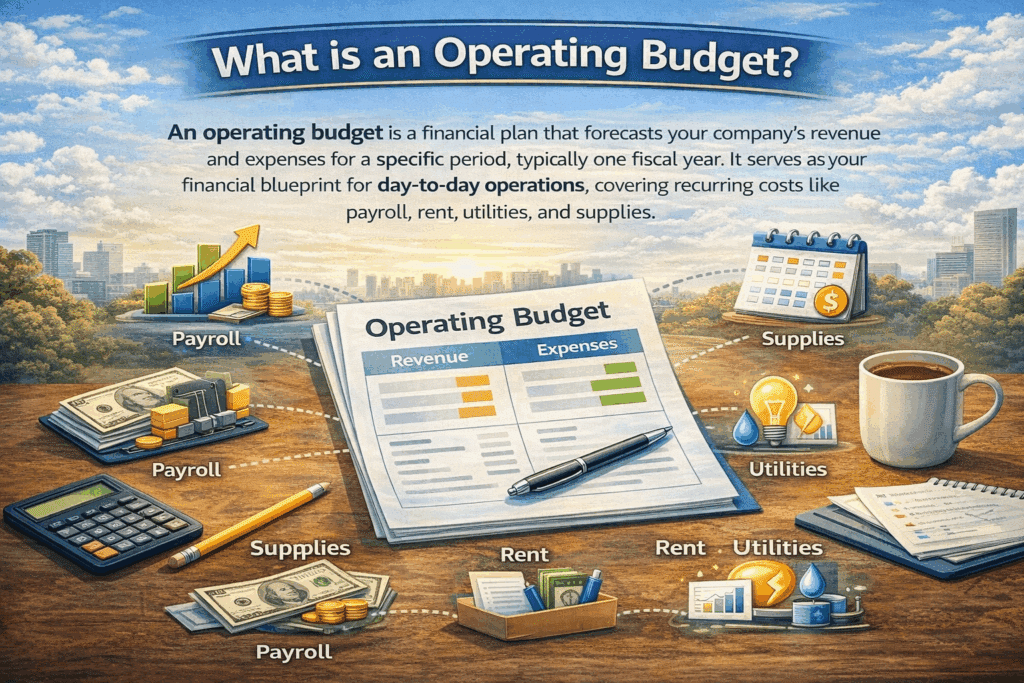
An operating budget is a financial plan that forecasts your company’s revenue and expenses for a specific period, typically one fiscal year. It serves as your financial blueprint for day-to-day operations, covering recurring costs like payroll, rent, utilities, and supplies.
The operating budget drives your income statement and directly impacts profitability analysis. It answers two critical questions: How much revenue do you expect to generate? How much will it cost to keep operations running efficiently?
Key purposes include:
- Financial planning: Provides a framework for allocating resources effectively
- Performance monitoring: Enables comparison of actual results against budgeted figures
- Cost control: Helps identify areas of overspending and opportunities for savings
- Decision support: Guides strategic decisions about hiring, purchasing, and investment
- Stakeholder communication: Demonstrates financial discipline to investors, lenders, and board members
Operating budget vs capital budget
The distinction is fundamental.
Operating budget covers short-term, recurring expenses within one fiscal year. This includes salaries, rent, utilities, office supplies, and marketing expenses. These costs impact your income statement directly and are fully deductible in the year incurred. Operating budgets manage the “lights-on” costs of running your business today.
Capital budget focuses on long-term investments in assets like equipment, buildings, and technology infrastructure. These purchases provide value over multiple years, impact your balance sheet, and require depreciation over the asset’s useful life. Capital budgets plan for investments that build future capacity.
Operating expenses keep your business running now. Capital expenses build your business for tomorrow.
Key components of an operating budget
Every operating budget includes several essential components.
Revenue projections
Revenue provides the framework for determining available financial resources. Base projections on historical trends, market analysis, sales pipeline data, and economic conditions. Include all revenue streams: product sales, service revenue, subscription income, and other sources. Revenue is the largest driver of your operating budget.
Variable costs
Variable costs fluctuate based on business volume. These include direct materials and supplies, sales commissions, shipping and delivery costs, production-related expenses, and transaction fees. Variable costs change month-to-month, making them challenging to predict. Budget with flexibility and built-in buffers to accommodate fluctuations.
Fixed costs
Fixed expenses remain stable regardless of business activity. This includes rent or mortgage payments, insurance premiums, salaried employee wages, loan repayments, equipment leases, and software subscriptions. Since fixed costs are predictable, they’re easier to budget accurately.
Cost of goods sold (COGS)
For product-based businesses, COGS represents the direct costs of producing goods sold during the period. This includes raw materials, direct labor costs, and manufacturing overhead directly tied to production. COGS is crucial for calculating gross profit margins and pricing strategies.
Operating expenses (OpEx)
These are costs required to run the business but not directly tied to production. This includes sales and marketing expenses, general and administrative costs, research and development, office supplies and equipment, and professional services like legal and accounting.
Non-cash expenses
Include items that don’t require immediate cash outflow but impact financial reporting. This includes depreciation for wear and tear on assets, amortization for spreading intangible asset costs, and stock-based compensation. These provide a more accurate picture of true profitability and help with tax planning.
How to create an operating budget (step-by-step)
Follow this proven 7-step process to build an operating budget that drives better financial decisions.
Step 1: Review historical financial data
Start your budgeting process by analyzing past performance. Historical financial data reveals spending patterns, seasonal trends, and growth trajectories that inform realistic projections.
What to review:
- Revenue trends over the past 2-3 years
- Expense categories and their growth rates
- Seasonal fluctuations in income and spending
- Month-over-month and year-over-year comparisons
- Budget variance patterns from previous periods
Key questions to answer:
Which months generate the highest and lowest revenue? Where did actual spending exceed budget last year? What unexpected costs emerged? Which expense categories grew faster than revenue?
Automate historical data pulls
Instead of manually exporting data from your accounting system, connect QuickBooks or NetSuite directly to Excel or Google Sheets. This enables real-time data synchronization, automated trend analysis with pivot tables, elimination of manual data entry errors, easy comparison of multiple fiscal periods, and quick identification of outliers and anomalies.
By connecting your accounting system directly to your spreadsheet, you ensure your budget is built on accurate, up-to-date historical data.
Step 2: Forecast revenue
Revenue forecasting is the foundation of your operating budget. Overestimate, and you’ll overspend. Underestimate, and you’ll miss growth opportunities.
Forecasting methods:
Historical trend analysis: Project revenue based on past growth rates. If revenue grew 15% annually over the past three years, apply a similar rate to next year’s projections. Adjust for known changes.
Sales pipeline analysis: For B2B companies, analyze your current sales pipeline. Calculate qualified leads multiplied by conversion rate multiplied by average deal size. Factor in sales cycle length and seasonal patterns.
Market-based forecasting: Consider external factors like industry growth rates, economic conditions, competitive landscape changes, and market expansion plans.
Bottom-up forecasting: Build projections from individual product lines, customer segments, or sales territories. This granular approach increases accuracy.
Conservative approach: When uncertain, err on the conservative side. It’s better to exceed a conservative budget than miss an aggressive target.
Break revenue down by month to account for seasonality. Retail businesses peak during holidays. B2B software companies see spikes at quarter-end. Service businesses might have summer slowdowns. Monthly granularity enables better cash flow planning.
Step 3: Project variable costs
Variable costs move with revenue, but the relationship isn’t always perfectly linear. Build projections that account for realistic cost behavior.
Calculate variable cost percentages: Review historical data to determine what percentage of revenue goes to each variable cost category. For example, if direct materials historically represent 25% of revenue, use this as your baseline.
Account for economies of scale: As volume increases, per-unit variable costs often decrease due to volume discounts, efficiency improvements, and better supplier terms. Factor in these efficiencies when projecting higher revenue scenarios.
Consider price changes: Have your suppliers announced price increases? Are raw material costs trending up or down? Adjust variable cost assumptions for known or expected changes.
Build scenario models: Create best case, base case, and worst case scenarios for variable costs. This helps you understand your exposure to cost volatility.
Variable costs to include:
- Raw materials and direct supplies
- Production labor paid hourly or by unit
- Sales commissions tied to revenue
- Shipping and delivery costs
- Credit card processing fees
- Contract labor based on project volume
Step 4: Estimate fixed costs
Fixed costs provide stability in your budget but also create baseline obligations you must meet regardless of revenue performance.
Start with existing commitments: List all current fixed obligations including lease or mortgage payments, insurance premiums, salaried employee wages and benefits, loan payments, equipment leases, software subscriptions, and utilities with minimal variable component.
Plan for known changes: Account for planned salary increases, scheduled lease escalations, new hires already approved, subscription renewals at different rates, and expiring contracts that need renewal.
Evaluate discretionary fixed costs: Some “fixed” costs are actually discretionary and can be adjusted if needed. Distinguish between absolutely fixed versus relatively fixed. This gives you flexibility if revenue disappoints.
Include cushion for unexpected increases: Insurance premiums increase, software vendors raise prices, and facilities require maintenance. Add a 3-5% buffer to fixed cost categories to accommodate these changes.
Consider step-fixed costs: Some costs remain fixed within ranges but jump at certain thresholds. Adding a new supervisor, leasing additional space, or purchasing another software license creates steps. Plan for these thresholds.
Step 5: Budget operating expenses
Operating expenses span many categories. Systematic planning ensures you don’t overlook important costs.
Sales and marketing:
- Advertising and digital marketing spend
- Events, trade shows, conferences
- Sales team salaries, commissions, travel
- Marketing software and tools
- Content creation and agency fees
- PR and brand development
General and administrative:
- Executive and administrative salaries
- Office supplies and equipment
- Professional services including legal, accounting, consulting
- IT infrastructure and support
- Training and development
- Recruiting and hiring costs
Research and development:
- Product development team salaries
- Prototype materials and testing
- Software development tools
- Research subscriptions and data
Use historical benchmarks: Calculate each category as a percentage of revenue. If marketing has historically run at 20% of revenue, start there and adjust based on strategic priorities.
Align with strategy: If growth is the priority, marketing and sales budgets might increase as a percentage of revenue. If efficiency is the focus, administrative costs might decrease.
Get departmental input: Department heads know their needs better than finance. Involve them in setting realistic operating expense budgets. This builds buy-in and improves accuracy.
Step 6: Include non-cash expenses
Non-cash expenses affect your income statement and tax liability even though they don’t require cash outflow during the budget period.
Depreciation: Calculate depreciation expense for existing assets using applicable depreciation methods (straight-line, declining balance, etc.). Include depreciation for planned capital purchases. Depreciation reduces taxable income.
Amortization: If you have intangible assets like patents, copyrights, or software development costs, budget for amortization expense. These spread the cost of intangible assets over their useful lives.
Stock-based compensation: If your company grants stock options or restricted stock units to employees, include the expense. Use the fair value method to calculate the annual expense.
While non-cash expenses don’t impact cash flow, they matter for profitability analysis and tax planning. Include them for an accurate operating budget that ties to your income statement.
Step 7: Review, refine, and approve
Your first draft is never your final budget. The review process identifies gaps, challenges assumptions, and ensures buy-in.
Internal review:
Compare your budget to historical performance. Are growth assumptions realistic? Do expense increases align with revenue projections? Calculate key ratios including gross margin, operating margin, and expense categories as percentage of revenue.
Stakeholder collaboration:
Share draft budgets with department heads for feedback. They’ll identify missing costs and unrealistic assumptions. Conduct collaborative review sessions to align on priorities and trade-offs. Document assumptions and reasoning behind major decisions.
Stress test scenarios:
Model downside scenarios. What happens if revenue comes in 20% below projection? Which expenses are truly fixed versus adjustable? How long is your runway if growth disappoints? Build contingency plans.
Executive approval:
Present the final budget to executive leadership or board of directors. Highlight key assumptions, strategic priorities reflected in the budget, areas of risk or uncertainty, and contingency plans.
Once approved, communicate relevant portions to department heads. Share their specific budget allocations. Explain expectations and constraints. Provide guidance on approval processes. Set up regular check-ins to review actual vs. budget.
Create accountability:
Assign budget owners for each category. Establish spending approval thresholds. Set up variance reporting cadence, monthly is recommended. Create a dashboard for real-time tracking.
Documentation:
Store the approved budget in an accessible location. Maintain version control. Document approval dates and sign-offs. Create a reference guide for budget questions.
Operating budget best practices
These proven practices help you create more accurate budgets and stay on track throughout the year.
Build in flexibility and contingency reserves
Don’t create a budget so tight that any deviation causes panic. Include contingency reserves, typically 5-10% of operating expenses, for unexpected costs. Use rolling forecasts that update quarterly rather than rigid annual budgets. This allows you to adjust for changing market conditions, unexpected opportunities, or unforeseen challenges. Flexibility enables agility without sacrificing financial discipline. Consider which expenses are fixed vs. discretionary, so you know where cuts can be made if revenue falls short.
Involve key stakeholders early and often
Budget creation shouldn’t happen in a finance vacuum. Involve department heads, team leaders, and key stakeholders in the planning process. They have ground-level insight into actual needs and can identify unrealistic assumptions. Early involvement builds buy-in and accountability. When people help create the budget, they’re more committed to staying within it. Hold collaborative budgeting sessions, request input on anticipated needs, and explain trade-offs transparently. This collaborative approach leads to more accurate budgets and stronger ownership.
Track variance monthly and take action quickly
Creating the budget is just the start. Monitoring actual vs. budget is where real value emerges. Review variance reports monthly to spot trends early. A small 5% overage in month one can become a 15% deficit by quarter-end if ignored. Establish clear thresholds for acceptable variance, like plus or minus 5%, and require explanations for larger deviations. Use variance analysis to identify both problems like cost overruns and opportunities like underutilized resources that could be reallocated. Quick corrective action prevents small issues from becoming major problems.
Use historical data but don’t be enslaved by it
Historical trends provide valuable baselines, but don’t simply add 3% to last year’s numbers. Question every line item. Is this expense still necessary? Are there more efficient alternatives? Has the business model changed? Zero-based budgeting, starting from zero and justifying each expense, can reveal wasteful spending perpetuated by tradition. Balance historical data with forward-looking strategy. If you’re launching a new product line or entering new markets, historical patterns may not apply.
Automate budget tracking and variance reporting
Manual budget tracking in disconnected spreadsheets leads to errors, delays, and missed insights. Automate the process by connecting your accounting system directly to your budget tracking spreadsheet. This enables real-time variance reporting, automated alerts when spending exceeds thresholds, and up-to-date dashboards for leadership. Automation eliminates the hours spent manually updating actuals each month, reduces errors from manual data entry, and provides instant visibility into financial performance. The time saved can be reinvested in strategic analysis.
How to automate operating budget in Excel
Automation transforms budget management from a monthly chore into a strategic advantage.
Set up budget template
Start with a well-structured Excel or Google Sheets template that includes these essential elements.
Essential elements:
- Monthly columns for the full fiscal year
- Revenue section with individual line items by source
- Expense categories for COGS, OpEx, and non-cash items
- Subtotals and key metrics like gross profit, operating income, and margins
- Variance columns showing Actual vs. Budget, Variance in dollars, and Variance in percentage
- Year-to-date calculations
- Quarterly and annual summary tabs
Best practices:
Use consistent formatting and naming conventions. Separate tabs for revenue, expenses, and dashboard summary. Include data validation to prevent entry errors. Lock formula cells to avoid accidental changes. Add notes or comments to explain assumptions. Use color coding for quick visual reference, green for favorable and red for unfavorable variances.
Many pre-built templates are available, including free QuickBooks budgeting templates that come with built-in formulas and professional formatting.
Auto-populate actuals with Coefficient
The most time-consuming part of budget tracking is updating actual results each month. Manual data entry from your accounting system is tedious, error-prone, and delays reporting.
Coefficient connects Excel or Google Sheets directly to QuickBooks, NetSuite, or other accounting platforms, enabling automated workflows that save hours every month.
Automated data refresh:
Schedule automatic imports daily, weekly, or monthly. Pull actual revenue and expense data by category. Sync transaction-level detail or summary totals. Refresh happens in the background without any manual work required.
Real-time variance analysis:
Actuals populate automatically next to budget figures. Variance calculations update instantly. Conditional formatting highlights significant deviations. Historical trends are visible at a glance.
Benefits:
Save hours monthly: Eliminate manual data exports and copy-paste work that typically takes 4-8 hours per month.
Reduce errors: No human input means no human mistakes.
Faster insights: Real-time data means faster decision-making.
Better collaboration: Everyone sees the same up-to-date numbers.
Implementation steps:
Install Coefficient add-in for Excel or Google Sheets. Connect to your QuickBooks or NetSuite account. Select which data to import, like P&L accounts or expense categories. Map accounting categories to budget line items. Set up automatic refresh schedule. Create variance formulas that reference live data.
The result is a budget vs. actual report that updates automatically every month without manual intervention.
Create budget variance dashboard
Transform your budget spreadsheet into a visual dashboard that communicates performance at a glance.
Key dashboard components:
- KPI cards: Display critical metrics like revenue, expenses, and operating margin
- Variance charts: Show budget vs. actual trends over time with line or bar charts
- Category breakdown: Pie or bar charts showing expense composition
- Variance waterfall: Visualize which categories drive overall variance
- Traffic light indicators: Green, yellow, red status for each budget category
- Monthly trend analysis: Identify seasonal patterns and anomalies
Use Excel’s native chart tools or upgrade to dynamic dashboards with built-in visualization features. Share the dashboard with leadership and department heads for transparent, real-time performance visibility.
Start automating your budget today
An operating budget is more than a financial requirement. It’s a strategic tool that guides resource allocation, enables performance monitoring, and supports better business decisions. The 7-step process in this guide provides a proven framework for creating accurate, actionable budgets.
But building the budget is only half the battle. The real value comes from tracking variance, identifying trends, and taking corrective action quickly. Manual budget tracking in disconnected spreadsheets wastes time and introduces errors. Automation eliminates the manual work, provides real-time insights, and frees your finance team to focus on strategy instead of data entry.
Connect your accounting system directly to your budget spreadsheet for automated variance analysis, real-time reporting, and hours saved every month.
Get started with Coefficient today.