
Table of Contents

-
1. 10 Multi-Entity Accounting Automation Tips
- 1. Automate data collection from entity accounting systems
- 2. Standardize chart of accounts with smart mapping
- 3. Implement automated intercompany matching
- 4. Automate currency conversions with live rates
- 5. Set up automatic consolidation calculations
- 6. Automate intercompany elimination entries
- 7. Implement exception-based review workflows
- 8. Automate compliance reporting by jurisdiction
- 9. Set up automated close calendar management
- 10. Implement continuous consolidation
- Implementation roadmap: 90 days to automation
- Best tools for multi-entity automation
- Start automating your multi-entity accounting
- FAQs
- 2. Fast close accounting: How to close your books in 3 days or less
- 3. Intercompany reconciliation: 7 steps for accurate financial reporting
- 4. Strategic Scenario Planning: A Practical Guide for Finance Teams
- 5. Incremental Budgeting: A Complete Guide for Finance Teams
- 6. FP&A AI: Complete Guide to Artificial Intelligence in Financial Planning
- 7. Strategic budgeting: A complete guide to aligning finances with long-term goals
- 8. How to Create an Operating Budget (Step-by-Step Guide)
- 9. How to Do Vertical Analysis of a Balance Sheet
- 10. How to Do Sensitivity Analysis in Excel: A Complete Guide
- 11. CFO Reports to the Board of Directors: A Complete Guide
- 12. Cost volume profit analysis: A complete guide for finance teams
- 13. Workflow Automation for Fractional CFOs & Finance Service Firms
- 14. 11 Account Reconciliation Best Practices
- 15. How to build budget vs. actual reporting in spreadsheets
- 16. Automate Your Month End Close Process: A CFO’s 5-Step Playbook
- 17. 8 Must Automate Processes for Fractional CFO & Accounting firms
- 18. 6 Ways for CFO Firms to Provide Better Client Reporting
- 19. 6 Great Excel Report Templates for Fractional CFOs
- 20. How to Perform Price‑Volume‑Mix (PVM) Analysis in Excel — Free Template
- 21. How to Build a 13‑Week Cash‑Flow Forecast in Excel (Free Template)
- 22. How to Calculate Trailing‑12‑Month (TTM) Metrics in Spreadsheets + Free Template
- 23. How to do Scenario Analysis in Spreadsheets
- 24. Best Practices for Consolidating Financial Statements



Managing multiple entities manually kills productivity. Finance teams waste days every month pulling data from different systems, reconciling intercompany transactions, and fixing spreadsheet errors. The close process drags on while controllers scramble to meet deadlines.
Multi-entity accounting automation fixes this. Companies that automate consolidation, intercompany matching, and currency conversions cut close time by 30-60%. This guide shows you 10 proven ways to automate multi-entity accounting, how to implement each one, and which tools work best for your company size.
1. Automate data collection from entity accounting systems
Manual CSV exports waste time. Your team logs into each entity’s ERP, exports files, reformats data, and copies everything into consolidation spreadsheets. This takes hours for small organizations and days for companies with 10+ entities.
Automated data collection connects directly to source systems. Set up integrations with NetSuite, Sage Intacct, QuickBooks, or your data warehouse. The system pulls financial data on whatever schedule you choose.
You eliminate human error in data transfer. No more wrong files, outdated exports, or broken formulas. Your consolidation spreadsheet always shows current data from every entity.
Benefits for multi-entity operations:
- Data pulls from all entities happen at once
- Complete audit trail of when data was collected
- Team focuses on analysis instead of data gathering
Tools like Coefficient connect spreadsheets to 70+ data sources including major ERPs.

If each entity takes 2 hours to export manually, automating 10 entities saves 20 hours per close cycle. That’s a full week recovered every quarter.
2. Standardize chart of accounts with smart mapping
Different entities use different account structures. Your New York office might code revenue to account 4000, while London uses account 1100. These gaps make consolidation painful.
A master chart of accounts creates a single source of truth. Build a parent-level structure that all subsidiaries map to. Each entity keeps its local accounts, but every transaction rolls up to standardized categories.
Smart mapping automates the translation. Once you configure the rules, the system applies them every reporting period. Revenue from all entities flows to the same consolidated accounts regardless of how each subsidiary codes transactions.
This approach maintains flexibility while enforcing consistency:
- Subsidiaries can add accounts for local needs
- Parent company controls consolidated reporting structure
- Mapping rules update when accounts change
QuickBooks Enterprise Suite supports shared chart of accounts across up to 25 companies. Mid-market ERPs like Sage Intacct and NetSuite offer dimension-based mapping with more power.
3. Implement automated intercompany matching
Intercompany transactions eat the most consolidation time. When Entity A sells to Entity B, both companies record the transaction. You need to find these matching entries and eliminate them so they don’t inflate consolidated financials.
Manual matching takes 3-5 days every close cycle. Controllers export intercompany transactions from each entity, build spreadsheets to compare them, and hunt for discrepancies. Timing differences create apparent imbalances when one entity records a sale before the counterparty records the purchase.
Automated matching identifies corresponding transactions instantly. The system knows which entities are related, matches payables to receivables, and flags mismatches for investigation.
The automated process works like this:
- System scans all entities for intercompany transactions
- Matches entries by counterparty and amount
- Highlights timing differences or balances that don’t match
- Generates elimination entries automatically
- Maintains complete audit trail of matching decisions
NetSuite and Sage Intacct include native intercompany management. For companies using multiple ERPs, consolidation tools like BlackLine provide cross-system matching.
This automation reduces intercompany reconciliation from weeks to hours. Your team investigates only the exceptions instead of reviewing every transaction manually.
4. Automate currency conversions with live rates
Multi-entity companies with international subsidiaries deal with currency conversions constantly. You need to translate local currency financials into reporting currency for consolidation. Manual processes require looking up exchange rates and applying them in spreadsheets.
Automated currency conversion connects to real-time FX rate feeds. The system pulls daily rates from authoritative sources, applies the appropriate rate type (spot, average, historical), and calculates translation adjustments automatically.
Key implementation considerations:
- Choose authoritative rate sources (central banks, financial data providers)
- Configure rate types by account (current assets use spot rates, equity uses historical)
- Set up automatic daily rate updates
- Document rate application rules for auditors
Most enterprise ERPs include multi-currency management. NetSuite applies rates based on transaction date and entity currency. Tools like Coefficient can pull live currency data into spreadsheets and apply conversions using formulas.
5. Set up automatic consolidation calculations
Rolling up entity financials manually is error-prone. You build formulas to sum each account across entities, apply ownership percentages for partially-owned subsidiaries, and calculate minority interests. One wrong cell reference breaks everything.
Automated consolidation applies pre-configured rules every reporting period. The system knows your entity structure, ownership percentages, and calculation methods. It aggregates entity financials and produces consolidated statements automatically.
The automation covers:
- Automatic roll-up of all entity trial balances
- Application of ownership percentages for partial ownership
- Minority interest calculations for non-wholly-owned subsidiaries
- Multi-level consolidation through sub-parent entities
- Real-time consolidated view that updates as entity data changes
NetSuite OneWorld and Sage Intacct provide real-time consolidation dashboards. You can see your consolidated position at any moment without running special reports.
6. Automate intercompany elimination entries
After identifying intercompany transactions, you need to eliminate them from consolidated financials. This means creating journal entries that remove internal sales, expenses, payables, receivables, and profit in inventory.
Manual elimination entry creation is tedious. Controllers calculate the amounts, prepare journal entries, and post them to the consolidation ledger. Complex eliminations like profit in inventory require multi-step calculations.
Automated elimination entry generation happens in seconds. Once the system matches intercompany transactions, it calculates required elimination amounts and generates journal entries automatically.
The automation handles:
- Elimination of intercompany sales and cost of goods sold
- Removal of intercompany payables and receivables
- Elimination of profit in inventory between entities
- Documentation of elimination logic for audit trail
NetSuite’s elimination engine generates entries as soon as you mark transactions as intercompany. This reduces elimination entry preparation from days to hours.
7. Implement exception-based review workflows
Traditional close processes require reviewing every account and transaction. This takes forever when you’re managing multiple entities. Most accounts haven’t changed materially since last period.
Exception-based review focuses attention where it matters. Set variance thresholds by account and entity. The system flags only items that exceed thresholds and routes them to appropriate reviewers.
Workflow automation ensures nothing falls through the cracks:
- Configurable thresholds by account type and entity
- Automatic calculation of variances
- Routing of exceptions to designated reviewers
- Tracking of review completion and approvals
FloQast and BlackLine excel at exception-based workflows. FloQast’s flux analysis auto-populates variances from your ERP. BlackLine flags outliers based on statistical models. This approach cuts review time by 60-70%.
8. Automate compliance reporting by jurisdiction
Multi-entity companies face different regulatory requirements in each jurisdiction. US entities follow US GAAP. European subsidiaries may report under IFRS. Local statutory reporting has its own rules.
Manual compliance reporting requires reformatting consolidated data for each jurisdiction. You apply different accounting rules, change currency and format, and hope you haven’t missed any requirements.
Automated compliance reporting uses pre-configured templates. Set up each jurisdiction’s requirements once. The system applies local GAAP rules, converts currency, and generates reports in the required format.
NetSuite Multi-Book Accounting maintains separate books for different accounting standards. You record transactions once and the system creates GAAP, IFRS, and statutory versions automatically.
9. Set up automated close calendar management
Coordinating close tasks across multiple entities is like herding cats. Each entity has deadlines. Tasks depend on other tasks completing first. You need visibility into what’s done and what’s blocking progress.
Automated close calendar management centralizes coordination. Build your close calendar once with all entity-specific tasks and dependencies. The system tracks completion, sends reminders, and alerts you to bottlenecks.
Key features include:
- Centralized calendar across all entities
- Task dependencies that prevent premature close
- Automated reminder emails as deadlines approach
- Real-time progress visibility for controllers and executives
FloQast dominates the close management market with its checklist automation and real-time dashboards. For additional expert tips on close management, watch this YouTube video on financial close best practices.
10. Implement continuous consolidation
Traditional consolidation happens at month-end. You wait for all entities to close, then start the consolidation process. Executives see financial results weeks after the period ends.
Continuous consolidation runs automatically throughout the period. Daily data refreshes from all entities flow into rolling consolidation calculations. Your consolidated position updates constantly instead of once per month.
Implementation steps:
- Configure automated daily data pulls from all entities
- Set up rolling consolidation calculations that update with each refresh
- Build real-time dashboards showing consolidated metrics
- Enable on-demand consolidated report generation
This requires reliable data infrastructure. Your entities need consistent close processes and clean data. But the payoff is enormous. Decision-makers base actions on current information instead of stale month-old data.
Implementation roadmap: 90 days to automation
Automating multi-entity accounting doesn’t happen overnight. This 90-day roadmap breaks implementation into manageable phases.
Month 1: Foundation (Days 1-30)
Document your existing close timeline, entity structures, and data sources. Identify your top 3 pain points. Establish baseline metrics like current close time and error rates. Evaluate automation tools based on company size, number of entities, and budget. Get executive buy-in by showing ROI calculations.
Month 2: Core setup (Days 31-60)
Standardize your chart of accounts across entities. Connect data sources from ERPs and accounting systems. Run a parallel close for 1-2 entities using your new automation. Test workflows and identify gaps. This parallel approach maintains your safety net while proving the new system works.
Month 3: Full rollout (Days 61-90)
Roll out automation to remaining entities. Configure entity-specific workflows. Implement intercompany matching and automated eliminations. Train your entire team on new processes. Document standard operating procedures. Measure improvements against your baseline metrics.
Success metrics to track:
- Close timeline reduction (target: 30-60% decrease)
- Manual hours saved per close cycle
- Error reduction in consolidation calculations
Best tools for multi-entity automation
The right tool depends on company size, complexity, and budget.
Excel automation
Coefficient

Coefficient connects Google Sheets and Excel directly to live data from 70+ sources including NetSuite, Sage Intacct, and QuickBooks. Finance teams pull real-time data without manual exports, build custom consolidation reports, and schedule automatic refreshes. Starts at $49/month with a free plan available. Best for teams wanting spreadsheet-based automation without learning new software.
Power Query

Power Query is Microsoft’s built-in ETL tool for Excel. It combines data from multiple workbooks, folders, and databases into unified tables. Set up connections once and refresh with one click. Free with Excel. Best for teams already using Excel who want basic consolidation without third-party tools.
Cloud accounting tools
QuickBooks
QuickBooks Online Advanced offers shared chart of accounts across up to 25 separate companies. User-friendly interface with minimal learning curve. Starts at $200/month with 25 users included. Best for small businesses with 2-5 simple entities who want to avoid enterprise ERP costs.
Xero
Xero provides affordable cloud accounting with unlimited users and no per-user fees. Native consolidation requires third-party apps like Mayday or Translucent. Established plan costs $70/month per entity. Best for small businesses on tight budgets willing to add consolidation apps.
Sage Intacct

Sage Intacct excels at dimensional reporting and multi-entity consolidation for mid-market companies. AICPA’s preferred financial management solution. Fast implementation averaging 3-4 months. Starts around $25,000/year for mid-market implementations. Best for professional services, nonprofits, and healthcare with 15-250 employees.
Enterprise tools
NetSuite
NetSuite OneWorld is Oracle’s cloud ERP built for multi-entity, multi-currency global businesses. Native consolidation, automated intercompany management, and real-time visibility across unlimited subsidiaries. Multi-Book Accounting maintains separate books for US GAAP, IFRS, and statutory reporting. Expect $3,000-10,000+/month plus implementation. Best for companies with 50+ employees managing 3+ entities across multiple countries.
SAP S/4HANA
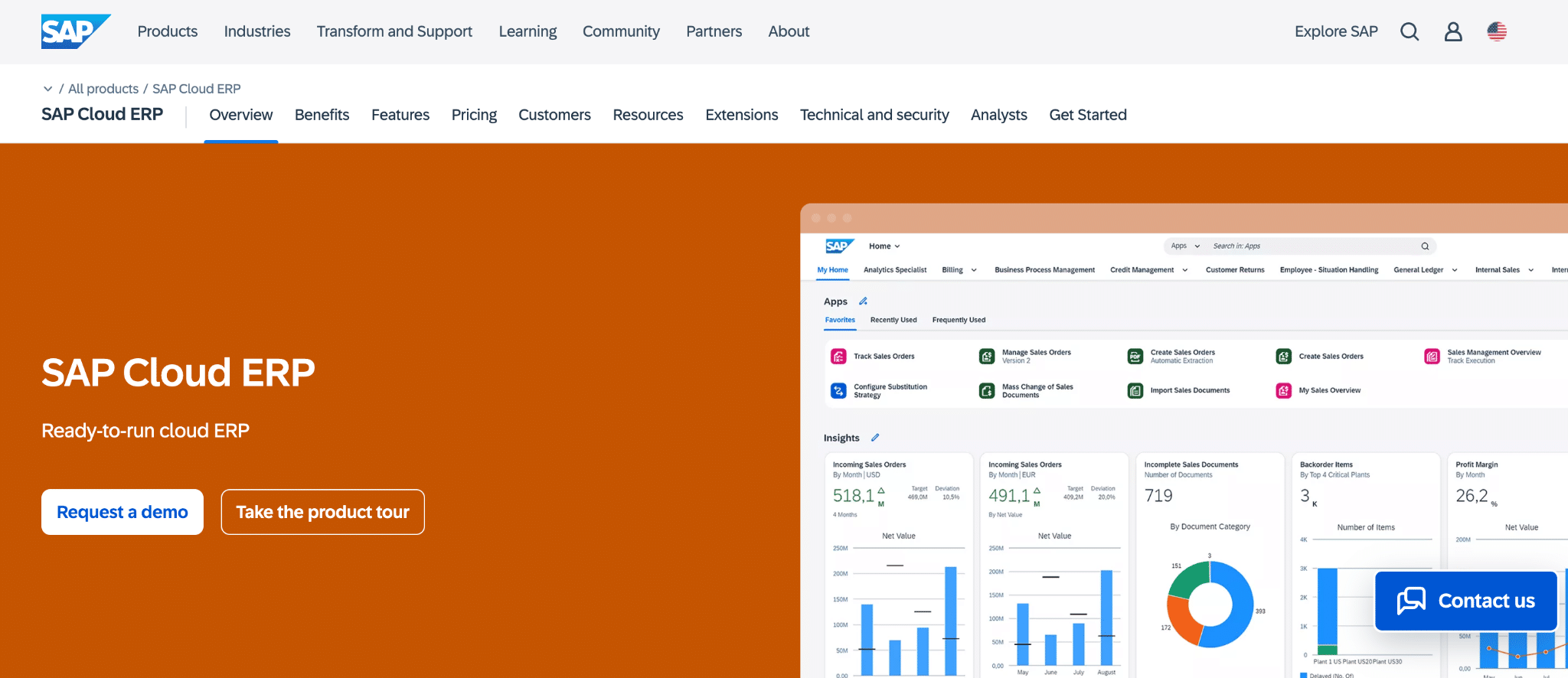
SAP S/4HANA Finance for group reporting provides enterprise-grade consolidation with automated intercompany eliminations and multi-GAAP support. Real-time analytics on the Universal Journal. AI-assisted insights and one-click consolidation in 2025 release. Cloud subscription starts around $120/user/month list price, but large enterprises negotiate 30-50% discounts. Implementation runs $500,000+ for complex deployments. Best for large enterprises with 500+ employees needing comprehensive ERP beyond accounting.
Start automating your multi-entity accounting
Multi-entity accounting automation delivers measurable results. Companies cut close time by 30-60%. Finance teams stop wasting days on manual data exports and spreadsheet consolidation. Controllers get accurate consolidated financials in hours instead of weeks.
Pick your biggest pain point from the 10 tips in this guide. Automate data collection first if manual exports eat up your time. Fix intercompany matching if reconciliation takes days every month.
Coefficient works at any company size as a spreadsheet automation layer. Connect your ERPs directly to Google Sheets or Excel. Pull live data automatically instead of manual CSV exports. Build custom multi-entity dashboards using spreadsheet skills your team already has.
Get started with Coefficient and eliminate manual multi-entity reporting work.
FAQs
What is multi-entity accounting automation?
Multi-entity accounting automation uses technology to handle financial processes across multiple legal entities or subsidiaries. It automates data collection, consolidation, intercompany eliminations, and currency conversions. Typical time savings range from 30-60% reduction in close time.
How do you automate consolidation for multiple entities?
Connect to all entity accounting systems using APIs or integrations. Standardize the chart of accounts so subsidiary structures map to parent company reporting. Configure automated data pulls, set up consolidation rules with ownership percentages, and automate currency conversions using live FX rates.
What tools automate multi-entity accounting?
Full ERPs like NetSuite and SAP provide native multi-entity support. SMB solutions include QuickBooks and Xero with add-on apps. Spreadsheet tools like Coefficient create a reporting layer that connects to any system. Price range runs from $50/month to $100,000+/year depending on complexity.
How long does it take to implement multi-entity automation?
Spreadsheet tools like Coefficient deploy in days. Close management platforms take 2-4 weeks. Mid-market ERPs like Sage Intacct require 3-4 months. Enterprise ERPs like NetSuite or SAP need 4-12 months depending on complexity.
What’s the ROI of multi-entity accounting automation?
Time savings run 30-60% reduction in close time. Labor cost savings eliminate 20-40 hours of manual work per month per entity. Error reduction drops consolidation mistakes by 80%+. Typical payback period runs 6-12 months for mid-market implementations.
Do I need expensive software to automate multi-entity accounting?
No. Budget options include Xero at $70/month per entity plus a consolidation app. Coefficient Pro runs $99/user/month. Start small with spreadsheet automation while keeping existing ERPs. Scale up to purpose-built solutions as complexity grows.