
Table of Contents

- 1. 10 Multi-Entity Accounting Automation Tips
- 2. Fast close accounting: How to close your books in 3 days or less
- 3. Intercompany reconciliation: 7 steps for accurate financial reporting
- 4. Strategic Scenario Planning: A Practical Guide for Finance Teams
- 5. Incremental Budgeting: A Complete Guide for Finance Teams
- 6. FP&A AI: Complete Guide to Artificial Intelligence in Financial Planning
- 7. Strategic budgeting: A complete guide to aligning finances with long-term goals
- 8. How to Create an Operating Budget (Step-by-Step Guide)
- 9. How to Do Vertical Analysis of a Balance Sheet
- 10. How to Do Sensitivity Analysis in Excel: A Complete Guide
- 11. CFO Reports to the Board of Directors: A Complete Guide
- 12. Cost volume profit analysis: A complete guide for finance teams
- 13. Workflow Automation for Fractional CFOs & Finance Service Firms
- 14. 11 Account Reconciliation Best Practices
- 15. How to build budget vs. actual reporting in spreadsheets
- 16. Automate Your Month End Close Process: A CFO’s 5-Step Playbook
- 17. 8 Must Automate Processes for Fractional CFO & Accounting firms
- 18. 6 Ways for CFO Firms to Provide Better Client Reporting
- 19. 6 Great Excel Report Templates for Fractional CFOs
- 20. How to Perform Price‑Volume‑Mix (PVM) Analysis in Excel — Free Template
- 21. How to Build a 13‑Week Cash‑Flow Forecast in Excel (Free Template)
- 22. How to Calculate Trailing‑12‑Month (TTM) Metrics in Spreadsheets + Free Template
- 23. How to do Scenario Analysis in Spreadsheets
- 24. Best Practices for Consolidating Financial Statements



Finance teams spend half their time on manual work. According to the 2025 FP&A Trends Survey, FP&A professionals waste 46% of their time on data cleansing and spreadsheet updates instead of strategic analysis. AI is changing this reality. Gartner research shows that 58% of finance functions now use AI tools, with financial planning among the top areas seeing real impact.
This guide covers how AI transforms FP&A work. You’ll learn the benefits, common applications, implementation challenges, how to get started, and which tools deliver results.
Key benefits of AI in FP&A

Better forecasts
AI-powered forecasting improves accuracy by 30-40% compared to traditional methods, according to BCG research. Machine learning algorithms analyze thousands of variables at once—market trends, seasonality, economic indicators—that manual processes can’t handle. Companies using AI forecasting achieve 97% accuracy rates versus 70-80% with traditional Excel models.
The difference shows up in real outcomes. Amazon improved forecast accuracy 15-fold with unified AI models. JPMorgan Chase saved $1.5 billion through AI-driven revenue optimization.
Massive time savings
Research shows AI adoption in FP&A saves professionals up to 200 hours annually. ICit Business Intelligence found that 66% of finance professionals report saving 50-200 hours per year. Companies report annual savings of $50,000 to $100,000 from reduced manual effort alone.
Real-time decision intelligence
Traditional quarterly planning cycles don’t work anymore. Markets move too fast. AI enables continuous planning with real-time scenario modeling that updates forecasts instantly as conditions change. Finance teams can respond to market shifts immediately rather than waiting weeks for updated reports.
Automated variance analysis
AI continuously compares actuals versus plan, flagging anomalies in seconds. It incorporates external factors like market demand shifts, interest rate changes, and seasonality to identify the real drivers behind variances. CFOs get instant answers about performance deviations rather than waiting for analysts to investigate.
Unlimited scenario modeling
AI reduces scenario modeling from weeks to minutes. Finance teams can instantly test multiple what-if scenarios with thousands of variable combinations that would be impossible to model manually. This capability matters in uncertain economic conditions when you need to rapidly evaluate different strategic paths.
Proven ROI
KPMG research reveals that 57% of AI leaders say ROI exceeds expectations. Companies report proven ROI ranging from 200% to 1,200% over 3-5 years. Beyond direct cost savings, AI enables better capital allocation decisions, reduces forecast errors, and improves working capital management through more accurate cash flow predictions.
Strategic business partnership
AI elevates FP&A teams from data processors to strategic advisors. With automation handling routine tasks, analysts focus on value-added activities. According to Accenture’s 2024 CFO Forward Study, 72% of CFOs now report that the transformations they lead affect three or more different functions.
Common AI applications in FP&A
Predictive modeling and forecasting
AI-powered predictive modeling represents the most mature application of artificial intelligence in FP&A. Machine learning algorithms process vast datasets—historical financials, market indicators, customer behavior patterns, macroeconomic factors—to generate forecasts that adapt continuously to new information.
Unlike static Excel models that require manual updates, AI forecasting systems learn from prediction accuracy over time. They automatically adjust their algorithms to improve results. The technology goes beyond simple trend extrapolation. AI identifies complex, non-linear relationships between variables that human analysts might miss. An AI system might discover that a combination of weather patterns, social media sentiment, and competitor pricing creates a predictive signal for demand fluctuations.
Anomaly detection
AI-powered anomaly detection acts as a continuous monitoring system that identifies unusual patterns in financial data instantly. Traditional variance analysis requires analysts to manually review reports, investigate discrepancies, and determine root causes. This time-consuming process often occurs too late to take corrective action.
AI monitors transactions and financial metrics in real-time, flagging outliers based on historical patterns, seasonal trends, and business context. The system learns what “normal” looks like for different accounts, departments, and time periods. A sudden spike in travel expenses, unusual vendor payments, or anomalous revenue patterns get surfaced immediately for investigation.
Automated variance explanations
When AI flags a variance, it doesn’t just highlight the number. Modern AI systems generate natural language explanations identifying likely root causes. Instead of spending hours investigating why revenue missed forecast by 8%, the AI analyzes dozens of potential factors and surfaces the most probable reasons.
The system might determine that the variance primarily stems from delayed customer renewals in EMEA combined with lower-than-expected deal sizes in the enterprise segment. According to McKinsey research, finance teams using AI for variance analysis and decision support gain significant efficiency by integrating multiple layers of information into cohesive views.
Challenges of implementing AI in FP&A
Data quality requirements
AI models are only as good as the data they train on. Organizations struggle with inconsistent data definitions across systems, historical data gaps or errors, and siloed information that’s difficult to consolidate. Many organizations discover that data preparation consumes 60-80% of AI implementation effort.
Solution: Establish data governance frameworks defining ownership and standards. Clean historical data before implementation. Implement data quality monitoring and validation. Standardize definitions across systems.
Integration with existing systems
FP&A teams work with multiple platforms—ERPs, CRMs, data warehouses, planning tools. Integrating AI capabilities across this technology stack poses significant challenges. Legacy systems may lack APIs. Data often lives in incompatible formats. Real-time integration requires substantial technical infrastructure.
Solution: Select AI tools with pre-built connectors for your existing systems. Use integration platforms that bridge legacy and modern systems. Plan for phased rollouts starting with highest-value integrations.
Change management and adoption
Technical implementation is often easier than organizational change. Finance professionals resist new tools that disrupt established workflows. There’s fear that AI will replace jobs rather than augment capabilities. Teams lack skills to use AI tools effectively.
Solution: Clear communication about how AI augments rather than replaces finance roles. Comprehensive training programs that build confidence. Involvement of key users in tool selection. Celebration of early wins to build momentum.
Skills gap
AI-enhanced FP&A requires new capabilities. Finance teams need basic data science concepts, understanding of how AI models work, ability to interpret AI-generated insights, and technical skills to configure tools. Most finance professionals lack these skills today.
Solution: Targeted training programs. Hiring data science talent to partner with finance. Partnering with consultants during initial implementation. Selecting user-friendly tools that minimize technical requirements.
Cost and budget constraints
Enterprise AI platforms carry significant price tags. Implementation services, training, and ongoing consulting add to total cost of ownership. Smaller organizations struggle to justify the investment when ROI timelines extend beyond budget cycles.
Solution: Start with focused pilots that demonstrate value quickly. Consider spreadsheet-native solutions that minimize implementation costs. Build the business case with measurable outcomes before scaling.
How to get started with AI in FP&A
Assess current processes and pain points
Before selecting any AI tool, map your current FP&A workflows in detail. Identify where manual work consumes the most time. Look for processes prone to errors or delays. Quantify the impact—hours spent, error rates, reporting delays.
Common high-impact areas include data consolidation from multiple sources, variance analysis and explanation, forecast model updates and maintenance, report generation and distribution, and scenario modeling for planning cycles.
Prioritize based on both pain level and strategic importance. The best pilot candidates are processes that are repetitive, time-consuming, and have clear success metrics.
Ensure data quality foundation
AI requires clean, consistent data to deliver accurate results. Audit your data sources before implementation. Check for completeness, accuracy, and consistency across systems.
Key questions to answer:
- Are definitions standardized across all data sources?
- Is historical data complete and accurate?
- Do you have proper data governance in place?
- Can data flow automatically from source systems?
Invest in data cleanup before AI implementation. The effort pays dividends in accuracy and adoption.
Run pilot projects
Start small with focused pilots rather than enterprise-wide rollouts. Select one use case with clear success criteria. Choose a team willing to experiment and provide feedback. Set realistic timelines—typically 8-12 weeks for initial pilots.
Measure results rigorously. Track time savings, accuracy improvements, and user satisfaction. Document lessons learned. Use pilot success to build the case for broader investment.
Pilot best practices:
- Define success metrics upfront
- Assign dedicated resources
- Plan for iteration based on feedback
- Communicate results transparently
Secure C-level support
AI investments require executive sponsorship. CFOs must champion the initiative to ensure adequate resources and organizational buy-in. Frame the business case around strategic outcomes—better decisions, faster close, improved forecasting—not just technology.
Present ROI projections grounded in pilot results. Address concerns about job displacement directly. Position AI as workforce augmentation that elevates the finance function’s strategic value.
Select right AI tooling
Tool selection depends on your specific requirements. Consider:
- Company size and complexity: Enterprise platforms for large, complex organizations; spreadsheet-native tools for mid-market
- Existing technology stack: Prioritize tools that integrate with your current systems
- User capabilities: Match tool sophistication to team skills
- Budget: Include implementation and ongoing costs in TCO calculations
- Time to value: Some tools deliver quick wins; others require longer implementation
Evaluate multiple vendors. Request demos with your actual data. Check references from similar companies.
Top AI tools for FP&A
Cube
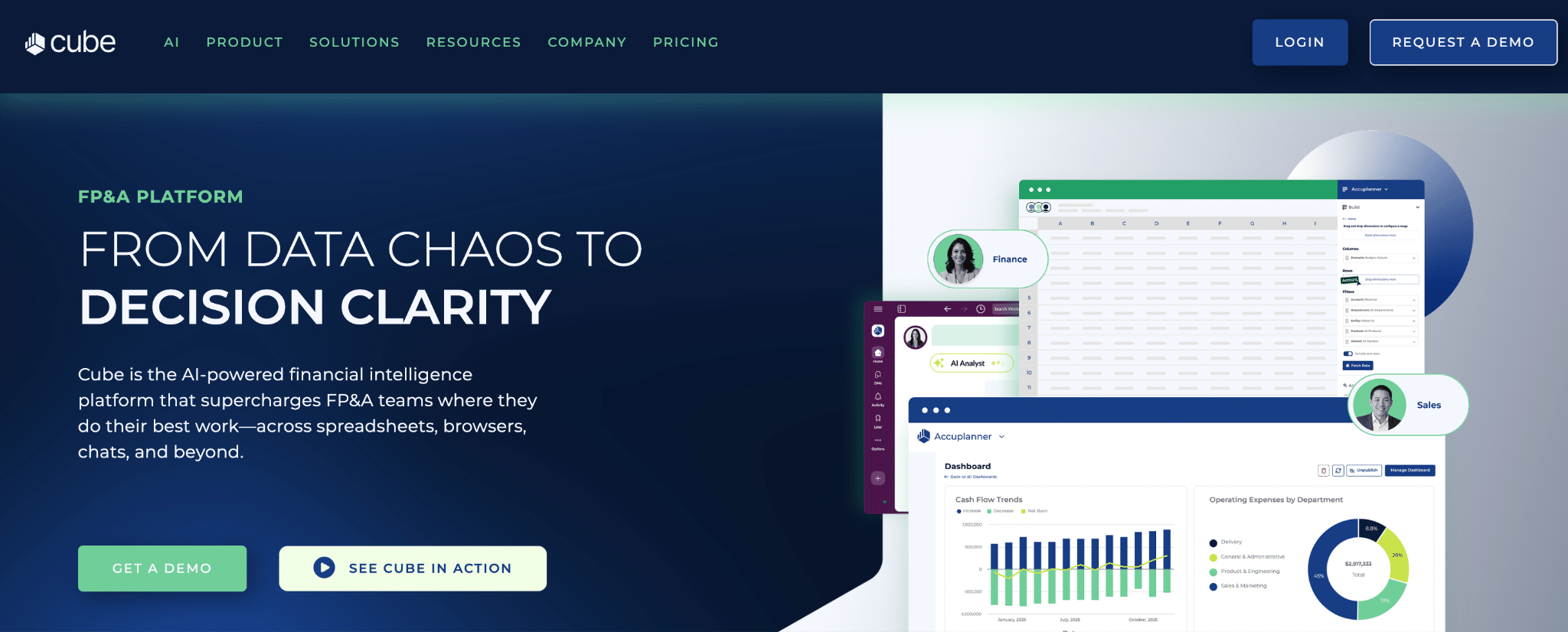
Cube is a spreadsheet-native FP&A platform that bridges the gap between familiar Excel workflows and enterprise planning capabilities. Finance teams can leverage advanced FP&A features without abandoning their existing spreadsheet models.
Highlights of tool
- Spreadsheet-native integration: Works directly within Excel and Google Sheets without requiring users to learn new interfaces
- AI-powered forecasting: Smart forecasting and analysis to automate processes and surface insights
- Multi-scenario analysis: Model how changes to key assumptions affect overall outputs
Pros
Fast implementation. Customers consistently report 2-3 week implementations versus months for enterprise platforms. The spreadsheet-native approach minimizes learning curves and change management effort.
Excellent customer support. Support team includes finance professionals who understand FP&A workflows. Regular check-ins ensure users leverage full capabilities. G2 ranked Cube #1 for implementation and ROI.
Cost-effective for SMBs. Competitive pricing makes sophisticated FP&A accessible to smaller companies that can’t afford enterprise tools. Most customers report strong value for money.
Cons
Limited for large enterprises. Companies with very complex, multi-dimensional models may push Cube’s limits. Limited custom dimensions compared to enterprise alternatives.
Dashboard limitations. Dashboards not as intuitive as dedicated BI tools like Power BI or Tableau. Some users rely on Excel’s built-in charts for certain visualizations.
Missing headcount module. No robust headcount planning section within the system. Companies with complex workforce planning needs may require additional tools.
Pricing
As of December 2025, Cube uses custom pricing based on company size and needs. Historical pricing indicates plans starting at $1,500/month for lean finance teams and $2,800/month for growth companies. Enterprise pricing is custom. Implementation fees typically waived with annual commitments.
What do users say about Cube?
Positive: “In my experience with FP&A software tools, Cube has proven to be the most reliable and flexible I have ever used. I previously switched roles and decided to use Cube again at my new company. I use it every day and the support staff is always on call.” — Capterra Review
Critical: “Dashboarding still not intuitive enough like a PowerBI or Tableau. No detailed project management tool to track progress of important FP&A projects like budgets, long term plans or rolling forecasts.” — Capterra Review
Support
Cube provides dedicated customer success managers, responsive support through multiple channels, and regular check-ins. Implementation handled by in-house team with typical 2-4 week timelines.
Aleph
Aleph is an AI-native FP&A platform designed for speed and automation. The platform combines data consolidation, spreadsheet integration, and intelligent automation to help finance teams work faster without sacrificing accuracy.
Highlights of tool
- 150+ no-code integrations: Connect ERPs, CRMs, HRIS, and other systems without technical resources
- AI-powered variance analysis: Instantly surfaces what has changed and where to look
- Rapid deployment: Customers report going live within days, not months
Pros
Exceptionally fast time-to-value. Implementation timelines measured in days or weeks, not months. Finance teams can complete quarter-end reporting within 3 weeks of signing. This is the fastest deployment in the FP&A category.
Strong AI capabilities. AI agents handle automated mappings, variance explanations, and conversational queries. The AI was purpose-built for finance workflows, not adapted from general-purpose models.
Spreadsheet flexibility. Maintains Excel and Google Sheets workflows while adding automation and governance. Finance teams don’t need to abandon their existing models.
Cons
Newer platform. As a relatively young company (Series B in 2025), some enterprises may hesitate to build critical processes on a less-established vendor. Feature set still maturing compared to legacy platforms.
Customization limitations. G2 reviews note challenges with complex reporting requirements and some customization constraints for sophisticated use cases.
Enterprise scale questions. Best fit is SMB and mid-market. Large enterprises with global operations may need more mature solutions.
Pricing
As of December 2025, Aleph uses custom pricing. The company does not publish fixed plans. Industry sources indicate mid-market pricing competitive with other modern FP&A platforms. Contact vendor for quotes.
What do users say about Aleph?
Positive: “I’ve been born and bred in FP&A for almost 20 years, and kudos to Aleph who built the tool I’ve always wanted.” — Aleph Customer
Critical: “G2 reviews highlight the speed of deployment and spreadsheet flexibility, but also note challenges related to customization, complex reporting, and meeting some of the other needs that mid-market businesses and enterprises have.” — Drivetrain Analysis
Support
Aleph provides dedicated implementation support and customer success resources. The company emphasizes “white-glove” onboarding to ensure rapid time-to-value.
Vena Solutions

Vena Solutions is an AI-powered Complete FP&A platform built on the Microsoft technology ecosystem. It maintains Excel as the user interface while adding enterprise planning capabilities, making it ideal for finance teams deeply embedded in Microsoft workflows.
Highlights of tool
- Native Microsoft integration: Built specifically for Excel and Microsoft 365 with deep integration
- Vena Copilot: AI chatbot for natural language queries against financial data
- Complete FP&A platform: Covers budgeting, planning, forecasting, close management, and reporting
Pros
Excel-native experience. Finance teams work in their familiar Excel environment while gaining enterprise planning capabilities. Minimal learning curve for spreadsheet-proficient users.
Time savings. Many customers report cutting close time by 50% and dramatically reducing manual work. Automation and consolidation features eliminate repetitive tasks.
Strong data integration. Connects ERPs, CRMs, HRIS and consolidates into a single source of truth. The OLAP database (CubeFLEX) is purpose-built for Excel integration.
Cons
Higher cost. Vena is expensive compared to alternatives, often exceeding $60,000 for the first year including implementation. Better suited for mid-market to enterprise budgets.
Implementation complexity. Longer implementation timelines than newer competitors. Requires significant upfront investment in setup and configuration.
Learning curve despite Excel. While Excel-based, the platform still requires training to leverage full capabilities. Advanced features require deeper expertise.
Pricing
As of December 2025, Vena offers custom pricing. Industry sources indicate annual costs typically start around $60,000+ including implementation fees. Professional and Complete plans available with dedicated customer success managers included.
What do users say about Vena?
Positive: “Vena has significantly decreased the time it takes us to close the books and prepare our month-end financial reports. It has also streamlined our budgeting process by minimizing the need to copy and paste data.” — G2 Review
Critical: “Vena is an expensive choice when it comes to FP&A software. Although cheaper than tools for big corporations like Anaplan and Workday, Vena is best for bigger companies and the price usually reflects that.” — The Finance Weekly
Support
Vena provides tiered support including dedicated customer success managers. Implementation handled through professional services. Strong customer community (Vena Academy) for training and best practices.
Anaplan

Anaplan is an enterprise-grade connected planning platform designed for large organizations with complex, cross-functional planning requirements. It excels at scenarios requiring deep integration across finance, sales, supply chain, and operations.
Highlights of tool
- Connected planning: Links finance, sales, supply chain, and operational planning in a unified platform
- Hyperblock calculation engine: Patented technology for unlimited scenarios and dimensions
- AI/ML capabilities: PlanIQ for predictive forecasting and intelligent insights
Pros
Enterprise scalability. Handles massive data volumes and complex multi-dimensional modeling. Serves organizations with sophisticated planning needs spanning multiple departments.
Flexibility in modeling. Can build virtually any planning model from scratch. Addresses unique business challenges that rigid templates can’t accommodate.
Real-time collaboration. Enables cross-functional planning with real-time updates. Eliminates silos between finance, sales, and operations.
Cons
Very expensive. Entry-level pricing starts around $30,000-$50,000 annually, with average costs around $200,000 per year according to Vendr. Total cost of ownership often reaches 2-3x initial quotes.
Steep learning curve. Requires significant training and often external consultants for model building. Not intuitive for casual users without dedicated support.
Long implementation. Complex implementations can take 6+ months. Requires substantial change management investment.
Pricing
As of December 2025, Anaplan uses custom pricing based on users, modules, and workspace capacity. Entry-level starts around $30,000-$50,000/year. Average enterprise costs approximately $200,000/year. Implementation fees add significantly to first-year costs.
What do users say about Anaplan?
Positive: “My experience with Anaplan has been excellent. Anaplan has transformed how our finance team’s FP&A processes by eliminating manual work and improving our forecasting efficiency and accuracy.” — Gartner Peer Insights
Critical: “The code base is hard to master, making uploading changes into Anaplan difficult and time consuming.” — Capterra Review
Support
Anaplan provides enterprise support tiers with dedicated customer success for larger deployments. Partner ecosystem offers implementation and consulting services. Comprehensive training and certification programs available.
Workday Adaptive Planning

Workday Adaptive Planning is an enterprise cloud platform for financial planning with embedded AI and machine learning. It integrates natively with Workday’s broader HCM and Financial Management suite while also connecting to third-party ERPs.
Highlights of tool
- Elastic Hypercube Technology: Scalable multi-dimensional modeling for complex planning scenarios
- AI/ML forecasting: Predictive capabilities and anomaly detection built into the platform
- 200+ pre-built templates: Accelerates implementation with ready-to-use planning models
Pros
Enterprise scalability. Handles complex organizational structures and large data volumes without performance degradation. Built for sophisticated enterprise planning needs.
Comprehensive features. Covers budgeting, planning, forecasting, reporting, and consolidation in a unified platform. Strong workforce planning capabilities.
Workday ecosystem. Seamless integration with Workday HCM and Financial Management. Native connectors to major ERPs including NetSuite, SAP, and Microsoft Dynamics.
Cons
Significant cost. Enterprise-grade pricing typically ranges $50,000-$200,000+ annually depending on modules and users. Implementation adds 50-100% of first-year costs.
Implementation complexity. Requires 3-6+ months for full implementation with consulting support. Not a tool you can set up quickly without expertise.
Steep learning curve. Powerful features come with complexity. Users consistently cite learning difficulty and challenging formulas as drawbacks.
Pricing
As of December 2025, Workday Adaptive Planning uses custom subscription pricing based on package selection, product options, seat count, and contract duration. Industry estimates suggest $50,000-$200,000+ annually for mid-market to enterprise deployments. Implementation costs typically add $20,000-$100,000+.
What do users say about Workday Adaptive Planning?
Positive: “I will always recommend Adaptive to FP&A professionals. Once you use it and truly understand it, I’m sure you will do the same. There is little wonder why they are a leader in the SaaS space.” — Capterra Review
Critical: “Setting up Adaptive Insights is a crucial, timely, and difficult process. However, the time you put into building your instance initially saves time and pays dividends in the future.” — Capterra Review
Support
Workday provides tiered support based on subscription level. Standard email and phone support included. Priority support and dedicated customer success available for larger deployments. Strong customer community and training resources.
Datarails

Datarails positions itself as an AI-powered, Excel-native FP&A platform specifically for finance teams that refuse to abandon their spreadsheets. It wraps around existing Excel models, adding automation, consolidation, and AI capabilities.
Highlights of tool
- FP&A Genius AI: Conversational AI for financial analysis and automated insights
- 200+ integrations: Connects accounting, ERP, CRM, banking, and HRIS systems
- 100% Excel functionality: Maintains complete Excel capability while adding governance and automation
Pros
True Excel preservation. Unique in allowing finance teams to keep their existing Excel models without rebuilding. Your current models become automated without redesign.
Fast implementation. Customers report 4-6 week implementations versus months for platforms requiring model rebuilds. Datarails handles implementation in-house.
Strong AI features. FP&A Genius provides conversational access to consolidated data. Useful for last-minute finance requests and ad-hoc analysis.
Cons
Excel limitations persist. While Excel compatibility is a strength, it can limit users who want more modern interfaces. You’re still fundamentally working in Excel with its inherent constraints.
Dashboard gaps. Some users report dashboards don’t match dedicated BI tool capabilities. Teams may still rely on Excel’s built-in charts for certain visualizations.
Learning curve. Despite Excel familiarity, mastering the platform’s data mapping and advanced features requires significant investment.
Pricing
As of December 2025, Datarails uses custom pricing. Based on industry sources, pricing typically starts around $24,000-$30,000/year with implementation costs lower than competitors. Mid-market companies typically pay $30,000-$100,000+ annually depending on users and integrations.
What do users say about Datarails?
Positive: “My experience with DataRails has been first class. I have been able to reduce the time required for completion by around 40%. I particularly like the approach of having the Customer Success Manager driving the implementation.” — Capterra Review
Critical: “It is a little bit complex. It is like a mix between a Tableau using Python-ish… Meaning there is still things we need to fix manually. The way we need to fix things or create a formula is high level (meaning required a little bit experience in data modeling).” — G2 Review
Support
Datarails provides dedicated customer success managers throughout implementation and ongoing usage. Support team includes finance professionals (not just technical support). Implementation handled entirely in-house with typical 4-8 week timelines.
Coefficient for AI-enhanced FP&A
Coefficient connects 100+ business systems to Excel and Google Sheets for AI-enhanced financial analysis. The platform enables live data connections from ERPs like NetSuite and Sage Intacct, CRMs like Salesforce, and data warehouses like Snowflake—eliminating manual data gathering for AI-ready datasets.
Finance teams use Coefficient to automate the data foundation that AI tools need. Instead of spending hours on manual exports and consolidation, you connect your systems directly to live data sources. Reports and dashboards update automatically on schedule. Your team focuses on analysis instead of data wrangling.
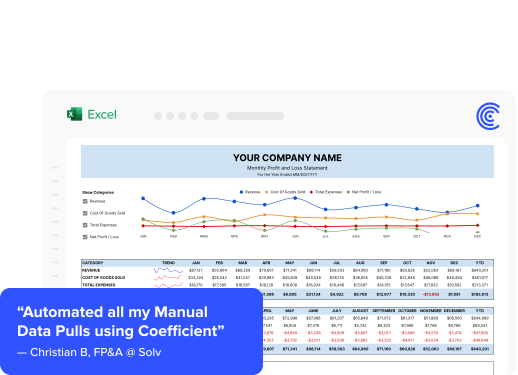
Solv’s FP&A team demonstrates the impact. Christian Budnik, FP&A Analyst at Solv, described their challenge: “Before Coefficient, I was doing multiple data pulls a day. If you just add up those hours, week over week, month over month, it’s a huge time sink.”
After implementing Coefficient to automate data pulls from Salesforce, Looker, and QuickBooks, Solv’s 7-person FP&A team saved 364 hours annually.
The results went beyond time savings. “After setting up Coefficient, I instantly felt an incredible amount of peace of mind. All I had to do was click a button, and in seconds, all my Salesforce data appeared in Google Sheets,” Budnik explained. Dashboards, reports, and models always remained up-to-date and ready to share with stakeholders.
Coefficient works alongside your existing financial planning tools and AI capabilities, providing the clean, current data foundation that AI requires. You maintain familiar spreadsheet workflows while gaining the automation and real-time capabilities that modern FP&A demands.
Future of AI in FP&A
AI in FP&A is evolving from task automation to fully autonomous planning. The shift moves beyond automating individual tasks like variance analysis or report generation. AI will soon handle end-to-end forecasting processes with minimal human intervention.
Agentic AI represents the next evolution. These autonomous agents will initiate tasks, make recommendations, and execute transactions without waiting for human prompts. According to FP&A Trends research, AI agents will monitor financial metrics 24/7, proactively alert teams to anomalies, automatically generate monthly variance explanations with root cause analysis, and coordinate across multiple systems.
Continuous planning will replace traditional quarterly cycles. AI enables real-time forecast updates as new data arrives, dynamic resource allocation based on changing conditions, instant scenario recalculation when assumptions change, and always-current models that reflect latest actuals.
The competitive gap is widening. Organizations that implement AI in FP&A today gain years of accumulated learning. Those who wait face the challenge of catching up while competitors make faster, better-informed decisions.
Start with the data foundation
AI in FP&A delivers real results. Companies save hundreds of hours annually, improve forecast accuracy by 30-40%, and make faster strategic decisions. But success requires the right foundation. Clean, current data from integrated systems enables AI to work effectively.
Start by identifying your highest-impact use cases. Focus on where manual work consumes the most time or where forecast accuracy directly affects business decisions. Run focused pilots that demonstrate value quickly. Build momentum with wins that justify broader investment.
Get started with Coefficient to connect your first data source and see how live data in spreadsheets transforms your FP&A workflows.