

Table of Contents

- 1. NetSuite Data Integration Tools for Automation & Reporting
- 2. Top 5 NetSuite Reporting Tools in 2026: Boost Your Analytics Game
- 3. Top 10 NetSuite Apps for Integration & Reporting for 2026
- 4. Best 6 NetSuite Connectors in 2025
- 5. Best HubSpot NetSuite Integration Software
- 6. Best NetSuite Salesforce Integration Software
- 7. Best NetSuite Snowflake Integration Software
- 8. Best NetSuite QuickBooks Integration Software
- 9. Best Zendesk NetSuite Integration Software
- 10. Best Zoho CRM NetSuite Integration Software
- 11. Best NetSuite Pipedrive Integration Software
- 12. Best SharePoint NetSuite Integration Software
- 13. Best Google Drive NetSuite integration software
- 14. Best Shopify NetSuite Integration Software
- 15. Best Stripe NetSuite Integration Software
- 16. Best Chargebee NetSuite Integration Software
- 17. Best WooCommerce NetSuite Connector
- 18. Best BigCommerce NetSuite Integration Software
- 19. Best BambooHR NetSuite Integration Software
- 20. Best Klaviyo NetSuite integration software
- 21. Best Mailchimp NetSuite integration software
- 22. Best Square NetSuite Integration Software
- 23. Best NetSuite Gmail Integration Software
- 24. How to Connect NetSuite to Snowflake: A Step-by-Step Guide


Your sales team lives in Salesforce tracking deals and managing customer relationships. Meanwhile, your finance team operates in NetSuite handling accounting, billing, and financial operations. The disconnect between these two critical systems creates:
- Reporting delays
- Manual data exports
- Zero visibility into the complete customer lifecycle
Sound familiar?
Purpose of Your NetSuite Salesforce Integration
Connecting Salesforce with NetSuite enables:
- Unified revenue reporting that combines sales pipeline data with actual financial performance
- Complete customer 360 views merging CRM activities with billing history and payment status
- Accurate sales forecasting grounded in real inventory levels and financial constraints
- Automated commission calculations that verify closed deals against actual payment receipt
Ways to Integrate Salesforce and NetSuite
You have twoprimary paths to connect these enterprise platforms: no native integration exists between the two systems, so you’ll need to use Coefficient’s spreadsheet-native connector, deploy an enterprise iPaaS platform, or build custom API integration.
Method 1: Coefficient – No-Code Spreadsheet Connector
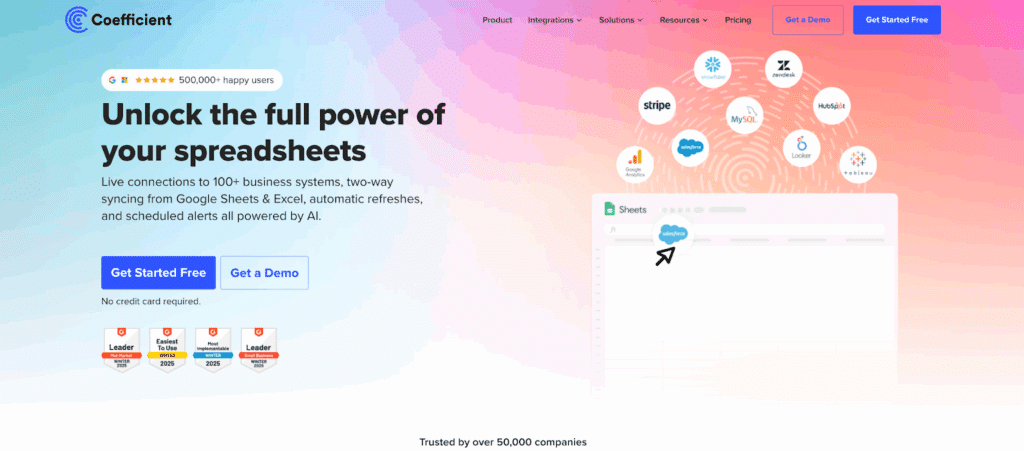
Coefficient takes a fundamentally different approach to integration. Instead of creating another platform to learn, it brings live data from both Salesforce and NetSuite directly into the spreadsheets your finance team already uses.
How It Works
Coefficient works inside Google Sheets and Excel where finance teams actually do their analysis. No separate dashboard. No new interface to learn.
Connect Both Systems to Google Sheets or Excel in Minutes:
Watch how Coefficient’s NetSuite and Salesforce connectors work in action. This tutorial demonstrates the complete setup process, from authentication to your first data import in under 2 minutes:
Quick Integration Walkthrough:
- Install Coefficient from the Google Workspace Marketplace or Microsoft AppSource in seconds
- Connect Salesforce using OAuth authentication without IT involvement
- Choose your data source:
- Existing Salesforce reports
- Custom objects and fields
- Write SOQL queries for complex needs

- Import financial data:
- Income statements
- Trial balances
- General ledger
- Saved searches
- Custom SuiteQL queries

- Build dashboards combining both data sources in the same spreadsheet with formulas you already know
- Schedule automatic hourly or daily refreshes so your data stays current without manual exports
- Use Coefficient’s export feature to write updated data back to Salesforce when needed (bi-directional sync)
Key Benefits
Work where you already work. Your finance team already lives in spreadsheets. Why force them to learn another platform? Coefficient eliminates that friction entirely. Your analysts can use familiar formulas, pivot tables, and charts while working with live data instead of stale exports.
No IT project required for setup. Finance and operations teams can connect both systems in minutes without developer resources. The OAuth authentication is straightforward, and the import wizards guide you through selecting exactly the data you need. One customer noted they “solved weekly client reporting data refresh issues” immediately after implementation.
100+ connectors provide business context beyond these two systems. Your revenue analysis might need:
- Salesforce opportunities
- NetSuite actuals
- Stripe subscription data together
Coefficient makes combining these data sources as simple as adding another import to your sheet. This broader connectivity separates it from point-to-point integration platforms.
Real-time automation keeps data fresh. Schedule imports to refresh hourly or daily depending on your needs. Your dashboards update automatically in the background. No more Friday afternoon scrambles to pull fresh data for Monday morning meetings.
Cost-effective compared to enterprise platforms. Plans start at $49 per month. The Pro plan at $99 per user per month includes:
- Unlimited row imports
- Hourly auto-refresh
- Multi-user support
That’s a fraction of enterprise iPaaS platforms that start around $7,800 annually.
Limitations
Coefficient excels at data import, analysis, and building dashboards, but it’s not designed for complex, bi-directional workflow automation. If you need:
- Real-time order syncing from Salesforce to NetSuite
- Complex business rules during data transfer
An iPaaS platform might better fit those needs.
Ratings and Reviews
Over 500,000 users across 50,000+ companies trust Coefficient, including major brands like:
- Spotify
- Unity
- Uber
- Miro
The platform earned G2 badges for:
- Leader
- Easiest To Use
- Most Implementable
- Small Business Leader in Winter 2025
Alex Pan at Unity captured the experience well: “Tremendously helpful tool that has sped up my workflow. I can’t even imagine doing data analysis without Coefficient now.” A revenue operations manager noted they were “able to cover forecasting infrastructure gaps” using Coefficient to join disparate data sources.
Best For
Finance teams, revenue operations analysts, and business intelligence professionals who need to combine Salesforce and NetSuite data for reporting and analysis without deploying an enterprise integration platform.
Perfect for companies wanting fast time to value without IT involvement.
Method 2: Enterprise Integration Platforms (iPaaS) & Custom Development
When you need deep, automated synchronization between Salesforce and NetSuite with complex business logic, enterprise integration platforms deliver robust solutions.
iPaaS Platforms
Integration Platform as a Service (iPaaS) solutions offer pre-built connectors with customization capabilities. These platforms shine when you need:
- Bi-directional, real-time data sync
- Workflow automation
Celigo leads the market for NetSuite-Salesforce integration.
Their pre-built Salesforce Integration App is available on both:
- Salesforce AppExchange
- NetSuite SuiteApp marketplace
It syncs:
- Accounts
- Contacts
- Opportunities
- Sales orders
- Invoices
- Payments
With configurable field mapping and mismatched picklist handling. Celigo earned:
- 4.58/5 stars on Salesforce AppExchange
- 4.8/5 on Gartner Peer Insights with 285 reviews
One user noted it “made the daunting task of integrating SFDC and NetSuite look so simple.” Another reported it’s “been pretty much flawless for our company, eliminated double entry of data.”
Pricing starts at $7,800 per year. Implementation typically takes several weeks with Celigo’s professional services team handling field mapping and custom configurations.
Boomi offers a NetSuite-Salesforce Solution Accelerator combining pre-built integrations with expert services.

Named a Leader in the 2025 Gartner Magic Quadrant for API Management, Boomi serves 25,000+ customers. The platform automates lead-to-cash workflows with:
- Real-time data exchange between systems
- Instant access to NetSuite customer history for sales reps
Pricing runs approximately $5,000 per connector annually, though exact costs vary based on complexity. Implementation is faster than custom development thanks to solution accelerators but still requires professional services engagement.
Custom API Development
Building custom integration using Salesforce and NetSuite APIs offers maximum flexibility. This approach makes sense when you have:
- Highly specialized business processes
- Unique compliance requirements
- Complex multi-system workflows beyond just these two platforms
Both systems offer robust APIs:
Salesforce provides:
- REST, SOAP, Bulk, and Streaming APIs
- SOQL for data retrieval
NetSuite offers:
- SuiteTalk SOAP Web Services
- RESTlet endpoints
- SuiteQL for queries
The technical challenges include:
- Complex OAuth flows
- Data model mapping between different object structures
- API rate limit handling
- Maintaining sync state to prevent duplicates
Development rates run $150+ per hour:
- Simple one-way integrations: Start around $25,000 and take 2-3 months
- Standard bidirectional integration with multiple objects: Run $50,000-$100,000 over 3-4 months
- Complex enterprise implementations: Can exceed $250,000 and require 6+ months
Then budget 15-20% of initial costs annually for:
- Ongoing maintenance
- API updates
- Bug fixes
Custom development gives you exactly what you need, but the trade-offs are significant:
- High upfront costs
- Lengthy timelines
- Ongoing technical debt
- Dependence on development teams for maintenance
Projects frequently exceed initial budget and timeline estimates.
Best For
iPaaS platforms work best for mid-market to enterprise companies needing automated, bi-directional sync with complex business logic during data transfer.
Custom development suits organizations with highly specialized processes and in-house technical teams capable of long-term maintenance.
Connect Your Sales and Finance Data Today
Integrating Salesforce with NetSuite eliminates the data silos between your sales and finance teams. For most companies, Coefficient provides the fastest path to value:
- Connect both systems in minutes
- Build comprehensive dashboards in the spreadsheets you already use
- Extend your analysis to 100+ other business systems without enterprise platform costs
Ready to see your complete business picture? Get started with Coefficient free and connect Salesforce with NetSuite today.
