
Table of Contents

- 1. NetSuite Data Integration Tools for Automation & Reporting
- 2. Top 5 NetSuite Reporting Tools in 2026: Boost Your Analytics Game
- 3. Top 10 NetSuite Apps for Integration & Reporting for 2026
- 4. Best 6 NetSuite Connectors in 2025
- 5. Best HubSpot NetSuite Integration Software
- 6. Best NetSuite Salesforce Integration Software
- 7. Best NetSuite Snowflake Integration Software
- 8. Best NetSuite QuickBooks Integration Software
- 9. Best Zendesk NetSuite Integration Software
- 10. Best Zoho CRM NetSuite Integration Software
- 11. Best NetSuite Pipedrive Integration Software
- 12. Best SharePoint NetSuite Integration Software
- 13. Best Google Drive NetSuite integration software
- 14. Best Shopify NetSuite Integration Software
- 15. Best Stripe NetSuite Integration Software
- 16. Best Chargebee NetSuite Integration Software
- 17. Best WooCommerce NetSuite Connector
- 18. Best BigCommerce NetSuite Integration Software
- 19. Best BambooHR NetSuite Integration Software
- 20. Best Klaviyo NetSuite integration software
-
21. Best Mailchimp NetSuite integration software
- Purpose of your Mailchimp NetSuite integration
- Ways to integrate Mailchimp and NetSuite
- Method 1: Why there's no native integration
- Method 2: Coefficient - no-code spreadsheet connector
- Method 3: Enterprise integration platforms (iPaaS) & custom development
- Connect your marketing and finance data today
- 22. Best Square NetSuite Integration Software
- 23. Best NetSuite Gmail Integration Software
- 24. How to Connect NetSuite to Snowflake: A Step-by-Step Guide


Your marketing team sends thousands of emails through Mailchimp while finance tracks revenue in NetSuite—but without integration, you can’t connect campaign performance to actual customer value or prove which emails drive profitable sales. This disconnect leaves critical questions unanswered: Which campaigns generate the most revenue? Which customer segments are worth targeting? How do you prove marketing ROI with real financial data?
This guide shows you how to connect Mailchimp and NetSuite to enable true marketing attribution, automate customer segmentation based on purchase behavior, and give both teams unified visibility into campaign ROI. We’ll compare native integration options, spreadsheet-based analytics tools, and workflow automation platforms so you can choose the right solution based on your email volume and attribution needs.
Purpose of your Mailchimp NetSuite integration
Integrating Mailchimp with NetSuite connects your email marketing operations to your core financial and customer data, enabling:
- Marketing attribution and ROI tracking – Match campaign performance to actual revenue, calculate email marketing ROI, and report results in formats your finance team understands
- Customer segmentation with financial data – Build targeted email lists based on purchase history, customer lifetime value, order frequency, and other NetSuite financial metrics
- E-commerce email automation – Trigger post-purchase campaigns, abandoned cart emails, and customer winback sequences based on real-time NetSuite transaction data
- Subscriber list management – Keep Mailchimp audiences automatically synced with NetSuite customer records to ensure accurate targeting and deliverability
Ways to integrate Mailchimp and NetSuite
You have three main options for connecting these platforms. No native integration exists, so you’ll choose between:
- Spreadsheet-based connectors like Coefficient that work in your existing workflows
- Enterprise iPaaS platforms that handle complex automations
- Custom development for highly specialized needs
Each approach balances cost, complexity, and capabilities differently.
Method 1: Why there’s no native integration
Mailchimp doesn’t offer a native NetSuite integration. This isn’t surprising—Mailchimp is an email marketing platform focused on campaigns and automation, while NetSuite is a comprehensive ERP system managing financials, inventory, and customer records. The two systems serve fundamentally different business functions, and their vendors haven’t prioritized building direct connections.
Third-party SuiteApps like Anchor Group and SyncApps (by Cazoomi) do exist in the NetSuite marketplace, but these aren’t official integrations from either Mailchimp or Oracle NetSuite. They’re built by integration vendors who identified market demand and created connectors to fill the gap.
These SuiteApp solutions typically handle basic data syncing:
- Moving customer information from NetSuite to Mailchimp audiences
- Pulling campaign data back into NetSuite custom records
- Setup taking 30 minutes to a few hours depending on your requirements
The challenge with SuiteApp integrations is visibility and control:
- You’re installing third-party code into your NetSuite environment
- Troubleshooting sync issues requires working with the vendor’s support team rather than Mailchimp or NetSuite directly
- Pricing isn’t publicly disclosed, and you’ll need to request quotes
Best for: Companies already comfortable with third-party SuiteApps who want data syncing managed within the NetSuite environment rather than through external platforms.
Method 2: Coefficient – no-code spreadsheet connector
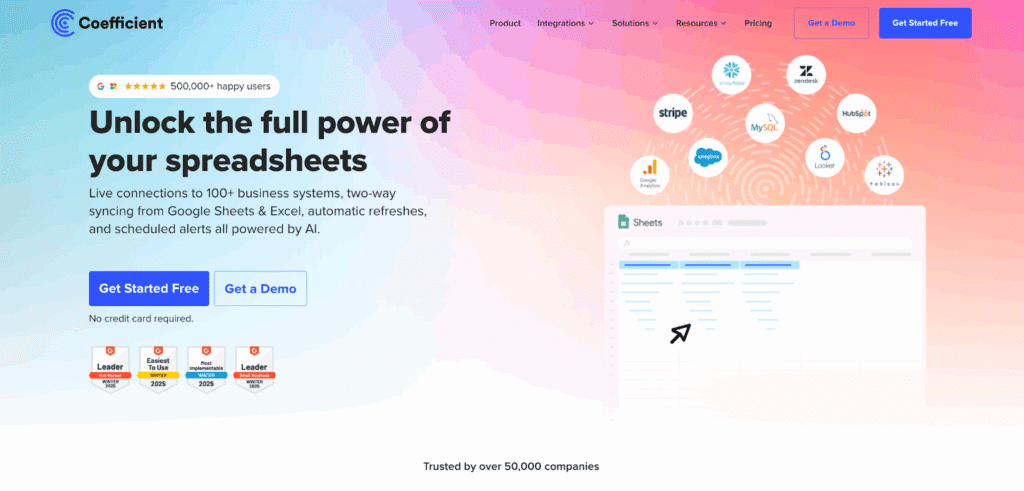
Coefficient takes a different approach entirely. Instead of building yet another sync tool, Coefficient brings both Mailchimp and NetSuite data into the spreadsheets your finance and marketing teams already use every day. You pull live data, build custom reports, and analyze marketing performance without leaving Google Sheets or Excel.
This matters because most marketing attribution analysis happens in spreadsheets anyway. Your marketing team exports Mailchimp campaign metrics. Finance exports NetSuite revenue data. Then someone spends hours manually matching campaigns to revenue, building pivot tables, and creating reports for leadership.
Coefficient eliminates all that manual work by connecting both systems directly to your spreadsheet with live, refreshable data.
How it works
Install Coefficient from the Google Workspace Marketplace or Microsoft AppSource:
- Open a new spreadsheet and launch Coefficient from the Extensions or Add-ins menu
- Click to connect Mailchimp—authenticate once, and you’ve got access to all your campaigns, audiences, and performance metrics
- Connect NetSuite the same way, and now both data sources feed the same spreadsheet
Import your Mailchimp campaign data.
For example, with a few simple clicks you can import:
- Sends
- Opens
- Clicks
- Conversions
Import your NetSuite customer and revenue data.
https://youtu.be/qEFyYK58hhs
For example, with a few simple clicks you can import:
- Order history
- Customer lifetime value
- Purchase dates
Match them by customer email or ID.
Build your analysis once, then schedule automatic refreshes hourly, daily, or weekly so your report always shows current data.

Key benefits
Finance teams love Coefficient because it works in their native environment. You’re not asking your CFO to learn another dashboard or login to another system. They open a Google Sheet or Excel file, see live data, and can immediately build the analysis they need using familiar formulas and pivot tables.
The 100+ connector advantage becomes crucial once you’re past the initial setup. Yes, you connected Mailchimp and NetSuite. But you also need:
- Stripe payment data
- Google Analytics traffic sources
- Salesforce CRM records
Coefficient connects them all to the same spreadsheet, letting you build comprehensive marketing attribution reports that show the complete customer journey from first click to final purchase.
Automation eliminates the weekly reporting grind. Schedule your imports to refresh every morning at 8am:
- Your dashboard updates automatically
- Set up Slack alerts to notify your team when specific metrics hit thresholds
- Build a live reporting system without writing code or buying expensive BI tools
The cost comparison is stark:
- Coefficient starts at $49/month for individuals, $99/user/month for teams
- Enterprise iPaaS platforms typically start around $10,000 per year and scale up from there
- If you need marketing attribution analysis for a small finance or marketing ops team, paying $200-300/month for Coefficient makes more sense than $1,000+/month for an iPaaS platform designed for enterprise IT departments
Customer segmentation becomes dynamic instead of static. Export NetSuite customer data into Google Sheets:
- Purchase history
- Order frequency
- Lifetime value
Filter for high-value customers who haven’t purchased in 90 days. Export that segment directly to Mailchimp as a new audience using Coefficient’s two-way sync capabilities. Your winback campaign targets exactly the right people based on fresh financial data.
Limitations
Coefficient excels at data analysis and reporting but isn’t built for complex, multi-step automations. If you need workflows like “when customer purchases in NetSuite, wait 3 days, then check if they opened the confirmation email in Mailchimp, and if not, send a reminder via a different channel”—that’s iPaaS territory. Coefficient handles the data pulls and pushes, but not the conditional logic and multi-system orchestration.
Two-way sync for NetSuite requires Premium connectors on higher-tier plans. You can import NetSuite data on any plan, but pushing updates back to NetSuite from your spreadsheet requires upgrading beyond the basic Starter plan.
Ratings and reviews
Coefficient serves over 500,000 users and is trusted by more than 50,000 companies, including major brands like:
- Spotify
- Unity
- Uber
- Docker
G2 reviews consistently highlight the tool’s ease of use and impact on productivity. Users report:
- Eliminating hours of manual data work each week
- Enabling non-technical team members to access live data without IT support
“Tremendously helpful tool that has sped up my workflow. I can’t even imagine doing data analysis without Coefficient now,” says Alex Pan from Unity. Ellen Cooper Cincotta from Pixability notes: “Great tool – helped us solve our weekly client reporting data refresh issues and allowed us to get data into Google Sheets for our Account Managers.”
Best for
Finance and marketing ops teams who need to:
- Analyze Mailchimp campaign performance alongside NetSuite revenue data
- Build automated marketing attribution reports
- Enable stakeholders to access live data without technical setup
Perfect for companies where spreadsheet-based reporting is the norm and adding another dashboard would create friction rather than value.
Method 3: Enterprise integration platforms (iPaaS) & custom development
iPaaS platforms
Celigo offers a pre-built Mailchimp-NetSuite integration template that handles bi-directional syncing of customer lists and campaign data. Setup takes longer than Coefficient—usually days or weeks depending on customization needs—but delivers sophisticated workflow automation once configured. Their platform includes:
- AI-powered error management
- Complex orchestration across multiple data sources
- Enterprise-grade monitoring
Celigo ranks #1 on G2 for iPaaS platforms and holds Visionary status in Gartner’s Magic Quadrant. Customers like Rad Power Bikes and Therabody credit Celigo with dramatically improving operational efficiency across their entire tech stack, not just Mailchimp-NetSuite. Pricing isn’t publicly disclosed but typically starts around $10,000 annually for small implementations and scales based on:
- Number of integrations
- Transaction volume
Zapier provides simpler automation between Mailchimp and NetSuite through trigger-based workflows:
- When a new customer is added to NetSuite, automatically add them to a Mailchimp audience
- When someone unsubscribes in Mailchimp, flag their NetSuite customer record
These point-to-point automations work well for straightforward use cases without complex business logic.
Zapier’s pricing is more accessible than Celigo:
- Plans start at $19.99/month for basic automations
- Scaling to $69/month for teams
- Custom pricing for enterprise needs
The trade-off is less sophistication in error handling and workflow complexity compared to dedicated iPaaS platforms. For companies with simple automation needs and limited IT resources, Zapier’s template-based approach can be ideal.
Workato serves enterprise customers with complex, multi-system workflows. Reddit users confirm successful Mailchimp-NetSuite integrations via Workato, praising its robust capabilities for handling intricate business logic. Pricing typically starts around $10,000/year like Celigo, with:
- Enterprise-grade security
- Governance features that appeal to larger organizations with strict compliance requirements
Best for iPaaS: Mid-market to enterprise companies that need:
- Automated workflows between Mailchimp and NetSuite with minimal ongoing manual intervention
- Syncing thousands of records daily
- Complex conditional logic
- Orchestration of data across multiple systems beyond just these two
iPaaS platforms justify their cost for these use cases.
Custom development
Both Mailchimp and NetSuite offer robust APIs for custom integration development:
- Mailchimp’s REST API provides comprehensive access to lists, campaigns, reports, and automations
- NetSuite’s SuiteScript (JavaScript-based) and SuiteTalk (web services) enable deep integration with your ERP workflows, custom records, and saved searches
Custom development makes sense when your business logic is genuinely unique. Maybe you need to:
- Sync specific custom fields between systems that no pre-built connector supports
- Implement complex data transformation requirements with custom validation rules
- Build a customer-facing application that surfaces Mailchimp data alongside NetSuite information in a custom portal
Development costs breakdown:
- Basic one-way syncs: $25,000
- Sophisticated bi-directional integrations with complex business logic: $150,000+
- Timeline: 3-6 months for mid-complexity projects
- Ongoing maintenance: $15,000-$50,000 annually for API updates, bug fixes, and feature enhancements
The hidden cost is opportunity cost. Those 3-6 months of development time could be spent on strategic initiatives rather than building integration plumbing. And when Mailchimp or NetSuite changes their API—which happens regularly—you’re responsible for updating your custom code to maintain compatibility.
Best for custom development: Large enterprises with:
- Truly unique integration requirements that pre-built solutions can’t address
- Internal development resources to maintain custom code long-term
If your needs are standard—syncing customers, matching campaign data to revenue—pre-built solutions almost always offer better ROI.
Connect your marketing and finance data today
Stop manually matching Mailchimp campaigns to NetSuite revenue. Whether you choose Coefficient for spreadsheet-based analysis, an iPaaS platform for automated workflows, or custom development for specialized needs, connecting these systems transforms how you measure and optimize email marketing performance.
For most finance and marketing teams, Coefficient delivers the fastest path to insight. Install it, connect your data sources, and start analyzing within minutes. Get started with Coefficient for free and see your Mailchimp campaign ROI in the context of your NetSuite financial data today.