
Table of Contents

- 1. NetSuite Data Integration Tools for Automation & Reporting
- 2. Top 5 NetSuite Reporting Tools in 2026: Boost Your Analytics Game
- 3. Top 10 NetSuite Apps for Integration & Reporting for 2026
- 4. Best 6 NetSuite Connectors in 2025
- 5. Best HubSpot NetSuite Integration Software
- 6. Best NetSuite Salesforce Integration Software
- 7. Best NetSuite Snowflake Integration Software
- 8. Best NetSuite QuickBooks Integration Software
-
9. Best Zendesk NetSuite Integration Software
- Purpose of Your Zendesk NetSuite Integration
- Ways to Integrate Zendesk and NetSuite
- Method 1: Celigo NetSuite Connector on Zendesk Marketplace
- Method 2: Coefficient - No-Code Spreadsheet Connector
- Method 3: Enterprise Integration Platforms (iPaaS) & Custom Development
- Connect your support and finance data today
- 10. Best Zoho CRM NetSuite Integration Software
- 11. Best NetSuite Pipedrive Integration Software
- 12. Best SharePoint NetSuite Integration Software
- 13. Best Google Drive NetSuite integration software
- 14. Best Shopify NetSuite Integration Software
- 15. Best Stripe NetSuite Integration Software
- 16. Best Chargebee NetSuite Integration Software
- 17. Best WooCommerce NetSuite Connector
- 18. Best BigCommerce NetSuite Integration Software
- 19. Best BambooHR NetSuite Integration Software
- 20. Best Klaviyo NetSuite integration software
- 21. Best Mailchimp NetSuite integration software
- 22. Best Square NetSuite Integration Software
- 23. Best NetSuite Gmail Integration Software
- 24. How to Connect NetSuite to Snowflake: A Step-by-Step Guide


Your support team handles tickets in Zendesk while finance tracks customer accounts in NetSuite—but without integration, support can’t see payment issues causing customer frustration, and finance doesn’t know which high-value accounts have critical support problems. This disconnect means missed opportunities to prevent churn and wasted hours manually matching customer data across systems.
This guide shows you how to connect Zendesk and NetSuite to enable customer health scoring, automate support cost analysis, and give both teams the complete customer context they need. We’ll compare marketplace integration apps, spreadsheet-based analytics solutions, and enterprise platforms so you can choose the right approach for your support operations and customer success strategy.
Purpose of Your Zendesk NetSuite Integration
- Looking to automate support cost analysis? Allocate ticket volume and resolution time to actual customer contract value, identifying which customers require disproportionate support resources relative to their revenue contribution.
- Trying to eliminate blind spots between support and finance? Give support agents instant visibility into customer payment status, credit holds, and outstanding invoices while finance sees which high-value accounts have critical support issues.
- Needing real-time customer health scoring? Combine support activity, escalation patterns, and payment behavior to predict churn accurately and prioritize intervention for at-risk accounts.
- Wanting to connect support tickets with financial data for better decision-making? Quantify revenue at risk from critical tickets, allocate resources based on customer lifetime value, and track support ROI across your customer base.
Ways to Integrate Zendesk and NetSuite
You have three main approaches to integration, each with different benefits:
- Celigo’s marketplace integration app provides enterprise-grade bi-directional sync
- Coefficient – No-code connector for analysis and reporting in spreadsheets
- Enterprise iPaaS platforms for complex custom automation needs
Method 1: Celigo NetSuite Connector on Zendesk Marketplace
The Zendesk Marketplace features the Celigo NetSuite Connector as the primary integration solution. Available directly from the marketplace with 100+ installations and a 4.0 out of 5 star rating across 24 reviews, this enterprise connector delivers comprehensive bi-directional data synchronization.
How It Works
The Celigo connector installs through the Zendesk Marketplace and connects to NetSuite through OAuth authentication. Your NetSuite administrator enables REST Web Services, OAuth 2.0, and server-side RESTlets, then connects through the marketplace interface.
The integration synchronizes customer data bidirectionally: Zendesk organizations map to NetSuite companies, users sync with contacts and customers, and support tickets flow to NetSuite support cases with comments converting to case messages. The standout feature brings complete financial visibility into Zendesk—support agents see credit holds, account balances, overdue amounts, unbilled orders, and credit limits without switching systems. RMA visibility provides context for product returns while time tracking syncs for accurate support cost analysis.
Key Benefits
- Complete financial context for support agents: Agents see customer payment status, outstanding invoices, and credit holds directly in Zendesk. When customers contact support about order issues, agents have immediate access to purchase history and account status, reducing resolution time and improving first-call resolution rates.
- Enterprise-grade scalability and reliability: Built on Celigo’s integrator.io iPaaS platform ranked #1 on G2, the connector handles hundreds to millions of records. AI-powered error management with auto-resolve capabilities ensures data flows continue even when issues arise, critical for high-volume support operations.
- Bi-directional sync with advanced configuration: Data flows both ways—tickets to cases, organizations to companies, time tracking to NetSuite. JavaScript hooks enable complex business logic beyond standard sync flows, letting you implement custom escalation rules or data transformations specific to your business.
Limitations
- While “free to install” from marketplace, requires paid Celigo subscription starting around $600 monthly
- Implementation takes several weeks with professional services configuration
- Requires IT resources for setup and ongoing platform maintenance
Ratings and Reviews
4.0 out of 5 stars on Zendesk Marketplace with 100+ installations. Celigo earned Visionary status in Gartner’s 2025 Magic Quadrant for iPaaS. David Sinclair at Rad Power Bikes noted: “We wouldn’t be able to run our business without Celigo.”
Best For
Mid-market to enterprise organizations needing automated bi-directional sync between support and finance systems. Companies with IT resources to manage implementation. Businesses requiring real-time financial visibility for support agents and time tracking sync for support cost allocation.
Method 2: Coefficient – No-Code Spreadsheet Connector
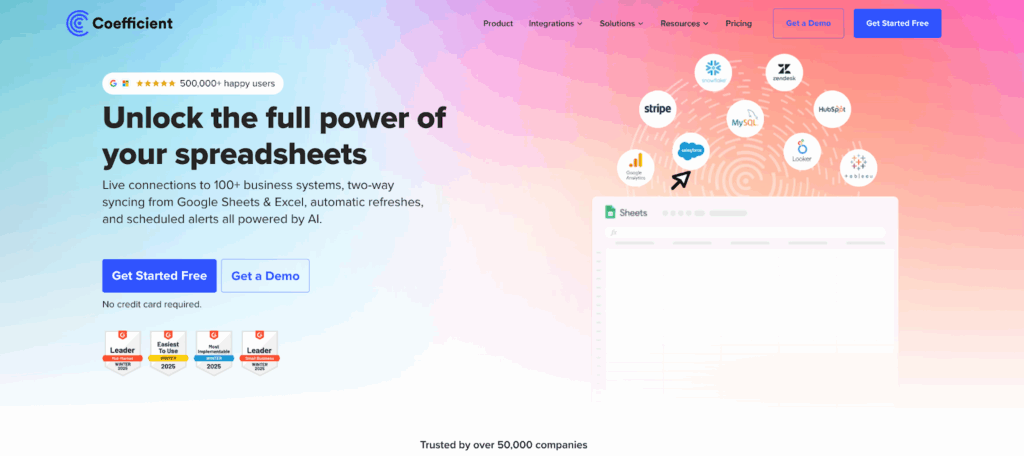
Coefficient brings live data from both Zendesk and NetSuite directly into Google Sheets or Excel where support operations and customer success teams actually analyze customer health and make retention decisions.
How It Works
Coefficient lives inside your spreadsheet—no separate platform or new interface to learn. Install from the Google Workspace Marketplace or Microsoft AppSource in under a minute.
Quick Integration Walkthrough:
- Import live data from Zendesk – Pull tickets by status, resolution times, CSAT scores, escalation rates, and agent time allocation

- Import live data from NetSuite – Access customer records, payment history, contract values, accounts receivable, or custom saved searches
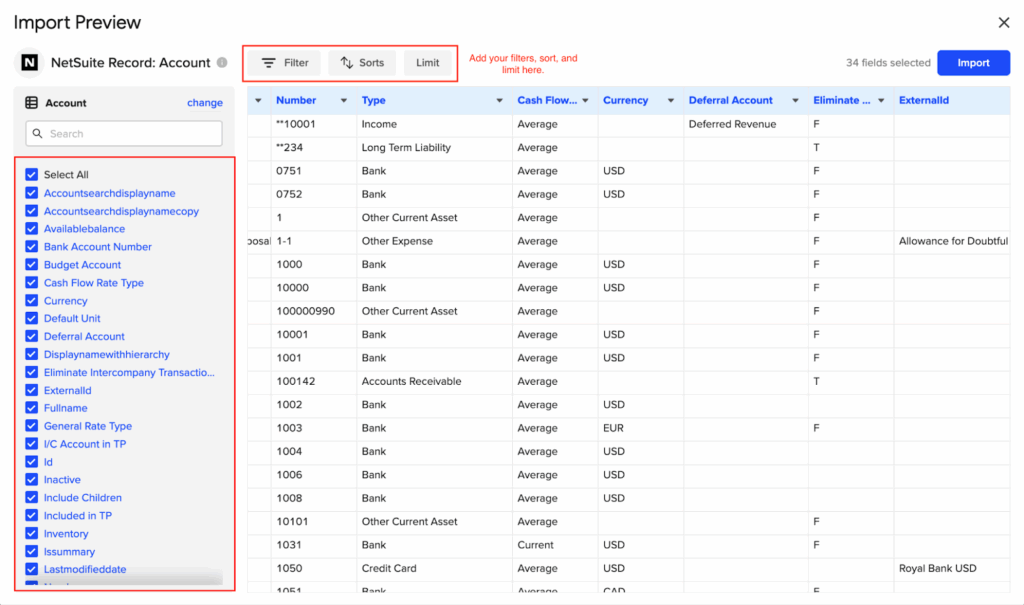
- Combine and analyze data from both sources in one spreadsheet – Match support activity to customer revenue for accurate cost analysis
- Build custom dashboards, pivot tables, charts, and financial models – Create customer health scores weighing support and financial signals
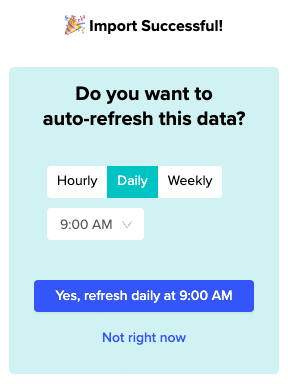
- Schedule auto-refresh (hourly, daily, weekly) to keep data current without manual exports – Set dashboards to update before customer success meetings
Key Benefits
- Complete customer health visibility without IT projects: Connect both systems in minutes using OAuth authentication. Build sophisticated health scores combining ticket frequency, escalation rates, CSAT scores with payment patterns and contract values. One operations manager noted: “I’ve been able to cover forecasting infrastructure gaps.”
- 100+ connectors for complete customer context: Health analysis needs more than support and finance data. Add Salesforce CRM engagement, Amplitude product usage, Stripe payment metrics, and Google Ads acquisition costs. Coefficient becomes your single integration layer for understanding complete customer lifecycle.
- Spreadsheet-native approach eliminates learning curves: Your team already knows pivot tables, VLOOKUP, and custom formulas. They start analyzing combined data immediately. A Unity user shared: “I can’t even imagine doing data analysis without Coefficient now.”
- Real-time automation saves hours weekly: Schedule imports to refresh hourly or daily. No more manual CSV exports and data consolidation. A business analyst reported: “This really is an amazing tool for automating our reporting and alerts. Coefficient has helped me save so many hours!”
- Cost-effective customer success solution: Plans start at $49 monthly. The Pro plan at $99 per user includes unlimited imports and hourly refresh—substantially less than enterprise iPaaS platforms starting around $600 monthly plus professional services.
Limitations
Coefficient excels at analysis and dashboards but isn’t designed for complex workflow automation. If you need automatic escalation rules triggering NetSuite updates based on Zendesk conditions, an iPaaS platform handles those operational workflows better.
Ratings and Reviews
Over 500,000 users across 50,000+ companies including Spotify, Unity, and Uber. G2 badges include Leader and Easiest To Use. Perfect 5.0 stars on Zendesk Marketplace. Gareth Mc Nulty wrote: “Highly recommended for its efficiency and user-friendly approach.”
Best For
Support operations teams, customer success managers, and revenue operations professionals needing to combine Zendesk and NetSuite data for customer health analysis and churn prediction. Perfect for teams wanting fast implementation without IT dependency and comfortable working in spreadsheets.
Method 3: Enterprise Integration Platforms (iPaaS) & Custom Development
When you need sophisticated workflow automation between Zendesk and NetSuite with complex business rules and real-time sync, enterprise platforms deliver robust solutions.
iPaaS Platforms
Workato offers comprehensive connectors with visual, recipe-based automation. The low-code interface lets business users maintain integrations after setup. Handles branching logic, data transformations, and complex workflows like automatically creating NetSuite cases for high-priority tickets from VIP customers. Custom enterprise pricing based on usage.
Zapier provides simpler automation for basic workflows. Create Zaps that notify teams when high-priority tickets come from customers with outstanding invoices. Starting at $19.99 monthly, accessible for small to mid-market companies with straightforward needs.
Other options include Tray.io, Make, and Boomi. Generally require $600-$7,800+ annually plus 6-12 weeks implementation.
Custom API Development
What It Is: Building custom integration using Zendesk REST APIs and NetSuite SuiteTalk/SuiteQL. Perfect for unique customer health algorithms or complex multi-system support operations that pre-built tools can’t accommodate.
Benefits: Complete control over workflow logic, escalation rules, and data transformations specific to your support processes.
Limitations:
- Simple one-way integration: $25,000-$50,000 over 2-3 months
- Bidirectional sync: $50,000-$100,000 over 3-4 months
- Add 15-20% annually for maintenance and API updates
Best For
iPaaS platforms suit mid-market to enterprise companies needing automated bi-directional sync with real-time workflow orchestration. Custom development fits organizations with specialized health scoring processes or unique compliance requirements plus in-house technical teams.
Connect your support and finance data today
Integrating Zendesk with NetSuite eliminates the blind spots between your support operations and finance teams. For most customer success and support operations teams, Coefficient provides the fastest path to complete visibility. Connect both systems in minutes, build comprehensive customer health dashboards in the spreadsheets where you already work, and extend your analysis to 100+ other business systems without enterprise platform costs or IT dependencies.
Ready to see complete customer health across support activity and financial performance? Get started with Coefficient free and bring your Zendesk and NetSuite data together today.