

Table of Contents

- 1. NetSuite Data Integration Tools for Automation & Reporting
- 2. Top 5 NetSuite Reporting Tools in 2026: Boost Your Analytics Game
- 3. Top 10 NetSuite Apps for Integration & Reporting for 2026
- 4. Best 6 NetSuite Connectors in 2025
- 5. Best HubSpot NetSuite Integration Software
- 6. Best NetSuite Salesforce Integration Software
- 7. Best NetSuite Snowflake Integration Software
- 8. Best NetSuite QuickBooks Integration Software
- 9. Best Zendesk NetSuite Integration Software
- 10. Best Zoho CRM NetSuite Integration Software
-
11. Best NetSuite Pipedrive Integration Software
- Purpose of your Pipedrive NetSuite integration
- Ways to integrate Pipedrive and NetSuite
- Why there's no native Pipedrive-NetSuite integration
- Method 1: Coefficient - no-code spreadsheet connector
- Method 2: Enterprise integration platforms (iPaaS) & custom development
- Connect your sales pipeline to your finance system today
- 12. Best SharePoint NetSuite Integration Software
- 13. Best Google Drive NetSuite integration software
- 14. Best Shopify NetSuite Integration Software
- 15. Best Stripe NetSuite Integration Software
- 16. Best Chargebee NetSuite Integration Software
- 17. Best WooCommerce NetSuite Connector
- 18. Best BigCommerce NetSuite Integration Software
- 19. Best BambooHR NetSuite Integration Software
- 20. Best Klaviyo NetSuite integration software
- 21. Best Mailchimp NetSuite integration software
- 22. Best Square NetSuite Integration Software
- 23. Best NetSuite Gmail Integration Software
- 24. How to Connect NetSuite to Snowflake: A Step-by-Step Guide


Your sales team updates Pipedrive deals in real-time, but finance only sees those closed deals when someone remembers to export CSVs and import them into NetSuite—creating days or weeks of lag between sales activity and financial visibility. For small finance teams already stretched thin, this manual process doesn’t just waste time; it causes invoice errors, commission disputes, and revenue recognition delays that directly impact cash flow.
This guide shows you how to connect Pipedrive and NetSuite to automate deal-to-order workflows, ensure accurate commission tracking, and give finance real-time visibility into sales performance. We’ll compare spreadsheet-based reporting solutions, workflow automation platforms, and custom integration options so you can choose the right approach based on your deal volume and technical resources.
Purpose of your Pipedrive NetSuite integration
Connecting Pipedrive’s visual sales pipeline with NetSuite’s financial management solves critical workflow gaps for growing companies:
- Automated deal-to-invoice workflow: Closed deals in Pipedrive flow directly into NetSuite as customer records and invoices, eliminating manual data transfer and reducing invoice errors
- Accurate commission tracking: Match Pipedrive deal values with NetSuite payment data to calculate sales compensation based on actual collected revenue, not just closed deals
- Real-time revenue forecasting: Combine Pipedrive’s pipeline data (expected close dates, deal values, stages) with NetSuite’s actual financial performance for accurate projections
- Complete customer visibility: Sales teams see the full customer journey from initial contact in Pipedrive through payment history in NetSuite, while finance teams understand deal context behind every invoice
Ways to integrate Pipedrive and NetSuite
Three main approaches exist for connecting Pipedrive with NetSuite: there’s no native integration between the systems, but Coefficient offers no-code spreadsheet connectivity for reporting and analysis, while iPaaS platforms and custom development provide automated workflow sync for higher deal volumes.
Why there’s no native Pipedrive-NetSuite integration
Pipedrive and Oracle NetSuite don’t offer a built-in connector. That’s not an oversight—it reflects the different markets these platforms serve and their respective integration strategies.
Platform positioning:
- Pipedrive targets small to mid-sized sales teams with its visual, intuitive CRM interface
- With over 17,000 companies using it primarily for inside sales, Pipedrive focuses on simplicity and ease of use
- The platform maintains an API-first approach, letting third-party specialists build integrations rather than developing native connectors for every system
NetSuite’s approach:
- NetSuite, owned by Oracle, operates in the mid-market and enterprise ERP space
- It handles complex financial management, inventory control, and multi-subsidiary operations
- NetSuite’s SuiteCloud marketplace encourages third-party developers to create integrations through its robust API ecosystem
These platforms don’t compete—they complement each other. Pipedrive manages sales processes while NetSuite handles finances. Companies typically need both, which creates demand for integrations but doesn’t justify the development resources for a native connector when strong alternatives exist.
The integration ecosystem advantage
The absence of a native integration actually benefits users. Multiple integration specialists have built Pipedrive-NetSuite connectors, each optimized for different use cases and budgets.
Available options:
- Celigo offers a pre-built template specifically for Pipedrive-NetSuite contact syncing
- Zapier and Make (formerly Integromat) provide SMB-friendly automation platforms with straightforward trigger-action workflows
- Coefficient brings both systems into spreadsheets for analysis and reporting
- Custom development shops like Faye Digital and SyncMatters have developed specialized integration solutions
This competitive marketplace means you can choose an integration that matches your workflow complexity, deal volume, budget, and technical resources. A 10-person company with 20 deals per month needs something very different than a 200-person organization closing 500 deals monthly.
For SMBs, this flexibility matters. You’re not locked into an expensive enterprise solution when a simpler, more affordable option fits your needs perfectly.
Best for: Understanding why integration options exist instead of a native connector, and knowing that multiple viable alternatives serve different company sizes and budgets.
Method 1: Coefficient – no-code spreadsheet connector

Coefficient takes a different approach to integration. Instead of creating another dashboard or sync tool, it brings Pipedrive and NetSuite data directly into Google Sheets and Excel—the spreadsheets your finance team already lives in.
For small finance teams wearing multiple hats, this matters. You’re not learning yet another platform or switching between systems. Your revenue forecasts, commission calculations, and deal-to-invoice reports happen in the same spreadsheets where you build budgets and analyze expenses.
How it works
Coefficient connects to both Pipedrive and NetSuite through secure OAuth authentication—no API keys to manage, no custom scripts to maintain. Once authenticated, you select exactly what data you need from each system.
From Pipedrive:
- Pull deal information filtered by stage, owner, expected close date, or custom fields
- Import contacts, organizations, and activity data
- See your entire sales pipeline in familiar rows and columns
From NetSuite:
- Import customer records, open invoices, payment history, and account balances
- Pull any saved search or custom report you’ve built in NetSuite directly into your spreadsheet

Combine and analyze:
- Create a revenue forecast that shows Pipedrive deals by stage alongside NetSuite actual revenue
- Build a commission dashboard that matches closed deals with collected payments
- Track which won deals haven’t been invoiced yet—all with standard spreadsheet formulas you already know
Set automatic refreshes—hourly, daily, or on-demand—so your data stays current without manual exports.
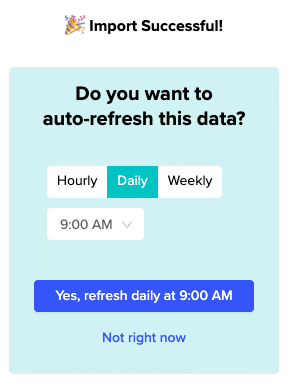
When a deal moves to “Won” in Pipedrive or a customer makes a payment in NetSuite, your spreadsheet updates automatically.
Or, setup automatic notifications via Slack to keep your team in the loop!
Beyond two systems
Coefficient connects to 100+ data sources, not just Pipedrive and NetSuite.
- Add Stripe payment data, Gmail communication history, QuickBooks accounting records, or any other system in your tech stack
- Build comprehensive reports that answer questions like “How long from first contact to closed deal to collected payment?” without switching between five different platforms
This ecosystem advantage matters as you grow.
- Start with Pipedrive and NetSuite today
- Add Stripe when you need payment reconciliation
- Connect QuickBooks when you’re managing dual accounting systems during a migration
- Pull in Google Analytics when marketing wants attribution data
Your existing spreadsheet reports expand without rebuilding from scratch.
Key benefits
- Works where you already work. Finance teams spend hours daily in spreadsheets. Coefficient meets you there instead of requiring adoption of yet another SaaS dashboard. No training required—if you know Excel or Google Sheets, you know how to use Coefficient.
- No-code setup for non-technical teams. Small businesses rarely have dedicated IT resources. Coefficient’s setup takes minutes, not months. Connect through OAuth, choose your data, build your report. No developers, no consultants, no implementation project.
- 100+ connectors for your entire tech stack. Growing companies add systems constantly. Marketing adopts new tools. Sales experiments with different platforms. Operations implements specialized software. Coefficient’s connector library means you’re not rebuilding integrations every time your stack evolves.
- Real-time automation at SMB-friendly pricing. Schedule automatic refreshes as often as you need—hourly for commission tracking that can’t wait, daily for revenue forecasts, weekly for planning dashboards. Data stays current without manual exports. Pricing starts at $49-$99 per month, not the $7,800+ annual contracts typical of enterprise iPaaS platforms.
- Spreadsheet formulas for analysis flexibility. Pre-built dashboards look great in demos but rarely answer your specific questions. With data in spreadsheets, you use familiar SUMIF, VLOOKUP, and pivot table functions to analyze exactly what matters to your business. Build the commission calculation logic your sales team actually agreed to, not generic formulas someone else designed.
Limitations
Coefficient excels at reporting, analysis, and visibility—not complex bi-directional workflow automation. If you need real-time deal-to-sales-order creation with custom field mapping and data transformation rules, iPaaS platforms handle that better.
Think of Coefficient as perfect for “I need to see this data combined and analyze it” rather than “I need these systems to automatically trigger actions in each other.” Both needs are valid—they’re just different tools for different jobs.
Ratings and reviews
Over 500,000 professionals across 50,000+ companies use Coefficient, including teams at Spotify, Unity, Uber, and Miro. The platform holds G2 badges for Leader, Easiest To Use, Most Implementable, and Small Business Leader—recognition that matters for SMBs evaluating whether a tool will actually deliver value without extensive implementation overhead.
Users consistently highlight the speed of setup and the elimination of manual export workflows. One common theme: finance and operations teams finally getting self-service access to data without waiting on engineering or IT support.
Best for: Small finance teams (1-3 people) needing sales pipeline visibility for revenue forecasting, commission analysis, and deal-to-invoice tracking. Companies wanting fast setup (hours, not weeks) without IT involvement. Teams that already work primarily in spreadsheets for financial analysis and reporting. Organizations with limited budgets ($100s per month, not $10,000+ per year) seeking immediate value without long implementation projects.
Method 2: Enterprise integration platforms (iPaaS) & custom development
When you need automated deal-to-invoice sync with business rules, data transformations, and bi-directional updates, iPaaS platforms and custom development deliver deeper automation than reporting tools.
iPaaS platforms for automated workflow sync
Several platforms offer pre-built Pipedrive-NetSuite integration templates optimized for different company sizes and complexity levels.
Zapier dominates the SMB integration market for good reason.
- Its trigger-action model makes sense: when a deal reaches “Won” stage in Pipedrive, automatically create a NetSuite customer record and invoice
- When a new organization is added to Pipedrive, create a matching customer in NetSuite
- When deal values change, update corresponding NetSuite sales orders
Implementation and costs:
- Implementation takes days to a couple weeks for straightforward workflows
- Non-technical users can set up simple zaps without developer help
- Pricing starts at $30-$100+ per month based on task volume—significantly more affordable than enterprise iPaaS but still a monthly cost for automation
The limitation? Zapier works best for linear workflows. Complex conditional logic, multi-step transformations, or intricate error handling push against the platform’s sweet spot. For high deal volumes or sophisticated NetSuite data models, you might outgrow it.
Make (formerly Integromat) offers more power through visual workflow building. Think of it as Zapier’s more technical sibling. The drag-and-drop interface lets you create branching logic, data transformations, and conditional routing without writing code.
Advanced capabilities:
- Make handles scenarios like: sync won deals to NetSuite, but only if deal value exceeds $5,000, then create a customer record, sales order, and invoice
- Mapping custom fields from Pipedrive to specific NetSuite fields, with error notifications if any step fails
Pricing is even more affordable than Zapier—free tier available, paid plans from $9-$29+ monthly for businesses. Setup takes a week or two for moderately complex workflows. Great for companies with some technical aptitude but not full development resources.
Celigo targets enterprise NetSuite users with sophisticated integration requirements.
- The platform ranks #1 on G2 for iPaaS and earned “Visionary” status in Gartner’s Magic Quadrant
- Celigo’s pre-built Pipedrive-NetSuite template syncs contact data with advanced features like AI-powered error management, integration orchestration across multiple data sources, and JavaScript hooks for custom logic
The trade-off? Enterprise pricing at $7,800+ annually, plus implementation time measured in weeks to months. For most SMBs, Celigo delivers more capability than you need at a price point that doesn’t make sense. But if you’re closing 500+ deals monthly with complex NetSuite configurations across multiple subsidiaries, that enterprise muscle matters.
Custom API development
Both Pipedrive and NetSuite offer robust APIs for custom integration development.
- Pipedrive provides a clean REST API with OAuth 2.0 authentication—relatively straightforward for developers familiar with modern API standards
- NetSuite offers SuiteTalk, RESTlets, and SuiteQL for various integration patterns, though the complexity runs higher than most SaaS APIs
Development costs and timeline:
- Custom development costs for SMB-scale integrations typically range from $25,000 to $80,000 depending on complexity
- A basic contact sync might cost $25-40K, full deal-to-invoice automation with custom field mapping and business rules runs $40-60K
- Multi-entity sync with complex transformations can exceed $80K
Timeline expectations: 2-4 months from requirements gathering through testing and deployment. Then budget 15-20% of initial development cost annually for maintenance—$5-16K per year to handle API updates, bug fixes, and evolving business requirements.
For most small businesses, that investment doesn’t make sense. When Zapier delivers 80% of what you need for $600 annually versus custom development at $40,000 upfront plus $6,000 yearly maintenance, the math is clear.
When custom makes sense:
- Custom development fits specific scenarios: truly unique business processes that no off-the-shelf tool can handle
- Regulatory requirements for data handling, or integration logic that represents competitive advantage
- For standard deal-to-customer-to-invoice workflows most companies need, iPaaS platforms deliver better value
Best for: SMBs needing automated deal-to-invoice sync beyond manual processes but not requiring enterprise-grade complexity. Zapier suits companies with straightforward workflows, limited technical resources, and modest deal volumes (20-100 deals monthly). Make serves businesses with moderately complex automation needs and some technical aptitude.
Celigo fits mid-market and enterprise companies with high deal volumes (500+ monthly), complex NetSuite configurations, and budgets for enterprise tools. Custom development makes sense only for truly unique requirements that off-the-shelf platforms can’t accommodate—rare for most small businesses.
Connect your sales pipeline to your finance system today
Pipedrive captures deals as they progress through your sales pipeline. NetSuite records the revenue and manages customer accounts. The gap between them—the manual exports, the delayed visibility, the invoice errors—costs small finance teams time they can’t spare and accuracy they can’t afford to lose.
Coefficient bridges that gap in spreadsheets you already use, delivering deal visibility and revenue forecasts in hours, not months. iPaaS platforms automate the workflow sync for companies that need real-time deal-to-invoice creation. Both approaches work—the right choice depends on whether you need to see the data combined (Coefficient) or need the systems talking directly to each other (iPaaS).
Start connecting your Pipedrive and NetSuite data to eliminate manual exports and get real-time visibility into your sales pipeline and financial performance.
