
Table of Contents

- 1. NetSuite Data Integration Tools for Automation & Reporting
- 2. Top 5 NetSuite Reporting Tools in 2026: Boost Your Analytics Game
- 3. Top 10 NetSuite Apps for Integration & Reporting for 2026
- 4. Best 6 NetSuite Connectors in 2025
- 5. Best HubSpot NetSuite Integration Software
- 6. Best NetSuite Salesforce Integration Software
- 7. Best NetSuite Snowflake Integration Software
- 8. Best NetSuite QuickBooks Integration Software
- 9. Best Zendesk NetSuite Integration Software
- 10. Best Zoho CRM NetSuite Integration Software
- 11. Best NetSuite Pipedrive Integration Software
- 12. Best SharePoint NetSuite Integration Software
- 13. Best Google Drive NetSuite integration software
- 14. Best Shopify NetSuite Integration Software
- 15. Best Stripe NetSuite Integration Software
- 16. Best Chargebee NetSuite Integration Software
- 17. Best WooCommerce NetSuite Connector
- 18. Best BigCommerce NetSuite Integration Software
- 19. Best BambooHR NetSuite Integration Software
- 20. Best Klaviyo NetSuite integration software
- 21. Best Mailchimp NetSuite integration software
- 22. Best Square NetSuite Integration Software
- 23. Best NetSuite Gmail Integration Software
- 24. How to Connect NetSuite to Snowflake: A Step-by-Step Guide


A vendor sends an invoice to Gmail, and your team spends 15 minutes downloading the PDF, creating a NetSuite bill, manually entering line items, and attaching the document—multiply that by 50 invoices weekly, and you’re losing 10+ hours to email-to-ERP data entry. Beyond the time waste, manual processing introduces errors, delays month-end close, and creates audit trail gaps that become problems during financial reviews.
This guide shows you how to connect Gmail and NetSuite to automate invoice processing, eliminate manual data entry, and ensure every emailed document flows seamlessly into your ERP. We’ll compare native Gmail integration options, document capture solutions, and workflow automation platforms so you can choose the right approach based on your email volume and processing complexity.
Purpose of your Gmail NetSuite integration
Gmail-NetSuite integration solves the email-to-financial-record disconnect that slows finance operations. Most businesses conduct critical financial transactions via email—vendors send invoices, employees submit expense receipts, customers confirm payments. Yet these emails remain trapped in Gmail while the corresponding financial records live in NetSuite.
Common use cases include:
- Invoice and bill processing: Automatically extract vendor invoice data from Gmail and create NetSuite bills without manual entry
- Expense management: Pull expense receipts and documentation from email to streamline reimbursement workflows
- Payment confirmation tracking: Match incoming payment emails against NetSuite customer invoices to accelerate cash application
- Email audit trails: Link customer and vendor communication to NetSuite records for compliance documentation
- Attachment management: Automatically file email attachments (contracts, invoices, receipts) to appropriate NetSuite records
The integration challenge differs from typical system-to-system connections. This isn’t about syncing customer records or inventory levels. It’s about converting unstructured email data into structured financial records efficiently.
Ways to integrate Gmail and NetSuite
Three primary approaches exist for connecting Gmail with NetSuite:
- Third-party SuiteApps provide email-to-record linking for sales and service teams
- Spreadsheet-based data connectors enable flexible email data analysis alongside NetSuite financial data
- Enterprise integration platforms automate complex email workflows at scale
Each method serves different needs based on email volumes, automation complexity, and team preferences.
Why there’s no native Gmail-NetSuite integration
NetSuite includes basic email capabilities but lacks comprehensive Gmail integration. You can send emails from NetSuite, create email templates for automated notifications, and manually forward emails to attach them to records. What you can’t do is automatically sync Gmail with NetSuite, parse email content to create records, or maintain real-time inbox visibility within NetSuite.
What NetSuite offers natively
NetSuite’s built-in email features support basic communication needs:
- Email capture lets you manually forward emails to specific NetSuite email addresses, which then attach to designated records
- Email templates enable bulk messaging to customers or vendors
- Google Single Sign-On allows using Google credentials to access NetSuite, eliminating separate password management
What’s missing from native capabilities
True Gmail integration requires capabilities NetSuite doesn’t provide natively:
- Automatic email synchronization would continuously scan Gmail for relevant emails and attach them to appropriate NetSuite records without manual intervention
- Email parsing would extract invoice numbers, amounts, dates, and line items from email content to populate NetSuite fields automatically
- Email-triggered workflows—creating a bill when a vendor invoice email arrives, or updating payment status when a confirmation email appears—don’t exist in standard NetSuite
- Mobile email integration, where you can access and file emails from your phone directly into NetSuite, requires third-party tools
Method 1: Coefficient – no-code spreadsheet connector

Coefficient takes a fundamentally different approach to Gmail-NetSuite integration. Rather than connecting the systems directly, it brings data from both into Google Sheets or Excel, where finance teams can build custom email data workflows using familiar spreadsheet tools.
How it works
Coefficient installs as a Google Sheets or Excel add-on:
- Connect your Gmail account with one click, granting permission to access email data
- Connect NetSuite the same way, using token-based authentication
- Pull data from both systems into a single spreadsheet
The Gmail connector filters emails based on criteria you define:
- Sender
- Subject line
- Date range
- Labels
- Attachment type
Extract specific data from email content using AI-powered extraction. Describe what you want in plain English: “Pull invoice number, date, and total amount from email body.” Coefficient’s AI identifies and extracts those values automatically.
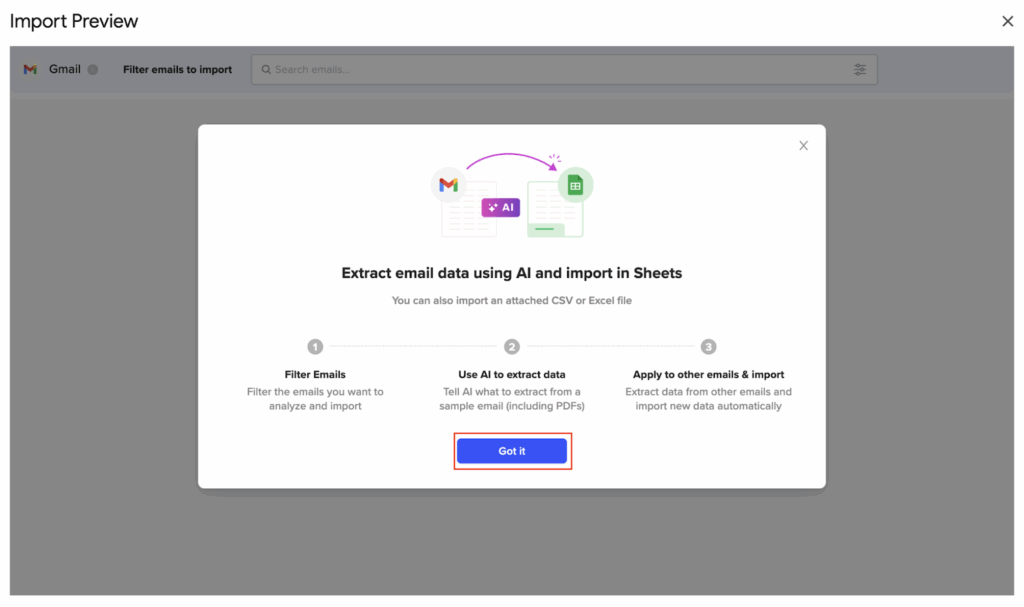
Combine Gmail email data with NetSuite financial records in the same spreadsheet:
- Pull your vendor list from NetSuite
- Import emails from those vendors from Gmail
- Match invoice emails to vendor records
Build approval workflows, anomaly detection, or reconciliation dashboards—all in spreadsheets your team already uses daily.
Schedule automatic refreshes:
- Hourly for real-time monitoring
- Daily for routine reporting
- Weekly for strategic reviews
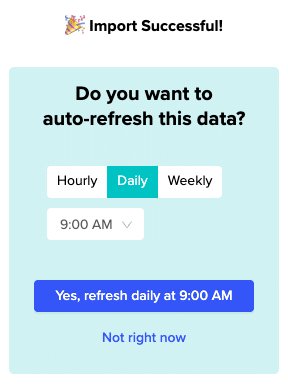
Set alerts to notify your team via Slack or email when specific conditions occur—like when invoice amounts exceed approval thresholds or payment confirmation emails arrive for large customers.
Key benefits for finance operations
Finance-team friendly tooling: Accountants and financial analysts live in spreadsheets. Building Gmail-NetSuite workflows in Sheets or Excel eliminates the learning curve:
- No training on iPaaS platforms
- No developer dependency
- No IT tickets for minor changes
- Finance teams maintain complete control over their own workflows
Invoice processing efficiency: Create an invoice tracking dashboard by:
- Pulling vendor invoice emails from Gmail
- Extracting invoice data with AI
- Matching against NetSuite vendor records
- Tracking approval status
Finance managers see every pending invoice, approval blockers, and which invoices need follow-up—all refreshed automatically.
Expense management streamlined: Import expense receipt emails, extract amounts and categories using AI, compare against NetSuite expense policies, and flag anomalies for review. Build a batch expense report creation workflow where approved expenses flow from Gmail to NetSuite with minimal manual work.
100+ connector ecosystem advantage: The real power emerges when connecting Gmail and NetSuite alongside other systems:
- Pull payment data from Stripe
- Order data from Shopify
- Email confirmations from Gmail
- Financial records from NetSuite—all into one unified reporting dashboard

This multi-system visibility is Coefficient’s differentiator. You’re not buying a Gmail-NetSuite connector; you’re accessing 100+ systems through one tool.
Cost-effective for SMBs: At $49-$99 per month for professional plans, Coefficient costs 50-100x less than enterprise iPaaS platforms. Small finance teams (3-10 people) gain sophisticated email data capabilities without enterprise software budgets.

Limitations to consider
Coefficient doesn’t provide real-time system-to-system integration. Data syncs on schedules you define—hourly, daily, weekly—not instantly when emails arrive. For workflows requiring immediate action when specific emails appear, iPaaS platforms with event-driven triggers work better.
Spreadsheet-based workflows require someone to build and maintain them. Coefficient eliminates technical barriers, but finance teams still design their own processes. That flexibility is powerful but requires taking ownership of workflow design.
Ratings and reviews
Coefficient ranks:
- #2 in the Big Data Integration category
- #3 in Data Extraction Tools on G2’s Fall 2024 reports
- “Best Relationship” recognition for customer support quality (142 reviews)
- Momentum Leader status across mid-market, enterprise, and Asia Pacific regions
Users praise Coefficient’s “effortless ability to weave together diverse data sources directly into Google Sheets, transforming complex, multi-platform data juggling into a smooth process.” The main criticism centers on pricing, which some smaller teams or individual users find steep relative to their budgets.
Best for: Finance teams (3-50 people) wanting flexible Gmail + NetSuite data analysis in spreadsheets, especially when connecting multiple other systems (Stripe, Shopify, QuickBooks) alongside email and ERP data.
Method 2: Enterprise integration platforms (iPaaS) & custom development
When email volumes reach hundreds or thousands per month, or workflow complexity demands sophisticated automation logic, enterprise integration platforms and custom development become viable paths.
iPaaS: Zapier, Celigo, Workato
Integration platforms automate email workflows through event-driven triggers and multi-step logic. When specific emails arrive in Gmail, the platform immediately executes defined actions in NetSuite—creating records, updating fields, sending notifications, or triggering approval processes.
Zapier offers the most accessible entry point. Its visual workflow builder connects:
- Gmail triggers: new email, label added, attachment received
- NetSuite actions: create bill, update customer, create expense
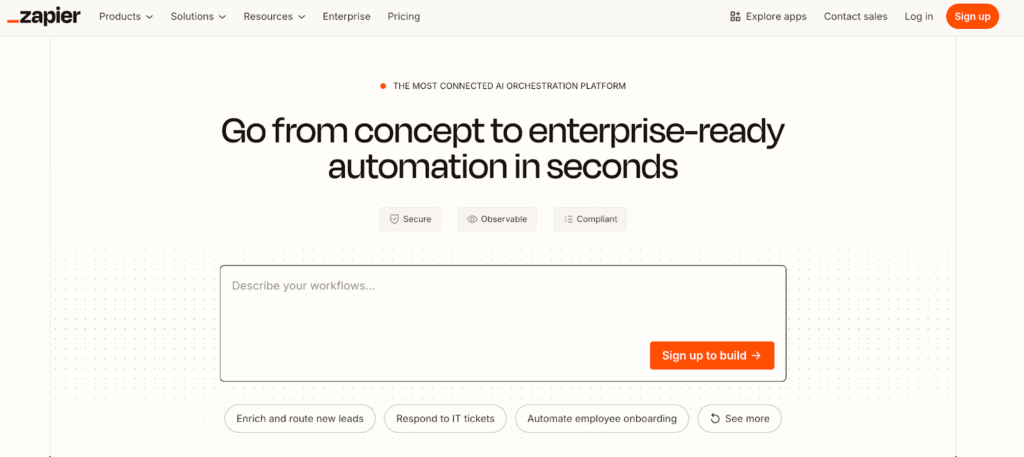
With 8,000+ app integrations, Zapier handles straightforward email automation without technical expertise:
- Pricing starts free for 100 tasks monthly
- Scales to $20-$240 per month for most businesses
- NetSuite qualifies as a “premium app,” requiring a paid plan
The task-based pricing model creates cost predictability for lower volumes but can become expensive at scale. Each email processed counts as tasks—one for receiving the email, one for creating the NetSuite record, additional tasks for data lookups or notifications. Process 500 invoices monthly with three-task workflows and you’re consuming 1,500 tasks, pushing into higher pricing tiers.
Celigo specializes in NetSuite integrations with enterprise-grade capabilities.
Its CloudExtend ExtendSync product provides:
- Seamless Gmail-NetSuite email integration
- Automatic attachment filing
- Calendar synchronization
- “Autopilot” mode for intelligent email chain filing
The platform handles:
- Real-time workflows
- Batch processing
- File-based workflows
- Advanced error handling and auto-recovery
Celigo ranks as the #1 iPaaS on G2 and appears as a Visionary in Gartner’s Magic Quadrant. That sophistication comes with enterprise pricing—$10,000-$50,000+ annually depending on:
- Integration complexity
- Volume requirements
- Customization needs
For businesses processing thousands of emails monthly with complex multi-step workflows, the investment makes sense.
Workato provides similar enterprise automation with:
- 1,000+ app connectors
- Sophisticated recipe-based workflows
- Pricing starting around $10,000+ annually with custom quotes required
Users note the platform’s power for complex automation but criticize pricing transparency and high costs for smaller businesses.

When iPaaS makes sense
Integration platforms justify their cost when email processing requirements exceed simpler tools’ capabilities:
- Processing 1,000+ vendor invoices monthly demands automation that reliably handles high volumes with minimal manual intervention
- Complex approval workflows involving multiple stakeholders, conditional logic, and exception handling require iPaaS capabilities
- Compliance requirements often drive iPaaS adoption—some industries mandate specific audit trails, data retention policies, or approval documentation
Enterprise platforms provide the governance, logging, and security controls regulated businesses require.
If you’re already using an iPaaS platform for other integrations, adding Gmail-NetSuite workflows leverages existing investment. Businesses running Celigo for Salesforce-NetSuite or Shopify-NetSuite integration gain efficiencies by consolidating email automation on the same platform.
Custom development approaches
Highly specialized email workflows sometimes require custom code:
Google Apps Script enables building Gmail-NetSuite integrations using JavaScript in a low-code environment:
- Access Gmail API to read inbox contents
- Parse email data using regex or AI
- Call NetSuite RESTlet APIs to create or update records
- Schedule scripts to run periodically—checking for new invoices every 30 minutes, for example
Cost breakdown:
- Simple email parsing and record creation: $5,000-$10,000 in development
- Complex multi-step workflows with advanced logic, error handling, and custom UI: $25,000+
- Ongoing maintenance: $1,000-$5,000 annually for updates and support
The advantage is complete customization. Build exactly the workflow your business needs without limitations of off-the-shelf tools.
The disadvantage is ownership burden:
- You maintain the code
- Fix bugs
- Adapt to platform changes
Unless requirements are truly unique or you have development resources in-house, pre-built solutions usually provide better ROI.
NetSuite SuiteScript offers another custom development path, building email processing logic directly within NetSuite. Scheduled scripts can:
- Process incoming emails
- Parse content
- Create records using native NetSuite APIs
This approach suits businesses with NetSuite expertise on staff and workflows tightly coupled to NetSuite-specific features.
Best for: Large enterprises (500+ employees) processing thousands of emails monthly with complex automation requirements, or businesses with unique workflows that off-the-shelf tools can’t accommodate.
Connect your Gmail and NetSuite data today
Email-to-ERP workflows don’t have to consume your finance team’s time. Whether you need flexible spreadsheet-based data analysis, sales team email-CRM connectivity, or enterprise-scale automation, tools exist to eliminate the manual bridgework between Gmail and NetSuite.
For finance teams wanting accessible email data analysis without IT dependency, Coefficient provides Gmail + NetSuite connectivity alongside 100+ other systems in spreadsheets your team already uses. Start automating your email workflows today.