
Table of Contents

- 1. NetSuite Data Integration Tools for Automation & Reporting
- 2. Top 5 NetSuite Reporting Tools in 2026: Boost Your Analytics Game
- 3. Top 10 NetSuite Apps for Integration & Reporting for 2026
- 4. Best 6 NetSuite Connectors in 2025
- 5. Best HubSpot NetSuite Integration Software
- 6. Best NetSuite Salesforce Integration Software
- 7. Best NetSuite Snowflake Integration Software
- 8. Best NetSuite QuickBooks Integration Software
- 9. Best Zendesk NetSuite Integration Software
- 10. Best Zoho CRM NetSuite Integration Software
- 11. Best NetSuite Pipedrive Integration Software
- 12. Best SharePoint NetSuite Integration Software
- 13. Best Google Drive NetSuite integration software
- 14. Best Shopify NetSuite Integration Software
- 15. Best Stripe NetSuite Integration Software
- 16. Best Chargebee NetSuite Integration Software
- 17. Best WooCommerce NetSuite Connector
- 18. Best BigCommerce NetSuite Integration Software
- 19. Best BambooHR NetSuite Integration Software
- 20. Best Klaviyo NetSuite integration software
- 21. Best Mailchimp NetSuite integration software
- 22. Best Square NetSuite Integration Software
- 23. Best NetSuite Gmail Integration Software
- 24. How to Connect NetSuite to Snowflake: A Step-by-Step Guide


Running both NetSuite and QuickBooks creates a unique challenge—whether you’re managing subsidiaries on different platforms, migrating between systems, or consolidating multi-entity financials, manually reconciling data between two ERPs consumes hundreds of hours every quarter. The disconnect between systems makes period-end close a scramble of CSV exports, manual mapping, and Excel gymnastics.
This guide shows you how to connect NetSuite and QuickBooks for automated financial consolidation, parallel reporting during migrations, and unified multi-entity visibility. We’ll explore why no native integration exists, compare spreadsheet-based consolidation tools with enterprise platforms, and help you choose the right approach based on your integration scenario.
Purpose of Your NetSuite QuickBooks Integration
- Financial consolidation across multi-entity operations? Parent companies on NetSuite with subsidiaries on QuickBooks need unified reporting without manual data exports and Excel gymnastics every month-end.
- Migration support during system transitions? Companies moving from QuickBooks to NetSuite require parallel reporting to validate data accuracy and maintain operations during the cutover period.
- Multi-entity management with different ERP requirements? Different divisions may need different accounting systems based on complexity, but your finance team needs consolidated visibility across all entities.
- Regional operations with centralized financial oversight? Geographic entities using different platforms based on local requirements while headquarters needs unified financial reporting and analysis.
Ways to Integrate NetSuite and QuickBooks
You have three main approaches for integration, each with different benefits:
- No native integration exists (they’re competitors), so manual consolidation remains common
- Coefficient – No-code connector for spreadsheet-based consolidation and reporting
- Enterprise iPaaS platforms for complex bidirectional sync and automation needs
Method 1: Coefficient – No-Code Spreadsheet Connector
Coefficient takes a different approach to the NetSuite-QuickBooks challenge: instead of trying to sync two ERPs directly, it brings live data from both systems into the tool finance teams already use—Google Sheets or Excel.
How It Works
Coefficient lives inside Google Sheets and Excel as an add-in—no separate platform or new dashboard to learn. Install from the Google Workspace Marketplace or Microsoft AppSource in under a minute.
Quick Integration Walkthrough:
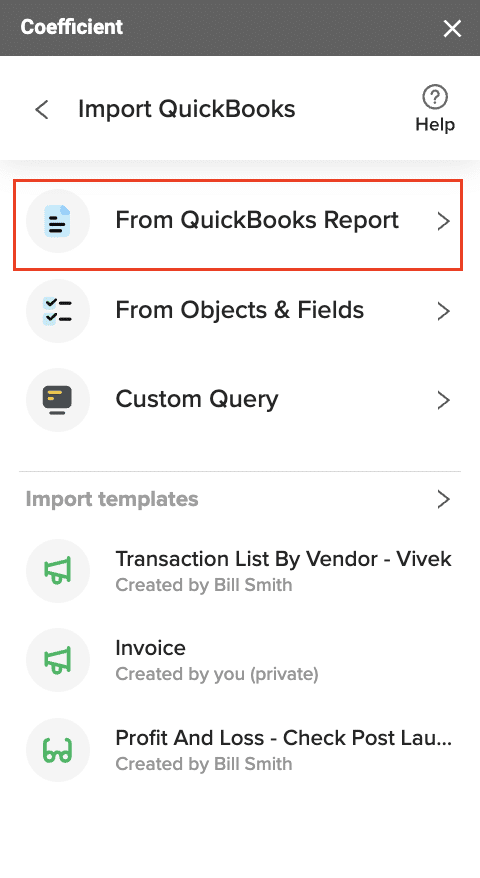
- Import live data from QuickBooks – Pull balance sheets, P&L statements, cash flow reports, general ledger, AR/AP aging, and custom filtered queries
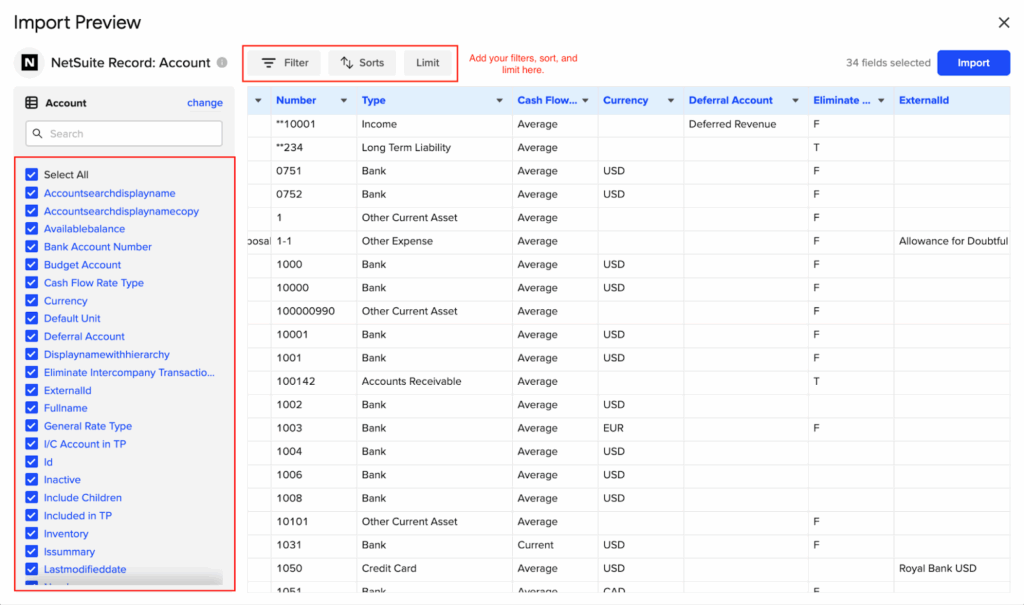
- Import live data from NetSuite – Access records, saved searches, reports, or custom SuiteQL queries for financial statements and transaction details
- Combine and analyze data from both sources in one spreadsheet – Build consolidated financial statements using SUMIF and pivot tables across both ERPs
- Build custom dashboards, pivot tables, charts, and financial models – Create multi-entity reports with automatic roll-ups and variance analysis
- Export data back to QuickBooks using Coefficient – Update invoice statuses, customer records, or vendor information with two-way sync
- Schedule auto-refresh (hourly, daily, weekly) to keep data current without manual exports – Set consolidations to update before your daily finance review

Key Benefits
- Eliminate manual consolidation workflows: Pull live data from both ERPs into one spreadsheet with automatic refresh schedules. Your consolidated balance sheet updates as both systems do, eliminating the export-import-reconcile cycle that consumes hours during period-end close.
- Migration validation made simple: During QuickBooks-to-NetSuite transitions, run parallel reports to validate data accuracy. Pull the same metrics from both systems and compare them side-by-side in real time, catching discrepancies before they become problems in your new system.
- 100+ connectors beyond just two ERPs: Your consolidation likely needs bank data, payment processor information, or CRM metrics. Coefficient connects to Stripe, Salesforce, bank feeds, and more. Everything flows into one spreadsheet with consistent refresh schedules for complete financial visibility.
- Finance team autonomy without IT dependency: Connect both systems in under an hour without submitting IT tickets. The OAuth setup is straightforward, and if you can use VLOOKUP, you can use Coefficient. One finance director noted they “solved weekly reporting issues immediately” after implementation.
- Cost-effective compared to enterprise platforms: Plans start at $49 monthly with the Pro plan at $99 per user including unlimited row imports and hourly auto-refresh. That’s 10-30x less expensive than iPaaS platforms that start around $1,000-$3,000 monthly for dual-ERP integration.
Limitations
Coefficient excels at reporting and consolidation but isn’t designed for bidirectional ERP-to-ERP transaction replication. If you need every invoice created in QuickBooks automatically synced to NetSuite in real time, you’ll need an iPaaS solution. Spreadsheet row limits apply for high-volume scenarios.
Ratings and Reviews
Coefficient scores 4.7 out of 5 stars on G2 with 142 reviews. Users consistently praise the spreadsheet-native approach: “This is a great tool! I’ve been able to cover forecasting infrastructure gaps” and “The more we used it, the more it became our most favored piece of software.”
Best For
Finance teams needing consolidated reporting across NetSuite and QuickBooks entities, companies mid-migration requiring parallel system validation, and organizations preferring spreadsheet-based analysis over complex integration platforms. Perfect for multi-subsidiary consolidation without enterprise platform costs.
Method 2: Enterprise Integration Platforms (iPaaS) & Custom Development
When spreadsheet-based consolidation isn’t enough—when you need full bidirectional sync, automated transaction replication, or high-volume data exchange—enterprise integration platforms deliver robust solutions.
iPaaS Platforms
Celigo leads the pack for NetSuite integrations with a pre-built QuickBooks-NetSuite integration template.
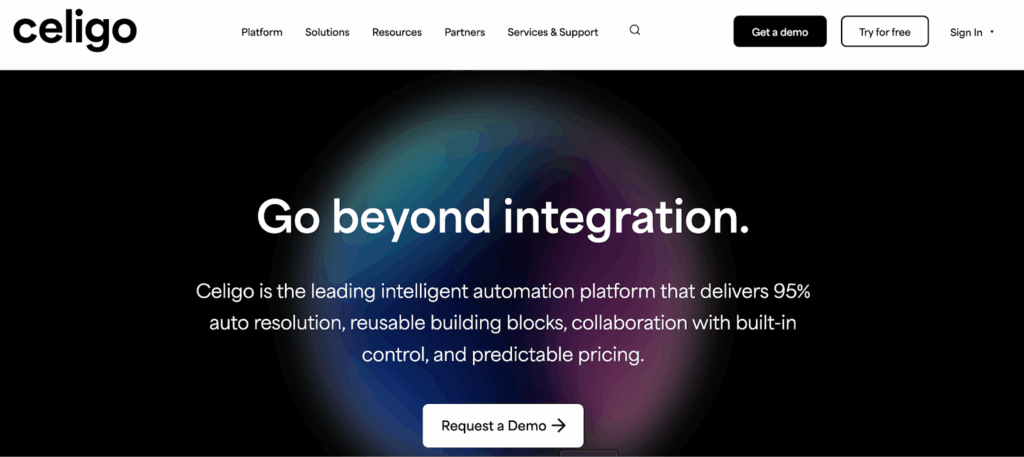
What They Are: Cloud-based integration platform ranked #1 for iPaaS on G2’s Fall 2025 report and Visionary in Gartner’s Magic Quadrant. Their template provides bidirectional sync for customers, vendors, items, invoices, sales receipts, journals, accounts, classes, and departments.
Benefits:
- Comprehensive coverage of core financial and operational data
- AI-powered error management and workflow orchestration
- JavaScript hooks for custom business logic when needed
Limitations:
- Monthly costs in the $1,000-$3,000+ range plus implementation fees
- 4-8 week implementation timeline with configuration requirements
- Requires ongoing monitoring and maintenance of integration flows
Workato leads Gartner’s iPaaS Magic Quadrant provideing similar enterprise automation with:
- 1,000+ app connectors
- Sophisticated recipe-based workflows
- Pricing starting around $10,000+ annually with custom quotes required
Users note the platform’s power for complex automation but criticize pricing transparency and high costs for smaller businesses.

Custom API Development
What It Is: Building middleware that connects to both systems via REST APIs with custom integration logic, error handling, and data transformation rules. Perfect for unique consolidation requirements based on complex organizational structures or industry-specific compliance needs.
Benefits: Complete control over data flows, business rules, and error handling tailored to your exact requirements.
Limitations:
- Development costs start around $25,000 and scale to $100,000+
- Implementation timelines stretch 3-6 months
- Ongoing maintenance runs $1,000-$5,000+ monthly plus hosting
Best For
iPaaS platforms suit companies needing full bidirectional sync between NetSuite and QuickBooks with high transaction volumes and real-time operational data flow. Custom development fits organizations with unique requirements that off-the-shelf solutions can’t address or those integrating multiple systems with complex consolidation logic.
Connect your NetSuite and QuickBooks data today
Whether you’re consolidating multi-subsidiary financials, managing a migration, or coordinating dual-ERP operations, the right integration approach depends on your specific scenario. For financial reporting and analysis, Coefficient offers a spreadsheet-native path to consolidated data without the complexity of enterprise platforms. For operational synchronization, Celigo’s pre-built template delivers bidirectional ERP sync. For unique requirements, custom development gives you complete control.
Ready to stop manually exporting and consolidating data? Get started with Coefficient and connect your NetSuite and QuickBooks data in minutes.