
Table of Contents

- 1. NetSuite Data Integration Tools for Automation & Reporting
- 2. Top 5 NetSuite Reporting Tools in 2026: Boost Your Analytics Game
- 3. Top 10 NetSuite Apps for Integration & Reporting for 2026
- 4. Best 6 NetSuite Connectors in 2025
- 5. Best HubSpot NetSuite Integration Software
- 6. Best NetSuite Salesforce Integration Software
- 7. Best NetSuite Snowflake Integration Software
- 8. Best NetSuite QuickBooks Integration Software
- 9. Best Zendesk NetSuite Integration Software
- 10. Best Zoho CRM NetSuite Integration Software
- 11. Best NetSuite Pipedrive Integration Software
- 12. Best SharePoint NetSuite Integration Software
- 13. Best Google Drive NetSuite integration software
- 14. Best Shopify NetSuite Integration Software
- 15. Best Stripe NetSuite Integration Software
-
16. Best Chargebee NetSuite Integration Software
- Purpose of your Chargebee NetSuite integration
- Ways to integrate Chargebee and NetSuite
- Method 1: Chargebee's native NetSuite integration
- Method 2: Coefficient - no-code spreadsheet connector
- Method 3: Enterprise integration platforms (iPaaS) & custom development
- Connect your subscription and finance data today
- 17. Best WooCommerce NetSuite Connector
- 18. Best BigCommerce NetSuite Integration Software
- 19. Best BambooHR NetSuite Integration Software
- 20. Best Klaviyo NetSuite integration software
- 21. Best Mailchimp NetSuite integration software
- 22. Best Square NetSuite Integration Software
- 23. Best NetSuite Gmail Integration Software
- 24. How to Connect NetSuite to Snowflake: A Step-by-Step Guide


RevOps tracks MRR in Chargebee while Finance reconciles revenue schedules in NetSuite—but when these systems don’t sync properly, you waste hours in meetings explaining why subscription metrics don’t match financial reports. For SaaS and subscription businesses, this disconnect creates expensive problems: delayed monthly closes, inaccurate revenue recognition, and leadership questioning which numbers to trust.
This guide shows you how to connect Chargebee and NetSuite to automate subscription billing workflows, ensure accurate revenue recognition, and give all teams a single source of truth for subscription metrics. We’ll compare native integration options, spreadsheet-based reporting tools, and enterprise automation platforms so you can choose the right solution based on your subscription volume and finance team’s technical resources.
Purpose of your Chargebee NetSuite integration
Connecting Chargebee and NetSuite eliminates manual reconciliation and creates a single source of truth for subscription revenue. Here’s what integration solves:
- Automated revenue recognition: Sync subscription billing data from Chargebee to NetSuite automatically, maintaining ASC 606 compliance without manual journal entries
- MRR/ARR reconciliation: Eliminate discrepancies between billing and finance systems with real-time tracking across both platforms
- Subscription analytics: Combine Chargebee subscription metrics with NetSuite financial data for customer lifetime value, cohort analysis, and net revenue retention
- Financial close acceleration: Automate deferred revenue tracking, journal entries, and month-end reporting to close books faster
Ways to integrate Chargebee and NetSuite
You have several options for connecting Chargebee with NetSuite. Chargebee offers a native integration for billing automation and compliance. Enterprise integration platforms like Celigo and Workato handle complex, bidirectional workflows. And Coefficient provides a no-code spreadsheet connector for real-time analytics and cross-system reporting.
Let’s explore each approach.
Method 1: Chargebee’s native NetSuite integration
Chargebee provides an official integration with Oracle NetSuite that automates subscription billing workflows and handles revenue recognition compliance.
[PLACEHOLDER: Screenshot of Chargebee NetSuite integration page showing supported features and OneWorld edition compatibility]
How it works
Chargebee’s native connector syncs subscription billing data directly into NetSuite through automated workflows. The integration supports both NetSuite Standard Edition and NetSuite OneWorld Edition with multi-subsidiary capabilities.
Subscription-to-accounting flow:
- When customers subscribe, upgrade, downgrade, or churn in Chargebee, the integration automatically creates corresponding records in NetSuite
- This includes customers, invoices, credit notes, payments, and refunds across multiple currencies
- You configure data mapping between Chargebee and your NetSuite chart of accounts through a five-step setup process
The integration maps subscription plans, add-ons, discounts, setup fees, and other billing components to the appropriate revenue accounts. Once configured, sync runs automatically on your chosen schedule.
Key benefits
ASC 606 compliance comes built-in. The integration handles revenue recognition requirements automatically, creating audit-ready reports and tracking deferred revenue according to subscription terms. For SaaS businesses dealing with prepaid annual contracts, multi-year agreements, or complex pricing tiers, this compliance automation saves significant accounting time.
Multi-subsidiary support simplifies global operations.
- If you run NetSuite OneWorld, you can manage multiple subsidiaries directly from the Chargebee interface
- The integration maps customers to the correct business entities and handles multi-entity consolidation automatically
- This matters for SaaS companies operating across different regions with separate legal entities
Revenue reconciliation happens automatically. The integration reconciles revenue data with payment gateway statements from Stripe and Braintree. This automated matching eliminates manual bank reconciliation work and catches discrepancies before month-end close.
Sales order management adds workflow flexibility. You can trigger NetSuite sales order creation based on subscription events in Chargebee. Some businesses prefer creating sales orders when subscriptions begin, while others wait until invoice generation. The integration supports both workflows.
Limitations
The integration focuses on automation, not analytics. While it excels at moving subscription data from Chargebee into NetSuite for financial recording, it doesn’t provide built-in dashboards or reporting capabilities. If your RevOps team needs cohort analysis or your CFO wants real-time MRR dashboards, you’ll need additional tools.
Setup requires configuration time. Mapping your subscription structure to NetSuite’s chart of accounts takes planning. You need to decide how to handle prorations, upgrades, refunds, and other subscription events before going live. Most implementations take several weeks to configure and test properly.
Ratings and reviews
Chargebee maintains strong ratings across review platforms. The company holds a 4.5/5 rating on G2 based on 500+ reviews, with particular praise for the platform’s subscription management capabilities and integration ecosystem. NetSuite-specific integration reviews highlight the automation benefits and compliance features, though some reviewers note the initial configuration complexity.
Best for
This native integration works best for SaaS businesses that need automated billing-to-accounting workflows with ASC 606 compliance. If you process high volumes of subscription transactions, operate multiple subsidiaries, or face audit requirements for revenue recognition, the native connector handles these requirements well. It’s ideal when automation and compliance matter more than flexible reporting.
Method 2: Coefficient – no-code spreadsheet connector
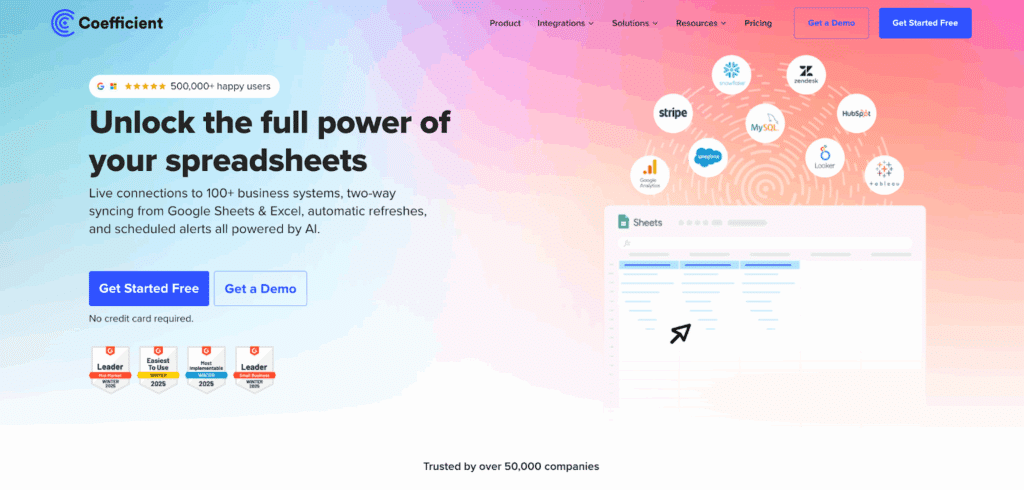
Coefficient takes a different approach by connecting both Chargebee and NetSuite directly to Google Sheets or Excel. Instead of syncing data between the two systems, it brings live data from both into spreadsheets where finance teams can analyze, report, and build dashboards.
How it works
Coefficient works through native spreadsheet add-ons for Google Sheets and Excel. After installing the add-on, you connect both your Chargebee and NetSuite accounts through a guided authentication flow that takes about 60 seconds per system.
Import and analyze:
- Once connected, you import live data directly into your spreadsheet
- Want to analyze MRR trends? Pull subscription data from Chargebee
- Need to combine it with recognized revenue from NetSuite? Add a second import on the same sheet
The real power comes from combining data sources.
- You might pull monthly subscription revenue from Chargebee in column A, recognized revenue from NetSuite in column B, then build formulas in column C to identify reconciliation gaps
- Or create a dashboard that shows MRR movement from Chargebee alongside NetSuite’s cash collections to track payment timing
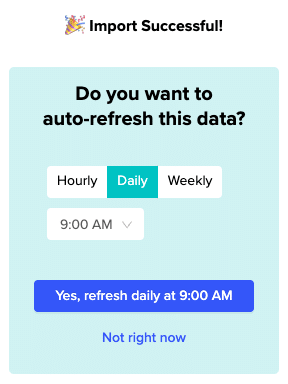
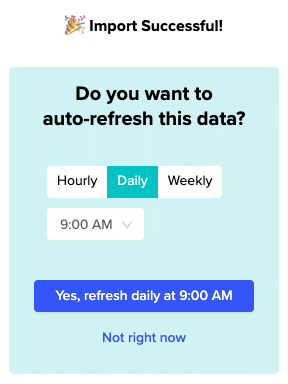
Coefficient updates data automatically on schedules you set. Choose hourly refreshes for RevOps dashboards that need real-time metrics, or daily updates for finance reporting. One-click manual refresh gives you instant updates when you need current data before a meeting.
Key benefits
Finance teams get self-service analytics. Instead of waiting for engineering to build API connections or asking IT to export reports, finance analysts can pull the data they need directly.
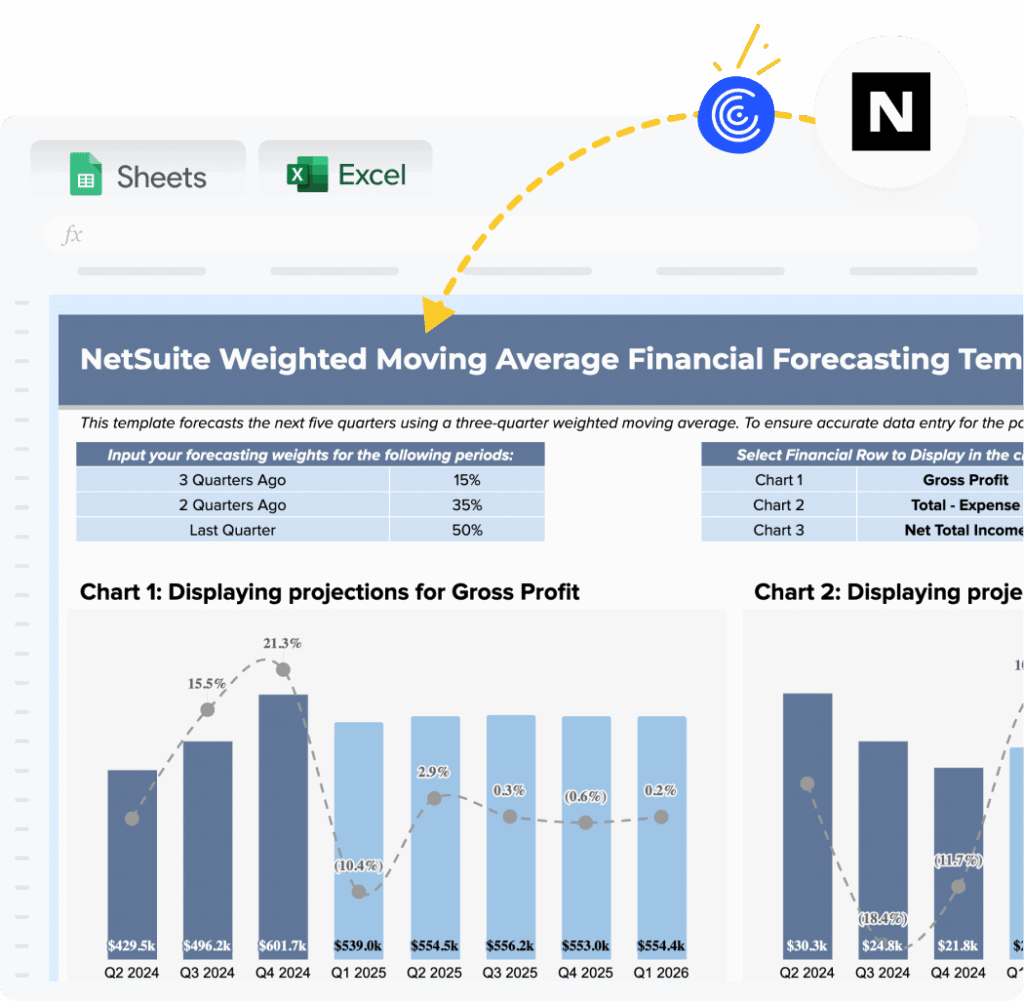
Image: Pre-built NetSuite Finance Forecasting Dashboard
This spreadsheet-based approach means no learning curve. If your team knows how to use VLOOKUP and pivot tables, they already know how to use Coefficient.
Real-time data eliminates stale reports. Traditional integration approaches sync data in batches, often with delays of hours or days. Coefficient queries source systems directly, so your dashboards always show current subscription metrics.
When your CEO asks about this quarter’s MRR in a Monday morning meeting, you’re showing live data, not Friday’s export.
Cross-system analysis happens naturally.
- The hardest part of managing subscription revenue isn’t accessing Chargebee or NetSuite individually—it’s combining insights from both systems
- Coefficient solves this by bringing both data sources into a single spreadsheet where you can use standard formulas to connect them
- Calculate customer lifetime value by combining Chargebee subscription length with NetSuite margin data, or build churn analysis that shows both cancellation timing (Chargebee) and final revenue impact (NetSuite)
You connect 100+ other data sources. Subscription businesses rarely run on just Chargebee and NetSuite. You might track customer acquisition costs in Google Ads, sales pipeline in Salesforce, and support tickets in Zendesk.
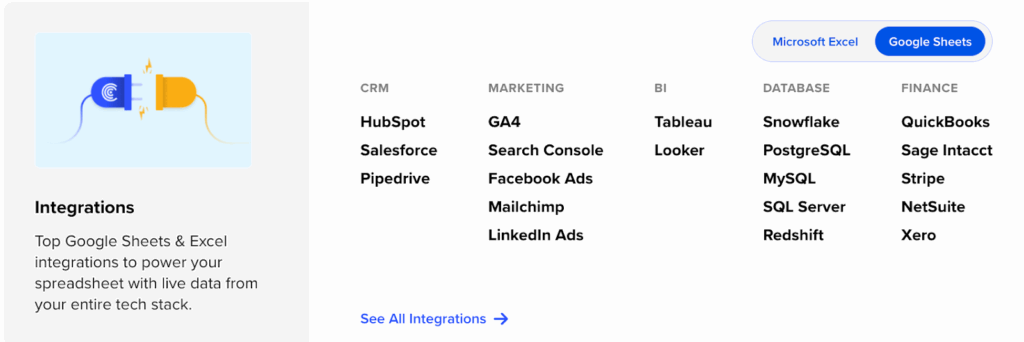
Coefficient connects to all of these systems, letting you build comprehensive RevOps dashboards that show the complete customer journey from acquisition through renewal.
Implementation takes minutes, not months. iPaaS platforms typically require weeks of configuration, testing, and deployment. Coefficient’s pre-built connectors work immediately.
Connect Chargebee, pull some subscription data, add a NetSuite financial query, and you’re building analysis within the first hour. For finance teams that need answers quickly, this speed-to-value matters.
Limitations
Coefficient focuses on reporting, not automation. If you need to write data back to either system or trigger automated workflows based on subscription events, you’ll need a different solution. Coefficient excels at pulling data out for analysis, but it doesn’t handle the billing-to-accounting automation that the native Chargebee integration provides.
You’re working in spreadsheets. For many finance teams, that’s a feature. But if your organization has moved beyond spreadsheets to enterprise BI platforms like Tableau or Looker, Coefficient’s spreadsheet foundation might feel limiting. Though it’s worth noting that Coefficient connects to these BI tools too, so you can feed data from spreadsheets into your existing dashboards.
Ratings and reviews
Coefficient maintains a 4.7/5 rating on G2 based on 500+ reviews, earning recognition as a High Performer in the Spreadsheet & Reporting category. Users consistently highlight the platform’s ease of use and fast implementation.
One SaaS finance director noted: “We built our entire RevOps dashboard in Coefficient in about two hours. Before this, we were waiting weeks for our data team to write custom scripts every time we needed a new report.”
Best for
Coefficient works best for subscription businesses that need real-time analytics and cross-system reporting. If your finance team, RevOps team, or executive leadership needs to analyze subscription metrics combined with financial data, Coefficient provides the fastest path. It’s ideal when multiple teams need access to live data for different purposes: finance running reconciliation reports, RevOps tracking cohort performance, and product analyzing feature adoption by customer segment. The $49-$99 per month pricing makes it accessible for growing SaaS companies that aren’t ready for enterprise iPaaS costs.
Method 3: Enterprise integration platforms (iPaaS) & custom development
iPaaS platforms for Chargebee-NetSuite integration
Enterprise integration platforms like Celigo and Workato offer another approach for connecting Chargebee with NetSuite. These platforms function as middleware that orchestrates complex workflows between systems.
Celigo provides native Chargebee connectors designed specifically for NetSuite integration.
- The platform handles high-volume transaction processing with advanced concurrency controls and error management
- You build custom integration flows that map Chargebee subscription events to specific NetSuite actions, adding business logic and data transformations along the way
Workato takes a similar approach, positioning itself as a workflow automation platform that connects Chargebee with NetSuite and dozens of other business systems. Both platforms excel when you need complex, bidirectional integration with custom business rules.
The value proposition centers on flexibility:
- Need to trigger different NetSuite workflows based on subscription tier? Want to pause billing in Chargebee when NetSuite shows past-due invoices?
- iPaaS platforms handle these scenarios through visual workflow builders that let you define conditional logic without writing code
Implementation and costs:
- Implementation typically takes 4-8 weeks depending on workflow complexity
- You’ll work with either internal integration specialists or the platform’s professional services team to map business requirements, configure workflows, and test edge cases
- Once deployed, these platforms monitor integration health, handle errors automatically, and provide detailed logging
Pricing varies significantly based on transaction volume and workflow complexity. Celigo typically starts around $600-$1,000 per month for basic integrations, scaling up to several thousand monthly for enterprise deployments. Workato follows similar pricing models. Both platforms charge based on the number of integration tasks or API calls processed monthly.
Custom development
Some organizations build custom integrations using the Chargebee and NetSuite APIs directly. This approach offers maximum flexibility but requires significant development resources.
When custom makes sense:
- Custom integrations make sense when your subscription business model includes unique workflows that packaged solutions can’t handle
- Perhaps you offer complex pricing models with multi-dimensional billing rules
- Or you need integration with proprietary internal systems alongside Chargebee and NetSuite
Costs and timeline:
- Development costs typically range from $25,000 to $100,000+ depending on scope, not including ongoing maintenance
- Timeline runs 3-6 months for most implementations
- You’ll need developers familiar with both REST APIs, experience handling subscription billing logic, and deep knowledge of NetSuite’s data model
The ongoing challenge with custom integrations is maintenance. When Chargebee updates their API or NetSuite releases new versions, your integration needs updates too. Budget for ongoing development support, monitoring, and troubleshooting.
Best for
iPaaS platforms work best for enterprise SaaS businesses with complex integration requirements, high transaction volumes, or needs for bidirectional workflows. If you’re processing millions of subscription events annually, need sophisticated error handling, or want to orchestrate workflows across multiple systems beyond just Chargebee and NetSuite, platforms like Celigo and Workato justify their cost and complexity.
Custom development makes sense primarily for businesses with truly unique requirements that no packaged solution can address, or for companies with strong internal development teams who want complete control over integration architecture.
Connect your subscription and finance data today
The right Chargebee NetSuite integration depends on what you’re trying to accomplish. Need automated billing-to-accounting workflows with revenue recognition compliance? Start with Chargebee’s native integration. Managing complex, high-volume workflows across multiple systems? Consider enterprise iPaaS platforms.
But if your team needs real-time subscription analytics, cross-system reporting, or RevOps dashboards that combine billing and financial data, Coefficient gets you there fastest. Finance teams can build the exact analysis they need without waiting for IT resources or learning complex integration platforms.
Ready to eliminate subscription revenue reconciliation headaches? Get started with Coefficient and connect your Chargebee and NetSuite data in minutes.