
Table of Contents

- 1. NetSuite Data Integration Tools for Automation & Reporting
- 2. Top 5 NetSuite Reporting Tools in 2026: Boost Your Analytics Game
- 3. Top 10 NetSuite Apps for Integration & Reporting for 2026
- 4. Best 6 NetSuite Connectors in 2025
- 5. Best HubSpot NetSuite Integration Software
- 6. Best NetSuite Salesforce Integration Software
- 7. Best NetSuite Snowflake Integration Software
- 8. Best NetSuite QuickBooks Integration Software
- 9. Best Zendesk NetSuite Integration Software
- 10. Best Zoho CRM NetSuite Integration Software
- 11. Best NetSuite Pipedrive Integration Software
-
12. Best SharePoint NetSuite Integration Software
- Purpose of Your SharePoint NetSuite Integration
- Ways to Integrate SharePoint and NetSuite
- Method 1: NetSuite SuiteApps for SharePoint Integration
- Method 2: Coefficient - No-Code Spreadsheet Connector
- Method 3: Enterprise Integration Platforms (iPaaS) & Custom Development
- Streamline your document management workflow
- 13. Best Google Drive NetSuite integration software
- 14. Best Shopify NetSuite Integration Software
- 15. Best Stripe NetSuite Integration Software
- 16. Best Chargebee NetSuite Integration Software
- 17. Best WooCommerce NetSuite Connector
- 18. Best BigCommerce NetSuite Integration Software
- 19. Best BambooHR NetSuite Integration Software
- 20. Best Klaviyo NetSuite integration software
- 21. Best Mailchimp NetSuite integration software
- 22. Best Square NetSuite Integration Software
- 23. Best NetSuite Gmail Integration Software
- 24. How to Connect NetSuite to Snowflake: A Step-by-Step Guide


Your finance team stores contracts, invoices, and receipts in SharePoint while tracking transactions in NetSuite—but without integration, every document requires manual downloading from one system and uploading to another. This disconnect creates hours of unnecessary work during audits, delays approvals, and leaves transactions without proper documentation.
This guide shows you how to connect SharePoint and NetSuite to automate document workflows, create complete audit trails, and ensure every financial record links to its supporting files. We’ll cover vendor-supported SuiteApps, spreadsheet-based data analysis options, and enterprise automation platforms so you can choose the right approach for your team’s needs.
Purpose of Your SharePoint NetSuite Integration
- Looking to automate document attachment workflows? Contracts uploaded to SharePoint attach automatically to NetSuite customer records, eliminating hours of manual file transfers and reducing document processing time by 40-60%.
- Trying to eliminate manual audit preparation? Every financial transaction links to supporting documentation in SharePoint automatically, creating complete audit trails that auditors can follow without your team scrambling to match documents.
- Needing real-time visibility into document-backed transactions? Review SharePoint contracts and NetSuite deal terms on one screen, speeding approvals and ensuring every transaction has proper documentation attached.
- Wanting to connect documents with financial data for better compliance? Version control in SharePoint syncs with transaction status in NetSuite, maintaining a single source of truth for regulatory requirements and internal controls.
Ways to Integrate SharePoint and NetSuite
You have three main approaches to integration, each with different benefits:
- NetSuite SuiteApps deliver vendor-supported solutions for specific document workflows
- Coefficient – No-code connector for NetSuite data analysis in spreadsheets (not document sync)
- Enterprise iPaaS platforms and custom development for comprehensive workflow automation
Method 1: NetSuite SuiteApps for SharePoint Integration
NetSuite’s SuiteApp marketplace includes certified integrations for SharePoint connectivity with vendor support, predictable pricing, and straightforward implementation.
How It Works
Tactical Connect by Zone & Co schedules NetSuite Saved Searches to export automatically to SharePoint folders.

Configure which searches run, set frequency (every 15 minutes to weekly), and specify the SharePoint destination. Data arrives as CSV files ready for Power BI, Tableau, or Excel analysis. Setup takes 15 minutes.
ExtendSync by CloudExtend treats SharePoint as an extension of NetSuite’s File Cabinet. Files stay in SharePoint but appear in NetSuite’s Files Tab.
Users browse SharePoint folders directly from NetSuite records and attach documents without leaving NetSuite. This matters because SharePoint offers dramatically more storage than NetSuite File Cabinet, supports files up to 250GB (vs. NetSuite’s 10MB default), and enables Microsoft’s collaboration features.
Key Benefits
- Vendor support provides peace of mind: Updates happen automatically as vendors adapt to NetSuite releases. When NetSuite launches new API versions, your integration updates without intervention. NetSuite certification ensures these SuiteApps meet security, performance, and reliability standards.
- Fast implementation delivers quick wins: Tactical Connect configures in 15 minutes. ExtendSync deploys in hours. Compare this to weeks for iPaaS platforms or months for custom development. Derek Sachs at Kevin Murphy reports: “We found Tactical Connect and it was set up within minutes.”
- Predictable licensing simplifies budgeting: Flat annual fees without surprise per-transaction charges. Budget $500-$2,000 monthly depending on features. No hidden costs or usage-based pricing that balloons unexpectedly.
Limitations
- Tactical Connect focuses on one-way exports—NetSuite to SharePoint only
- ExtendSync requires Enterprise Edition for SharePoint integration
- Minimal customization means adapting to the SuiteApp’s workflow
Ratings and Reviews
Tactical Connect serves 200+ customers including Gusto and e.l.f. Cosmetics. Derek Sachs notes: “After trying several solutions, we struggled for numerous reasons. Then we found Tactical Connect—set up within minutes and very easy to use.”
Best For
Organizations needing scheduled data exports for reporting, vendor-supported reliability, straightforward document attachment needs, or minimal configuration. Perfect for teams without dedicated IT resources who need simplicity and vendor support.
Method 2: Coefficient – No-Code Spreadsheet Connector
Coefficient doesn’t sync documents between SharePoint and NetSuite. Instead, it gives you real-time access to the financial data connected to your document workflows—contract values, invoice statuses, payment terms, transaction details.

How It Works
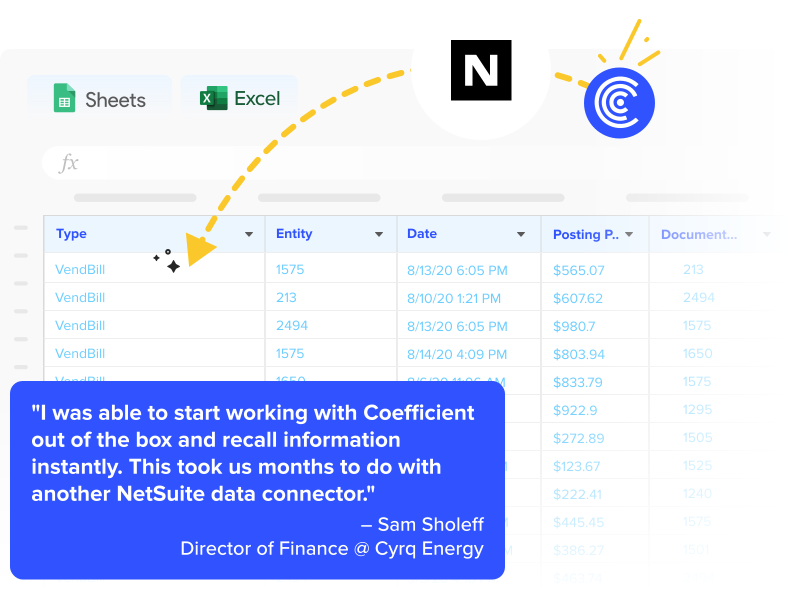
Coefficient is a no-code connector pulling live NetSuite data directly into Google Sheets and Excel—no document management, but powerful financial analysis capabilities.
[VIDEO EMBED: https://www.youtube.com/watch?v=qEFyYK58hhs]
Quick Integration Walkthrough:
- Import live data from NetSuite – Pull records, saved searches, reports, or custom SuiteQL queries for financial analysis

- Connect to 70+ data sources – Add Salesforce, QuickBooks, HubSpot, MySQL, PostgreSQL for cross-system reporting
- Combine and analyze data in one spreadsheet – Build financial models using live data instead of stale exports
- Build custom dashboards, pivot tables, charts, and financial models – Create reports showing contract values, invoice aging, payment tracking
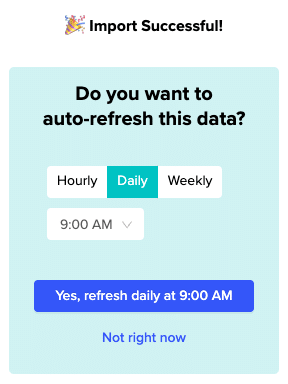
- Schedule auto-refresh (hourly, daily, weekly) to keep data current without manual exports – Monday morning reports ready automatically
Key Benefits
- 70+ connector ecosystem for complete analysis: Beyond NetSuite, connect Salesforce, HubSpot, QuickBooks, Snowflake, MySQL, Google Analytics. Build financial models combining data from every system. This breadth separates Coefficient from single-purpose document sync tools.
- Spreadsheet-native eliminates training: Finance teams already work in spreadsheets. Coefficient brings live data to familiar tools rather than forcing adoption of new platforms. One financial analyst notes: “Coefficient has revolutionized our reporting process.”
- No-code setup means IT independence: Connect data sources in minutes without API knowledge or developer support. Finance teams own their reporting. Set it once, data updates forever without manual intervention.
- Cost-effective data connectivity: While enterprise iPaaS platforms cost $500-$5,000 monthly, Coefficient pricing starts significantly lower. Free plans exist for basic imports. Paid plans scale with features rather than transaction volume.
- Live data replaces stale exports: Data refreshes automatically on your schedule. Compare this to CSV exports that become outdated the moment you download them. Real-time sync with NetSuite saves hours weekly.
Limitations
Coefficient won’t sync documents between SharePoint and NetSuite. It won’t handle file attachments, document versioning, or folder structures. For document workflows, choose SuiteApps or iPaaS platforms. Coefficient complements them by providing the data analysis layer.
Ratings and Reviews
4.7 out of 5 stars across 142 reviews on G2. Awards include #2 in Big Data Integration, #3 in Data Extraction Tools, and Momentum Leader recognition. Sarah T., Financial Analyst: “The real-time sync with NetSuite saves us hours each week.”
Best For
Finance teams needing real-time NetSuite data analysis, not document sync. Perfect for spreadsheet-based financial reporting on document workflows, cross-system analysis, and finance team ownership of reporting without IT dependencies.
Method 3: Enterprise Integration Platforms (iPaaS) & Custom Development
When SuiteApps don’t fit your workflow and you need comprehensive automation, iPaaS platforms and custom development provide maximum flexibility.
iPaaS Platforms
Celigo takes a NetSuite-first approach with 80+ prebuilt integrations and 95% auto-resolution capability.
What They Are: Enterprise iPaaS with pre-built SharePoint and NetSuite connectors supporting Microsoft Graph API and REST API. Visual workflow builders configure multi-step automations without code.
Benefits:
- Automated invoice processing: File arrives in SharePoint, Celigo extracts metadata, creates vendor bill in NetSuite, attaches invoice
- Processes documents in seconds instead of 20 minutes per invoice manually
- Pricing: $500-$5,000+ monthly depending on workflows and volume
Workato leads Gartner’s iPaaS Magic Quadrant provideing similar enterprise automation with:
- 1,000+ app connectors
- Sophisticated recipe-based workflows
- Pricing starting around $10,000+ annually with custom quotes required
Users note the platform’s power for complex automation but criticize pricing transparency and high costs for smaller businesses.

Microsoft Power Automate offers native SharePoint integration with NetSuite connectivity via OAuth, which Benefits organizations in Microsoft ecosystem with licensing included in Microsoft 365.

Custom API Development
What It Is: Middleware application connecting Microsoft Graph API (SharePoint) with NetSuite REST API. Complete control over workflow logic, compliance requirements, and validation rules.
Benefits: You own the code with no vendor lock-in. Implement unique business logic impossible with packaged solutions.
Limitations:
- Basic integration: $10,000-$20,000 over 2-4 weeks
- Complex integrations: $30,000-$50,000 over 8-12 weeks
- Monthly maintenance: $500-$2,000 for updates and API changes
Best For
iPaaS suits companies needing complex workflows with conditional logic, bi-directional sync, and rapid deployment. Custom development fits organizations with unique compliance requirements and dedicated development resources for long-term maintenance.
Streamline your document management workflow
SharePoint-NetSuite integration eliminates the manual downloading, searching, and uploading that wastes hours daily. Whether you choose vendor-supported SuiteApps for reliability, Coefficient for financial data analysis, iPaaS platforms for flexible automation, or custom development for complete control, you gain unified document-financial workflows that save time, improve compliance, and create audit trails auditors actually trust.
Start with your highest-volume document workflow. Calculate current manual effort (number of documents × minutes per document × monthly frequency). That’s your baseline for measuring ROI.
Need to connect NetSuite data to spreadsheets for analysis? Get started with Coefficient to pull live financial data in under a minute.