Snowflake Excel add-in for scheduled reporting
Coefficient is an Excel add-in that pulls any Snowflake table, view or SQL query into your workbook. Refresh it on a schedule and write changes back to Snowflake without leaving Excel.

Trusted by 700,000+ users


How to connect Snowflake to Excel
Install the Coefficient add-in, sign in to Snowflake, pick a table, view or query, and set it to refresh on a schedule.
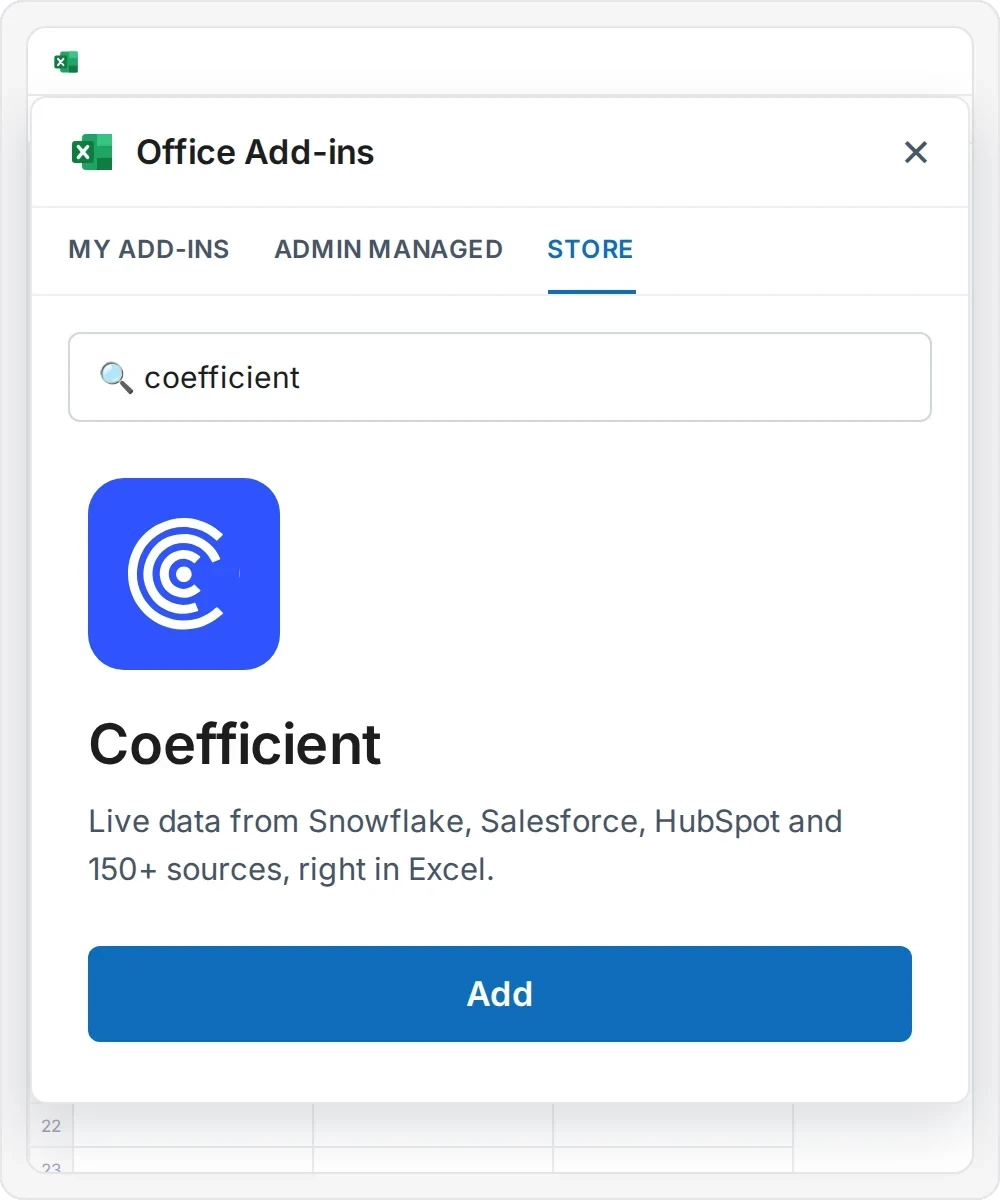
1. Add Coefficient to Excel

Install the Coefficient add-in from Office Add-ins or Microsoft AppSource, then open the Coefficient tab in Excel.
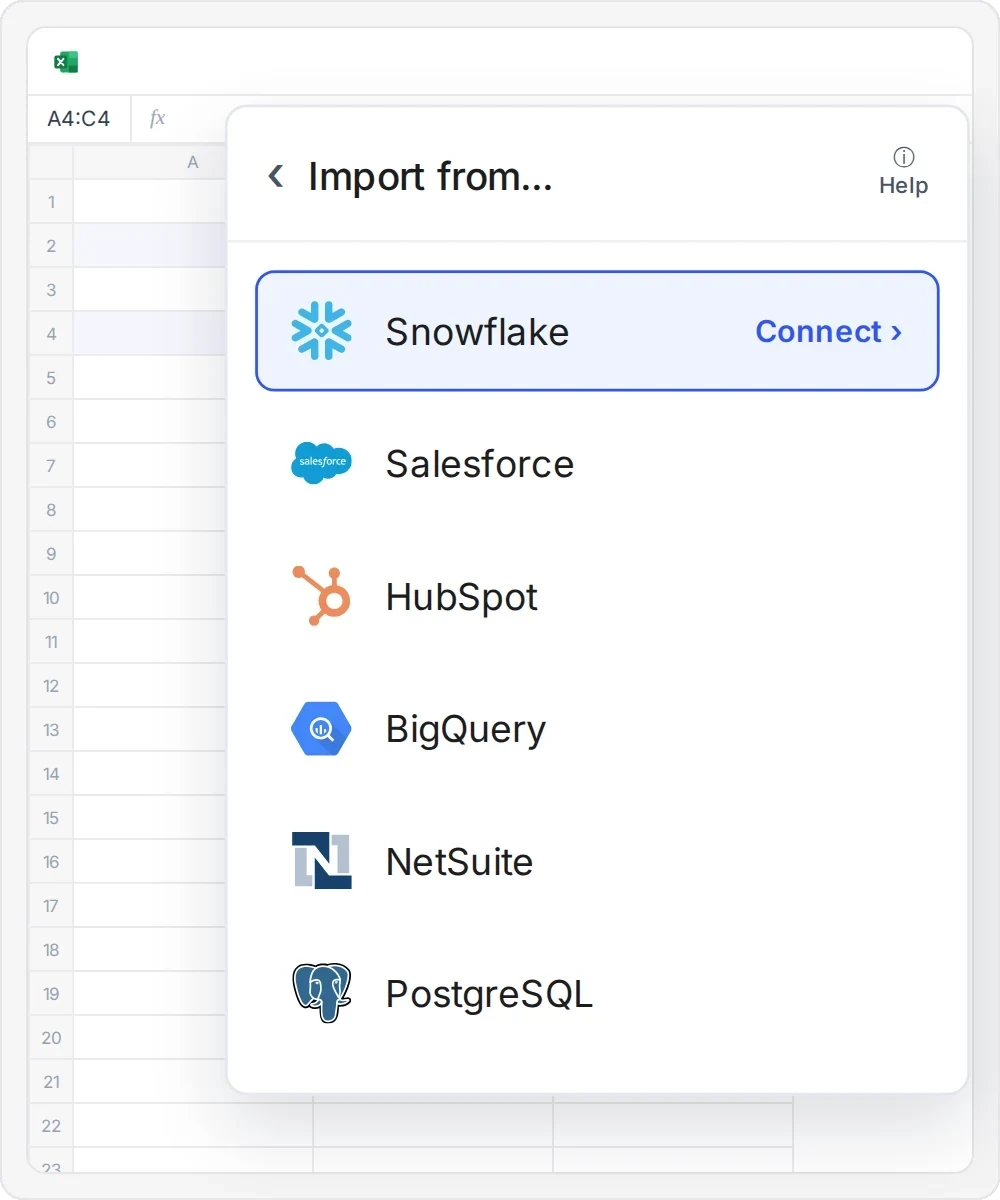
2. Connect Snowflake
Sign in with your Snowflake account using key-pair authentication or Snowflake OAuth. Connect once, and anyone you share the connection with can start importing. See connection requirements.
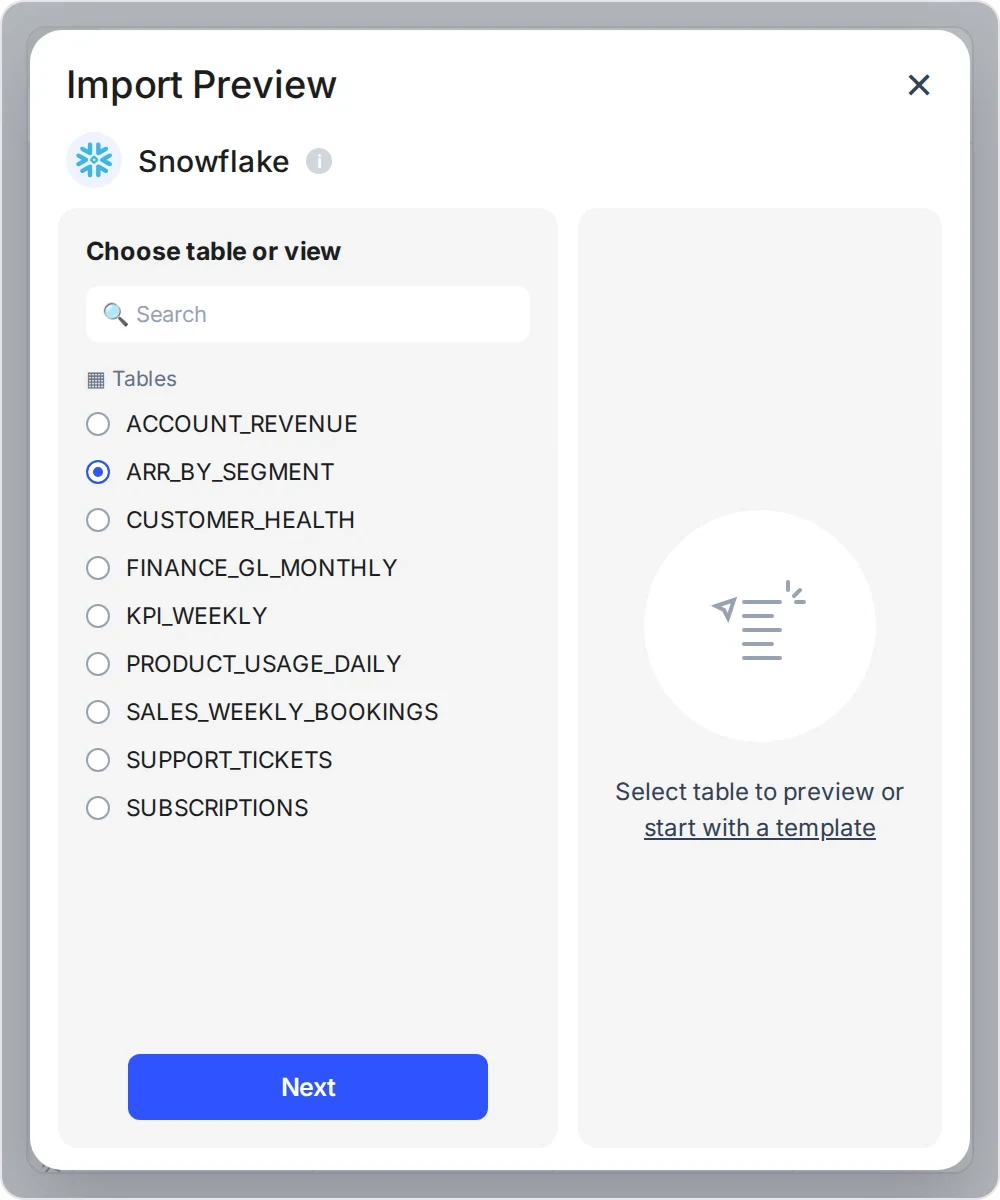
3. Choose your data
Pick a table or view, write your own SQL or ask the AI SQL Builder to write it for you.
4. Preview and import
Check the preview, then import the results into your workbook.
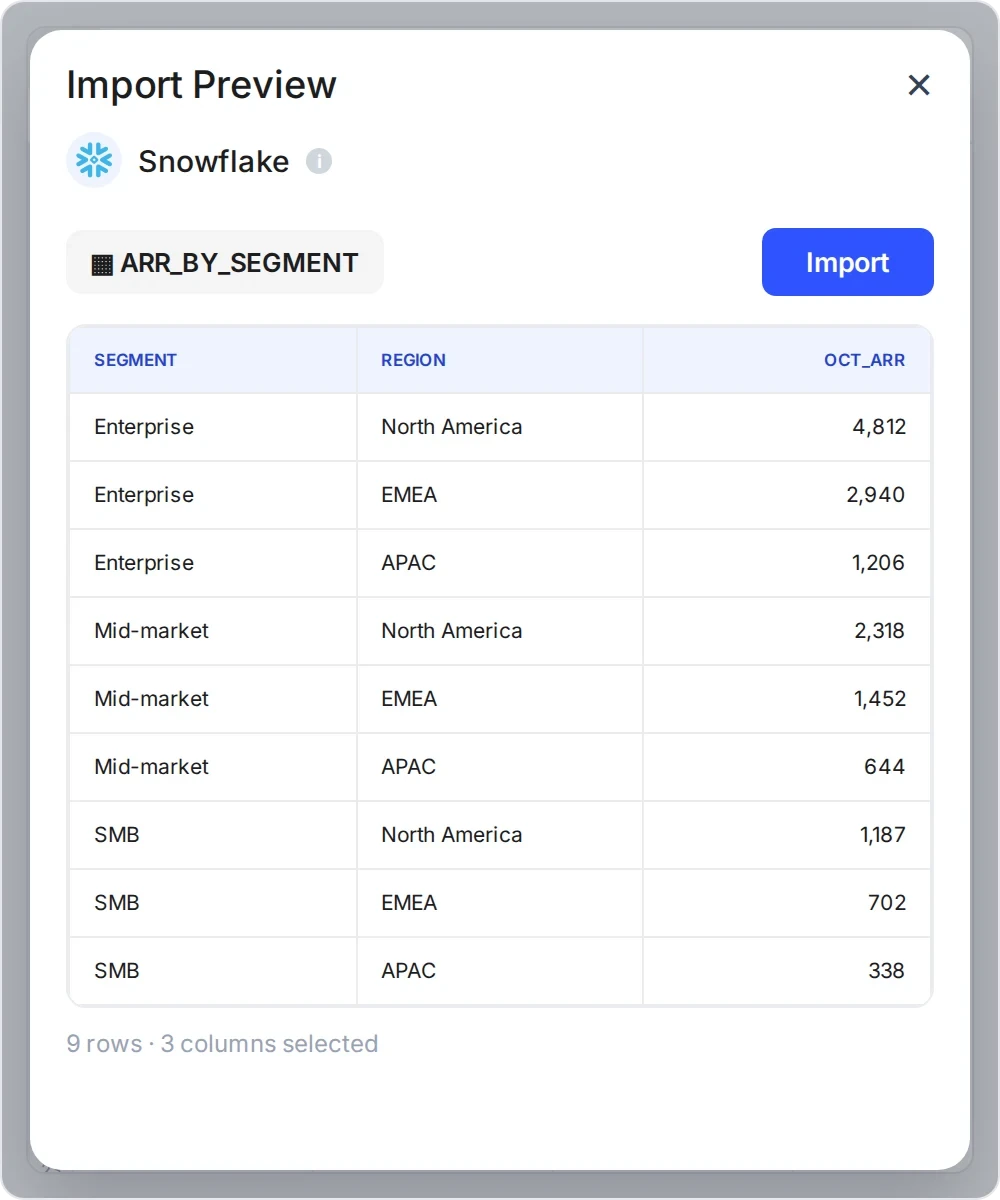
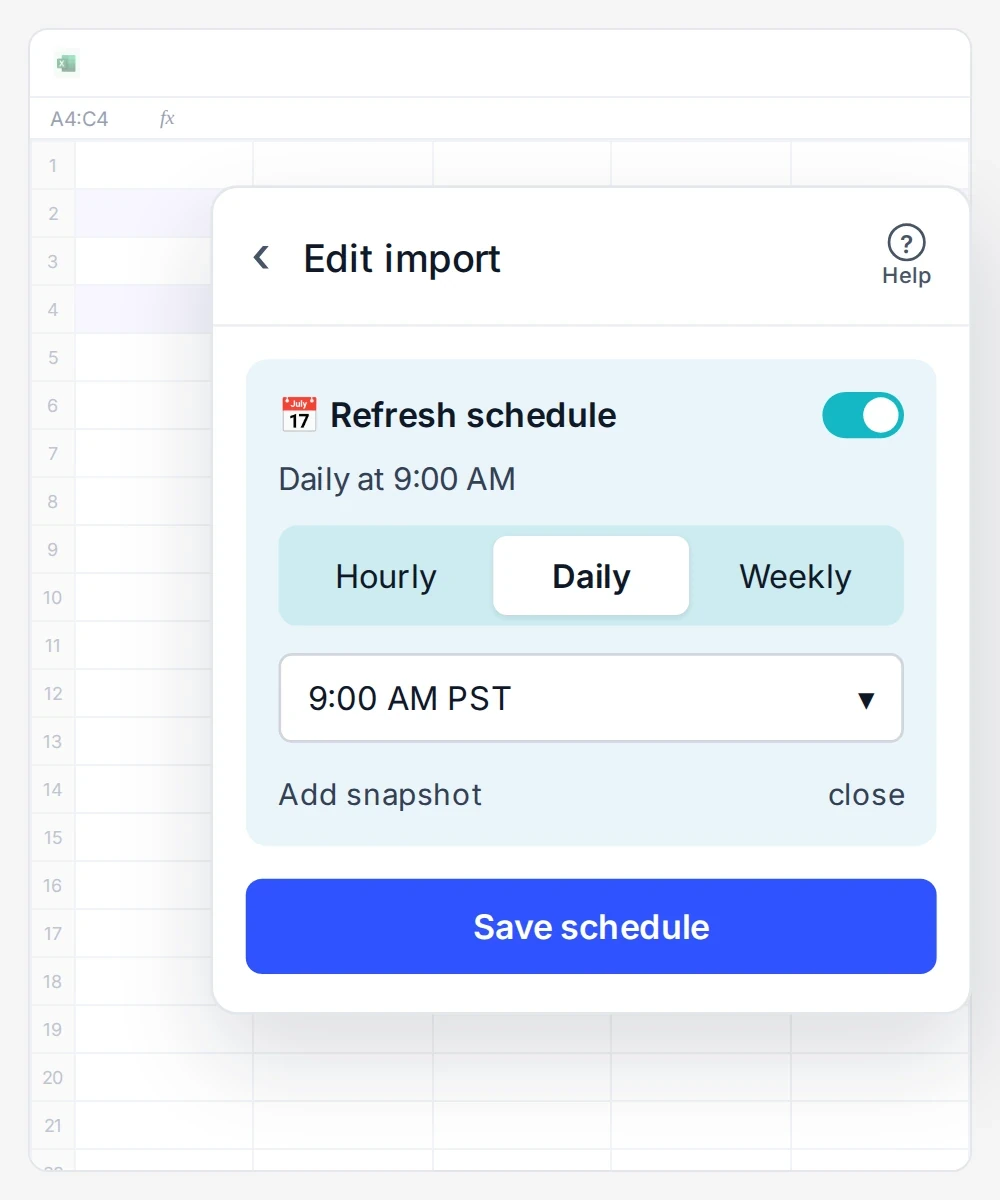
5. Save and schedule auto-refresh
Save the workbook to OneDrive, then set it to refresh hourly, daily or weekly.
Import Snowflake tables, views or SQL queries into Excel
Choose a table or view, or run your own SQL. The AI SQL Builder can write the query for you.
 Sheets
 Excel
Same imports in Google Sheets and Excel
Tables
Any table your Snowflake role can read.Views
Reporting views your data team prepared.Semantic views
Business metrics and dimensions defined in Snowflake.
Custom SQL queries
Your own SQL, with joins, aggregates and CTEs.AI SQL Builder
Describe the data in plain English and get SQL to review.
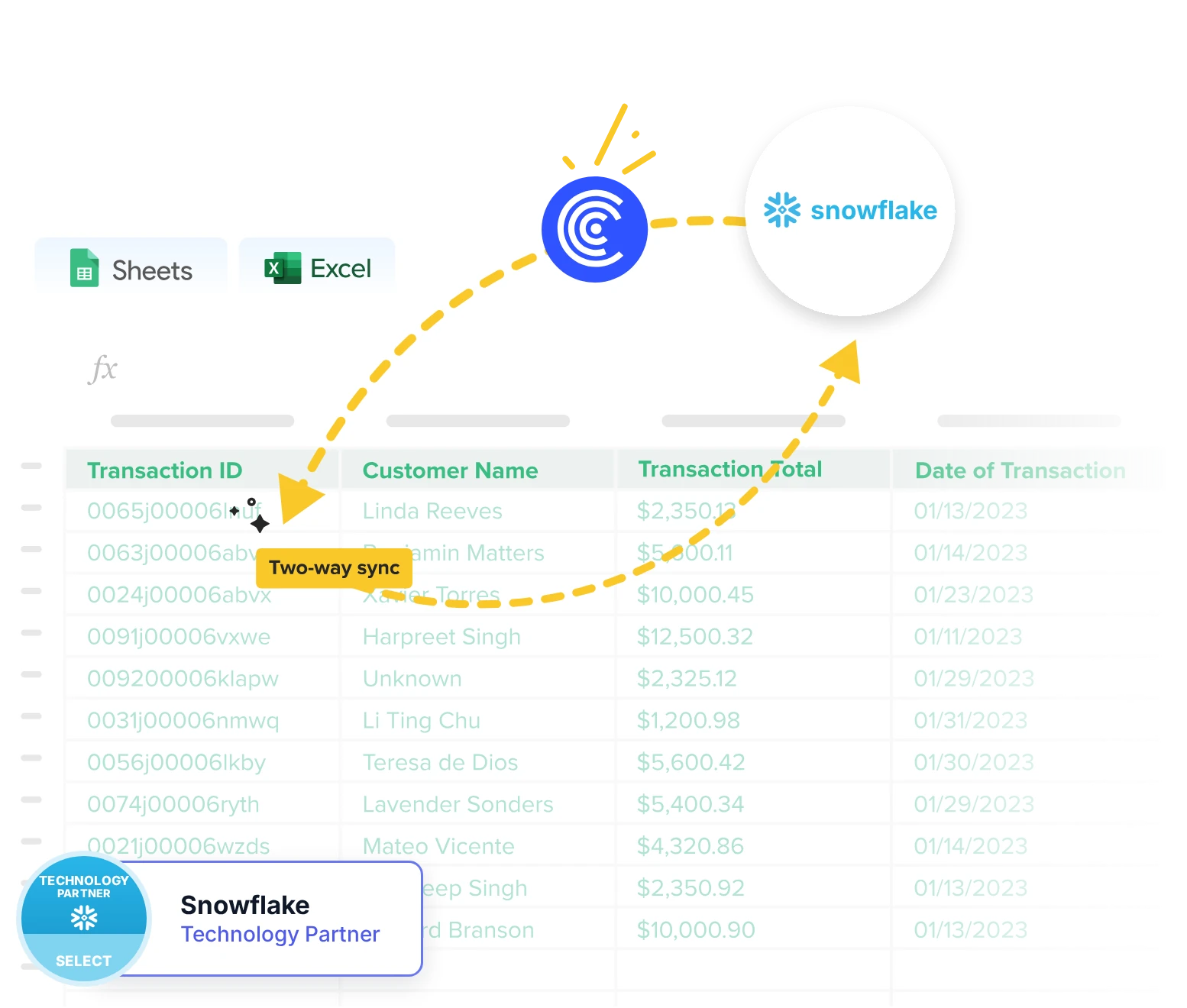
Two-way sync
Write changes from Excel back to Snowflake
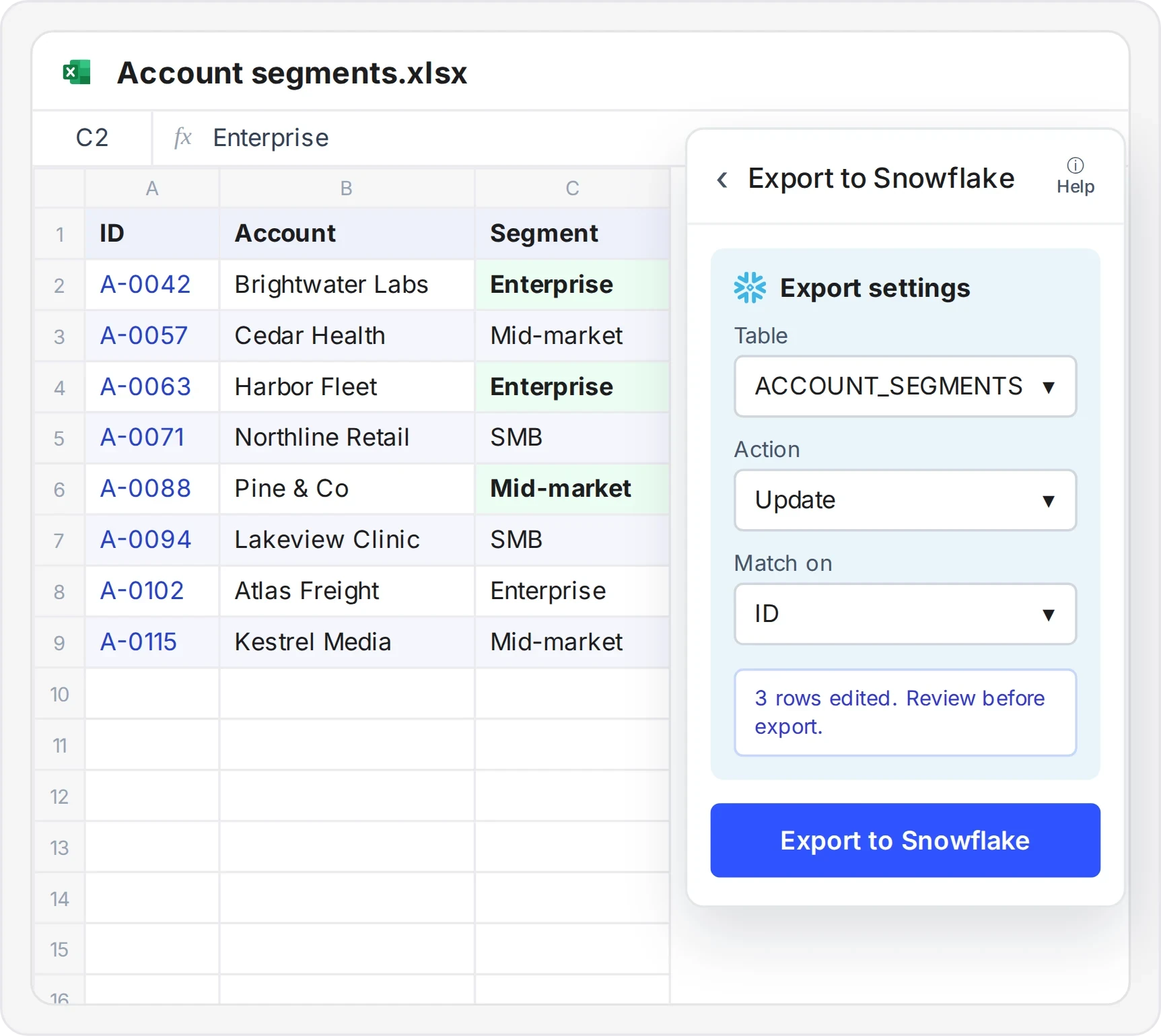
- Add, update or delete Snowflake rows without leaving Excel
- Each change is matched to its record ID, so nothing else is touched
- Review your edited rows before you push them to Snowflake
AI Dashboards
Turn your Snowflake workbook into a live dashboard
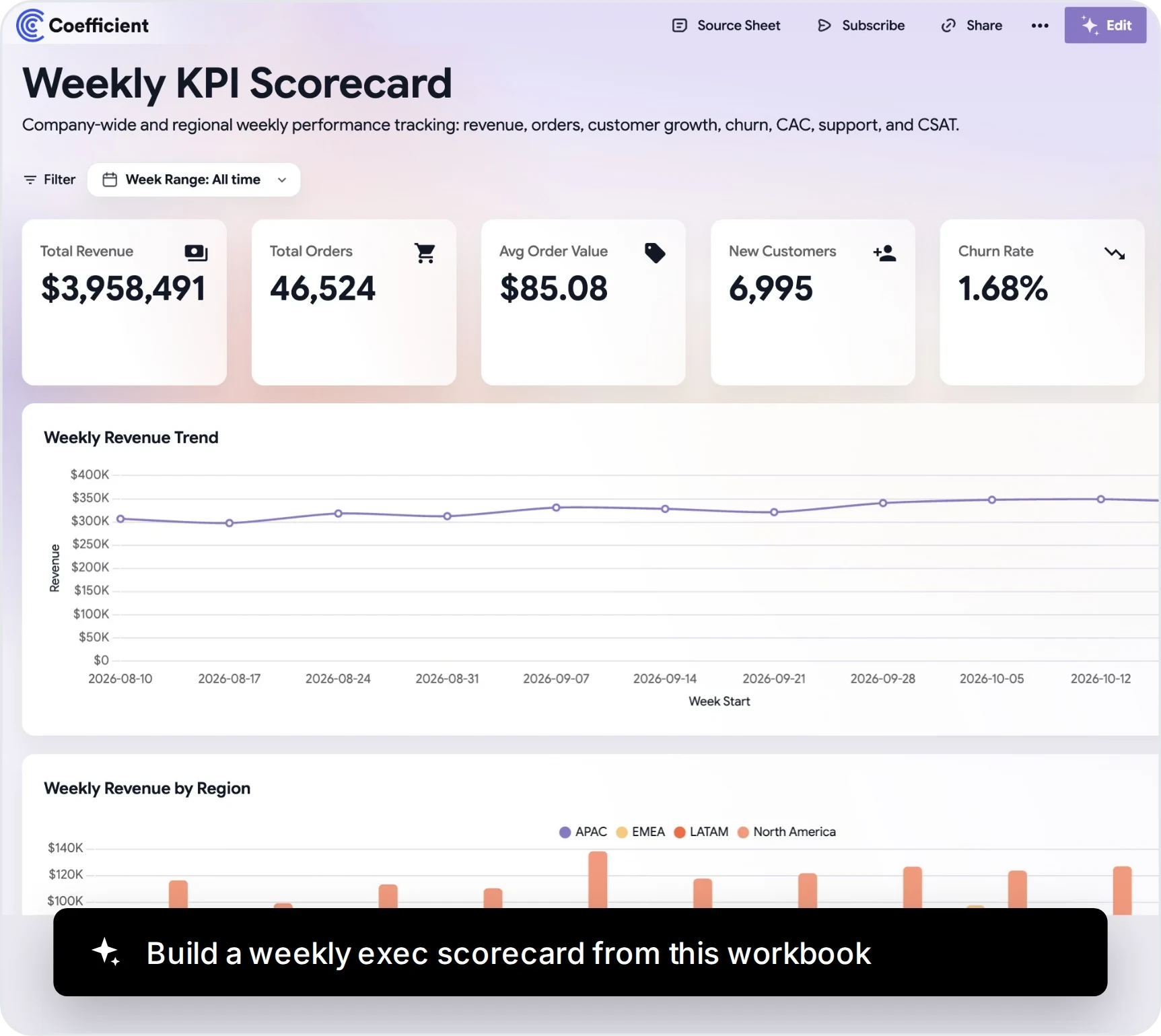
- Describe the dashboard and AI builds it from your workbook
- Share a live link, no Snowflake login needed
- Get Slack, Teams or email alerts when numbers change
150+ integrations
Combine Snowflake with 150+ other sources in Excel

- Add Salesforce, HubSpot and NetSuite next to your Snowflake data
- Build one model across warehouse, CRM and finance data
- No ODBC drivers or extra pipelines to maintain

The realization that my spreadsheet could directly connect to our data warehouse was an absolute game-changer. It was like having my own instance of Snowflake I could pull data out of for my models.

What teams build in Excel with Snowflake and Coefficient
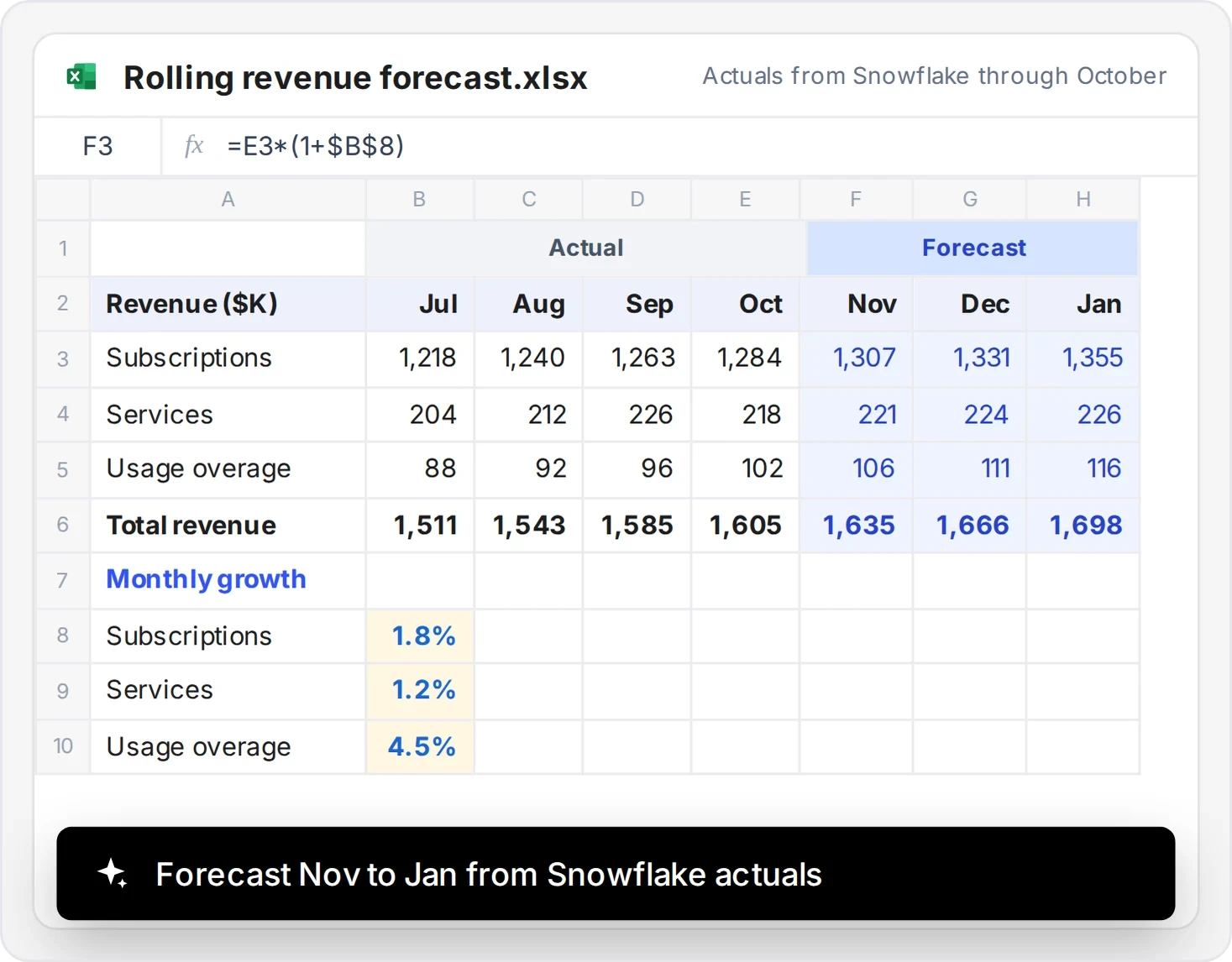
Three-month revenue forecast
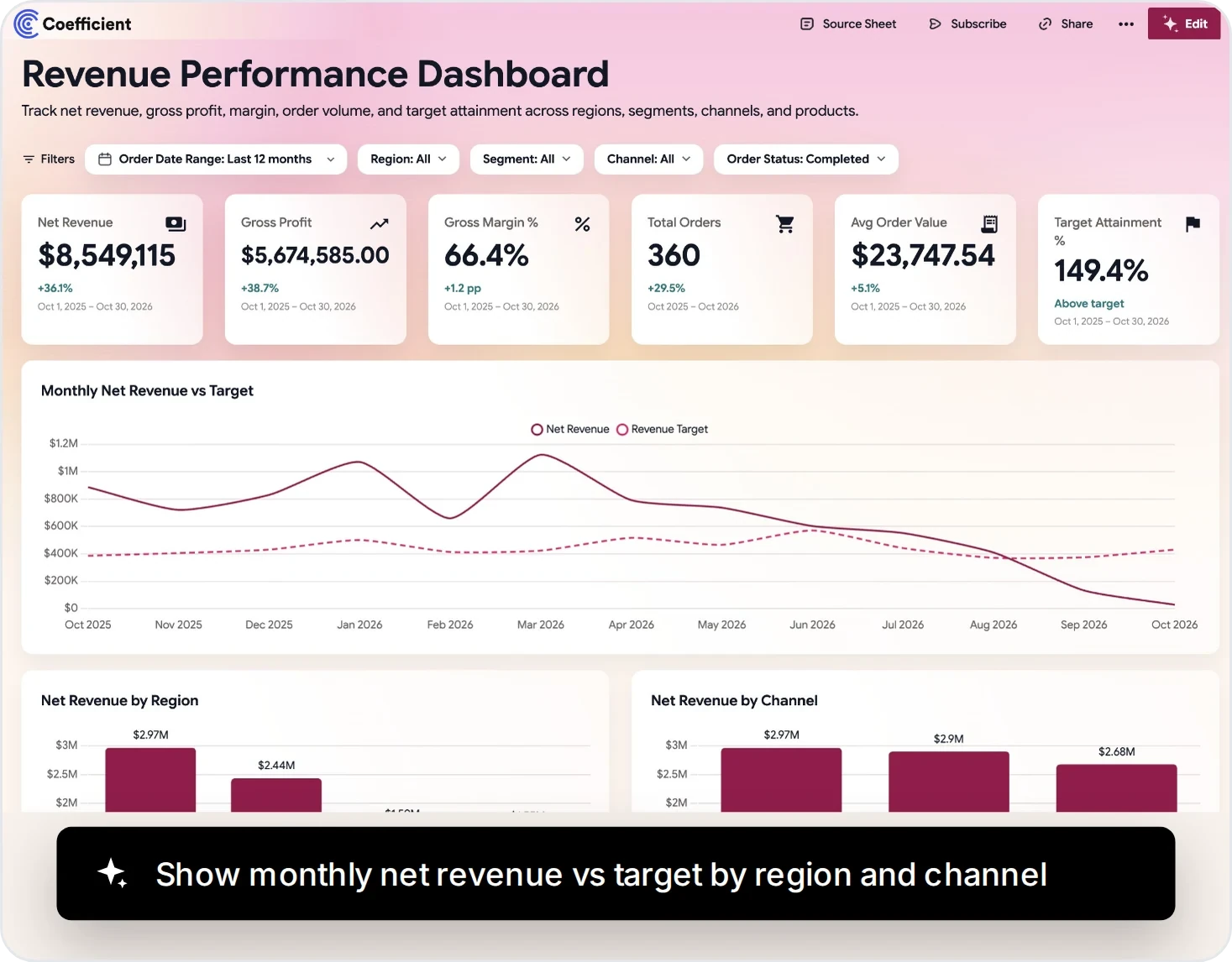
Revenue vs target dashboard
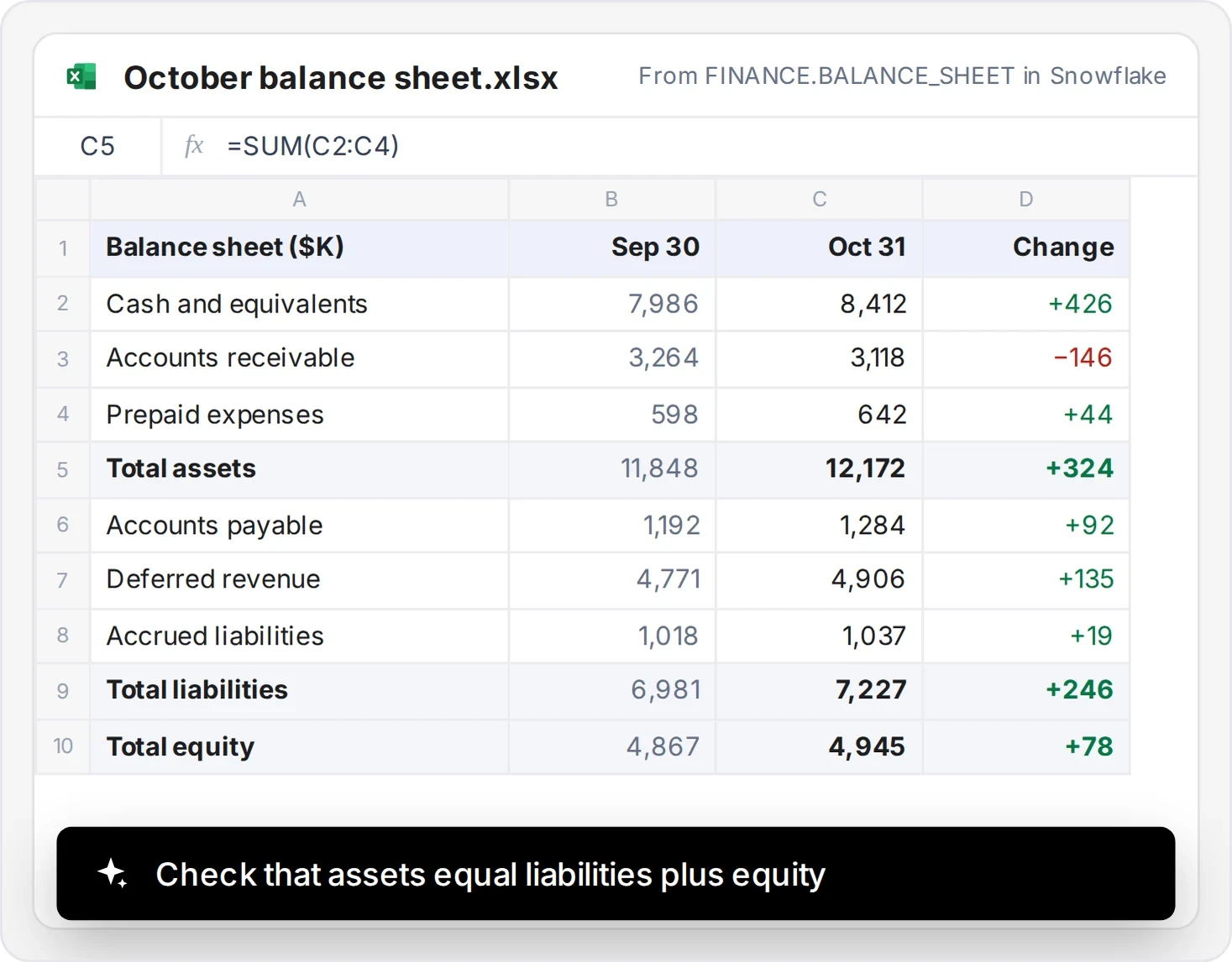
Month-end balance sheet tie-out
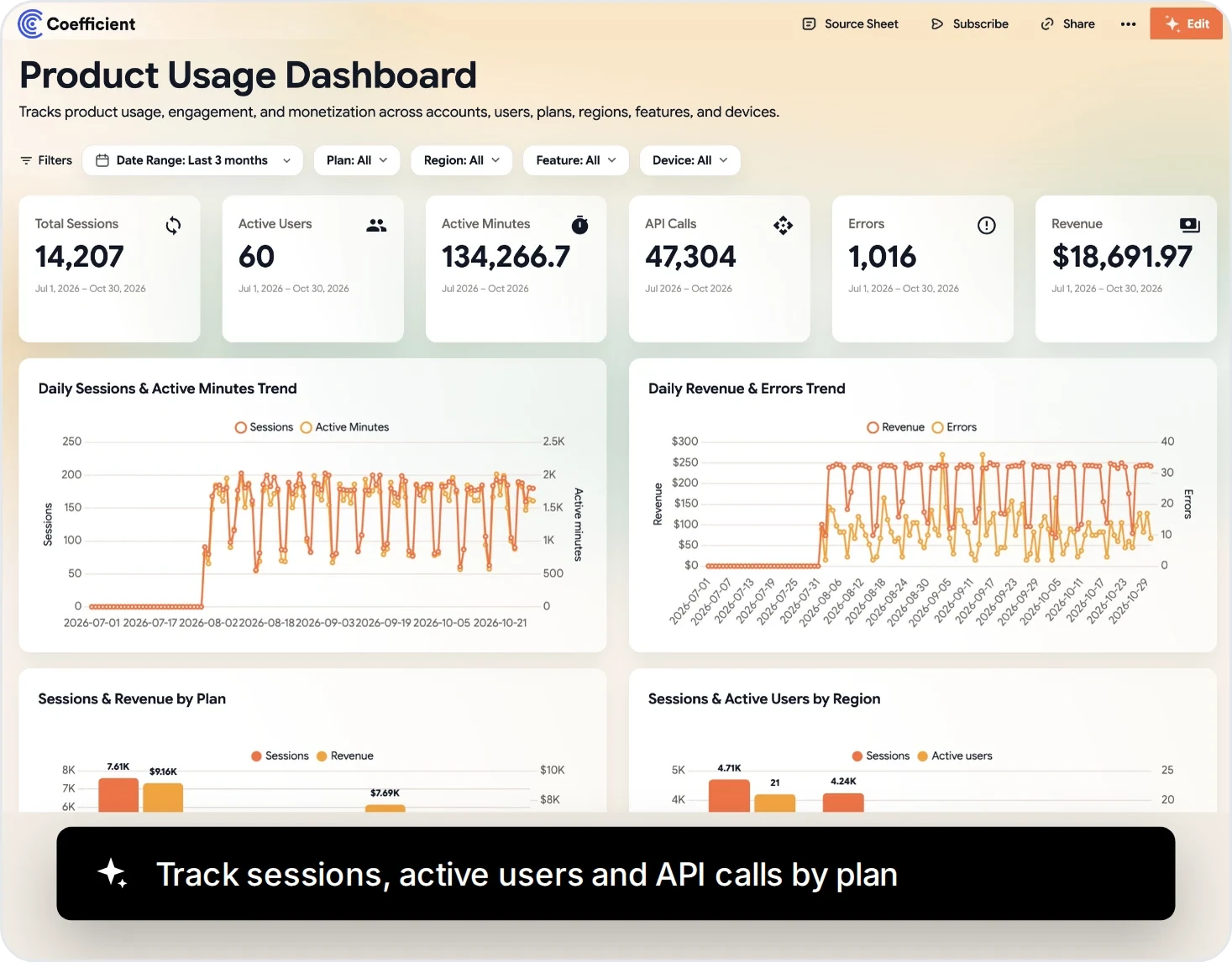
Customer usage dashboard
Historical snapshots
Keep a history of your Snowflake reports
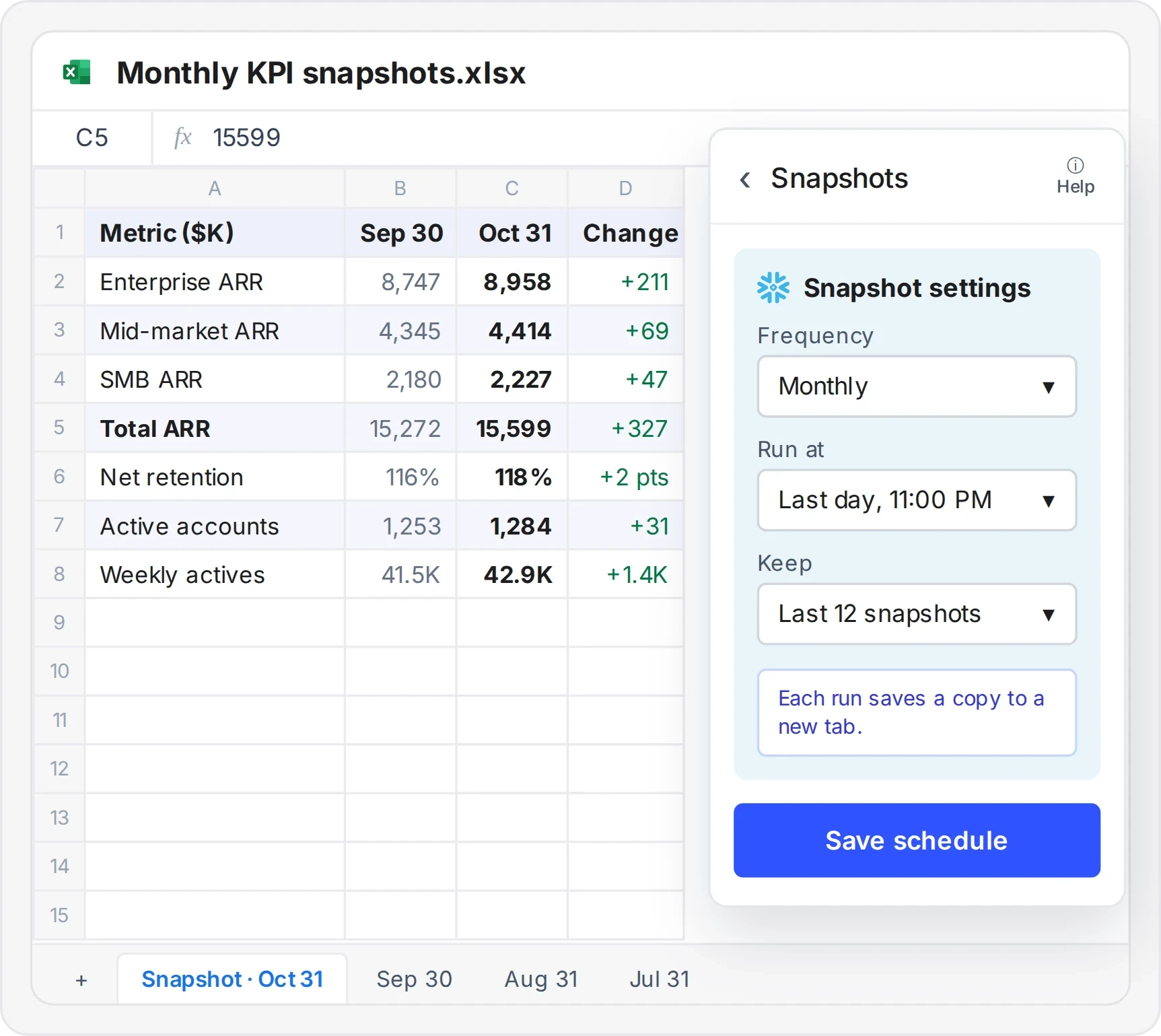
- Save a dated copy of any import on a schedule
- Compare this month with last month in one workbook
- Lock in period-end numbers before the live data changes
What customers say about Coefficient

We turned to Coefficient to act as a bridge. It opens up a bottleneck in our data stack ahead of our BI tool.

The speed at which you can get something up and running to a massive amount of people that’s correct and visually appealing is huge.

To have a dashboard that’s bookmarked on everyone’s Chrome, that they just click and go see, that’s huge. And they know it’s right.

Coefficient vs. Snowflake ODBC vs. other Excel add‑ins
Compare import, refresh, writeback and setup for Snowflake reporting in Excel.
| Coefficient | Excel with Snowflake ODBC | CData or Skyvia add-ins | |
|---|---|---|---|
| Get Snowflake data into a workbook | Pick a table, write SQL or ask AI to build it. | Set up a driver, then query with Excel’s data tools. | A query builder or SQL inside each add-in. |
| Query without writing SQL | Visual table picker and AI SQL Builder. | Power Query’s navigator for tables and views. | Visual query builders in both. |
| Keep reports up to date | Scheduled refresh for workbooks on OneDrive. | Refresh settings set up in each workbook. | CData can schedule refreshes. Skyvia refreshes in a couple of clicks. |
| Send edits back to Snowflake | Add, update or delete rows from the workbook. | Not possible. | CData supports updates. Skyvia Query imports data only. |
| Get alerts when numbers change | Slack or email alerts from your workbook. | Not available. | No built-in alerts in either add-in. |
| Use it in Google Sheets too | Yes, the same connector works in both. | Excel only. | Yes, each has a Google Sheets add-on. |
| Pricing | Snowflake on the Enterprise plan. | Free driver, installed on each computer. | Free tiers, with paid plans for more usage. |
Connect with the access controls your data team manages
Security, compliance, and control - without the enterprise sales cycle.
SSO & access control
Your identity provider. Your rules.
- SSO: Okta, Azure AD, Google Workspace, OneLogin
- Roles: Admin, Editor, Viewer
- Permissions: Control who accesses which data sources

Coefficient Snowflake connector capabilities at a glance
Import Snowflake tables, views or SQL results into Excel, with or without writing SQL.
| What Coefficient supports | |
|---|---|
| Tables and views | Pick fields and filters, including semantic views |
| Custom SQL | Import your own query, or ask AI to build the SQL |
| Scheduled refresh | Hourly, daily or weekly for workbooks on OneDrive |
| Writeback | Add, update or delete rows from your workbook |
| Cloud pivots | Summarize big tables before they reach Excel |
| Team reporting | Share the workbook and dashboard, no Snowflake login needed |
| Cost | Included in the Enterprise plan |
Snowflake Excel add-in FAQs
Snowflake and Coefficient
Snowflake stores and processes your business data. Coefficient connects Snowflake data to Excel for reporting and models, with Google Sheets also supported.


Put live Snowflake data in Excel
No credit card required.
