
Table of Contents

- 1. Snowsight Dashboards Sunset June 22, 2026: A Migration Guide for Teams Without Engineers
-
2. Snowflake Data Integration Tools That Won’t Blow Your Budget
- The Metric Consistency Problem: Why Snowflake Semantic Views Matter
- Native Snowflake Integration Capabilities
- What to Look for in a Snowflake Data Integration Tool
- The 7 Best Snowflake Data Integration Tools
- Snowflake Data Integration Tools: Quick Comparison
- How to Connect Snowflake to Google Sheets with Coefficient
- How to Choose the Right Snowflake Data Integration Tool
- 3. 7 Best Snowflake Data Visualization Tools in 2026 (With Pricing)
- 4. Datameer Pricing 2026: What It Actually Costs (And What They Don’t Tell You)
- 5. Snowflake Intelligence Cost: What You Actually Pay in 2026
- 6. Bridging the Last Mile: How Coefficient Brings Live Snowflake Data to Your Spreadsheets
- 7. Top 5 Snowflake Reporting Tools for 2026
- 8. Snowflake Partners with Coefficient to Solve the Last Mile of the Modern Data Stack
- 9. 5 Best Snowflake ETL Tools for 2026 [w/ Feature Comparison Table]
- 10. How to Migrate Data from SQL Server to Snowflake
- 11. How to Connect Snowflake to Power BI
- 12. How to Connect BigQuery to Snowflake? Top 3 Methods
- 13. Connect Google Ads to Snowflake – Step-by-Step Guide
- 14. How to Connect Mailchimp to Snowflake? Top 3 Methods
- 15. How to Connect Freshdesk to Snowflake
- 16. How to Connect Klaviyo to Snowflake
- 17. How to Migrate from Redshift to Snowflake: A Comprehensive Guide
- 18. How to Connect Razorpay to Snowflake
- 19. How to Connect Chargebee to Snowflake?
- 20. How to Connect MongoDB to Snowflake? Top 3 Methods
- 21. How to Migrate from BigQuery to Snowflake
- 22. How to Connect Outreach to Snowflake
- 23. How to Connect Zoho CRM to Snowflake
- 24. How to integrate Shopify to Snowflake? 3 Simple ways explained


Snowflake is only as useful as your ability to move data in cleanly and get insights out reliably. Most data teams have solved one side of this equation. A well-tuned ETL pipeline loads data from dozens of sources into the cloud data warehouse on a reliable schedule. But the data still sits behind a SQL prompt, inaccessible to the Finance team building the board deck, the RevOps analyst updating the forecast, or the CS manager tracking churn metrics.
That gap is the real Snowflake data integration problem. It has two parts: getting the right data into Snowflake from your source systems, and getting governed, consistent data out to the business users who need it without creating a permanent bottleneck on the data team.
This guide covers both sides. We review seven tools across three use case layers, with honest coverage of what each tool is actually built for, real user feedback from G2 and other review platforms, and clear pricing. We also cover Snowflake’s native integration capabilities and when they fall short.
| Quick Answers Which tool is best for automated ETL pipelines into Snowflake? Fivetran for a fully managed approach with 700-plus pre-built connectors and automatic schema management. Airbyte if you want open-source control and have engineering capacity to self-host. Both support change data capture for incremental pipeline updates. How do business teams access Snowflake data without writing SQL? Coefficient connects Snowflake directly to Google Sheets or Excel with a no-code import picker, scheduled auto-refresh and two-way sync. Business users select tables, fields and filters from a sidebar. No SQL written. Coefficient is a Snowflake Select Technology Partner. What is the best tool for pushing data back to Snowflake from a spreadsheet? Coefficient supports write-back to Snowflake via update, insert and upsert actions directly from Google Sheets or Excel, with field mapping, preview before export, and scheduled exports. How do Snowflake Semantic Views work with third-party tools? Most tools query raw tables and bypass your semantic layer entirely. Coefficient lets power users query Semantic Views today via Custom SQL mode. A native no-code Metrics and Dimensions picker that surfaces Semantic Views automatically in the import flow is coming soon, making Coefficient the only spreadsheet-native tool built around Snowflake’s semantic layer. |
The Metric Consistency Problem: Why Snowflake Semantic Views Matter
Before choosing an integration tool, it is worth understanding a problem that most tools ignore: metric inconsistency. Your data team has loaded clean data into Snowflake, but finance calculates ARR one way, CS calculates it another, and leadership asks ‘whose numbers are right?’ before every board meeting. The problem is not the data, it is that business logic is scattered across BI tools, spreadsheets and SQL scripts, with each tool defining metrics slightly differently.
Snowflake Semantic Views, which reached general availability in June 2025, solve this at the source. Data teams define business logic once inside Snowflake itself: metrics like total_revenue with the exact filter and aggregation formula, dimensions like region and customer_tier, and the join relationships that connect tables. Any tool that connects to Snowflake can then query the semantic view and get the same number, using the same logic, with no SQL required by the end user.
| Coefficient and Snowflake Semantic Views If your team has invested in Snowflake Semantic Views, the risk is that business users bypass them entirely by writing ad-hoc SQL against raw tables or pulling CSVs. This produces the exact metric inconsistency the semantic layer was built to prevent. Coefficient is the only spreadsheet-native tool that respects your semantic model. For business users, Semantic Views will appear in Coefficient’s import picker as a browsable list of metrics and dimensions. A finance manager selects ARR by region by customer tier without writing a line of SQL. The number that lands in their Google Sheet is the same canonical definition the data team built in Snowflake. Today, power users can query Semantic Views via Coefficient’s Custom SQL mode using the SEMANTIC_VIEW() syntax. The native no-code Metrics and Dimensions picker is coming soon. See Coefficient’s Snowflake integration. |
Native Snowflake Integration Capabilities
Snowflake has invested in its own integration infrastructure. Understanding what it offers natively helps frame where third-party tools add value.
Snowpipe handles real-time data ingestion with low latency loading. It is event-driven and designed for continuous data streams, but requires setup and management of stages, file formats and pipe objects. It is engineering work, not a point-and-click solution.
Streams and Tasks provide change data capture and automated SQL execution inside Snowflake. They are powerful for tracking incremental changes to tables and triggering downstream processing, but they require SQL expertise and pipeline orchestration knowledge.
Snowflake Openflow (GA 2025) is Snowflake’s managed integration service built on Apache NiFi. It supports dozens of out-of-the-box connectors and streaming data flows. It requires Snowflake-managed or bring-your-own-cloud deployment and is primarily suited to enterprise data engineering teams rather than business users.
The pattern across all native options is the same: powerful for engineering teams, inaccessible to business users, and requiring ongoing maintenance. Third-party tools solve for speed of setup, connector breadth and the non-technical user experience that native tools don’t address.
What to Look for in a Snowflake Data Integration Tool
Change data capture support. Full table resyncs are expensive in Snowflake compute terms. Tools with CDC support sync only new or changed records, keeping pipelines efficient and costs predictable.
Schema management and drift handling. Source systems change their schemas over time. Tables get new columns, data types shift. Tools that handle schema drift automatically save significant engineering time versus those that fail silently or require manual intervention.
Pricing model transparency. Row-based and MAR-based pricing models are hard to forecast as data volumes grow. Flat-rate, capacity-based or compute-based models are generally more predictable.
Direction of data flow. Most ETL tools only move data into Snowflake. If your use case requires pushing data back out to source systems, spreadsheets or operational tools, you need a tool that supports reverse ETL or write-back.
Snowflake Partner status. Tools with official Snowflake Partner certification have been validated against Snowflake’s architecture and API standards. This matters for performance, support escalation and roadmap alignment.
The 7 Best Snowflake Data Integration Tools
For Ingestion Pipelines into Snowflake
If your goal is building reliable, automated data pipelines that move data from source systems into Snowflake, these ETL and ELT tools are the right category.
1. Fivetran
Best for: Data engineering teams that need fully managed, low-maintenance ELT pipelines from 700-plus sources into Snowflake.
Fivetran is the benchmark managed ELT platform for Snowflake data integration. It handles schema management automatically, including detecting new fields in source systems and updating the destination schema in Snowflake without manual intervention. Change data capture support means pipelines sync only changed records rather than pulling full datasets, which matters significantly for compute cost and latency.
Fivetran changed its pricing model in March 2025, moving from an account-wide Monthly Active Rows model to a per-connector MAR model. The change has been controversial: teams with many small or evenly distributed connectors have reported significant cost increases. For teams with a concentrated set of high-volume connectors, the model is less disruptive.
Pros
- 700-plus pre-built connectors covering SaaS apps, databases, files and event streams. One of the broadest connector libraries in the market.
- Fully managed: Fivetran handles schema drift, API changes and connector maintenance. No ongoing engineering overhead.
- Strong CDC support for incremental loading, reducing Snowflake compute costs versus full resyncs.
Source: G2 user reviews: Fivetran pros and cons
Cons
- The March 2025 per-connector MAR pricing change has driven significant cost increases for many users. One G2 reviewer noted costs becoming ‘impractical’ for event sources under the new model.
- No built-in transformation layer. You will need dbt or custom SQL for any transformation beyond basic loading.
- Some reviewers report inconsistent reliability on newer or niche connectors, even while praising core connector performance.
Source: Capterra verified reviews: Fivetran pricing and user feedback
Pricing
Usage-based, now per-connector MAR (Monthly Active Rows). Annual contracts start at $12,000/year minimum. Costs vary significantly by data volume and connector count.
2. Airbyte

Best for: Technical teams and data engineers who want open-source flexibility, cost control at scale, and the ability to customise connectors for non-standard sources.
Airbyte is the leading open-source ELT platform for Snowflake data pipelines. Teams can self-host Airbyte for free or use Airbyte Cloud for a managed option. Its open-source model gives full control over connector customisation, which matters when dealing with non-standard Snowflake schemas, custom objects, or bespoke source system configurations that pre-built connectors don’t handle cleanly.
The trade-off is operational complexity. Self-hosted Airbyte requires Kubernetes expertise, dedicated DevOps resources, and ongoing maintenance for infrastructure, schema drift and monitoring tooling. Users who factor in engineering time often find the total cost of ownership is closer to managed alternatives than the zero licensing cost suggests.
Pros
- Open-source with no per-row licensing cost for self-hosted deployments. Cost control at high data volumes where MAR-based tools become expensive.
- 300-plus connectors with an active community contributing new integrations. Supports customisation via connector SDK for non-standard sources.
- Capacity-based cloud pricing model (introduced 2024) removes the per-connector anxiety users had with earlier plans.
Source: G2 user reviews: Airbyte pros and cons
Cons
- Self-hosted deployments require significant DevOps capacity. Schema drift issues during CDC replication and unclear error messages are consistently flagged in G2 and community forum feedback.
- Documentation gaps for less common connectors. Some connectors remain in alpha or are not production-ready, which can mean maintenance falls to your team.
- Support responsiveness is a recurring complaint for self-hosted users who rely on community forums rather than a dedicated support team.
Source: Airbyte user reviews and analysis across G2, Gartner and community forums
Pricing
Free for open-source self-hosted. Airbyte Cloud uses capacity-based pricing with Team and Enterprise tiers. Contact Airbyte for current cloud pricing.
For Spreadsheet-Native Access to Snowflake Data
Getting data into Snowflake is one problem. Getting that data out to business users who work in Google Sheets or Excel, without requiring SQL skills or filing a data team ticket, is a separate problem that ETL tools don’t solve. These tools address the last-mile access layer.
3. Coefficient

Best for: Finance, RevOps, Sales Ops and analytics teams who need live Snowflake data in Google Sheets or Excel with no-code access, scheduled refresh and write-back capability.
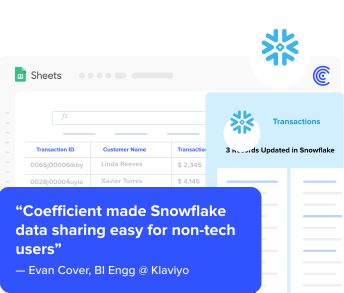
Coefficient is a no-code data connectivity platform and Snowflake Select Technology Partner. It connects Snowflake directly to Google Sheets and Excel, surfacing tables, fields and queries in a sidebar UI that business users can operate without SQL. Instead of waiting for a data analyst to pull a report, a finance manager selects the Snowflake tables and fields they need, applies filters, and imports live data into their spreadsheet in minutes.
The core use case is replacing the manual export cycle. Rather than downloading a CSV from Snowflake and losing currency within days, Coefficient keeps data live with scheduled auto-refresh on hourly, daily or weekly schedules. When source data changes in Snowflake, the sheet updates automatically. When teams need to push changes back, Coefficient supports write-back via update, insert and upsert actions, with field mapping and preview before export.
On governance: Coefficient is the only spreadsheet-native tool building around Snowflake Semantic Views. Today, power users can query Semantic Views via Custom SQL mode using the SEMANTIC_VIEW() syntax. When the native Metrics and Dimensions picker ships, business users will be able to browse and select governed metrics directly in the import flow, with no SQL and no risk of bypassing the semantic layer. This makes Coefficient the right choice for data-mature organisations that have invested in building a semantic layer and want business users to respect it.
Coefficient also supports Snowflake’s GPT SQL Builder integration, letting users describe the data they want in plain English to generate the underlying SQL query, which lowers the bar further for technical access.
Pros
- No-code import picker for Snowflake tables and fields. No SQL required for standard queries. Works in Google Sheets and Excel.
- Snowflake Select Technology Partner. One of the only spreadsheet connectors with official Snowflake validation.
- Genuine two-way sync: scheduled auto-refresh pulls live data in, write-back actions push updates out. Supports update, insert and upsert.
- Semantic Views support via Custom SQL today, with native no-code picker coming. Only spreadsheet tool building around Snowflake’s semantic layer.
- Free plan available. No per-user or per-row pricing on paid plans.
Source: Coefficient user reviews on G2
Cons
- Requires Google Sheets or Excel. Not a standalone BI platform or data warehouse pipeline tool.
- Some users note that initial OAuth authentication with Snowflake requires a few configuration steps, though the ongoing experience is straightforward once connected.
Source: Coefficient pros and cons on G2
Pricing
Free plan available. Paid plans start from $49/month. See Coefficient pricing for full plan details.
For SQL Transformation Inside Snowflake
These tools don’t move data into or out of Snowflake. They operate on data that is already in Snowflake, transforming raw loaded data into analytics-ready models. They are a distinct layer of the modern data stack, not a replacement for ETL tools.
4. dbt
Best for: Analytics engineering teams that want to manage data transformations with version control, testing and documentation using SQL.
dbt (data build tool) is the standard transformation layer for Snowflake-centric data stacks. It lets analytics engineers and data engineers define transformation logic as SQL models, test those models, document them, and deploy them with version control and CI/CD practices. dbt does not extract or load data, it operates entirely on data already in Snowflake, taking raw loaded tables and producing clean, tested, analytics-ready models.
In October 2025, dbt Labs announced a merger with Fivetran. The combined entity creates an end-to-end ELT-plus-transformation platform, but also introduces questions about pricing evolution, vendor independence and roadmap priorities that existing dbt users should monitor.
Pros
- SQL-first workflow with version control, automated testing and documentation baked in. Earns a 4.7/5 on G2 from 198 reviews, with strong praise for the transformation workflow and testing framework.
- dbt Core is free and open-source. The Semantic Layer feature (part of dbt Cloud) is a direct complement to Snowflake Semantic Views for organisations standardising on a semantic layer.
- Strong community and ecosystem. Most modern data stacks on Snowflake include dbt as the standard transformation layer.
Source: dbt reviews on G2
Cons
- Transformation only. dbt does not handle extraction, loading or real-time data needs. It always requires a separate ingestion tool upstream.
- Relies heavily on command-line and configuration files. Non-technical users cannot operate dbt without engineering support.
- The Fivetran merger (October 2025) creates uncertainty around vendor independence, pricing trajectory and dbt Core investment versus dbt Cloud.
Source: dbt pros and cons — TrustRadius verified reviews
Pricing
dbt Core is free and open-source. dbt Cloud starts at $100/user/month. Warehouse compute costs apply on top of licensing fees. Enterprise tiers are custom pricing.
For ELT with Push-Down Transformation
5. Matillion
Best for: Cloud-first data teams that want to build and manage ELT pipelines with push-down transformation inside Snowflake’s compute, using a visual interface rather than code.
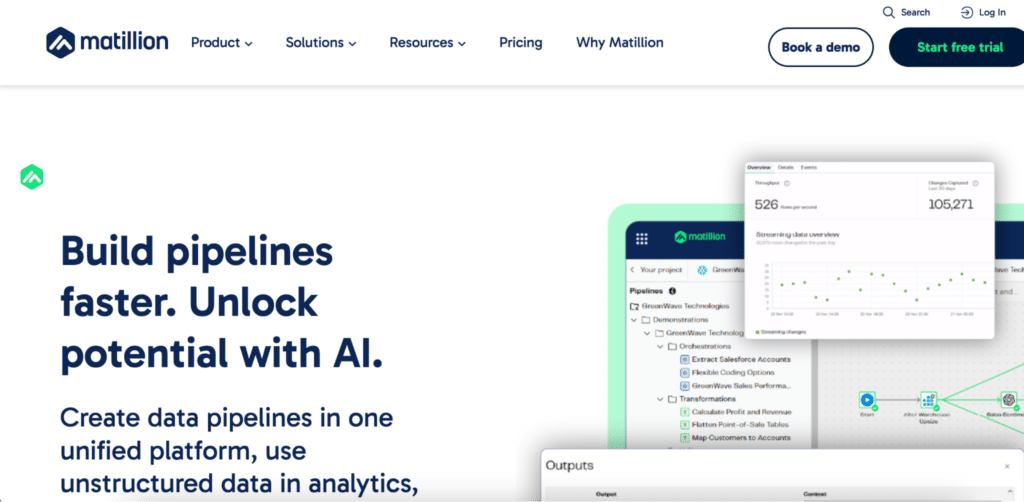
Matillion is a cloud-native ELT platform with deep Snowflake integration. Its push-down ELT approach executes transformations inside Snowflake rather than on external servers, which means it uses Snowflake’s own compute engine and keeps transformation logic warehouse-native. The browser-based visual job designer makes it more accessible than code-first tools like dbt for teams that prefer a GUI over SQL scripts.
Matillion’s credit-based pricing model, where credits are consumed both during data loading and during Snowflake virtual core hours for transformation, can be difficult to predict and has received mixed reviews for cost transparency.
Pros
- Push-down ELT model keeps transformation inside Snowflake compute, reducing processing layers and latency compared to external transformation tools.
- Visual job designer for building and maintaining pipelines. More accessible than code-first approaches for teams without deep SQL expertise.
- Deep Snowflake integration including native support for Streams and Tasks for change data capture.
Source: Matillion vs Airbyte comparison and user reviews — Gartner Peer Insights
Cons
- Credit-based pricing is complex and can be difficult to forecast. Users consistently flag cost transparency as a concern in reviews.
- Platform primarily optimised for Snowflake-centric stacks. Multi-warehouse or hybrid deployments add complexity.
- Some connectors and legacy system integrations show performance or compatibility limitations. Version control and CI/CD capabilities are less mature than code-first tools.
Source: Matillion user feedback — Airbyte vs Matillion comparison
Pricing
Credit-based consumption model. Credits cost between $2 and $2.70 depending on features used. Contact Matillion for current plan details.
6. Stitch (by Qlik)
Best for: Smaller teams or early-stage data stacks that need a simple, low-configuration ELT loader for Snowflake without complex transformation requirements.
Stitch, originally built as a developer-focused ELT service and now owned by Qlik (via the 2023 Talend acquisition), is the simplest loader on this list. It extracts data from sources and loads it into Snowflake reliably, with a clean interface that requires minimal configuration. For teams that have a separate transformation layer like dbt and just need reliable data ingestion, Stitch covers the basics well.
The concern most reviewers raise is product momentum. Since being acquired by Talend and then Qlik, Stitch has not seen meaningful new connector development or feature investment. Teams evaluating Stitch for multi-year deployments should factor this trajectory into the decision.
Pros
- Simple, low-configuration setup. Reliable for standard source-to-Snowflake replication with minimal engineering overhead.
- Pairs well with dbt for teams that want separate ingestion and transformation layers without a single-vendor lock-in.
- SOC 2 Type II and GDPR compliance included on higher tiers. Solid for regulated industries with standard data sources.
Source: Stitch reviews on G2 — user feedback and limitations
Cons
- No built-in transformation capabilities. Raw data loads only. Every transformation requires dbt or custom SQL downstream.
- Row-based pricing is unpredictable. Schema changes can trigger full table resyncs that spike row counts and costs unexpectedly.
- Product development has stalled since the Talend acquisition. G2 and TrustRadius reviewers consistently note that core integrations are not being actively maintained or expanded.
Source: Stitch Data review and limitations — Integrate.io analysis
Pricing
Row-based pricing. Paid plans from approximately $100/month. Costs escalate with data volume and schema changes that trigger resyncs. Contact Qlik for current rates.
7. Informatica
Best for: Large enterprises with complex data governance, compliance and data quality requirements around Snowflake integration at scale.
Informatica is a long-established enterprise data management platform covering ETL, ELT, reverse ETL, data quality, metadata management and access control at enterprise scale. For organisations where data governance, regulatory compliance and audit-readiness are central requirements, not just nice-to-haves, Informatica provides the most complete governance layer of any tool on this list.
The trade-off is cost, complexity and overkill for most teams. Informatica’s implementation typically requires professional services engagement, and its pricing puts it firmly in the enterprise-only bracket. Teams without a compliance-driven mandate for a full data management platform will find its breadth unnecessary.
Pros
- Enterprise-grade data governance, data quality and metadata management built into the platform, not bolted on.
- Proven at large scale across complex multi-system, multi-cloud Snowflake environments.
- Broad Snowflake object support with advanced field mapping, validation and change data capture controls.
Source: Informatica reviews on G2
Cons
- Custom enterprise pricing with a high cost of entry. Implementation complexity typically requires professional services and extended onboarding timelines.
- Significant overkill for SMB and most mid-market use cases. The breadth of features creates overhead that smaller teams cannot utilise.
Pricing
Custom enterprise pricing. Not publicly listed. Contact Informatica for a quote.
Snowflake Data Integration Tools: Quick Comparison
Use this table to compare the seven tools across the criteria that matter most for your Snowflake integration decision.
| Tool | Primary Role | Direction | No-Code | CDC Support | Pricing Model |
|---|---|---|---|---|---|
| Fivetran | Managed ELT pipelines | In | Yes | Yes | Per-connector MAR model |
| Airbyte | Open-source ELT | In | Partial | Yes | Free OSS; cloud usage-based |
| Coefficient | Spreadsheet access + write-back | In/Out | Yes | No | Free; from $49/month |
| dbt | SQL transformation layer | In-warehouse | No | No | Free Core; Cloud from $100/user/month |
| Matillion | ELT with push-down transforms | In | Partial | Yes | Credit-based consumption |
| Stitch | Simple ELT loader | In | Yes | Limited | Row-based; from $100/month |
| Informatica | Enterprise data governance | In/Out | Partial | Yes | Custom enterprise pricing |
How to Connect Snowflake to Google Sheets with Coefficient
For Finance, RevOps and analytics teams, connecting Snowflake to Google Sheets with Coefficient takes under ten minutes. Here is the process.
- Install Coefficient. Go to Extensions in Google Sheets, select Add-ons, search for Coefficient in the Google Workspace Marketplace and install it. Launch it from the Extensions menu once installed.
- Connect Snowflake. In the Coefficient sidebar, click “Import From” and select Snowflake. Authenticate with your account credentials or OAuth.
- Select your data. Browse your Snowflake schema, pick the tables and fields you need, and apply any filters. Use the Custom SQL tab for advanced queries or Semantic Views.
- Set your refresh schedule. Choose hourly, daily or weekly auto-refresh so your sheet stays current without manual exports.
- Write back when needed. Use Export to Snowflake to push updates from your sheet back to Snowflake via update, insert or upsert actions.
For the full step-by-step walkthrough with screenshots, see How to Export Snowflake Data into Google Sheets.
How to Choose the Right Snowflake Data Integration Tool
Data engineer building automated pipelines into Snowflake: Fivetran for a fully managed, low-maintenance approach. Airbyte if you want open-source cost control and have the engineering capacity to manage self-hosted infrastructure.
Finance, RevOps or analytics team needing live Snowflake data without SQL: Coefficient. No-code import picker, scheduled auto-refresh, two-way sync and Snowflake Select Technology Partner status. The only spreadsheet-native tool building around Snowflake Semantic Views.
Analytics engineer managing transformation logic in Snowflake: dbt. The standard SQL-first transformation layer for Snowflake stacks. Pairs with Fivetran or Airbyte for ingestion upstream.
Cloud-first data team wanting ELT with visual pipeline management and push-down transforms: Matillion. More accessible than dbt for teams that prefer a GUI, with Snowflake-native transformation using warehouse compute.
Small team that needs a simple loader and already has dbt downstream: Stitch. Simple and reliable for standard sources, but factor in the product development trajectory before committing long-term.
Large enterprise with data governance and compliance requirements: Informatica. The only tool on this list with enterprise-grade data quality, metadata management and governance built in as core capabilities.
Get Started with Coefficient for Snowflake. If you are on a Finance, RevOps or analytics team and want live Snowflake data in your spreadsheet today, try Coefficient for free. Connect your Snowflake account in minutes, import any table or query, and set a refresh schedule that keeps your data current without manual exports.