



Optimal Headcount = (Revenue Target / Revenue per Employee) x (1 + Planned Growth Rate)
Headcount planning eats up too much time when done by hand. This free headcount planner tool calculator shows you how many people your team needs based on revenue goals, costs, and growth plans.
You’ll learn how to calculate, read the numbers, and track headcount across teams. Get the facts you need to staff your teams right. We’ve also added a free Excel and Google Sheets template you can grab and use right now.
Headcount Planning Formula Explained
Optimal Headcount = (Revenue Target / Revenue per Employee) x (1 + Planned Growth Rate)
Let’s break down each part:
Revenue Target: This is your total sales goal for the period you’re looking at. It could be the next quarter, next year, or any time frame that fits your budget cycle. Use real numbers from your sales forecast, not wild guesses.
Revenue per Employee: Take your current revenue and split it by your current headcount. This shows how much each person brings in on average. For a SaaS firm, this might be $150,000 per employee. For retail, it could be $80,000. Track this number monthly to spot trends.
Planned Growth Rate: Express this as a decimal. If you want to grow 20%, use 1.20. If you plan to stay flat, use 1.00. If you need to cut back by 10%, use 0.90. This growth rate should match your real market outlook and cash runway.
Why This Formula Works: It ties headcount to cash flow and growth. You can’t hire beyond what your revenue supports. The formula stops you from staffing up before you can pay for it, while also showing when you need to add people to hit growth goals.
What Is Headcount Planning?
Headcount planning maps out how many people you need to hit your business goals without wasting cash on extra staff or leaving teams too thin to do the work.
It starts with your revenue target, then asks: How many people do we need to get there? Finance teams use it to control the biggest cost line in most firms—salaries and benefits. HR uses it to time hiring and set budgets for new roles.
Done right, headcount planning links three things: what you want to earn, how much each role costs, and how much work each person can handle. Miss any one of these and you’ll either burn cash too fast or miss your growth targets.
Who uses this metric?
CFOs and Controllers plan budgets and track the largest cost in most firms—people.
Finance Directors build headcount models that show when to hire or freeze.
Fractional CFOs track headcount across clients to spot overstaffing or gaps.
VP of Finance tie headcount plans to cash flow and runway to keep firms solvent.
FP&A Managers forecast headcount costs by role, team, and location for annual plans.
How to Calculate Headcount: Step-by-Step
Let’s walk through a real case. Say you run a mid-size SaaS firm.
- Find your current revenue and headcount
Pull last month’s or last quarter’s revenue. Let’s say it’s $5 million per quarter. Your current headcount is 40 people.
- Calculate revenue per employee
Divide revenue by headcount:
$5,000,000 ÷ 40 = $125,000 per employee per quarter
- Set your revenue target
Your board wants you to hit $6 million next quarter. That’s your revenue target.
- Pick your growth rate
$6 million is 20% more than $5 million, so your growth rate is 1.20.
- Apply the formula
Optimal Headcount = ($6,000,000 / $125,000) x 1.00
That gives us 48 employees
Note: We use 1.00 here because the revenue target already has growth built in. If you want to plan for future quarters beyond the target, then adjust the growth rate.
- Account for role mix
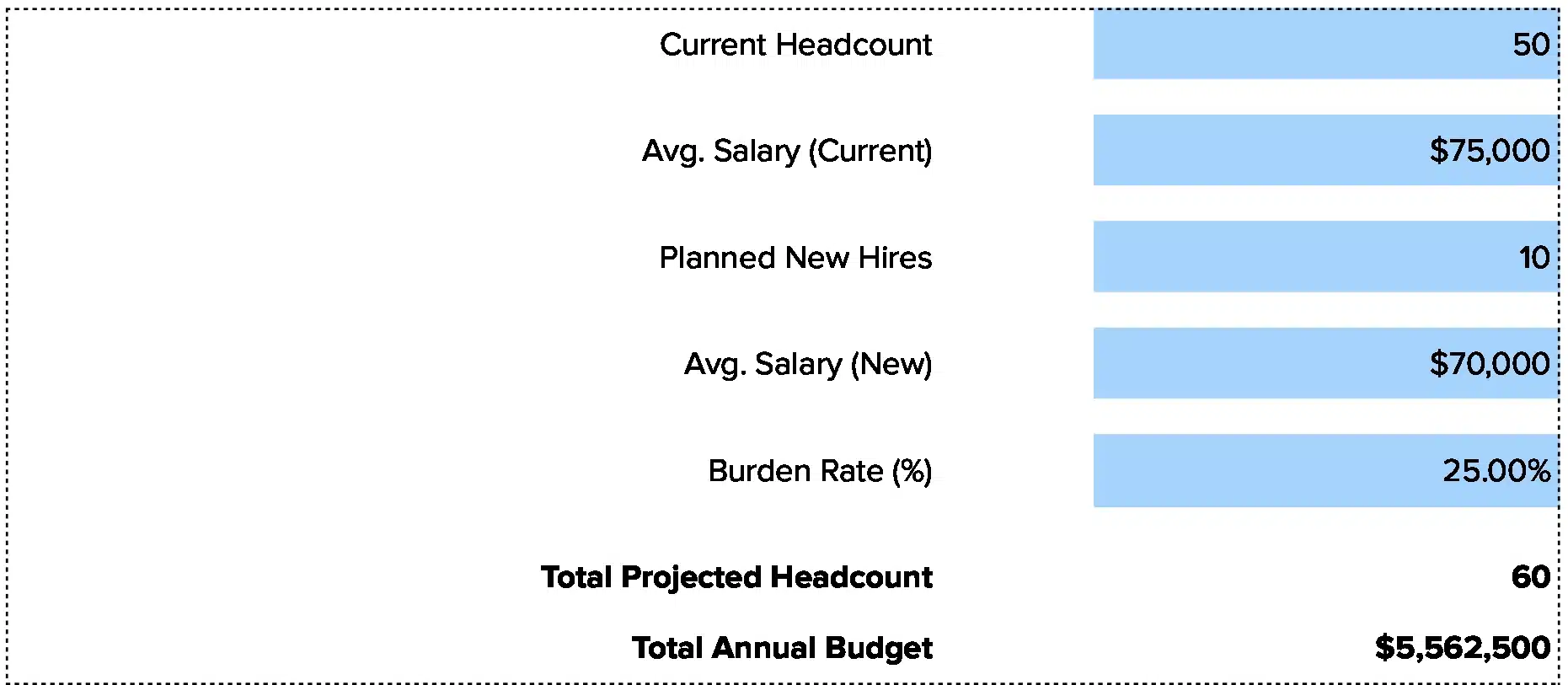
Not all roles earn the same revenue. Sales might earn $200,000 per person. Support might not tie to revenue at all. Break down the 8 new hires by function: 4 sales, 2 engineers, 2 ops.
- Check your budget
8 new hires at an average of $90,000 each (with taxes and benefits) means $720,000 in new annual cost. Make sure your cash flow can cover it before you post the jobs.
How to Interpret Your Headcount Efficiency Number
Your revenue per employee tells you if your headcount is too high, too low, or about right for your industry and stage.
| Revenue per Employee | Interpretation | Recommended Actions |
| Below $50,000 | Severe inefficiency – You’re overstaffed for your revenue, or revenue is too low for the team size. | • Freeze all hiring immediately<br>• Review each role for necessity<br>• Cut non-revenue roles first<br>• Push sales to close more deals fast |
| $50,000 – $100,000 | Moderate concern – Common in early-stage firms or retail, but watch costs closely. | • Audit team by team for productivity<br>• Set clear output goals per person<br>• Consider hiring freeze until revenue catches up<br>• Track this metric monthly |
| $100,000 – $150,000 | Healthy for most industries – You’re in a good range for stable growth. | • Keep current hiring pace<br>• Monitor trends quarterly<br>• Plan strategic hires for growth<br>• Invest in tools that boost output |
| $150,000 – $250,000 | Strong efficiency – Common in SaaS, tech, and finance firms with high margins. | • You have room to hire for growth<br>• Focus on roles that scale revenue<br>• Maintain current processes<br>• Watch for burnout from understaffing |
| Above $250,000 | Exceptional – Very lean team or very high revenue. Check if team is stretched too thin. | • Assess workload and burnout risk<br>• Consider strategic hires to sustain growth<br>• Don’t let key person risk build up<br>• Plan for succession on critical roles |
Headcount Planning Benchmarks by Industry
Revenue per employee varies widely by industry. What looks healthy in retail might signal problems in software.
| Industry | Revenue per Employee | Notes |
| SaaS / Software | $130,000 – $200,000 | High margins, low cost of goods, scales well with small teams |
| Technology Services | $150,000 – $250,000 | Consulting and services command higher rates per person |
| Financial Services | $200,000 – $350,000 | Small teams manage large assets, high revenue per head |
| Healthcare Services | $100,000 – $180,000 | Labor-intensive, wages eat into revenue per employee |
| Retail | $60,000 – $120,000 | Thin margins, high headcount for operations |
| Manufacturing | $150,000 – $250,000 | Capital-intensive, fewer people per dollar of output |
| Professional Services | $120,000 – $200,000 | Depends on billing rates and utilization |
| Hospitality | $50,000 – $90,000 | Very labor-intensive, low margins |
Why benchmarks vary
Labor costs hit different industries in different ways. A SaaS firm pays for engineers and sales reps, then serves thousands of customers with the same team. A retail shop needs staff for every location and every shift. Healthcare needs nurses and doctors for every patient. That’s why revenue per employee in SaaS can hit $200,000 while hospitality might sit at $70,000.
Your stage matters too. Early-stage firms often run lean, pushing revenue per employee above $200,000. As firms grow past 100 people, they add middle managers, HR, legal, and other roles that don’t directly earn revenue. This pulls the number down to $120,000 to $150,000, which is normal and healthy.
Geography plays a role. A firm in San Francisco pays $150,000 for an engineer. A firm in Austin pays $110,000 for the same role. The Austin firm might show better revenue per employee just because costs are lower, not because the team works harder.
Benchmark Citations
SaaS Capital 2025 Revenue Per Employee Study
CompanySights HR to Employee Ratio Guide
AIHR Workforce Planning Benchmarks
Automating Headcount Tracking with Coefficient
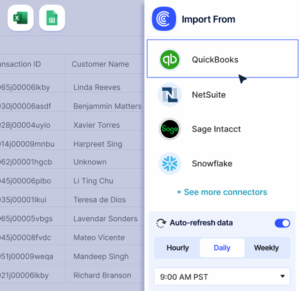
Stop pulling CSV files from your HRIS and NetSuite each month just to update your headcount model. Coefficient links your people systems straight to Excel or Google Sheets. Your headcount numbers, salaries, and department splits refresh on their own.
Set it once and watch your finance dashboard update in real time. No more copy-paste errors. No more version control nightmares across ten tabs. Just live data that shows you where you stand on headcount costs and revenue per employee.
Get started and cut your monthly close time by hours.
How to Improve Your Headcount Efficiency
A weak revenue per employee number doesn’t mean you need to fire people. It means you need to get more output from the team you have, or grow revenue faster.
Automate low-value work
Cut manual tasks that eat up time. Use tools to automate data entry, report building, and routine checks. One firm cut 20 hours per week of manual work by linking their CRM to their accounting system. That’s like getting half a person back without hiring anyone.
Improve sales team output
Track deals per rep per month. If your average is 2 deals and your top rep closes 5, find out what the top rep does differently. Clone that process across the team. Better training and tighter sales processes can boost output 30% in six months.
Cut roles that don’t scale
Audit every role. Ask: Does this role grow revenue or cut costs? If the answer is no, consider if you really need it. Some firms carry three people doing work that one well-trained person could handle with the right tools.
Cross-train your team
When one person knows only one thing, you need to hire more people to cover gaps. Train people across two or three areas. Your ops person learns basic finance. Your finance person learns ops. Now you have backup for every role and more flexibility when priorities shift.
Set clear output goals
Vague job descriptions lead to wasted time. Tell each person exactly what output you expect each week. For a finance analyst, that might be “three board-ready reports per week.” For a sales rep, “10 qualified calls per day.” Clear goals show who’s pulling weight and who’s not.
Headcount vs. FTE vs. Revenue per Employee vs. Headcount Cost Ratio
People confuse these metrics all the time. Here’s how they differ and when to use each one.
Headcount
Headcount just counts bodies. If you have 50 people, your headcount is 50. It doesn’t matter if some work part-time or full-time. Use headcount when you need a quick snapshot of team size or when comparing to last year.
FTE (Full-Time Equivalent)
FTE adjusts for part-time workers. Two people working 20 hours each count as one FTE. Use FTE when you’re budgeting or comparing efficiency across teams with different work schedules. It’s the better metric for cost planning.
Revenue per Employee
Revenue per Employee divides total revenue by headcount (or FTE). It shows how much each person contributes to the top line. Use it to gauge efficiency and compare to industry benchmarks. A firm with 50 people and $7.5 million in revenue has $150,000 per employee.
Headcount Cost Ratio
Headcount Cost Ratio measures payroll costs as a percent of revenue. If you earn $10 million and spend $3 million on salaries and benefits, your ratio is 30%. Use this to spot if labor costs are eating too much margin. Most firms target 20% to 40% depending on industry.
Pro tip for fractional CFOs: Track all four metrics across your clients. When headcount grows but FTE stays flat, you know they’re hiring part-timers to save on benefits. When revenue per employee drops but headcount cost ratio rises, you know margins are getting squeezed. Show clients these trends to spot problems early.
Plan your team right
Headcount planning ties hiring to revenue. Calculate what you need based on real targets. Don’t guess. Don’t overhire before revenue supports it. Don’t wait too long and miss growth.
Track revenue per employee monthly. When it drops below benchmarks, fix it before margins collapse.Get started with Coefficient and automate headcount tracking so you always know where you stand.
 Sync Live Finance Data into Your Spreadsheet