

Week Over Week % Change = (Current Week Value – Previous Week Value) / Previous Week Value × 100
This free week over week calculator cuts the math down to seconds. Track your weekly metrics, spot trends fast, and see if your efforts are working. You’ll learn how to calculate, read, and track week over week change like a pro.
Here’s what moves the needle.
Excel and Google Sheets template you can grab and use right away.
Week Over Week Formula Explained
Week Over Week % Change = (Current Week Value – Previous Week Value) / Previous Week Value × 100
Let’s break down what each part means:
Current Week Value: The metric you’re tracking this week. This includes revenue, sales units, website traffic, new customers, support tickets, or any number you measure weekly.
Previous Week Value: The same metric from last week. You need both numbers from the same source and the same way of counting to make the math work.
The Calculation: You subtract last week from this week, divide by last week, then multiply by 100 to get a percent. A positive number means growth. A negative number means decline. Zero means flat.
Why This Formula Works: It shows relative change, not just raw numbers. A $1,000 increase means more when you started at $5,000 than when you started at $50,000. The percent tells the real story.
What Is Week Over Week?
Week over week measures how a metric changes from one week to the next. It’s your fastest tool for spotting short-term trends and seeing if new efforts are paying off or falling flat.
Also called WoW growth, this metric focuses on consecutive weeks so you can react quickly. If a campaign launches Monday and flops by Friday, you know by next Monday. No need to wait for month-end reports or quarterly reviews.
Who uses this metric?
Finance Managers tracking weekly revenue and burn rate for cash flow planning.
Marketing Directors measuring campaign impact and adjusting ad spend based on traffic trends.
Sales Leaders monitoring pipeline velocity and team performance week by week.
Operations Managers watching production output, support tickets, or fulfillment speed.
Fractional CFOs keeping tabs on multiple clients’ weekly financial health.
How to Calculate Week Over Week: Step-by-Step
Let’s walk through a real example with weekly revenue numbers.
- Pick your metric and time frame
Choose what you want to track. For this example, we’ll use weekly revenue. Make sure you’re using the same counting method for both weeks.
- Get last week’s number
Pull your data from your accounting system or dashboard. Last week (Week 1): $12,000 in revenue.
- Get this week’s number
Use the same source and method. This week (Week 2): $14,400 in revenue.
- Find the difference
Subtract last week from this week:
$14,400 – $12,000 = $2,400
This shows you gained $2,400 in raw dollars.
- Divide by last week’s value
Take your difference and divide by last week:
$2,400 ÷ $12,000 = 0.20
- Convert to percent
Multiply by 100 to get your percent:
0.20 × 100 = 20%
- Read your result
A 20% week over week growth means your revenue jumped by one-fifth compared to last week. That’s a strong signal your efforts are working.
How to Interpret Your Week Over Week Number
Context shapes what your number means. Here’s how to read different ranges.
| Growth Range | Interpretation | Recommended Actions |
| Below -10% | Significant decline – Urgent attention needed. Something broke or changed fast. | • Audit data for errors first<br>• Check for one-time events (holidays, outages)<br>• Review recent changes to product, pricing, or marketing<br>• Meet with team leads to diagnose root cause |
| -10% to -2% | Mild decline – Worth investigating but may be normal variation. | • Compare to same week last year<br>• Look for seasonal patterns<br>• Monitor for two more weeks before reacting<br>• Document any known factors (holiday week, etc.) |
| -2% to +2% | Flat performance – Stable but no growth momentum. | • Acceptable for mature, stable businesses<br>• Consider if you need growth initiatives<br>• Look for efficiency improvements<br>• Test new tactics if growth is a goal |
| +2% to +10% | Healthy growth – Strong week-to-week improvement. | • Document what’s working<br>• Scale successful campaigns or processes<br>• Monitor to ensure growth sustains<br>• Share wins with team |
| Above +10% | Exceptional growth – Investigate sustainability. | • Verify data accuracy (no double-counting)<br>• Identify what drove the spike<br>• Assess if this is one-time or repeatable<br>• Plan how to maintain or replicate success |
Week Over Week Benchmarks by Industry
Context matters when you read your numbers. What counts as good growth in manufacturing looks different from SaaS or retail.
| Industry | Typical Range | Notes |
| SaaS / Software | +1% to +5% | High predictability from subscriptions; spikes from launches or campaigns |
| E-commerce | -5% to +8% | High volatility from promotions, seasons, and market trends; week matters |
| Retail (Physical) | -3% to +6% | Seasonal swings and foot traffic patterns; compare same week last year |
| Professional Services | 0% to +4% | Project-based work creates lumpy weeks; focus on 4-week rolling average |
| Healthcare Services | -1% to +3% | Stable patient flow with occasional spikes from flu season or events |
| Manufacturing | 0% to +3% | Production cycles smooth out weekly changes; growth is gradual |
| Hospitality / Food Service | -10% to +15% | Extreme seasonality and event-driven; holidays and weather dominate |
| Digital Media / Publishing | -2% to +8% | Viral content creates spikes; ad revenue fluctuates with traffic |
Why benchmarks vary
SaaS companies see steady, incremental growth because subscription revenue compounds. E-commerce swings wildly based on promotions, seasons, and trending products. Hospitality faces massive shifts from holidays, weather, and local events.
Production-based businesses like manufacturing smooth out weekly noise because output follows planned cycles. Service businesses see lumpy weeks from project timing and contract renewals.
The key is comparing your number to businesses that work like yours—same revenue model, same customer cycle, same seasonal patterns.
Benchmark Citations
OmniCalculator Week Over Week Analysis
AudienceScience WoW Calculator Study
2025 SaaS Benchmarks Report – Growth Unhinged
Automating Week Over Week Tracking with Coefficient
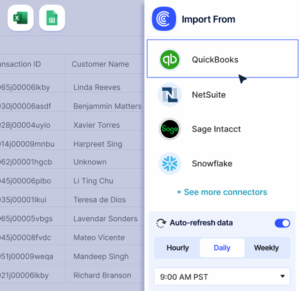
Stop pulling CSVs from NetSuite, Shopify, or your CRM every Monday morning. Coefficient links your systems straight to Excel or Google Sheets. Your week over week metrics update on their own.
Set it once, then your dashboard refreshes daily or weekly. No copy-paste errors. No missed weeks. Finance teams managing multiple entities or locations track everything from one spreadsheet.
Get started in under ten minutes.
How to Improve Your Week Over Week Number
Seeing a decline or flat growth? Here are five ways to turn your trend around.
Run a weekly sprint on your weak spot
Pick one area—sales calls, ad spend, product fixes—and focus your team there for one week. Track daily progress. A concentrated push often breaks through plateaus faster than spreading effort thin.
Cut what’s not working immediately
If a campaign, channel, or product line declined three weeks in a row, pause it. Reallocate that budget or time to your winners. Weekly tracking lets you stop the bleed fast.
Test one new tactic each week
Launch a new email sequence, adjust pricing on one product, or try a different ad creative. Track the result by next week. Small tests compound into big improvements when you run them consistently.
Align weekly team check-ins with your data
Meet every Monday to review last week’s numbers as a team. When everyone sees the same scorecard, accountability and urgency go up. Make it a ritual, not a one-time review.
Smooth out lumpy weeks with advance planning
If your business has predictable slow weeks (holiday weeks, end-of-quarter timing), plan campaigns or promotions to fill the gap. You can’t always prevent dips, but you can prepare for them.
Week Over Week vs. Month Over Month vs. Year Over Year
All three metrics measure growth, but they serve different purposes. Here’s when to use each.
Week Over Week (WoW)
Best for fast feedback loops. Use it when you need to see if a campaign, product change, or new hire is working within days. Perfect for marketing, sales, and operations teams who adjust tactics often. Downside: noisy and sensitive to one-time events.
Month Over Month (MoM)
Best for smoothing out weekly noise while still tracking short-term trends. Use it for financial reporting, board updates, and budget reviews. It gives a clearer picture than weekly data without waiting for a full quarter. Downside: slower to spot urgent problems.
Year Over Year (YoY)
Best for understanding long-term growth and stripping out seasonal effects. Use it for investor updates, annual planning, and comparing performance to last year’s same period. Downside: too slow to guide daily or weekly decisions.
When to use each
Track all three for a complete picture. WoW tells you if tactics are working this week. MoM shows if your monthly momentum is building. YoY proves you’re growing faster than last year.
Pro tip for fractional CFOs: Track all three for each client. Show them WoW for operational decisions, MoM for financial reviews, and YoY for growth narrative. Use a single dashboard in Google Sheets or Excel that pulls from their accounting system and updates automatically.
Stay ahead of trends
Week over week growth shows you what’s working before month-end reports catch up. A 5% weekly decline costs you 20% by month end if you don’t catch it fast.
Track your number. Set alerts. React quickly.Get started with Coefficient to automate your week over week tracking and see changes as they happen.
 Sync Live Finance Data into Your Spreadsheet