

Revenue Per Employee Formula Explained
Revenue Per Employee = Total Revenue ÷ Number of Employees
Let’s break down each part:
Total Revenue: All money your company brings in over 12 months. This includes sales, service fees, subscriptions, and any other income from your main business. Don’t subtract costs yet. Just use the top line from your income statement.
Number of Employees: Count of all full-time staff on your payroll. If you have part-time workers, convert them to full-time equivalents. A person who works 20 hours per week counts as 0.5 employees. Contractors usually don’t count unless they work like regular staff.
Why we use these numbers: Revenue shows your market reach. Employee count shows your resource load. The ratio tells you if you’re getting good returns from your team. High revenue with fewer people means strong productivity. Low revenue with many people signals waste.
What Is Revenue Per Employee?
Revenue per employee measures how much money each person on your team generates for the business. It’s a quick health check on workforce productivity. A high number means your team works efficiently. A low number means you might have too many people or not enough sales.
This metric matters most when you compare it to past periods or industry peers. It tells you if hiring decisions pay off and if you’re scaling smart. It also helps spot when to cut costs or when to invest in growth.
Who uses this metric?
CFOs track this to justify headcount and plan budgets for the next quarter or year.
Fractional CFOs compare this across their client base to spot which companies need help with hiring or sales.
Finance Directors use this to build cases for new hires or to defend against cuts.
HR Leaders link this to hiring plans and show the business impact of talent strategy.
Investors and PE Firms evaluate portfolio companies and benchmark performance across deals.
How to Calculate Revenue Per Employee: Step-by-Step
Let’s walk through a real example with clear numbers:
- Gather your annual revenue
Pull up your income statement for the last 12 months. Find the line that says “Total Revenue” or “Gross Revenue.” For our example: $8,500,000
- Count your current employees
Go to your payroll system or HR dashboard. Count all full-time employees. If you have part-time staff, convert them to full-time equivalents. In our example: 42 employees (includes 2 part-time staff counted as 1 FTE)
- Verify your headcount timing
Make sure your employee count matches the revenue period. If revenue covers Jan-Dec, use headcount from Dec 31. This keeps the math honest. Our example uses Dec 31 headcount: 42 employees
- Apply the formula
$8,500,000 ÷ 42 = $202,381 per employee
- Interpret your result
A result of $202,381 means each employee generates about $202K in revenue per year. Whether that’s good depends on your industry. Tech companies often see $300K-$500K per employee. Retail might see $100K-$150K. Compare your number to industry benchmarks below.
How to Interpret Your Revenue Per Employee Number
Your number means nothing without context. Here’s what different ranges signal and what to do about them.
| Revenue Per Employee | Interpretation | Recommended Actions |
| Below $100K | Critical inefficiency – Your team costs more than they bring in. You’re burning cash fast. | • Freeze all hiring immediately<br>• Cut underperforming roles<br>• Review sales process for bottlenecks<br>• Automate manual tasks |
| $100K – $150K | Below average – You have room to improve. Either revenue needs to grow or headcount needs to shrink. | • Focus sales team on higher-value deals<br>• Cross-train staff for multiple roles<br>• Review compensation vs market rates<br>• Identify low performers |
| $150K – $250K | Solid performance – You’re running a healthy operation. Most companies fall in this range. | • Maintain current practices<br>• Look for small process improvements<br>• Monitor trends quarterly<br>• Invest in top performers |
| $250K – $500K | Strong efficiency – You’ve built lean systems or sell high-margin products. You’re above most competitors. | • Share best practices across teams<br>• Consider strategic hires in key areas<br>• Document your processes<br>• Scale what works |
| Above $500K | Exceptional productivity – Common in tech and finance. You may be understaffed or have incredible margins. | • Check for team burnout<br>• Assess if growth is limited by headcount<br>• Invest in automation<br>• Consider strategic hiring for scale |
Revenue Per Employee Benchmarks by Industry
Your target number depends on your industry. Labor costs, business models, and margins all differ. Here’s what to expect:
| Industry | Typical Range | Notes |
| SaaS / Software | $200K – $500K | Low marginal costs, recurring revenue, and automation drive high efficiency. Top performers hit $1M+ |
| Financial Services | $250K – $450K | High margins on transactions and advice. Depends on whether you’re a bank or advisory firm |
| Professional Services | $150K – $300K | Consulting, legal, and accounting firms. Revenue tied directly to billable hours |
| Healthcare Services | $150K – $250K | Provider mix matters. Clinics differ from hospitals. Reimbursement cycles affect cash |
| Manufacturing | $200K – $350K | Automation level drives this. Modern factories beat traditional shops by 50%+ |
| Retail | $90K – $180K | Store labor is expensive. E-commerce retailers run 30-40% higher than brick-and-mortar |
| Hospitality | $60K – $120K | Labor-intensive model. High turnover and low margins keep this number low |
| Real Estate | $200K – $400K | Commission-based. Small teams handle large transactions. Top agents drive averages up |
Why these ranges matter: If you’re in retail and hit $200K per employee, you’re crushing it. But if you’re in SaaS at $150K, you’re below par. Context is everything.
The gap between industries comes from three things: how much labor you need, how much you can charge, and how much tech you use. Software scales without people. Hospitality can’t.
Benchmark Citations
SaaS Capital 2025 Revenue Per Employee Benchmarks
HRBench Revenue Per Employee Guide
Complete SaaS Metrics Benchmark Report 2025
Automating Revenue Per Employee Tracking with Coefficient
Stop pulling CSV exports from NetSuite or QuickBooks every month.
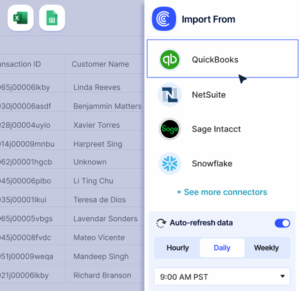
Coefficient connects your accounting system directly to Excel or Google Sheets. Your revenue and headcount data flows automatically. The calculation updates itself.
Set up the connection once. Schedule daily, weekly, or monthly refreshes. Track revenue per employee over time without touching a single export button. Perfect for finance teams managing multiple entities or fractional CFOs tracking several clients.
Get started with Coefficient and automate your workforce metrics today.
How to Improve Your Revenue Per Employee
A weak ratio isn’t a death sentence. Here’s how to fix it.
Increase prices on your core products
Most companies leave money on the table. A 10% price increase with no headcount change boosts your ratio by 10%. Test this with new customers first. Track win rates. If they don’t drop, raise prices across the board.
Cut low-performing team members
Every company has dead weight. Look at output per person. Find who drives revenue and who doesn’t. Exit the bottom 10% if they can’t improve in 90 days. This sounds harsh but it works. Protect your high performers by removing low ones.
Automate repetitive tasks
Manual data entry, report generation, and invoice processing waste time. Tools like Coefficient, Zapier, or custom scripts cut hours from weekly routines. Your team does more with the same headcount. That lifts your ratio fast.
Focus on high-margin products
Not all revenue is equal. A $100K consulting project might need 5 people. A $100K SaaS contract needs 0.5 people. Shift your sales focus to products that scale without adding staff. Drop or outsource low-margin work.
Hire specialists instead of generalists
One expert beats three average workers. Pay more per person but hire fewer people. A senior engineer who ships fast beats a team of juniors who move slow. This approach costs more per head but drives revenue per employee way up.
Revenue Per Employee vs. Profit Per Employee vs. Cost Per Employee
These three metrics sound similar but tell different stories.
Revenue Per Employee
Shows top-line productivity. It tells you if your team generates enough sales. High revenue per employee means strong market reach. But it ignores costs. You could have great revenue with terrible margins.
Profit Per Employee
Shows bottom-line efficiency. It’s revenue minus all costs divided by headcount. This matters more than revenue because it shows true value creation. A company with $200K revenue per employee but $180K costs per employee makes less than one with $150K revenue and $100K costs.
Cost Per Employee
Shows your expense load. It’s total operating costs divided by headcount. Compare this to revenue per employee. If costs run at 80% of revenue, you have a 20% margin. If costs run at 120% of revenue, you’re burning cash.
When to use each
Track revenue per employee for growth. Track profit per employee for sustainability. Track cost per employee for efficiency. Use all three together to get the full picture.
Pro tip for fractional CFOs: Show clients all three metrics side by side. Point out that high revenue per employee with low profit per employee means cost problems. This makes the issue obvious and builds urgency for fixes.
Build a productive team
Revenue per employee shows if your workforce generates enough value. Track it quarterly. Compare it to industry benchmarks. Use it to make smarter hiring and cost decisions.
Get started with Coefficient and automate your revenue per employee tracking today.
 Sync Live Finance Data into Your Spreadsheet