



Full-Time Equivalent (FTE) = Total Hours Worked by All Employees ÷ Standard Full-Time Hours
This free headcount calculator stops the guesswork. You track your full-time and part-time staff, convert hours to FTE, and plan your workforce with real data. We include a free Excel and Google Sheets template you can use right now.
Track your team size the right way.
Headcount Formula Explained
Total Headcount = Number of Full-Time Employees + Number of Part-Time Employees
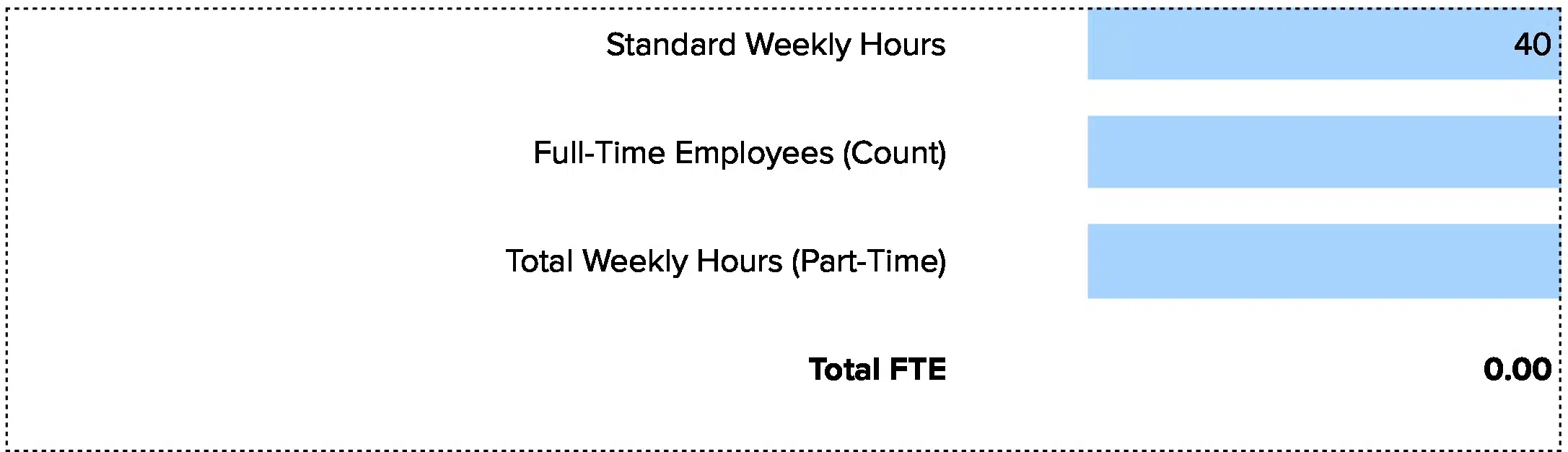
Full-Time Equivalent (FTE) = Total Hours Worked by All Employees ÷ Standard Full-Time Hours
Total Headcount counts each person on your payroll, no matter how many hours they work. A full-time worker counts as one person. A part-time worker also counts as one person. This number tells you how many people you employ.
Full-Time Equivalent (FTE) shows your workforce as full-time units. It takes the total hours worked by all staff and divides by standard full-time hours (usually 2,080 hours per year or 40 hours per week). This metric matters more than headcount because it shows actual labor capacity, not just bodies.
Standard Full-Time Hours defaults to 40 hours per week or 2,080 hours per year (40 hours × 52 weeks) at most firms. Some industries use 37.5 or 35 hours as their base. Pick one standard and stick with it.
Why we separate these two: Headcount tells you how many people you manage. FTE tells you how much work gets done. A company with 100 employees working 20 hours each has 100 headcount but only 50 FTE.
What Is Headcount?
Headcount measures the total number of people employed by your firm at a given point in time. It answers one question: how many people work here?
FTE goes deeper. It converts all hours worked into full-time equivalent units. Two part-time staff at 20 hours each equal one FTE. Three contractors at 13.3 hours each equal one FTE. This metric shows your true workforce capacity.
Finance teams use both metrics but for different reasons. Headcount drives per-person costs like benefits, equipment, and office space. FTE drives labor cost planning and productivity analysis.
Who uses this metric?
CFOs and Finance Directors track FTE for budget planning and labor cost forecasting across departments.
HR Directors and Talent Leaders use headcount for hiring plans and workforce reports to leadership and boards.
Operations Managers rely on FTE to staff projects, allocate work, and measure team productivity.
Fractional CFOs compare FTE ratios across multiple clients to spot efficiency gaps and cost savings.
Department Heads use both metrics to justify hiring requests and prove their teams are stretched thin or overstaffed.
How to Calculate Headcount: Step-by-Step
Let’s walk through a real example with mixed full-time and part-time staff. You’ll see how the formula works.
- Count your full-time employees
List every employee working your standard full-time schedule. For this example, you have 45 full-time employees working 40 hours per week.
- Count your part-time employees
List every employee working less than full-time. You have 12 part-time employees. Four work 30 hours weekly. Six work 20 hours weekly. Two work 10 hours weekly.
- Calculate total headcount
Add full-time and part-time employees together: 45 full-time + 12 part-time = 57 total headcount. This is the number you report when someone asks “how many people work here?”
- Calculate total weekly hours for part-time staff
Four employees at 30 hours = 120 hours. Six employees at 20 hours = 120 hours. Two employees at 10 hours = 20 hours. Total part-time hours = 260 hours per week.
- Calculate total weekly hours for full-time staff
45 employees × 40 hours = 1,800 hours per week.
- Calculate total hours worked
1,800 full-time hours + 260 part-time hours = 2,060 total hours per week.
- Calculate FTE and interpret the result
Divide total hours by standard full-time hours: 2,060 hours ÷ 40 hours = 51.5 FTE. Your workforce breakdown: 57 headcount equals 51.5 FTE. This tells you that your part-time staff represents 5.5 fewer full-time positions. For labor cost planning, you budget for 51.5 full salaries, not 57.
How to Interpret Your Headcount Number
Raw headcount means little without context. FTE per revenue or FTE per department shows whether you staff efficiently.
| Ratio Range | Interpretation | Recommended Actions |
| Below $100K revenue per FTE | Overstaffed or low productivity – Your labor costs likely exceed 60-70% of revenue, which is unsustainable for most businesses. | • Review productivity by department<br>• Identify low-output roles<br>• Consider hiring freeze<br>• Automate repetitive tasks |
| $100K – $200K revenue per FTE | Acceptable but tight – You operate near break-even on labor costs. Small revenue drops create immediate cash problems. | • Track this monthly<br>• Build productivity metrics<br>• Plan for seasonal swings<br>• Keep 3-month cash reserve |
| $200K – $400K revenue per FTE | Healthy efficiency – You have room for strategic hires and can absorb small revenue drops without layoffs. | • Maintain current ratios<br>• Invest in top performers<br>• Plan growth hires carefully<br>• Document what works |
| Above $400K revenue per FTE | Highly efficient or understaffed – You may stretch staff too thin, which risks burnout, quality issues, and missed opportunities. | • Survey team capacity<br>• Look for bottlenecks<br>• Consider strategic hires<br>• Don’t sacrifice quality for efficiency |
Note: These ranges vary by industry. Software companies run at $300K-$500K per FTE. Manufacturing runs at $150K-$250K per FTE. Service businesses often sit at $100K-$200K per FTE.
Headcount Benchmarks by Industry
Revenue per FTE varies widely across industries based on business models, automation, and labor intensity.
| Industry | Typical Revenue per FTE | Notes |
| SaaS / Software | $300K – $500K | Low headcount needs, high margins, scalable products drive high ratios |
| Financial Services | $200K – $350K | Knowledge work, regulatory overhead, client service requirements |
| Healthcare Services | $150K – $250K | Labor-intensive, insurance reimbursement delays, compliance costs |
| Professional Services | $180K – $300K | Project-based billing, utilization targets of 70-80% drive ratios |
| Manufacturing | $150K – $250K | Equipment-heavy, production workers, supply chain complexity |
| Retail | $120K – $200K | Thin margins, high turnover, many part-time staff reduce efficiency |
| Hospitality | $80K – $150K | Seasonal demand, low wages, high turnover, limited automation |
| Construction | $180K – $280K | Project-based, weather dependent, equipment intensive |
These ranges come from multiple sources that track workforce efficiency across industries. Software and SaaS companies achieve the highest revenue per FTE due to product scalability and low marginal costs. Labor-intensive industries like hospitality and retail show lower ratios due to thin margins and high headcount requirements.
Benchmark Citations
SHRM 2025 CHRO Benchmarking Report
SaaS Capital Revenue Per Employee Benchmarks 2025
CompanySights Headcount Planning Guide
Automating Headcount Tracking with Coefficient
Stop pulling employee lists from your HRIS every month and pasting them into Excel. Coefficient connects Workday, BambooHR, Rippling, and other HR systems directly to your spreadsheets. Your headcount and FTE numbers update automatically.
You save 2-3 hours per month per report. Your team eliminates manual errors from copy-paste mistakes. You see live data instead of stale exports from two weeks ago. Finance teams managing multiple entities or clients can build one master dashboard and let it refresh on schedule.
Get started with Coefficient and your workforce metrics calculate themselves.
How to Improve Your Headcount Efficiency
Low revenue per FTE means too many people or not enough revenue. Here are five ways to fix it.
Automate low-value tasks
Identify tasks that consume hours but add little value. Automate invoice processing, expense approvals, data entry, and report generation. This often cuts 5-10 hours per person per week, which equals 12-25% productivity gains without hiring.
Measure output per person
Track what each role produces. Sales reps should close deals. Support staff should resolve tickets. Operations should ship orders. When you measure output, you spot who’s productive and who’s stuck. Then you fix processes, not people.
Right-size teams by department
Compare your department ratios to industry benchmarks. If you have one HR person per 30 employees but competitors run one per 100, you’re overstaffed. Use tools like CompanySights to find your gaps.
Hire for high-leverage roles first
Not all hires are equal. One strong salesperson might generate $2M in revenue. One automation engineer might save 1,000 hours annually. Prioritize roles that multiply output, not just add capacity.
Use contractors for variable work
Full-time staff makes sense for steady work. Contractors make sense for project spikes, seasonal demand, or specialized skills you need quarterly. A 60-40 split of full-time to contract staff gives you flexibility without cutting benefits.
Headcount vs. FTE vs. Labor Cost Percentage
Finance teams often confuse these three workforce metrics. Each measures something different.
Headcount
Headcount counts people. Use this for benefits planning, office space, equipment budgets, and any per-person cost. A company with 100 headcount needs 100 desks, 100 laptops, and 100 benefit packages.
FTE (Full-Time Equivalent)
FTE measures capacity. Use this for labor cost budgeting, productivity analysis, and workforce planning. A company with 85 FTE but 100 headcount has 15 part-time staff. Budget for 85 full salaries.
Labor Cost Percentage
Labor Cost Percentage divides total compensation by revenue. Use this to track whether you can afford your current team. Most businesses target 30-50% labor costs. Service businesses run higher (50-70%). Software businesses run lower (20-40%).
When to use each
You have 100 headcount, 85 FTE, $8.5M in annual compensation ($100K per FTE), and $20M in revenue. Your labor cost percentage is 42.5% ($8.5M ÷ $20M). That’s healthy for most industries.
Pro tip for fractional CFOs: Present all three metrics together. Show the CEO that 120 headcount costs less than it seems because 35 staff are part-time (95 FTE) and labor costs run at 38% of revenue, not 50%. This removes the emotional reaction to raw headcount numbers.
Track what matters
Stop guessing at your workforce efficiency. Headcount and FTE give you the numbers. Revenue per FTE shows whether those numbers work.
Track both metrics monthly. Compare them to your industry benchmarks. Make hiring decisions based on data, not gut feel.Get started with Coefficient to automate your headcount tracking and see live workforce data in your spreadsheets.
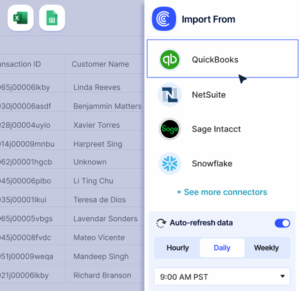 Sync Live Finance Data into Your Spreadsheet