

Ending Inventory = Beginning Inventory + Net Purchases – Cost of Goods Sold (COGS)
This free ending inventory calculator cuts out the math work. Whether you need a quick number for month-end close or want to track inventory levels over time, you’ll learn how to calculate, interpret, and monitor ending inventory efficiently. We’ve also put together a free Excel and Google Sheets template you can grab and use right away.
Your ending inventory number affects your balance sheet, income statement, and cash flow. Get it wrong and your books are off.
Ending Inventory Formula Explained
Ending Inventory = Beginning Inventory + Net Purchases – Cost of Goods Sold (COGS)
Let’s break down each part:
Beginning Inventory: The value of goods you had at the start of the period. This comes straight from your last period’s ending inventory number. You can find it on your balance sheet under current assets or in your inventory management system.
Net Purchases: All inventory you bought during the period. This includes the cost of goods purchased, freight charges, and import duties. Subtract any purchase returns or discounts. If you paid $50,000 for goods but returned $2,000 worth, your net purchases equal $48,000.
Cost of Goods Sold (COGS): The cost of inventory you actually sold during the period. This doesn’t include items sitting on shelves. COGS shows up on your income statement and represents only the inventory that moved to customers. You calculate this using methods like FIFO, LIFO, or weighted average cost.
What Is Ending Inventory?
Ending inventory is the dollar value of products you have on hand at the end of an accounting period. It represents unsold goods sitting in your warehouse, store, or storage facility at the close of business on the last day of the month, quarter, or year.
This number tells you how much capital is tied up in stock. High ending inventory might mean you’re over-ordering or sales are slow. Low ending inventory could signal strong sales or potential stockouts ahead. Either way, your ending inventory directly impacts your cost of goods sold and gross profit.
Who uses this metric?
CFOs and Controllers tracking working capital and planning cash needs for the next quarter.
Fractional CFOs monitoring multiple clients’ inventory health and making purchasing recommendations.
Accountants and Bookkeepers preparing accurate month-end close reports and financial statements.
Operations Managers optimizing reorder points and preventing stockouts or excess inventory.
Financial Analysts building inventory forecasts and analyzing inventory turnover trends.
How to Calculate Ending Inventory: Step-by-Step
Let’s walk through a real calculation with actual numbers:
- Find your beginning inventory
Check your balance sheet or inventory management system for the starting inventory value. For our example, let’s say you started January with $85,000 in inventory.
- Add up all purchases made during the period
Gather all purchase orders, invoices, and freight bills from the month. Say you bought $42,000 in goods, paid $1,200 in shipping, and returned $800 in defective items.
Net Purchases = $42,000 + $1,200 – $800 = $42,400
- Calculate your COGS for the period
Pull your COGS from your income statement or calculate it from sales records. For January, your COGS was $48,600.
- Apply the ending inventory formula
Now plug the numbers into the formula:
Ending Inventory = $85,000 + $42,400 – $48,600 = $78,800
- Verify with a physical count
Your calculated ending inventory is $78,800. But smart finance teams verify this with a physical count or cycle count. If your physical count shows $77,500, you have a $1,300 shrinkage (from theft, damage, or counting errors) that needs to be recorded.
- Record the adjustment if needed
If there’s a difference between calculated and actual inventory, adjust your books. The $1,300 shrinkage becomes an expense, reducing your ending inventory to $77,500.
- Interpret the result
Your ending inventory of $77,500 is 9% lower than your beginning inventory of $85,000. This suggests sales outpaced purchases. Depending on your business, this could be healthy (good sales) or concerning (potential stockouts coming).
How to Interpret Your Ending Inventory Number
Track changes in inventory levels to spot problems early.
| Inventory Metric | Interpretation | Recommended Actions |
| Growing 15%+ per month | Excess inventory building – Capital tied up, risk of obsolescence or markdowns | • Reduce purchase orders for next 2 months<br>• Run promotions to move slow items<br>• Analyze which SKUs aren’t moving<br>• Review demand forecasts |
| Growing 5-15% per month | Moderate buildup – May signal seasonal prep or declining sales | • Monitor weekly sales trends<br>• Compare to same period last year<br>• Check if buildup is intentional<br>• Identify slow-moving products |
| Stable +/- 5% | Balanced inventory – Good match between purchasing and sales | • Maintain current practices<br>• Continue regular monitoring<br>• Watch for seasonal shifts<br>• Keep reorder points current |
| Declining 5-15% per month | Healthy turnover – Sales outpacing purchases, efficient operations | • Ensure adequate safety stock<br>• Monitor for potential stockouts<br>• Consider increasing orders<br>• Watch lead times closely |
| Declining 15%+ per month | Critical low levels – Risk of stockouts and lost sales | • Place emergency orders immediately<br>• Expedite shipments if possible<br>• Communicate with sales team<br>• Consider temporary alternatives |
Ending Inventory Benchmarks by Industry
Your ending inventory health depends heavily on your industry. Here’s what typical inventory levels look like across different sectors, measured in Days Inventory Outstanding (DIO) – how many days of sales your inventory represents.
| Industry | Typical DIO Range | Notes |
| Grocery / Food Retail | 10-20 days | Perishable goods require rapid turnover, tight supply chain management |
| Fashion / Apparel Retail | 50-70 days | Seasonal variations, trend-driven, higher for off-season inventory |
| Electronics Retail | 30-45 days | Fast obsolescence risk, shorter product lifecycles demand quick turns |
| Auto Parts Distribution | 75-90 days | Longer cycles due to wide SKU variety and unpredictable demand patterns |
| Manufacturing (General) | 60-100+ days | Includes raw materials, work in progress, and finished goods |
| Pharmaceuticals | 100-200 days | Longer shelf life, regulatory requirements, high-value inventory |
| Beauty & Health Products | 60-75 days | Balance between freshness concerns and promotional cycles |
| Restaurant / Hospitality | 3-7 days | Highly perishable inventory, daily turnover for fresh ingredients |
These benchmarks provide targets, but your optimal range depends on factors like supplier lead times, storage capacity, working capital availability, and customer service requirements. A fashion retailer stocking winter coats in July will naturally run higher inventory than normal.
Benchmark Citations
Netstock Industry Inventory Benchmarks
Onramp Funds 2025 Inventory Turnover Study
Automating Ending Inventory Tracking with Coefficient
Stop pulling CSV files from NetSuite or QuickBooks every month. Coefficient connects your accounting system straight to Excel or Google Sheets, pulling beginning inventory, purchases, and COGS automatically. Your ending inventory calculates itself from live data.
You save 20-40 minutes per month, eliminate manual errors from copy-paste mistakes, and see real-time inventory values whenever you open your spreadsheet. Perfect for fractional CFOs managing multiple clients or finance teams tracking inventory across several locations.
Set it up once. Your inventory reports refresh on schedule.
Get started with Coefficient to automate your inventory tracking.
How to Improve Your Ending Inventory Management
Better inventory management starts with these proven strategies:
Implement ABC analysis for inventory prioritization
Group your inventory into three tiers. A items are your top 20% of SKUs that generate 80% of revenue. B items are middle-tier. C items are the long tail. Focus your attention and capital on A items with tight monitoring and frequent counts. Let C items run leaner with less oversight. This concentrates your working capital where it matters most.
Set reorder points based on lead time and safety stock
Calculate reorder points for each major SKU. Formula: (Average Daily Usage × Lead Time) + Safety Stock. If you sell 10 units per day, your supplier needs 15 days, and you want 50 units of buffer, reorder when you hit 200 units. This prevents both stockouts and excess inventory sitting on shelves.
Use inventory forecasting models with seasonal adjustments
Past sales data predicts future inventory needs. But don’t just average the last 12 months. Weight recent data more heavily and adjust for seasonal patterns. If you sell 3x more in Q4 than Q2, your October beginning inventory should reflect that spike, not your annual average.
Negotiate better payment terms with suppliers
Extending payment terms from Net 30 to Net 45 or Net 60 doesn’t change your ending inventory, but it frees up cash. You hold the inventory longer before paying for it. This improves your cash conversion cycle and working capital position without reducing stock levels.
Run regular cycle counts instead of annual physical inventory
Instead of shutting down once a year to count everything, count a small portion of inventory every week. Cycle counting catches shrinkage and errors early, maintains accurate records year-round, and prevents the massive disruption of a full physical count. Most companies cycle count their A items monthly, B items quarterly, and C items annually.
Ending Inventory vs. Beginning Inventory vs. Average Inventory
These three inventory metrics work together to give you a complete picture of your inventory management.
Ending Inventory
Value of goods on hand at period close. It appears on your balance sheet as a current asset. You calculate it using the formula: Beginning Inventory + Net Purchases – COGS. This number becomes next period’s beginning inventory.
Beginning Inventory
Value of goods you started with. It equals last period’s ending inventory. You need this number to calculate both ending inventory and COGS. If you started January with $85,000, that’s both December’s ending inventory and January’s beginning inventory.
Average Inventory
Smooths out fluctuations for ratio analysis. Calculate it as (Beginning Inventory + Ending Inventory) ÷ 2. If you started with $85,000 and ended with $77,500, your average inventory was $81,250. Use this for calculating inventory turnover ratio and days inventory outstanding.
When to use each
The three metrics tell different stories. Ending inventory shows your current position. Beginning inventory provides your starting point. Average inventory smooths out monthly swings for meaningful trend analysis.
Pro tip for fractional CFOs: When presenting to clients, show all three numbers. “Your ending inventory dropped from $85,000 to $77,500 this month. That’s a 9% decline. Your average inventory of $81,250 gives us a DIO of 50 days, which is right in line with the retail apparel benchmark of 50-70 days.”
Control your working capital
Track ending inventory monthly. Compare to sales trends. Use the data to optimize purchasing and avoid tying up too much cash in stock.Get started with Coefficient to automate your inventory tracking and improve working capital management.
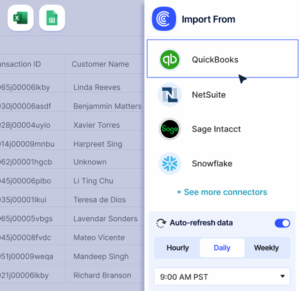 Sync Live Finance Data into Your Spreadsheet