

Table of Contents

-
1. PostgreSQL Data Integration Tools for Every Direction Your Data Flows
- Why PostgreSQL Data Integration Is a Two-Direction Problem
- PostgreSQL-Specific Technical Details Worth Knowing Before Evaluating Tools
- PostgreSQL Data Integration Tools for Analysts and Spreadsheet Reporting
- PostgreSQL Data Integration Tools for Data Warehouse Pipelines
- PostgreSQL Data Integration Tools for Loading Data into Postgres
- PostgreSQL-Native Data Integration Tools
- How to Choose the Right PostgreSQL Data Integration Tool
- 2. 7 Postgres ETL Tools for Excel in 2025
- 3. 5 Postgres Reporting Tools [2026 Feature Showdown]
- 4. Top PostgreSQL Migration Tools
- 5. How to Connect Salesforce to PostgreSQL
- 6. The Ultimate Guide to Exporting Your PostgreSQL Database
- 7. How to Migrate MySQL to PostgreSQL: Step-by-Step Guide
- 8. How to Import Data from Excel to PostgreSQL
- 9. Migrating Data from MongoDB to PostgreSQL: Best Practices and Guide
- 10. How to Migrate from BigQuery to PostgreSQL: A Comprehensive Guide
- 11. How to Connect PostgreSQL to Salesforce? Top 3 Methods
- 12. How to Connect Stripe to PostgreSQL
- 13. How to Connect MongoDB to Postgres
- 14. How to Connect Airtable to Postgres
- 15. How to Connect Google Ads to PostgreSQL: Comprehensive Guide
- 16. How to Connect HubSpot to PostgreSQL
- 17. How to Connect Freshdesk to PostgreSQL




PostgreSQL is the analyst’s database and the developer’s database at the same time. It runs production applications, backs data warehouses, stores JSON alongside relational data, and powers everything from SaaS products to internal analytics platforms. What it does not do is move data automatically.
Getting PostgreSQL data into a spreadsheet for a weekly report, replicating it into Snowflake for analytics, or loading SaaS data into a Postgres destination all require different tools, and most lists treat these as the same problem. This guide separates them. Eight PostgreSQL data integration tools reviewed across two directions: getting data out of Postgres, and getting data into it.
| At a Glance Out of PostgreSQL – for analysts and ops teams: Coefficient connects your PostgreSQL database to Google Sheets or Excel. Write your own SQL query, browse tables with no-code, or describe what you want in plain English and the AI SQL Builder generates the PostgreSQL query for you. Data refreshes on a schedule. Vibe Dashboards turns the result into a shareable web dashboard without a BI platform. Out of PostgreSQL – for data warehouse pipelines: Fivetran for a fully managed ELT pipeline with WAL-based CDC via pgoutput. Airbyte for open-source ELT with CDC via Debezium, no enforced connection limits, and lower infrastructure cost. Hevo Data for no-code ELT with pre-load transformation and 24/7 support on all plans. Into PostgreSQL as a destination: Integrate.io for low-code ETL loading SaaS and database data into Postgres with 220-plus built-in transformations. Skyvia for affordable no-code sync with Postgres as source or destination. PostgreSQL-native tools: Debezium for open-source CDC directly from the PostgreSQL WAL – more native than MySQL binlog-based approaches because pgoutput is a first-class logical replication plugin. dbt for SQL-based transformation inside Postgres, particularly relevant because Postgres is commonly used as an analytics database itself, not just a source. |
Why PostgreSQL Data Integration Is a Two-Direction Problem
Most PostgreSQL ETL articles treat Postgres purely as a source: extract the data, load it somewhere else. That covers only half the picture. PostgreSQL is genuinely different from MySQL in how teams use it. A company might run PostgreSQL as its production application database, its operational analytics database, and its data warehouse destination simultaneously. Three different roles, three different data integration problems.
As a source, PostgreSQL holds application data that business teams, analysts, and data engineers all need access to. Sales and revenue teams need operational data from the PostgreSQL database in spreadsheets without filing engineering tickets. Data engineering teams need PostgreSQL data replicated into Snowflake, BigQuery, or Amazon Redshift for broader analytics. Both are legitimate and common use cases, but they require completely different connectors.
As a destination, PostgreSQL receives data from external systems. Teams loading Salesforce CRM data, HubSpot marketing data, or SaaS metrics into a Postgres database need ETL tools that treat PostgreSQL as an ingestion target, not a source. Integrate.io and Skyvia both cover this direction explicitly, with PostgreSQL as a first-class destination alongside Snowflake and BigQuery.
This guide is structured around both directions. The tools are not interchangeable – a managed ELT platform that replicates PostgreSQL data into a warehouse does not help the analyst who needs a scheduled SQL query result in a Google Sheet, and vice versa.
PostgreSQL-Specific Technical Details Worth Knowing Before Evaluating Tools
WAL-based CDC via pgoutput. PostgreSQL’s logical replication system uses the Write-Ahead Log (WAL) as the source for change data capture. Since PostgreSQL 10, the native logical replication plugin is pgoutput – no third-party plugin required. Tools that support pgoutput-based CDC (Fivetran, Airbyte via Debezium, Hevo) get real-time replication of inserts, updates, and deletes from the PostgreSQL WAL with lower overhead than trigger-based or polling approaches. This is architecturally cleaner than MySQL’s binlog-based CDC, which requires specific binlog format configuration and carries more complexity.
Cloud PostgreSQL variants require different WAL configuration. Amazon RDS for PostgreSQL requires setting the rds.logical_replication parameter to 1 in the parameter group. Aurora PostgreSQL uses a compatible but distinct implementation. Google Cloud SQL requires enabling the cloudsql.logical_decoding flag. Supabase and Neon (serverless Postgres) both support logical replication but with different configuration paths. Any CDC-based data integration tool will document these requirements, but they are worth checking before evaluating tools against your specific PostgreSQL environment.
Schema complexity and JSONB columns. PostgreSQL’s flexible schema system – multiple schemas within a database, JSONB columns for semi-structured data, composite types, arrays – creates challenges for data integration tools that expect flat relational tables. Tools vary in how well they handle JSONB flattening, schema-qualified table names, and array columns. This matters particularly for teams running PostgreSQL with custom schema layouts or heavy use of JSON data types.
PostgreSQL extensions affect tool compatibility. pgvector for AI and ML workloads, TimescaleDB for time-series data, and PostGIS for geospatial data each change how a PostgreSQL database looks to an integration tool. Most ETL tools handle standard PostgreSQL replication well but may not correctly handle extension-specific data types. If your PostgreSQL database uses extensions heavily, verify compatibility explicitly with the tool vendor before committing.
Self-hosted versus managed Postgres. Self-hosted PostgreSQL on-premises requires SSH tunneling or IP allowlisting for cloud-based data integration tools to establish a connection. Managed PostgreSQL services (RDS, Cloud SQL, Supabase, Neon) have their own security and connectivity models. All tools in this guide support SSH tunneling for on-premise PostgreSQL connections, but configuration steps differ.
PostgreSQL Data Integration Tools for Analysts and Spreadsheet Reporting
Analysts and operations teams that work with PostgreSQL data face a specific version of the access problem. Unlike non-technical business users who cannot query a database at all, most analysts working with PostgreSQL have some SQL knowledge – they know what they want, they can write queries, and they understand the schema. The problem is not capability, it is maintenance. Writing a one-off SQL query is easy. Getting that query result into a spreadsheet that refreshes automatically every day, without building and maintaining a data pipeline, is a different problem entirely.
Coefficient solves this. The target user is not a non-technical business person but an analyst or ops team member who is comfortable with PostgreSQL and SQL but does not want to build pipeline infrastructure to serve a spreadsheet report.
1. Coefficient
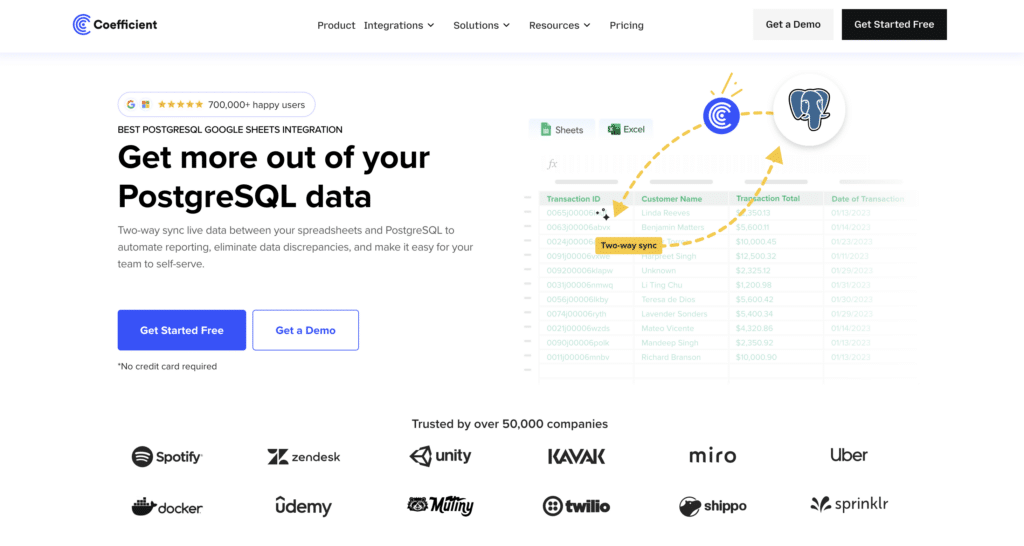
Best for: Analysts, RevOps, finance, and ops teams who need live PostgreSQL data in Google Sheets or Excel on a refresh schedule, with three ways to query: table browsing, custom SQL, or AI-generated SQL from a plain English description.
Coefficient connects PostgreSQL directly to Google Sheets and Excel. The connection requires standard PostgreSQL credentials – host, database name, username, and password – with SSH tunnel support for on-premise PostgreSQL instances. Once connected, there are three ways to get PostgreSQL data into a spreadsheet.
Table and column browser. Browse the PostgreSQL database schema from a point-and-click sidebar. Select tables, pick columns, add filters and limits. No SQL queries required. Useful for standard imports from well-known PostgreSQL tables where the analyst knows exactly which fields they need.
Custom SQL query. Write any PostgreSQL SQL query directly in the Coefficient sidebar. The query runs against the live PostgreSQL database. Results populate the spreadsheet. Set a refresh schedule and the PostgreSQL data stays current without touching it again. This is the primary mode for analysts comfortable with SQL who need specific joins, aggregations, or date-filtered datasets from their PostgreSQL database.
AI SQL Builder. Describe what you want in plain English. For example: ‘Show monthly revenue by customer segment from the orders table for 2025.’ Coefficient’s AI generates the PostgreSQL SQL query automatically, runs it against the live database, and populates the spreadsheet. This removes the SQL barrier for analysts who know what data they need from the PostgreSQL database but do not want to write or maintain queries for recurring reports. Currently available in Google Sheets.
Vibe Dashboards. Once PostgreSQL data is in Google Sheets via any of the three import methods above, Vibe Dashboards closes the last mile. Describe the dashboard you want in plain English – pipeline by stage, revenue by region, operational KPIs by team – and the AI builds a live, shareable web dashboard from the spreadsheet data. No BI platform required. No per-viewer fees. Share a link and stakeholders see live PostgreSQL-backed data without needing spreadsheet access or a BI tool login. The dashboard updates automatically as the underlying Coefficient import refreshes on its schedule.
The full chain from PostgreSQL to shared dashboard – connect, query or describe, schedule, publish – happens entirely within Coefficient. For analysts running recurring PostgreSQL reports that need to reach non-technical stakeholders, this replaces both the pipeline and the BI platform.
Coefficient also connects to 150-plus other data sources alongside PostgreSQL, including Salesforce, HubSpot, Snowflake, and BigQuery. Teams that need to blend PostgreSQL operational data with CRM pipeline data or marketing metrics can do it in the same spreadsheet without managing separate connectors or exports.
Pros
- Three import methods for PostgreSQL data: table and column browser, custom SQL queries, and AI SQL Builder that generates PostgreSQL queries from plain English descriptions. Covers SQL-comfortable analysts and less technical users in the same tool.
- AI SQL Builder removes the query-writing overhead for recurring PostgreSQL reports. Describe the dataset in plain English, get a generated SQL query, run it against your live PostgreSQL database, schedule the refresh.
- Vibe Dashboards turns scheduled PostgreSQL data imports into shareable web dashboards without a BI platform or per-viewer fees. The complete path from PostgreSQL database to live shared dashboard stays within one tool.
- Connects to 150-plus data sources alongside PostgreSQL. Blend Postgres operational data with Salesforce, HubSpot, Snowflake, and other sources in a single Google Sheets or Excel workbook.
- SSH tunnel support for on-premise PostgreSQL instances. No-code setup with point-and-click sidebar.
Source: Coefficient PostgreSQL connector documentation
Cons
- Not a warehouse pipeline tool. Coefficient does not replicate PostgreSQL data into Snowflake, BigQuery, or Redshift. For full ELT pipelines with schema management and CDC replication, use Fivetran, Airbyte, or Hevo.
- AI SQL Builder is currently available in Google Sheets only, not Excel.
- No CDC support. Coefficient uses scheduled polling rather than WAL-based change data capture. Not suited for use cases requiring sub-minute data freshness from a high-write PostgreSQL database.
Source: Coefficient G2 reviews
Pricing
Free plan available. Paid plans start from $49/month with no per-user fees. See Coefficient pricing for full plan details.
| Setup guide: How to connect PostgreSQL to Google Sheets with Coefficient. Excel users: Coefficient Excel PostgreSQL connector. |
PostgreSQL Data Integration Tools for Data Warehouse Pipelines
If the goal is replicating PostgreSQL data into Snowflake, BigQuery, Amazon Redshift, or another cloud data warehouse, you need a dedicated ELT tool. These tools handle WAL-based CDC configuration, schema drift when application developers modify the PostgreSQL database, incremental replication, and API rate management – the engineering complexity that makes DIY PostgreSQL pipelines expensive to build and maintain. The tools below all support pgoutput-based CDC from PostgreSQL 10-plus, meaning real-time change data capture directly from the WAL without polling.
2. Fivetran
Best for: Data engineering teams that want a fully managed, zero-maintenance ELT pipeline from PostgreSQL to a cloud data warehouse, with automatic schema management and no ongoing infrastructure work.
Fivetran’s PostgreSQL connector uses WAL-based logical replication via pgoutput for real-time change data capture. It handles schema drift automatically – when application developers add columns or modify the PostgreSQL database schema, Fivetran updates the destination warehouse schema without manual intervention. It supports all major PostgreSQL environments: self-hosted, Amazon RDS, Aurora PostgreSQL, Google Cloud SQL, and Azure Database for PostgreSQL.
The value case is simple: set up the PostgreSQL data pipeline once and stop thinking about it. Fivetran manages the WAL replication, handles connection stability, and keeps schema in sync between the PostgreSQL source and the warehouse destination. The trade-off in 2026 is pricing. Fivetran moved to per-connector Monthly Active Rows billing in March 2025. R/dataengineering and G2 users report 4-8x cost increases for high-write PostgreSQL databases and multi-connector setups. For teams with predictable, moderate PostgreSQL data volumes, the managed service premium is often justified. For high-volume PostgreSQL workloads, the cost model requires careful evaluation before committing to an annual contract.
Pros
- Fully managed WAL-based CDC via pgoutput. Handles PostgreSQL logical replication without manual wal_level configuration beyond the initial setup.
- Automatic schema drift handling. Application-driven changes to the PostgreSQL database schema propagate to the warehouse destination without pipeline failures or manual intervention.
- Supports all major PostgreSQL environments: self-hosted, RDS, Aurora, Cloud SQL, Azure Database for PostgreSQL, Supabase, and more.
- Wide destination support: Snowflake, BigQuery, Amazon Redshift, Databricks, Azure Synapse, and more.
Source: Fivetran G2 reviews – pros and cons
Cons
- Per-connector MAR pricing since March 2025 has driven 4-8x cost increases for many teams. High-write PostgreSQL databases and multi-connector setups require careful budget modelling before committing.
- Transformation is minimal pre-load. Fivetran loads raw PostgreSQL data and delegates transformation to dbt or downstream SQL. Teams without a dbt practice need a separate transformation layer.
- Support quality varies significantly by plan tier. Enterprise-level SLAs require the Enterprise plan.
Source: Fivetran Capterra verified reviews
Pricing
Per-connector Monthly Active Rows (MAR) model introduced March 2025. Free plan covers up to 500,000 MAR. Standard plan syncs every 15 minutes. Enterprise adds high-volume connectors and 5-minute sync frequency. Annual contracts start at $12,000/year. See Fivetran pricing for current plan details.
3. Airbyte
Best for: Data engineering teams that want open-source ELT flexibility, full access to the PostgreSQL connector code, CDC via Debezium, and significantly lower infrastructure costs than fully managed alternatives.
Airbyte’s PostgreSQL connector implements CDC via Debezium – the same WAL-based logical replication approach as Fivetran, but in open-source form. The connector reads directly from the PostgreSQL WAL using pgoutput on PostgreSQL 10-plus, or the older pgdecoding approach on earlier versions. Because the connector is open-source, teams can inspect the replication logic, modify it for edge cases specific to their PostgreSQL database schema, and fix issues without waiting on vendor support.
Self-hosted Airbyte runs on Kubernetes and removes the enforced connection limits that Fivetran’s uncertified app constraints introduce on some systems. For data teams managing many PostgreSQL database instances in parallel, this matters. The cost trade-off is well-documented in the community: one data engineer reported cutting their managed ELT bill from $2,800/month to around $300/month in infrastructure costs by moving to self-hosted Airbyte with equivalent PostgreSQL connector coverage.
Pros
- Open-source PostgreSQL connector with full source code access. Teams can modify CDC behaviour, fix schema handling for PostgreSQL-specific data types like JSONB and arrays, and extend the connector for custom use cases.
- CDC via Debezium using pgoutput on PostgreSQL 10-plus. Sub-5-minute CDC sync on typical PostgreSQL workloads is achievable.
- No enforced connection limits on self-hosted deployments. Practical for data engineering teams managing multiple PostgreSQL databases or running parallel replication workloads.
- Significant cost savings versus fully managed ELT tools for teams with Kubernetes expertise and DevOps capacity.
Source: Airbyte G2 reviews – pros and cons
Cons
- Self-hosted Airbyte requires Kubernetes infrastructure and ongoing DevOps investment. Not a viable option for teams without dedicated data engineering resources and Python or Java familiarity for connector customisation.
- Schema drift issues with PostgreSQL CDC replication have been reported in the community, particularly around primary key handling for Postgres tables with composite keys. Debugging can require significant engineering time.
- Airbyte Cloud costs escalate at higher PostgreSQL data volumes. Validate cost projections against your specific Postgres database write volume before assuming cost savings over managed alternatives.
Source: Airbyte PostgreSQL ETL connector overview
Pricing
Open-source self-hosted version is free. Airbyte Cloud offers a free tier for low-volume use. The Flex plan uses capacity-based pricing scaling with PostgreSQL data volume rather than per-connector. Team and enterprise plans with SSO, RBAC, and SLAs available on request. See Airbyte pricing for current Cloud and team plan rates.
4. Hevo Data
Best for: SMB and mid-market data teams that need fast, no-code PostgreSQL ELT setup with real-time CDC, pre-load transformation, and 24/7 support included on every plan.
Hevo Data positions itself between Fivetran’s managed reliability and Airbyte’s engineering flexibility. Its PostgreSQL connector supports CDC-based replication from the WAL and earns consistent G2 praise for fast setup – most PostgreSQL pipelines go live in under five minutes. The key differentiator from Fivetran is pre-load transformation: Hevo applies data cleaning, filtering, Python-based transformations, and PII masking to PostgreSQL data before it lands in the warehouse destination. This reduces warehouse compute costs and eliminates the need for a separate dbt layer for straightforward use cases.
Hevo’s event-based pricing model can escalate on high-write PostgreSQL tables where every insert, update, and delete counts as a billable event. For PostgreSQL databases with high write volumes – event tracking, clickstream data, high-frequency transactions – this requires careful monitoring in the first billing cycle. But for teams with moderate PostgreSQL data flows who want no-code ELT without infrastructure overhead, Hevo offers the best balance of accessibility and real-time PostgreSQL replication in the no-code category.
Pros
- Genuine pre-load transformation. Clean, mask, and transform PostgreSQL data before it reaches the warehouse destination – meaningful for teams wanting to enforce data quality without a separate dbt layer.
- 24/7 support on all plans including the free tier. G2 reviewers consistently rate Hevo’s support responsiveness (9.0 on G2) above Fivetran’s (8.0).
- No-code interface accessible to data analysts without Kubernetes or Python expertise. PostgreSQL pipeline setup requires no scripting – just credentials and destination configuration.
Source: Hevo Data G2 reviews – pros and cons
Cons
- Event-based pricing escalates on high-write PostgreSQL databases. Every row change counts as a billable event – monitor consumption carefully in the first billing cycle for write-heavy Postgres workloads.
- 150-plus connectors is narrower than Fivetran’s 700-plus or Airbyte’s 600-plus. Less suitable as the sole data integration platform if your stack includes niche SaaS connectors alongside PostgreSQL.
- Limited customisation for complex PostgreSQL transformation logic. For advanced SQL data modeling on Postgres data, Hevo’s dbt integration (available on paid plans) is the recommended path.
Source: Hevo Data Capterra reviews
Pricing
Event-based pricing model. Free plan includes up to 1 million events/month with 50 connectors and 5 users. Starter plan adds more events and connectors. Business plan unlocks dedicated support, higher event volumes, and dbt integration. See Hevo Data pricing for current plan details.
PostgreSQL Data Integration Tools for Loading Data into Postgres
PostgreSQL is increasingly used as a destination as well as a source. Teams building internal analytics databases, operational data stores, or consolidating SaaS data into a self-managed Postgres database need ETL tools that treat PostgreSQL as a first-class ingestion target. Both tools in this section support PostgreSQL as both source and destination, making them useful for bidirectional data integration workflows.
5. Integrate.io
Best for: Data and engineering teams that need low-code ETL loading SaaS and database data into a PostgreSQL destination, with built-in transformations, CDC support, and predictable fixed-fee pricing regardless of PostgreSQL data volume.
Integrate.io covers ETL, ELT, reverse ETL, and CDC for PostgreSQL in both directions. Its PostgreSQL connector supports WAL-based replication via pgoutput for change data capture as a source, and bulk loading with schema mapping as a destination. The 220-plus built-in transformations – deduplication, type coercion, null handling, field standardisation – are applied before data lands in the PostgreSQL database, reducing post-load cleanup and removing the need for transformation scripting.
The fixed-fee pricing model is a deliberate differentiator against consumption-based alternatives like Fivetran and Hevo. For teams loading large or unpredictable data volumes into a PostgreSQL destination, predictable monthly costs matter. The trade-off is a higher entry price: Integrate.io starts at $1,999/month, which is significant relative to Hevo or Airbyte for teams with simpler PostgreSQL integration requirements.
Pros
- 220-plus built-in low-code transformations applied pre-load to PostgreSQL. No separate transformation tool required for standard data quality operations before ingestion into Postgres.
- Supports PostgreSQL as both source and destination with WAL-based CDC, making it useful for bidirectional data integration workflows between Postgres and other databases or SaaS systems.
- Fixed-fee pricing regardless of PostgreSQL data volume – useful for high-change-rate Postgres workloads where MAR-based pricing becomes unpredictable.
Source: Integrate.io PostgreSQL connector overview
Cons
- Starts at $1,999/month – significantly higher than Hevo or Airbyte for straightforward PostgreSQL ELT pipelines.
- Narrower connector library than Fivetran or Airbyte. Less suitable as the sole data integration platform for stacks with many niche SaaS connectors.
Pricing
Fixed-fee pricing starting at $1,999/month for the Starter plan. Higher tiers add more pipelines, CDC support, and white-glove onboarding. Cost does not scale with PostgreSQL data volume. See Integrate.io pricing for current plan details.
6. Skyvia
Best for: Small businesses and teams that need affordable no-code PostgreSQL sync and replication in both directions, without engineering overhead or large platform budgets.
Skyvia is a no-code cloud data integration platform with a PostgreSQL connector that supports ETL, ELT, bidirectional sync, and replication. Its drag-and-drop interface covers PostgreSQL as both source and destination without SQL or Python scripting. For teams that need to sync SaaS data into a Postgres database, or replicate PostgreSQL data to another database or cloud storage, Skyvia offers the most accessible and affordable entry point in this list.
Skyvia uses scheduled polling rather than WAL-based CDC, which means it is not suited for real-time PostgreSQL replication requirements. For daily or hourly sync of moderate data volumes, the simplicity and cost advantages are significant.
Pros
- No-code drag-and-drop interface accessible without SQL, Python, or Java knowledge. PostgreSQL connection setup requires only database credentials.
- Affordable pricing with a meaningful free tier. Starts at $19/month for paid plans – the most accessible entry point in this list for small businesses.
- 200-plus connectors alongside PostgreSQL. Supports PostgreSQL as both source and destination for bidirectional integration workflows.
Source: Skyvia PostgreSQL integration page
Cons
- No WAL-based CDC. Skyvia uses scheduled polling – suitable for hourly or daily PostgreSQL sync, not sub-minute real-time replication from a high-write Postgres database.
- Less suited to high-volume PostgreSQL workloads or complex schema requirements. Designed for SMB data volumes.
Pricing
Free plan available. Paid plans start at $19/month for the Basic tier. Standard and Professional plans add higher data volumes, more connectors, and sync frequency options. See Skyvia pricing for current plan details.
PostgreSQL-Native Data Integration Tools
These two tools are not general-purpose ELT platforms. They each solve a specific PostgreSQL data integration problem that the tools above do not address: real-time change data capture directly from the PostgreSQL WAL without a managed service, and SQL-based transformation inside a Postgres database used as an analytics destination. Both are open-source, both require engineering skills, and both are widely used in production PostgreSQL data stacks alongside tools like Fivetran and Airbyte.
7. Debezium
Best for: Data engineering teams that need open-source, real-time CDC directly from the PostgreSQL WAL, with full control over the replication pipeline and no managed service dependency.
Debezium is an open-source CDC platform that reads directly from the PostgreSQL WAL using logical replication. It is the CDC engine that Airbyte uses internally for its PostgreSQL connector – but running Debezium directly gives teams more control over the replication configuration, including custom publication filters, slot management, and output format. Debezium streams PostgreSQL change events to Apache Kafka topics, from which downstream consumers – data warehouses, search indexes, caches, other PostgreSQL instances – can consume the change stream.
For PostgreSQL specifically, Debezium’s pgoutput-based connector is more reliable than its MySQL binlog connector for one architectural reason: pgoutput is a native PostgreSQL logical replication plugin maintained by the PostgreSQL core team, not a database engine implementation detail like MySQL’s binlog. This makes PostgreSQL CDC via Debezium more stable across PostgreSQL versions and cloud provider variants than the equivalent MySQL setup.
Debezium is not a managed service and has no UI. It requires Kafka (or Kafka-compatible infrastructure like Redpanda), JVM-based deployment, and PostgreSQL WAL configuration including wal_level=logical, replication slots, and publication management. The engineering overhead is real. But for teams building event-driven architectures or requiring sub-second PostgreSQL change data capture at scale, no tool in this list is a substitute.
Pros
- Open-source CDC directly from the PostgreSQL WAL via pgoutput. More architecturally reliable than trigger-based or polling approaches for real-time PostgreSQL replication.
- pgoutput-based CDC is more stable across PostgreSQL versions and cloud variants than MySQL binlog-based CDC – an important advantage for teams running Postgres across multiple environments.
- Streams PostgreSQL change events to Kafka, enabling fan-out to multiple downstream consumers from a single replication slot.
Source: Debezium PostgreSQL connector documentation
Cons
- Requires Kafka or compatible infrastructure, JVM deployment, and significant PostgreSQL WAL configuration. Not viable without dedicated data engineering resources.
- No UI and no managed hosting option. Operational monitoring, replication slot management, and failure handling are entirely the team’s responsibility.
- Replication slots persist in PostgreSQL even if the consumer goes offline. Unmonitored slots can cause PostgreSQL WAL accumulation and disk pressure on the source database.
Pricing
Debezium is free and open-source (Apache 2.0). Infrastructure costs depend on your Kafka deployment and PostgreSQL server resources. Debezium Server (a standalone deployment option without Kafka) is also free and open-source. See the Debezium documentation for deployment options.
8. dbt (data build tool)
Best for: Analytics engineering teams that need SQL-based transformation, testing, and documentation of PostgreSQL data after it is loaded into a Postgres analytics database or data warehouse.
dbt is more relevant for PostgreSQL than for MySQL for a specific architectural reason: PostgreSQL is commonly used as an analytics database in its own right, not just as a source to extract from. Teams running PostgreSQL as their warehouse destination – loading data from Fivetran, Airbyte, or Hevo into a Postgres database – use dbt to build clean, tested, documented datasets on top of the raw data. dbt’s SQL-based transformation runs inside the PostgreSQL database, taking advantage of Postgres’s powerful query engine, JSONB support, and extensible function library.
dbt Core is the open-source transformation layer. It compiles SQL models, runs them inside the PostgreSQL database, applies data quality tests, and generates documentation automatically. dbt Cloud adds a managed scheduler, CI/CD pipeline integration, and a browser-based IDE. The October 2025 Fivetran-dbt Labs merger brought both products under a single ‘Open Data Infrastructure’ umbrella, tightening the integration between Fivetran’s PostgreSQL ingestion and dbt’s transformation layer for teams using both.
Pros
- Industry-standard SQL transformation with Git version control, automated testing, and documentation generation. Brings software engineering rigour to PostgreSQL data modeling.
- Runs natively inside PostgreSQL – takes advantage of Postgres’s full SQL capabilities including window functions, CTEs, JSONB operations, and custom functions.
- dbt Core is free and open-source. For teams already running PostgreSQL as an analytics database, dbt adds transformation capability at no additional platform cost.
Source: dbt documentation and community resources
Cons
- Requires SQL proficiency and analytics engineering practices. dbt is not a no-code or drag-and-drop tool – it assumes the team can write and review SQL data models.
- Transformation only. dbt does not move data into or out of PostgreSQL. A separate data pipeline tool (Fivetran, Airbyte, Hevo) handles ingestion into the Postgres database.
- dbt Cloud starts at $100/month per developer seat. For small teams, this adds meaningfully to the total PostgreSQL data stack cost alongside an ELT tool.
Pricing
dbt Core is free and open-source. dbt Cloud Developer plan starts at $100/month per seat. Team plan adds multi-developer collaboration, CI/CD pipelines, and job scheduling. Enterprise adds SSO, audit logging, and dedicated support. See dbt Cloud pricing for current seat-based rates.
How to Choose the Right PostgreSQL Data Integration Tool
Analyst or ops team needing scheduled PostgreSQL data in Google Sheets or Excel, with AI query generation and live shareable dashboards: Coefficient. Three import methods including the AI SQL Builder, scheduled refresh, Vibe Dashboards for stakeholder sharing. Free plan available.
Data engineering team building a managed ELT pipeline from PostgreSQL to Snowflake, BigQuery, or Redshift: Fivetran for zero-maintenance WAL-based CDC with automatic schema management. Validate per-connector MAR pricing against your PostgreSQL write volume before committing.
Data engineering team with Kubernetes capacity wanting open-source ELT at lower cost: Airbyte. PostgreSQL CDC via Debezium, full connector source code access, no enforced connection limits. Self-hosted infrastructure management is the real cost.
Data team wanting fast no-code PostgreSQL ELT setup with pre-load transformation and 24/7 support: Hevo Data. No Kubernetes required, pre-load transformation reduces warehouse compute costs, event-based pricing with a free tier.
Team loading SaaS or database data into a PostgreSQL destination with built-in transformations: Integrate.io. 220-plus pre-load transformations, PostgreSQL as a first-class destination, fixed-fee pricing regardless of data volume.
Small business or SMB needing affordable no-code PostgreSQL sync in both directions: Skyvia. Free tier available, drag-and-drop setup, $19/month entry-level paid plan, PostgreSQL as source and destination.
Data engineering team needing real-time open-source CDC directly from the PostgreSQL WAL with Kafka integration: Debezium. pgoutput-based logical replication, sub-second change data capture, full control over the replication pipeline.
Analytics engineering team building SQL data models on top of PostgreSQL data: dbt. SQL-based transformation with automated testing, documentation generation, and Git version control. Pairs with Fivetran, Airbyte, or Hevo for the ingestion layer.
Get Started with Coefficient for PostgreSQL
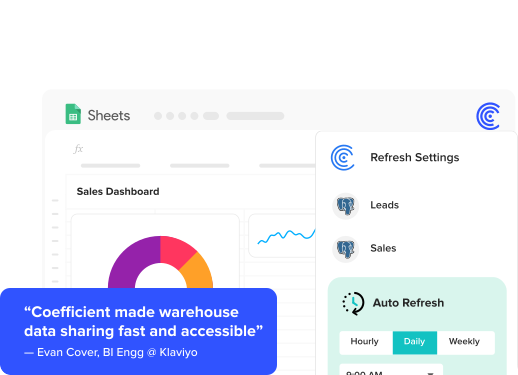
If your team needs live PostgreSQL data in Google Sheets or Excel – with scheduled refresh, AI-generated SQL queries, and shareable web dashboards built from your Postgres data – try Coefficient for free. Connect your PostgreSQL database, run your first import or AI-generated query, and set a refresh schedule.See Coefficient pricing for plan detail and the Klaviyo case study for a real example of how data teams solve the PostgreSQL access bottleneck.