

Table of Contents

- 1. Top 7 Financial Consolidation Tools in 2025 | Complete Comparison Guide
- 2. Top 7 Financial Forecasting Tools in 2025 [w/ Feature Comparison]
- 3. Best 6 AI Tools for CFOs in 2026 [w/ Feature Comparison Table]
- 4. Finance controller checklist: Weekly and monthly tasks
- 5. New accounting client checklist: Streamline your onboarding process
- 6. Top 8 Strategic Workforce Planning Tools in 2025 [w/ Feature Comparison]



The CFO role has fundamentally shifted. Finance leaders are no longer just stewards of the books. They are expected to be real-time strategic partners to the CEO, providing scenario analysis on demand, forecasting with confidence under uncertainty, and delivering board-ready insights without a two-week runway.
The tools that enable this shift have matured significantly. According to Deloitte’s CFO Signals research, 87% of CFOs believe AI will be extremely or very important to finance operations in 2026. Gartner reports that 58% of finance functions already used AI in 2024, up 21 percentage points year over year.
But most AI tools for CFOs fall into narrow categories. The challenge is assembling a stack that covers the right problems: live financial reporting, FP&A and scenario modeling, bookkeeping automation, and spend control. This guide covers seven tools that are earning genuine adoption in 2026, what each one does well, and who each one is actually for.
Feature Comparison Table
| Tool | Primary Focus | Best For | Starting Price | Key AI Capability | Automation Level |
| Coefficient | Live financial reporting and data automation in spreadsheets | Finance, FP&A, and RevOps teams in Google Sheets or Excel | Free plan available | GPT-powered formulas, AI dashboard builder, multi-system consolidation | Real-time data sync, scheduled auto-refresh, two-way write-back |
| Fathom | Financial reporting, forecasting, and consolidation | CFOs, accountants, and business advisors on QuickBooks, Xero, or MYOB | Tiered by company files | AI commentary engine, three-way cash flow forecasting, KPI tracking | Automated report scheduling, consolidated reporting, benchmarking |
| Pigment | Enterprise business planning and scenario modeling | Upper-mid-market and enterprise CFOs running cross-functional planning | Custom pricing (enterprise) | Agentic AI agents: Analyst, Planner, and Modeler; scenario modeling | Connected planning across finance, HR, sales, and operations |
| Ramp | Spend management and accounting automation | CFOs managing corporate cards, AP, and expense policy | Free (core platform) | AI coding agent, fraud detection, price intelligence | End-to-end transaction automation from card swipe to ERP sync |
| Pilot | Full-service bookkeeping with AI and human oversight | Startups and SMBs that want outsourced bookkeeping with strategic advisory | $599/month | AI-assisted bookkeeping with certified accountant review | Medium automation with expert review layer |
| Cube | Spreadsheet-native FP&A | Mid-market finance teams wanting FP&A capabilities inside Excel and Google Sheets | Custom pricing | Agentic AI for forecasting, scenario modeling, and variance analysis | Automated data consolidation, multi-source sync, scenario planning |
| BlackLine | Financial close and account reconciliation | Enterprise finance teams automating month-end close | Custom pricing | AI-powered matching and auto-certification of transactions | High automation on reconciliation, close workflow, and anomaly detection |
1. Coefficient AI
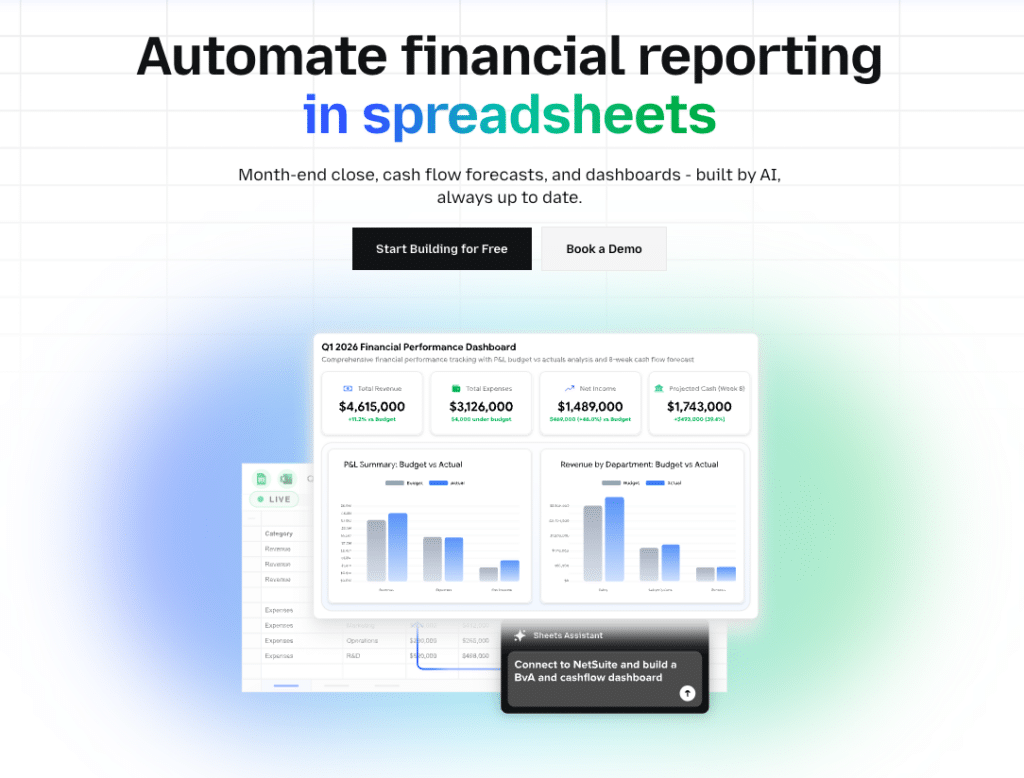
CFOs spend an enormous share of their time chasing data. Pulling QuickBooks exports, reformatting NetSuite reports, waiting on Salesforce pipeline updates, and stitching everything together in a spreadsheet before the numbers are already stale. Coefficient eliminates that entire cycle.
Coefficient AI connects Google Sheets and Excel directly to your source systems, including QuickBooks, NetSuite, Salesforce, HubSpot, Snowflake, Stripe, and 100+ others, and keeps your spreadsheets updated automatically on whatever schedule you set. The result is a live financial command center that works in the tools your finance team already uses every day.
What Coefficient Does for CFOs
Live financial reporting without manual exports. Pull P&L statements, balance sheets, cash flow data, AR aging, and general ledger detail directly from QuickBooks or NetSuite into Google Sheets or Excel. Set a daily or hourly refresh and your CFO dashboard updates automatically, no manual exports, no reformatting, no broken formulas.
Cross-system financial consolidation. The CFO view requires more than accounting data. Coefficient lets you combine QuickBooks actuals with Salesforce pipeline, Snowflake data warehouse metrics, Stripe revenue, and HR payroll from Rippling into a single spreadsheet. This is the board-ready unified view that typically takes a finance analyst hours to assemble manually.
Multi-entity and multi-company consolidation. For companies with multiple subsidiaries or accounting firms managing multiple clients, Coefficient connects to multiple QuickBooks accounts or NetSuite subsidiaries simultaneously and consolidates them into one master spreadsheet without manually logging in and out of each account.
AI-powered analysis and live dashboard generation. The AI Sheets Assistant generates formulas, builds pivot tables, creates charts, and builds dashboards from plain-English prompts. Ask it to calculate rolling 12-month gross margin by department or build a waterfall chart of revenue versus prior year and it handles the entire build. No SQL, no advanced spreadsheet skills required.
Two-way data sync. Push data back to QuickBooks, Salesforce, HubSpot, NetSuite, and other systems directly from your spreadsheet. Update records, push budget adjustments, and reconcile data without leaving the spreadsheet workflow.
Automated reporting delivery. Set Slack or email alerts that fire when specific financial metrics change. When cash runway drops below a threshold, when AR aging exceeds a defined bucket, or when monthly revenue misses plan, the right person gets notified immediately.
Pros
Works inside the tools CFOs already use. There is no new interface to learn, no BI tool to buy, and no data engineering resources required. Coefficient extends Google Sheets and Excel rather than replacing them.
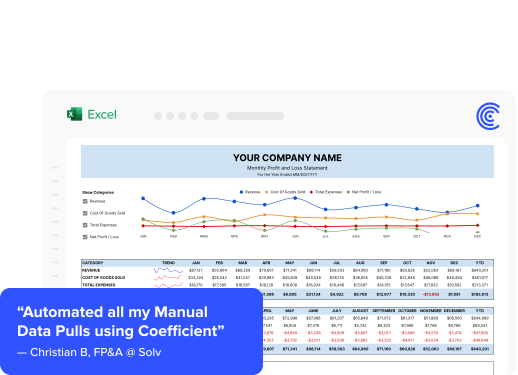
Eliminates the weekly reporting treadmill. Finance teams at companies like Solv, Klaviyo, and Thornton Capital report saving hours per week on the manual data collection and formatting cycle that previously consumed their time before every leadership meeting.
Purpose-built for multi-system CFO workflows. The combination of QuickBooks, NetSuite, Salesforce, and Snowflake connectivity in a single tool is rare. Most connectors are single-source. Coefficient covers the full CFO data stack.
Scales from startup to enterprise. The same tool that works for a fractional CFO managing 20 QuickBooks clients works for an FP&A team at a public company pulling from NetSuite and Snowflake. The architecture scales with the complexity.
Cons
Analysis stays mostly within spreadsheet limits. For teams that need advanced statistical modeling, multi-dimensional OLAP analysis, or enterprise-grade planning workflows, Coefficient complements rather than replaces a dedicated FP&A platform.
Best value with multiple connected systems. Teams connecting to only one data source may not need the full breadth of Coefficient’s capabilities.
Pricing
Coefficient offers a free plan with core import capabilities. Paid plans scale based on connectors, refresh frequency, and team size. Enterprise plans with custom pricing are available. A free trial is available with no credit card required.
What Users Say
“Coefficient automated everything. Instead of manually exporting or importing into Google Sheets every day, and making sure none of the formulas broke, I can just sit back and watch the data update automatically.” (Christian Budnik, FP&A Analyst, Solv)
“We were able to recreate reports on our NetSuite data in days with Coefficient. This took us months to build with other database query tools. Our spreadsheets are now faster, more accurate, and easier to update.” (Michael Kolodin, Director of Finance, Cyrq Energy)
“Coefficient helped us cut month-end close for our clients from 10 to 3 days. What used to take weeks of manual work now happens in a few clicks.” (Mike Lynch, CFO, Thornton Capital)
2. Pilot

Pilot combines AI-powered bookkeeping automation with a team of certified accountants to deliver full-service accounting for startups and SMBs. For CFOs at early-stage companies who do not need a full internal accounting team but want accurate books, clean financials, and access to strategic CFO advisory, Pilot fills the gap between DIY QuickBooks and hiring in-house.
The platform uses AI to handle the automated portions of bookkeeping and surfaces edge cases and complex transactions for review by dedicated accountants. The result is accuracy that pure automation cannot match at this stage of business complexity, without the cost of a full accounting department.
What Pilot Does for CFOs
AI-powered bookkeeping with certified human review. Pilot’s AI handles categorization, transaction matching, and routine entries automatically. Certified accountants review the output, catch edge cases, and ensure your books are audit-ready.
Clean, CFO-grade financial reports. The online portal presents P&L, balance sheet, and cash flow statements clearly. For startup CFOs who need investor-grade financials quickly, Pilot’s reporting is more accessible than raw QuickBooks output.
Dedicated bookkeeping team. You work with the same team consistently. They know your business, your chart of accounts, and your specific categorization rules. This continuity matters as the business gets more complex.
R&D tax credit services. Pilot offers R&D tax credit identification and filing, which is a meaningful service for technology companies that often miss credits they are entitled to.
CFO advisory services. Beyond bookkeeping, Pilot offers fractional CFO services for companies that need strategic financial guidance without a full-time hire.
Pros
Above-average onboarding experience. Users consistently praise the structured onboarding process and the quality of the implementation team. Getting started with Pilot is smoother than most accounting service providers.
Reliable bookkeeping quality. The combination of AI automation and dedicated human review produces accurate, consistent books that hold up to investor scrutiny.
Right fit for the startup stage. For companies between seed and Series B that need solid books but are not yet ready to build a finance team, Pilot’s service model matches the need.
Cons
Tax support lags behind bookkeeping quality. Multiple users report that responsiveness outside of bookkeeping, particularly during tax season, is significantly slower. CFOs with complex tax situations should set expectations accordingly.
Premium pricing for a managed service. At $599 per month as a starting point, Pilot is priced as a professional service rather than a software tool. The cost reflects that, but it is not the right choice for companies that just need software.
Limited advanced financial modeling. Pilot handles the historical accounting layer well. For forward-looking FP&A, scenario planning, and driver-based forecasting, CFOs will need a complementary tool.
Pricing
Bookkeeping packages start at approximately $599 per month for small businesses and scale based on transaction volume and service tier.
What Users Say
“The onboarding and bookkeeping experience have so far delivered above expectations, and the online portal is easy to use.” (Capterra review)
“Customer support outside of bookkeeping is not as strong. After weeks of unresponsive emails, I gave up and used a regular accountant for tax filing.” (Capterra review)
3. Cube
Cube is a spreadsheet-native FP&A platform designed for mid-market finance teams that want the power of a modern planning system without giving up Excel or Google Sheets. It was founded by a former CFO, which shows in how the product is designed: around the actual problems finance teams face in planning cycles, not around theoretical features.
Cube connects to ERPs, CRMs, HRIS systems, and accounting software, then surfaces all of that data inside your existing spreadsheet environment with full bidirectional sync. The recently launched agentic AI layer handles forecasting suggestions, variance analysis, and scenario modeling directly within the planning workflow.
What Cube Does for CFOs
Bidirectional spreadsheet sync. Pull live data from NetSuite, QuickBooks Online, Sage Intacct, and other systems into Excel or Google Sheets. Push updates back with the same ease. Cube is the bridge between your source systems and the spreadsheets your team uses to plan and model.
Automated data consolidation. Cube consolidates financial data from multiple sources into a single, governed dataset that all models draw from. This eliminates the version proliferation problem where different people have different “right answers” from different spreadsheet snapshots.
Agentic AI for forecasting. Cube’s AI analyzes your historical financial data and trends and populates forecast models with projected values for your team to review and refine. It can cut planning cycle time significantly by handling the initial model population that currently takes analysts days to complete manually.
Scenario modeling and comparison. Build multiple forecast scenarios, compare them side by side, and see the P&L impact of different assumptions. Cube’s scenario library makes it easy to create, save, and share distinct versions of the plan without managing multiple spreadsheet files.
Multi-scenario evaluation. The program creates, compares, and analyzes scenarios based on your key operational drivers, helping CFOs make data-driven decisions during board meetings and strategy reviews.
Pros
Fastest time-to-value in the FP&A category. Cube’s G2 recognition for ease of use and fastest implementation in the mid-market is backed by customer experience. Teams typically get to productive use faster than with competing FP&A tools.
Built for finance teams, not IT teams. Cube’s administration and configuration are designed for finance professionals. Data governance, approval workflows, and access controls are handled within the platform without requiring IT involvement.
Works in both Excel and Google Sheets. Unlike many FP&A tools that favor one or the other, Cube works natively in both, giving finance teams the flexibility to work in whichever environment they prefer.
Cons
Mid-market scope. For enterprise companies with extreme modeling complexity or global multi-entity structures, larger platforms like Pigment or Anaplan may be more appropriate.
Custom pricing. Pricing is not publicly listed, requiring a demo and sales process before cost is known.
Agentic AI is newer. While highly promising, the agentic AI features are relatively new and still maturing compared to the core FP&A functionality.
Pricing
Custom pricing based on team size and needs. Contact Cube for a quote.
What Users Say
“Cube simplifies many of the headaches of the often challenging planning process and lets teams turn their complicated budgeting process into a lean operation.” (Cube customer review)
4. Fathom

Fathom (fathomhq.com) is a financial reporting, forecasting, and consolidation tool used by CFOs, business managers, and accounting advisors across companies of every size. It connects directly to QuickBooks, Xero, MYOB, and Sage, transforms that accounting data into visual management reports, and lets CFOs build three-way cash flow forecasts and consolidated group reports without rebuilding anything in Excel.
For CFOs who spend hours crafting management packs and board reports each month, Fathom replaces that manual work with automated, scheduled, beautifully formatted reports that update as the numbers close. The AI commentary feature, released in 2025, generates narrative insights that know your business context, flagging what moved, why it matters, and what to watch.
What Fathom Does for CFOs
Automated management reporting. Fathom’s report editor combines charts, tables, financial statements, and written commentary in a single document. Reports are built once as templates and reused every period with updated data flowing in automatically from connected accounting systems. Scheduling means the monthly management pack goes out without anyone manually pulling numbers.
AI commentary engine. Fathom’s AI commentary generates narrative text that describes movements in the financials in plain English, tied to your goals, strategy, and market conditions. Every insight is traceable back to the underlying data. CFOs get a first draft of their board narrative automatically.
Three-way cash flow forecasting. Fathom’s forecasting covers P&L, balance sheet, and cash flow simultaneously, maintaining the linkages between all three statements that standalone forecast tools often break. Scenario planning lets CFOs model best case, worst case, and base case with driver-based assumptions.
Multi-entity consolidation. For CFOs managing group structures, holding companies, or multiple subsidiaries, Fathom consolidates across entities with intercompany eliminations and multi-currency support. The group insights dashboard gives a single view across all entities with benchmarking and ranking.
KPI tracking and performance metrics. Fathom includes 50+ pre-built KPIs covering profitability, cash flow, and growth, plus the ability to define custom KPIs with your own formulas. Automated alerts fire when a KPI crosses a threshold, such as cash reserves dropping below a defined level.
Benchmarking across clients or entities. For CFOs overseeing multiple business units or accounting firms managing multiple clients, Fathom’s benchmarking lets you visually compare and rank entities across KPIs. This is a standout feature for fractional CFOs and advisory firms with portfolio views.
Pros
Reporting that is genuinely ready to share. Fathom’s output looks polished without significant formatting work. CFOs consistently report that they can hand the report directly to investors, lenders, or boards without reformatting in PowerPoint.
Fast setup with accounting system connections. Connecting QuickBooks Online, Xero, or MYOB takes minutes. Once connected, data flows automatically and the first report can be built the same day.
Strong choice for accountants and fractional CFOs. The Fathom Portfolio subscription is specifically designed for accounting firms managing multiple clients, providing an oversight dashboard across the entire client base without requiring full Pro access for every company.
No coding, no SQL, no Excel formula maintenance. Fathom is built for finance professionals rather than technical users. Everything from report building to scenario modeling works through a point-and-click interface.
Cons
Less suited for complex FP&A modeling. Fathom excels at reporting and cash flow forecasting. CFOs who need driver-based enterprise planning, workforce modeling, or deep multi-dimensional scenario analysis will find it limited compared to dedicated FP&A platforms like Pigment or Cube.
Primarily a reporting layer. Fathom sits on top of your accounting system rather than replacing it or extending it into operational planning. Teams that need a full planning platform will use Fathom alongside other tools.
Initial learning curve on complex setups. While basic reporting is fast to set up, building detailed consolidated group structures or complex custom KPIs requires time investment upfront.
Pricing
Fathom uses tiered monthly pricing based on the number of company files connected. All plans include all features and unlimited users. No annual contracts required. A free trial is available. Fathom Portfolio is a separate, lower-cost subscription for accounting firms needing portfolio-level oversight.
What Users Say
“Consistent reporting across a group of seven entities is a real win for me as the Group CFO, and for the senior leadership team, because everyone knows what to expect when receiving the regular management pack. Fathom also gives me confidence that the numbers are correct when I’m slicing and dicing the data into different views.” (Group CFO, G2 review)
“If you’re looking for forecast, budgeting or any kind of business planning and you are using QuickBooks or Xero, Fathom is by far the best option.” (GetApp review)
5. Pigment
Pigment is the enterprise FP&A platform for CFOs who have outgrown Excel-based planning and need a system that can handle cross-functional complexity: multi-entity consolidation, driver-based modeling, scenario planning that spans finance, HR, and revenue operations, and board-level visualizations that update in real time.
The platform is used by companies like Klarna, Figma, Airtable, and Evenflo. In 2025, Pigment introduced a suite of agentic AI capabilities with three specialized agents: the Analyst, the Planner, and the Modeler. These agents operate directly inside the planning environment, using governed data and live models to automate analysis, build scenarios, and draft variance narratives.
What Pigment Does for CFOs
Connected planning across the whole company. Pigment unifies financial planning with HR workforce planning, sales capacity planning, and operational planning in a single platform. CFOs get a single source of truth that spans departments, not just the finance function.
Agentic AI for planning tasks. Describe what you want to build in plain English. Pigment’s AI agents create and evolve governed models aligned to your business structure and logic. The Analyst detects trends and generates summaries. The Planner models scenarios automatically. The Modeler builds financial structures on demand.
Scenario modeling at speed. Pigment’s scenario engine is one of the strongest in the FP&A market. CFOs can build, compare, and stress-test multiple financial scenarios in minutes rather than days. One-click scenario switching lets leadership evaluate different business paths without waiting for the finance team to rebuild models.
Native data integrations. Pigment connects to major ERPs, accounting systems, HRIS, CRM, billing, and BI tools through native connectors and open APIs. Data updates flow in automatically through scheduled imports.
Board-ready visualizations. Pigment’s reporting layer produces the polished, custom dashboards that CFOs need for investor and board presentations, with real-time data behind every number.
Pros
Best-in-class scenario modeling. The scenario engine is where Pigment consistently outperforms competitors. For CFOs navigating volatility, tariff uncertainty, or rapid growth, the ability to model dozens of scenarios and present them cleanly is genuinely valuable.
Cross-functional adoption. Because Pigment is designed for finance, HR, sales, and operations to collaborate in one platform, it breaks down the departmental silos that create competing spreadsheet versions of the truth.
High configurability without IT dependency. Finance teams can build and modify models without engineering support. The platform adapts to your business structure rather than requiring you to structure your business around the tool.
Cons
Enterprise pricing. Pigment is a significant investment, typically suited to companies with dedicated FP&A teams. Smaller organizations may find the pricing prohibitive relative to mid-market alternatives.
Implementation complexity. Complex deployments require upfront configuration investment. The payoff is substantial, but teams should plan for a structured implementation.
Not spreadsheet-native. CFOs who want to stay in Excel or Google Sheets will find Datarails or Cube a more natural fit.
Pricing
Custom pricing across three tiers. Typical mid-market configurations start in the range of $65,000 to $165,000 annually depending on seats and use case modules. Contact Pigment for a quote.
What Users Say
“Pigment’s agentic AI capabilities make us feel like ‘mini CFOs’ within our departments. It’s a game-changer for how we collaborate, analyze, and make decisions.” (Pigment customer review)
“I used to block two weeks every summer just to build the strategic plan. Now, if everyone sends their inputs on time, I can do it in a few days.” (CFO, Pigment customer)
6. Ramp
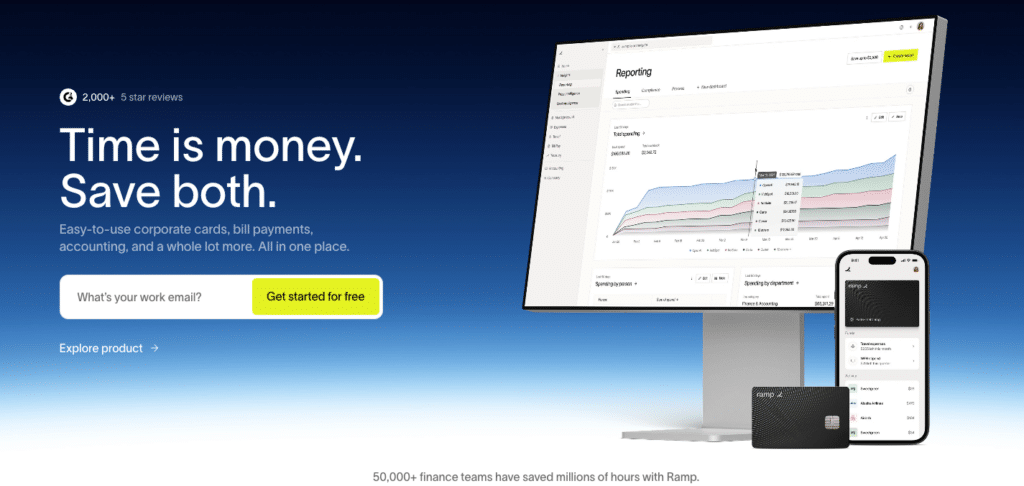
Ramp has become one of the most important tools in the modern CFO stack. What started as a corporate card platform has evolved into a comprehensive finance automation system that handles spend management, accounts payable, expense policy enforcement, and accounting automation, all under one roof with AI at the center.
The core of Ramp’s AI is the Accounting Agent, which reviews and auto-codes every transaction across every field (GL account, department, class, location, and custom dimensions) the moment it happens. It learns from how your team codes over time, improving continuously. Routine transactions handle themselves. Only exceptions surface for human review.
What Ramp Does for CFOs
Autonomous transaction coding. Ramp’s AI codes every card transaction and bill automatically, applying your historical patterns and confidence levels so your team knows exactly which transactions need attention and which can be approved and synced.
Real-time fraud detection. AI agents scan transactions for anomalies and AI-generated fake invoices as they happen. Ramp has documented blocking a $49,000 fraudulent invoice for a customer. Three-way matching validates invoices against purchase orders and item receipts before payment.
Price intelligence. Using anonymized data from millions of transactions across 50,000+ customers, Ramp benchmarks your software and vendor contracts against what similar companies pay. CFOs use this to negotiate better deals and identify systematic overspending.
Automated month-end close. Ramp automates accruals, reconciliations, and ERP sync, connecting to 30+ ERPs including QuickBooks, NetSuite, Xero, and Sage Intacct. Customers report closing the books up to 8x faster after adopting Ramp.
Policy enforcement at the point of spend. Spending policies are embedded into the card and approval workflow. Out-of-policy transactions are blocked or flagged before they happen, not discovered in next month’s expense report.
Pros
Free core platform. Ramp’s base product is free. Revenue comes from interchange fees, meaning the platform’s incentives align with helping you spend smarter rather than more.
70% reduction in expense processing time. Finance teams consistently report this level of time savings on expense workflows after adopting Ramp, freeing the team for strategic work.
Covers the whole spend lifecycle. Cards, bill pay, reimbursements, travel, and procurement in one system eliminates the fragmentation that creates data gaps and reconciliation headaches.
Cons
Primarily US-focused. Ramp’s corporate card is designed for US-based businesses. International operations require additional tools.
Requires workflow change. Ramp works best as the primary spend management system. Teams layering it on top of an existing expense tool may face adoption friction.
Less value for non-card spend. Teams with complex AP workflows that do not run through Ramp see less automation benefit from the platform.
Pricing
Ramp’s core platform is free. Ramp Plus starts at $15 per user per month. Enterprise plans with custom pricing are available.
What Users Say
“Compared to our previous vendor, Ramp gave us true transaction-level granularity, making it possible for me to audit thousands of transactions in record time.” (Ramp customer, Gartner Peer Insights)
“Ramp ensures we don’t waste taxpayer money. In the public sector, every hour and every dollar belongs to the taxpayer.” (Secretary, University of Tennessee Athletics Foundation)
7. BlackLine
BlackLine is the market standard for financial close automation. For enterprise CFOs who spend weeks on month-end close, managing hundreds of account reconciliations, chasing sign-offs, and hunting for errors, BlackLine applies AI to automate the matching, certification, and exception-handling that consumes the most time.
The platform’s intelligent matching engine auto-certifies high-volume, routine transactions, leaving only a fraction of items for human review. CFOs get real-time visibility into where the close stands, which accounts are reconciled, and where team members are blocked.
What BlackLine Does for CFOs
AI-powered account reconciliation. BlackLine’s matching engine compares transactions across systems and auto-certifies those that meet confidence thresholds. Accounts that previously required hours of manual matching are reconciled automatically. Only exceptions and high-risk items go to the team.
Real-time close visibility. CFOs and controllers see a live view of the close: which accounts are complete, which are in progress, and where the bottlenecks are. This replaces the status email chains and manual tracking that currently consume close week.
Transaction matching at scale. BlackLine’s transaction matching handles high volumes across bank accounts, subledgers, and ERP accounts. For companies with large transaction volumes, this is where the time savings are most significant.
Anomaly detection. AI monitors journal entries and account balances for unusual patterns, flagging items that warrant further investigation before they become audit findings.
Close workflow and sign-off management. All reconciliation tasks, approvals, and sign-offs are managed in BlackLine with full audit trails. Auditors can trace every certification back to its source.
Pros
Market-tested at enterprise scale. BlackLine is deployed at thousands of enterprise companies globally, many with extremely complex close requirements. The platform has been tested against every edge case that enterprise close teams encounter.
Dramatically shortens close cycle. Companies using BlackLine consistently report reducing close timelines from 12 or more days to 3 to 5 days. For CFOs measured on close speed, this is direct bottom-line impact.
Complete audit trail. Every action in BlackLine is logged and traceable. For CFOs in regulated industries or those preparing for audits or IPOs, this governance layer is essential.
Cons
Enterprise pricing. BlackLine is priced for large organizations. Mid-market companies may find the TCO challenging relative to lighter-weight close tools.
Implementation requires commitment. Full deployment of BlackLine’s reconciliation and matching capabilities requires meaningful implementation effort and change management.
Primarily a close tool. BlackLine solves the close exceptionally well. For forward-looking planning and forecasting, CFOs need complementary tools.
Pricing
Custom enterprise pricing. Contact BlackLine for a quote.
What Users Say
“BlackLine has transformed our close. We went from a 15-day close to a 5-day close. The matching engine handles 80% of our reconciliations automatically.” (G2 review, enterprise finance director)
How to Build Your CFO AI Stack
No single tool covers everything. The modern CFO AI stack typically combines tools across four layers:
Live data and reporting layer. This is where Coefficient lives. It feeds real-time financial data from your source systems into the spreadsheets and models your team uses for reporting, board prep, and day-to-day analysis. It is the connective tissue between all your systems and all your outputs.
Reporting and FP&A layer. Fathom, Cube, and Pigment address this depending on your size and complexity. Fathom is the right choice for CFOs and accountants who need polished management reporting, cash flow forecasting, and multi-entity consolidation connected directly to QuickBooks or Xero. Cube is the choice for mid-market teams that want spreadsheet-native FP&A with AI planning capabilities. Pigment is the choice when you need enterprise-grade cross-functional planning at scale.
Close automation layer. BlackLine is the enterprise standard. For mid-market, FloQast and Numeric are strong alternatives.
Spend and AP automation layer. Ramp handles corporate spend and accounting automation. For high-volume AP specifically, Vic.ai or Bill are dedicated alternatives.
For early-stage companies that do not yet have an internal accounting team, Pilot fills the bookkeeping layer with a managed service model.
The clearest signal for where to start: identify where your team’s time is going. If it is on manual data collection and report building, start with Coefficient. If it is on management reporting, cash flow forecasting, and board presentation prep, start with Fathom. If it is on the close, start with BlackLine. If it is on expense management and spend control, start with Ramp.
Get Started with Smarter Financial Operations
The CFO function is being redefined by AI. Teams that adopt the right tools are compressing their close cycles, forecasting with more confidence, and spending more time on the decisions that drive company value.
Coefficient is the fastest way for finance teams to start. Connect your existing accounting, CRM, and financial systems to Google Sheets or Excel, set a refresh schedule, and your financial reports update automatically, no manual exports, no reformatting, no stale data. The live financial command center that previously required a data team now takes minutes to set up.
Start your free trial and see what your financial reporting looks like when the data is always current.
