
Table of Contents

- 1. Best 7 FP&A Software Tools in 2026 [w/ Feature Comparison Table]
- 2. Best 7 Financial Planning Tools in 2026 [w/ Feature Comparison Table]
- 3. Top 8 Demand Planning Tools in 2025 [w/ Feature Comparison]
- 4. 6 Best Financial Reporting Tools in 2026: Compared for Finance Teams
- 5. BI Tools for Finance Teams in 2026: A Buyer’s Guide That Doesn’t Waste Your Time



Most articles comparing financial reporting tools assume you want to leave your spreadsheet. Most finance teams do not. The tools that matter are the ones that either enhance the spreadsheet environment you already use or justify the cost of replacing it with something meaningfully better.
The tools on this list span three categories: data connectivity layers, FP&A platforms, and general BI tools. The right one depends on where your team’s bottleneck actually is.
Financial Reporting Tools Compared: Quick Reference
| Tool | Best For | Works in Excel/Sheets | Implementation | Starting Price |
| Coefficient | Live ERP data in existing spreadsheets | Yes | Same day | From $49/month |
| Datarails | Excel-heavy FP&A consolidation | Yes | 3 to 6 months | Custom quote |
| Power BI | Microsoft-stack BI reporting | Yes | Varies | $14/user/month |
| Tableau | Executive-facing data visualization | No | Varies | $70/user/month (Creator) |
| Anaplan | Enterprise connected planning | No | 6 to 12 months | Custom quote |
| Vena Solutions | Excel-based FP&A with approval workflows | Yes | Varies | Custom quote |
At a glance:
- Coefficient: Best for finance teams that live in Excel or Google Sheets and need live ERP data
- Datarails: Best for Excel-heavy FP&A teams needing cloud consolidation
- Power BI: Best for Microsoft-centric organizations with a BI team
- Tableau: Best for data teams building executive-facing visualizations
- Anaplan: Best for large enterprise planning across multiple business units
- Vena Solutions: Best for Excel-based FP&A with workflow and approval layers
Coefficient
Best for: Finance teams that live in Excel or Google Sheets and need live ERP data
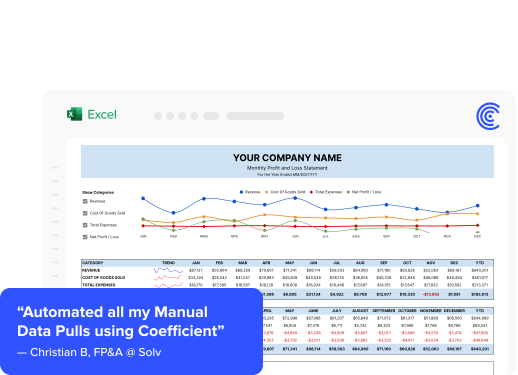
Coefficient is the only tool on this list that works inside your existing spreadsheet rather than replacing it. It installs as an add-in for Excel or Google Sheets and connects directly to the systems your finance team already relies on: QuickBooks, NetSuite, Sage Intacct, Snowflake, Salesforce, HubSpot, and 90+ more.
Once connected, data flows into your spreadsheet on a scheduled refresh. General ledger pulls, trial balances, P&L details, AR aging reports, and budget actuals all land in the tabs where your team already builds models. No CSV exports. No copy-paste. No stale numbers.
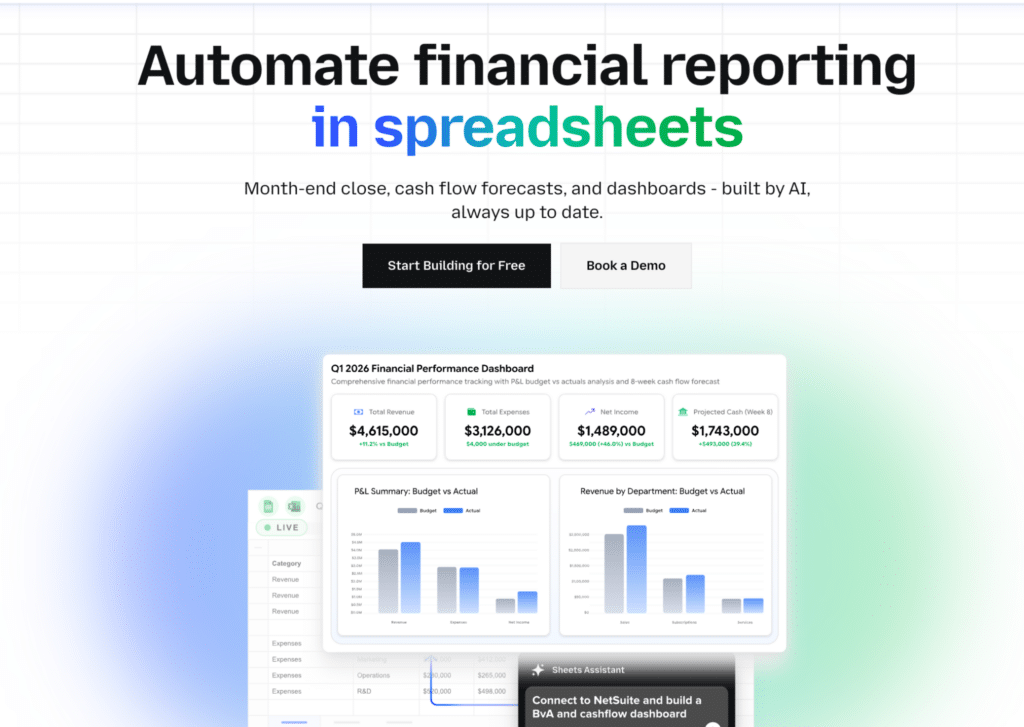
The two-way sync is worth noting specifically for finance teams. You can pull data from QuickBooks, adjust it in your spreadsheet, and push corrections back to the source system without leaving Excel or Google Sheets. The AI Sheets Assistant handles formula creation, data cleaning, and chart generation from within the spreadsheet.
Limitations: Coefficient is a data connectivity and automation layer, not a standalone FP&A platform. Think of it as the live data foundation that makes your existing spreadsheet models more reliable and less manual.
Pricing: Starts at $49/month. No implementation fees. No annual contract required.
Pros:
- Works inside Excel and Google Sheets, no migration required
- 100+ pre-built connectors to finance, CRM, marketing, and data warehouse systems
- Scheduled auto-refresh, two-way writeback, AI-assisted analysis
- Same-day setup, no professional services required
- Flat pricing with no per-user penalty
Cons:
- Not a standalone FP&A or close management platform
- AI Sheets Assistant is currently Google Sheets only (Excel support in development)
Datarails
Best for: Excel-heavy FP&A teams needing cloud consolidation
Datarails positions itself as a platform that supercharges Excel by adding cloud-based data consolidation, automated reporting, and collaborative planning without forcing users to abandon their spreadsheets. It is purpose-built for finance teams running FP&A workflows: budgeting, forecasting, variance analysis, and consolidated reporting across multiple data sources.
The Excel integration is genuine. Finance teams that have spent years building models in Excel can connect Datarails without rebuilding their logic. Scenario analysis and budget vs. actuals comparisons are core features, and the platform includes consolidation capabilities for organizations with multiple entities or subsidiaries.
Limitations: Datarails focuses narrowly on financial data. Teams that need marketing, CRM, or operational data in their reporting stack will need additional tools, which increases total cost and complexity. Implementation typically takes three to six months and often requires professional services. Pricing is opaque, with no published rates and custom quotes only.
Pricing: Custom quote only. Industry estimates suggest $500 to $2,000+ per month for smaller teams, scaling significantly for mid-market and enterprise.
Pros:
- Strong Excel integration with minimal learning curve for existing Excel users
- Purpose-built for FP&A: budgeting, forecasting, scenario modeling
- Multi-entity consolidation included
Cons:
- Finance data only, no CRM or marketing connectivity
- Opaque pricing, significant implementation investment
- 3 to 6 month implementation timeline is a real commitment
Power BI
Best for: Microsoft-centric organizations with a BI team
Power BI is Microsoft’s business intelligence platform, and for organizations already running on Microsoft 365, Azure, and Excel, it offers deep integration at a relatively affordable per-user price. The connector library is broad, the visualization layer is capable, and the Copilot integration adds AI-assisted reporting for users on premium licenses.
The gap for finance teams is the learning curve. Power Query for data transformation and DAX for custom calculations are powerful but require real investment to learn. Most finance teams without a dedicated BI analyst end up relying on IT to maintain Power BI models, which undermines the self-service promise.
Limitations: Per-viewer licensing adds up quickly at scale. Every person who needs to view a published report requires a Pro license ($14/user/month as of 2025) or Premium Per User license ($24/user/month). For organizations sharing reports broadly across finance, operations, and leadership, the licensing costs compound fast.
Pricing: Free tier available. Pro at $14/user/month. Premium Per User at $24/user/month. Power BI Premium (capacity-based) starts at $4,995/month.
Pros:
- Deep Microsoft ecosystem integration (Excel, Teams, Azure, Dynamics)
- Broad connector library, strong visualization capabilities
- Copilot AI integration on premium plans
Cons:
- DAX and Power Query have a steep learning curve for non-technical finance users
- Per-viewer licensing costs compound at scale
- IT typically needs to own data model maintenance
Tableau
Best for: Data teams building executive-facing visualizations
Tableau’s reputation for visualization quality is well-earned. For data teams that need to build interactive, polished dashboards and present financial performance to leadership or external stakeholders, Tableau produces output that few tools match.
The limitation for financial reporting specifically is that Tableau is a visualization layer, not a data connectivity or reporting automation tool. Someone still has to get clean, structured financial data into Tableau before the visualization work begins. That upstream data preparation step is not something Tableau solves.
Limitations: The per-seat cost makes broad adoption expensive. Post-Salesforce acquisition, Tableau’s roadmap is increasingly oriented around the Einstein and Agentforce ecosystem, which may or may not align with standalone finance use cases.
Pricing: Tableau Creator at $70/user/month. Tableau Explorer at $42/user/month. Tableau Viewer at $15/user/month.
Pros:
- Best-in-class visualization and interactive storytelling
- Strong for executive dashboards and stakeholder-facing reports
- Broad connector library and large user community
Cons:
- Expensive per-user Creator licensing
- Does not solve data preparation or ERP connectivity
- Requires dedicated BI resources to get full value
Anaplan
Best for: Large enterprise planning across multiple business units
Anaplan is built for connected planning at enterprise scale. It handles driver-based modeling, multi-dimensional data structures, and cross-functional planning that spans finance, sales, HR, and supply chain in a single platform. For organizations where financial reporting is inseparable from enterprise-wide planning and forecasting, Anaplan is the most capable tool on this list.
The tradeoff is significant. Anaplan is not a reporting tool in the traditional sense. It is an enterprise planning platform that includes reporting capabilities. Implementation typically runs six to twelve months and requires certified Anaplan model builders. Total cost of ownership is high.
Limitations: Anaplan is overkill for any organization that does not have complex, multi-dimensional planning needs across multiple departments. It is not accessible to non-technical finance users without substantial training. Web-based architecture can create integration challenges with external tools not in the Anaplan ecosystem.
Pricing: Custom quote only. Industry estimates suggest $30,000 to $100,000+ per year for mid-market implementations, significantly higher for enterprise.
Pros:
- Purpose-built for connected enterprise planning at scale
- Handles complex, multi-dimensional financial models
- Cross-functional visibility across finance, sales, HR, and operations
Cons:
- 6 to 12 month implementation timeline
- High TCO, requires certified model builders
- Overkill for organizations without enterprise-scale planning complexity
Vena Solutions
Best for: Excel-based FP&A with workflow and approval layers
Vena occupies an interesting position in this category. It is built on top of Excel rather than replacing it, which finance teams consistently cite as a major adoption advantage. The workflow and approval layer that Vena adds gives controllers and FP&A managers visibility into budget submissions, variances, and sign-off status that pure spreadsheet workflows cannot provide.
The CPM capabilities (budgeting, forecasting, financial consolidation) are solid for mid-market organizations, and the Excel-native approach means finance teams do not need to learn a new interface to get started.
Limitations:. Integrations outside the Vena ecosystem often require workarounds. Per-user pricing at mid-market contract sizes makes it expensive relative to the value for smaller accounting teams.
Pricing: Custom quote only. Industry estimates suggest $10,000 to $50,000+ per year depending on team size and modules.
Pros:
- Built on Excel, minimal learning curve for finance teams
- Strong workflow, approval, and audit trail capabilities
- CPM features: budgeting, forecasting, consolidation
Cons:
- Weak Mac and mobile support
- Integrations outside Vena ecosystem require workarounds
- Expensive for smaller mid-market teams relative to capability
How to Choose the Right Financial Reporting Tool for Your Team
The decision comes down to where your team’s bottleneck actually is.
If the bottleneck is data access, specifically getting accurate, live data from your ERP or accounting system into the spreadsheets where your team builds reports and models, Coefficient is the most direct solution (Try for free). It works inside your existing environment, requires no migration, and connects the same day.
If the bottleneck is planning and consolidation workflow, meaning your team spends too much time on budgeting cycles, version control, and multi-entity consolidation, Datarails, Vena, or Anaplan address that layer. Match the complexity of the tool to the complexity of your planning process.
If the bottleneck is visualization and stakeholder reporting, meaning the data is accessible but the reports are hard to build or hard to share, Power BI or Tableau are the right fit. Power BI for Microsoft environments. Tableau for teams prioritizing visual quality above all else.
Most finance teams have a primary bottleneck, not all three at once. Identifying the right one before evaluating tools saves significant time and money in the selection process.