
Table of Contents

- 1. Top 7 Financial Consolidation Tools in 2025 | Complete Comparison Guide
- 2. Top 7 Financial Forecasting Tools in 2025 [w/ Feature Comparison]
- 3. Best 6 AI Tools for CFOs in 2026 [w/ Feature Comparison Table]
- 4. Finance controller checklist: Weekly and monthly tasks
- 5. New accounting client checklist: Streamline your onboarding process
- 6. Top 8 Strategic Workforce Planning Tools in 2025 [w/ Feature Comparison]



Headcount decisions drive budgets. Hiring too fast burns cash. Hiring too slow stalls growth. Spreadsheets can’t model the trade-offs fast enough.
Strategic workforce planning tools help HR and finance teams model headcount, compensation, and capacity scenarios in real time. They connect people data to financial plans so teams can make smarter staffing decisions.
Here’s a breakdown of eight workforce planning platforms—what they do, what they cost, and what users actually say about them.
Feature comparison table for the top 8 strategic workforce planning tools
Tool | Target Market | Core Focus | Scenario Modeling | HRIS/ERP Integration | Starting Price | Pricing Transparency |
|---|---|---|---|---|---|---|
Workday Adaptive Planning | Mid-market to Enterprise | Finance + Workforce | Unlimited | Native Workday HCM + others | Custom | Quote-based |
Anaplan | Enterprise | Connected Planning | Advanced | Wide ecosystem | ~$20,000/year | Quote-based |
SAP SuccessFactors | Enterprise | Full HCM Suite | Yes | SAP ecosystem | ~$18/employee/month | Quote-based |
Planful | Mid-market to Enterprise | FP&A + Workforce | Yes | HRIS/Payroll connectors | Custom | Quote-based |
ChartHop | SMB to Mid-market | HR Analytics + Org Design | Visual what-if | Multiple HRIS | ~$2/employee/month | Published tiers |
Agentnoon | SMB to Enterprise | Org Design + Planning | Real-time | Multiple systems | $4/employee/month | Published tiers |
Connecteam | SMB (Deskless) | Shift Scheduling | Limited | Basic integrations | Free–$29/month | Published tiers |
Runn | SMB to Mid-market | Resource/Capacity | Yes | Project tools | ~$10/user/month | Published tiers |
Workday Adaptive Planning
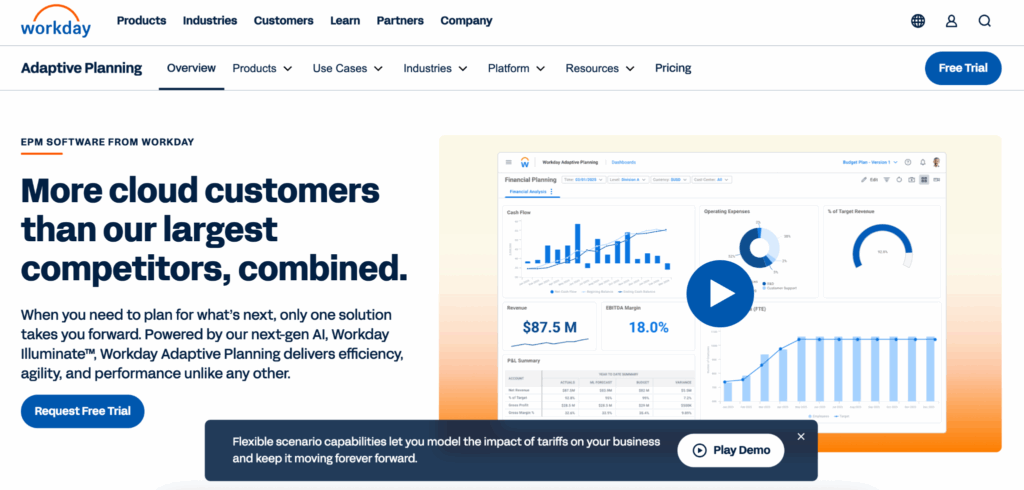
Workday Adaptive Planning is a cloud-based platform that supports financial, workforce, and operational planning in a single environment. Its workforce planning module lets HR and finance teams model headcount, compensation, and skills needs using multidimensional models and scenario planning.
Highlights
- Strategic workforce planning with unlimited scenario modeling and goal mapping
- Native integration with Workday HCM plus connectors for other ERPs/HRIS systems
- Built-in dashboards, OfficeConnect (Excel/PowerPoint add-in), and no hard data limits for planning models
Pros
Strong multidimensional modeling for HR + finance. Teams can plan by role, location, cost center, skills, and more. Workforce plans tie directly to financial targets.
Unlimited what-if scenarios. Planners can spin up multiple hiring, restructuring, or cost-reduction scenarios without version limits. This supports board and exec discussions.
Enterprise-grade governance and audit trail. The platform includes an unlimited audit trail, production and non-production instances, and SSO. This suits regulated or complex environments.
Cons
No public list pricing. Prospects must go through sales or channel partners for quotes. This makes early-stage budget benchmarking harder.
Implementation and change management can be heavy. Many reviewers note that initial setup often requires specialist partners and a dedicated internal owner.
Learning curve for advanced modeling. Power users can build sophisticated models. But casual users may struggle without training and structured enablement.
Pricing
As of December 2025, Workday Adaptive Planning uses custom, quote-based pricing. There are tiers for core planning and an add-on for close and consolidation. A 30-day free trial is available, but list prices are not published.
What do users say about Workday Adaptive Planning?
Positive review: A Capterra reviewer highlights that Adaptive Planning “provides excellent reporting and dashboards and is very flexible for budgeting and forecasting.” They particularly praise its ability to replace spreadsheet-based planning. (Source)
Critical review: Another Capterra review notes that “initial implementation was complex and required external consultants.” Some advanced features are “not intuitive for casual users.” (Source)
Support
Workday Adaptive Planning includes 24/7 support, training resources, and access to the Workday Community portal with documentation, forums, and learning paths. Customers can also purchase implementation and consulting services via Workday or certified partners for more complex rollouts.
Anaplan

Anaplan is an enterprise planning platform designed for connected planning across finance, HR, sales, supply chain, and operations. Its in-memory modeling engine enables real-time updates across complex models. HR and finance can align workforce scenarios with budgets and operational plans.
Highlights
- Connected planning across HR, finance, and operations in a single platform
- Highly flexible modeling engine with custom calculations and dimensions for workforce plans
- Strong collaboration features for multi-department planning, including HR, FP&A, and business leaders
Pros
Enterprise-scale workforce modeling. Anaplan is well-suited to complex orgs that need to model large, global headcounts with detailed drivers (FTE, contingent, comp components, locations).
Real-time connected plans. Changes in workforce models roll through to financial and operational plans almost instantly. This supports agile scenario planning.
Robust integration ecosystem. Anaplan connects to a wide range of source systems (HRIS, ERP, CRM) and supports APIs and ETL tools. This is important for accurate workforce data.
Cons
High total cost of ownership. Industry analyses cite starting license costs in the ~$20,000–30,000 per year range. Additional spend on implementation and training makes it pricey for smaller teams.
Steep learning curve. Building and maintaining models typically requires trained model builders. This can slow adoption for non-technical HR and business users.
Limited fit for small organizations. Several reviews suggest Anaplan is best for large enterprises. It can be overkill for mid-market companies with simpler workforce planning needs.
Pricing
As of December 2025, Anaplan does not publish list pricing and sells through custom, quote-based enterprise contracts. Industry research and user reports suggest annual licenses often start around $20,000–30,000. Final pricing depends on scope, user counts, and implementation complexity.
What do users say about Anaplan?
Positive review: A G2 reviewer writes that Anaplan’s “versatility and continued investment into product innovation” enable comprehensive planning solutions across finance, sales, supply chain, HR, and workforce. This helps customers make quicker decisions. (Source)
Critical review: A SelectHub/TrustRadius summary notes that reviewers “highlight that Anaplan’s pricing is on the higher end, which can lead to a longer return on investment,” especially for smaller organizations. (Source)
Support
Anaplan offers enterprise support plans with a knowledge base, community, ticketing, and premium support tiers. Larger customers get customer success managers. Many deployments also rely on Anaplan partners for implementation, model design, and ongoing optimization support.
SAP SuccessFactors
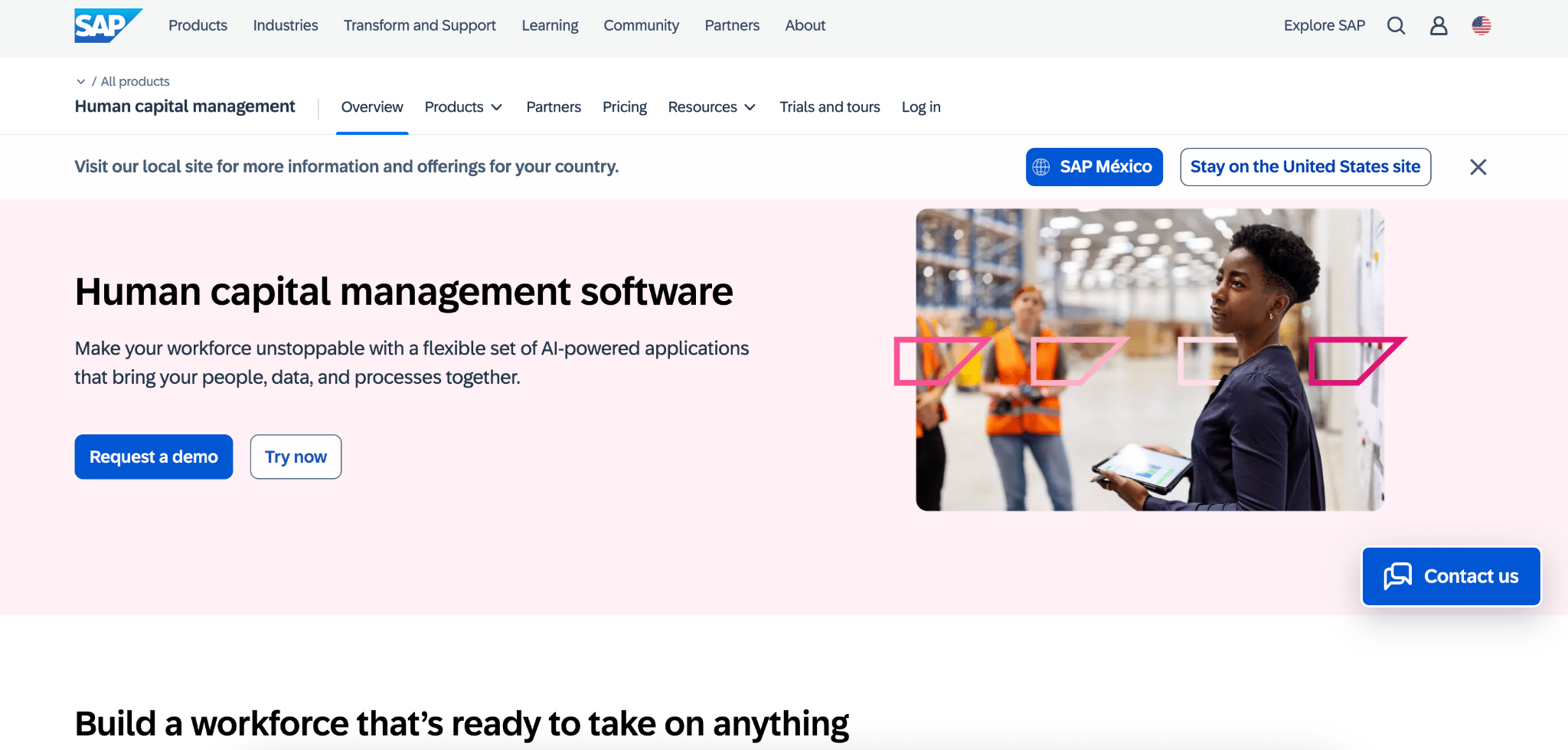
SAP SuccessFactors is a cloud HCM suite that covers core HR, talent management, payroll, and analytics. Workforce planning and analytics are embedded across its modules. Organizations often use it as the system of record for employee data and to run strategic workforce planning around headcount, skills, and succession.
Highlights
- Comprehensive HCM suite with Employee Central, recruiting, performance, compensation, and learning
- Workforce analytics and planning features for headcount, diversity, and talent pipeline analysis
- High configurability for complex global HR requirements and compliance
Pros
Single source of truth for HR data. Centralized employee data underpins more accurate workforce planning, reporting, and compliance.
Modular architecture. Companies can start with core HR and layer on modules such as recruiting, performance, and succession to deepen their workforce planning capabilities over time.
Strong analytics for large enterprises. Built-in dashboards and analytics support enterprise-scale reporting on turnover, headcount, and talent metrics.
Cons
Complex pricing and minimums. The platform uses per-employee, per-month pricing with a base price around $18 per employee. There’s a typical minimum contract size of 1,000 employees. This can be a barrier for smaller firms.
Configuration and implementation effort. Reviews frequently mention that setup and customization can be lengthy and resource-intensive.
User experience complaints. Some users report UI performance issues and find navigation unintuitive compared with newer, lighter-weight tools.
Pricing
As of December 2025, SAP SuccessFactors is sold via modular, per-employee, per-month subscriptions. The base price is around $18 per employee per month for core functionality. Talent modules cost extra. SAP and analysts recommend contacting SAP or partners for detailed quotes because total pricing depends heavily on modules selected, headcount, and regional coverage.
What do users say about SAP SuccessFactors?
Positive review: A 2025 Capterra reviewer notes that SuccessFactors’ centralized employee database and goal-setting tools help HR teams manage performance and align employees to objectives more effectively. (Source)
Critical review: Another expert review highlights customer feedback about “pricing complexity and lack of transparency around add-ons,” as well as concerns about system speed in large implementations. (Source)
Support
SAP SuccessFactors customers can access SAP’s global support infrastructure, including the SAP Support Portal, knowledge base, and incident management. Optional premium support tiers are available. Large customers often work with SAP or certified partners for implementation, ongoing configuration, and optimization services.
Planful
Planful is a cloud FP&A platform that includes dedicated workforce planning and the Workforce Pro module for deeper headcount and compensation modeling. It focuses on unifying financial, workforce, and operational planning so finance and HR can collaborate on headcount, comp, and capacity decisions.
Highlights
- Workforce Planning and Workforce Pro modules for headcount, compensation, and workforce cost analysis
- Excel-like modeling interface with advanced compensation logic builder for complex pay structures
- Native integration with payroll and HRIS data to import actual compensation at a granular level
Pros
Purpose-built workforce workflows. Workforce Pro adds features such as Headcount Rollforward, Variance Bridge Analysis, and guided actions (promote, transfer, terminate) to streamline workforce planning.
Granular cost and variance analysis. Teams can analyze workforce costs by region, department, or role. They can connect those insights directly to financial performance.
Good fit for finance-led planning. Finance teams get an FP&A-centric environment that still supports HR use cases. This helps bridge budget and talent conversations.
Cons
Less brand recognition than legacy suites. Compared with Workday or SAP, Planful may require more internal evangelism to win over stakeholders familiar with legacy EPM tools.
Advanced features in higher tiers. Some of the more sophisticated workforce capabilities (e.g., Workforce Pro) are add-ons and may increase total cost.
Implementation still requires planning resources. While generally easier than some enterprise tools, organizations still need dedicated owners for model design and process changes.
Pricing
As of December 2025, Planful does not publish detailed pricing. Costs are custom quotes based on modules, user counts, and company size. Analyst and vendor content indicate that Workforce Planning is included in the core platform, while Workforce Pro is a premium add-on.
What do users say about Planful?
Positive review: A Capterra reviewer states that Planful “has dramatically improved budgeting and forecasting accuracy.” They praise its ability to consolidate financial and workforce data in one place. (Source)
Critical review: A G2 reviewer comments that “the user interface can feel dated.” Complex reporting setups require support from administrators or consultants. (Source)
Support
Planful offers online support, a customer community, documentation, and training resources. Higher-tier customers receive dedicated customer success and premium support options. Implementation services and ongoing advisory are available via Planful and partners, particularly for advanced Workforce Pro deployments.
ChartHop
ChartHop is an HR analytics and org-chart-centric platform that brings together people and business data for headcount planning, workforce analytics, compensation, and DEI insights. HR and people-ops teams use it to visualize org structure, run what-if headcount scenarios, and share workforce insights with leaders.
Highlights
- Dynamic org charts that sync with HRIS data and update automatically
- Visual headcount planning with what-if scenarios that show financial impact of changes
- Modular platform including performance, compensation, engagement, analytics, workforce planning, DEI, and HRIS capabilities
Pros
Intuitive org visualization. The org chart UX makes it easy for leaders to understand team structures, growth, and reporting lines.
Powerful workforce analytics. ChartHop offers strong reporting on headcount, attrition, DEI metrics, and department trends. This supports data-driven workforce planning.
Scenario-based headcount planning. Leaders can rearrange teams, add or remove roles, and instantly see budget and comp impacts.
Cons
Reporting complexity. Some users find the reporting dashboard overwhelming. They would prefer simpler default templates.
Onboarding and learning curve. Reviews mention that fully adopting all modules can take weeks. More in-app training would help.
Cost for smaller orgs. Analysts note that ChartHop is not the cheapest option. Paid plans can feel expensive for small companies seeking only basic org-chart functionality.
Pricing
As of December 2025, ChartHop’s pricing includes a Basic offering around $2 per employee per month for core org chart capabilities. Additional modules (performance, compensation, engagement, analytics, workforce planning, DEI, HRIS) are priced at $8 per employee per month for the first module and $4 per employee per month for each additional module. The annual minimum is around $9,000. ChartHop no longer promotes a free plan and instead offers paid tiers and a free trial.
What do users say about ChartHop?
Positive review: A SelectSoftwareReviews practitioner explains that ChartHop became “a key tool for making workforce data more transparent and actionable.” They highlight its strong analytics and headcount planning. (Source)
Critical review: An OutSail review notes that ChartHop “is not a good choice for organizations seeking a cheap or low-cost option.” The reporting dashboard can feel overwhelming for some users. (Source)
Support
ChartHop provides a customer support team, onboarding assistance, documentation, and integration support. In-app help resources are also available. Larger customers can access implementation and success services to configure integrations, analytics, and planning workflows.
Agentnoon
Agentnoon is a workforce planning and org design platform focused on fast, visual scenario planning for complex organizations. HR, strategy, and consulting teams use it to model restructures, M&A, cost-optimization scenarios, and ongoing headcount planning.
Highlights
- Real-time org design with drag-and-drop scenario building and cost tracking
- Ready-made visualization templates and exportable what-if packs for executives
- Designed to handle large, complex org structures while remaining easy to implement
Pros
Fast, flexible scenario modeling. Users can quickly build and iterate on restructuring, hiring, and cost-reduction scenarios. They get immediate visibility into headcount and cost deltas vs. baseline.
Consultant- and exec-friendly views. The platform offers executive-ready visualization templates and Excel exports that support board and leadership discussions.
Suitable for both SMB and enterprise. Agentnoon offers an Essentials plan for companies under 2,500 employees and robust capabilities for Fortune 500-scale transformations.
Cons
Younger vendor with smaller ecosystem. Compared with legacy suites, Agentnoon has a newer brand and a smaller third-party ecosystem.
Narrower focus vs. full HCM suites. It specializes in org design and workforce planning rather than offering end-to-end HR functionality like payroll or core HR.
Integration scope still evolving. While it integrates with multiple systems, some niche HRIS or finance tools may require custom work or roadmap alignment.
Pricing
As of December 2025, Agentnoon’s published pricing indicates $4 per employee per month for companies under 2,500 employees (Agentnoon Essentials). Enterprise deployments use custom pricing.
What do users say about Agentnoon?
Positive review: A G2 review from a consultant describes Agentnoon as “perfect for real-time scenario building with the client.” They praise its ability to track headcount and cost changes and to produce executive-ready visualizations. (Source)
Critical review: A SoftwareAdvice summary notes that, while powerful, “organizations seeking a full HR suite may need to pair Agentnoon with other tools.” This reflects feedback that it is focused on planning rather than transactional HR. (Source)
Support
Agentnoon provides implementation support, documentation, and ongoing customer assistance. There’s particular emphasis on helping teams set up integrations and scenario templates. Consulting partners and in-house experts are often involved in large-scale transformation or M&A use cases.
Connecteam

Connecteam is a workforce management platform aimed primarily at deskless and shift-based workers. It offers scheduling, time tracking, communication, and basic HR tools. While not a classic strategic workforce planning suite, smaller businesses use it to plan staffing levels, manage shifts, and track capacity.
Highlights
- Three hubs: Operations (scheduling, time clock), Communications, and HR & Skills, each with multiple tiers
- Mobile-first experience for frontline workers, covering time tracking, task management, and communication
- Affordable entry-level pricing with a free plan for very small teams
Pros
Very cost-effective for small teams. Connecteam is free for up to 10 employees and offers low-cost paid plans. This makes it attractive to small businesses planning shifts and coverage.
All-in-one deskless workforce hub. By combining scheduling, time tracking, communication, and basic HR tools, it reduces the need for multiple point solutions.
User-friendly mobile apps. Reviews highlight easy adoption among non-desk workers. This is crucial for accurate time and attendance data.
Cons
Limited strategic planning depth. Compared with FP&A or HR analytics platforms, Connecteam offers lighter analytics and scenario planning for long-term workforce strategy.
Pricing complexity across hubs. With multiple hubs and tiers, understanding the total cost across Operations, Communications, and HR & Skills can be confusing.
Less suited for large, complex enterprises. Enterprise HR and finance teams often require more advanced planning, modeling, and integration than Connecteam provides.
Pricing
As of December 2025, Connecteam offers a free-forever Small Business Plan for up to 10 users. Paid plans start at about $29 per month for up to 30 users. Additional users are charged per user above that threshold. Higher tiers (e.g., Expert) run around $99 per month for the first 30 users, plus per-user charges beyond that.
What do users say about Connecteam?
Positive review: A Business.com review notes that Connecteam is “one of the best time and attendance systems” for small businesses. They praise its intuitive interface and strong mobile capabilities. (Source)
Critical review: The same source points out that costs can climb as you add hubs and advanced features. This makes the pricing structure more complex for growing businesses. (Source)
Support
Connecteam offers online support, a help center, and onboarding guidance. Chat and email assistance are available for customers. Higher-tier plans may include enhanced support options and more dedicated onboarding help.
Runn
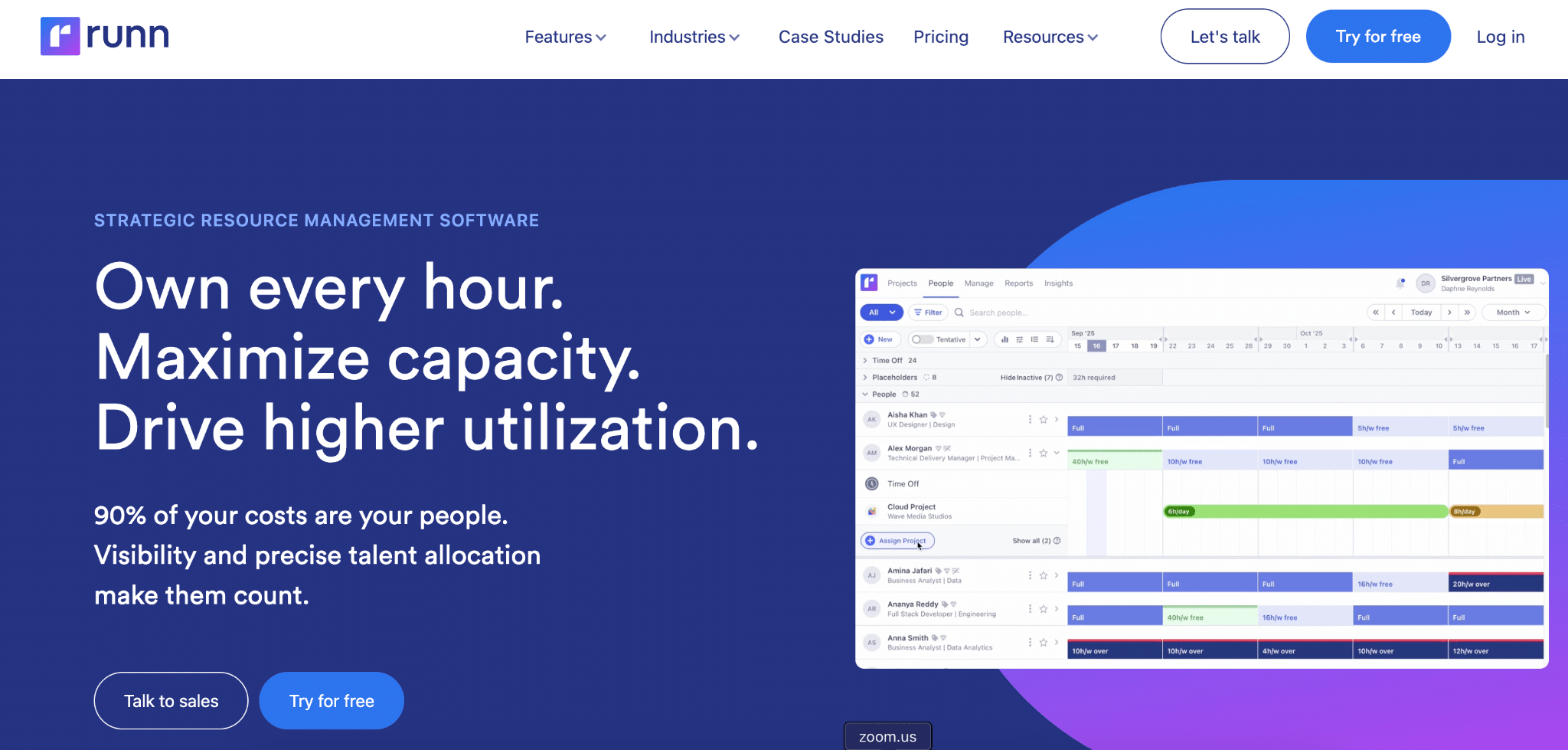
Runn is a real-time resource management and capacity planning platform designed for project-based organizations, especially professional services firms. It focuses on scheduling people to projects, forecasting utilization and revenue, and aligning hiring decisions with pipeline demand.
Highlights
- Real-time resource scheduling with drag-and-drop allocation across multiple time horizons
- Capacity planning, utilization charts, and financial forecasting tied to project plans
- Integrated time tracking and reporting to compare planned vs. actual performance
Pros
Strong visibility into capacity and utilization. Runn’s views help leaders spot overbooking, underutilization, and hiring needs across teams.
Easy-to-use scheduling interface. Drag-and-drop allocation and flexible views (monthly, quarterly, half-yearly) make it accessible for project managers and resource managers.
Good fit for services orgs. It aligns well with agencies, consultancies, and SaaS PS teams that need to marry project pipeline with staffing decisions.
Cons
Focused scope vs. full HCM. Runn is excellent for project-based capacity planning but does not attempt to be a full HR or FP&A suite.
Advanced features gated by tiers. Some advanced forecasting, reporting, and integration features are limited to higher-priced plans.
Onboarding time for large teams. Personalized onboarding can be more time-consuming. Defining “persons” as allocated resources can complicate billing in certain edge cases.
Pricing
As of December 2025, Runn’s pricing starts around $10 per user per month on entry-level plans. The Starter plan is roughly $10/user/month. The Professional plan is about $14/user/month and unlocks advanced planning features and integrations.
What do users say about Runn?
Positive review: GetApp reviewers rate Runn highly (around 4.8/5). They often cite its intuitive interface and the way it “keeps everyone on the same page” for project scheduling and forecasting. (Source)
Critical review: A SoftwareAdvice review notes that while powerful, Runn’s approach of defining a “person” as anyone allocated to a project can make billing less dynamic for very short-term allocations. (Source)
Support
Runn provides documentation, email support, and onboarding assistance, including personalized onboarding sessions for some customers. The vendor also publishes guides and resources on best practices in resource management and forecasting.
Get started with better workforce data
These tools help you plan headcount and model scenarios. But workforce planning is only as good as the data feeding it.
Coefficient connects your spreadsheets to 70+ business systems—including HRIS platforms, ERPs, and data warehouses. Pull live employee, compensation, and financial data into Google Sheets or Excel. Set up automated refreshes. Build workforce dashboards that stay current.
If you’re running workforce analysis in spreadsheets, get started with Coefficient and connect your data sources in minutes.