


Table of Contents

- 1. Performio Pricing 2026: Plans, Features & Cost Breakdown
- 2. CaptivateIQ Pricing 2026: Plans, Features & Cost Breakdown
- 3. Xactly Pricing 2026: Plans, Features & Cost Breakdown
- 4. How to Create a Sales Commission Calculator
- 5. Automate Salesforce Commissions Tracking
- 6. How to Choose the Right Sales Commission Structure
- 7. How to Automate HubSpot Commission Tracking?
- 8. 9 Most Effective, Free Sales Commission Templates for Sales & RevOps
- 9. The Sales Manager’s Guide for Sales Compensation Plans



Summary
Performio has emerged as a popular enterprise solution for sales commission management. But in 2026’s AI-powered era, pricing, customization & flexibility matters more than ever.
Most SMBs and smaller sales teams face a key question: Is a high five to six digit costing software necessary? Or can workflow automation tools solve the same commission tracking problem through a different approach?
This guide breaks down Performio’s actual costs, uncovers the fees beyond base pricing, and helps you decide which solution fits your team size and budget.
What is Performio?
Performio is sales commission software designed for mid-market and enterprise sales teams. The platform automates commission calculations, enables commission payout and more advanced enterprise compensation plan workflows and functionalities.
Key Features
The platform includes five core capabilities:
No-code plan builder. Pre-built components for tiered rates, accelerators, caps, and SPIFFs. Finance teams configure plans through point-and-click interfaces without writing formulas.
Automated calculations. Process commission runs daily, weekly, or monthly. The system handles everything from dozens of transactions per month to millions of daily calculations.
CRM integrations. Native connections to Salesforce and NetSuite pull deal data automatically. Additional integrations available for ADP Workforce Now and Workday HCM.
Real-time dashboards. Reps see earnings and quota attainment through web portals and mobile apps (iOS/Android). Managers track team performance. Finance monitors total commission spend.
Audit trails. Every calculation logs automatically for compliance. Dispute resolution workflows track who changed what and when.
Who Uses Performio
Performio targets sales operations, finance, and RevOps teams managing 30+ commissioned reps. The platform works best for complex commission structures in technology, pharmaceuticals, telecommunications, and financial services.
Think SaaS companies with inside sales and field teams. Pharmaceutical organizations tracking territory-based compensation. Telecom providers with matrix commission structures.
According to G2 data, 60% of Performio customers are mid-market companies (51-1,000 employees), with 30% enterprise (1,000+ employees) and only 10% small business.
Performio Pricing Overview
Performio operates on a subscription-based pricing model with custom quotes rather than published tiers. You contact sales for pricing based on your team size and needs.
According to SelectHub’s analysis, pricing starts around $50 per user per month. But actual costs vary significantly based on negotiations and requirements.
What Real Buyers Pay
Based on Vendr procurement data and review site reports, here’s what organizations typically spend:
20-40 reps: $40,000-$60,000 annually
50-100 reps: $60,000-$100,000 annually
100+ reps: $80,000-$150,000+ annually
These numbers cover software subscriptions only. Additional costs for implementation and integrations come on top.
Performio Pricing Plans Breakdown
Based on user reviews and procurement data, two main configurations emerge: mid-tier for 20-100 reps and enterprise for 100+ reps.
Professional/Mid-Tier Plan
Pricing & What’s Included
Mid-tier contracts typically cost $40,000-$60,000 per year for teams with 20-40 sales reps. That breaks down to roughly $1,000-1,500 per rep annually.
What’s Included:
- No-code plan builder for tiered commissions, accelerators, and SPIFFs
- Data transformation tools (no SQL or coding required)
- Automated commission runs (daily, weekly, or monthly)
- Salesforce and NetSuite integrations
- Real-time dashboards for reps, managers, and executives
- Dispute resolution workflows with audit trails
- Mobile apps for iOS and Android
- Standard customer success support (email and phone)
Limitations:
You get 2-3 primary system integrations.
Additional connectors may need custom development.
You rely on pre-built plan components rather than fully custom calculation logic.
Additional Costs to Expect
Beyond the base subscription, budget for these first-year expenses:
Implementation fees: $10,000-$30,000
One company shared on Vendr that when expanding into Performio Analytics, they “were able to get a discount on this new purchase along with waived implementation fees.” The fact that waived fees merit mention highlights they’re normally charged.
Expect 8-12 weeks of professional services for data migration, plan configuration, and user training.
Integration development: $5,000-$15,000 per connector
Salesforce and NetSuite come standard. Connecting additional systems (custom databases, payroll platforms) often requires custom development billed separately.
Estimated First-Year Cost based on Public Data
| Cost Component | Amount |
| Subscription | $40,000-$60,000 |
| Implementation | $10,000-$30,000 |
| Additional integrations | $0-$15,000 (if needed) |
| Total first-year investment | $50,000-$105,000 |
Best Suited For
This tier works best for mid-market companies with 50-100 sales reps handling moderately complex commissions.
Organizations where commission tracking currently consumes 20+ hours per week of finance team capacity. Annual software budgets support $50,000+ RevOps tools. Manual processes cause frequent payout errors or rep disputes.
Enterprise Plan
Custom Pricing Structure
Enterprise contracts run $80,000-$150,000+ annually for organizations with 100-250+ sales reps.
One Capterra reviewer captured the sentiment: The platform is “quite expensive but definitely worth it” for complex global commission requirements.
What Drives Custom Pricing:
- Total user count (every rep, manager, and finance admin adds cost)
- System integrations (each connector beyond Salesforce/NetSuite may add $5,000-$15,000 annually)
- Data volume (millions of daily calculations cost more than monthly processing)
- Geographic requirements (multi-currency deployments and localized tax compliance)
Enterprise Features:
All mid-tier features plus:
- Single sign-on (SSO) via Okta, Azure AD
- Dedicated customer success manager
- Custom SLAs (99.9% uptime with priority support)
- Advanced security controls (SOC 2 compliance, custom data retention)
- API access for custom integrations
- Custom calculation logic for specialized scenarios
- Multi-company/multi-entity support
- Onsite training and admin certification
Additional Costs to Expect
Enterprise implementations involve higher upfront investment:
Implementation fees: $20,000-$40,000+
Larger teams with complex compensation structures require more extensive professional services.
Custom integration development: $10,000-$30,000+
Enterprise teams typically need 5+ system connections beyond standard offerings.
Estimated First-Year Cost based on Public Data
| Cost Component | Amount |
| Subscription | $80,000-$150,000 |
| Implementation | $20,000-$40,000 |
| Custom integrations | $10,000-$30,000 |
| Total first-year investment | $110,000-$220,000 |
When to Consider Enterprise
Enterprise pricing makes sense when you manage 100+ commissioned reps, particularly if distributed across multiple regions or business units.
Security and compliance requirements become triggers. Regulated industries (finance, healthcare, pharma) requiring SOC 2, HIPAA, or similar certifications need enterprise infrastructure.
Commission accuracy is business-critical because errors significantly impact rep retention or create compliance risk.
Performio Customer Reviews & User Feedback
Overall Rating
Performio maintains an 87% user satisfaction rating based on 316 reviews according to SelectHub’s analysis.
What Users Love about Performio
Automated calculations eliminate manual errors
Users consistently praise Performio for ending spreadsheet-based tracking.
One Software Advice reviewer noted: “Performio has revolutionized our commission and sales management by consolidating all relevant information and payments into one easy-to-use platform.”
Transparency for sales reps
The mobile apps and rep dashboards receive high marks.
A sales rep on Software Advice shared: “The real-time commission that I am going to make throughout the quarter is what stands out for me. Makes the calculations of my commission much easier.”
Comprehensive reporting and analytics
Finance teams appreciate built-in reports. One Capterra reviewer noted: “The comprehensive analytics and reporting provided by Performio are incredibly helpful in data validation.”
Dedicated customer support
Multiple reviews highlight Performio’s support quality. One Software Advice review stated: “We liked the dedicated service of Performio.”
Common Dissatisfaction about Performio
Steep learning curve and complex interface
Despite marketing as “easy to use,” reviews reveal friction.
One Capterra reviewer said: “Although I didn’t discover any drawbacks to using Performio, I have found its interface to be a little complicated.”
A Software Advice review was harsher: “The user interface is horrible to say the least. it feels pre 2008 computer use.”
Slow implementation timelines
While Performio promises “up and running in weeks,” users report longer timelines.
One Capterra reviewer shared: “The implementation felt like pulling teeth with the Performio team and there was a general lack of explanation and direction.”
Limited flexibility for unique scenarios
SelectHub’s analysis found “limited customization options” as a complaint. Users feel frustrated by “the inability to tailor the platform to their specific needs” without professional services involvement.
Is Performio Right for Your Team?
After reviewing pricing, additional costs, and user feedback, here’s how to assess fit:
Is Performio Right for Your Team?
| Performio Works Best For | Performio May Be Overkill If |
| 100+ sales reps with complex commission structures | Fewer than 50 reps ($40K-$60K/year is too expensive) |
| No spreadsheet expertise (need visual, no-code builder) | Spreadsheet-savvy teams (already use Excel/Sheets) |
| Regulated industries (pharma, finance, healthcare needing audit trails) | Need broader RevOps tools (pipeline forecasting, quota tracking) |
| Direct payroll integration (ADP, Workday, HRIS) | Limited budget ($5K-$10K/year RevOps spend) |
| Enterprise ICM budget ($50K-$150K+/year allocated) | Rapid iteration needed (weekly plan changes) |
For teams in the second category, spreadsheet-based workflow automation tools offer a different approach to solving commission tracking. These tools connect existing spreadsheets to CRMs for live data, letting teams calculate commissions using familiar formulas rather than learning new software.
Alternative for Spreadsheet-Savvy SMBs: Coefficient
If Performio feels too expensive or heavyweight for your needs, spreadsheet-based workflow automation offers a different path to solving commission tracking.
This approach works best for teams already comfortable with Excel or Google Sheets who want to automate data connections rather than replace their entire workflow.
The Spreadsheet-Native Approach
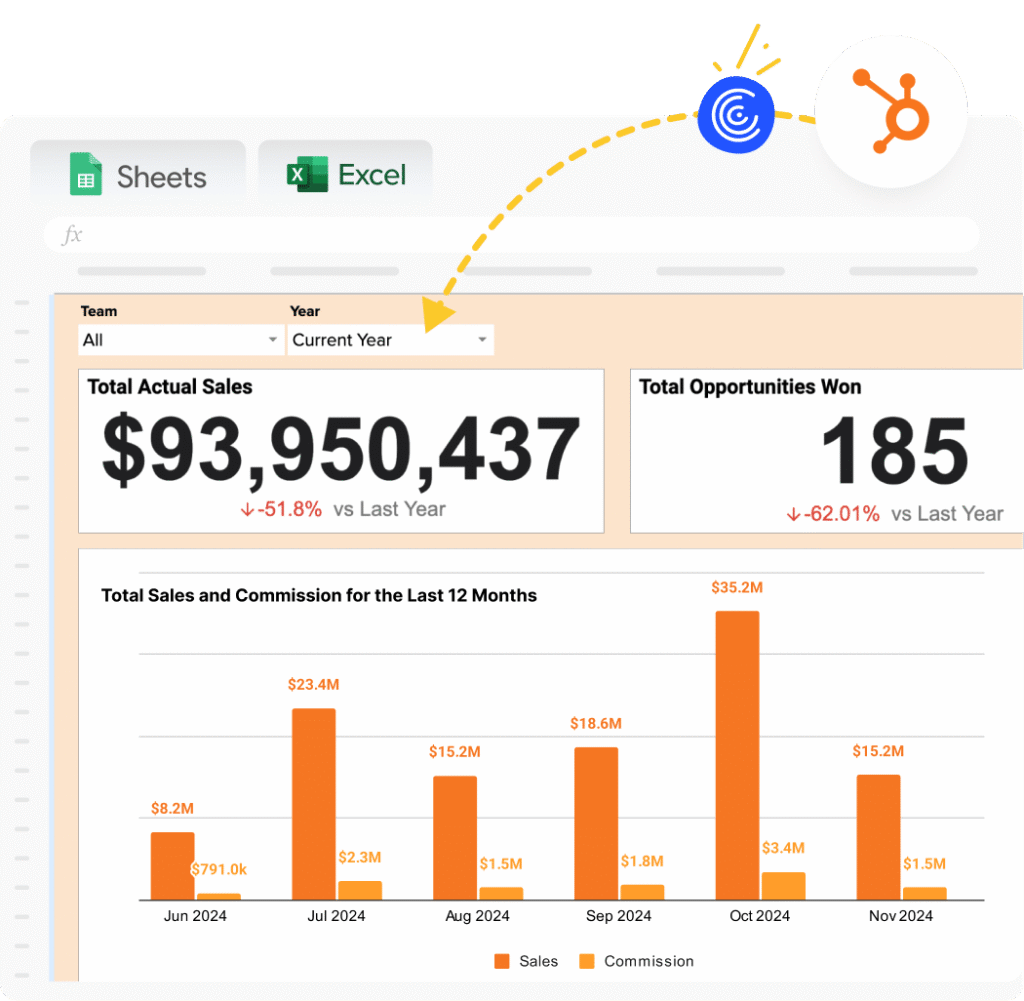
Instead of learning new commission software, spreadsheet automation tools connect your existing Excel or Google Sheets directly to Salesforce, HubSpot, and other business systems.
You build commission formulas in the tools you already know. Data refreshes automatically from your CRM. No new platform to learn. No change management.
Coefficient is one such workflow automation tool designed for this use case. Finance teams and sales operations professionals use it to automate commission tracking without leaving spreadsheets.
Here’s a Simple Walkthrough Video of the same,
How It Works
1. Connect your CRM. Link Google Sheets or Excel to Salesforce, HubSpot, or 100+ other data sources. Takes 60 seconds.
2. Build commission calculations in spreadsheets. Use familiar formulas to calculate commissions based on live CRM data. Or copy pre-built templates.
3. Schedule automatic refreshes. Set data to refresh hourly, daily, or weekly. Commission numbers update automatically as deals close.
4. Share Commission Tracking dashboards. Reps check their earnings in shared Google Sheets or Excel.
One finance team at Jebbit (a marketing SaaS company) used this approach to eliminate hours of manual commission work. Their VP of Finance Rachel Golden noted in Coefficient’s case study:
“Coefficient saved us hours upon hours of work. There’s no manual back-and-forth with salespeople about commissions anymore.”
Best For
This spreadsheet automation approach works best for:
SMBs with fewer than 50 reps. Where $40,000-$60,000 annual commission software spend feels excessive.
Spreadsheet-comfortable teams. Finance & RevOps professionals who already build reports in Excel or Sheets.
Budget-conscious organizations. Where $588-$1,188/year fits budgets better than $40,000+/year.
Teams wanting broader automation. Need commission tracking plus pipeline forecasting, quota analysis, and RevOps reporting.
What You Trade Off
To provide balanced guidance, spreadsheet automation doesn’t replicate everything dedicated commission software offers:
No visual plan builder. You build commission logic with formulas, not point-and-click interfaces.
No built-in approval workflows. Formal dispute resolution requires layering in comments or external approval tools.
No direct payroll integration. You export commission amounts from spreadsheets to upload into payroll systems. Takes 10-15 minutes monthly.
For teams prioritizing cost efficiency, spreadsheet familiarity, and formula flexibility, these trade-offs feel minor. For teams needing no-code visual builders and native payroll integration, dedicated software justifies the premium.
Cost Comparison
| Scenario | Performio | Coefficient |
| Starting price | Contact sales ($40,000+ typical) | $588/year |
| Mid-tier (25-40 reps) | $40,000-$60,000/year | $1,188/year (Pro) |
| Enterprise (100+ reps) | $80,000-$150,000+/year | $2,940/year (Enterprise) |
| Implementation | $10,000-$30,000 | $0 (same-day setup) |
The bottom line: Both solve commission tracking. Performio offers enterprise-grade dedicated software with visual builders and white-glove support. Spreadsheet automation tools like Coefficient solve the same problem through workflow automation at dramatically lower cost.
Your choice depends on team size, budget, and whether your team prefers new software or familiar spreadsheets.
Conclusion
Performio is powerful, enterprise-grade software purpose-built for complex incentive compensation management.
The key question isn’t “Is Performio good?” The platform clearly works for enterprise teams. The real question is: “Does your team need dedicated commission software, or can workflow automation solve the same problem through a different approach?”
For spreadsheet-comfortable teams with tighter budgets, tools like Coefficient automate commission tracking at $588-$1,188/year by connecting spreadsheets to CRMs. Same outcome (automated commission calculations), different path (formulas instead of visual builders), significant cost savings.
Ready to explore spreadsheet-based commission tracking? Try Coefficient’s free Salesforce Commission Tracking Template or HubSpot Commission Tracking Template. Connect your CRM in 60 seconds and see if the spreadsheet approach fits your workflow.
