


Table of Contents

- 1. Performio Pricing 2026: Plans, Features & Cost Breakdown
- 2. CaptivateIQ Pricing 2026: Plans, Features & Cost Breakdown
- 3. Xactly Pricing 2026: Plans, Features & Cost Breakdown
- 4. How to Create a Sales Commission Calculator
- 5. Automate Salesforce Commissions Tracking
- 6. How to Choose the Right Sales Commission Structure
- 7. How to Automate HubSpot Commission Tracking?
- 8. 9 Most Effective, Free Sales Commission Templates for Sales & RevOps
- 9. The Sales Manager’s Guide for Sales Compensation Plans



Summary
CaptivateIQ entered the sales compensation market promising spreadsheet-like flexibility without manual errors. The platform has gained traction with mid-market companies and earned strong reviews for transparency and automation.
But in 2026, the key question isn’t whether CaptivateIQ works. It’s whether the investment makes financial sense for your team size and whether simpler alternatives might solve the same problem at lower cost.
This guide breaks down CaptivateIQ’s actual costs, reveals common hidden fees, and helps you decide if dedicated commission software justifies the expense.
What is CaptivateIQ?
CaptivateIQ is sales compensation software designed for mid-market and enterprise companies managing complex commission structures. The platform automates commission calculations through a spreadsheet-like interface that requires no coding.
Instead of building formulas in Excel and manually updating data from your CRM, CaptivateIQ connects directly to Salesforce, HubSpot, and other systems to calculate commissions automatically.
Key Features
The platform provides five core capabilities:
Spreadsheet-like plan builder. Configure commission structures using Excel-style logic and formulas. Finance teams build plans without learning proprietary programming languages.
Automated commission processing. Run calculations monthly, weekly, or daily. The system handles flat rates, tiered structures, accelerators, SPIFFs, draws, and team splits.
Real-time payee dashboards. Sales reps see current earnings, quota attainment, and deal-level breakdowns through web interfaces and receive notifications about payouts.
Native CRM and ERP integrations. Direct connections to Salesforce, HubSpot, NetSuite, Workday, QuickBooks, and 30+ other systems pull deal data automatically.
ASC 606 compliance support. Optional add-on module provides accounting teams with amortization calculations and revenue recognition reporting.
Who Uses CaptivateIQ
CaptivateIQ targets mid-market companies (200-1,000 employees) and growing enterprises with 30-500 commissioned reps. The platform works best for organizations transitioning from spreadsheets who need accuracy and transparency.
Common users include SaaS companies with inside sales teams, financial services firms requiring compliance audit trails, and professional services organizations with complex variable compensation.
According to the company’s data, customers include Boston Scientific, Datadog, 6sense, and Netflix. The platform maintains a 4.7/5 rating on G2 based on 1,780+ reviews and earned recognition as G2’s #1 sales compensation software.
CaptivateIQ Pricing Overview
CaptivateIQ operates on a custom quote-based pricing model with no published tiers. You contact sales for quotes tailored to your organization’s needs.
According to Vendr’s pricing intelligence, CaptivateIQ’s Incentives product (commission management) costs $660 per seat annually before volume discounts. Actual prices vary significantly based on seat count and contract terms.
What Real Buyers Pay
Based on Vendr’s negotiation data and industry reports, here’s what organizations typically spend:
30-50 reps: $20,000-$35,000 annually (26-40% discounts applied)
50-100 reps: $35,000-$65,000 annually (33-44% discounts applied)
100-200 reps: $60,000-$120,000 annually (39-49% discounts applied)
These represent base subscription costs. Implementation, managed services, and add-on modules come separately.
👉 For teams with fewer than 50 reps or annual RevOps budgets under $20K:
The pricing breakdown below may not justify ROI for your team size. Skip to spreadsheet-automation alternatives like Coefficient that solve the same problem at $500-$3K/year.
The Pricing Model
CaptivateIQ charges per seat with annual contracts. “Seats” include both admin users and payees (anyone receiving commissions through the platform).
One TrustRadius reviewer noted: “The price per user was negotiable and even the implementation cost they were flexible on.”
Final pricing depends on:
- Number of seats (admins plus payees)
- Commission plan complexity (number of plan types, frequency of changes)
- Integration requirements (number of data sources beyond standard connectors)
- Add-on modules (ASC 606 reporting, Planning module for quota/territory management)
- Support tier (basic, silver, or gold managed services)
Vendr data shows volume discounts scale significantly: 26-40% off for 50 seats, 33-44% for 100 seats, 39-49% for 200 seats. Multi-year contracts can achieve 39-52% discounts total.
CaptivateIQ Pricing Plans Breakdown
Based on user feedback and Vendr data, two main configurations emerge: a growth tier for 30-100 reps and an enterprise tier for 100+ reps.
Growth/Mid-Market Plan
Pricing & What’s Included
Mid-market contracts typically cost $20,000-$65,000 per year for teams with 30-100 sales reps. At list price ($660/seat), 50 reps would cost $33,000 before negotiated discounts.
What’s Included:
- SmartGrid spreadsheet-like commission plan builder
- Automated commission calculations (monthly, weekly, or daily runs)
- Salesforce, HubSpot, and NetSuite integrations
- Real-time dashboards for reps and managers
- Standard reporting and analytics
- Commission statements with deal-level detail
- Basic support (24-hour email response guarantee)
- Excel-like formulas and logic (IF statements, VLOOKUP equivalents)
Limitations:
Basic support includes email and in-app assistance during business hours. Faster response times and dedicated account management require premium tiers.
Data warehouse integrations (Snowflake, BigQuery, Redshift) are available but may require additional configuration fees beyond standard CRM connections.
Additional Costs to Expect
Beyond base subscriptions, budget for these common expenses:
One-time setup fee: Amount varies
CaptivateIQ charges a one-time implementation fee separate from annual subscriptions. The company’s pricing page mentions “a one-time setup fee to get you up and running quickly” but doesn’t publish amounts.
Implementation typically takes 8-12 weeks for mid-market teams. One Software Advice reviewer noted: “While the implementation took a few months to fully function, the time saved on dispute resolution and the trust built with the sales team has been well worth the investment.”
Managed services (optional): $8,000-$18,000
According to Vendr, CaptivateIQ offers three managed services tiers: – Basic support: Included (24-hour response) – Silver: $8,000 for 50 hours of professional services – Gold: $18,000 for 100 hours of professional services
Teams without dedicated RevOps resources often need managed services for plan updates, troubleshooting, and ongoing optimization.
Integration platform: $11,000 annually
Vendr data indicates an “Integration Platform” at $11,000/year for advanced data warehouse connections and custom API work beyond standard pre-built connectors.
Estimated First-Year Cost
| Cost Component | Amount |
|---|---|
| Subscription (50 reps) | $20,000-$35,000 |
| One-time setup | $5,000-$15,000 (estimated) |
| Managed services (optional) | $8,000-$18,000 |
| Integration platform (if needed) | $11,000 |
| Total first-year investment | $25,000-$79,000 |
Best Suited For
This tier works best for mid-market companies with 30-150 sales reps managing moderate to complex commission structures.
Good fits include SaaS companies transitioning from spreadsheets, financial services firms requiring audit trails, and professional services companies where commission calculations currently consume 10+ hours weekly.
The sweet spot: Teams where Excel formulas feel familiar (finance staff understand VLOOKUP, IF statements, SUMIFS) but manual processes create errors or delays.
Enterprise Plan
Custom Pricing Structure
Enterprise contracts typically range $60,000-$150,000+ annually for organizations with 100-500+ commissioned reps.
One Capterra reviewer captured the value consideration: “Mainly how easy it is to implement and learn plus the flexibility it offers… In my opinion Captivate is a perfect compromise between the efficiency of ERP system which is very effective but takes team of consultants to implement a simple change and the flexibility of Excel spreadsheet.”
What Drives Custom Pricing:
- Total seat count (every commissioned employee adds cost)
- Geographic distribution (multi-currency, multi-entity structures)
- Planning module add-on (quota planning, territory management, headcount planning)
- ASC 606 reporting add-on (revenue recognition for accounting teams)
- Premium support tier (dedicated customer success manager, faster SLAs)
- Custom integration development (proprietary systems, data warehouses)
Enterprise Features:
All growth plan features plus:
- Planning module (quota management, territory optimization, capacity modeling)
- ASC 606 amortization and revenue recognition reporting
- Gold managed services (100 hours professional services)
- Dedicated customer success manager
- Priority support with faster SLAs
- Advanced security (SOC 2 Type II compliance)
- API access for custom integrations
- Multi-entity and multi-currency support
- White-glove onboarding (8-12 weeks)
Additional Costs to Expect
Enterprise implementations involve higher setup investment:
Implementation fees: $15,000-$40,000+
Larger teams with multi-region structures require more extensive professional services. One Gartner reviewer noted: “There is a pretty steep learning curve – the product is complex. The initial set up was very complex, cycling from month to month is still a significant lift.”
Planning module: 40-60% premium
According to Vendr, “Planning typically adds 40-60% to Incentives deployments.” For a $100K commission software contract, expect $40K-$60K additional for planning capabilities.
Custom development: $10,000-$30,000 per integration
Connecting to proprietary data warehouses, legacy systems, or building custom reporting often requires development work billed separately.
Estimated First-Year Cost
| Cost Component | Amount |
|---|---|
| Subscription (100-200 reps) | $60,000-$120,000 |
| Planning module (optional) | $24,000-$72,000 |
| Implementation | $15,000-$40,000 |
| Gold managed services | $18,000 |
| Custom integrations (if needed) | $10,000-$30,000 |
| Total first-year investment | $107,000-$280,000+ |
When to Consider Enterprise
Enterprise pricing makes sense when you manage 100+ commissioned reps across multiple regions, business units, or compensation plan types.
Compliance drives many enterprise purchases. Companies in financial services, insurance, or publicly traded organizations requiring SOC 2 compliance and ASC 606 revenue recognition need enterprise infrastructure.
Planning module becomes valuable when quota planning, territory optimization, and capacity modeling currently consume significant finance and sales operations capacity outside the commission system.
CaptivateIQ Customer Reviews & User Feedback
Overall Rating
CaptivateIQ maintains a 4.7/5 rating on G2 based on 1,780+ reviews, making it the most-reviewed sales compensation software on the platform. The company earned G2’s #1 ranking in sales compensation management.
Users consistently report 94% satisfaction based on SelectHub’s aggregate analysis across multiple review platforms.
What Users Love
Spreadsheet-like flexibility without manual errors
Users frequently praise CaptivateIQ’s Excel-style approach to commission building.
One Capterra reviewer explained: “CaptivateIQ is based on Excel formulas and logic. If you know how to model your commission structure in Excel, you’ll feel at home in CaptivateIQ. When you run calculations on a monthly basis, they will take a couple minutes only.”
A Gartner user noted: “It offers great flexibility but at the same time full control over the process.”
Transparency builds rep trust
Multiple reviews highlight improved sales team confidence through visibility.
One G2 reviewer stated: “The transparency of how I am paid my commissions” eliminated constant questions to managers about commission calculations.
Another shared: “I LOVE CAPTIVATEIQ… I have never had so much transparency using a system for commissions, and now I can easily see everything from last year to current sales.”
Strong Salesforce and HubSpot integrations
Users report reliable data sync with major CRM platforms.
A SelectHub reviewer noted: “83% of the reviewers said that the Salesforce integration provides real-time data sync and helps export information.”
Responsive customer support during implementation
Support quality receives consistent praise across review platforms.
One Software Advice reviewer shared: “The Implementation and CS teams have all been top notch, and willing to help.”
A GetApp reviewer mentioned: “I also want to emphasize the dedication and attention to detail the Captivate team demonstrated during our evaluation cycle, implementation, and beyond.”
Common Dissatisfaction
Steep learning curve during setup
Several users report initial configuration complexity.
One Software Advice reviewer stated: “The learning curve for the initial setup is steeper than expected. While the logic is flexible, troubleshooting calculation errors can be time-consuming because it isn’t always obvious where a formula breaks.”
A Capterra user noted: “Although CaptivateIQ is a strong platform, there are a few areas that could be improved. The learning curve can be fairly steep in the beginning, especially when trying to understand how plans are structured.”
Complex for teams without dedicated ops resources
Organizations lacking RevOps staff struggle with ongoing management.
One Capterra reviewer explained: “One of the more frustrating parts of CaptivateIQ is that initial configuration and model building can feel overly complex, especially for teams without dedicated ops resources. Once everything is in place it works well, but getting there can require more time, support, and trial-and-error than expected.”
Slow page loading during complex calculations
Users report performance issues when running intensive calculations.
A Growann reviewer mentioned: “Users may experience slow loading times due to the intensive calculations.”
Mid-year plan changes create temporary confusion
Updating commission structures during active periods causes delays.
One Capterra reviewer noted: “When commission plans change mid-year, updates aren’t always reflected immediately, which can create temporary confusion.”
Limited report customization
Dashboard and reporting flexibility receives criticism.
The same Capterra user stated: “Reports and dashboards could also be more customizable.”
No mobile app
Sales reps wanting mobile access find the web interface limiting.
Multiple reviewers note: “Even while I really enjoy the software overall, I really wish there was a mobile app.”
Is CaptivateIQ Right for Your Team?
After reviewing pricing, features, and user feedback, here’s how to assess fit:
| CaptivateIQ Works Best For | CaptivateIQ May Be Overkill If |
|---|---|
| 30+ sales reps managing moderate to complex structures | Fewer than 30 reps ($20K-$35K/year exceeds small team ROI) |
| Excel-comfortable finance teams (familiar with VLOOKUP, IF statements) | Looking for visual drag-and-drop builders (requires formula knowledge) |
| Growing rapidly (scaling from 30 to 150+ reps in 12-18 months) | Simple flat-rate commissions (basic structures don’t need automation) |
| Need ASC 606 compliance (revenue recognition for accounting) | Limited RevOps capacity (complex setup requires dedicated resources) |
| Transitioning from spreadsheets (Excel formulas feel natural) | Budget under $20K/year (base subscriptions start $20K+) |
For teams in the second category, spreadsheet-based workflow automation offers an alternative path that leverages existing Excel skills without the complexity or cost of dedicated software.
Alternative for Spreadsheet-Savvy SMBs: Coefficient
If CaptivateIQ feels too expensive or complex for your needs, spreadsheet-based workflow automation provides a different approach to solving commission tracking.
This works best for teams already comfortable with Excel or Google Sheets who want to automate data connections rather than learn new software.
The Spreadsheet-Native Approach
Instead of learning new commission platforms, spreadsheet automation tools connect your existing Excel or Google Sheets directly to Salesforce, HubSpot, and other business systems.
You build commission formulas using the Excel functions you already know. Data refreshes automatically from your CRM. No new platform. No learning curve. No change management battles.
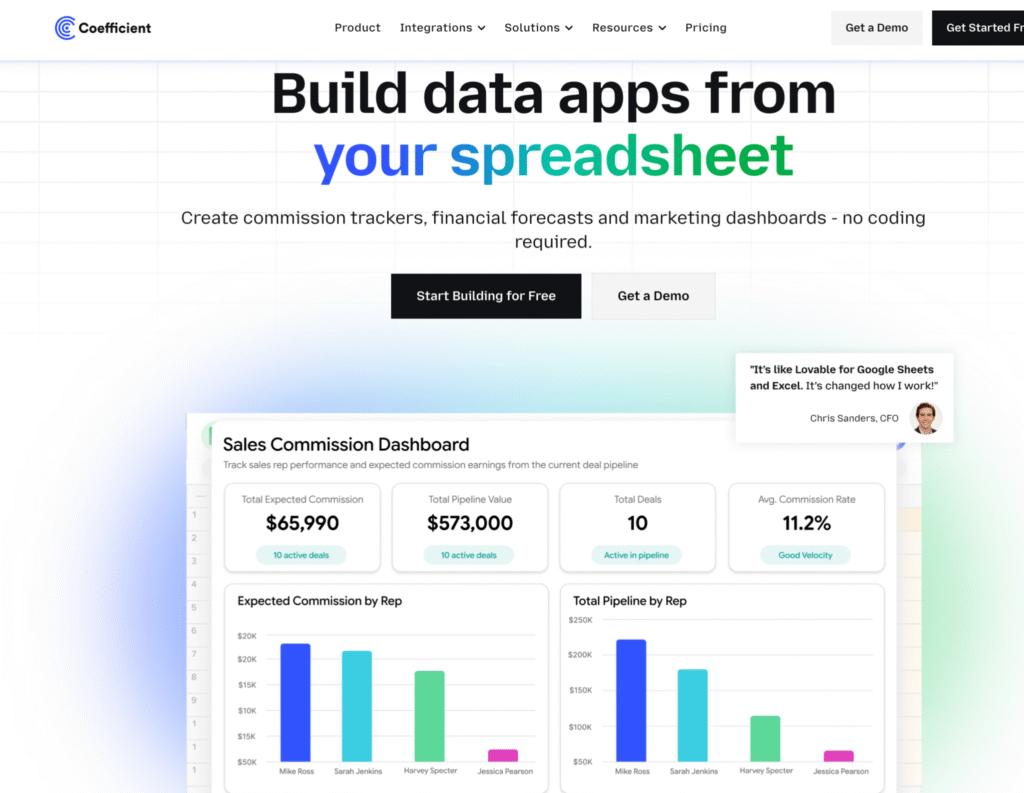
Coefficient is one such workflow automation tool designed for this use case. Finance teams and sales operations professionals use it to automate commission tracking without leaving spreadsheets.
Here’s a simple walkthrough video of the same,
How It Works
1. Connect your CRM. Link Google Sheets or Excel to Salesforce, HubSpot, QuickBooks, or 100+ other data sources. Takes 60 seconds with OAuth authentication.
2. Build commission calculations in spreadsheets. Use familiar formulas like SUMIF, VLOOKUP, IF statements to calculate commissions based on live CRM data. Or copy pre-built templates for common structures.
3. Schedule automatic refreshes. Set data to refresh hourly, daily, or weekly. Commission numbers update automatically as deals close in your CRM without manual exports.
4. Share view-only dashboards. Reps check their earnings in shared Google Sheets with view-only access. Finance maintains a single source of truth without building separate rep portals.
One finance team managing 40+ sales reps used Coefficient to eliminate manual commission work. Their VP of Finance noted in Coefficient’s customer story: “Coefficient saved us hours upon hours of work. There’s no manual back-and-forth with salespeople about commissions anymore.”
Best For
This spreadsheet automation approach works best for:
SMBs with fewer than 50 reps. Where $20,000-$65,000 annual software spend doesn’t align with team size or budget.
Excel-native finance teams. Professionals who already build models, dashboards, and reports in spreadsheets and prefer formula-based workflows.
Budget-conscious organizations. Where $588-$1,188/year fits RevOps budgets better than $20,000+/year.
Teams wanting multi-function automation. Need commission tracking plus pipeline forecasting, quota tracking, and other revenue operations reporting in one tool.
What You Trade Off
To provide balanced guidance, spreadsheet automation doesn’t replicate everything dedicated commission software offers:
No built-in gamification. Leaderboards, competitions, and motivational features require manual setup in spreadsheets or separate tools.
No formal dispute workflows. Dispute tracking happens through spreadsheet comments or requires external ticketing systems.
No ASC 606 module. Revenue recognition compliance requires separate accounting system work or additional tools.
Excel formula knowledge required. You build commission logic with formulas rather than visual interfaces.
For teams prioritizing cost efficiency, spreadsheet familiarity, and formula flexibility, these trade-offs feel minor. For teams needing gamification, structured workflows, and ASC 606 compliance, dedicated software justifies the premium.
Cost Comparison
| Scenario | CaptivateIQ | Coefficient |
|---|---|---|
| Starting price | $20,000+/year (30+ reps minimum) | $588/year |
| Mid-tier (50-100 reps) | $35,000-$65,000/year | $1,188/year (Pro) |
| Enterprise (100+ reps) | $60,000-$150,000+/year | $2,940/year (Enterprise) |
| Implementation | $5,000-$40,000 (8-12 weeks) | $0 (same-day setup) |
| Integrations | 30+ pre-built | 100+ pre-built (all plans) |
| Formula approach | Excel-like syntax | Native Excel/Sheets formulas |
The bottom line: Both solve commission tracking. CaptivateIQ offers spreadsheet-inspired commission software with enterprise-grade compliance and support. Spreadsheet automation tools like Coefficient solve the same problem through workflow automation at dramatically lower cost.
Your choice depends on team size, budget, compliance requirements, and whether your finance team prefers visual software interfaces or native Excel formulas.
Conclusion
CaptivateIQ is powerful, flexible sales compensation software purpose-built for automating commission calculations. However, for many SMBs with fewer than 50 sales reps, the platform often exceeds actual needs.
The key question isn’t “Is CaptivateIQ good?” User reviews clearly indicate the platform works well for mid-market teams. The real question is: “Does your team need dedicated commission software with enterprise features, or can workflow automation solve the same problem through a different approach?”
For Excel-comfortable teams with tighter budgets, tools like Coefficient automate commission tracking at $588-$1,188/year by connecting spreadsheets to CRMs. Same outcome (automated commission calculations), different path (native Excel formulas instead of new software), significant cost savings.
Ready to explore spreadsheet-based commission tracking? Try Coefficient’s free Salesforce Commission Tracking Template or HubSpot Commission Tracking Template. Connect your CRM in 60 seconds and see if the spreadsheet approach fits your workflow.
