


Month-end close timelines vary wildly. Some teams wrap up in 4 days. Others grind through 5 weeks. Only 18% of finance teams close in 3 days or less, while half take longer than five business days.
The gap comes down to process, tools, and approach. Top performers like Thornton Capital show what’s possible with the right strategy — they cut their month-end close from 10 days to just 3 days, saving over 20 hours monthly.
This guide covers 15 specific methods to close books faster. You’ll learn process improvements, technology solutions, and practical tactics that work for mid-market finance teams.
Common reasons for slow book closing
Before fixing the problem, you need to understand what’s causing it. Five main issues slow down most financial close processes.
Manual data entry and processes
Manual data entry remains one of the biggest bottlenecks in the close process.
Finance teams spend hours inputting data from various systems into spreadsheets. This eats up time and introduces errors. Manual data entry costs the U.S. economy over $3 trillion annually, with businesses losing up to 25% of revenue due to poor data quality.
The problem compounds with repetitive reconciliations. Cash reconciliations alone consume 20 to 50 hours each month for many teams. Staff must export data from ERPs, copy-paste between systems, and verify accuracy across multiple sources.
Research shows 94% of teams still rely heavily on Excel for close activities. Half cite it as a key reason their close runs slow. The issue isn’t spreadsheets — it’s the manual downloading, uploading, and reformatting they require.
Disorganized data across systems
Data fragmentation creates significant delays.
Finance teams often manage dozens of spreadsheets across shared drives, email attachments, and local computers. This leads to version control problems where no one knows which file contains current data.
Scattered documentation makes things worse. Supporting documents for reconciliations and journal entries get buried in email threads. Finding specific invoices, contracts, or approval records becomes a hunt. A centralized repository where comments, attachments, and version histories live in one place prevents this confusion.
When data exists in silos across accounting systems, ERPs, banks, and departmental spreadsheets, consolidation becomes a manual, error-prone process that extends close timelines by days.
Lack of standardized processes
Without standardized processes, each month’s close becomes an exercise in reinventing the wheel.
Different team members handle similar tasks differently. This leads to inconsistent results and makes it hard to identify and resolve issues quickly. Undefined roles create confusion about ownership. When it’s unclear who’s responsible for specific reconciliations, tasks fall through the cracks or get duplicated.
Missing checklists mean teams rely on institutional knowledge rather than documented procedures. When key personnel are absent or new team members join, the close process suffers.
Sequential processing
Traditional sequential workflows force finance teams to wait.
Teams wait for one task to complete before starting the next, creating unnecessary bottlenecks. For example, teams might wait for all bank reconciliations to finish before beginning AR reconciliations — even though these tasks don’t depend on each other.
Modern close management platforms enable parallel processing. When multiple team members work simultaneously on different close tasks instead of waiting in a queue, organizations cut close time significantly.
Late department submissions
Late submissions from other departments consistently delay financial close.
Sales teams submit invoices days after the period ends. Expense reports trickle in from field employees. Payroll adjustments arrive at the last minute. Each late submission requires accounting to reopen closed accounts and adjust previously prepared reports.
Without clearly communicated cutoff dates and company-wide buy-in, accounting teams stay reactive rather than proactive.
15 ways to close books faster
These 15 tactics help finance teams close books quickly without sacrificing accuracy.
1. Establish clear goals and timelines
Set specific, measurable goals.
Transform the close from an open-ended process to a managed project. Rather than “closing as fast as possible,” define a concrete target: complete the close in 5 business days, with financials ready for review by day 3.
Figure out a reasonable time frame for your month-end close. Stick to it. Set a precise deadline for each stage. Maintain the same schedule every month. This helps manage your team’s time and creates accountability.
2. Create a comprehensive close checklist
A month-end close checklist guides the team through every step required during the closing period.
Document each task with three key details: who owns it, when it’s due, and what must finish first. Break complex processes into simple, repeatable steps. The checklist ensures nothing gets overlooked and everyone knows their responsibilities.
Use a month-end close checklist template as your starting point. Customize it for your organization’s specific accounts, systems, and reporting requirements. Update quarterly based on lessons learned.
3. Standardize processes across the organization
Implement uniform accounting procedures throughout your organization.
A well-structured chart of accounts and standardized transaction categorization are critical. Misclassified accounts distort key metrics and trigger audits. When everyone follows the same procedures, you eliminate inconsistencies that slow the close and complicate reviews.
Create templates for recurring entries like depreciation, amortization, prepaid expenses, and accruals. Configure your accounting system to post them automatically each period.
4. Communicate cutoff periods company-wide
Set specific, non-negotiable cutoff dates for submitting information to accounting.
Establish clear rules:
- All vendor invoices must reach accounting by the 28th of each month
- All expense reports due by the second business day of the new month
- Sales must finalize revenue recognition decisions by the first business day
Communicate these dates to department heads. Explain the business impact of late submissions. Get executive support for enforcing cutoffs.
5. Enable parallel processing
Allow multiple teams to work simultaneously on different close tasks.
Don’t force sequential workflows where teams wait in line. Assign independent tasks to different team members who can work at the same time. Junior staff handle routine reconciliations while senior accountants review complex accounts. The controller focuses on analysis and variance investigation.
This approach improves speed and strengthens internal controls by distributing responsibilities appropriately.
6. Perform continuous accounting
Reconcile accounts throughout the month instead of waiting until period end.
Rather than cramming all work into a few days at month-end, spread accounting tasks throughout the month. Reconcile high-volume accounts weekly. Review and approve expenses as they occur. Process vendor invoices immediately upon receipt. Update accruals mid-month based on activity to date.
Teams using continuous accounting report 40% to 60% faster close times. The constant rhythm also helps catch errors early when they’re easier to correct.
7. Automate repetitive tasks
Leverage software for data entry, reconciliations, journal entries, and report generation.
Manual data entry and reconciliation represent the biggest time sinks in most close processes. Modern tools can automatically import transactions, match items across systems, and flag discrepancies for human review. This replaces hours of manual work with minutes of exception management.
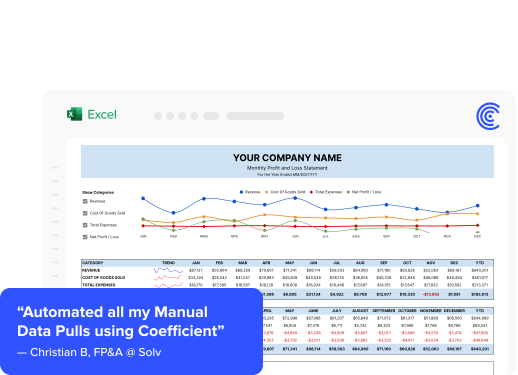
Coefficient connects your accounting systems directly to Google Sheets and Excel, eliminating the manual download-upload-reformat cycle. Instead of exporting data monthly, you build live connections that refresh automatically.
8. Use accruals effectively
Estimate expenses using historical trends so you can close without waiting for actuals.
Don’t wait for every invoice to arrive before closing. Use historical data to estimate expenses like utilities, professional services, and recurring vendor costs. Book the accruals, then true up the following month when actuals come in.
This approach removes the dependency on late invoices and lets you close on schedule. Track your accrual accuracy over time and refine estimates based on actual results.
9. Maximize sub-ledger usage
Record detailed activity in sub-ledgers, posting only summaries to the general ledger.
Complete accounts payable, accounts receivable, inventory, fixed assets, and payroll sub-ledgers first. Once these are accurate and reconciled, they roll up cleanly into the GL.
This sequence prevents the frustration of “closing” the GL only to discover a sub-ledger error that requires reopening everything. Sub-ledger detail also makes variance investigation faster when issues arise.
10. Centralize documentation
Maintain a single repository for supporting documents.
Stop scattering documentation across email threads, shared drives, and local folders. Create one central location where comments, attachments, and version histories are captured. This prevents confusion from conflicting file versions and eliminates hours spent hunting for information.
When auditors or reviewers need supporting documents, everything is immediately accessible in one place.
11. Implement real-time dashboards
Provide visibility into close progress so you can identify bottlenecks proactively.
Create dashboards showing close progress, task completion, and outstanding items. Controllers and CFOs can see exactly where the team stands without scheduling status meetings. Check out finance and accounting dashboard examples to see how real-time tracking accelerates the close.
Track metrics like:
- Percentage of reconciliations complete
- Number of unresolved variances
- Aging of outstanding items
- Comparison to target timeline
12. Document and train your team
Create standard operating procedures ensuring anyone can execute close tasks.
New team members need structured onboarding on your close process. Experienced staff benefit from periodic refresher training as processes evolve. Cross-train team members on each other’s responsibilities to prevent single points of failure.
Document procedures in detail. Don’t rely on tribal knowledge that lives in one person’s head. Written procedures enable consistent execution regardless of who performs the task.
13. Conduct post-close reviews
Analyze what worked, what didn’t, and implement improvements for next month.
After each close, hold a brief team meeting to review performance. Document issues that caused delays. Identify manual processes that could be automated. Collect suggestions from staff who execute the close daily — they often see improvement opportunities that controllers miss.
Track your close timeline across months. Measure progress toward your goals. Celebrate improvements.
14. Reconcile high-risk accounts frequently
Reconcile cash, AR, and inventory weekly or daily to prevent month-end surprises.
Not all accounts are equally important. Focus first on cash, AR, AP, inventory, and loan accounts. These contain the highest transaction volume and greatest potential for material errors.
Use a bank reconciliation checklist to ensure you’re covering all critical steps. Reconciling these accounts early gives you time to investigate and resolve issues before the reporting deadline.
15. Separate financial from non-financial reports
Prioritize delivering financial statements first, delaying operational reports to Day 2.
Don’t let non-essential reports slow down your core financials. Focus the first days of close exclusively on the income statement, balance sheet, and cash flow statement. Push operational dashboards, departmental reports, and ad-hoc analysis to later in the timeline.
This prioritization ensures stakeholders get the critical financial data they need on schedule.
Tools for faster close
The right technology stack accelerates the close without sacrificing accuracy or control.
Spreadsheet-based automation
Despite specialized software options, 94% of finance teams still rely heavily on spreadsheets for close activities.
The question isn’t whether to use spreadsheets, but how to use them efficiently. Tools like Coefficient connect accounting systems, ERPs, and databases directly to Google Sheets and Excel. This eliminates the manual download-upload-reformat cycle that slows traditional spreadsheet workflows.
Spreadsheets refresh automatically with current data. Reconciliations and reports update in real-time. This transforms spreadsheets from a bottleneck into an acceleration tool.
Close management software
Dedicated close management platforms like FloQast, BlackLine, and Trintech provide task management and automation specifically designed for the financial close.
These tools offer:
- Task tracking with assignments, due dates, and dependencies
- Workflow automation for routing approvals and reviews
- Reconciliation management with matching and variance analysis
- Audit trails documenting who did what and when
For larger organizations with complex close processes, these platforms provide structure and visibility that spreadsheets alone can’t match.
ERP automation features
Modern ERPs like NetSuite, SAP, and Oracle include built-in capabilities for automated posting and reconciliation.
Take advantage of features like:
- Recurring journal entry templates that post automatically
- Automated intercompany eliminations for consolidated entities
- Built-in bank feeds that import transactions daily
- Configurable approval workflows for journal entries
Many teams underutilize these features. Review your ERP’s close-related capabilities and implement the ones that address your specific bottlenecks.
Spend management platforms
Spend management software addresses close challenges by consolidating expense workflows.
Leading platforms like Ramp, Expensify, BILL, and Coupa automate approval workflows, routing requests to the right people automatically. They block out-of-policy purchases before they happen and provide real-time visibility into company spending.
AI-powered expense automation can analyze each reported expense, detect non-compliant claims, and route exceptions for review. This replaces manual expense processing that often delays the close.
Coefficient for faster book closing
Real-world results show how the right tools transform the financial close process.
How Thornton Capital cut close time by 70%
Thornton Capital, a financial services firm managing 16 separate QuickBooks files, faced a daunting month-end close.
The close consumed 10 days each month. Manual extraction and consolidation created bottlenecks. Data preparation errors damaged reporting credibility. Previous attempts to modernize with Power BI and Power Query failed due to complexity.
After implementing Coefficient, Thornton Capital cut their month-end close from 10 days to just 3 days. They saved over 20 hours monthly.
CFO Mike Lynch stated: “Coefficient helped us cut month-end close for our clients from 10 to 3 days. What used to take weeks of manual work now happens in a few clicks.”
Lynch emphasized the ROI: “Coefficient is the single greatest return on investment I’ve made this year. It paid for itself within weeks.”
<iframe width=”560″ height=”315″ src=”https://www.youtube.com/embed/jTFH7kDi_xg” title=”YouTube video player” frameborder=”0″ allow=”accelerometer; autoplay; clipboard-write; encrypted-media; gyroscope; picture-in-picture; web-share” allowfullscreen></iframe>
Automated data aggregation
Coefficient connects accounting systems, ERPs, and banks, automatically pulling data into centralized workbooks without manual intervention.
Rather than spending hours each month downloading exports from NetSuite, Sage Intacct, or QuickBooks, then reformatting and consolidating in spreadsheets, finance teams set up connections once. Data flows automatically.
The platform supports 100+ native integrations including all major accounting systems and databases. Scheduled refreshes ensure reports stay current — hourly, daily, or weekly based on your needs. The time saved on data aggregation alone often reduces close time by 1-2 days.
Live reconciliation templates
Build reconciliation workbooks with formulas that automatically compare data from multiple sources and identify variances.
Pull bank transactions from your financial institution and GL cash accounts from NetSuite in the same spreadsheet. Use formulas to match transactions and flag discrepancies. These templates update with live data, so reconciliations stay current throughout the month.
Teams can perform continuous reconciliation, addressing variances as they occur rather than discovering problems during the close crunch.
Real-time close tracking
Create dashboards showing task completion, outstanding items, and timeline adherence.
Build checklist trackers in spreadsheets connected to your data sources. Automatically mark tasks complete when reconciliations balance or when specific GL accounts have been reviewed. Track metrics like days to close, number of adjusting entries, and variance resolutions across multiple close cycles.
When a reconciliation takes longer than expected or a department hasn’t submitted required information, the dashboard surfaces these issues immediately.
Benchmarks and goals for fast closes
Financial close benchmarks vary by industry, company size, and maturity.
Current data shows only 18% of teams close in 3 days or less. The median organization needs 6.4 business days. Top-quartile performers complete their close in about 4.8 days — roughly half the time required by bottom-quartile teams.
Best practices suggest a month-end close under 5 days is very efficient. A close over 10 days has significant opportunity for improvement through automation.
When setting goals, consider your starting point. If you currently close in 10 days, target 7 days first rather than jumping straight to 3. Focus on eliminating one or two major bottlenecks per quarter. High-performing teams achieving 3-5 day closes typically employ extensive automation, maintain standardized workflows, and practice continuous accounting throughout the month.
Speed up your month-end close
The path to faster book closing requires process improvements, standardization, and technology adoption working together.
Organizations that achieve best-in-class close times don’t rely on any single solution. They implement strategies addressing manual data entry, disorganized information, lack of standardization, sequential workflows, and late submissions.
Start with quick wins: establish clear timelines, create comprehensive checklists, and communicate cutoff dates company-wide. Then layer in automation for repetitive tasks, implement continuous accounting practices, and adopt real-time dashboards for visibility.
Reducing your close from 10 days to 5 days frees your finance team to focus on analysis, forecasting, and strategic initiatives that drive business value. Companies like Thornton Capital prove dramatic improvements are possible when teams combine smart processes with the right tools.
Get started with Coefficient to automate your financial close process and save hours every month.