


Table of Contents

-
1. Xero Data Integration Tools That Fix the Finance & Data Workflows
- Why Xero Users Turn to Third-Party Integration Tools
- Xero API Constraints Worth Knowing Before You Evaluate Tools
- Xero Data Integration Tools for Financial Reporting and Spreadsheet Analysis
- Xero Data Integration Tools for Workflow Automation
- Xero Data Integration Tools for Data Warehouse Pipelines
- How to Choose the Right Xero Data Integration Tool
- 2. 7 Best Xero Integrations in 2026: Boost Your Productivity
- 3. How to Connect Xero to Salesforce
- 4. How to Connect Xero to Snowflake
- 5. How to Connect Xero to HubSpot? Top Methods and Tutorials
- 6. NetSuite vs Xero: Quick Guide for 2025


Most Xero users hit the same wall. The accounting is clean, the bank feeds work, invoices go out on time. Then someone asks for a cash flow forecast by entity, or a dashboard that combines Xero revenue with Salesforce pipeline, or an automated weekly P&L to six clients. Xero’s native reporting cannot do it. Over 170 G2 reviews flag limited reporting as the platform’s biggest frustration – not because Xero is broken, but because it was built to record financial data, not analyse it across systems. These seven Xero data integration tools solve that gap. They cover spreadsheet reporting, workflow automation, and data warehouse pipelines, with real user feedback and current pricing for each.
| At a Glance Xero’s reporting limitations are well-documented. These seven tools cover the three most common ways teams work around them. For spreadsheet reporting: Coefficient connects Xero to Google Sheets and Excel alongside 150-plus other sources — best for finance teams that need Xero data blended with Salesforce, Shopify, or HubSpot in one place. G-Accon is the Xero specialist — deeper accounting templates, stronger multi-entity consolidation, and bulk two-way sync — best for accounting firms and bookkeepers who live entirely in Xero. For workflow automation: Zapier handles simple trigger-based automation between Xero and apps like Shopify, Stripe, PayPal, and Gusto. Fast to set up, free plan available. Workato handles more complex enterprise workflows — conditional logic, error handling, Salesforce and NetSuite integration — at a higher price point. For data warehouse pipelines: Fivetran is the fully managed option — zero maintenance, automatic schema management, but expensive under the March 2025 per-connector pricing model. Airbyte is the open-source alternative — lower cost, no enforced Xero connection limits, but requires engineering resources to run. Skyvia rounds out the list as the affordable no-code option for small businesses that need basic Xero sync without engineering overhead. |
Why Xero Users Turn to Third-Party Integration Tools
Xero earns consistent praise for ease of use, clean invoicing, and bank reconciliation. On G2, it holds a strong rating with 851-plus mentions of intuitive interface. But the same platform generates 173-plus mentions of limited reporting options and 134-plus mentions of reporting limitations that require manual workarounds.
The gap is not a flaw in Xero’s design. It is a deliberate architectural choice. Xero is built to be the system of record for financial data, not the analysis layer on top of it. It handles bank transactions, purchase orders, accounts payable, accounts receivable, and payroll well. What it does not handle well is flexible financial reporting, cash flow forecasting, cross-system dashboards that blend Xero data with sales pipeline or ecommerce metrics, or bulk data operations that finance teams and bookkeepers need for month-end processes.
The tools in this guide each solve a different slice of that gap. Spreadsheet connectors give finance teams live Xero data in the environment where analysis already happens. Workflow automation tools remove manual data entry between Xero and apps like Shopify, Stripe, and Salesforce. Data pipeline tools move Xero financial data into a warehouse for broader analytics. The right choice depends on which gap you are actually trying to close.
Xero API Constraints Worth Knowing Before You Evaluate Tools
Rate limits. The Xero API enforces 60 calls per minute per connected app. Tools that run large data syncs need to batch requests and handle throttling gracefully. Poorly designed connectors hit this limit and fail silently, which is harder to detect than an outright error.
OAuth token expiry. Xero’s OAuth 2.0 tokens expire after 30 minutes of inactivity. Connectors that run on scheduled automation rather than active sessions need to handle token refresh automatically. This is a non-issue with well-built tools but a recurring problem with DIY implementations.
25-connection limit for uncertified apps. Fivetran’s own documentation notes this explicitly: uncertified apps are limited to 25 active Xero connections. For accounting firms managing large client portfolios, this matters. Certified Xero partners – including G-Accon (Premium Partner) – have higher connection limits and deeper API access.
Per-organisation data scoping. Xero’s API returns data scoped to a single organisation per connection. Multi-entity consolidation – the critical use case for group reporting – requires a separate API connection per Xero organisation. Tools that handle this cleanly (G-Accon, Coefficient) handle the connection management automatically. Tools that do not require manual per-organisation setup.
Xero Data Integration Tools for Financial Reporting and Spreadsheet Analysis
Finance teams and bookkeepers who need to build financial reports, cash flow forecasts, KPI dashboards, and budget models on top of Xero data belong in this category. The goal is replacing the manual export cycle – downloading a Xero report as CSV, pasting it into a spreadsheet, reformatting it – with a live connection that updates automatically on a schedule you set.
Two genuinely different tools serve this use case. Coefficient connects Xero alongside 150-plus other data sources. G-Accon connects Xero, QuickBooks, FreshBooks, and Sage with deeper accounting-specific functionality. The right choice depends on whether your reporting needs stop at the accounting system or extend into CRM, ecommerce, and operational data.
1. Coefficient
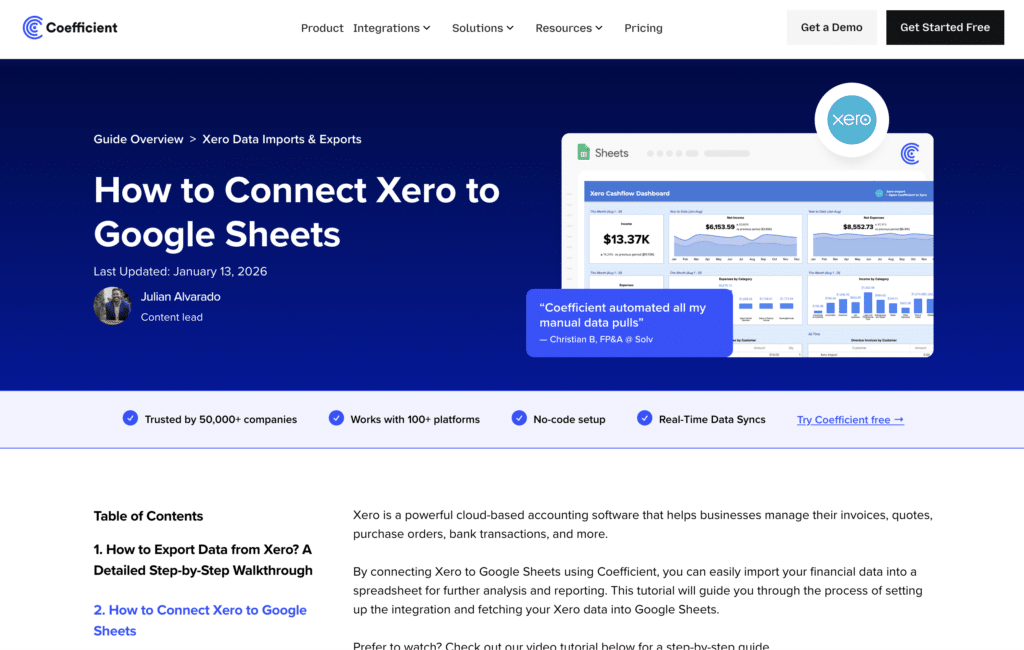
Best for: Finance teams, FP&A analysts, and RevOps teams who need live Xero financial data in Google Sheets or Excel alongside data from Salesforce, HubSpot, Shopify, Snowflake, and 145-plus other sources.
Coefficient connects Xero directly to Google Sheets and Excel with no-code setup. Finance teams import P&L statements, balance sheets, cash flow data, invoices, bank transactions, contacts, and accounts payable from Xero with point-and-click configuration – no SQL, no engineering support required. Imports refresh on automated schedules, hourly through to weekly, so dashboards stay current without manual exports.
The differentiator versus accounting-only connectors is breadth. Coefficient connects 150-plus data sources across finance, CRM, marketing, databases, and ecommerce. A finance team using Coefficient can pull Xero P&L data alongside Salesforce pipeline forecasts, Shopify revenue, and Google Ads spend – all in a single spreadsheet, all refreshing automatically. This is the use case the Coefficient vs G-Accon comparison documents clearly: when the CFO needs a dashboard combining financial data with sales and operational metrics, Coefficient provides it without additional tooling.
The Solv case study demonstrates the compounding impact. Christian Budnik’s FP&A team needed to combine QuickBooks financial data with Salesforce pipeline metrics and Looker analytics. Coefficient connected all three systems to Google Sheets with automatic refreshes. The result: 364 hours saved per year across seven team members – 52 hours per analyst – by eliminating manual exports and rebuilding stale dashboards.
Pros
- Connects 150-plus data sources alongside Xero. Finance teams can blend Xero financial data with Salesforce, HubSpot, Shopify, Stripe, Snowflake, and 145-plus other sources in a single Google Sheets or Excel workbook.
- Genuine no-code setup. Import Xero invoices, bank transactions, accounts receivable, accounts payable, and financial reports from a point-and-click sidebar. No SQL or API knowledge required for business users.
- Works in both Google Sheets and Excel. Automated refresh scheduling keeps Xero financial data current without manual data entry.
- Free plan available. No per-user fees on paid plans.
Source: Coefficient G2 reviews
Cons
- Not an accounting-specialist tool. Coefficient’s Xero integration is comprehensive but not as deeply customised for multi-entity consolidation and accounting-specific workflows.
- Two-way write-back to Xero is not available.
Source: Coefficient Xero integration page
Pricing
Free plan available. Paid plans start from $49/month with no per-user fees. See Coefficient pricing for current plan details.
| Setup guide: How to connect Xero to Google Sheets with Coefficient. For Excel: Coefficient Excel Xero connector. |
2. G-Accon
Best for: Accounting firms, bookkeepers, and finance teams whose reporting needs centre entirely on Xero (and other accounting platforms), and who need deep multi-entity consolidation, Xero-native reporting templates, and bulk transaction editing in Google Sheets.
G-Accon is the specialist Xero connector for Google Sheets. It holds Premium Xero Partner status – the highest certification level Xero awards – reflecting the depth and reliability of its integration. Where Coefficient is broad, G-Accon is deep: every Xero object, every accounting report type, and every financial nuance comes through with high fidelity. The platform is purpose-built for the workflows accounting professionals run daily: multi-entity group consolidations, scheduled financial report delivery to clients, bulk invoice imports, and cash flow dashboards built from live Xero data.
The multi-entity consolidation capability is where G-Accon earns its market position. It handles chart of account mapping across entities, currency conversion for 170-plus currencies, and intercompany eliminations automatically. For accounting firms managing client portfolios across multiple Xero organisations, this is difficult to replicate elsewhere at a comparable price point. Michael King, CFO at KFE Solutions, describes G-Accon as ‘the most valuable, the most effective, the highest ROI we have on any of our tech platforms,’ with the tool saving their team 40 hours per month on financial reporting.
The two-way sync is also notably deeper than most competitors. Teams can bulk-edit thousands of Xero transactions directly in Google Sheets and push the changes back to Xero in a single operation – a critical capability for bookkeepers handling data cleanup, journal entry corrections, and bulk invoice management. G-Accon holds Platinum Intuit Partner status alongside its Xero Premium Partnership, meaning it covers QuickBooks with the same depth for firms managing clients across both platforms.
Pros
- Premium Xero Partner with deeper API access and higher connection limits than uncertified connectors. Handles Xero-specific data objects – purchase orders, accounts payable, accounts receivable, bank transactions – with comprehensive fidelity.
- Multi-entity consolidation with automatic chart of accounts mapping, 170-plus currency support, and intercompany eliminations. The right tool for accounting firms managing group reporting across multiple Xero organisations.
- Bulk two-way sync. Edit thousands of Xero transactions in Google Sheets and push changes back to Xero in one operation – a capability that matters specifically for bookkeepers running month-end processes.
- 100-plus pre-built accounting templates for P&L, balance sheet, cash flow, KPI dashboards, and revenue recognition. 4.8/5 on G2 with 44 badges in G2’s Spring 2025 reports including Leader in Financial Analysis.
Source: G-Accon G2 reviews
Cons
- Connects to accounting software only: Xero, QuickBooks, FreshBooks, and Sage. No CRM, ecommerce, marketing, or database connectors. Finance teams that need Xero data blended with Salesforce pipeline or Shopify ecommerce metrics need a separate tool.
- Per-product pricing means teams using both Xero and QuickBooks pay separately for each accounting software connection. This multiplies costs for firms managing clients across different accounting platforms.
- Some users report slow refresh times on large datasets. G2 reviewers note that initial setup has a learning curve compared to simpler connectors.
Source: G-Accon Capterra reviews
Pricing
Business plan at $60/month (or $50/month billed annually) per accounting software product, covering up to 3 companies. Higher tiers scale the number of entities and users. All plans include two-way sync, reporting templates, and multi-entity consolidation. Pricing is per product – Xero and QuickBooks connections are billed separately. See G-Accon pricing for current plan details.
Xero Data Integration Tools for Workflow Automation
If your goal is automating data flows and business processes between Xero and other operational apps – ecommerce platforms like Shopify and Amazon, payment processors like Stripe and PayPal, payroll tools like Gusto, CRM systems like Salesforce and HubSpot, or project management tools – you need a workflow automation platform. These tools handle the operational side of Xero integration: creating invoices from Shopify orders, syncing customer data, automating payment reconciliation, and eliminating manual data entry between Xero and the rest of your business stack.
3. Zapier

Best for: Small businesses and business owners who need simple, trigger-based automation between Xero and everyday apps, without a large budget or technical resources.
Zapier is the most accessible Xero workflow automation tool. Its trigger-action model makes it easy for non-technical teams to automate common Xero integration workflows without code. When a new payment arrives in Stripe, create a Xero invoice. When a Shopify order is fulfilled, record the transaction in Xero. When a new customer is added in Salesforce, create the corresponding contact in your Xero account. When a Gusto payroll run completes, post the journal entry to Xero.
Zapier’s Xero integration covers a broad range of triggers and actions across invoices, contacts, bank transactions, purchase orders, and payments. Its pre-built Zap templates for common Xero connections – Shopify, Stripe, PayPal, HubSpot, and Gusto – mean most small businesses are up and running with their first automated workflow in under an hour. Zapier does not support Xero on Desktop; it connects to Xero’s cloud API only.
Pros
- Fast setup with pre-built Zap templates for the most common Xero workflows. Shopify to Xero, Stripe to Xero, Gusto to Xero, and Salesforce to Xero automations are available without custom configuration.
- Free plan for basic use. Large library of Xero connectors covering invoices, contacts, bank transactions, purchase orders, and payment records.
- No technical skills required. Small business owners and bookkeepers can configure Xero workflow automation without developer support.
Source: Zapier Xero integrations page
Cons
- Transaction caps on paid plans. Businesses with high Xero automation volume can hit monthly task limits and face unexpected cost increases.
- Limited for complex, multi-step workflows with conditional logic. For enterprise Xero integrations that involve branching logic, error handling, and data transformation, Workato handles these better.
- Zapier takes users out of Xero’s interface and adds a third-party dependency. For simple, well-supported use cases this is fine; for critical financial workflows, the additional failure point warrants evaluation.
Pricing
Free plan available. Paid plans start at $19.99/month for the Starter tier. Professional and Team plans add higher task volumes, multi-step Zaps, and premium Xero connectors. See Zapier pricing for current plan details.
4. Workato
Best for: Mid-market and enterprise teams that need reliable, complex workflow automation between Xero and mission-critical systems like Salesforce, NetSuite, HubSpot, or internal ERP platforms.
Workato handles the Xero integration scenarios that Zapier cannot: multi-step workflows with conditional logic, error handling, data transformation, and enterprise governance. A common Workato use case for Xero involves syncing closed-won Salesforce opportunities to Xero as invoices, transforming field data in the process and routing exceptions to an approval workflow before the invoice is created. Another is syncing Xero financial data into NetSuite for group consolidation, handling currency conversion and account mapping automatically.
Workato holds Gartner Leader status for iPaaS for eight consecutive years through 2026. Its 14,000-plus pre-built connectors include deep Xero integration alongside Salesforce, NetSuite, HubSpot, Shopify, and every major ecommerce and CRM platform. One Capterra reviewer notes using Workato to sync Salesforce and Xero, with ‘hands-free automation’ that ‘simply outperformed all other integration solutions tested.’ Workato’s enterprise governance layer – role-based access control, audit logs, environment separation – makes it suitable for finance teams with compliance requirements.
Pros
- Handles complex, multi-step Xero workflows with conditional logic, error handling, and data transformation. More reliable than Zapier for mission-critical financial automation workflows.
- 14,000-plus pre-built connectors covering every major CRM, ecommerce, ERP, and database system alongside Xero. Strong for Xero integrations with Salesforce, NetSuite, and HubSpot.
- Enterprise governance: RBAC, audit logs, and environment separation make it viable for regulated businesses and finance compliance requirements.
Source: Workato G2 reviews – pros and cons
Cons
- Expensive. Custom enterprise pricing typically starts around $10,000/year, putting it out of reach for most small businesses and individual bookkeepers.
- Steep learning curve for advanced workflows. Building complex Workato recipes with custom connectors requires meaningful time investment.
- Not suited for spreadsheet-based financial reporting or data warehouse pipelines. Workato is a workflow automation tool, not a Xero-to-Sheets connector or ETL platform.
Source: Workato Capterra verified reviews
Pricing
Custom enterprise pricing. Typically starts around $10,000/year for entry-level plans. See Workato pricing for current details.
Xero Data Integration Tools for Data Warehouse Pipelines
If your goal is loading Xero financial data – invoices, bank transactions, accounts payable, contacts, and chart of accounts – into Snowflake, BigQuery, Redshift, or another cloud data warehouse for cross-system analytics, these ELT tools are the right category. They extract Xero data via the API, handle schema management automatically, and load it into your warehouse where it can be joined with data from other sources for financial dashboards, forecasting models, and business intelligence.
5. Fivetran
Best for: Data engineering teams that want a fully managed, zero-maintenance ELT pipeline from Xero into a cloud data warehouse.
Fivetran’s Xero connector is a managed ELT integration that extracts all major Xero data objects – invoices, bank transactions, accounts, contacts, purchase orders, accounts payable, accounts receivable, and tax rates – and loads them into your data warehouse in a normalised schema. Schema management is handled automatically. If Xero adds new fields, Fivetran updates the destination schema without manual intervention.
One operational note: Fivetran’s own documentation flags that Xero limits uncertified apps to 25 active connections. For data teams running Xero integrations for multiple business units or clients, this is a real constraint. Fivetran’s pricing changed in March 2025 to a per-connector Monthly Active Rows model. Users on r/dataengineering report 4-8x cost increases under the new model for multi-connector setups.
Pros
- Fully managed ELT pipeline. No ongoing engineering effort for schema changes, API updates, or rate limit handling.
- Comprehensive Xero object coverage: invoices, bank transactions, contacts, accounts payable, accounts receivable, purchase orders, and chart of accounts all load cleanly.
- Wide destination support: Snowflake, BigQuery, Redshift, Databricks, and more.
Source: Fivetran G2 reviews – pros and cons
Cons
- Per-connector MAR pricing introduced March 2025 has driven significant cost increases for many users. Annual contracts start at $12,000/year minimum.
- 25 active Xero connections per uncertified app. A genuine operational limit for data teams managing many Xero organisations.
- Extraction only. No transformation and no write-back to Xero.
Source: Fivetran Capterra verified reviews
Pricing
Per-connector Monthly Active Rows (MAR) model. Free plan covers up to 500,000 MAR. Standard plan syncs every 15 minutes. Enterprise adds high-volume connectors and 5-minute sync frequency. Annual contracts start at $12,000/year. See Fivetran pricing for current plan details.
6. Airbyte

Best for: Data engineering teams that want open-source ELT flexibility, full control over the Xero connector, and lower infrastructure costs than fully managed alternatives.
Airbyte’s Xero connector is open-source, meaning teams can inspect, modify, and extend it. The connector covers the main Xero data objects – accounts, bank transactions, contacts, invoices, purchase orders, and tax rates – and loads them into major warehouse destinations. Unlike Fivetran, Airbyte’s self-hosted version has no enforced connection limits, which sidesteps the 25-connection Xero constraint for data teams managing many organisations.
The trade-off is operational complexity. Self-hosted Airbyte requires Kubernetes infrastructure and DevOps resources. Airbyte Cloud removes the infrastructure burden but reintroduces cost scaling at higher data volumes. For data teams with the engineering capacity to manage self-hosted infrastructure, Airbyte offers the most cost-flexible Xero ELT option available.
Pros
- Open-source with full source code access. When the Xero connector has edge cases or breaks after an API change, your team can diagnose and fix it without waiting on vendor support.
- No enforced 25-connection limit on self-hosted deployments. Practical for data teams managing many Xero organisations in parallel.
- Significant cost savings versus Fivetran for teams with engineering resources to manage self-hosted infrastructure.
Source: Airbyte G2 reviews – pros and cons
Cons
- Self-hosted Airbyte requires Kubernetes expertise and ongoing DevOps investment. Not a viable option for teams without dedicated data engineering resources.
- Airbyte Cloud costs escalate at higher Xero data volumes. Validate cost projections against your specific Xero organisation count and sync frequency before committing.
- No pre-load transformation. Complex Xero data modeling requires dbt or downstream SQL after data lands in the warehouse.
Source: Airbyte Xero ETL connector overview
Pricing
Open-source self-hosted version is free. Airbyte Cloud offers a free tier for low-volume use. The Flex plan uses capacity-based pricing scaling with data volume rather than per-connector. See Airbyte pricing for current Cloud and team plan rates.
7. Skyvia
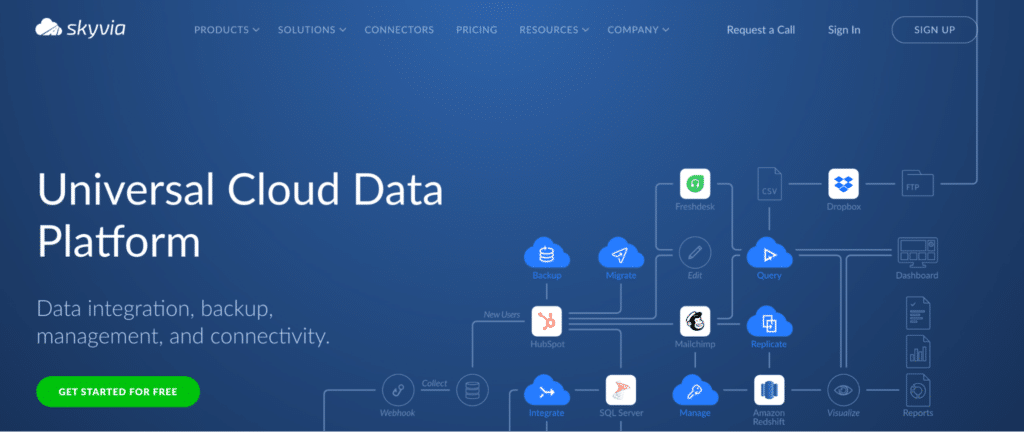
Best for: Small businesses and accounting teams that need affordable, no-code Xero data synchronisation without engineering overhead.
Skyvia is a no-code cloud data integration platform with a Xero connector that supports ETL, ELT, bidirectional sync, and data replication. Its drag-and-drop interface is accessible to bookkeepers and small business owners who do not have engineering resources. The Xero connector covers invoices, contacts, bank transactions, accounts, purchase orders, and items, with support for loading Xero data into common cloud databases and warehouses or syncing it to other SaaS apps.
Skyvia uses scheduled polling rather than streaming, which means it is not suited for real-time Xero data requirements. But for small businesses that need Xero data to sync to another database or SaaS tool on a daily or hourly schedule, Skyvia offers the most accessible and affordable entry point in this list.
Pros
- No-code drag-and-drop interface accessible to bookkeepers and small business owners without SQL or API knowledge.
- Affordable pricing with a meaningful free tier. Starts at $19/month for paid plans – the most accessible option for small businesses in this list.
- 200-plus connectors alongside Xero covering common SaaS apps, databases, and cloud storage.
Source: Skyvia Xero integration page
Cons
- No real-time streaming. Skyvia uses scheduled polling – suitable for daily or hourly Xero sync, not sub-minute data freshness.
- Less suited to high-volume Xero data or enterprise-scale reporting. Designed for SMB data volumes.
- Limited transformation capability relative to Integrate.io or dbt for complex Xero data modeling requirements.
Pricing
Free plan available. Paid plans start at $19/month for the Basic tier. Standard and Professional plans add higher data volumes and sync frequency options. See Skyvia pricing for current plan details.
How to Choose the Right Xero Data Integration Tool
Finance team or bookkeeper needing live Xero financial data in Google Sheets or Excel, blended with Salesforce, Shopify, or other sources: Coefficient. No-code setup, 150+ connectors, automated refresh, free plan available.
Accounting firm or bookkeeper needing deep Xero reporting, multi-entity consolidation, or bulk transaction editing in Google Sheets: G-Accon. Premium Xero Partner, 170+ currency support, 100-plus accounting templates, two-way sync optimised for accounting workflows.
Small business automating workflows between Xero and Shopify, Stripe, PayPal, Gusto, or HubSpot: Zapier. Pre-built Zap templates, fast setup, free plan available.
Mid-market or enterprise team running complex multi-step workflows between Xero and Salesforce, NetSuite, or other critical systems: Workato. More reliable than Zapier for mission-critical financial automation with conditional logic and error handling.
Data engineering team loading Xero data into a cloud data warehouse: Fivetran for a fully managed, zero-maintenance ELT pipeline. Airbyte if your team has engineering capacity and wants open-source flexibility with no enforced connection limits.
Small business or SMB needing affordable no-code Xero sync to a database or cloud app: Skyvia. Free tier available, drag-and-drop setup, $19/month entry-level paid plan.
Get Started with Coefficient for Xero
If your finance team needs live Xero financial data in Google Sheets or Excel – alongside Salesforce, Shopify, HubSpot, or any of 150-plus other sources – try Coefficient for free. Connect your Xero account, import your first report or dataset, and set a refresh schedule that eliminates manual exports entirely.See Coefficient pricing for plan details, pre-built Xero dashboard templates for ready-to-use financial reporting setups, and the Coefficient vs G-Accon comparison for a detailed side-by-side of the two spreadsheet connectors.
