
Table of Contents

- 1. Best 6 Salesforce Connectors in 2025 [w/ Feature Comparison Table]
-
2. Salesforce Data Integration Tools for RevOps & Data teams
- Native Salesforce Integration Options and Their Limits
- Types of Salesforce Data Integration Tools
- Salesforce-Specific Integration Challenges to Know Before You Buy
- The 9 Best Salesforce Data Integration Tools
- Salesforce Data Integration Tools: Quick Comparison
- How to Connect Salesforce to Google Sheets or Excel with Coefficient
- How to Choose the Right Salesforce Data Integration Tool for Your Team
- 3. Top Salesforce Integrations and Connectors for RevOps Teams in 2026
- 4. Top Salesforce Reporting Tools in 2026
- 5. Top 5 Data Loaders for Salesforce in 2026


Your Salesforce CRM holds some of the most valuable data in your business: pipeline, deal history, account health, activity logs, forecasts. The problem is getting that salesforce data out of the platform and into the hands of the people who need to act on it, without a data engineering ticket and a three-day wait.
That gap is where Salesforce data integration tools come in. They connect Salesforce to the systems, workflows and reporting environments your teams already work in, so CRM data stops being something you export once a week and starts being something you can work with in real time.
The challenge is that not every integration tool is built for the same problem. An ETL pipeline that moves data into Snowflake is a fundamentally different product from a no-code connector that syncs Salesforce opportunities into a Google Sheet. Picking the wrong category means paying for capabilities you don’t need while missing the ones you do.
This guide covers nine of the best Salesforce data integration tools across three use cases, with honest assessment of what each tool is built for, its pricing, and where it falls short, backed by real user feedback from G2 and other review platforms.
| TLDR: SummarySalesforce data integration tools connect Salesforce to external systems, apps and data platforms, automating the movement and synchronization of CRM data across your tech stack.Best for RevOps and Sales teams in spreadsheets: Coefficient pulls live Salesforce data into Google Sheets or Excel with two-way sync, no-code setup and automated refresh. Free plan available.Best for enterprise workflow automation: MuleSoft or Workato.Best for data warehouse pipelines: Fivetran or Airbyte.Key challenge to know: Salesforce API governor limits cap daily API calls per org. The best integration tools handle this automatically through batching and Bulk API support. Cheaper tools often don’t. |
Native Salesforce Integration Options and Their Limits
Before evaluating third-party tools, it helps to understand what Salesforce provides natively for data integration, and where those options fall short for most business teams.
Data Loader is Salesforce’s own tool for bulk import and export. It handles one-off data migrations and simple batch operations, but it is Windows-only for its CLI, requires manual operation, and is not a foundation for any real integration strategy.
Salesforce Connect uses OData to virtualize external data, letting you query outside databases as if they were Salesforce objects. Useful for avoiding data duplication, but requires technical configuration and offers limited write-back functionality.
MuleSoft Composer is Salesforce’s low-code iPaaS offering. Capable for IT-led integrations, but carries enterprise pricing and a learning curve that puts it out of reach for RevOps or Sales Ops teams who need to move quickly based on business needs.
The common gap across all three native options is the same: they are built for IT or developers, not for the Sales Ops manager who needs Salesforce opportunities in a Google Sheet by end of day. That is the use case third-party tools were built to solve.
Types of Salesforce Data Integration Tools
Salesforce integration tools fall into four broad categories. Each serves a different problem, buyer and technical requirement.
ETL and ELT tools extract customer data from Salesforce, transform it, and load it into a data warehouse like Snowflake, BigQuery or Redshift. Built for data teams who need clean, analysis-ready datasets. Examples: Fivetran, Airbyte, Informatica.
iPaaS platforms (Integration Platform as a Service) orchestrate complex, multi-step workflows between Salesforce and other apps. Built for IT and operations teams managing business processes across many systems. Examples: MuleSoft, Workato, Jitterbit.
Workflow automation tools connect Salesforce to other apps via trigger-based automations for lighter, event-driven use cases. Built for business users who want simple app-to-app connections without SQL or API management. Examples: Zapier, Make.
Spreadsheet-native connectors pull live Salesforce data directly into Google Sheets or Excel, with scheduled auto-refresh and bi-directional sync. Built for RevOps, Sales Ops and Finance teams who already live in spreadsheets and need CRM data without IT involvement. Examples: Coefficient, Skyvia.
Salesforce-Specific Integration Challenges to Know Before You Buy
Salesforce creates some integration challenges that generic tools handle poorly. Understanding these upfront saves you from discovering them after you’ve already committed to a platform.
API governor limits. Salesforce caps the number of API calls per org per 24-hour period. Integration tools that don’t account for this will hit limits during large data pulls and fail silently. Look for tools that use Salesforce’s Bulk API for high-volume operations and intelligent batching to stay within limits.
Complex object relationships. Salesforce data is highly relational. Opportunities connect to Accounts, Contacts, Activities and custom objects. Pulling one object in isolation often produces incomplete data. Good integration tools support schema mapping across related objects and handle parent-child relationships correctly.
Bi-directional sync requirements. Most Salesforce integration use cases require data to flow both ways: pull CRM data for reporting, then push updates back. Not all tools support write-back. For RevOps teams updating forecast data or Sales Ops cleaning records, two-way sync is non-negotiable.
Field mapping and data quality. Salesforce field names, data types and picklist values often don’t match cleanly with destination systems. Duplicate records and schema mismatches are top data quality issues Salesforce users face. Tools with built-in validation, deduplication and field mapping controls reduce this risk significantly.
Change data capture. Teams that need to track what changed in Salesforce, not just the current state, require change data capture support. This is essential for audit trails, incremental pipeline updates and event-driven workflows.
The 9 Best Salesforce Data Integration Tools
For RevOps, Sales Ops and Finance Teams in Spreadsheets
If your team runs pipeline reviews, forecasting, commission tracking or territory analysis in Google Sheets or Excel, you need a spreadsheet-native Salesforce connector, not an ETL pipeline. These tools are built for that workflow.
1. Coefficient
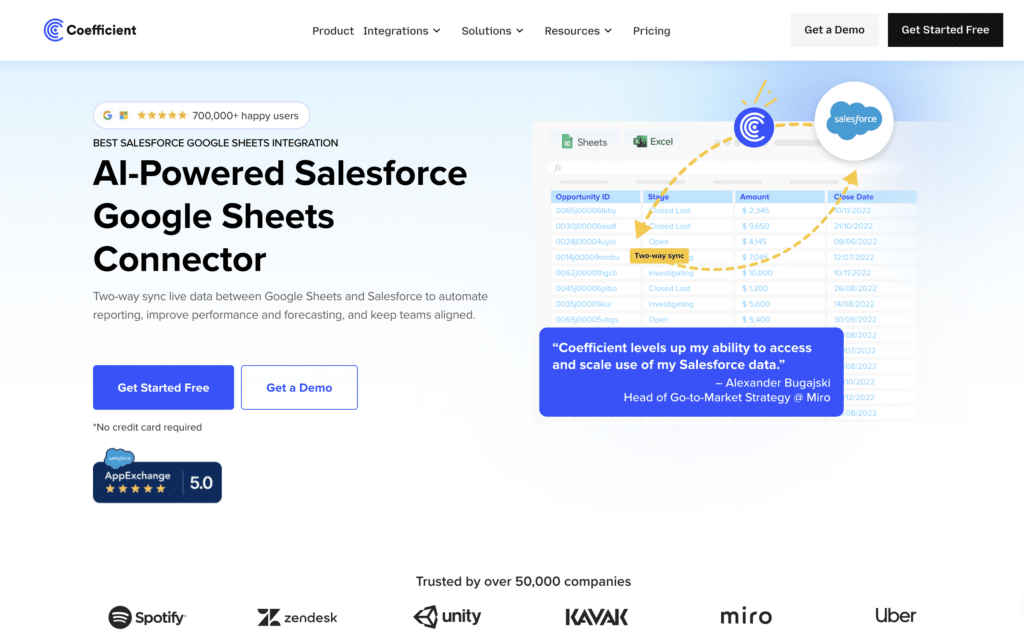
Best for: RevOps, Sales Ops and Finance teams who need live Salesforce data in Google Sheets or Excel, with two-way sync and no IT involvement.
Coefficient is a no-code data connectivity platform that connects Salesforce directly to Google Sheets and Excel. Unlike ETL tools that route data through a warehouse first, Coefficient brings real-time data from Salesforce into the spreadsheet environment where RevOps and Sales teams already work, and lets them write data back to Salesforce without leaving the sheet.
The core use case is replacing the manual export cycle. Instead of downloading a CSV from Salesforce and losing it within days, Coefficient keeps the data live with scheduled auto-refresh (hourly, daily or weekly). When a deal moves in Salesforce, the sheet updates. When a rep closes a deal, the commission tracker updates.
For Sales teams specifically, Coefficient supports importing from any Salesforce object (Opportunities, Accounts, Contacts, Leads, Activities, custom objects) or any existing Salesforce report. RevOps teams can build live pipeline dashboards, quota attainment trackers and forecasting models that stay current automatically. The two-way sync means you can also push updates from the spreadsheet back into Salesforce, cleaning records, logging activities or updating field values in bulk.
Pros
- No-code setup, no IT ticket required. Users report going from install to live data in under ten minutes.
- Live Salesforce data with scheduled refresh. Replaces the entire manual CSV export workflow.
- Genuine two-way sync with field mapping and preview before export. Supports update, insert, upsert and delete actions.
- Handles Salesforce API limits intelligently through Bulk API support and batching.
- Free plan available. No per-user fees on paid plans.
Cons
- Requires Google Sheets or Excel. Not a standalone BI platform.
- Some users note the initial authentication setup with certain data sources can take a few extra steps, though the ongoing experience is smooth once configured.
Source: Source: G2 verified reviews — Coefficient pros and cons
Pricing
Free plan available. Paid plans from $49/month with no per-user fees. See coefficient.io/pricing for full details.
2. Skyvia
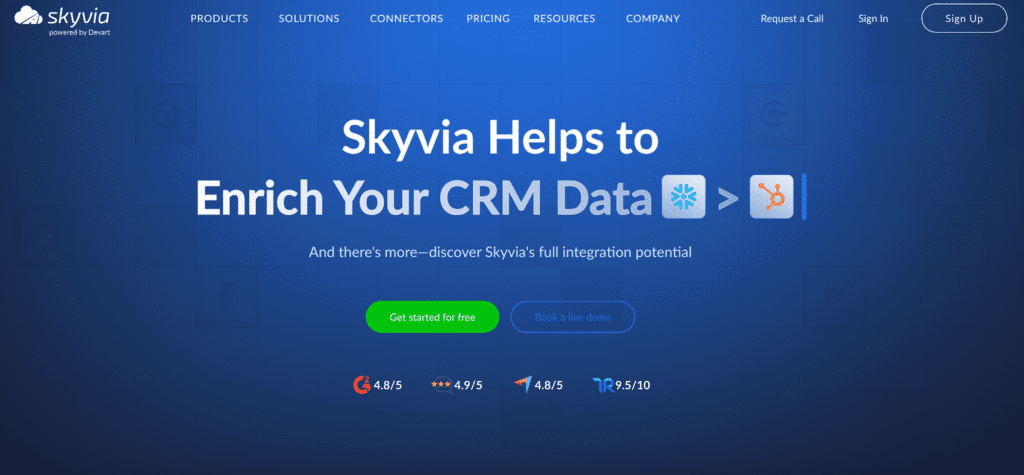
Best for: Teams that need both spreadsheet connectivity and some data warehouse replication from Salesforce, at a lower price point.
Skyvia is a cloud-based data platform covering multiple Salesforce integration scenarios: ETL, ELT, reverse ETL, bi-directional data synchronization and data pipeline design. It offers a Salesforce connector that can sync CRM data to spreadsheets, databases and cloud data warehouses.
Skyvia’s breadth is its main advantage: it handles more integration scenarios than a pure spreadsheet connector. However, its interface is more complex, and teams that specifically want a spreadsheet-native experience will find Coefficient more purpose-built for that workflow.
Pros
- Wide range of integration scenarios in a single platform.
- No-code visual configuration. Competitive pricing with a free tier.
- Supports on-premises databases via a secure agent without exposing them to the internet.
Source: User reviews: G2 — Skyvia
Cons
- More complex to set up than dedicated spreadsheet connectors.
- Interface not as intuitive for non-technical users compared to tools built specifically for business teams.
Pricing
Free tier available. Paid plans from $19/month depending on features and data volume.
3. Portable
Best for: Analysts and data teams that need connectors to long-tail or niche Salesforce-adjacent apps that larger ETL tools don’t cover.
Portable is a cloud ETL tool focused on the long tail of data sources. It offers pre-built Salesforce connectors that extract CRM data and load it into your data warehouse without writing or maintaining connector code. Its main differentiator is the breadth of sources it connects, including many that Fivetran and Airbyte don’t support natively.
It is less suited to RevOps or spreadsheet workflows and more suited to analytics teams building pipelines. Portable does not currently support open-source deployment, and the platform focuses on extraction rather than bi-directional sync.
Pros
- 500-plus connectors including long-tail sources unavailable on larger platforms.
- Flat rate pricing per data flow with no volume-based surprises.
- Builds custom connectors on request at no extra cost.
Source: Source: Portable — Salesforce data integration overview
Cons
- No bi-directional sync. Extraction only.
- Less suited to business-user or RevOps workflows. No open-source option.
Pricing
Flat rate per data flow. Contact Portable for current pricing.
For Workflow Automation Across Business Apps
If your goal is automating multi-step processes between Salesforce and other business apps, such as routing leads, syncing records, triggering notifications or orchestrating cross-team workflows, an iPaaS or workflow automation tool is the right category.
4. MuleSoft Anypoint Platform
Best for: Large enterprises with complex, multi-system integration requirements and dedicated integration engineering resources.
MuleSoft is Salesforce’s own enterprise integration platform. Its Anypoint Platform uses an API-led connectivity approach to connect Salesforce with ERP systems, legacy systems, cloud apps and on-premises databases. It is genuinely powerful for complex orchestration at scale, handling synchronous and asynchronous data flows, API management, middleware routing and message transformation.
The trade-off is cost and complexity. MuleSoft is not designed for business users or RevOps teams. Implementation typically requires certified MuleSoft developers, significant setup time, and an enterprise budget.
Pros
- API management built into the platform alongside integration capabilities.
- Handles complex enterprise integration patterns with deep Salesforce ecosystem alignment.
- Supports on-premises, cloud and hybrid deployments. Strong reusability through API-led approach.
Cons
- Expensive. Licensing fees, maintenance costs and hardware requirements add up significantly.
- Steep learning curve. As one G2 reviewer noted: “It is extremely difficult to set up for those without a technical background. To truly get the most value from it, you really need an implementation partner.”
- Not suited to self-service or no-code use cases. Overkill for most SMB and mid-market teams.
Source: Source: G2 — MuleSoft Anypoint Platform pros and cons
Pricing
Custom enterprise pricing. Not publicly listed. Typically a significant investment for mid-market and enterprise buyers.
5. Workato
Best for: Mid-market and enterprise teams that need cross-functional workflow automation between Salesforce and tools like Slack, NetSuite, ServiceNow or HubSpot.
Workato is an enterprise iPaaS platform that offers hundreds of pre-built integration recipes for connecting Salesforce with other business applications. Its low-code interface makes it more accessible than MuleSoft, and it supports both simple trigger-based automations and complex multi-step workflows with conditional logic.
Workato is well suited to operations teams that need to automate processes across systems, such as syncing closed-won Salesforce opportunities to a billing system or triggering onboarding workflows. It is not a data warehouse tool and is not designed for spreadsheet-based reporting.
Pros
- More accessible interface relative to MuleSoft. Large library of pre-built connectors and templates.
- Supports complex conditional logic and orchestration across multiple business systems.
- Real-time and scheduled data flows. Strong Salesforce connector with bi-directional sync.
Source: Source: G2 — Workato reviews
Cons
- Pricing starts high relative to lighter tools. Enterprise contract required for most features.
- Can be over-engineered for simple integration use cases.
- Business users without technical support often find setup complex despite the low-code positioning.
Pricing
Custom pricing. Typically starts around $10,000 per year for entry-level plans. Contact Workato for current rates.
6. Zapier

Best for: Small businesses and individual users who need simple, trigger-based automations between Salesforce and everyday apps like Gmail, Slack or Google Sheets.
Zapier is the most accessible workflow automation tool on this list. Its trigger-action model (when X happens in Salesforce, do Y in another app) makes it easy for non-technical users to set up basic salesforce integrations without any coding. Pre-built Zap templates cover common use cases like new lead notifications, contact sync and opportunity updates.
Zapier’s simplicity is also its ceiling. It handles point-to-point automations well but is not suited to complex data transformations, high data volumes or bi-directional sync at scale.
Pros
- Extremely easy to set up. Large library of app connectors.
- Free plan for basic use. No technical skills required. Good for small teams testing automation.
Source: Source: G2 — Zapier reviews
Cons
- Limited bi-directional sync capability for Salesforce. Not suitable for high data volumes.
- Can hit Salesforce API governor limits faster than dedicated tools if automations run frequently.
- Complex transformation logic requires workarounds or additional tools.
Pricing
Free plan available. Paid plans from $19.99/month.
For Data Warehouse Pipelines and Data Engineering Teams
If your goal is loading Salesforce data into Snowflake, BigQuery, Redshift or another cloud data warehouse for downstream analytics, these ETL and ELT tools are built for that use case.
7. Fivetran
Best for: Data engineering teams that need reliable, fully managed Salesforce-to-warehouse pipelines with minimal maintenance.
Fivetran is one of the most widely used ELT tools for moving Salesforce data into cloud data warehouses. It handles schema management automatically, including detecting new Salesforce fields and updating the destination schema accordingly. Change data capture support means it tracks incremental changes rather than re-pulling full datasets on each run, which matters at scale.
Pros
- Reliable, managed data pipelines with minimal setup. Automatic schema management.
- Strong change data capture support. Broad connector library across hundreds of sources.
- Good Salesforce object coverage including custom objects and standard CRM objects.
Source: Source: G2 — Fivetran reviews
Cons
- Usage-based pricing (Monthly Active Rows) gets expensive at scale. Costs can be difficult to forecast.
- No bi-directional sync. Extraction and loading only. Not suited to RevOps or spreadsheet workflows.
- Less flexibility than open-source alternatives for custom connector needs.
Pricing
Usage-based pricing based on Monthly Active Rows (MAR). Pricing varies significantly by data volume. See Fivetran’s website for current plans.
8. Airbyte
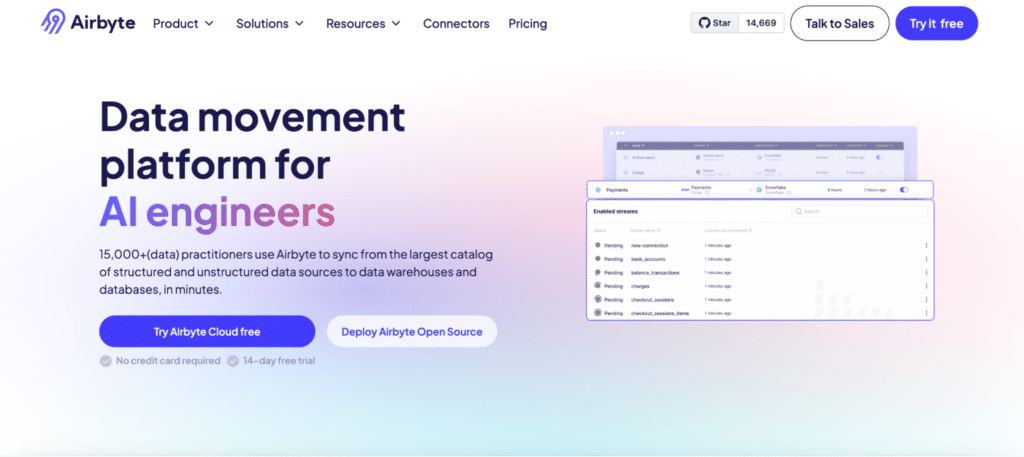
Best for: Technical teams that want open-source flexibility for Salesforce data pipelines without vendor lock-in.
Airbyte is an open-source ELT platform with a strong Salesforce connector and a large community-maintained library of integrations. Teams can self-host Airbyte for free or use Airbyte Cloud for a managed option. Its open-source model gives data teams full control over connector customization, which matters when Salesforce custom objects or non-standard field configurations are involved.
Pros
- Open-source with no per-row cost for self-hosted deployments. Strong cost control at high volumes.
- Customizable connectors. Large and active community. Good Salesforce object coverage.
Source: Source: G2 — Airbyte reviews
Cons
- Requires engineering resources to set up and maintain self-hosted deployments.
- No bi-directional sync. Not suited to non-technical users or RevOps workflows.
- Airbyte Cloud managed option adds cost that reduces the open-source cost advantage.
Pricing
Free for open-source self-hosted. Airbyte Cloud is paid based on usage. Contact Airbyte for cloud pricing.
9. Informatica
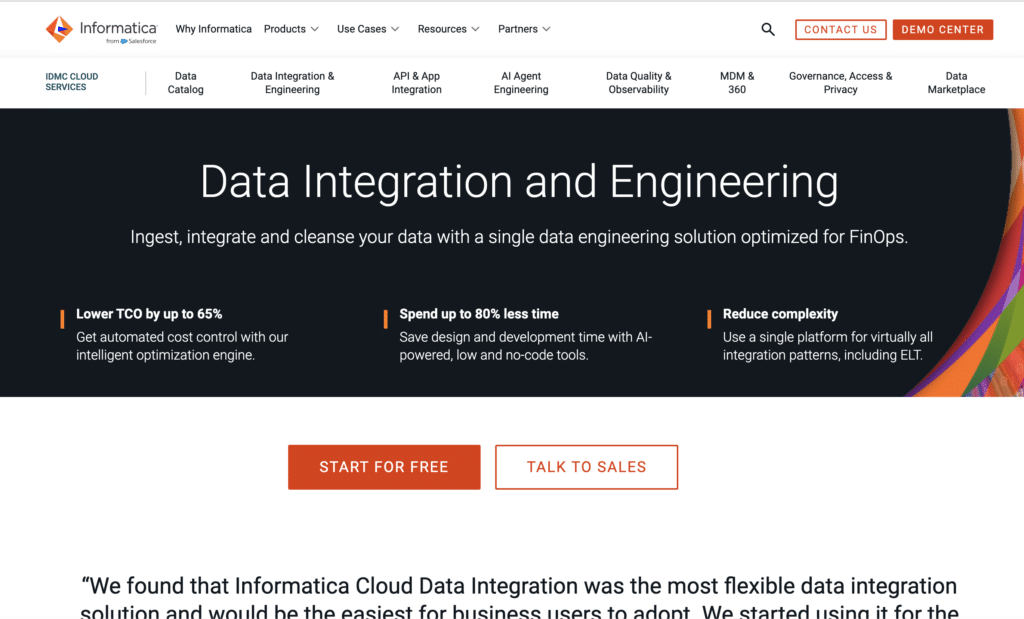
Best for: Large enterprises with complex data governance, data quality and compliance requirements around Salesforce data.
Informatica is a long-established enterprise data management platform. Its Salesforce integration capabilities include ETL, ELT, reverse ETL, data quality, metadata management and access control at enterprise scale. It is the right choice when compliance, data governance and regulatory requirements are central to the integration strategy.
Pros
- Enterprise-grade data governance and data quality tooling built into the platform.
- Strong metadata management. Proven at large scale across complex multi-system environments.
- Broad Salesforce object support with advanced field mapping and validation controls.
Source: Source: G2 — Informatica reviews
Cons
- Custom enterprise pricing with a high cost of entry. Implementation is complex and typically requires professional services.
- Significant overkill for SMB and most mid-market use cases. Breadth of features adds unnecessary overhead for simpler integration needs.
Pricing
Custom enterprise pricing. Not publicly listed. Contact Informatica for a quote.
Salesforce Data Integration Tools: Quick Comparison
Use this table to compare the nine tools across the criteria that matter most for your buying decision.
| Tool | Best For | Two-Way Sync | No-Code | Pricing Model |
|---|---|---|---|---|
| Coefficient | RevOps, Sales Ops, Finance in spreadsheets | Yes | Yes | Free; paid from $49/month |
| Skyvia | Spreadsheet + warehouse hybrid | Yes | Yes | Free tier; from $19/month |
| Portable | Long-tail connectors, analysts | No | Yes | Flat rate per data flow |
| MuleSoft | Enterprise API-led integration | Yes | No | Custom enterprise pricing |
| Workato | Cross-team workflow automation | Yes | Partial | Custom; ~$10k+/year |
| Zapier | Simple app-to-app triggers, SMBs | Limited | Yes | Free; from $19.99/month |
| Fivetran | Data warehouse pipelines | No | Yes | Usage-based (MAR model) |
| Airbyte | Open-source pipelines, technical teams | No | Partial | Free OSS; cloud paid |
| Informatica | Enterprise data governance at scale | Yes | Partial | Custom enterprise pricing |
How to Connect Salesforce to Google Sheets or Excel with Coefficient
Watch the 2-minute walkthrough on YouTube to see the full Salesforce-to-Google Sheets connection in action, or follow the steps below to get set up.
For a complete step-by-step guide with screenshots, see How to Install Coefficient on Salesforce.
- Install Coefficient. Add the extension from the Google Workspace Marketplace. Open any Google Sheet, go to Extensions, and launch Coefficient from the sidebar.
- Connect your Salesforce org. Click ‘Import From’, select Salesforce, and authorize via OAuth. No credentials are stored in the sheet.
- Choose your import method. Import from an existing Salesforce report, build a query from any object and fields, or write a custom SOQL query.
- Apply filters and set your refresh schedule. Use AND/OR filter logic to pull only the data you need. Set hourly, daily or weekly auto-refresh.
- Enable two-way sync (optional). Use Export to Salesforce to map sheet columns to Salesforce fields and push changes back. Supports update, insert, upsert and delete.
The result: live Salesforce data in your spreadsheet, updated automatically, with write-back available whenever you need it. For pre-built examples, see Coefficient dashboard templates for Sales and RevOps use cases.
How to Choose the Right Salesforce Data Integration Tool for Your Team
RevOps, Sales Ops or Finance — need live Salesforce data in a spreadsheet: Use Coefficient. No-code setup, scheduled refresh and bi-directional sync, built specifically for this workflow.
Data engineer building a Salesforce-to-warehouse pipeline: Fivetran for a fully managed option. Airbyte if you want open-source control and have engineering capacity.
IT team orchestrating complex workflows across Salesforce and multiple business systems: MuleSoft if you are in the Salesforce enterprise ecosystem. Workato for a more accessible iPaaS with strong automation capabilities.
Small business or individual needing simple Salesforce automations: Zapier is the fastest and most affordable starting point for basic app-to-app integration.
Large enterprise with data governance and compliance requirements: Informatica is the most complete data management platform for enterprise-scale Salesforce integration.
Get Started with CoefficientIf you are on a RevOps, Sales Ops or Finance team and want live Salesforce data in your spreadsheet today, try Coefficient for free. Connect your Salesforce org in minutes, import any report or object, and set a refresh schedule that keeps your data current without manual exports.