Doing Google Sheets data imports, reporting, and analysis manually? Start automating like the rest of us.
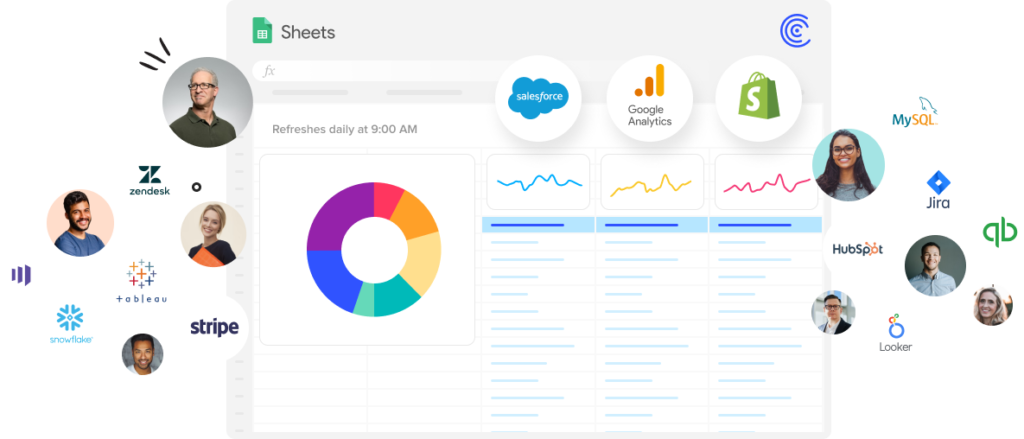
Google Sheets Automation Is Right
At Your Fingertips
No matter how many tools we add to our stack, spreadsheets are ubiquitous. They’re the universal language of business.
Even companies that invest heavily in expensive BI tools find their employees reverting back to their trusty spreadsheet.
Automating Google Sheets tasks and reports is changing the game for spreadsheet users, from large enterprises, to Shopify store owners.
Without Google Sheets Automation:
- Users spend 45% more time in their spreadsheets
- Google Sheets data becomes stale
- Data accessibility to your tech stack is difficult
- Manual tasks lead to data discrepancies
- Spreadsheets cannot act as a single source of truth
Spreadsheet automation and connectivity unleash the true power of your spreadsheet.

So, how do I get started with Google Sheets automation?
Think about the places you and your team are putting in too much manual, redundant work in your spreadsheets. Write those tasks down and prioritize them. Then automate them in just a few steps.
4 Easy Steps for Automating Google Sheets
Eliminate Manual Data Exports from Your Business Systems
Automating data imports is the first step to making magic happen in your spreadsheet.
Stop working off stale and faulty data from highly manual, copy-paste, less-than-accurate processes for your reports, dashboards, and analysis.
Eliminate this cycle of wasted time and subpar results with one-click connectors for your business systems to Google Sheets or Excel.
Use GPT Copilot to Build Formulas, Pivot Tables, and Charts for You
AI has changed the way we work. You can now access GPT functionality right inside of your sheets.
15+ new GPTx functions allow you to clean lists, generate copy or code, categorize products, tag sentiment, and so much more all within your pre-existing workspace.
And, use text instructions to generate formulas, charts, and pivot tables. Expect much more to come in this space.
Copy Pre-Built Dashboards
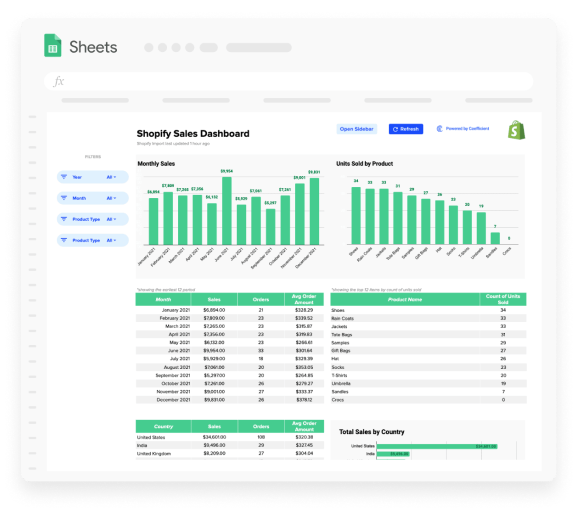
Visualizing your data is critical for uncovering insights. But, not all of us are spreadsheet experts and can build beautiful charts, dashboards or use advanced formulas that make them tick.
There are tons of free templates available for Google Sheets and Excel. We have our own library of Google Sheets templates that you start using in a single click.
Feel free to download and customize each template as you see fit.
Automate the Misc Tasks with Macros
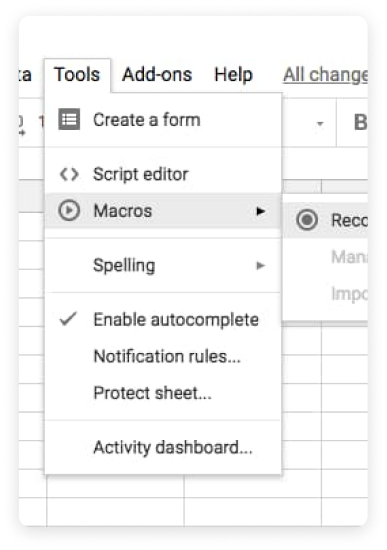
Steps one and two will likely eliminate many of the manual tasks you’re performing in spreadsheets. If you still have tasks on your list you need to prioritize, macros are all you need!
Macros allow you to record tasks in your spreadsheet and automate them with no code. With macros, you can automate countless spreadsheet tasks, including:
- apply formatting styles
- manipulate data and text
- create entirely new documents
Learn how to create Macros in Google Sheets or Excel.
Teams Feel the Impact of Automation
You can be the team hero. #picsoritdidnthappen
Google Sheets Automation FAQs
Learn More about Automation
Let it sink in or dip your feet in with the following resources.





Trusted By Over 50,000 Companies
