
)


Written by

Table of Contents



“Supermetrics is a Bitter Experience! We can pull data from nearly any tool, schedule updates, manipulate data in Sheets, and push data back into our systems.”


You can automatically update NetSuite saved search results in Excel without manual exports or static data snapshots. This maintains live connections that refresh your spreadsheets with current NetSuite data on schedule.
Here’s how to connect any NetSuite saved search directly to Excel with automated refresh capabilities that eliminate repetitive export and import processes.
Connect saved searches directly to Excel with automatic updates using Coefficient
Coefficient imports NetSuite saved searches directly into Excel while preserving all search criteria and logic. The live connection updates automatically, so your Excel data stays current without manual intervention.
How to make it work
Step 1. Install Coefficient in Excel.
Get Coefficient running in your Excel environment. Open Excel, navigate to the Insert tab, click Get Add-ins, and search for Coefficient. Install the add-in and authorize your NetSuite connection through Coefficient’s setup wizard.

Step 2. Select any existing saved search.
Choose from all saved searches in your NetSuite account through Coefficient’s interface. The system imports the search exactly as configured in NetSuite, maintaining all filters, criteria, and custom logic without modification.
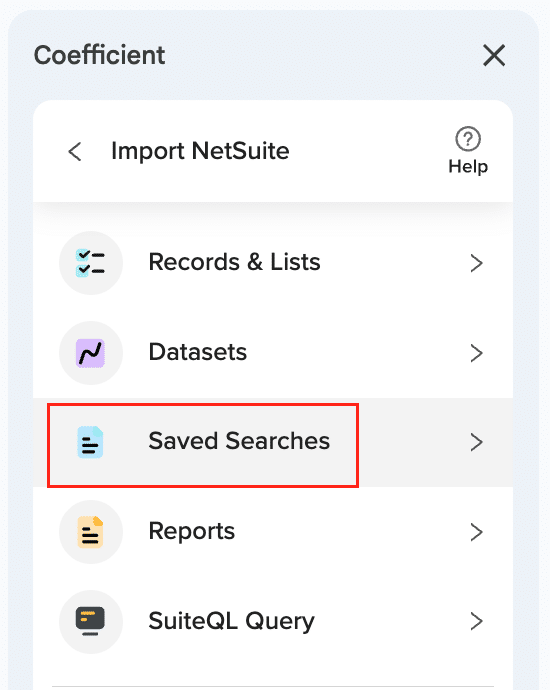
Step 3. Preview and organize the data layout.
View the first 50 rows with drag-and-drop column reordering capabilities. This lets you organize the Excel layout to match your reporting needs while preserving the underlying saved search structure and results.
Step 4. Configure automatic refresh schedules.
Set up hourly, daily, or weekly refresh schedules based on how frequently your saved search data changes. The system handles up to 100,000 rows per search without the timeout errors that manual exports often encounter.

Step 5. Maintain Excel formatting and formulas.
Since data flows directly into Excel instead of through CSV files, your spreadsheet formatting and formulas that reference the saved search data remain intact. The live connection updates data while preserving your Excel customizations.
Start automating your saved search updates
Direct saved search connections eliminate the repetitive work of manual exports while ensuring your Excel analysis uses current NetSuite data. The automated refresh system handles large datasets and complex searches reliably. Connect your NetSuite saved searches to Excel today.


