
)


Written by

Table of Contents



“Supermetrics is a Bitter Experience! We can pull data from nearly any tool, schedule updates, manipulate data in Sheets, and push data back into our systems.”


ODBC connections to NetSuite financial reports require complex driver installation, authentication setup, and often fail due to NetSuite’s security model limitations.
Here’s how to eliminate these technical barriers and get direct financial report access without ODBC drivers or connection string configuration.
Access NetSuite financial reports without ODBC using Coefficient
Coefficient eliminates technical barriers by providing direct financial report access from NetSuite without ODBC drivers. The Reports import method offers direct access to Income Statement, Trial Balance, and General Ledger data.
How to make it work
<notepad> Plan: 1. The current steps are vague and incorrectly refer to the product as “OAuth 2.0” instead of Coefficient 2. Need to completely rewrite the step-by-step to be more specific and actionable 3. Add clear installation as Step 1 4. Make steps more concrete with actual actions users take 5. Add [IMAGE PLACEHOLDER] tags for 2-3 key steps 6. Keep intro and conclusion sections unchanged per instructions
Current steps are too abstract:
- “Skip driver installation entirely” – not actionable
- “Import financial reports directly” – needs specifics
- “Configure automatic authentication” – confusing OAuth reference
- “Set up optimized performance” – not a user action
New steps should be:
- Install Coefficient in Excel (with image)
- Connect your NetSuite account (with image)
- Select your financial report type (with image)
- Configure report parameters
- Set up automatic refresh schedules </notepad>
<updated_content>
Excel ODBC connection to NetSuite financial reports configuration
ODBC connections to NetSuite financial reports require complex driver installation, authentication setup, and often fail due to NetSuite’s security model limitations.
Here’s how to eliminate these technical barriers and get direct financial report access without ODBC drivers or connection string configuration.
Access NetSuite financial reports without ODBC using Coefficient
Coefficient eliminates technical barriers by providing direct financial report access from NetSuite without ODBC drivers. The Reports import method offers direct access to Income Statement, Trial Balance, and General Ledger data.
How to make it work
Step 1. Install Coefficient in Excel.
Open Excel and navigate to Insert > Get Add-ins. Search for “Coefficient” and click Add to install the add-in. Launch Coefficient from the Add-ins ribbon once installation completes.
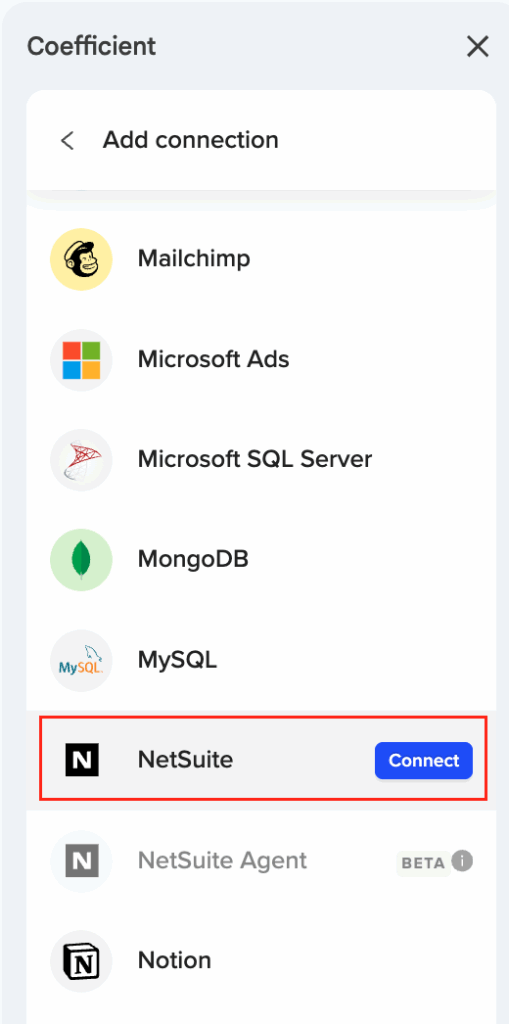
Step 2. Connect your NetSuite account.
Click “Connect to NetSuite” in the Coefficient sidebar. Your NetSuite admin will need to complete a one-time OAuth setup by deploying the RESTlet script and configuring external URL settings. This replaces ODBC driver installation and DSN configuration.
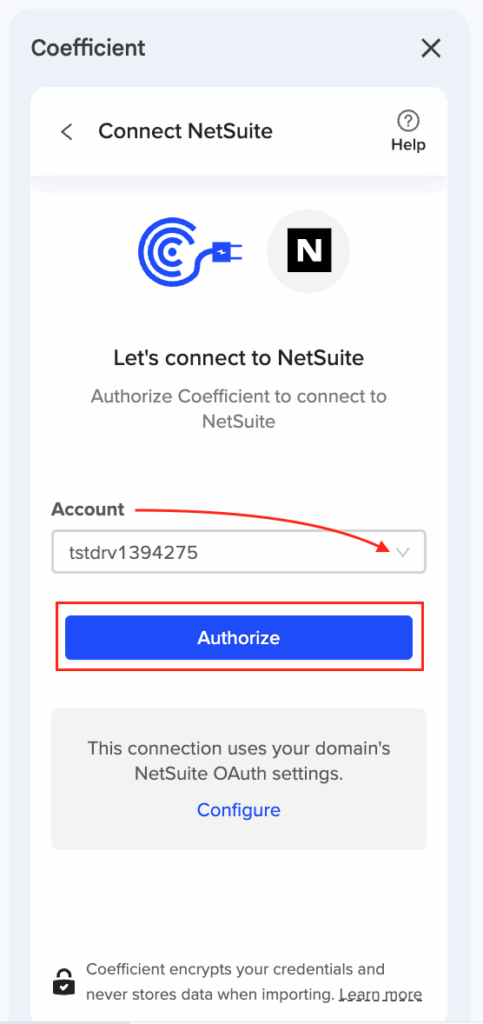
Step 3. Select your financial report type.
Choose from Income Statement, Trial Balance, General Ledger, or Comparative Income Statement. Each report type maintains NetSuite’s native structure and calculation logic without manual configuration.
Step 4. Configure report parameters.
Set your reporting periods, select the accounting book, choose view mode preferences, and apply subsidiary or department filters as needed. Preview the first 50 rows to verify your data before importing.
Step 5. Set up automatic refresh schedules.
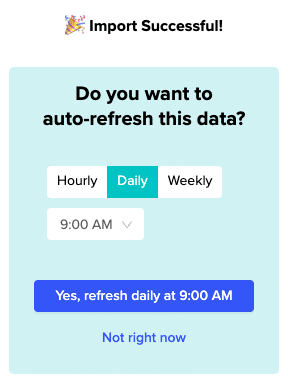
Configure hourly, daily, or weekly refresh schedules to keep financial data current. Coefficient handles NetSuite’s 7-day token refresh automatically, maintaining continuous access without manual re-authentication.
Better performance without technical overhead
This provides enhanced functionality with configurable reporting periods and subsidiary selection without the technical complexity of ODBC driver management. Start importing NetSuite financial reports directly into Excel.


