
Table of Contents

- 1. How to Build NetSuite Financial Statements
- 2. How to Setup NetSuite Budget vs Actual Reporting
- 3. How to set up NetSuite financial consolidation
- 4. How to Do Multi-Entity Financial Consolidation from Multiple NetSuite Instances
- 5. How to Customize NetSuite Reports: Simple Guide for 2025
- 6. How to Create a NetSuite KPI Dashboard
- 7. How to Pull NetSuite Custom Reports into Excel
- 8. How to Pull NetSuite Custom Reports into Google Sheets


Multi-entity businesses need accurate consolidated financial statements. GAAP and IFRS require consolidation when a parent company controls more than 50% of a subsidiary’s voting shares. The challenge is choosing between native NetSuite consolidation and a more flexible Excel-based approach.
This guide covers both methods and when to use each.
Two ways to set up financial consolidation
You can consolidate financial statements using NetSuite’s built-in tools or by building an Excel-based system with live data connections. Native NetSuite works well for straightforward ownership structures. Excel provides more flexibility for complex reporting and custom analysis.
#1 Native NetSuite consolidation
NetSuite includes financial consolidation features that combine subsidiary financial statements into a single set of parent company reports. The system handles intercompany eliminations automatically and supports real-time drill-down to source transactions.
Multi-book accounting
Multi-Book Accounting lets you maintain multiple accounting standards at once. You can record transactions under GAAP, IFRS, and local standards with a single data entry. Each transaction can follow different rules and tax codes depending on jurisdiction. This eliminates duplicate data entry across regions.
“NetSuite allows us to allocate costs such as rent based on headcount across offices. This type of inter-company and multi-entity accounting is something that QuickBooks doesn’t allow,” says Kevin Moore, Controller at Brex.
Subsidiary setup
Subsidiary setup requires the parent company to own more than 50% voting rights or have equivalent control. Each subsidiary operates as a separate legal entity with its own financial statements. NetSuite uses a hierarchical structure that enables roll-up reporting from subsidiaries to the parent. Subsidiaries can have different fiscal year-ends, though this requires adjustment during consolidation.
Elimination journal entries
Elimination journal entries remove intercompany transactions to prevent double-counting. You create these at Transactions > Financial > Make Journal Entries. Each elimination entry must link to a single elimination subsidiary. The system eliminates:
- Intercompany sales and purchases between entities
- Loans, advances, and dividend transactions
- Investment in subsidiary equity and management fees
NetSuite generates system-level journals automatically during the consolidation process. If the elimination process fails, some entries may not post correctly. You’ll need to re-run the consolidation to ensure all eliminations process properly.
Consolidated reports
Consolidated reports include balance sheets, income statements, and cash flow statements. The system provides real-time visibility into consolidated performance. You can drill down from consolidated numbers to individual transactions across subsidiaries. The automated elimination process accelerates month-end close by removing manual matching work.
When complexity increases, NetSuite consolidation becomes harder to configure. Organizations with partial ownership structures face limitations. Complex intercompany agreements may not fit standard elimination rules. “When you have a more complicated structure with partial ownership or complex intercompany agreements, you may find it difficult to configure NetSuite to handle all scenarios correctly,” according to Greenstep.
#2 Excel-based consolidation with live data
Excel provides flexibility that native ERP consolidation can’t match. The key is connecting Excel directly to NetSuite so data stays current without manual exports.
Coefficient creates live connections between NetSuite and spreadsheets, letting you pull Saved Searches, Datasets, Records & Lists, and SuiteQL queries directly into Excel or Google Sheets.
Live data connectivity
Coefficient eliminates manual exports entirely. Connect to NetSuite once, then pull any financial data you need—trial balances, journal entries, account balances, intercompany transactions. Custom fields and custom records sync automatically. Set up a data pull in minutes instead of building complex integrations.
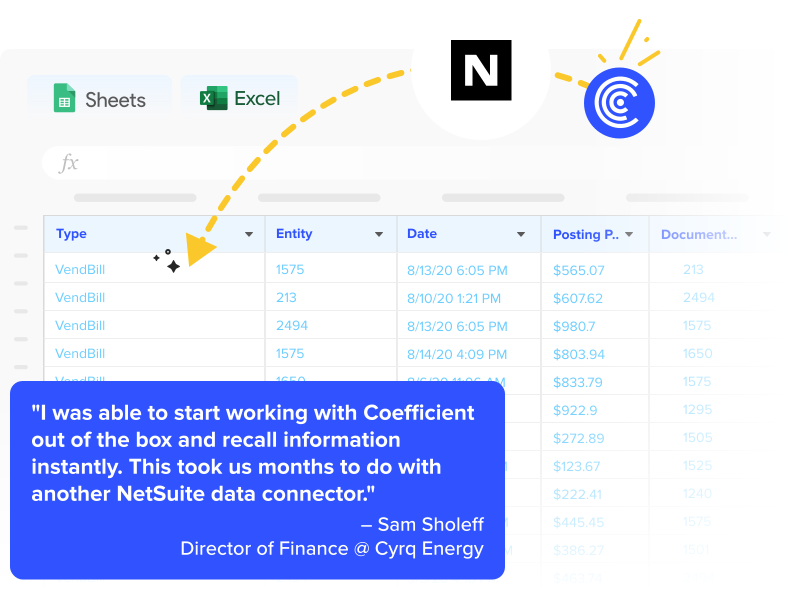
“I was able to start working with Coefficient out of the box and recall information instantly. This took us months to do with another NetSuite data connector,” says Sam Sholeff, Director of Finance at Cyrq Energy.
Pulling balance sheets from each subsidiary
Start with structure. Use the NetSuite Balance Sheet template as a starting point for organizing entity-level data. With Coefficient, you can connect multiple NetSuite subsidiaries under a single account. Pull each subsidiary’s balance sheet into separate Excel tabs. The consolidation worksheet aggregates data automatically with formulas.
This approach keeps your existing Excel consolidation models intact. You replace manual data entry with live connections. “Coefficient is competitive because it accesses more than just the base dataset in NetSuite. Our team can do 80% of our data cleaning and filtering in our ERP system and call those results to Excel,” explains the Cyrq Energy finance team.
Scheduled refreshes aligned to your close calendar
Coefficient’s scheduled refreshes keep consolidation reports current without manual intervention. Set data pulls to run hourly, daily, or weekly. Schedule refreshes around month-end close milestones so reports update exactly when you need them.
Mike Lynch, CFO at Thornton Capital, cut month-end close from 10 days to 3 days using Coefficient with QuickBooks across 16 entities. “We use Excel templates just like before but now they refresh automatically. I can fix a journal entry, hit refresh, and have updated financials in seconds.”
Flexibility for complex organizations
Coefficient gives you consolidation options that native NetSuite can’t match:
- Custom consolidation views built in Excel without NetSuite configuration
- Multi-source reporting that blends NetSuite data with Salesforce, Snowflake, or other systems
- Executive-ready formatting using familiar Excel tools
Christian Budnik, FP&A Analyst at Solv, used Coefficient to combine data from Salesforce, Looker, and QuickBooks into unified financial dashboards. His team saved 364 hours per year by eliminating manual data imports.
“After setting up Coefficient, I instantly felt an incredible amount of peace of mind. All I had to do was click a button, and in seconds, all my data appeared in Google Sheets.”
Cost savings
Cyrq Energy saved over $50,000 annually using Coefficient instead of enterprise consolidation tools. They avoided the costs of Adaptive Planning and other dedicated consolidation software. “We’ve avoided the much higher costs of similar packages that offer this connectivity.”
“We were able to recreate reports on our NetSuite data in days with Coefficient. This took us months to build with other database query tools,” says Sam Sholeff.
Common consolidation challenges
NetSuite financial consolidation presents several obstacles. Understanding these challenges helps you build better processes.
- Complex multi-book setup adds layers of difficulty. Maintaining multiple accounting standards increases complexity. Different depreciation methods across entities require adjustment worksheets. Foreign currency translation for international subsidiaries adds calculation steps.
Manual elimination entries consume time during close. Identifying all intercompany transactions across multiple entities is labor-intensive. Matching intercompany receivables and payables requires detailed tracking. Missing transactions or double-counting creates risk. - Time-consuming close process delays reporting. Average consolidation takes 6 to 10 days for mid-market companies. Complex structures can extend this to 15 business days or more. Manual data collection delays the start of consolidation work.
- Limited consolidation flexibility constrains analysis. Native ERP reports are often rigid in format. Creating custom views for different stakeholders takes technical work. Board reporting requires extensive reformatting.
Simplify your consolidation workflow
Native NetSuite tools work well for standard structures but face limitations with complex scenarios. Excel-based consolidation provides flexibility and faster implementation. You maintain the analytical power of spreadsheets while eliminating manual exports. Scheduled refreshes keep reports current throughout the close period.
Get started with Coefficient to automate your NetSuite consolidation in days instead of months.