

What Is Klipfolio?
Klipfolio is a cloud-based dashboard and reporting platform for SMBs, marketing teams, and agencies that need to consolidate data from multiple sources into customizable, real-time dashboards. It connects to 130+ integrations including Google Analytics, HubSpot, Salesforce, Facebook Ads, Xero, SQL databases, and spreadsheets.
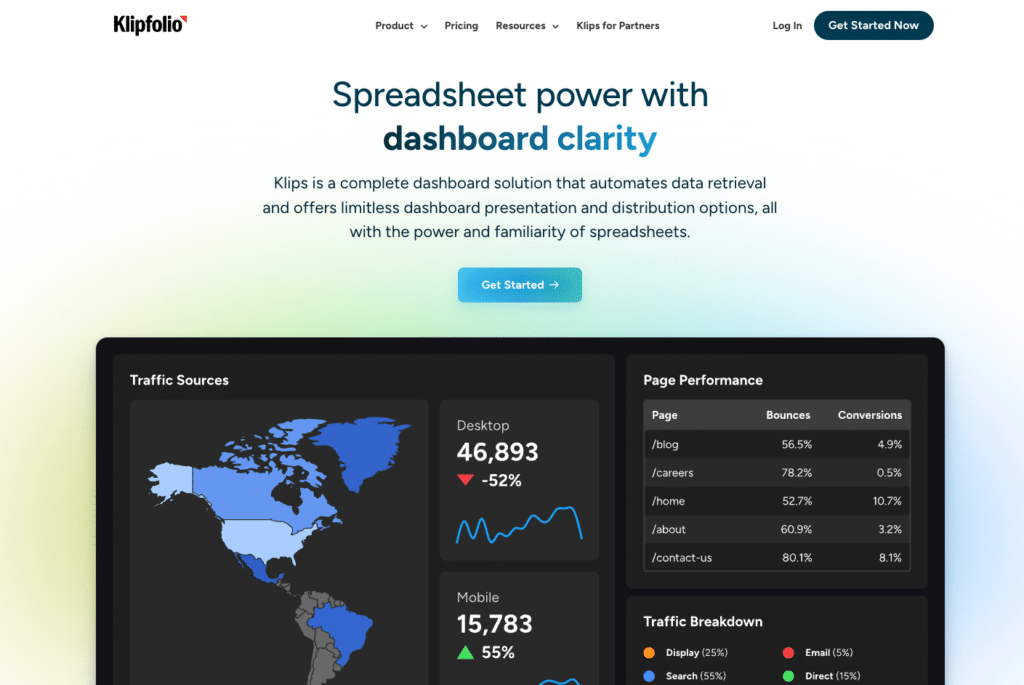
Klipfolio offers two distinct products under the same brand. Klips is the original dashboard builder: highly customizable, formula-driven, built for teams that want full control over how data is presented. PowerMetrics is a newer analytics platform at powermetrics.app, designed around a metric-centric model for self-serve analytics with less configuration complexity.
This article covers Klips pricing, which is what most buyers mean when they search for Klipfolio pricing. PowerMetrics uses a different pricing model and is covered separately at the end.
Klipfolio Klips Pricing: Plans and What They Cost
Klipfolio publishes its Klips pricing openly at klipfolio.com/pricing. Four business plans are available, all priced on annual billing. Monthly billing is also available at a higher rate. All plans include unlimited users.
| Plan | Annual Price (per month) | Dashboards | Users | Data Refresh Rate | Key Unlocks |
| Base | $120/month | 3 | Unlimited | Every 4 hours | 130+ integrations, data modelling, published links, PDF and scheduled reports, template gallery, add logo |
| Grow | $190/month | 10 | Unlimited | Every 1 hour | Everything in Base, plus more dashboards and faster refresh |
| Team | $310/month | 20 | Unlimited | Every 15 minutes | SSO, warm up refresh added on top of Grow features |
| Team+ | $600/month | 40 | Unlimited | Up-to-the-minute | Custom onboarding, priority support, fastest refresh, most dashboards |
| All pricing sourced directly from klipfolio.com/pricing, annual billing. Monthly plans are available at higher rates. Agency pricing is available separately at klipfolio.com/pricing (toggle to Plans for Agencies). |
What Actually Differentiates the Plans
The four Klips tiers are primarily separated by two things: how many dashboards you can build, and how frequently your data refreshes.
Dashboard limits are a harder constraint than most buyers anticipate. Three dashboards on Base sounds manageable for a small team, but if you are tracking marketing performance, sales pipeline, and operations separately, you are already at the limit. Ten on Grow works for a small agency with a handful of clients. Twenty on Team and forty on Team+ are designed for mid-size agencies managing multiple accounts.
Refresh rate matters depending on your use case. Base refreshes every four hours, which is fine for weekly reporting or trend analysis but too slow for live campaign monitoring. Team’s 15-minute refresh is the practical threshold for most teams that need near-real-time visibility. Team+’s up-to-the-minute refresh is for operational dashboards where delay is genuinely costly.
SSO unlocks at Team ($310/month). If your organization requires single sign-on for access control, that is your minimum tier regardless of how many dashboards you need.
Klipfolio Add-Ons: Where Costs Compound
On top of the base plan price, Klipfolio offers several add-ons that many teams end up needing:
- Extra dashboards: $8/month per additional dashboard (billed annually). If you hit your plan’s dashboard limit and do not want to upgrade the full plan, this is the workaround.
- Near-real-time refresh: Paid add-on. Puts your data sources into a dedicated refresh queue for more frequent updates. Essential for teams monitoring live metrics but not on Team or Team+ already.
- Performance tuning: Paid add-on. Optimizes how Klipfolio handles dynamic data sources and complex dashboard builds. Recommended by Klipfolio for accounts that experience slow loading times.
- Large data processing: Custom pricing. For teams processing datasets larger than the standard 10MB limit.
- Custom theme (CSS/JavaScript): Paid add-on. Required for deeper visual customization beyond the built-in logo and colour options.
- Priority support: Included in Team+ or available as an add-on. Guarantees your support requests move to the front of the queue with access to a Klipfolio expert during business hours.
A team on the Grow plan that adds near-real-time refresh and performance tuning is looking at the $190 base plus two add-ons that can push the monthly total significantly higher. Third-party analysis suggests that a 30+ client agency using Klipfolio could reasonably pay between $1,000 and $2,000 per month when add-ons are factored in.
Klipfolio’s Learning Curve: The Hidden Time Cost
Beyond the pricing structure, Klips has a documented learning curve that functions as a real cost for non-technical users. The Klips formula editor provides deep customization capability — the same reason data teams value it is the reason marketers and ops leads find it frustrating.
Building custom visualizations, blending data from multiple sources into a unified metric, and troubleshooting broken data connections all require more technical confidence than most business users bring to a dashboard tool. Public reviews consistently note that advanced features require coding skills, and that the interface feels dated compared to newer alternatives.
For data teams with technical resources and time to invest, the depth of Klips is genuinely valuable. For non-technical business users who want to self-serve their reporting without significant setup investment, the platform is not as accessible as it appears at first glance.
PowerMetrics: Klipfolio’s Other Product
PowerMetrics is Klipfolio’s newer analytics platform, available separately at powermetrics.app. It uses a metric-centric model rather than the dashboard-first approach of Klips, and is designed for SMBs wanting self-serve analytics with less configuration complexity.
PowerMetrics has a free tier for individuals. Paid plans scale by metric volume and team size. If your primary use case is self-serve analytics rather than custom dashboard building for clients, PowerMetrics is worth evaluating as a separate decision from Klips. Contact Klipfolio for current PowerMetrics pricing.
Who Klipfolio Is and Isn’t Right For
Klipfolio is a credible choice for agencies that need flexible, customizable client dashboards, data teams that want formula-level control over how metrics are calculated and displayed, and organizations that need a mid-market BI presentation layer at a lower price point than enterprise tools.
It is harder to justify for non-technical business users who need data in a familiar environment without a configuration investment, teams with limited dashboard requirements where the minimum $120/month plan feels expensive for the use case, and organizations where the primary problem is data access rather than data presentation.

Stop exporting data manually. Sync data from your business systems into Google Sheets or Excel with Coefficient and set it on a refresh schedule.
Get Started
The add-on structure requires buyers to budget past the base plan. Teams that sign up for Base and later discover they need faster refresh and extra dashboards can end up paying significantly more than their initial plan suggested.
Klipfolio vs. Coefficient: The Dashboard Layer vs. the Data Layer
Klipfolio and Coefficient address overlapping but distinct problems. The right framing depends on what your team actually needs.
Klipfolio is the dashboard layer. It takes data you provide and presents it through customizable visualizations, client-ready reports, and shareable dashboards. It is best when the presentation and distribution of data is the primary requirement, and your team has the technical resources to configure it properly.
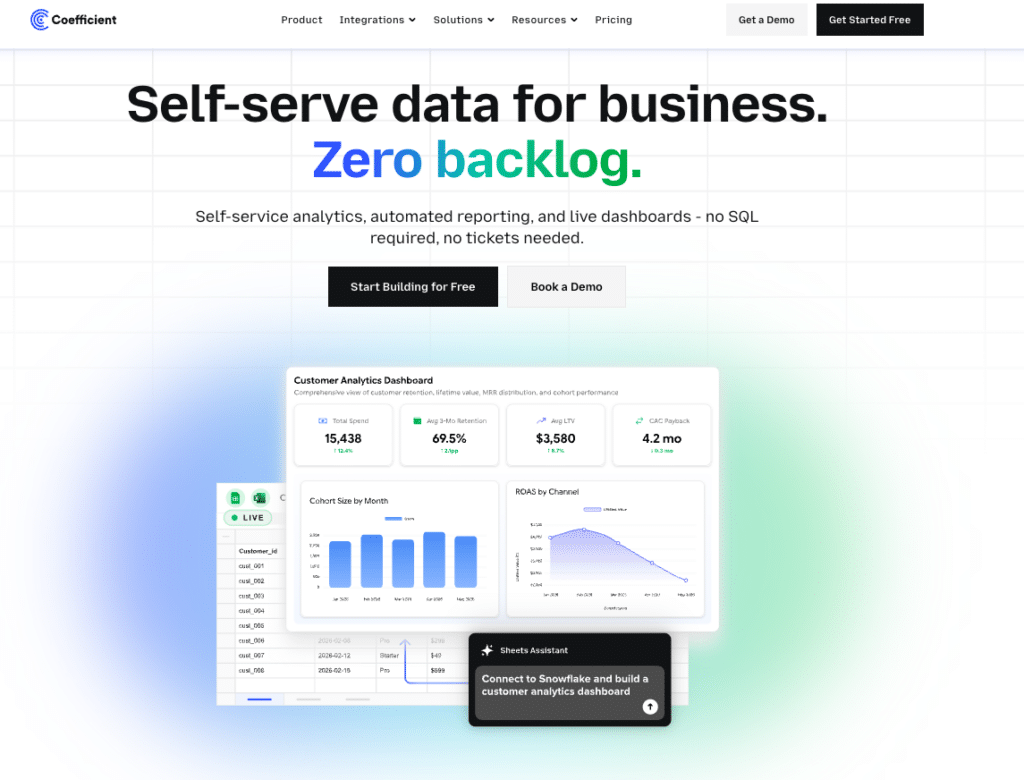
Coefficient is the data layer. It connects 100+ live data sources directly into Excel or Google Sheets on a scheduled refresh, so business teams always have current data in the environment they already use. It also publishes live web dashboards directly from spreadsheets with one click, without requiring a separate dashboard platform.
For non-technical business users, the difference is practical. Klipfolio requires learning a new platform and maintaining it separately from the spreadsheets where most analysis already happens. Coefficient adds live data to the spreadsheet environment teams already work in every day. No formula editor to learn. No dashboard tool to manage. No separate billing for refresh speed.
For data and analytics teams, Coefficient’s self-service angle changes how reporting requests work. Business users pull the data they need directly into their own spreadsheet without filing a ticket. The analysis stays in a familiar environment. IT keeps governance through admin controls. The data request queue gets shorter.
For teams that need both, the tools work together naturally. Coefficient handles live data connectivity, feeding the spreadsheet models that inform strategy. Klipfolio handles the polished, branded dashboard output for clients or leadership who need a presentation layer. Coefficient is the data foundation. Klipfolio is the front end on top of it.
| Klipfolio Klips | Coefficient | |
| Works inside existing spreadsheets | No | Yes (Excel + Google Sheets) |
| Dashboard limit | 3 to 40 (by plan) | Unlimited (one-click web publish) |
| Refresh rate | 4hr to up-to-the-minute (by plan) | Scheduled (all plans) |
| Learning curve | Steep (formula editor) | Low (spreadsheet-native) |
| Non-technical user friendly | Limited | Yes |
| Two-way data sync | No | Yes |
| AI analysis | Limited | AI Sheets Assistant (all plans) |
| Starting price | $120/month | From $49/month |
Is Klipfolio Worth the Cost?
For agencies building client-facing dashboards and data teams that need deep visualization flexibility, Klipfolio Klips delivers real capability at a price below enterprise BI alternatives. The four-tier structure gives teams room to scale from basic reporting to near-real-time operational dashboards without switching platforms.
The honest caveat is that the base plan pricing is only the starting point. Dashboard limits, refresh rates, SSO requirements, and add-ons all push the effective monthly cost higher than the tier comparison suggests. Teams should budget for the plan that actually covers their refresh and dashboard requirements, not the cheapest plan that looks adequate on paper.
If your team’s core frustration is that data lives in separate tools and getting it into one place requires manual effort, Klipfolio addresses the presentation layer without solving that underlying data access problem which is solved very well by a tool like Coefficient with dashboarding capabilities too. Give Coefficient a try today







