

HubSpot’s built-in reports are fine until they’re not. You want to combine deal data with Google Ads spend, share dashboards with stakeholders who don’t have HubSpot seats, or build layouts that HubSpot’s report builder simply won’t allow. Looker Studio solves all of that. The problem: there is no native connector between HubSpot and Looker Studio. Every method requires a workaround. This guide covers three methods including one that costs nothing and keeps your data live automatically.
Why There’s No Native HubSpot Connector for Looker Studio
Neither HubSpot nor Google has built a native integration. That means every refresh is either manual, paid or requires a third-party tool in the middle. Before picking a method, it helps to understand the total cost of this setup — including whether Looker Studio itself is actually free once you factor in connector fees.
Method 1: Coefficient + Google Sheets (Free and Keeps Data Live)
How it works
Coefficient pulls live HubSpot data into Google Sheets on a refresh schedule. Google Sheets then connects to Looker Studio via the free native Sheets connector. You get live CRM data in Looker Studio dashboards without paying for a single connector.
Step-by-step setup
- Step 1: Install Coefficient from the Google Sheets Extensions menu. Open Extensions > Add-ons > Get add-ons and search for Coefficient. For Excel, go to File > Get Add-ins > More Add-Ins.

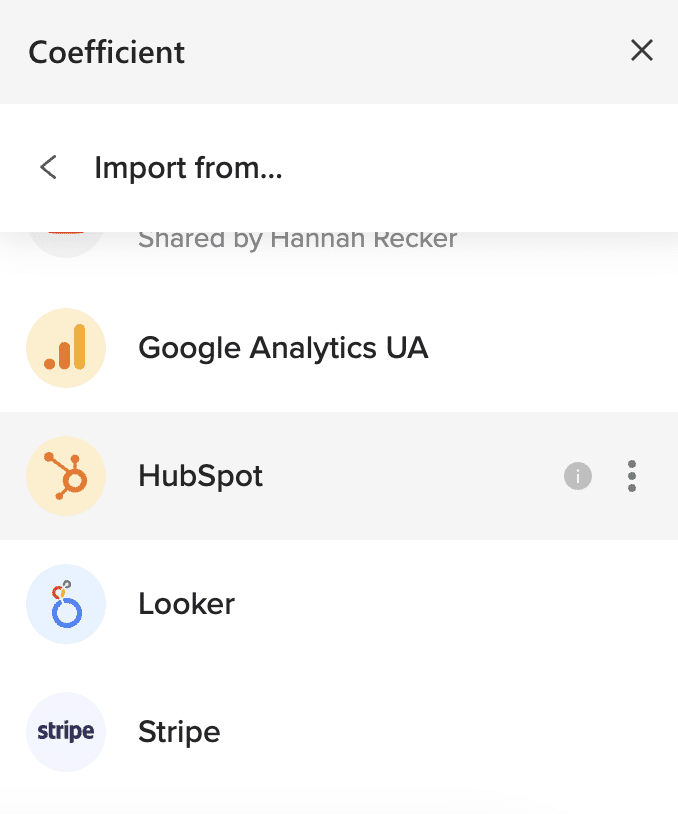
- Step 2: Open Coefficient from the sidebar and click Import From. Select HubSpot and authorise your account via OAuth. No API keys needed. Full walkthrough: export HubSpot data to Google Sheets.
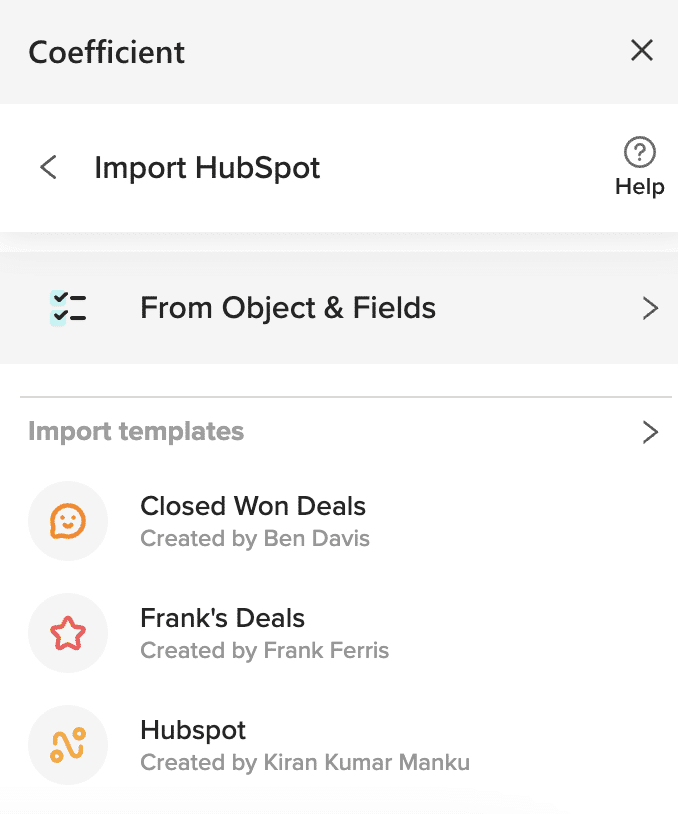
- Step 3: Choose your HubSpot object — Contacts, Deals, Companies, Activities, Campaigns, Tickets or custom objects and properties. Apply filters if needed and click Import. Data populates in seconds.
- Step 4: Set a refresh schedule: hourly, daily or weekly. Coefficient updates the sheet automatically so your Looker Studio dashboards always reflect current data. The auto-refresh is only available on paid plans but you can trigger data refresh on-demand in the free plan.
- Step 5: In Looker Studio, click Create > Report. Select Google Sheets as your data source (it’s free and native). Choose your spreadsheet and tab, then click Add to Report. Build your dashboards from there.
Pricing
Coefficient has a free plan. Paid plans start from $49/month. The Looker Studio Sheets connector is free. See full Coefficient pricing.
Pros
- Zero connector fees — the Google Sheets to Looker Studio connection costs nothing.
- Blends easily — add Salesforce, Google Ads or any other Coefficient connector to the same sheet before connecting to Looker Studio.
- Two-way sync — push updates back to HubSpot directly from the spreadsheet. Full details on the HubSpot connector page.
Cons
- Google Sheets acts as an intermediary — not ideal for very large datasets at high frequency.
- Requires a Coefficient plan for live auto-refresh.
Need inspiration for what to build? Browse live HubSpot dashboard templates.
| Coefficient connects HubSpot to Google Sheets in minutes — no API keys, no code. Set a refresh schedule and your Looker Studio dashboards update automatically. Get started free. |
Method 2: Zapier or Make — Automated but Built for Simple Workflows
How it works
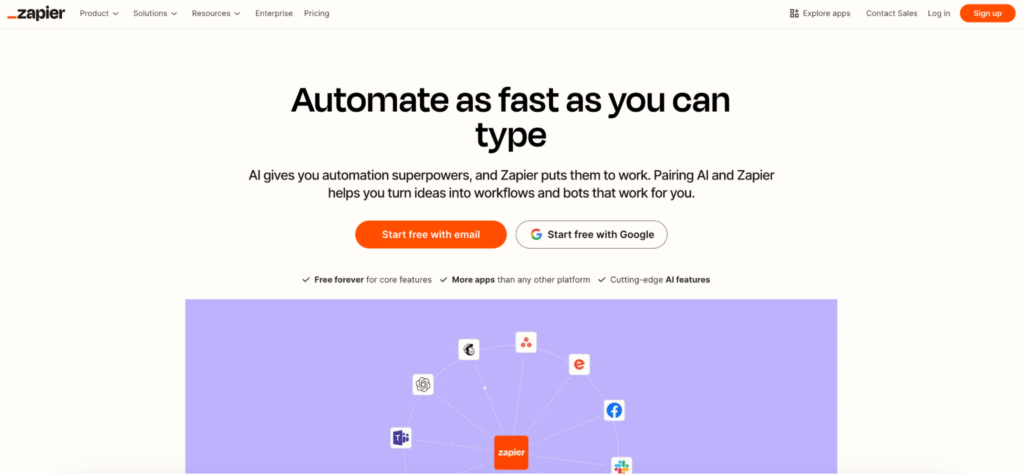
Zapier and Make can push HubSpot data into Google Sheets via triggers — a new contact is created, a deal moves stage, a form is submitted — which then feeds Looker Studio via the free Sheets connector. For simple event-based syncs this works well. For bulk historical data, complex multi-object reporting or large datasets, both tools hit their limits fast. They are workflow automation tools, not data connectors — and that distinction matters when you’re trying to build a reliable dashboard.
Zapier
Zapier has a free plan (100 tasks/month, single-step Zaps only). Starter is $19.99/month (750 tasks, annual) and Professional is $29.99/month (2,000 tasks, annual). Note that HubSpot and Salesforce are premium apps on Zapier — they require a paid plan. Each action in a workflow counts as one task, so a three-step Zap burns three tasks per run.
Make
Make is significantly cheaper at scale. Free plan includes 1,000 operations/month. Core is $9/month (10,000 operations, annual) and Pro is $16/month (10,000 operations plus priority execution, annual). Make delivers far more operations per dollar than Zapier — useful if your HubSpot data volume is high.
Pros
- No Sheets intermediary needed for simple trigger-based syncs.
- Make is significantly cheaper than Zapier for the same operation volume.
- Good for event-driven workflows — new contact, deal won, form submitted.
Cons
- Not built for bulk data. Pulling 10,000 historical contacts or full deal history is impractical.
- Complex multi-object reports (Contacts + Deals + Companies) require multiple Zaps or scenarios, multiplying cost.
- Task and credit limits mean dashboards can silently go stale if you hit your monthly ceiling.
If you want a direct connector from HubSpot to Looker Studio without the Sheets step, Supermetrics and Coupler.io both offer that starting around $49 to $74 per month.
Method 3: Manual CSV Export — Free but Dead on Arrival
How it works
Export HubSpot data as a CSV and upload it to Looker Studio as a File Upload data source. Works for a one-off report. Goes stale the moment you export it.

Stop exporting data manually. Sync data from your business systems into Google Sheets or Excel with Coefficient and set it on a refresh schedule.
Get Started
Steps
- In HubSpot, navigate to the object or report you want to export.
- Click Export in the upper right and select CSV.
- Download the file from your email.
- In Looker Studio, click Create > Report > File Upload and upload your CSV.
- Build your report. Note: this data will not update automatically.
Pricing
Free.
Cons
- Completely static — every refresh means repeating the entire export process manually.
- Not viable for dashboards stakeholders check regularly.
Which Method Is Right for You?
| Method | Cost | Real-time data | Best for |
| Coefficient + Google Sheets | Free to $49+/month | Yes. On-demand & scheduled auto-refresh | Teams wanting live HubSpot data in Looker Studio at no connector cost |
| Zapier or Make | Free to $9–$30+/month | Partial — event-based only | Simple trigger-based syncs; not suitable for bulk or historical data |
| Manual CSV export | Free | No — static snapshot | One-off reports where freshness is not needed |
Already Have the Data in Sheets? Publish It as a Live Dashboard
If the Looker Studio setup feels like more work than it’s worth, there is a faster path. Coefficient’s Vibe Reporting lets you describe your dashboard in plain English and builds a live, shareable web dashboard directly from your HubSpot data in the spreadsheet — no Looker Studio account needed, no connector fees, no refresh rate ceilings.
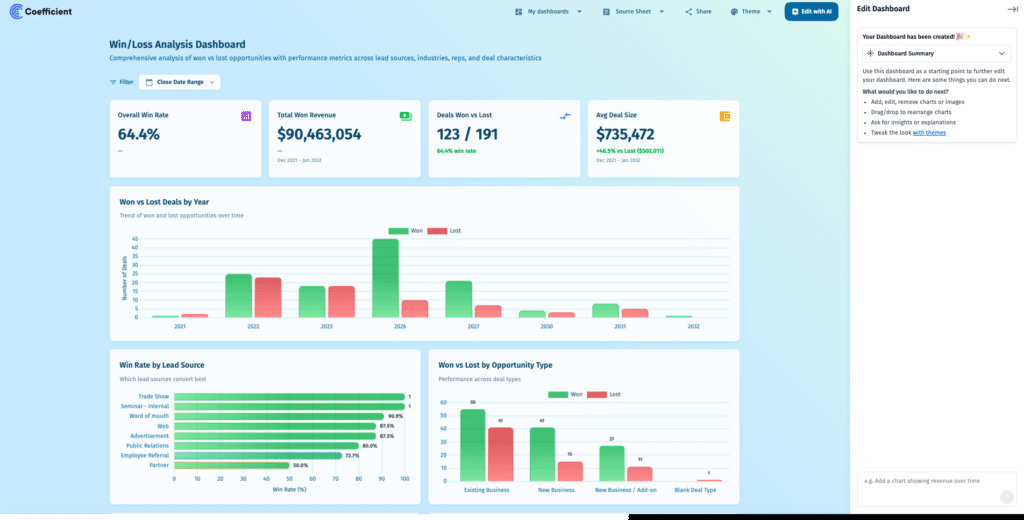
Describe what you want: pipeline by stage and owner, campaign attribution, lead source breakdown by month. Coefficient builds it. The dashboard updates automatically on your refresh schedule and can be shared via link with anyone inside or outside your company.
For teams already pulling HubSpot data into Sheets with Coefficient, this turns that spreadsheet into a standalone reporting tool without adding another platform to the stack.
| Skip the connector entirely. Pull live HubSpot data into Sheets with Coefficient, describe your dashboard in plain English and publish it as a live web report. See Coefficient in action. |
The Bottom Line
You do not need to pay $49 to $500 a month for a HubSpot to Looker Studio connector. Coefficient pulls live HubSpot data into Google Sheets and the free native Sheets connector handles the Looker Studio side. Or skip Looker Studio entirely and publish a live dashboard straight from your spreadsheet with Vibe Reporting. Get started free.







