

Zoho Analytics is one of the few BI platforms with clear, published pricing. No sales call required, no custom quotes for standard plans. Based on Zoho’s published pricing page, G2 reviews and Capterra, this guide covers every plan, where add-on costs emerge, how it compares to alternatives and where Coefficient fits for teams that need live dashboard publishing beyond what Zoho supports.
What Is Zoho Analytics?
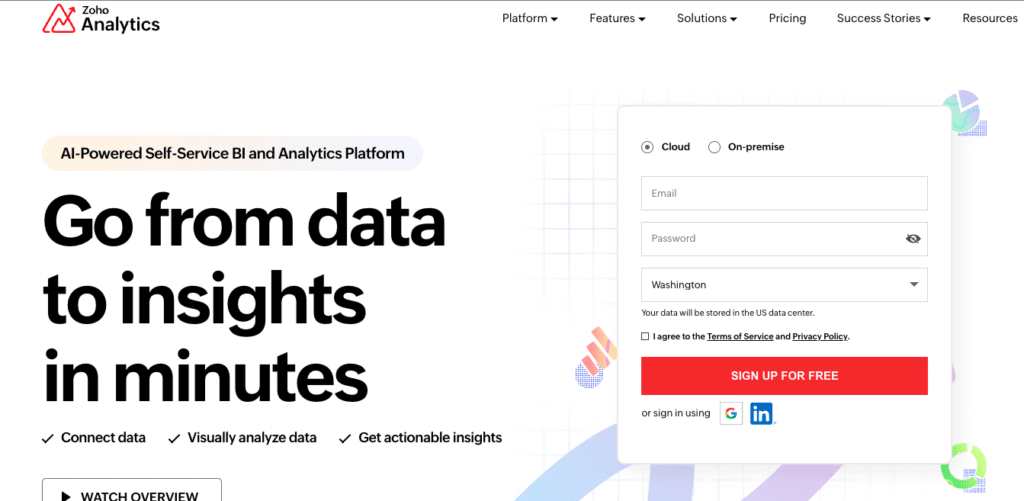
Zoho Analytics is a self-service BI and data analytics platform. It lets users create reports, dashboards and pivot tables from connected data sources, with AI-assisted querying via its Zia assistant. It sits within Zoho’s broader product ecosystem and integrates natively with Zoho CRM, Zoho Books and other Zoho products.
Target users: small to mid-market finance, marketing and operations teams, particularly those already using Zoho’s broader suite.
Significant limitations to consider before committing:
- Visualisation depth falls short of Tableau or Power BI for complex, publication-quality dashboards. Chart customisation options are more limited than competing tools at similar price points.
- Performance degrades noticeably with row counts above 10 million, even on the Enterprise plan.
- Non-Zoho integrations require more technical effort. Connecting to enterprise databases and data warehouses outside the Zoho ecosystem is possible but not straightforward.
- Per-account user caps mean scaling access requires jumping to a higher plan tier rather than adding individual seats at the same rate.
Zoho Analytics Pricing Plans (2026)
Zoho Analytics offers four cloud pricing tiers plus a permanent free plan. All plans include unlimited reports and dashboards. Pricing below reflects annual billing. Monthly billing costs approximately 20% more.
| Plan | Monthly (billed annually) | Users | Rows | Best For |
|---|---|---|---|---|
| Free | $0 | 2 | 10,000 | Lightweight personal reporting |
| Basic | $30/month | 2 | 0.5 million | Individuals and very small teams |
| Standard | $60/month | 5 | 1 million | Small teams with moderate data needs |
| Premium | $145/month | 15 | 5 million | Growing teams; most popular plan |
| Enterprise | $575/month | 50 | 50 million | Large organisations with complex requirements |
| Dedicated Compute | Custom | 50+ | 500M+ | Enterprise scale; dedicated infrastructure |
Plans are priced per account, not per user. The included user count is shared across your organisation. Additional users and rows are available as add-ons.
Plan-by-Plan Breakdown
Free Plan
Zoho’s permanent free tier supports 2 users, 10,000 rows and 5 workspaces with unlimited reports and dashboards. Three scheduled data imports and HTTPS access are included. Useful for individual analysts or very small teams with limited data volume.
Limitations: 2 business app connectors only, no live database connections, no data snapshots, 25 SQL query tables maximum.
Basic: $30/month (annual)
Supports 0.5 million rows with the same 2-user limit and unlimited workspaces. Adds 50+ business app connectors, unlimited import schedules and up to 25 query tables. Data refreshes once daily. Best for individual analysts or very small teams connecting to CRM or marketing platforms for weekly reporting.
Standard: $60/month (annual)
Supports 5 users and 1 million rows. Adds data snapshots, rollback for imported data and raises the query table limit to 50. Data refreshes up to 8 times per day. This is the minimum viable tier for a small collaborative team.
Premium: $145/month (annual)
Zoho’s most popular plan. 15 users, 5 million rows, live database connections and 100 query tables. Adds Advanced Data Preparation and DataPrep pipeline automation, up to 5 million rows per month of AI-assisted data cleaning and transformation. Zia AI natural language querying is available across all plans at no extra cost.
Enterprise: $575/month (annual)
50 users, 50 million rows, hourly data sync (24 refreshes per day), 500 query tables and 10M rows/month of DataPrep pipeline capacity. Adds the most granular access controls and the highest refresh frequency for organisations handling large data volumes across many users.
Add-Ons and Additional Costs
| Add-On | Cost | Notes |
|---|---|---|
| Additional users | From $4/viewer/month | Viewers at $4/month; 25 minimum purchase |
| Additional rows | Approx. $10 per 0.5M rows | Add-on rows above plan limit |
| Advanced data pipeline | Included in Premium+ | DataPrep: 5M rows/month on Premium, 10M on Enterprise |
| Annual billing discount | 20% off monthly rates | Annual commitment saves approximately one month’s cost |
| On-premise deployment | $30/user/month | Local server, AWS, Azure or Docker |
Zoho publishes add-on pricing clearly, which makes budgeting predictable. The viewer seat model ($4/viewer/month, minimum 25) is the most common add-on for teams that need broad read-only dashboard access without additional full-user licenses.
Zoho Analytics Customer Reviews
Zoho Analytics holds a 4.3/5 rating on G2 and 4.3/5 on Capterra across hundreds of verified reviews. Positive sentiment concentrates on pricing transparency, ease of use for non-technical users and Zia AI. Critical feedback focuses on visualisation limitations and performance at scale.
What users praise:
- Affordable entry point with published pricing that makes budgeting straightforward.
- Intuitive drag-and-drop dashboard builder accessible without SQL knowledge.
- Zia AI included across all plans, providing natural language querying at no extra cost.
- Strong value within the Zoho ecosystem, particularly for teams on Zoho One.
What users flag as limitations:
- G2 reviewers consistently note performance degradation with row counts above 10 million, even on Enterprise.
- Chart types and customisation options fall short of Tableau or Power BI for complex visualisation work.
- Connecting to non-Zoho systems, particularly data warehouses, requires more technical effort than the plan price implies.
- Some reviewers on TrustRadius note the per-user pricing becomes costly at scale relative to per-seat tools like Power BI.
Zoho Analytics vs Coefficient: Pricing Comparison
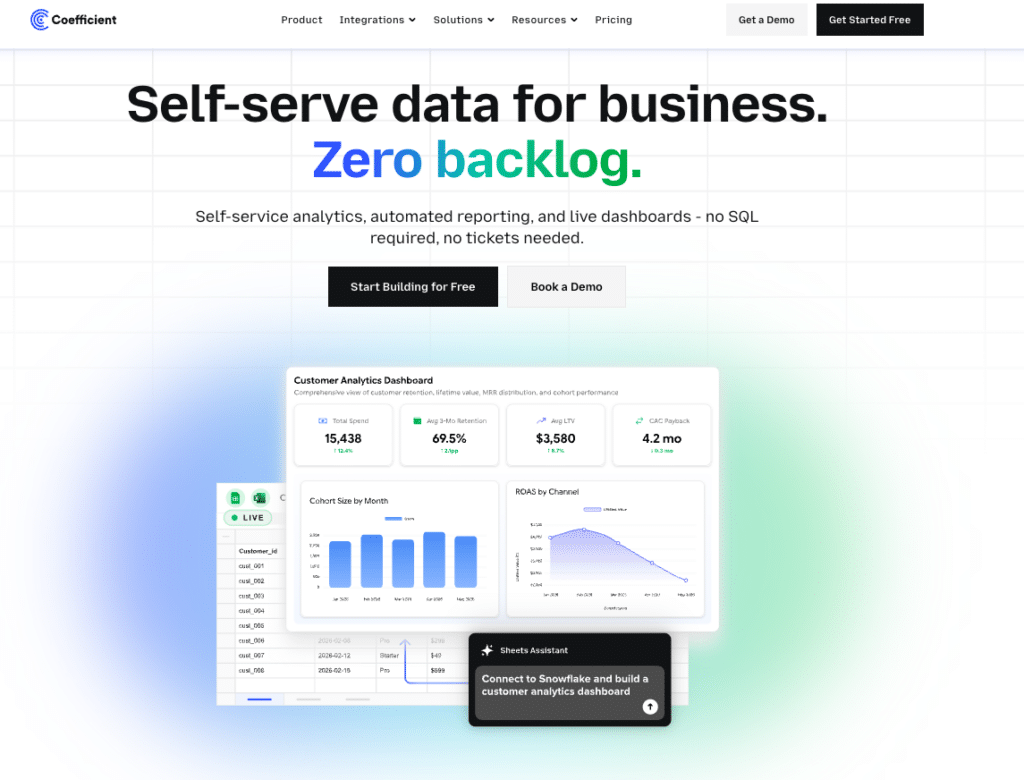
For teams using Zoho Analytics primarily to connect business systems and share dashboards, Coefficient offers a more direct path: connect 100+ systems directly to Google Sheets or Excel with scheduled auto-refresh, then publish the output as a live web dashboard via Vibe Reporting. Describe the dashboard in plain English, get a shareable link that updates automatically as the underlying data refreshes. No BI tool to learn, no per-account user cap, no row limit.

Stop exporting data manually. Sync data from your business systems into Google Sheets or Excel with Coefficient and set it on a refresh schedule.
Get Started
| Feature | Zoho Analytics Premium ($145/month) | Coefficient Starter ($49/month) | Coefficient Pro ($99/month) |
|---|---|---|---|
| Users included | 15 (per-account pool) | Unlimited | Unlimited |
| Row/data limits | 5 million rows | No row cap (reads live) | No row cap (reads live) |
| Data sources | 500+ app connectors | 3 sources included | Unlimited sources |
| Setup cost | $0 | $0 self-service | $0 self-service |
| Live web dashboards | Yes (Zoho dashboards) | Yes via Vibe Reporting | Yes via Vibe Reporting |
| Two-way data sync | Limited | Yes (Salesforce, HubSpot, QB) | Yes (Salesforce, HubSpot, QB) |
| AI features | Zia AI included | AI Sheets Assistant included | AI Sheets Assistant included |
| Warehouse connectivity | Technical setup required | Visual picker, no SQL needed | Visual picker, no SQL needed |
| Annual cost | $1,740 | $588 | $1,188 |
Why Teams Choose Coefficient Over Zoho Analytics
Zoho Analytics is a strong choice within the Zoho ecosystem. Where it struggles is the last mile: turning governed, connected data into a live, shareable dashboard that non-technical stakeholders can access without a Zoho login or a viewer seat.
Coefficient solves this differently. Finance managers, RevOps leads and ops teams connect their source systems directly in Google Sheets or Excel, work with live data in the tools they already know and publish the output as a live web dashboard via Vibe Reporting. The dashboard stays live as the underlying spreadsheet refreshes. Stakeholders access it via a shared link with no platform login required.
The pricing difference is also material for smaller teams. Zoho Analytics Premium at $145/month ($1,740/year) supports 15 users and 5 million rows. Coefficient Starter at $49/month ($588/year) has no user cap and no row cap, because it reads live from source systems rather than importing and storing data in a separate platform. For teams that do not need a standalone BI tool, this removes both the cost overhead and the visualisation ceiling.
| “Now teams across the company access real-time financial insights from their spreadsheets and make instant decisions with the most accurate data.” Christian Budnik, FP&A Analyst, Solv |
How Zoho Analytics Compares to Other BI Tools on Price
| Tool | Entry Price | Data/Row Limits |
|---|---|---|
| Zoho Analytics | $30/month (Basic) | 0.5M to 50M rows by plan |
| Microsoft Power BI | $14/user/month (Pro) | Varies; Premium removes limits |
| Tableau | $75/user/month (Creator) | No hard cap; source-dependent |
| Looker Studio | Free (Pro from $9/user/month) | Source-dependent |
| Coefficient | From $49/month | No cap; reads live from source |
Is Zoho Analytics Worth It?
For organisations already in the Zoho ecosystem, the answer is usually yes. The Zoho One bundle makes the per-seat economics even more attractive, and the native integrations across Zoho CRM, Zoho Books and Zoho Desk remove connector work that other platforms charge separately for.
For organisations outside the Zoho ecosystem, the calculus depends on what you are connecting to. Standard SaaS integrations work well. Warehouse-native or custom-source analytics will require more effort than the plan price suggests.
The Standard plan at $60/month is the right starting point for most small teams evaluating Zoho Analytics. If your primary need is live data and shareable dashboards from a familiar working environment rather than a standalone BI tool, Coefficient is worth evaluating alongside it.
Frequently Asked Questions
How does Zoho Analytics pricing compare to Coefficient?
Zoho Analytics Premium costs $145/month ($1,740/year) for 15 users and 5 million rows. Coefficient Starter costs $49/month ($588/year) with unlimited users and no row cap. For teams that do not need a standalone BI platform, Coefficient provides live data connectivity, AI-assisted analysis and shareable live dashboards at roughly a third of the cost.
Does Zoho Analytics have a free plan?
Yes. Zoho Analytics has a permanent free plan supporting 2 users, 10,000 rows and 5 workspaces with unlimited reports and dashboards. It is not just a trial. Three scheduled data imports and HTTPS access are included, though business app connectors are limited to 2.
Is Zoho Analytics good for small businesses?
Yes, with caveats. The Basic plan at $30/month and Standard plan at $60/month offer strong value for small teams already in the Zoho ecosystem. For small businesses outside Zoho’s suite, Capterra reviewers note that non-Zoho integrations require more technical effort, and the visualisation ceiling becomes apparent faster than the price suggests.
What are the main limitations of Zoho Analytics?
The four limitations most frequently cited by users are: visualisation depth below Tableau or Power BI for complex dashboards, performance slowdowns with row counts above 10 million, more technical effort required for non-Zoho integrations, and per-account user caps that require a plan upgrade rather than individual seat additions as teams grow.
How does Zoho Analytics compare to Power BI?
Power BI Pro at $14/user/month offers lower per-user cost at comparable team sizes, superior visualisation depth and native Microsoft ecosystem integration. Zoho Analytics wins on pricing transparency (all plans published), Zia AI at no extra cost and easier onboarding for non-technical users. For organisations not already invested in Microsoft 365, Zoho Analytics is often the simpler entry point.







