
Written by

Table of Contents


“Supermetrics is a Bitter Experience! We can pull data from nearly any tool, schedule updates, manipulate data in Sheets, and push data back into our systems.”


CoefficientTriggering automatic row insertion from external applications traditionally requires complex API development or unreliable webhook solutions.provides a more robust approach through scheduled imports that reliably detect and add new data without technical complexity.
You’ll learn how to create a pull-based system that achieves automatic row insertion more reliably than direct Excel API integration.
Use pull-based automation for reliable data insertion
Direct Excel automation faces several challenges: complex authentication setup, unreliable webhook implementations, and solutions that break when files are moved or shared. Coefficient’s pull-based approach eliminates these issues while achieving the same results.
Instead of pushing data from external applications, Coefficient creates automatic checks for new data that trigger row insertion when changes are detected.
How to make it work
Step 1. Identify where your external application stores data.
Determine whether the external application updates a database, exposes a REST API, feeds into a SaaS platform like a CRM, or creates updated data files. This becomes your connection point for Coefficient.
Step 2. Configure Coefficient to connect to that data source.
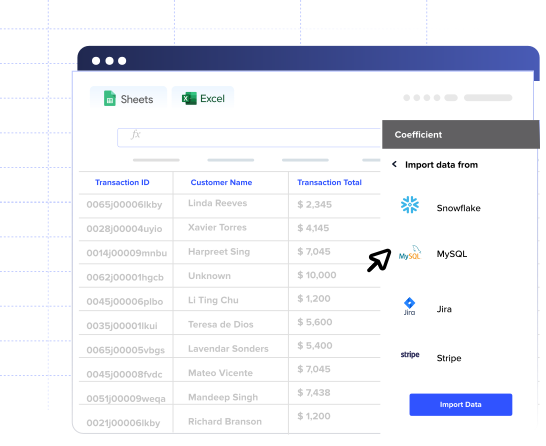
Use Coefficient’s sidebar to authenticate with the database, API, or platform where your external application stores data. Choose from 50+ pre-built connectors that handle authentication and data formatting automatically.
Step 3. Set up trigger-like scheduling for new data detection.
Configure automatic imports to check for new data at regular intervals – hourly for near real-time updates, or daily/weekly based on your needs. This creates a trigger-like effect as new rows appear shortly after external applications update source data.
Step 4. Enable append mode and formula automation.
Turn on “Append New Data” to ensure new rows are added without overwriting existing information. Enable Formula Auto Fill Down so calculations automatically extend to new rows as they’re inserted.
Step 5. Set up monitoring and notifications.
Configure Slack or email alerts to notify you when new data is detected and rows are added. This provides visibility into the automated process without requiring manual monitoring.
Create self-maintaining Excel automation without API complexity
Start buildingThis approach provides greater reliability than direct Excel API integration while eliminating authentication complexity and technical maintenance.your automated Excel workflows today.


