

MySQL is the world’s most widely used open-source relational database. It runs the backend of SaaS products, ecommerce platforms, financial applications, and internal operations systems for millions of companies. The data it holds – transactions, user activity, order history, product metrics, operational records – is often the most valuable raw data a business has.
The problem is access. MySQL was built to serve applications, not to hand data to analysts, operations teams, and finance managers on demand. Getting MySQL data into a data warehouse for analytics, a spreadsheet for business reporting, or another database for synchronization all require different tools. Most articles on MySQL ETL tools treat the warehouse pipeline as the only use case and list the same six products. Two genuinely different problems – and two genuinely different buyer types – get collapsed into a single listicle.
This guide separates them. We cover eight MySQL data integration tools across two use cases: giving business teams direct, no-code access to live MySQL data without filing a ticket to the data team, and building data pipelines that move MySQL data into Snowflake, BigQuery, or Redshift for analytics. Each tool entry includes real user feedback, honest pros and cons, specific MySQL functionality, and current pricing.
| Quick Answers What is the best MySQL ETL tool for loading data into a data warehouse? Fivetran for a fully managed, zero-maintenance ELT pipeline with strong CDC via MySQL binlog replication. Airbyte if your team has engineering resources and wants open-source flexibility at lower cost. Hevo Data if you need fast setup with no-code configuration and pre-load transformations. How do business and operations teams access MySQL data without SQL or IT tickets? Coefficient connects MySQL directly to Google Sheets and Excel with no-code setup. Business teams write custom SQL queries or browse tables and columns in a sidebar UI, set a refresh schedule, and get live MySQL data in spreadsheets without involving a data engineer. What is the difference between ETL and ELT for MySQL? ETL transforms MySQL data before loading it to the destination, useful for enforcing data quality rules pre-load. ELT loads raw MySQL data into the warehouse first and transforms it there using SQL or dbt. Modern cloud warehouses like Snowflake and BigQuery are purpose-built for ELT – most teams building MySQL data pipelines today use ELT. What MySQL-specific technical constraints should I plan for before choosing a tool? Binlog must be enabled for CDC-based real-time replication. Self-hosted MySQL requires network/firewall configuration and SSL setup for cloud tools. Schema changes made by application developers can break pipelines if the tool lacks automatic schema drift handling. High-write MySQL databases can generate significant replication lag. All of these have solutions, but they require deliberate tool evaluation, not assumptions. |
Why MySQL Data Access Breaks Down at the Last Mile
There is a pattern that plays out at almost every company that runs MySQL in production. The data team builds a solid warehouse pipeline – MySQL replicates into Snowflake, data models run in dbt, dashboards exist in a BI tool. The infrastructure is real. The governance is good. And business teams still file tickets every week asking the data team to pull a list, run a report, or export a subset of MySQL data for analysis.
The warehouse pipeline solved the engineering problem. It did not solve the access problem. Business users – operations managers, RevOps leads, finance analysts, product teams – cannot write SQL. They cannot access Snowflake directly. So they work around the system: they ask a data engineer, wait two days, get a CSV, and paste it into a spreadsheet that is stale before the meeting ends.
| “People love Coefficient at our company because our company loves Google Sheets – and we don’t have a native Google Sheets and Snowflake integration. Coefficient makes that process great for us.”Laurie Denson, Finance & BI Analytics Director, Klaviyo |
Klaviyo’s data team built exactly this kind of well-governed warehouse – MySQL and application data centralized in Snowflake, with a single source of truth. But the business could not reach it. Ad-hoc requests consumed the BI team’s bandwidth, pulling engineers away from infrastructure to pull simple lists. Building reports in Tableau meant constructing every metric individually from scratch. Static CSV exports proliferated – ungoverned copies creating version conflicts and security risk. The data team was the bottleneck.
Klaviyo solved the access layer by connecting Snowflake directly to Google Sheets with Coefficient, enabling 100-plus business users to self-serve from the warehouse without SQL or engineering involvement. Reports that took a month to build in Tableau took a week in spreadsheets powered by live data. Zero static CSV exports remained.
This pattern – good infrastructure, broken access – is the real problem that MySQL data integration needs to solve for most teams. The warehouse pipeline is necessary but not sufficient. The last-mile layer matters just as much. That is why this guide covers both layers: the pipelines that get MySQL data into a warehouse, and the connectors that get it into the hands of business users directly.
MySQL-Specific Integration Challenges
MySQL data integration has operational details that catch teams off guard. Understanding them before evaluating tools saves significant rework later.
Binlog and CDC configuration. Change Data Capture (CDC) is the most efficient method for real-time replication from MySQL – it reads the MySQL binary log (binlog) rather than polling tables for changes. But binlog must be explicitly enabled in the MySQL server configuration, and the binlog format must be set to ROW rather than STATEMENT or MIXED for CDC tools to work correctly. On managed MySQL services like Amazon RDS or Google Cloud SQL, this requires specific parameter group settings. Tools that use CDC-based replication – Fivetran, Airbyte, Hevo Data – all depend on this being configured correctly. Tools that do not support CDC, like Skyvia and Coefficient, use scheduled polling instead, which is simpler to set up but less suited to high-frequency real-time data requirements.
Firewall and network access for self-hosted MySQL. Most cloud-based MySQL ETL and ELT tools need inbound network access to your MySQL database server. For MySQL instances running on-premises or in a private cloud VPC, this typically requires SSH tunneling, IP allowlisting, or a VPN configuration. Every major data pipeline tool documents their IP ranges for allowlisting – make sure the IP configuration is part of your evaluation checklist, not a post-decision surprise.
Schema drift from application deployments. MySQL databases backing live applications change frequently. Developers add columns, rename fields, change data types, and drop tables as part of normal release cycles. Without automatic schema management, a single application deployment can break your MySQL data pipeline mid-sync. The best MySQL ETL tools handle schema changes automatically, detecting new columns and updating destination schemas without manual intervention. This is one area where fully managed tools like Fivetran and Hevo genuinely earn their pricing premium over DIY pipelines.
Replication lag on high-write databases. MySQL databases with high write volumes – event tracking, clickstream data, transaction processing – can generate replication lag if the ingestion tool cannot keep pace with the binlog throughput. CDC-based tools are more efficient than full-table polling for high-volume MySQL databases, but even CDC pipelines need appropriate resource allocation. If your MySQL database processes millions of writes per hour, validate throughput benchmarks before committing to a tool.
RDS and Cloud SQL considerations. Amazon RDS for MySQL and Google Cloud SQL both support binlog-based CDC replication, but require specific configuration that differs from self-hosted MySQL. RDS requires enabling automated backups and setting the binlog_format parameter to ROW via a custom parameter group. Cloud SQL requires enabling binary logging in the database flags. AWS Aurora MySQL uses a different binlog implementation that some tools handle differently than standard MySQL – check compatibility explicitly if you run Aurora.
Use Case 1: Giving Business Teams Direct Access to MySQL Data
Many business teams need something different from a warehouse pipeline: direct access to live MySQL data in the spreadsheets where they already work, without waiting for a data engineer, without learning SQL, and without a new BI tool to maintain.
This is the last-mile problem. Operations managers need to pull this week’s order data. RevOps needs to query customer activity from the production MySQL database for a pipeline analysis. Finance needs transaction data for a cash flow model. None of these use cases require a warehouse pipeline. They require a direct, no-code MySQL connector to a spreadsheet, with scheduled auto-refresh and the option to write custom SQL queries for analysts who want more control.
1. Coefficient
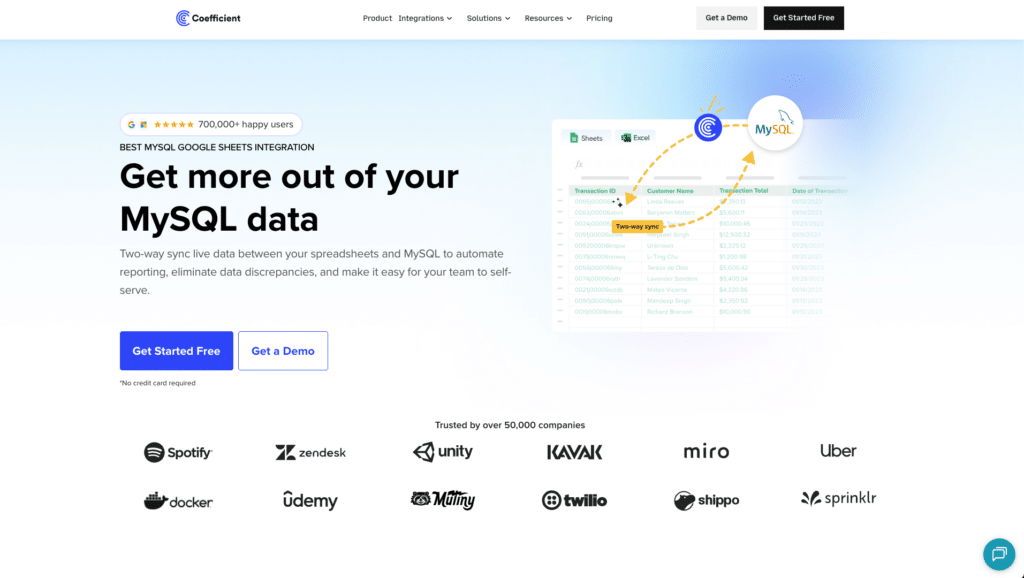
Best for: Operations, finance, RevOps, and product teams who need live MySQL data in Google Sheets or Excel without SQL knowledge, engineering involvement, or a BI tool.
Coefficient is a no-code spreadsheet connector that creates a live bridge between MySQL databases and Google Sheets or Excel. Business users connect to a MySQL database server, browse tables and columns in a sidebar UI, or write custom SQL queries for more complex data access. Imports are set on automated refresh schedules – hourly, daily, or weekly – so dashboards and reports stay current without anyone manually exporting data. One G2 user described it as ‘the simple and easiest option when linking your MySQL data with Google Sheets.’
The key use case Coefficient serves is the one Klaviyo’s data team documented: business users who need MySQL data regularly but cannot reach it through the warehouse or BI tools. Rather than filing tickets, teams connect Coefficient to the same MySQL database, define the tables or SQL queries they need, and get live data in the spreadsheet where their analysis already happens. For sales pipeline dashboards built on MySQL CRM data, operations reporting on MySQL inventory records, or finance models pulling MySQL transaction data, Coefficient removes the engineering dependency entirely.
Coefficient also connects to 100-plus other data sources – Salesforce, HubSpot, Snowflake, BigQuery, and more – so teams that need to blend MySQL operational data with CRM pipeline data or warehouse metrics can do it in a single spreadsheet without separate exports from each system.
Pros
- Genuinely no-code for business users. Browse and import MySQL tables directly from a sidebar UI. Custom SQL queries are available for analysts who need them, but not required for standard imports.
- Automated refresh scheduling – hourly, daily, or weekly – keeps MySQL data current in spreadsheets without manual exports or repeated engineering requests.
- Works in both Google Sheets and Excel. Teams can use whichever spreadsheet environment they already operate in.
- Connects to 150+ data sources alongside MySQL, including Salesforce, Snowflake, and HubSpot, enabling cross-system analysis in a single spreadsheet without multiple separate exports.
Source: Coefficient MySQL connector – user documentation and reviews
Cons
- Not a data warehouse pipeline tool. Coefficient does not replicate MySQL data into Snowflake, BigQuery, or Redshift. For that use case, see the warehouse tools in Use Case 2 below.
- No CDC support. Coefficient uses scheduled polling rather than binlog-based real-time replication. Updates reflect on the next scheduled refresh, not in real time. For use cases requiring sub-minute data freshness, a CDC-based pipeline tool is more appropriate.
- Requires network access from Coefficient’s cloud to your MySQL server. Self-hosted MySQL instances may need SSH tunneling or IP allowlisting configuration.
Source: Coefficient G2 reviews
Pricing
Free plan available. Paid plans start from $49/month with no per-user fees. See Coefficient pricing for full plan details.
| Setup guide: How to connect MySQL to Google Sheets – step-by-step with screenshots, setup in under 10 minutes. Excel users: Coefficient Excel MySQL connector. |
Use Case 2: Building MySQL Data Pipelines into a Data Warehouse
If your goal is replicating MySQL data into Snowflake, BigQuery, Redshift, Databricks, or another cloud data warehouse for analytics, dashboards, and machine learning, you need a dedicated MySQL ETL or ELT tool. These tools handle the engineering complexity of CDC configuration, schema management, incremental replication, and API rate limiting so your data team does not have to.
The decision within this category comes down to three trade-offs: managed versus open-source, transformation philosophy (ETL versus ELT), and pricing model. All four tools in this category support MySQL as a data source with CDC-based real-time replication from the MySQL binlog.
2. Fivetran
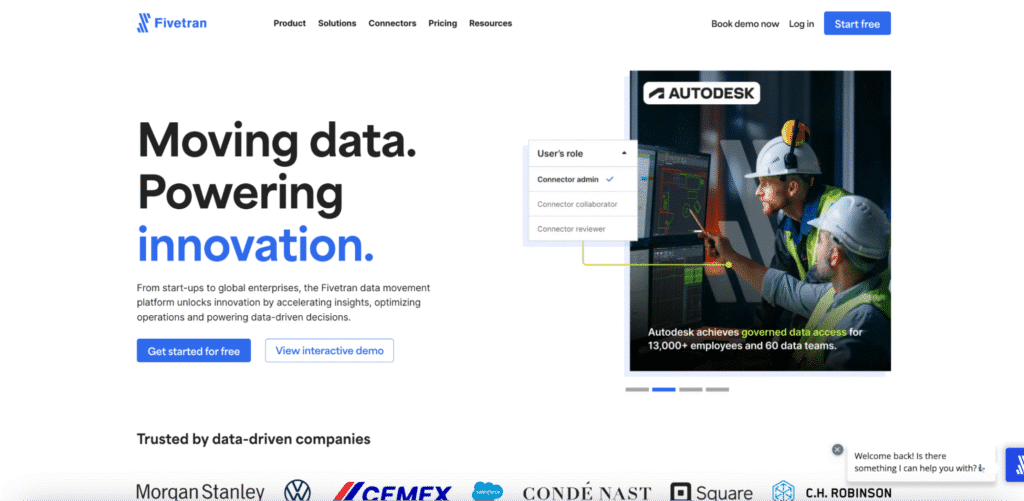
Best for: Data engineering teams that want a fully managed, production-ready MySQL ELT pipeline with automatic schema management and minimal ongoing maintenance.
Fivetran is the market benchmark for managed MySQL data integration. Its MySQL connector uses binlog-based CDC replication for real-time data movement, handles schema drift automatically when application developers modify MySQL tables, and supports all major data warehouse destinations including Snowflake, BigQuery, Redshift, Databricks, and Azure Synapse. The value proposition is simple: set up once and stop thinking about the pipeline. Fivetran’s managed infrastructure handles replication lag, connection stability, and schema changes without engineering intervention.
The critical caveat in 2026 is pricing. Fivetran moved to per-connector Monthly Active Rows billing in March 2025. Users across r/dataengineering and G2 report 4-8x cost increases under the new model, particularly for high-volume MySQL sources and multi-connector setups. One G2 reviewer noted that billing ‘can get expensive very fast’ and requires close monitoring. For teams with predictable, moderate MySQL data volumes, the managed service premium is often worth it. For high-volume databases or teams managing many connectors, the cost math needs careful validation before committing to an annual contract.
Pros
- 700-plus pre-built connectors including a mature MySQL connector with CDC replication via binlog. Automatic schema management handles application-driven MySQL schema changes without pipeline failures.
- Zero-maintenance managed infrastructure. Fivetran handles connection stability, API changes, and incremental replication logic – data teams set it up and focus on modeling.
- Deep dbt integration. For teams using dbt for SQL-based transformations in the warehouse, Fivetran’s native dbt integration creates a clean ELT workflow: Fivetran moves raw MySQL data in, dbt models it downstream.
Source: Fivetran G2 reviews – pros and cons
Cons
- Per-connector MAR pricing introduced March 2025 has driven significant cost increases for many users. High-volume MySQL databases and multi-connector setups require careful budget modelling.
- Transformation capabilities are deliberately minimal pre-load. Fivetran loads raw MySQL data and delegates all transformation to dbt or downstream SQL. Teams without a dbt practice need a separate layer.
- Support quality is mixed on lower-tier plans. Enterprise-level SLAs require the Enterprise plan or above.
Source: Fivetran Capterra verified reviews
Pricing
Per-connector Monthly Active Rows (MAR) model introduced March 2025. Free plan covers up to 500,000 MAR. Standard plan syncs every 15 minutes. Enterprise adds high-volume connectors, Oracle support, and 5-minute sync frequency. Annual contracts start at $12,000/year. See Fivetran pricing for current plan details.
3. Airbyte

Best for: Data engineering teams that want open-source ELT flexibility, full control over MySQL connector customisation, and significantly lower infrastructure costs than fully managed alternatives.
Airbyte is the leading open-source MySQL data integration platform. Its MySQL connector implements CDC via Debezium – the same binlog-based CDC approach used by Fivetran, but in open-source form that teams can inspect, modify, and extend. G2 users consistently highlight the connector breadth, clean UI, and cost advantages: one team documented cutting their Fivetran bill from $2,800/month to roughly $300/month in infrastructure by moving to self-hosted Airbyte with equivalent connector coverage.
The honest trade-off is operational complexity. Self-hosted Airbyte runs on Kubernetes and requires dedicated DevOps resources for infrastructure management, monitoring, and upgrades. Schema drift issues have been documented in the Airbyte community forums, specifically around CDC replication from MySQL to Snowflake where primary key inconsistencies can cause pipeline failures. Airbyte Cloud removes the infrastructure burden but reintroduces cost scaling at higher data volumes. For teams with strong engineering capacity, Airbyte is the most flexible MySQL ELT option available.
Pros
- 600-plus connectors with full source code access. When a MySQL connector breaks due to API changes or edge cases, your team can diagnose and fix it – or submit a PR – rather than waiting on vendor support.
- CDC via Debezium for real-time MySQL replication. Airbyte users report sub-5-minute CDC sync capabilities on typical MySQL workloads.
- Significant cost savings versus managed alternatives for teams with engineering resources to manage self-hosted infrastructure. The capacity-based Airbyte Flex pricing model removes per-connector cost anxiety for high-connector setups.
Source: Airbyte G2 reviews – pros and cons
Cons
- Self-hosted Airbyte requires Kubernetes expertise and ongoing DevOps investment. The infrastructure complexity is real – it is not a weekend setup for teams without dedicated data engineering resources.
- Schema drift issues with CDC replication have been reported in community forums. Debugging can be complex given unclear error messages – a consistent G2 complaint.
- Airbyte Cloud costs can escalate at higher data volumes, partially offsetting the OSS cost advantage. Evaluate against your specific MySQL data volume before assuming cost savings.
Source: Airbyte reviews – detailed user analysis
Pricing
Open-source self-hosted version is free. Airbyte Cloud offers a free tier for low-volume use. The Flex plan uses capacity-based pricing starting from $0, scaling with data volume rather than per-connector. Team and enterprise plans with SSO, RBAC, and SLAs are available on request. See Airbyte pricing for current Cloud and team plan rates.
4. Hevo Data
Best for: SMBs and mid-market data teams that need fast, no-code MySQL ELT setup with real-time CDC, pre-load transformation capability, and 24/7 support across all plans.
Hevo Data occupies the space between Fivetran’s managed reliability and Airbyte’s engineering flexibility. Its MySQL connector supports CDC-based real-time replication via binlog and earns consistent praise on G2 for fast setup – most connectors go live in under five minutes. Where Hevo genuinely differentiates from Fivetran is its pre-load transformation capability: teams can apply data cleaning, filtering, Python-based transformations, and PII masking before MySQL data lands in the warehouse. This reduces warehouse storage costs and eliminates the need for a separate dbt layer for straightforward transformation use cases.
Hevo’s event-based pricing model can escalate on high-change-rate MySQL tables – every insert, update, and delete counts as a billable event. For MySQL databases with high write volumes, this requires careful monitoring. But for teams with moderate MySQL data flows who want no-code ELT without engineering overhead, Hevo offers the best balance of accessibility and real-time MySQL data integration capability in the no-code category.
Pros
- Genuine pre-load transformation. Clean, mask, filter, and transform raw MySQL data before it reaches the destination warehouse – a meaningful differentiator from Fivetran’s strict post-load ELT model.
- 24/7 support on all plans including free tier. G2 reviewers consistently rate Hevo’s support responsiveness (9.0 on G2) above Fivetran’s (8.0).
- No-code interface accessible to data analysts without Kubernetes expertise. MySQL pipeline setup requires no Python or SQL – just credentials and destination configuration.
Source: Hevo Data G2 reviews – pros and cons
Cons
- Event-based pricing escalates on high-write MySQL databases. Every row change in a high-volume MySQL table counts as a billable event – monitor consumption carefully in the first billing cycle.
- 150-plus connectors covers common MySQL use cases but is narrower than Fivetran’s 700-plus or Airbyte’s 600-plus. Less suitable if you also need niche SaaS connectors alongside MySQL.
- G2 reviewers note limited customisation for complex transformation logic. For advanced SQL modeling, Hevo’s dbt integration (available on paid plans) is the recommended path.
Source: Fivetran vs Hevo Data – G2 comparison
Pricing
Event-based pricing model where every insert, update, and delete counts as a billable event. Free plan includes up to 1 million events/month with 50 connectors and 5 users. Starter plan adds more events and connectors. Business plan unlocks dedicated support, higher event volumes, and dbt integration. See Hevo Data pricing for current event-based rates and plan comparison.
5. Integrate.io
Best for: Finance and data teams that need MySQL ETL with built-in data transformations, CDC, and finance-specific data quality handling at a fixed monthly price.
Integrate.io is a low-code ETL platform with MySQL connector support for both standard replication and CDC-based change data capture. Its 220-plus built-in transformations cover data quality operations – deduplication, field standardisation, null handling, type coercion – that most ELT tools leave to downstream SQL or dbt. For teams that want transformation logic enforced at the pipeline level rather than in the warehouse, this is a meaningful capability.

Stop exporting data manually. Sync data from your business systems into Google Sheets or Excel with Coefficient and set it on a refresh schedule.
Get Started
Integrate.io’s fixed-fee pricing is a deliberate differentiator against consumption-based models like Fivetran and Hevo. For teams with large or unpredictable MySQL data volumes, knowing the cost upfront matters. The trade-off is a higher entry point: the platform starts at $1,999/month, which is high relative to Hevo or Airbyte for teams with simpler MySQL integration requirements.
Pros
- 220-plus built-in, low-code transformations applied pre-load. Teams get clean MySQL data in the destination warehouse without building a separate dbt layer.
- Fixed-fee pricing model. Predictable cost regardless of MySQL data volume – useful for teams managing high-change-rate MySQL databases where MAR-based pricing becomes unpredictable.
- CDC support plus reverse ETL capabilities. Integrate.io can push data back from the warehouse to MySQL and other operational systems – useful for operational analytics use cases.
Source: Integrate.io MySQL ETL connector overview
Cons
- Starts at $1,999/month – significantly higher than Hevo or Airbyte for straightforward MySQL ELT pipelines. The pricing is justified by built-in transforms and white-glove support but requires budget.
- Narrower connector library than Fivetran or Airbyte for non-MySQL sources. Less suitable as the sole data integration platform if your stack includes many niche SaaS connectors.
Pricing
Fixed-fee pricing starting at $1,999/month for the Starter plan. Higher tiers add more pipelines, CDC support, and white-glove onboarding. Unlike MAR-based tools, cost does not scale with MySQL data volume. See Integrate.io pricing for current plan details and trial options.
Use Case 3: Transformation, Orchestration, and Open-Source Pipelines
These three tools complete a different layer of the MySQL data integration stack. dbt handles SQL-based transformation after MySQL data lands in the warehouse. Apache Airflow orchestrates the workflows that move and process MySQL data across systems. Skyvia offers a simpler, affordable alternative for SMBs that need MySQL sync without engineering overhead.
6. dbt (data build tool)
Best for: Analytics engineering teams that need SQL-based transformation, testing, and documentation of MySQL-sourced data after it lands in the data warehouse.
dbt is not a MySQL ETL tool. It does not extract or load MySQL data. It is a SQL-based transformation tool that runs inside your data warehouse and turns raw MySQL data – loaded by Fivetran, Airbyte, or Hevo – into clean, tested, documented datasets for analytics. This distinction matters: dbt belongs in the MySQL data integration conversation because most modern warehouse pipelines combine an ELT tool for ingestion with dbt for transformation.
dbt’s MySQL relevance increased with the October 2025 Fivetran-dbt Labs merger, which brought both tools under a single ‘Open Data Infrastructure’ umbrella. Teams using Fivetran to replicate MySQL data now have a more integrated path to dbt transformation, with Fivetran’s QuickStart Data Models offering immediate, no-code transformation templates for common MySQL schemas.
Pros
- Industry-standard SQL transformation with Git version control, CI/CD testing, and automated data quality checks. Brings software engineering rigour to MySQL data modeling.
- dbt Core is free and open-source. For teams already running self-hosted pipelines, dbt Core adds transformation capability at no additional platform cost.
- Large community and ecosystem. Most MySQL ELT tools – Fivetran, Airbyte, Hevo – offer native dbt integration, making it the default transformation layer in modern data stacks.
Source: dbt Community reviews and documentation
Cons
- Requires SQL proficiency. dbt is an analytics engineering tool – it assumes your team can write SQL. Non-technical users cannot build or modify dbt models without support.
- Transformation only. dbt does not move MySQL data. You need a separate ELT tool for ingestion – dbt handles what happens after the data lands in the warehouse.
- dbt Cloud pricing starts at $100/month per developer seat. For small teams, this adds meaningfully to the total MySQL data stack cost when combined with an ELT tool.
Pricing
dbt Core is free and open-source. dbt Cloud Developer plan starts at $100/month per seat. The Team plan adds multi-developer collaboration, CI/CD pipelines, and job scheduling. Enterprise adds SSO, audit logging, and dedicated support. See dbt Cloud pricing for current seat-based rates.
7. Apache Airflow

Best for: Data engineering teams that need to orchestrate complex MySQL workflows – multi-step pipelines, dependency management, scheduling, and monitoring – as part of a broader data stack.
Apache Airflow is an open-source workflow orchestration platform, not a MySQL connector. It does not extract or load MySQL data on its own. What Airflow does is schedule, coordinate, and monitor the tasks that move and process MySQL data across your data stack. Teams use Airflow to define Directed Acyclic Graphs (DAGs) that specify when MySQL ingestion jobs run, what happens if they fail, which downstream transformation jobs depend on which upstream extractions, and how the entire pipeline should behave under error conditions.
Airflow is a serious engineering tool. Its MySQL integration requires Python operators, DAG definitions, and infrastructure management. The learning curve is steep and the operational overhead is real. But for data engineering teams building complex, production-grade MySQL data workflows – particularly those involving multiple data sources, conditional logic, and orchestrated dependencies – Airflow’s flexibility and open-source nature make it the standard choice.
Pros
- Complete control over MySQL workflow orchestration. Define exactly when MySQL extractions run, how failures cascade, and which downstream jobs depend on which data sources.
- Free and open-source. For teams with strong Python and DevOps capabilities, Airflow provides enterprise-grade orchestration at infrastructure cost only.
- Integrates with every MySQL ETL tool in this list. Airflow can trigger Fivetran syncs, Airbyte jobs, dbt runs, and custom Python scripts as part of a unified MySQL data pipeline.
Source: Apache Airflow documentation and community
Cons
- Steep learning curve. Building and maintaining Airflow DAGs requires Python proficiency and familiarity with distributed systems concepts.
- Significant infrastructure overhead for self-hosted deployments. Managed alternatives like Astronomer or AWS MWAA reduce this burden but add cost.
- Airflow orchestrates pipelines – it does not replace a dedicated MySQL ETL tool for extraction and loading.
Pricing
Apache Airflow is free and open-source. Self-hosted infrastructure costs depend on your cloud provider and cluster size. For managed Airflow services: Astronomer starts at $800/month for hosted deployments, AWS MWAA charges per environment per hour plus instance costs, and Google Cloud Composer pricing is based on environment size and vCPU usage.
8. Skyvia
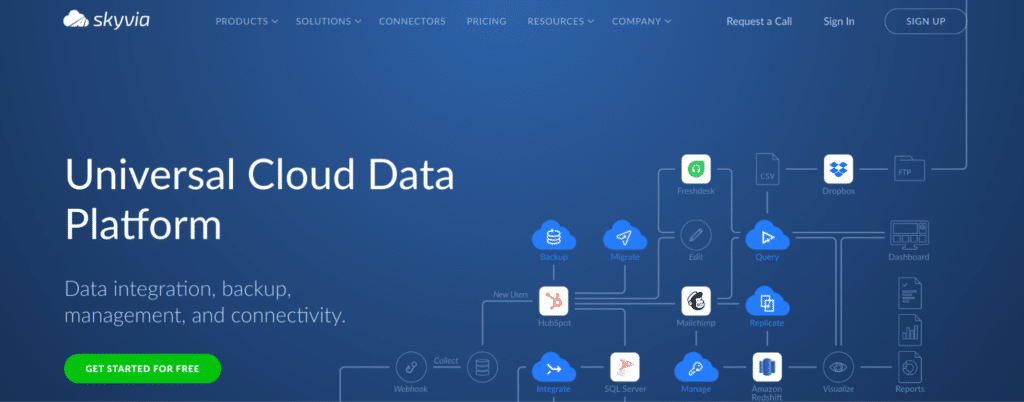
Best for: Small and mid-sized businesses that need affordable, no-code MySQL synchronisation and replication without engineering overhead or large platform budgets.
Skyvia is a cloud-based data integration platform that covers MySQL ETL, ELT, bidirectional sync, and replication in a single no-code interface. Unlike the engineering-heavy tools above, Skyvia’s drag-and-drop pipeline builder is accessible to non-technical users. Its MySQL connector supports import, export, and scheduled synchronisation across 200-plus connectors including Salesforce, HubSpot, Google Sheets, and major cloud databases.
Skyvia uses scheduled polling rather than CDC-based replication for MySQL, which means it is not suited for real-time data requirements. But for SMBs that need MySQL data to sync to another database, a CRM, or a cloud warehouse on a daily or hourly schedule without hiring a data engineer, Skyvia offers the most accessible entry point in this list.
Pros
- No-code pipeline builder accessible to business users and analysts. MySQL connection requires no SQL or coding – just credentials and destination configuration.
- Affordable pricing with a meaningful free tier. Starts at $19/month for paid plans, making it the most accessible option for startups and small businesses in this list.
- Broad connector coverage – 200-plus sources and destinations – supports MySQL alongside common SaaS apps, databases, and cloud storage without a separate tool for each integration.
Source: Skyvia MySQL ETL tool reviews and overview
Cons
- No CDC support. Skyvia uses scheduled polling – it does not read the MySQL binlog for real-time replication. Not suitable for use cases requiring near-real-time MySQL data freshness.
- Less suited to high-volume MySQL workloads. Skyvia is built for SMB data volumes, not enterprise-scale MySQL databases with millions of rows changing daily.
- Advanced transformation logic requires additional configuration beyond standard data movement.
Pricing
Free plan available for low-volume use. Paid plans start at $19/month for the Basic tier, covering a limited number of rows and connectors. Standard and Professional plans add higher data volumes, more connectors, and scheduling frequency options. Enterprise pricing is available for large deployments. See Skyvia pricing for current plan details.
MySQL Data Integration Tools: Side-by-Side Comparison
Use this table to compare all eight tools across the criteria that matter most for your MySQL integration decision.
| Tool | Use Case | Type | MySQL CDC | No-Code | Best For | Pricing |
|---|---|---|---|---|---|---|
| Coefficient | Spreadsheet access | Spreadsheet connector | No | Yes | Ops, finance, RevOps teams in Sheets/Excel | Free; from $49/month |
| Fivetran | Warehouse pipeline | Managed ELT | Yes | Yes | Teams wanting zero-maintenance ELT | Per-connector MAR model |
| Airbyte | Warehouse pipeline | Open-source ELT | Yes | Partial | Engineers wanting control and cost savings | Free OSS; Cloud from $0 |
| Hevo Data | No-code ELT | Managed ELT | Yes | Yes | SMBs wanting fast setup and 24/7 support | Event-based; free tier |
| Integrate.io | ETL with transforms | Low-code ETL | Yes | Partial | Teams needing built-in transforms | From $1,999/month |
| dbt | Transformation only | SQL modeler | N/A | No | Analytics engineers modeling in warehouse | Free Core; Cloud from $100/month |
| Apache Airflow | Orchestration | Open-source orchestrator | Partial | No | Data engineers orchestrating complex pipelines | Free OSS |
| Skyvia | Sync and replication | Cloud ETL/sync | No | Yes | SMBs needing affordable no-code sync | Free tier; paid from $19/month |
How to Choose the Right MySQL Data Integration Tool
Operations, finance, or RevOps team needing live MySQL data in spreadsheets without SQL or engineering involvement: Coefficient. No-code MySQL connector for Google Sheets and Excel, with scheduled refresh and custom SQL query support. Free plan available.
Data engineering team building a MySQL pipeline into a warehouse, with budget for a managed service: Fivetran. Managed ELT with CDC, automatic schema management, and deep dbt integration. Plan carefully for per-connector MAR pricing.
Data engineering team with strong Python and Kubernetes capabilities, wanting open-source flexibility and cost control: Airbyte. MySQL CDC via Debezium, 600-plus connectors, full source code access. Self-hosted infrastructure management is the real cost.
SMB or mid-market team wanting fast no-code MySQL ELT setup with pre-load transformation and 24/7 support: Hevo Data. Genuinely fast setup, event-based pricing with a free tier, and pre-load transformation capability that reduces dbt dependency.
Data team needing built-in transformation and predictable fixed-fee pricing for MySQL ETL: Integrate.io. 220-plus low-code transforms applied before MySQL data lands in the warehouse, at a fixed monthly price regardless of data volume.
Analytics engineering team building SQL data models on top of MySQL data already in a warehouse: dbt. SQL-based transformation with version control and automated testing. Pairs with Fivetran, Airbyte, or Hevo for the ingestion layer.
Data engineering team needing to orchestrate complex, multi-step MySQL workflows with dependency management: Apache Airflow. The open-source orchestration standard for production-grade MySQL data pipelines. Requires Python proficiency and infrastructure management.
SMB or startup needing affordable no-code MySQL sync without real-time requirements: Skyvia. Accessible entry point with a free tier, drag-and-drop pipeline builder, and 200-plus connectors. Scheduled polling rather than CDC – suitable for daily/hourly sync, not real-time replication.
Get Started with Coefficient for MySQL
If your team needs live MySQL data in Google Sheets or Excel without manual exports or engineering tickets, try Coefficient for free. Connect your MySQL database, import your first table or custom SQL query, and set a refresh schedule that keeps your data current automatically.See Coefficient pricing for plan details and the Klaviyo case study for a real example of how teams solve the MySQL data access bottleneck.