
Table of Contents

- 1. Give Your Exec Team a Clear View of HubSpot Deals
- 2. Fix Your HubSpot Deal Stages Before They Break Your Forecast
- 3. How to Clean HubSpot Contacts: Simple Guide for 2026
- 4. Advanced filtering for HubSpot data: Methods, limitations and better alternatives
- 5. The HubSpot Data Sync Problem Nobody Talks About
- 6. HubSpot Lead Scoring: How to Set it Up like a Pro (2026 Guide)
- 7. How to Perform a HubSpot Lead Source Analysis in Google Sheets
- 8. Why HubSpot Deal Properties Create Pipeline Problems (and how to fix it)


Picture the scene. Monday morning QBR. Three people in the room, three different pipeline numbers, all of them pulled from HubSpot. The VP of Sales has the number from the report she built last Thursday. The CFO has the number from the spreadsheet the RevOps manager sent on Friday. The CEO has the number from the board deck that was updated two weeks ago. Nobody is lying. The data just drifted.
This is not a HubSpot problem, exactly. HubSpot is working fine. The sync is running. Records are updating. The issue is something more specific – and more fixable – than most teams realise.
What HubSpot Data Sync Was Actually Built to Do
HubSpot Data Sync, now part of Data Hub since the INBOUND 2025 rebrand of Operations Hub, is a genuinely useful product. It connects HubSpot to over 100 apps with bidirectional sync – Shopify orders flowing into HubSpot contacts, Salesforce accounts reflected in HubSpot companies, NetSuite invoices appearing on deal records. For keeping two apps talking to each other, it works well.
The point-and-click interface is accessible to non-technical users. Most syncs take minutes to configure. And the free tier covers basic connections without a Data Hub subscription. For HubSpot admins who need to bridge the gap between the CRM and the other apps in the stack, this is the right starting point.
But there is a specific limitation worth understanding before assuming Data Sync covers everything. For most objects, true bidirectional sync has field-level constraints. HubSpot’s own documentation confirms that dropdown select properties often sync one-way only, and that API limitations in third-party apps can force additional fields into read-only mode. A HubSpot community thread from 2025 puts it plainly: ‘HubSpot Data Sync still only offers one-way sync for most objects, so true two-way requires either building your own webhook handler or adopting a dedicated sync layer.’
More importantly, Data Sync was designed to keep HubSpot in sync with other apps in the App Marketplace. It was not designed to keep HubSpot in sync with spreadsheets. And that is a completely different problem.
When HubSpot Sync Works But the Numbers Still Don’t Match
Here is the version of the data sync problem that actually affects most RevOps teams – and that no amount of Data Hub configuration will fix.
The pipeline review. A sales rep updates a deal stage in HubSpot on Wednesday afternoon. The forecast model the RevOps manager maintains in Google Sheets was last refreshed on Monday. The VP of Sales is looking at Monday’s numbers in a meeting on Thursday. The sync is working perfectly. The spreadsheet is just wrong.
The bulk update problem. The ops team has a list of 400 contacts that need a lifecycle stage update – a clean-up job from a campaign audit. The easiest way to do it is in a spreadsheet, where they can filter, sort, and apply changes in bulk. But once those changes are made in the sheet, someone has to manually re-enter every update into HubSpot. Or export a CSV and re-import it. Either way, the spreadsheet and the CRM are now two different versions of the truth.
The dashboard problem. Leadership needs a pipeline view for the board meeting. Someone exports HubSpot deal data to a Google Sheet, builds charts, formats it, shares the link. Three days later a deal closes, two others slip to next quarter, and one new enterprise deal comes in. The dashboard is wrong. Nobody updates it because there is no mechanism to update it – it was built from a snapshot, not a live connection.
What these three scenarios have in common is not a broken sync. It is a missing connection between HubSpot and the spreadsheet where the business logic actually lives. HubSpot Data Sync connects HubSpot to apps. It does not connect HubSpot to the Google Sheet the CFO opens every Monday morning.
| “80% of the questions leadership asks require data that doesn’t live in HubSpot.”Definite, RevOps Analytics in HubSpot Guide, 2026 |
Why Exporting More Often Is Not the Answer
The instinct every ops team reaches for first is frequency. If the data drifts between Monday and Thursday, export it more often. Daily exports. Automated reports sent to Slack every morning. A process where someone refreshes the sheet before every meeting.
This reduces the lag. It does not fix the problem.
The issue is directional, not temporal. Exports move data one way – out of HubSpot and into a spreadsheet. The moment anyone edits that spreadsheet – updates a deal value, adjusts a forecast, marks a contact as churned – that change exists only in the sheet. It does not go back to HubSpot. The gap between the two systems opens the instant the export lands.
And the more people work in the spreadsheet, the wider the gap gets. Forecast adjustments. Notes from the QBR. Deals that got bumped to next quarter. None of it makes it back. By the time the next export runs, you are not refreshing a clean slate – you are overwriting changes that should have been in HubSpot all along.
HubSpot’s Data Hub includes a newer feature called Data Studio, launched at INBOUND 2025, that attempts to bring spreadsheet-like data management inside HubSpot. It is worth knowing about – it connects to external spreadsheets and warehouses and enables some bidirectional data flow from within the HubSpot interface. For teams already living entirely inside HubSpot, it is a meaningful step forward. But for teams whose forecasting models, commission trackers, and reporting dashboards live in Google Sheets or Excel and need to stay there, it does not close the gap.
How RevOps Teams Are Closing the HubSpot Sync Gap
The fix is not more exports. It is a live, bidirectional connection between HubSpot and the spreadsheet – one that refreshes automatically and lets changes flow in both directions.
Coefficient connects HubSpot directly to Google Sheets and Excel. Contacts, deals, companies, tickets, pipelines, custom objects – all pulling from HubSpot on a schedule the team sets. No manual export. No CSV. The spreadsheet is always current because it is reading from live HubSpot data, not from a snapshot taken at an arbitrary point in the past.
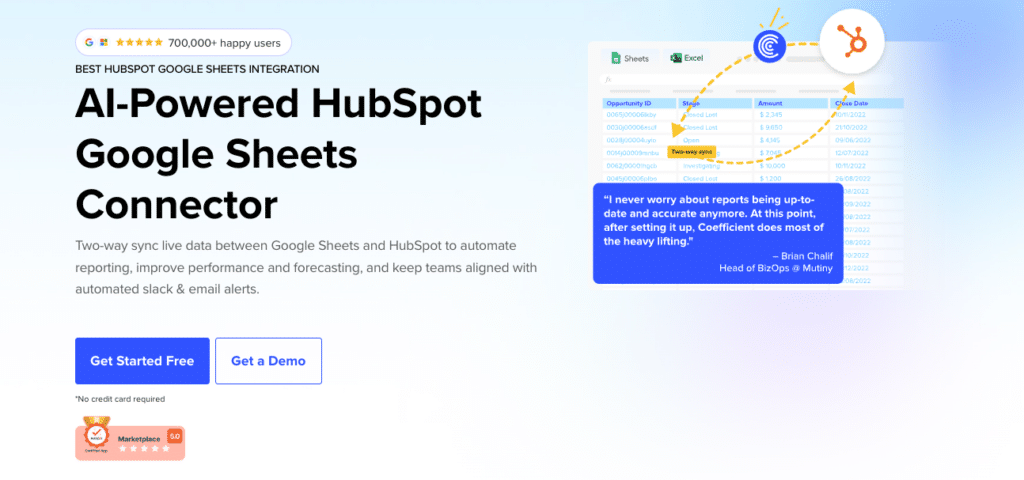
The write-back is what makes the difference. Changes made in the spreadsheet – bulk lifecycle stage updates, deal value adjustments, contact property edits – push back to HubSpot directly. The ops team can clean 400 contacts in a spreadsheet and sync the changes back to the CRM in one operation. The spreadsheet stops being a separate copy and starts being an interface for HubSpot data.
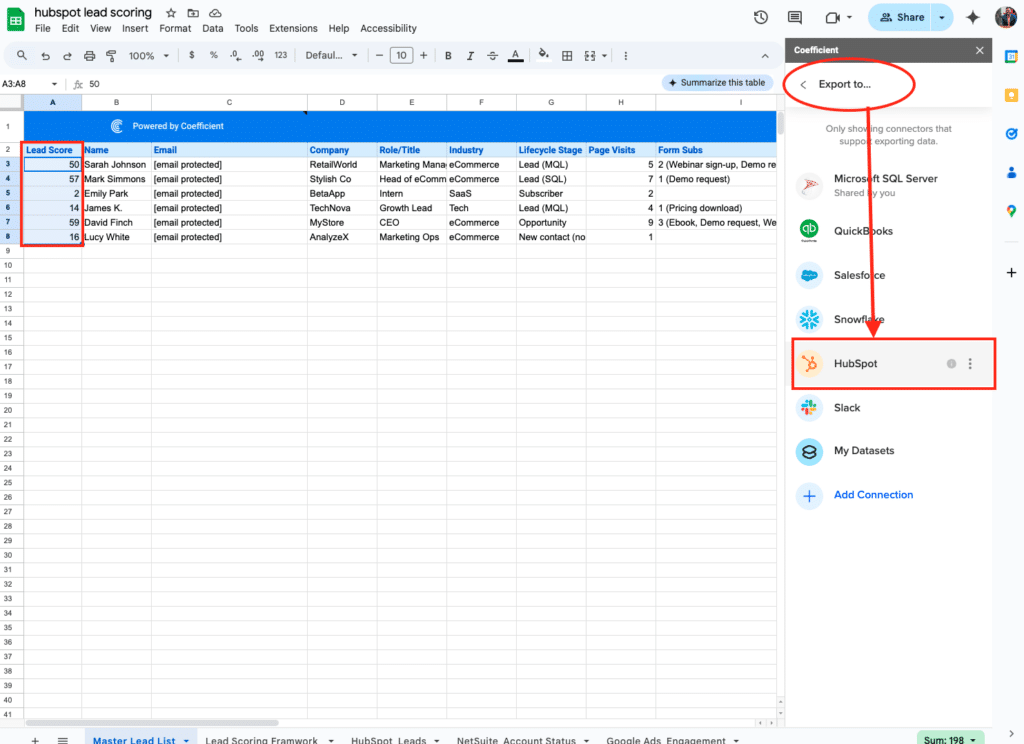
For analysts who want specific slices of HubSpot data, the AI SQL Builder lets them describe what they need in plain English and generates the query automatically. For teams that want to combine HubSpot pipeline data with Stripe revenue, Google Ads spend, or any of 150-plus other sources, Coefficient pulls all of it into the same spreadsheet. The AI Sheets assistant handles formula creation and data analysis from natural language prompts.
And for the dashboard problem – the board deck that was accurate two weeks ago – Vibe Dashboards closes the last mile. Describe the dashboard in plain English and the AI builds a live, shareable web dashboard from the HubSpot data in the spreadsheet. Like this Sales dashboard below. (Check it out here)
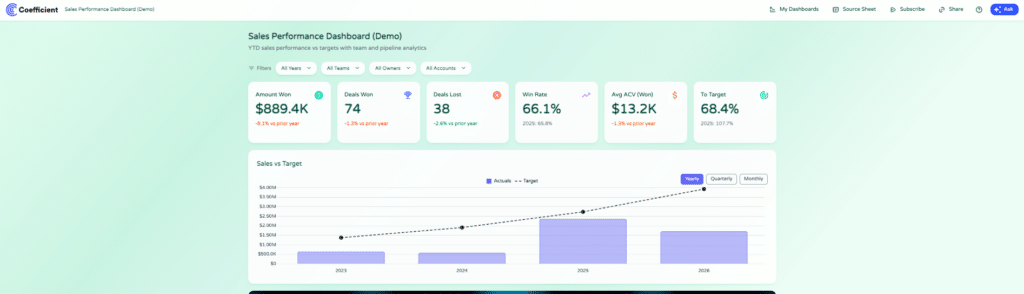
Share a link. Stakeholders see live pipeline data without needing a HubSpot seat, without a BI platform, without per-viewer fees. It updates automatically as the underlying data refreshes.
| “I never worry about reports being up-to-date and accurate anymore. At this point, after setting it up, Coefficient does most of the heavy lifting.”Brian Chalif, Head of BizOps, Mutiny |
| Setup guide: How to connect HubSpot to Google Sheets with Coefficient. Excel users: Coefficient Excel HubSpot connector. |
What About the Other HubSpot Sync Problems?
The spreadsheet sync gap is the most common version of this problem, but not the only one. Two others are worth naming.
App-to-app sync. If the issue is Shopify orders not appearing on HubSpot contacts, or Salesforce accounts drifting from HubSpot companies, HubSpot Data Hub handles this natively for over 100 connected apps. For lighter trigger-based automation between HubSpot and tools outside the native marketplace – sending a Slack message when a deal closes, creating a task in Asana when a contact hits a lifecycle stage – Zapier and Make both cover these workflows without code.
Warehouse pipelines. If the team needs HubSpot data in Snowflake, BigQuery, or Redshift for attribution modeling or multi-source SQL analysis, Fivetran and Airbyte both have managed HubSpot connectors. This is a different problem from spreadsheet sync – it is for data engineering teams building analytics infrastructure, not for RevOps managers trying to keep a forecast model current.
Most teams dealing with drifting pipeline numbers and stale dashboards do not have a warehouse problem. They have a spreadsheet-to-CRM sync problem. And that is the one worth solving first.
Fix the HubSpot Sync Gap with Coefficient
If your team is still running on CSV exports and stale dashboards, try Coefficient for free. Connect HubSpot to Google Sheets or Excel, set a refresh schedule, and push changes back to HubSpot without leaving the spreadsheet.
See Coefficient pricing for plan details, pre-built HubSpot dashboard templates for ready-to-use reporting setups, and the Coefficient AI features page for the full AI layer.