Excel Automation Hub

Excel Automation Hub for World-class Builders

Doing Excel data imports, reporting, and analysis manually? Start automating like the rest of us.
Excel Automation Is Right
At Your Fingertips

No matter how many tools we add to our stack, spreadsheets are ubiquitous. They’re the universal language of business.

Even companies that invest heavily in expensive BI tools find their employees reverting back to their trusty spreadsheet.

Automating Excel tasks and reports is changing the game for spreadsheet users, from large enterprises, to Shopify store owners.

Without Excel Automation:

  • Users spend 45% more time in their spreadsheets
  • Excel data becomes stale
  • Data accessibility to your tech stack is difficult 
  • Manual tasks lead to data discrepancies 
  • Excel cannot act as a single source of truth

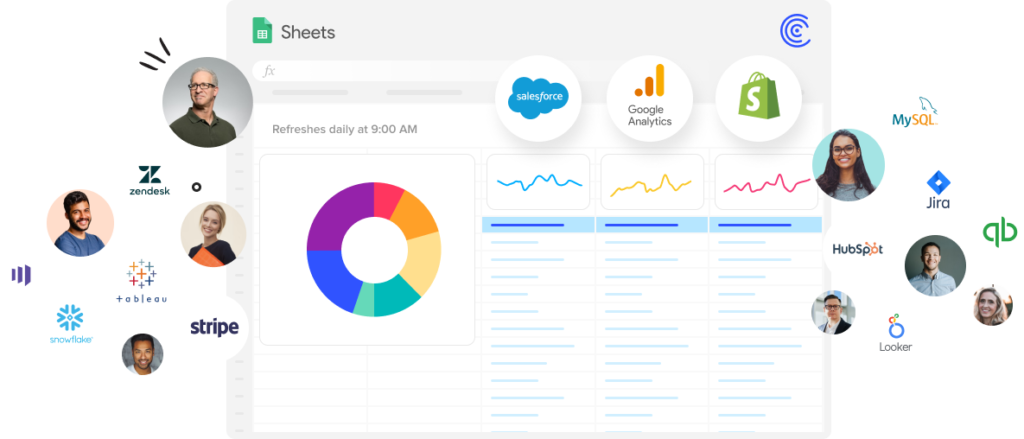
Excel automation and connectivity unleash the true power of your spreadsheet.

So, how do I get started with Automation?

Think about the places you and your team are putting in too much manual, redundant work in Excel. Write those tasks down and prioritize them. Then automate them in just a few steps.

4 Easy Steps to Automate Excel

Step 1:

Eliminate Manual Excel Imports from Your Business Systems

Automating Excel data imports is the first step to making magic happen in your spreadsheet.

Stop working off stale and faulty data from highly manual, copy-paste, less-than-accurate processes for your reports, dashboards, and analysis.

Eliminate this cycle of wasted time and subpar results with one-click connectors for your business systems to Excel.

Step 2:

Use GPT Copilot to Build Formulas, Pivot Tables, and Charts for You

AI has changed the way we work. You can now access GPT functionality right inside of your sheets.

15+ new GPTx functions allow you to clean lists, generate copy or code, categorize products, tag sentiment, and so much more all within your pre-existing workspace.

And, use text instructions to generate formulas, charts, and pivot tables. Expect much more to come in this space.

Step 3:

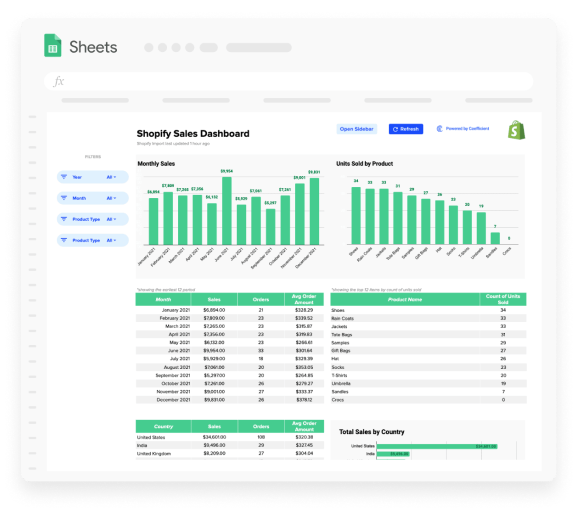
Copy Pre-Built Dashboards

Visualizing your data is critical for uncovering insights. But, not all of us are Excel experts and can build beautiful charts, dashboards or use advanced formulas that make them tick.

There are tons of free templates available for  Excel. We have our own library of Excel templates that you start using in a single click.

Feel free to download and customize each template as you see fit.

Step 4:

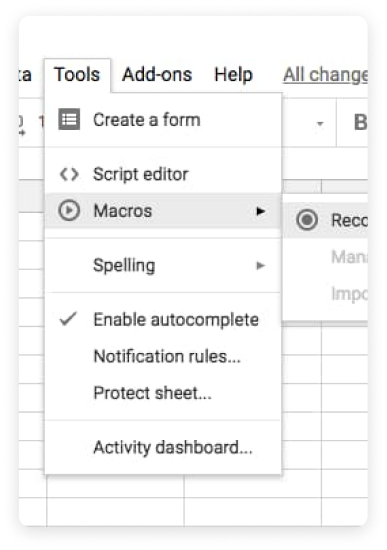
Automate the Misc Tasks with Macros

Steps one and two will likely eliminate many of the manual tasks you’re performing in spreadsheets. If you still have tasks on your list you need to prioritize, macros are all you need!

Macros allow you to record tasks in your spreadsheet and automate them with no code. With macros, you can automate countless spreadsheet tasks, including:

  • apply formatting styles
  • manipulate data and text
  • create entirely new documents

Learn how to create Macros in Google Sheets or Excel.

Bring Excel automation to your spreadsheet like the rest of us

Teams Feel the Impact of Automation

You can be the team hero. #picsoritdidnthappen

“We no longer need to pull static reports from HubSpot and we can automatically get enriched data for reporting.”
“I save so much time. Instead of manually importing data, I’m automating both ranking systems within my teams and sharing reports with clients.
Gavin Medole Business Development at DemandZEN
“I was copy-pasting data from my data warehouse. Now, I have time to drive better insights.
Blair Chenault Founder/CEO at Flashtract
“Instead of worrying about pulling data from Salesforce manually each week, I know the data is going to be there. So, I’m able to just push ‘update’ on several slide decks, rather than manually pulling for the deck each time.”
Brendan Flynn Sales Operations at Klaviyo
“I can actually focus on my job since maintaining and refreshing reports is no longer something I have to remember and commit bandwidth to, especially when I’m maintaining multiple analyses across the org.”
Alex Pan Revenue Strategy at Unity
“So much less time spent on data wrangling for general analysis and data snapshots. It’s all automated!”
Vivek Voonna Systems Manager at Qualified
“I’m spending less time doing the grunt work of exporting reports and uploading them and more time on analyzing data and creating powerful charts and graphs for leadership.”
Alicia Andera Sales Operations at BetterLesson
Automated data imports and alerts from my spreadsheet data drive accountability through insights. So much redundancy from my life has been eliminated.”
Rudy Kulkarni Strategy & Ops at SolvHealth
“We no longer need to pull static reports from HubSpot and we can automatically get enriched data for reporting.”
“I save so much time. Instead of manually importing data, I’m automating both ranking systems within my teams and sharing reports with clients.
Gavin Medole Business Development at DemandZEN
“I was copy-pasting data from my data warehouse. Now, I have time to drive better insights.
Blair Chenault Founder/CEO at Flashtract
“Instead of worrying about pulling data from Salesforce manually each week, I know the data is going to be there. So, I’m able to just push ‘update’ on several slide decks, rather than manually pulling for the deck each time.”
Brendan Flynn Sales Operations at Klaviyo
“I can actually focus on my job since maintaining and refreshing reports is no longer something I have to remember and commit bandwidth to, especially when I’m maintaining multiple analyses across the org.”
Alex Pan Revenue Strategy at Unity
“So much less time spent on data wrangling for general analysis and data snapshots. It’s all automated!”
Vivek Voonna Systems Manager at Qualified
“I’m spending less time doing the grunt work of exporting reports and uploading them and more time on analyzing data and creating powerful charts and graphs for leadership.”
Alicia Andera Sales Operations at BetterLesson
Automated data imports and alerts from my spreadsheet data drive accountability through insights. So much redundancy from my life has been eliminated.”
Rudy Kulkarni Strategy & Ops at SolvHealth
“Automating business systems’ data into spreadsheets – I’ve cracked the code for self-serve reporting on my team!”
Ronald Monillas Data Analyst at Realtor.com
“With automation, I’ve turned my Google Sheets into real-time dashboards.”
Matt Sansone RevOps at Teleport
“Our dashboards have reached a completely new level of actionability and responsiveness. Being able to automate fresh data from various sources and use the flexibility of spreadsheets to visualize them is a game-changer.”
Marcin Lejman GM & Digital Transformation at Raqtan
“I no longer have to worry that co-workers and managers get the right answers at the right time. They simply get a Slack and have all the data.”
Peter Haberl Delivery Exec at Nordcloud
“Spreadsheets are tedious enough to begin with. Why manually update, import and refresh data when Coefficient does it all for you? It’s really benefited me in my role.”
Morgan Young Data Analyst at Impact
“Automation allowed me to have custom insight into the business and avoid limitations that I have in HubSpot.”
Dylan Firn CCO at Goki
“My time was optimized by 60%! I don’t have to worry about extracting manual reports.”
Renata Franca Partner Sales at Zendesk
“Sticky integration problems plagued so many of us. But, not any longer.”
Michael Lowinger Operations at ZeroEyes
“Setting automated data refresh cadences has saved me multiple hours every week, and automated email alerts have enabled me to keep stakeholders informed.”
Braden Mossbarger Analytics & Strategy at Contentful
“Automating Salesforce objects into spreadsheets means not worrying about “is this version of the spreadsheet up-to-date?”
Vaughn Fortier-Shultz Data Analytics & Insights at Cooperman College Scholars

Excel Automation FAQs


Learn More about Excel Automation

Let it sink in or dip your feet in with the following resources.

700,000+ happy users
Wait, there's more!
Connect any system to Google Sheets in just seconds.
Get Started Free

Trusted By Over 50,000 Companies