
Table of Contents




A data silo is data controlled by one department or system that is inaccessible or incompatible with the rest of the organization. It is not always intentional. It usually grows over time as teams adopt different tools for different jobs.
The most common symptom: different teams report different numbers for the same metric. Finance shows one revenue figure. Sales shows another. Operations has a third. None of them are wrong, exactly. But none of them are the same.
What Causes Data Silos?
Departmental tool adoption without integration planning. Marketing adopts HubSpot. Finance adopts QuickBooks. Sales adopts Salesforce. Each tool was the right choice for its job. Nobody planned how data would flow between them.
Organizational structures that mirror data structures. Teams that do not communicate do not share data. In large organizations with distinct P&Ls and separate IT budgets, data isolation is a natural byproduct of organizational isolation.
Legacy systems that predate modern integration. An on-premises ERP from 2008 was not designed to connect to a cloud data warehouse. The data exists but extracting it requires custom engineering that nobody has prioritized.
Security decisions without self-service alternatives. IT restricts access to sensitive data for legitimate reasons. When the restriction blocks everyone from the data without an alternative access path, the result is a silo.
Data Silo Examples in Practice
The CRM vs Finance Gap
Sales closes a deal in Salesforce. Finance tracks recognized revenue in NetSuite or QuickBooks. At month-end, the two numbers never match because the timing rules, adjustment logic, and deal definitions differ between systems. Someone spends two days reconciling a spreadsheet. The next month the same thing happens.
The Monday Morning Export
The marketing team manually exports a CSV from HubSpot every Monday morning and pastes it into a shared spreadsheet for the sales team. By Thursday the data is stale. By the following Monday the columns have shifted because someone added a field in HubSpot. The spreadsheet breaks. The cycle repeats.
The Unofficial Master Spreadsheet
An operations manager builds a spreadsheet pulling together data from five different systems using manual copy-paste. It becomes the de facto source of truth for leadership meetings because nothing else has everything in one place. When the person leaves, the spreadsheet breaks and nobody can fix it.
What Data Silos Cost
Gartner estimates poor data quality costs organizations an average of $12.9 million per year. Fivetran research found that 46% of enterprise AI initiatives fail due to poor data readiness, with 29% specifically citing data silos as the blocker.
- Conflicting metrics across teams that each work from different data.
- Wasted analyst time spent reconciling exports and verifying data that should already be correct.
- Slower decisions because leadership cannot get a unified view fast enough to act.
- AI and ML failures from models trained on siloed, incomplete data.
- Compliance exposure from siloed data that makes audits harder.
How to Identify Data Silos
- Do different departments report different numbers for the same metric?
- Does anyone maintain a ‘master spreadsheet’ not connected to any live system?
- Do teams request data from each other via email or Slack because they cannot access the source directly?
- Are there manual export and import steps in any recurring report?
Yes to two or more: data silos are actively affecting your operations.
How to Fix Data Silos
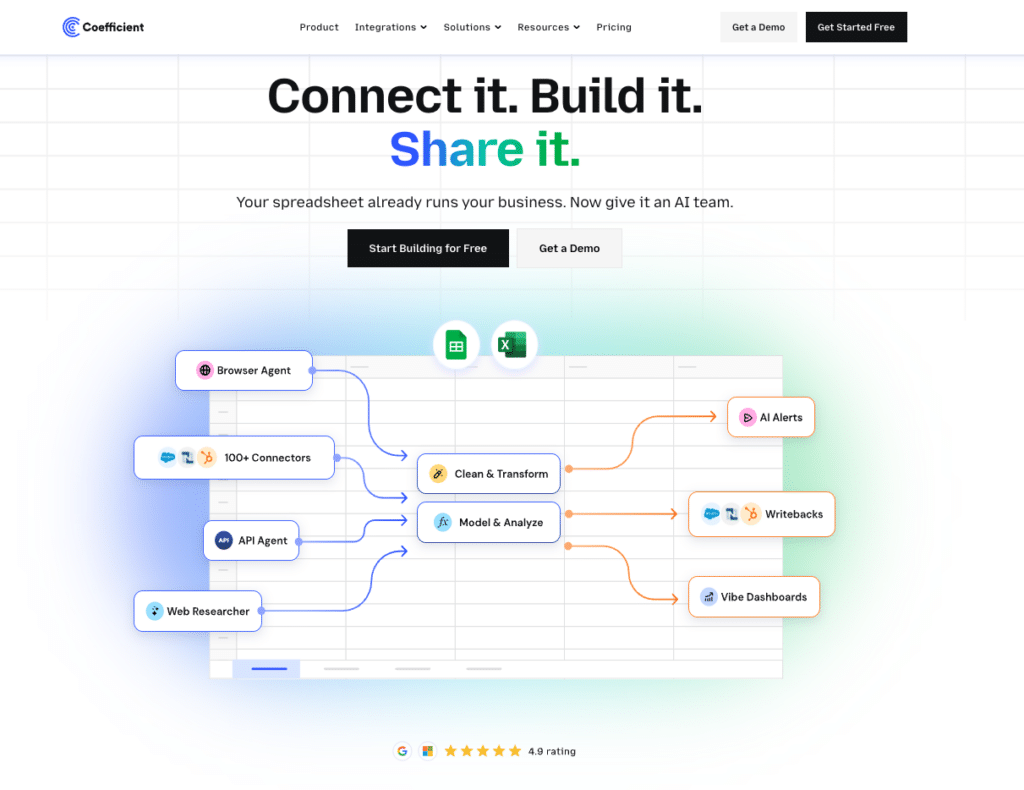
No-code connectivity (fastest path). Coefficient connects 150+ systems including Salesforce, HubSpot, QuickBooks, NetSuite, and Snowflake into Google Sheets and Excel with scheduled auto-refresh. No data engineering required. Two-way sync available for Salesforce, HubSpot, NetSuite, QuickBooks, Snowflake, MySQL, MS SQL Server, PostgreSQL, BigQuery, and Redshift.
Data warehouse centralization. Consolidate into Snowflake, BigQuery, or Redshift. Build ETL pipelines to ingest from all source systems. Requires data engineering resources but creates a single governed source of truth.
Data governance programs. Policies, metric ownership, cross-functional data stewardship, and a data catalog. Required at enterprise scale.
Frequently Asked Questions
What is the difference between a data silo and a data warehouse?
A data silo is an isolated data store that is inaccessible to other parts of the organization, usually by accident. A data warehouse is a centralized, intentionally structured repository designed for access and analysis across the organization. Data warehouses are typically the solution to data silos, not a form of them.
Are data silos always bad?
Not always. Some data is intentionally isolated for security or regulatory compliance: HR records, clinical trial data, financial information requiring strict access controls. The problem is unintentional silos that isolate data that should be shared, creating operational friction and conflicting metrics.
How long does it take to fix data silos?
For specific high-priority silos, no-code connectivity tools can connect two systems in under an hour. Full organizational data governance is a multi-year program. Most teams see the most value by identifying the two or three silos causing the most operational pain and fixing those first.
Bottom Line
Data silos are a normal byproduct of growing organizations that adopt tools department by department. The cost is real. For most small and mid-market teams, the fastest fix is connecting existing tools to a shared spreadsheet layer.
Coefficient is free to start and connects to your first source in minutes.