
Table of Contents

- 1. Best 6 Salesforce Connectors in 2025 [w/ Feature Comparison Table]
- 2. Salesforce Data Integration Tools for RevOps & Data teams
- 3. Top Salesforce Integrations and Connectors for RevOps Teams in 2026
- 4. Top Salesforce Reporting Tools in 2026
-
5. Top 5 Data Loaders for Salesforce in 2026
- Feature comparison table
- 1. Coefficient: The Salesforce Data Loader for Google Sheets & Excel
- 2. Salesforce Data Loader: The Desktop Workhorse
- 3. Salesforce Data Import Wizard: Built-In and Free
- 4. Dataloader.io: Cloud-Based With Scheduling Built In
- 5. XL-Connector: Excel-Native Salesforce Data Management
- Making the right data loader choice
- Frequently asked questions


Originally published October 2024, revamped with updated tools, pricing, and content in March 2026.
Moving data in and out of Salesforce is tedious. Manual exports. CSV wrangling. Broken field mappings. Hours lost to what should take minutes. The right data loader changes that equation entirely.
This guide compares five leading Salesforce data loaders, including key 2025 security changes and updated capabilities, so you can pick the tool that fits your workflow.
Important: Salesforce sunsetted the Google Data Connector in Fall 2024. If your team is still relying on it, you need to migrate. Coefficient is the most capable replacement and is covered in detail below.
Feature comparison table
| Feature | Coefficient | Salesforce Data Loader | Data Import Wizard | Dataloader.io | XL-Connector |
|---|---|---|---|---|---|
| Row limits | Unlimited (paid) | 5M (Bulk API) / 150M (Bulk API 2.0) | 50,000 | 10K free / unlimited paid | Unlimited |
| Data sources | 100+ data sources | Salesforce only | Salesforce only | Salesforce only | Salesforce only |
| Builder cost | Free Plan | Paid plan from $49/month | Free | Free | $99/month (Pro) | $20/user/month |
| Formula functions | Yes (4 types) | No | No | No | No |
| Refresh frequency | On-Demand + scheduled | Manual only | Manual only | Scheduled | Manual |
| Alerts | Slack + Email | No | No | No | No |
| Two-way sync | Yes | Yes | Import only | Yes | Yes |
| AI features | Yes | No | No | No | No |
| Security | SOC 2 Type II | Salesforce native | Salesforce native | OAuth 2.0, encrypted communications | Encryption in transit and at rest, GDPR compliant |
1. Coefficient: The Salesforce Data Loader for Google Sheets & Excel
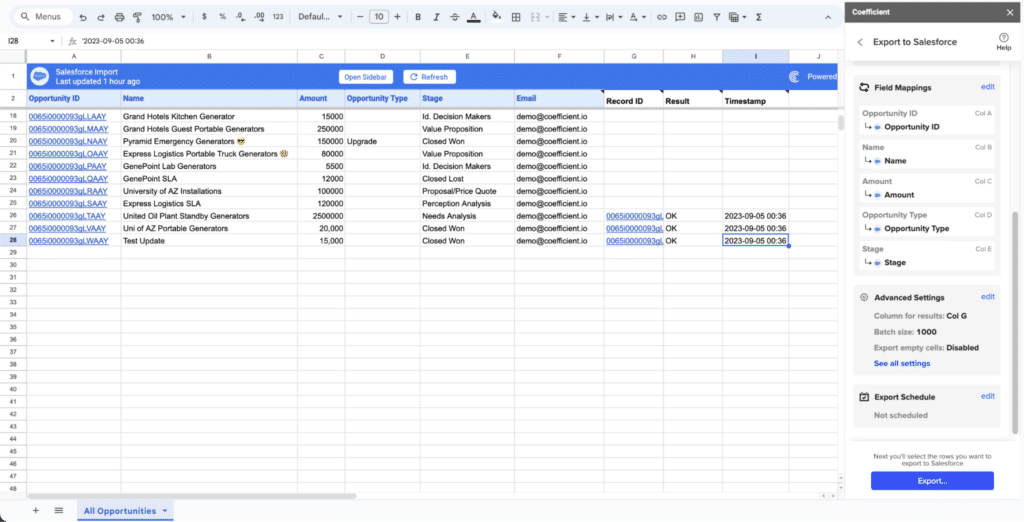
Coefficient connects Salesforce data directly to Google Sheets and Excel. Data flows live. Updates happen in real time. No CSV exports, no manual imports, no re-pasting stale data before every meeting.
Most data loaders treat Salesforce data as a one-time export. Coefficient keeps a live connection between Salesforce and your spreadsheet so data refreshes automatically on a schedule you set, and changes you make in the spreadsheet can be written back to Salesforce in bulk without ever opening the CRM.
What sets Coefficient apart
Live data sync: Changes in Salesforce reflect immediately in your spreadsheet. Set automated refreshes hourly, daily, or weekly depending on how current your data needs to be.
Two-way data flow: Push changes back to Salesforce directly from your spreadsheet. Update records, insert new data, or delete entries, all from Sheets or Excel.
Multi-source blending: Connect Salesforce to Google Sheets or Salesforce to Excel alongside HubSpot, Snowflake, QuickBooks, Google Ads, and 100+ other sources in the same sheet. No other data loader on this list does this.
AI-powered automation: Set alerts when data changes. Auto-distribute reports via Slack or email. Use the AI Sheets Assistant to build formulas, charts, and pivot tables in plain English.
AI dashboard builder: When you’re ready to share beyond the spreadsheet, describe what you want in Coefficient’s AI chat interface and it builds a live web dashboard from your Salesforce data automatically.
Formula functions for Salesforce
This is where Coefficient diverges most clearly from traditional data loaders. Instead of bulk imports, you can query Salesforce data using spreadsheet formulas that stay live.
=salesforce_search queries any Salesforce object with filters and returns multiple matching records in tabular format. Supports operators like =, >, <, IN, NOT IN, and CONTAINS. Combine filters with AND/OR logic, sort results, limit rows, and reference cell ranges for dynamic filtering.
=salesforce_lookup works like VLOOKUP but pulls live data directly from Salesforce. Match by any field including Email, Account Name, or Opportunity ID. Supports batch lookups using cell ranges and accesses related object fields.
=salesforce_report_search fetches full tables from saved Salesforce reports with optional filters and sorting. Ideal for pulling aggregated or summarized report data without rebuilding the report logic in a spreadsheet.
=salesforce_report_lookup pulls specific values from Salesforce reports by matching fields. Works with joined reports and supports batch lookups across multiple values.
These formulas eliminate the need for constant re-imports. Your spreadsheet stays connected to live Salesforce data.
Import methods
Beyond formulas, Coefficient supports three full import approaches.
From Existing Report imports any Salesforce report directly with all fields included automatically. New fields added to the report can be pulled in by editing the import.
From Objects and Fields builds ad-hoc reports from any standard or custom Salesforce object. Select specific fields, apply AND/OR filter logic, and access related object fields through lookups.
Custom SOQL Query lets you write custom queries for complex data needs including joins across multiple objects, advanced filtering, and aggregations.
Export capabilities
Push data back to Salesforce with four actions. Update modifies existing records and requires a Record ID for matching. Insert creates new records. Upsert updates existing records or creates new ones based on an External ID field. Delete removes records and keeps them recoverable in the Recycle Bin for 30 days.
Batch processing handles up to 10,000 records per export. Schedule exports to run automatically on the same cadence as your imports.
Pros
- Live sync across 100+ data sources, not just Salesforce
- Formula functions keep spreadsheets connected to live data without re-importing
- Works in both Google Sheets and Excel
- Automated Slack and email alerts when data changes or thresholds are hit
- AI dashboard builder lets non-technical users publish BI-quality dashboards without a data team
- No Salesforce license required for viewers, just share the spreadsheet or dashboard link
Cons
- Full features including hourly refresh, unlimited rows, and advanced automation require a paid plan
- Works best for teams already in Google Sheets or Excel
- Traditional bulk migrations moving millions of records between orgs are better handled by the native Salesforce Data Loader
What users say
“Coefficient has transformed our Salesforce reporting. The real-time sync and automation features have saved us countless hours.” — John D., Sales Manager, G2
“Tremendously helpful tool that has sped up my workflow. Can’t imagine doing analysis without it.” — Alex Pan, Unity
“Coefficient has been incredibly helpful at exporting powerful reporting from various tools to share across our organization, regardless of the licenses we have for the actual tool itself.” — G2 reviewer
Pricing
Free tier available. Paid plans start at $49/month.
Support
Free tier includes documentation and Help Center access. Paid plans include chat and email support. Enterprise plans include priority support, dedicated success management, and SLA guarantees.
Get started free with Coefficient
2. Salesforce Data Loader: The Desktop Workhorse
Salesforce Data Loader is the native desktop application for bulk operations. Free, powerful, and built for high-volume work. If you’re a Salesforce admin running a large migration or one-time bulk operation, this is the standard tool.
2025 security changes
Salesforce made significant security updates in late 2025 that affect how Data Loader authenticates.
OAuth Device Flow removed: As of September 2025, Data Loader no longer supports OAuth 2.0 Device Flow. Use Web Server Flow with PKCE instead.
Connected app restrictions: Uninstalled connected apps now require explicit admin permission to authorize. If you’re setting up a new connection, your Salesforce admin needs to approve it first.
Password authentication: Still supported. Command-line setups using encrypted passwords are unaffected.
Key specifications
- Bulk API handles up to 5 million records per job
- Bulk API 2.0 handles up to 150 million records
- Requires Java Runtime 17 or later
- Supported on Windows 10/11 (x64) and macOS 13-15 (Intel and ARM)
What sets it apart
The Salesforce Data Loader is the only tool on this list capable of processing tens of millions of records in a single operation. For org-to-org data migrations, large historical data loads, or any operation where volume is the primary concern, nothing else on this list competes. It supports all CRUD operations across all standard and custom objects and produces detailed success and error log CSV files so you know exactly what processed and what didn’t.
Pros
- Free with all Salesforce editions
- Handles the largest data volumes of any tool on this list
- Full CRUD operation support including hard delete
- Works with all standard and custom Salesforce objects
- Detailed error logging makes debugging straightforward
Cons
- Requires local installation and Java, a barrier for non-technical users
- No built-in scheduling from the UI, recurring jobs need command-line configuration on Windows
- Works only with CSV files, requiring data preparation before loading
- Not suitable for live reporting or ongoing data sync use cases
What users say
“The go-to tool when you need to move serious volumes of data. Nothing else handles bulk operations at this scale without breaking a sweat.” — Salesforce Admin, Trailblazer Community
“Powerful but requires technical setup. The lack of built-in scheduling means you’re writing scripts if you want it automated.” — CRM Specialist, G2
Pricing
Free with all Salesforce editions.
Support
Support provided through Salesforce’s standard channels including documentation, Trailblazer Community forums, and Premier Support for eligible orgs.
3. Salesforce Data Import Wizard: Built-In and Free
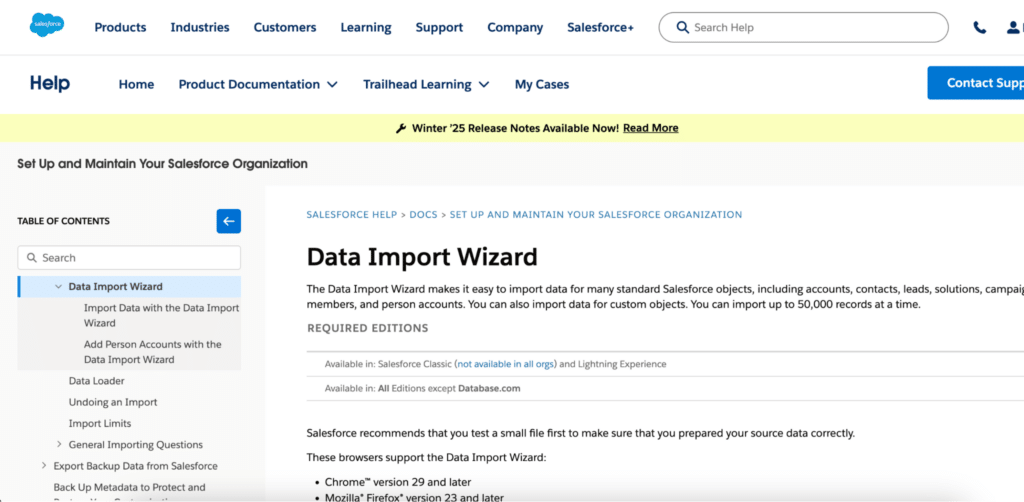
The Data Import Wizard lives inside every Salesforce org. No downloads, no separate apps, no technical setup. It’s a point-and-click guided import tool designed for users who need to get data into Salesforce occasionally without relying on an admin.
What sets it apart
The Import Wizard is the only tool on this list that requires absolutely nothing beyond a Salesforce login. For non-technical users running infrequent imports of contacts, leads, or accounts, it removes every barrier between a CSV file and imported records. The guided interface walks users through field mapping with auto-matching, flags potential duplicates before they’re created, and lets you choose whether workflow rules should trigger during the import.
Highlights
- Built into every Salesforce edition, no installation required
- Guided step-by-step interface for field mapping
- Duplicate detection before records are created
- Supports insert, update, and upsert operations
- Option to trigger or suppress workflow rules during import
Pros
- Free with all Salesforce editions
- No installation or technical knowledge required
- Intuitive enough for non-technical business users
- Deduplication built in reduces the risk of creating duplicate records
Cons
- Hard cap at 50,000 records per import job
- No export functionality, import only
- Doesn’t support delete operations
- Limited custom object support depending on Salesforce edition
- No scheduling or automation of any kind
What users say
“Great for quick, simple imports. It’s my go-to for small datasets.” — Mike R., Salesforce Admin, Trailblazer Community
“Works well for basic needs but lacks advanced features for complex data management. We hit the 50K limit regularly and have to switch tools.” — Lisa T., CRM Specialist, G2
Pricing
Free with all Salesforce editions.
Support
Support provided through Salesforce’s standard Help and Training resources and the Trailblazer Community.
4. Dataloader.io: Cloud-Based With Scheduling Built In
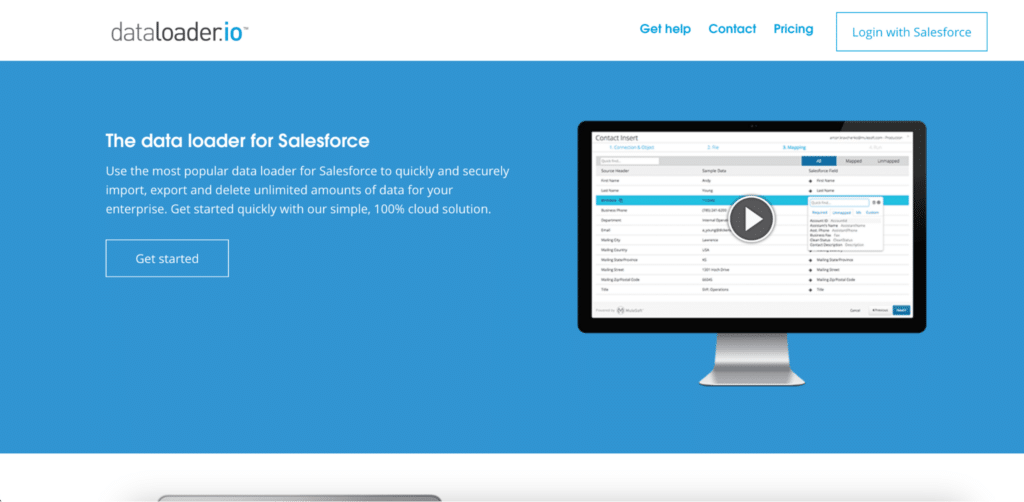
Dataloader.io runs entirely in your browser. Upload CSVs, map fields, run operations, and schedule recurring jobs, all without installing anything locally. Built by MuleSoft and now part of the Salesforce family, it’s the most accessible cloud-based option for teams that want the core functionality of the native Data Loader without the desktop installation.
2026 updates
MuleSoft continues to maintain Dataloader.io as part of the Salesforce ecosystem. The platform supports OAuth 2.0 authentication and integrates with Box, Dropbox, FTP, and SFTP as data sources. The enterprise tier added multi-org management capabilities in late 2025.
What sets it apart
The built-in scheduler is the primary reason to choose Dataloader.io over the native Salesforce Data Loader. Instead of configuring command-line scripts on Windows, you set recurring jobs directly in the UI, which makes automation accessible to users without scripting skills. The Smart Lookup feature also reduces pre-processing work by letting you match parent records by name or text field rather than Salesforce ID.
Highlights
- Fully cloud-based, accessible from any browser
- Supports insert, update, upsert, delete, and export operations
- Scheduled recurring jobs with hourly, daily, weekly, and monthly options
- Smart Lookups let you map records by name or text rather than Salesforce ID
- Import directly from Box, Dropbox, FTP, and SFTP sources
- Auto-mapping of fields speeds up configuration
Pros
- No local install means anyone on the team can run it from any machine
- Scheduling built into the UI eliminates the need for command-line automation
- Smart Lookups reduce the pre-processing work needed to prepare CSV files
- Clean interface compared to the desktop Data Loader
Cons
- Free tier caps at 10,000 records per task, too restrictive for most real use cases
- Paid plan at $99/month is a meaningful cost for what is still relatively basic functionality
- Salesforce-only data source with no multi-source blending
- No AI features or live data sync capabilities
What users say
“Dataloader.io has simplified our data management process. It’s reliable and easy to use, and the scheduling feature alone is worth it.” — Alex K., Sales Ops Manager, AppExchange
“While it’s great for most tasks, we sometimes hit limits with very large datasets and have to fall back to the desktop Data Loader.” — Chris M., IT Director, G2
Pricing
Free plan available with 10,000 records per task and limited monthly tasks. Professional plan at $99/month for 100,000 records per task and full scheduling. Enterprise plan at $299/month for unlimited records and multi-org management.
Support
Email support and documentation available on all paid plans. Enterprise includes dedicated support resources.
5. XL-Connector: Excel-Native Salesforce Data Management
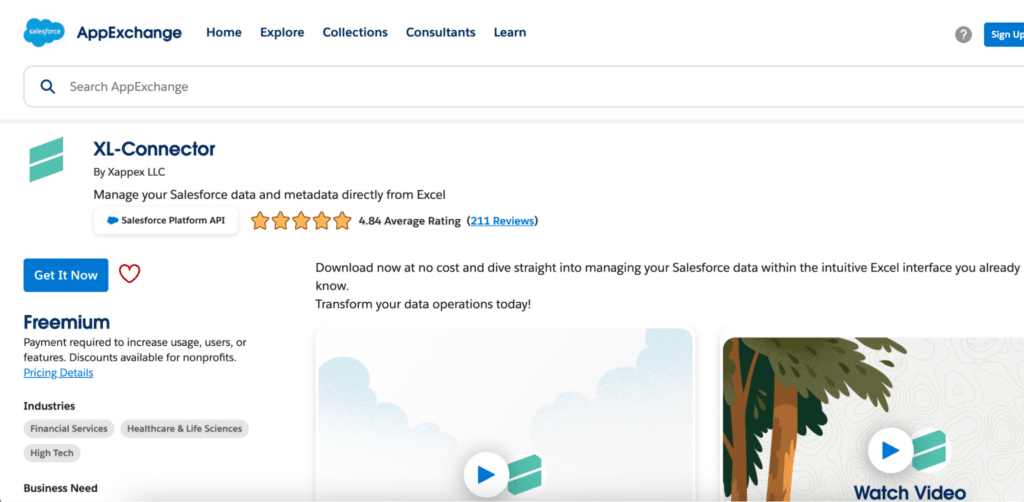
XL-Connector adds Salesforce capabilities directly inside Excel. If your team runs its Salesforce reporting and analysis in Excel rather than Google Sheets, this keeps them in their familiar environment without switching tools.
What sets it apart
XL-Connector is purpose-built for Excel users who need to pull Salesforce data, run bulk updates, and manage records without leaving the spreadsheet. The offline capability is a genuine differentiator for field teams who work in environments with unreliable connectivity. You can edit data offline in Excel and sync the changes back to Salesforce when reconnected.
Highlights
- Excel add-in that adds Salesforce capabilities directly inside the spreadsheet
- Supports insert, update, upsert, delete, and export operations
- Offline data editing with sync on reconnect
- Works with Excel formulas alongside Salesforce data
- Handles mass operations directly from the spreadsheet
Pros
- Familiar Excel interface means no new tool to learn for Excel-native teams
- Offline capability for field teams working with unreliable connectivity
- Strong bulk operation support for Salesforce admins managing data from a spreadsheet
- More affordable than most third-party options at $20/user/month
Cons
- Excel only, no Google Sheets support
- Connects to Salesforce only, no multi-source data blending
- Requires desktop installation
- No AI features, live dashboard builder, or automated alerts
What users say
“XL-Connector has streamlined our Salesforce data management. It’s a game-changer for Excel users.” — Emma S., Business Analyst, AppExchange
“Great for Excel users, but limiting when collaborating with team members who prefer other tools or need data from sources beyond Salesforce.” — David R., Sales Manager, G2
Pricing
14-day free trial available. Paid plans start at $20/user/month.
Support
Email support, documentation, and video tutorials available on paid plans.
Making the right data loader choice
The tool that’s right for you depends on what you’re actually trying to do with the data.
If you’re a RevOps, finance, or sales ops team that needs live Salesforce data in a spreadsheet: Coefficient. It’s the only tool on this list that keeps a live connection between Salesforce and Google Sheets or Salesforce and Excel, combines Salesforce with other data sources in the same sheet, and lets you build shareable dashboards from that live data. Get started free.
If you’re a Salesforce admin running a large migration or one-time bulk operation: Salesforce Data Loader. Free, handles up to 150 million records with Bulk API 2.0, works with all object types. Accept the setup overhead in exchange for the reliability and scale.
If you’re a non-technical user running occasional small imports: Data Import Wizard. Built into Salesforce, no setup required, straightforward enough for anyone to use. Just don’t exceed 50,000 records.
If you want the Data Loader’s core functionality without the local install: Dataloader.io. Browser-based, OAuth login, scheduling built in. Worth the $99/month if you’re running recurring jobs and don’t want to configure command-line scripts.
If your team lives in Excel and needs Salesforce data management without switching tools: XL-Connector. Excel-native, handles bulk operations, and the offline capability is useful for teams in the field.
Frequently asked questions
What is the best free Salesforce data loader?
For bulk record operations, Salesforce Data Loader is free and handles up to 5 million records per job. For live data sync into Google Sheets, Coefficient has a free tier that includes real-time Salesforce data sync. The Data Import Wizard is also free for basic imports up to 50,000 records.
How do I use Data Loader in Salesforce?
Download and install the Data Loader from Salesforce and ensure Java Runtime 17 or later is installed. Log in using your Salesforce credentials via Web Server Flow with PKCE (OAuth Device Flow was removed in September 2025). Choose your operation, select your CSV file, map the fields to Salesforce objects, and run the operation. Review the success and error log CSVs once the job completes. For a more user-friendly experience with live sync capabilities, Coefficient is a strong alternative that works directly in Google Sheets or Excel.
Is Dataloader.io owned by Salesforce?
Dataloader.io was originally built by MuleSoft, which Salesforce acquired in 2018. It operates as a separate cloud-based product with its own pricing, but sits within the broader Salesforce ecosystem.
What is the difference between Dataloader.io and Salesforce Data Loader?
Dataloader.io is a cloud-based tool that runs in your browser with a modern UI and built-in scheduling. Salesforce Data Loader is a native desktop application that requires local installation but handles far larger data volumes and supports hard delete operations. For teams that need scheduling without command-line setup, Dataloader.io is easier. For large-scale migrations or operations requiring maximum record volume, the native Salesforce Data Loader is the right choice.
What replaced the Salesforce Google Data Connector?
Salesforce discontinued support for the Google Data Connector in Fall 2024. Coefficient is the most capable replacement, offering live two-way sync between Salesforce and Google Sheets, multi-source data blending with 100+ connectors, formula-based Salesforce queries, and an AI dashboard builder, all on top of the basic connector functionality the Google Data Connector provided. Get started free.