

Finance teams are under more pressure than ever to close faster, report accurately, and do it all with a leaner headcount. AI tools have moved from novelty to necessity. The global AI in accounting market hit $6.68 billion in 2025 and is projected to reach $96.69 billion by 2033. More importantly, 82% of early adopters report positive ROI within the first year.
But picking the wrong tool wastes time and money. This guide cuts through the noise and focuses on seven tools that are actually making a difference for accounting and finance teams in 2026, covering live financial reporting, expense automation, fraud detection, audit workflows, and spend management.
Feature Comparison Table
| Tool | Primary Focus | Best For | Starting Price | AI Capability | Automation Level |
| Coefficient | Live financial reporting in spreadsheets | Finance, FP&A, RevOps teams | Free plan available | GPT-powered formulas, AI dashboard builder | Real-time data sync, scheduled auto-refresh |
| Ramp | Spend management and accounting automation | Finance teams managing corporate spend | Free (core platform) | AI coding agent, fraud detection, price intelligence | End-to-end transaction automation |
| MindBridge AI | Risk and fraud detection | Enterprise audit and compliance teams | Custom pricing | Ensemble AI, unsupervised ML | 100% transaction monitoring |
| AppZen | Expense auditing | Mid-market and enterprise finance teams | $5,000/month | Real-time audit AI, FCPA compliance | Automated approvals and compliance checks |
| DataSnipper | Audit workflow automation | Audit and accounting firms | Freemium | GenAI document analysis | Workflow standardization within Excel |
| Vic.ai | Accounts payable automation | Teams processing high invoice volumes | Custom pricing | Autonomous AP AI, learns from past decisions | Autonomous invoice processing and approval |
| Datarails | FP&A and financial reporting | Finance teams doing budgeting and forecasting | Custom pricing | AI-powered variance analysis, natural language queries | Automated consolidation and reporting |
1. Coefficient AI
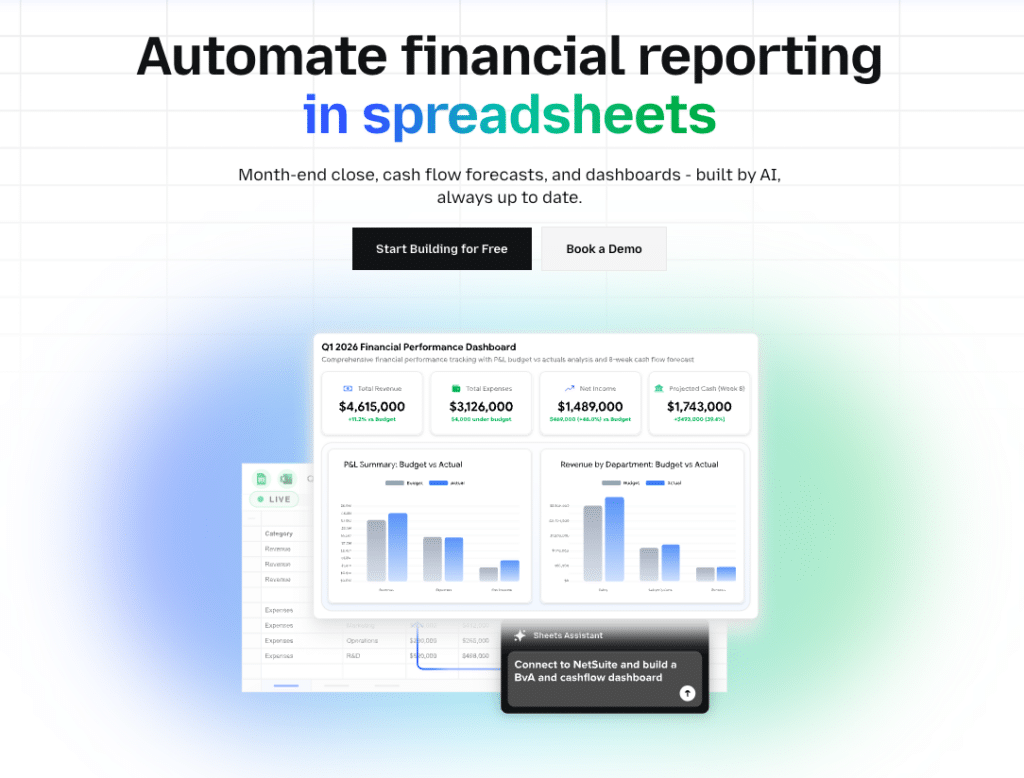
Coefficient transforms Google Sheets and Excel into a live financial command center. Instead of manually exporting data from QuickBooks, NetSuite, Salesforce, or Snowflake and rebuilding the same reports every week, Coefficient connects directly to your source systems and keeps your spreadsheets updated automatically.
For accounting and finance teams, this solves the single most painful part of financial reporting: the cycle of exporting, formatting, copy-pasting, and hoping nothing changed before the CFO presentation.
What Coefficient Does for Finance Teams
Live financial data in your spreadsheets. Pull P&L statements, balance sheets, general ledger data, AR aging reports, and cash flow data directly from QuickBooks or NetSuite into Google Sheets or Excel. Set a refresh schedule and your reports update automatically, hourly, daily, or weekly, without anyone touching them.
Cross-system financial consolidation. Combine QuickBooks actuals with Salesforce pipeline data, Snowflake data warehouse metrics, and HR payroll data from Rippling into a single spreadsheet. Build the unified revenue and cost view that leadership actually needs, without waiting for a BI tool or a data engineer.
AI-powered analysis and dashboard building. The AI Sheets Assistant generates formulas, builds pivot tables, creates charts, and builds dashboards from plain-English prompts. Ask it to “calculate year-over-year variance by department” and it writes the formula automatically. No SQL, no coding.
Automated reporting delivery. Set up Slack or email alerts that fire when key financial metrics change. When cash balance drops below a threshold, when AR aging increases week-over-week, or when a budget line is exceeded, your team gets notified instantly.
Two-way sync. Push data back to QuickBooks, Salesforce, HubSpot, and other source systems directly from your spreadsheet. Update records, create journal entries, and reconcile data without leaving your workflow.
Pros
Zero learning curve for finance teams. Coefficient works inside Google Sheets and Excel, the tools your team already uses every day. There is no new interface to learn, no dashboards to rebuild, and no onboarding backlog for IT.
Eliminates manual export cycles. Finance teams typically spend 40+ minutes daily on manual data pulls, reformatting, and report rebuilding. Coefficient automates the entire pipeline so that time goes back to analysis.
Handles multi-entity and multi-system reporting. Pull from multiple QuickBooks accounts, NetSuite subsidiaries, or Snowflake databases into a single consolidated spreadsheet. This is particularly valuable for fractional CFOs, accounting firms, and companies with complex entity structures.
Connects 100+ business systems. One platform for QuickBooks, NetSuite, Salesforce, HubSpot, Snowflake, Stripe, Google Ads, and more. No need to manage separate connectors for each system.
Cons
Spreadsheet-bound. Analysis stays within the capabilities of Google Sheets or Excel. Teams that need advanced statistical modeling or enterprise BI visualization will need supplementary tools.
Best value with multiple connected systems. Teams pulling from a single system may not need all of Coefficient’s cross-platform capabilities.
Pricing
Coefficient offers a free plan with core data import features. Paid plans scale based on connectors, refresh frequency, and team size. Enterprise plans with custom pricing are available for larger organizations. A free trial is available.
What Users Say
“Coefficient automated everything. Instead of manually exporting or importing into Google Sheets every day, and making sure none of the formulas broke, I can just sit back and watch the data update automatically.” (Christian Budnik, FP&A Analyst, Solv)
“Our company financial reports and budget reports have become such a thing of ease. Coefficient literally saves us hours each and every week.” (Brock Holliman, CEO, Holliman Capital)
2. Ramp
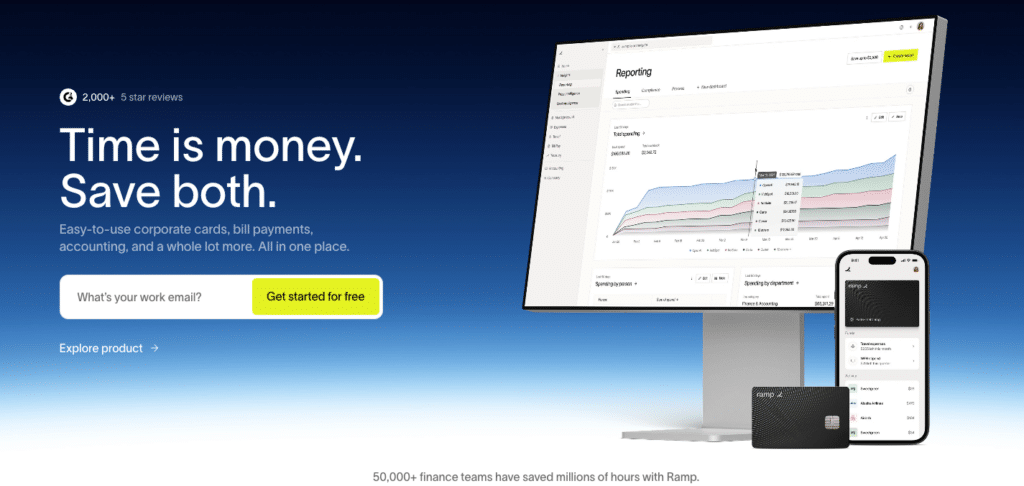
Ramp has become one of the most significant players in AI-powered finance automation over the past two years. What started as a corporate card platform has evolved into an end-to-end finance operations system used by over 50,000 businesses, with AI baked into every step of how money moves through a company.
The core of Ramp’s AI is the Accounting Agent, which reviews and auto-codes every transaction the moment it happens. It codes across every field (general ledger, department, class, location, custom dimensions) and learns from how your team codes over time. The result is that routine transactions handle themselves, and only exceptions surface for human review.
What Ramp Does for Finance Teams
Autonomous transaction coding. Ramp’s AI codes every card transaction and bill automatically, applying your historical patterns and reasoning about new situations. It surfaces a suggested action for every transaction so teams know exactly what needs attention and what can be approved and synced.
Real-time fraud detection. AI agents scan transactions for anomalies and AI-generated fake invoices as they happen. Ramp has documented blocking a $49,000 fraudulent invoice for a customer. Automated three-way matching validates invoices against purchase orders and item receipts before payment.
Price intelligence. Powered by anonymized data from millions of transactions across 50,000+ customers, Ramp benchmarks your software and vendor contracts against what similar companies pay. Finance teams use this to negotiate better deals and identify overspending.
Month-end close automation. Ramp automates accruals, reconciliations, and ERP sync so month-end close takes hours instead of days. The platform connects to 30+ ERPs including QuickBooks, NetSuite, Xero, and Sage Intacct.
Policy enforcement at the point of spend. Spending policies are embedded directly into the card and approval workflow. Out-of-policy transactions are flagged or blocked before they happen, not discovered in next month’s expense report.
Pros
Free core platform. Ramp’s base product is free. Revenue comes from interchange fees, which means the platform’s incentives are aligned with helping you spend smarter, not more.
AI that actually learns. Unlike rules-based automation, Ramp’s AI improves over time based on your team’s feedback and coding decisions. Customers report reducing manual accounting errors by 70%.
Comprehensive spend coverage. Cards, bill pay, reimbursements, travel, and procurement all in one platform. Finance teams eliminate the tool fragmentation that creates data gaps and reconciliation headaches.
Cons
US-focused. Ramp’s corporate card is primarily available to US-based businesses. International capabilities are expanding but remain limited compared to domestic functionality.
Replaces, not supplements. Ramp works best when it becomes your primary spend management system. Teams looking to add AI on top of an existing expense tool may find it requires more workflow change than expected.
Less useful for non-card spend. Teams with complex AP workflows that don’t run through Ramp’s card or bill pay products see less automation benefit.
Pricing
Ramp’s core platform is free. Ramp Plus starts at $15 per user per month and includes advanced controls and analytics. Enterprise plans with custom pricing are available. No per-connection fees.
What Users Say
“We see AI as a way to augment the great work our team is doing, to make us as productive as possible. Ramp’s products are built for that. They make us faster, more accurate, and save us time.” (Matt Dougherty, Finance and Strategy Director, Crossbeam)
“Ramp had everything we were looking for, and even things we weren’t looking for. The policy aspects, that’s something I never even dreamed of that a purchasing card program could handle.” (University of Tennessee Athletics Foundation)
3. MindBridge AI

MindBridge uses ensemble AI and unsupervised machine learning to analyze 100% of financial transactions and flag anomalies, errors, and fraud patterns that manual review would miss. For organizations handling large transaction volumes or managing audit risk, MindBridge shifts the model from sampling-based review to complete coverage.
What MindBridge Does for Finance Teams
Full-population transaction analysis. Rather than sampling 10% of transactions for review, MindBridge analyzes everything. Machine learning identifies unusual patterns, outliers, and combinations of risk factors across the entire dataset.
LLM-enhanced data mapping. MindBridge uses large language models to accelerate accounting data ingestion, making it faster to ingest and map data from different source systems. This reduces setup time significantly for large or complex datasets.
Native Microsoft Fabric integration. For enterprise organizations running on Microsoft infrastructure, MindBridge integrates directly with Microsoft Fabric for financial data consolidation.
Continuous risk monitoring. Rather than point-in-time audits, MindBridge runs ongoing monitoring so risk signals are identified as transactions occur, not six months later during an annual review.
Pros
Proactive rather than reactive. Identifying fraud and errors in real-time is fundamentally different from discovering them during an annual audit. MindBridge shifts the entire audit posture from reactive to preventive.
Handles large datasets without sampling bias. Analyzing every transaction eliminates the statistical uncertainty of sampling, giving auditors and finance teams a complete picture.
Reduces specialist time on manual review. Automated anomaly detection frees audit specialists to focus on high-risk findings rather than routine transaction screening.
Cons
Steep organizational change. Traditional audit teams used to manual processes need significant training and change management to adopt AI-driven workflows effectively.
Enterprise pricing model. Customized pricing makes this less accessible for smaller firms. The cost structure is built for enterprise organizations with large transaction volumes where the ROI is clearest.
Results depend on data quality. As with any ML-based system, the quality of MindBridge’s outputs is directly tied to the accuracy and completeness of the input data.
Pricing
MindBridge uses customized enterprise pricing. Organizations need to request a demo for specific quotes. All reporting and analytics features are included in standard subscriptions.
What Users Say
“MindBridge has completely transformed our audit process, offering insights that we couldn’t have found with manual review.” (Microsoft AppSource review)
4. AppZen

AppZen audits 100% of business expenses in real-time before they are paid. Over 1,800 finance teams use it to catch FCPA violations, duplicate claims, and policy breaches before money leaves the company. The focus is squarely on pre-payment compliance, not after-the-fact reporting.
What AppZen Does for Finance Teams
Pre-payment expense auditing. AppZen cross-references expense submissions against receipts, company policies, and external databases before approval. Violations and suspicious patterns are flagged before reimbursement is issued.
Automated compliance checks. The platform detects FCPA violations, healthcare professional restrictions, and anti-corruption issues automatically. Teams in regulated industries use this as a layer of compliance protection that manual review cannot match at scale.
Real-time integration with expense platforms. AppZen works out of the box with SAP Concur and other major expense management systems, so implementation typically takes days rather than months.
Automated approvals for low-risk expenses. Rather than routing every expense through manual review, AppZen clears compliant, low-risk submissions automatically. Finance teams report 70% time savings on expense processing.
Pros
Catches violations before payment. Preventing a compliance issue is dramatically cheaper than investigating one after the fact. AppZen’s pre-payment model protects both budget and legal standing.
Purpose-built for compliance. The depth of FCPA, anti-corruption, and healthcare compliance coverage is specifically designed for regulated industries where standard expense tools fall short.
Strong ROI on fraud prevention alone. Customers regularly report that catching one or two significant fraudulent claims covers the platform’s cost for the year.
Cons
High entry cost for smaller teams. At $5,000 per month, AppZen is priced for mid-market and enterprise organizations. Small businesses and startups will struggle to justify the investment.
Occasional false positives. AI flags can sometimes mark legitimate expenses as suspicious, requiring manual review that partially offsets the automation benefit.
Requires initial configuration. Setup and policy configuration need proper attention to get accurate results. It is not a plug-and-play solution.
Pricing
AppZen starts at $5,000 per month, with a free trial available.
What Users Say
“AppZen flags fraud and duplicate claims before we pay. Major ROI and our audits are much more efficient.” (SelectHub review)
5. DataSnipper

DataSnipper turns Excel into an audit powerhouse. Used by globally recognized accounting firms, it accelerates audit workflows by letting auditors extract, cross-reference, and verify evidence directly inside Excel, without switching between applications or manually copying data.
What DataSnipper Does for Finance Teams
AI-powered document extraction. DataSnipper extracts data from source documents (bank statements, invoices, contracts) and cross-references it with audit workpapers inside Excel, automatically. Work that used to take hours of manual matching takes minutes.
GenAI document analysis. The DocuMine tool uses generative AI to analyze complex audit documents and surface relevant findings for evidence confirmation. Auditors get qualitative insights from documents without having to read every line.
Standardized audit workflows. Teams work from a single source of truth with built-in collaboration, reducing the inconsistency and version control issues that come with traditional audit documentation.
Knowledge capture. DataSnipper captures audit processes and makes them reusable, so institutional knowledge does not walk out the door when a team member leaves.
Pros
Lives in Excel. For audit teams that live in Excel, there is no learning curve. DataSnipper extends the tool they already know rather than replacing it.
Cuts documentation time dramatically. Users report that audit documentation tasks that took days now take hours. The time savings compound across large audit engagements.
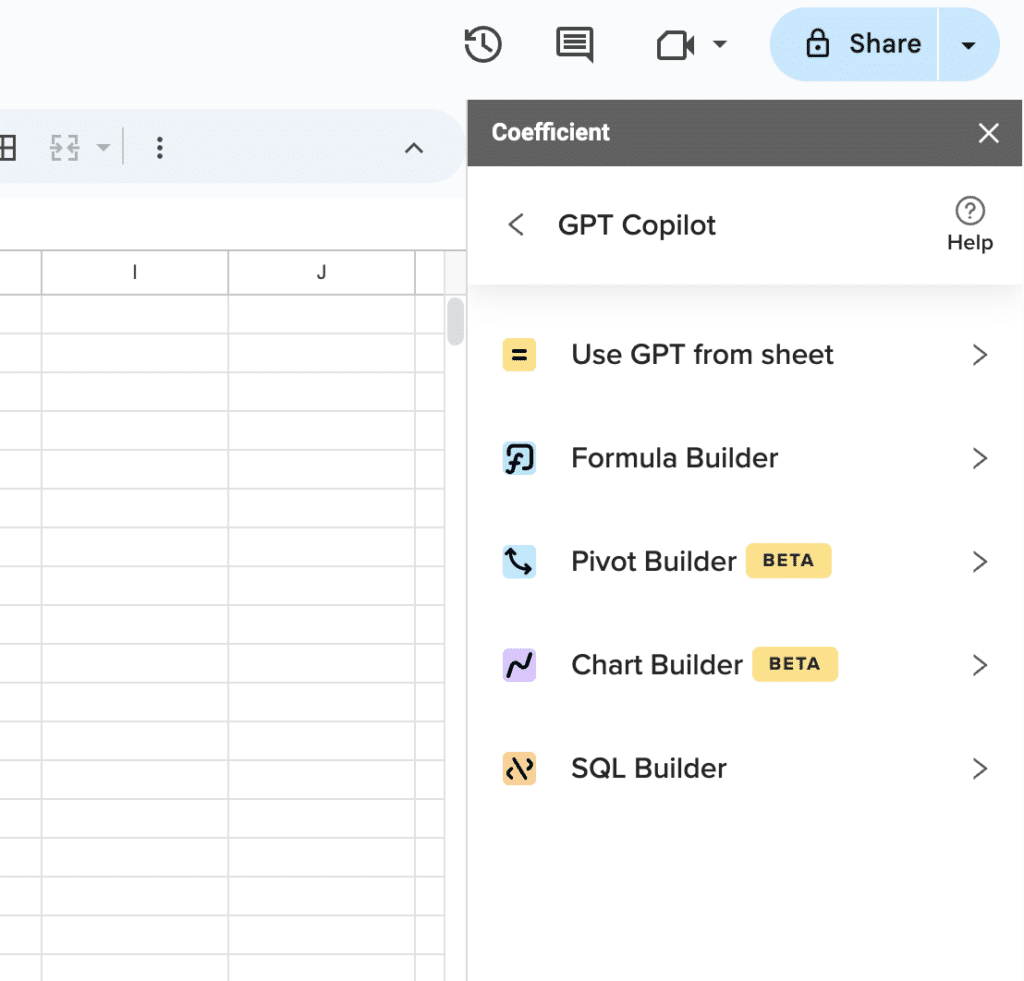
Supercharge your spreadsheets with GPT-powered AI tools for building formulas, charts, pivots, SQL and more. Simple prompts for automatic generation.

Trusted by global firms. DataSnipper is deployed at globally recognized audit firms, which means the reliability and security bar has been tested at enterprise scale.
Cons
Excel-only. All functionality requires Excel. Teams working primarily in Google Sheets or cloud-only environments cannot use the full platform.
Mobile and web versions are limited. The desktop Excel experience is significantly richer than the web or mobile alternatives.
Some workflows need training. AI features and the DocuMine tool require initial training to use effectively. The learning curve is low compared to competing audit tools but is not zero.
Pricing
DataSnipper offers a freemium model. Paid subscription pricing is available upon request. A free trial is currently available.
What Users Say
“DataSnipper has revolutionized our audit efficiency. What used to take days now takes hours.” (GetApp review)
6. Datarails
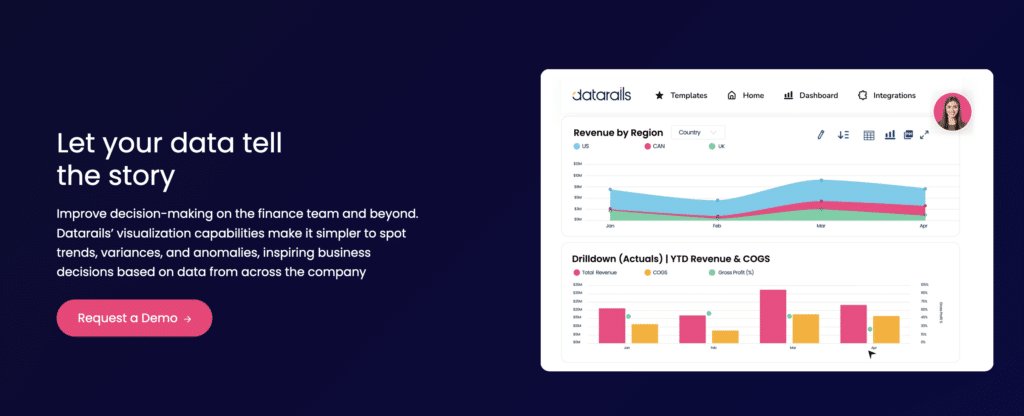
Datarails connects to your existing Excel-based financial models and enhances them with live data from QuickBooks, NetSuite, Xero, and other systems. The FP&A and reporting platform is designed specifically for finance teams that want to keep working in spreadsheets while eliminating the manual data collection that currently dominates their time.
What Datarails Does for Finance Teams
Automated financial consolidation. Datarails pulls actuals from accounting systems and automatically consolidates multi-entity or multi-department financials, eliminating the manual copy-paste process that finance teams spend days on each month.
Natural language financial queries. The FP&A Genius feature lets users ask questions in plain English (“What drove the variance in Q3 operating expenses?”) and get AI-generated answers with supporting data. No SQL, no pivot table rebuilding.
Variance analysis automation. Datarails automates flux analysis, identifying and explaining material changes between periods. Finance teams no longer spend hours hunting for what drove a variance.
Preserves existing Excel workflows. Unlike platforms that require abandoning your existing models and rebuilding from scratch, Datarails works with the Excel files your team already uses.
Pros
Designed for FP&A specifically. The feature set is built around the budgeting, forecasting, and variance analysis workflows that FP&A teams spend the most time on.
Reduces month-end close time. Customers report cutting monthly financial reporting cycles from weeks to days by eliminating manual data collection.
AI that explains, not just reports. The natural language query capability means finance teams get context and explanation, not just numbers. This is valuable for preparation for board presentations and executive reviews.
Cons
Enterprise-oriented pricing. Datarails is priced for mid-market and enterprise organizations. Small teams or early-stage companies may find better value with lighter-weight tools.
Requires data quality from source systems. Like all consolidation and reporting tools, Datarails’ outputs are only as clean as the accounting data going in.
Implementation timeline. Getting the most from Datarails requires connecting source systems and configuring consolidation logic, which takes time upfront.
Pricing
Custom pricing based on organization size and needs. Contact Datarails for a quote.
What Users Say
“Datarails helps accounting and finance teams work smarter by turning messy, manual reporting into streamlined, AI-powered insights.” (Vic.ai 2025 AI Momentum Report)
7. Vic.ai
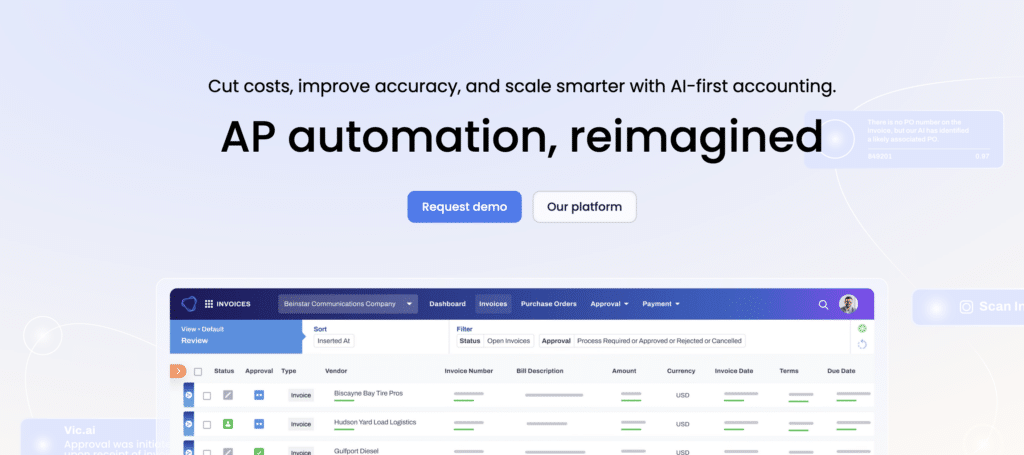
Vic.ai focuses on one problem and solves it completely: accounts payable. The platform uses proprietary AI that learns from your historical invoice decisions to process and approve invoices autonomously. For finance teams drowning in invoice volume, Vic.ai reduces AP from a manual bottleneck to a largely automated workflow.
What Vic.ai Does for Finance Teams
Autonomous invoice processing. Vic.ai’s AI ingests invoices, extracts line-item data, applies coding based on learned patterns, and routes for approval automatically. Over time, it handles a growing share of invoices without human intervention.
Learns from your team’s decisions. Unlike rules-based AP tools, Vic.ai improves continuously. The more invoices it processes, the more accurately it applies your organization’s specific coding logic, approval rules, and exceptions.
Reduces AP workload measurably. The 2025 AI Momentum Report found that 72% of AP professionals are already using some form of AI in their workflows, and Vic.ai is consistently cited as a tool delivering real workload reduction rather than just theoretical automation.
ERP integration. Vic.ai connects to major ERP systems, pushing approved invoices and coding directly into the general ledger without manual entry.
Pros
Purpose-built for AP at scale. Vic.ai is not a general-purpose finance tool with an AP module. It is designed specifically for high-volume invoice processing, which means the AI is trained on exactly the right problem.
ROI compounds over time. Because the AI learns, the share of invoices that require no human review increases month over month. Teams that start at 40% automation often reach 80%+ within a year.
Reduces invoice processing cost. Organizations with large AP teams see significant cost reduction as the AI handles the routine processing load.
Cons
Primarily an AP tool. Vic.ai does not cover broader FP&A, reporting, or spend management workflows. Teams need complementary tools for the rest of their finance stack.
Custom pricing. Pricing is not publicly available, which makes budget planning harder during evaluation.
Best with volume. Teams processing fewer than a few hundred invoices per month may not see the ROI that high-volume organizations do.
Pricing
Custom pricing based on invoice volume and organization size. Contact Vic.ai for a quote.
What Users Say
“The AP team has been freed from manual invoice entry. The AI handles the routine decisions and surfaces only the exceptions that genuinely need human judgment.” (customer review, 2025)
How to Choose the Right AI Accounting Tool
The right tool depends on where your team’s time is actually going. Here is a quick framework:
If your biggest problem is financial reporting and live data in spreadsheets, Coefficient solves this directly. It is the right choice for finance, FP&A, and RevOps teams that need QuickBooks, NetSuite, Salesforce, or Snowflake data in their spreadsheets without the manual export cycle.
If corporate spend, expenses, and AP coding are the bottleneck, Ramp is the strongest option. The free core platform makes it low-risk to evaluate, and the AI coding agent delivers measurable time savings fast.
If your team manages high invoice volume and AP is a staffing problem, Vic.ai is purpose-built for this. The autonomous AP model gets more effective over time.
If audit risk and fraud detection are top priorities, MindBridge gives enterprise audit teams complete transaction coverage rather than sampling. AppZen is the choice when the focus is specifically on pre-payment expense compliance.
If your team lives in Excel and needs to accelerate audit workflows, DataSnipper adds AI-powered document extraction and verification without requiring any change to the Excel environment.
If FP&A, budgeting, and variance analysis are where time is lost, Datarails automates consolidation and brings natural language querying to financial data analysis.
Ready to Automate Your Financial Reporting?
The common thread across all of these tools is that finance teams are using AI to reclaim time from manual work and redirect it toward the analysis and decisions that actually matter.
Coefficient is the fastest way to start. Connect your existing accounting and CRM systems to Google Sheets or Excel, set a refresh schedule, and your reports update automatically. No new software to learn, no BI tool to buy, no data engineer required.Start your free trial and see how much time your team gets back when live financial data flows directly into the spreadsheets you already use.







