


Table of Contents

-
1. SAP Business Objects Alternatives: How Analytics Teams Replace BOBJ When Moving to Snowflake
- What SAP BusinessObjects Delivered (and Why It Became So Embedded)
- Why Snowflake Migrations Force the âBOBJ Replacementâ Question
- Common SAP BusinessObjects Migration Paths
- Why Analytics Leaders Choose This Replacement Model
- How Coefficient Fits into a Snowflake-First BOBJ Replacement Strategy
- Example: SAP BusinessObjects Migration After a Snowflake Move
- Key Questions Analytics Buyers Ask During SAP BOBJ Migration
- Final Takeaway


SAP BusinessObjects (BOBJ) has been a core analytics platform for enterprises for decades. But as organizations modernize their data stacks and migrate from legacy SAP environments to Snowflake, a common question emerges:
What replaces SAP BusinessObjects in a Snowflake-first architecture?
For analytics leaders, this isn’t just a tooling decision. It’s about how business users will access, analyze, and trust data once BOBJ is no longer the reporting layer.
This guide breaks down:
- What SAP BOBJ historically provided
- Why Snowflake migrations trigger BOBJ replacement decisions
- Common SAP BusinessObjects migration paths
- How modern analytics teams enable Snowflake data access for business users — without recreating legacy bottlenecks
What SAP BusinessObjects Delivered (and Why It Became So Embedded)
SAP BusinessObjects was designed to solve three core problems for large organizations:
- Centralized reporting & dashboards
Standardized reports, scheduled delivery, and governed access across departments. - A semantic layer for business users
Universes abstracted complex schemas so non-technical users could analyze data without SQL. - Enterprise-grade governance
Role-based access, auditability, and IT-controlled distribution.
For years, BOBJ served as the analytics front end for SAP-centric enterprises.
Why Snowflake Migrations Force the “BOBJ Replacement” Question
A Snowflake migration fundamentally changes the analytics architecture.
Snowflake Is a Data Warehouse, Not a BI Tool
Snowflake excels at:
- Storing large volumes of structured data
- Separating compute from storage
- Powering modern analytics at scale
But Snowflake does not provide dashboards, ad-hoc reporting, or business user analytics on its own.
That means organizations migrating from SAP to Snowflake must answer:
How will business users explore and analyze Snowflake data going forward?
While SAP BusinessObjects can connect to Snowflake via JDBC/ODBC in newer versions, many enterprises choose not to extend BOBJ long-term because:
- It isn’t cloud-native
- Licensing and infrastructure costs remain high
- Business users still depend heavily on IT for changes
- The UX doesn’t match modern analytics expectations
This is why Snowflake migrations almost always trigger a broader conversation about how business users will access and analyze data once SAP BusinessObjects is no longer the reporting layer.
Common SAP BusinessObjects Migration Paths
Most analytics teams fall into one of these patterns:
1. Snowflake + Traditional BI Tools
Some organizations replace BOBJ with tools like Tableau, Power BI, or Looker.
Tradeoff:
Great for visualization, but many finance and ops users still export data to spreadsheets for deeper analysis, recreating manual workflows.
2. Snowflake + Embedded / Application Analytics
Useful for product analytics or customer-facing dashboards, but often limited for internal financial and operational analysis.
3. Snowflake + Spreadsheet-Native Analytics (Increasingly Common)
This is where many BOBJ replacement decisions are landing.
Business users already:
- Build models in Excel or Google Sheets
- Maintain forecasts, board decks, and reconciliations in spreadsheets
- Export data from BI tools anyway
Modern analytics teams are now connecting Snowflake directly to spreadsheets to replace what BOBJ used to provide, without rebuilding a legacy BI layer.
Why Analytics Leaders Choose This Replacement Model
The Reality: BI Tools Aren’t Where Analysis Happens
Dashboards answer what happened.
Spreadsheets answer why it happened, and what to do next.
BOBJ worked because it sat close to business workflows. Modern replacements must do the same.
The Core Requirements Haven’t Changed
Analytics buyers still need:
- Governed access to trusted data
- Self-service exploration for non-technical users
- A semantic layer business teams understand
- Enterprise security and auditability
The difference is where that access lives.
How Coefficient Fits into a Snowflake-First BOBJ Replacement Strategy
When companies move from SAP to Snowflake, the data platform modernizes, but access for business users often regresses.
That’s exactly what teams like Miro experienced.
After migrating to Snowflake, Miro’s analytics and GTM teams needed a way for finance, operations, and strategy leaders to analyze warehouse data directly, without:
- rebuilding complex BI dashboards for every question
- training non-technical users on SQL or BI tooling
- relying on static exports that immediately go stale
In SAP-centric environments, SAP BusinessObjects filled that gap by giving business users structured access to governed data. Post-Snowflake, that function still needs to exist, just in a more flexible, cloud-native form.
Coefficient replaces that access layer.
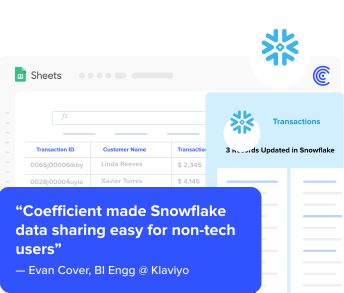
Instead of dashboards acting as the final destination, Coefficient connects Snowflake directly to the spreadsheets where teams already:
- build forecasts
- model scenarios
- reconcile financials
- prepare board and exec reporting
At Miro, this meant analytics teams could:
- expose approved Snowflake datasets
- eliminate ad-hoc data pulls and CSV exports
- let business users self-serve live data in spreadsheets without breaking governance
For analytics leaders, this solves the same problem SAP BusinessObjects once did:
How do we let the business analyze trusted data without overwhelming the data team?
The difference is that now:
- Snowflake remains the single source of truth
- spreadsheets become the analysis surface
- governance is enforced at the connection layer, not through manual controls
This is why Coefficient consistently shows up in SAP BusinessObjects replacement conversations after Snowflake migrations – not as a BI tool, but as the modern bridge between the warehouse and the business.
Example: SAP BusinessObjects Migration After a Snowflake Move
Before:
- SAP ECC → SAP BOBJ dashboards
- Finance exports reports monthly
- Analytics team manages universes and access
After:
- SAP data → Snowflake
- Snowflake → governed spreadsheet connection
- Finance, RevOps, and Ops self-serve live data
- Analytics teams focus on models, not ad-hoc requests
This is the modern equivalent of what BOBJ enabled – without carrying forward legacy BI complexity.
Key Questions Analytics Buyers Ask During SAP BOBJ Migration
If you’re evaluating SAP BusinessObjects replacement options, these are the questions that matter most:
- How will non-technical users access Snowflake data?
- Can we reduce dependency on the analytics team for reporting?
- Will finance and ops still export data to spreadsheets anyway?
- How do we maintain governance while enabling self-service?
- Can we support both Excel and Google Sheets enterprise-wide?
If the answer involves “manual exports” or “training everyone on BI,” the migration hasn’t solved the real problem.
Final Takeaway
SAP BusinessObjects wasn’t just a reporting tool – it was a bridge between enterprise data and business users.
As organizations migrate to Snowflake, the most successful teams don’t recreate BOBJ.
They replace its function with modern, cloud-native access patterns that meet users where they already work.
For many analytics leaders, that bridge now runs directly from Snowflake into governed spreadsheets.
