

Amazon Redshift is one of the most widely used cloud data warehouses on AWS. It stores and queries structured analytical data reliably at scale, integrates tightly with the AWS ecosystem, and handles petabyte-scale workloads without infrastructure management overhead. Most teams that run Redshift have the ingestion side reasonably covered – data lands from SaaS applications, databases, and event streams on a schedule, and the warehouse stays current.
The gap that fewer teams solve: getting Redshift data to the analysts, finance managers, and ops teams who need to work with it – without SQL, without engineering tickets, and without CSV exports that drift the moment they land.
This guide covers both directions. The tools that move data into Redshift from external sources. And the tools that get Redshift data into the hands of business teams – including two-way sync for the specific workflows where changes need to flow back. It also covers the AWS-native options worth evaluating before reaching for a third-party tool.
| At a Glance Getting data into Redshift – Fivetran: managed ELT with 500-plus connectors, strongest reliability, highest cost at scale Airbyte: open-source ELT, lower cost with self-hosted or cloud flexibility AWS Glue: serverless ETL native to AWS, best for AWS-native stacks, less practical for mixed environments dbt: SQL transformation layer on Redshift, pairs with any ELT tool for end-to-end pipelines Getting data out to business teams – Coefficient: live Redshift data in Google Sheets and Excel, two-way sync for reference data and budget writeback, AI query generation, no SQL required Amazon QuickSight: AWS-native BI with per-session pricing, lowest friction for AWS teams, limited outside the ecosystem Tableau: native Redshift connector with DirectQuery, powerful but expensive and skills-intensive Power BI: Microsoft BI with Redshift support via ODBC, best for Microsoft-stack teams |
The Two Problems Redshift Data Integration Actually Needs to Solve
The ingestion problem is well-understood. ETL and ELT tools have covered this ground for years, and AWS has made it easier with zero-ETL integrations that let Aurora, RDS, and DynamoDB replicate directly into Redshift without a third-party connector. For AWS-native sources, the pipeline question is largely solved before it starts.
The harder problem is access. Redshift is PostgreSQL-based, so SQL-comfortable analysts can query it directly using a database client. But the finance manager building a budget variance model, the RevOps lead tracking pipeline against targets, and the ops team maintaining cost centre mappings all work in spreadsheets. Their choices without a proper access layer are to request a CSV from the data team, download a QuickSight report that may or may not exist yet, or stand up a Tableau licence at $75 per user per month.
Neither problem is unique to Redshift. But the combination of Redshift’s PostgreSQL foundation – which makes SQL access more approachable than most warehouses – and its AWS-native ecosystem creates a specific set of integration decisions worth thinking through before choosing tools. The right answer depends heavily on whether the stack is AWS-native or mixed, and whether business teams need read-only access or the ability to push selective changes back.
Redshift Data Integration Tools for Getting Data In
The following tools handle data ingestion into Redshift from SaaS applications, relational databases, cloud storage, and event streams. Key considerations: connector coverage for the specific sources in the stack, schema drift handling as upstream APIs change, incremental load support to avoid full table scans, real-time vs batch ingestion requirements, and operational overhead. For AWS-native sources already covered by zero-ETL paths, a third-party ELT tool may not be needed at all.
Fivetran

Fivetran is a fully managed ELT platform with 500-plus pre-built connectors for SaaS applications, databases, and cloud storage. It writes directly to Redshift with automatic schema migration, incremental data loads, and reliable uptime SLAs. The connector library covers most enterprise data sources, and the managed infrastructure means no pipeline code to write or maintain.
For teams that want production-grade data pipelines without owning the infrastructure, Fivetran remains the default choice. The cost is the recurring trade-off. Monthly Active Rows pricing scales quickly at high data volumes, and teams with many sources or large datasets often find themselves renegotiating contracts within the first year.
Pros
Fully managed with minimal engineering overhead. 500-plus connectors covering most enterprise data sources. Automatic schema evolution handles upstream API changes without breaking pipelines. Reliable SLAs and strong data quality guarantees. Native Redshift destination with incremental load support.
Cons
Expensive at scale on Monthly Active Rows pricing. Less flexible for custom or non-standard data sources. Transformation capabilities limited – requires dbt or a separate tool for the modeling layer. Cost surprises common at high data volumes.
Pricing
Consumption-based on Monthly Active Rows. Starter tier available. Business and Enterprise pricing on request. Fivetran pricing.
Reviews: G2 reviews – 4.2/5 on G2 based on 450-plus reviews. Consistently praised for reliability and connector depth. Cost at scale is the most common criticism.
Airbyte
Airbyte is an open-source ELT platform with 350-plus connectors. The Redshift destination connector supports both batch and incremental data loads. Teams can self-host on AWS, GCP, or Azure for full infrastructure control, or use Airbyte Cloud to remove the operational overhead while keeping the open-source connector library and its active community.
The cost advantage over Fivetran is real at scale, particularly for teams already running Kubernetes. The flexibility to build custom connectors for proprietary or unusual data sources is a meaningful differentiator for organisations with bespoke systems that Fivetran does not cover. The trade-off is that self-hosted deployments require ongoing engineering maintenance, and connector quality across the library is uneven.
Pros
Open-source with a large active community. 350-plus connectors including custom connector support. Meaningfully lower cost than managed ELT at scale. Airbyte Cloud removes self-hosting complexity. Flexible schema and data format handling.
Cons
Self-hosted deployments require infrastructure management. Connector quality varies across the library. Less polished UI than managed alternatives. Real-time streaming support less mature than batch ingestion workflows.
Pricing
Open-source self-hosted is free. Airbyte Cloud from $10/month plus consumption credits. Airbyte pricing.
Reviews: G2 reviews – 4.3/5 on G2. Strong community praise for connector breadth and open-source flexibility. Self-hosting complexity is the most cited limitation.
AWS Glue
AWS Glue is Amazon’s serverless data integration service and the natural first consideration for teams running AWS-native stacks. It requires no infrastructure to provision or manage, automatically generates Python or Scala code for ETL jobs, and integrates directly with S3, RDS, Aurora, DynamoDB, and Redshift. For teams whose data sources are predominantly within AWS, Glue removes the need for a third-party ELT tool entirely.
The limitations become apparent outside the AWS ecosystem. Glue’s connector library covers AWS services well and a reasonable range of common databases, but it does not match the breadth of Fivetran or Airbyte for SaaS application sources. Teams with mixed stacks – Salesforce, HubSpot, Google Ads, and other non-AWS sources alongside AWS services – typically find themselves running Glue for the AWS-native sources and a separate ELT tool for everything else. Cost can also surprise on high-volume jobs billed per DPU-hour.
Pros
Serverless with no infrastructure to manage. Native integration with Redshift, S3, RDS, Aurora, and DynamoDB. No pipeline code required for common transformations. Tight AWS ecosystem integration for governance and monitoring. Scales automatically with job demand.
Cons
Limited connector coverage outside the AWS ecosystem. Cost per DPU-hour adds up on complex or high-volume jobs. Less accessible for teams without AWS expertise. Debugging and monitoring less intuitive than purpose-built ELT tools.
Pricing
$0.44 per DPU-hour for Glue ETL jobs. Glue Data Catalog $1 per 100,000 objects per month above the free tier. AWS Glue pricing.
dbt
dbt is the transformation layer, not the ingestion tool. It runs inside Redshift after data lands from Fivetran, Airbyte, or Glue, defining how raw data gets modeled, documented, and tested before reaching analysts and business users. The combination of an ELT tool for ingestion and dbt for transformation is the standard modern data stack pattern – each doing one thing well.
Redshift’s PostgreSQL foundation makes it particularly well-suited for dbt. The Redshift adapter supports incremental materialisations and merge strategies cleanly, and SQL-comfortable analysts find dbt’s declarative approach accessible. dbt Core is open-source and free. dbt Cloud adds scheduling, CI/CD for data pipelines, and a web IDE for teams that need more than the command line.
Pros
SQL-native with low barrier to entry for analytics teams. Strong documentation and data lineage tracking. Widely adopted with a large community. Redshift adapter well-maintained. Pairs cleanly with any ELT tool for end-to-end data pipelines.
Cons
Not an ingestion tool – requires a separate ELT layer. dbt Cloud adds cost for scheduling and collaboration. Complex DAG management has a learning curve for larger projects.
Pricing
dbt Core open-source, free. dbt Cloud from $100/month for Teams. Enterprise pricing on request. dbt pricing.
Reviews: G2 reviews – 4.4/5 on G2. Praised consistently for SQL-first approach and documentation quality. DAG management complexity noted for larger projects.
The Redshift Access Gap
Here is the problem that no ELT tool solves. Data lands in Redshift on schedule. The warehouse is well-governed, schemas are documented, models are clean. Business teams still cannot access it without involving the data team.
Redshift’s PostgreSQL base makes direct SQL access more approachable than most warehouses – an analyst comfortable with SQL can connect a database client and query it. But that still excludes the finance manager who builds budget models in Google Sheets, the RevOps lead who tracks pipeline against targets in Excel, and the ops team that maintains cost centre mappings in a spreadsheet because that is where the business logic lives.
Their options without a dedicated access layer: file a ticket and wait for a CSV, navigate QuickSight if someone has built the report they need, or stand up a Tableau or Power BI deployment at meaningful per-user cost. None of these give a business team self-serve access to live Redshift data in a format they can work with immediately.
Christian Budnik, FP&A Analyst at Solv, described the same pattern before switching to Coefficient: ‘Before Coefficient, I was doing multiple data pulls a day. If you just add up those hours, week over week, month over month, it’s a huge time sink. It also disrupts your flow while analyzing data.’ His team was pulling from multiple systems daily – the exact friction any analyst experiences running manual Redshift exports. Read the Solv case study.
Redshift Data Integration Tools for Business Team Access
The tools below sit on top of Redshift and make data accessible to finance managers, analysts, RevOps leads, and ops teams in formats they already work in. These are consumption-layer tools, not pipeline tools. The key distinctions between them: how much SQL is required, whether two-way sync is supported, how per-user pricing scales, and how well the tool handles combining Redshift data with other sources.
Coefficient

Coefficient connects Google Sheets and Excel directly to Amazon Redshift with two-way sync. Business teams browse Redshift tables in a sidebar, run SQL queries, or use the AI SQL Builder to describe what they need in plain English. Data lands in the spreadsheet on a scheduled auto-refresh. No manual export. No CSV. The spreadsheet stays current because it reads from live Redshift data.
The two-way sync is what makes Coefficient distinct from BI tools in this category. Changes made in the spreadsheet can write back to Redshift for specific workflows where the spreadsheet is the right authoring environment. Reference and lookup table management – cost centre mappings, territory assignments, product category hierarchies – updated in Sheets and synced back to the warehouse without SQL. Budget and forecast data built in a spreadsheet and loaded into Redshift as a target dataset for variance reporting. Manual data corrections and enrichment – an analyst fixes 200 records with a bad taxonomy mapping in a sheet and pushes the corrections back in one operation rather than writing individual UPDATE statements.
For cross-source analysis, Coefficient pulls Redshift data into the same spreadsheet as Salesforce, HubSpot, or any of 150-plus other connectors. The RevOps lead who needs pipeline data alongside Redshift revenue actuals gets both in a single sheet on a shared refresh schedule. For teams that want to share Redshift-backed insights beyond the spreadsheet, Vibe Dashboards turns any model into a live, shareable web dashboard – no BI licence, no per-viewer fees.
Not a standalone BI platform. Requires Google Sheets or Excel. Write-back is designed for targeted workflows – reference data, budget uploads, bulk corrections – not general-purpose transactional writes against the warehouse.
| “Before Coefficient, I was doing multiple data pulls a day. If you just add up those hours, week over week, month over month, it’s a huge time sink. It also disrupts your flow while analyzing data.”Christian Budnik, FP&A Analyst, Solv – Read the full case study |
| Setup guide: How to connect Redshift to Google Sheets with Coefficient. Excel users: Coefficient Excel Redshift connector. |
Pros
Two-way sync between Redshift and Google Sheets or Excel. No SQL required for business users. Scheduled auto-refresh keeps data current without manual exports. 150-plus connectors for cross-source analysis alongside Redshift. AI SQL Builder for natural language queries. Vibe Dashboards for shareable live web dashboards. Free plan available. No per-user fees on paid plans.
Cons
Not a standalone BI platform – requires Google Sheets or Excel. Write-back designed for targeted workflows, not general-purpose transactional database operations.

Stop exporting data manually. Sync data from your business systems into Google Sheets or Excel with Coefficient and set it on a refresh schedule.
Get Started
Pricing
Free plan available. Paid plans from $49/month with no per-user fees. Coefficient pricing.
Reviews: G2 reviews – 4.8/5 on G2. Praised for ease of setup, live data refresh, and two-way sync capabilities. Strong adoption for Salesforce, HubSpot, and data warehouse use cases.
Amazon QuickSight
Amazon QuickSight is AWS’s native BI service and the lowest-friction BI option for teams already running Redshift on AWS. The connection requires no additional configuration – QuickSight reads directly from Redshift using the SPICE in-memory engine for fast query performance. For teams that want dashboards without leaving the AWS ecosystem, QuickSight removes most of the setup friction that comes with third-party BI tools.
The per-session pricing model is worth understanding. Rather than a fixed per-user monthly fee, QuickSight Reader accounts are billed at $0.30 per session, capped at $5 per user per month. For occasional users who check a dashboard once or twice a month, this is significantly cheaper than Tableau Viewer at $15 per user per month. The limitations show outside the AWS ecosystem – QuickSight is less capable than Tableau for complex visualisations, and its value proposition drops considerably for teams with mixed stacks that are not predominantly on AWS.
Pros
Native Redshift integration with no additional connector needed. SPICE in-memory engine for fast query performance. Per-session pricing model is cost-effective for occasional users. Serverless with no infrastructure to manage. Stays within the AWS ecosystem for governance and security.
Cons
Less powerful visualisation capabilities than Tableau or Power BI for complex dashboards. Limited value for teams with mixed stacks outside AWS. ML Insights features require additional configuration. Less community support and third-party resources than established BI platforms.
Pricing
Authors from $24/user/month. Readers at $0.30/session capped at $5/user/month. Enterprise edition adds ML features and encryption at rest. QuickSight pricing.
Tableau
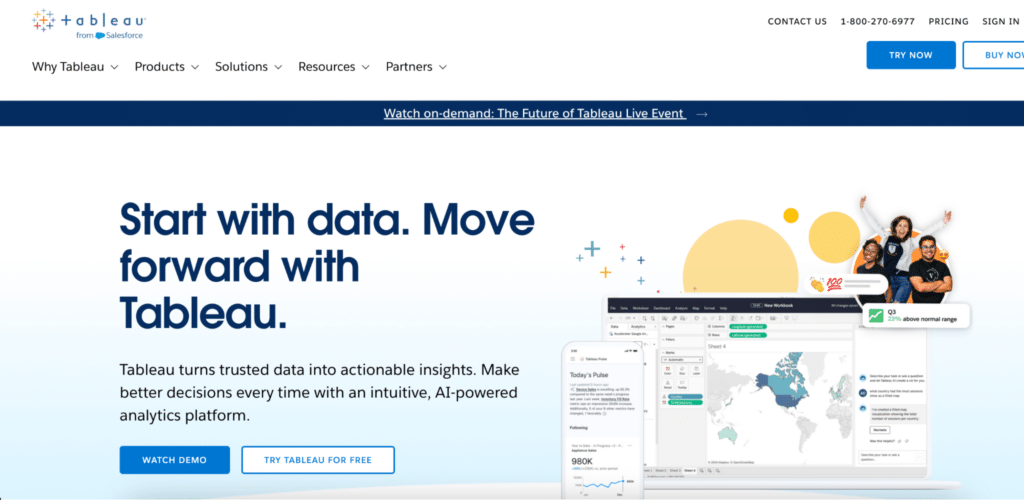
Tableau connects to Redshift via a native connector with DirectQuery support, querying warehouse data in near real-time without moving it into a separate layer. For organisations with existing Tableau licences and a dedicated Tableau developer, it is the most capable visualisation platform in this list. The depth of chart types, calculated fields, and dashboard interactivity exceeds what QuickSight or Power BI offer for complex analytical reporting.
The cost and skills barrier are the same as covered in other articles in this series. Tableau is built for Tableau developers, not business users. Per-user licensing at Creator pricing means a ten-person analytics team costs $750 per month before any infrastructure. For teams that do not already have a Tableau investment, it is a significant commitment to justify against the use case.
Pros
Most powerful visualisation capabilities in this category. Native Redshift connector with DirectQuery. Strong enterprise features for governance and version control. Large community and extensive training resources.
Cons
Expensive per-user licensing. Requires dedicated Tableau development skills to build and maintain reports. Less accessible for self-serve analytics by non-technical business users.
Pricing
Creator $75/user/month, Explorer $42/user/month, Viewer $15/user/month (annual). Tableau pricing.
Reviews: G2 reviews – 4.4/5 on G2 based on 2,000-plus reviews. Praised for visualisation depth. Cost and learning curve are the consistently cited limitations.
Power BI

Power BI connects to Redshift via ODBC with DirectQuery mode support. It is the natural choice for teams on Microsoft 365 or Azure stacks who want BI on Redshift data without adding a new vendor relationship. Power BI Desktop is free and covers basic report building. Pro and Premium add collaboration, sharing, and scheduled refresh for broader team access.
For pure Redshift deployments on AWS without Azure involvement, Power BI offers less native integration than QuickSight and the ODBC connector adds a layer of configuration that the AWS-native option avoids. Where Power BI earns its place in a Redshift stack is for teams that already use Microsoft tools for the rest of their analytics work and want consistency across platforms.
Pros
Free Desktop tier for report building. Familiar to Microsoft-stack teams. DAX for complex calculated measures. DirectQuery support for live Redshift data. Copilot add-on for AI-assisted analytics on Premium plans.
Cons
ODBC connection adds configuration overhead versus native connectors. Best features require Pro or Premium licences. Windows-first design limits Mac usability. Less native AWS integration than QuickSight for AWS-stack teams.
Pricing
Pro $14/user/month, Premium Per User $24/user/month, Copilot add-on $30/user/month, Fabric F64+ from ~$8,000/month. Power BI pricing.
Reviews: G2 reviews – 4.5/5 on G2 based on 1,600-plus reviews. Strong marks for Microsoft integration and free Desktop tier. ODBC configuration complexity and Windows-first design noted.
How to Choose the Right Redshift Data Integration Approach
Three questions narrow the field quickly.
Is the stack AWS-native or mixed? Teams running predominantly AWS services – Aurora, RDS, DynamoDB alongside Redshift – should evaluate AWS Glue for ingestion and QuickSight for BI before adding third-party tools. Zero-ETL integrations from AWS-native sources can eliminate the need for a third-party ELT tool entirely for those sources. For mixed stacks with Salesforce, HubSpot, Google Ads, and other non-AWS sources, Fivetran or Airbyte cover the gaps Glue does not.
Are you solving an ingestion problem or an access problem? If data from external systems is not yet in Redshift, start with the ingestion layer – Fivetran for managed reliability, Airbyte for open-source flexibility, Glue for AWS-native simplicity. If data is already in Redshift but business teams cannot work with it without filing tickets, the access layer is missing and no amount of ETL tooling fixes that.
Do business teams need to read data, write data back, or both? For read-only access, QuickSight is the lowest-friction BI option for AWS teams. Tableau and Power BI offer more capability for teams with existing investments and dedicated BI developers. For teams that need to push selective changes back to Redshift – reference table updates, budget uploads, manual data corrections – Coefficient’s two-way sync covers that workflow in the spreadsheet environment business teams already use.
Connect Redshift to Your Spreadsheets with Two-Way Sync
If your team is still pulling manual Redshift exports or waiting on the data team for CSVs, try Coefficient for free. Connect Redshift to Google Sheets or Excel, set a refresh schedule, and give your finance, RevOps, and ops teams live access to the warehouse data they need – with the option to write selective changes back when the workflow calls for it.
See Coefficient pricing for plan details, pre-built dashboard templates for ready-to-use setups, and the AI SQL Builder for natural language querying on Redshift data.







