Centralize all your contract details from Sage Intacct into Excel to streamline review and reporting. In this guide, you’ll install Coefficient, import contract records live, and set up automatic refresh for always-current data.
TLDR
-
Step 1:
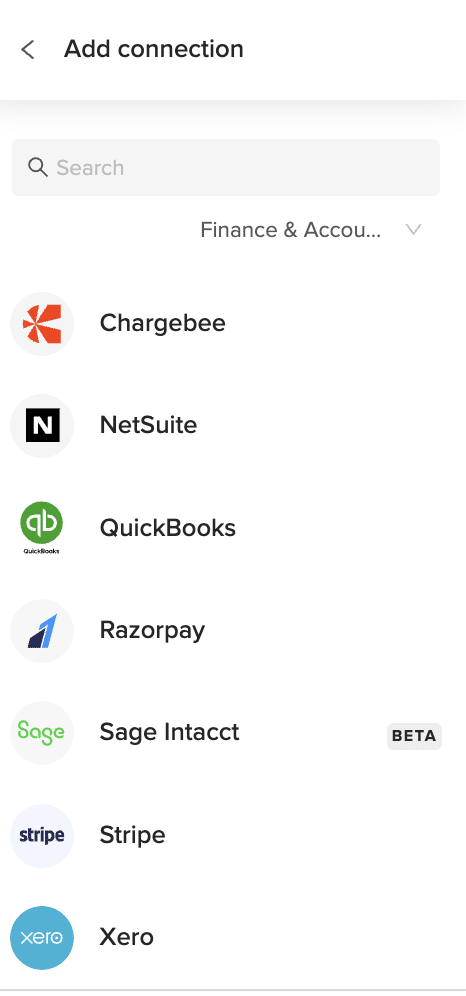
Install Coefficient add-in and connect to Sage Intacct.
-
Step 2:
Choose “Import from Objects” > “Contracts” and click Import.
-
Step 3:
Apply any filters you need, then confirm.
-
Step 4:
Enable auto-refresh to keep data updated.
Step-by-Step Guide


What Sage Intacct Data Is Imported?
Rate Table Timesheet Entries
- Rate Table Credit Card Entries
- Rate Table Employee Expense Entries
- Rate Table Accounts Payable Entries
- Rate Table General Ledger Entries
- Standard Tasks
- Contract Expenses
- Contracts
- Employees
- Expense Adjustments
- Adjustment Lines
- Expense Payment Types
- Expense Reports
How to Import Cost of Goods Sold Adjustments Data from Sage Intacct into Excel
Pull live Cost of Goods Sold Adjustments from Sage Intacct into Excel to refine your profit reporting. In this guide, you’ll install Coefficient, import adjustment data, and set up an auto-refresh schedule.
TLDR
-
Step 1:
Install the Coefficient add-in and connect to Sage Intacct.
-
Step 2:
Choose “Import from Objects” > “Cost of Goods Sold Adjustments” > Import.
-
Step 3:
Apply filters if needed, then confirm.
-
Step 4:
Enable auto-refresh to keep data updated automatically.
Step-by-Step Guide
What Sage Intacct Data Is Imported?
Rate Table Timesheet Entries
- Rate Table Credit Card Entries
- Rate Table Employee Expense Entries
- Rate Table Accounts Payable Entries
- Rate Table General Ledger Entries
- Standard Tasks
- Contract Expenses
- Contracts
- Employees
- Expense Adjustments
- Adjustment Lines
- Expense Payment Types
- Expense Reports
How to Import Available Inventory Data from Sage Intacct into Excel
Pull live Available Inventory from Sage Intacct into Excel to track stock levels and avoid shortages. In this guide, you’ll install Coefficient, import inventory data, and set up auto-refresh.
TLDR
-
Step 1:
Install the Coefficient add-in and connect to Sage Intacct.
-
Step 2:
Choose “Import from Objects” > “Available Inventory” > Import.
-
Step 3:
Apply filters if needed, then confirm.
-
Step 4:
Enable auto-refresh to keep data updated automatically.
Step-by-Step Guide
What Sage Intacct Data Is Imported?
Rate Table Timesheet Entries
- Rate Table Credit Card Entries
- Rate Table Employee Expense Entries
- Rate Table Accounts Payable Entries
- Rate Table General Ledger Entries
- Standard Tasks
- Contract Expenses
- Contracts
- Employees
- Expense Adjustments
- Adjustment Lines
- Expense Payment Types
- Expense Reports
How to Import Budget Details Data from Sage Intacct into Excel
Pull detailed budget line items from Sage Intacct into Excel to analyze allocations and variances at the account level. This guide covers installing Coefficient, importing budget details, and scheduling auto-refresh.
TLDR
-
Step 1:
Install the Coefficient add-in and connect to Sage Intacct.
-
Step 2:
Choose “Import from Objects” > “Budget Details” > Import.
-
Step 3:
Apply filters if needed, then confirm.
-
Step 4:
Enable auto-refresh to keep data updated automatically.
Step-by-Step Guide
What Sage Intacct Data Is Imported?
Rate Table Timesheet Entries
- Rate Table Credit Card Entries
- Rate Table Employee Expense Entries
- Rate Table Accounts Payable Entries
- Rate Table General Ledger Entries
- Standard Tasks
- Contract Expenses
- Contracts
- Employees
- Expense Adjustments
- Adjustment Lines
- Expense Payment Types
- Expense Reports
How to Import Budgets Data from Sage Intacct into Excel
Bring live budget figures from Sage Intacct into Excel to monitor spending plans alongside actuals. In this guide, you’ll install Coefficient, import budgets, and schedule auto-refresh.
TLDR
-
Step 1:
Install the Coefficient add-in and connect to Sage Intacct.
-
Step 2:
Choose “Import from Objects” > “Budgets” > Import.
-
Step 3:
Apply filters if needed, then confirm.
-
Step 4:
Enable auto-refresh to keep data updated automatically.
Step-by-Step Guide
What Sage Intacct Data Is Imported?
Rate Table Timesheet Entries
- Rate Table Credit Card Entries
- Rate Table Employee Expense Entries
- Rate Table Accounts Payable Entries
- Rate Table General Ledger Entries
- Standard Tasks
- Contract Expenses
- Contracts
- Employees
- Expense Adjustments
- Adjustment Lines
- Expense Payment Types
- Expense Reports
How to Import Contract Expenses Data from Sage Intacct into Excel
Importing Sage Intacct’s Contract Expenses into Excel gives you up-to-the-minute visibility into project costs. This guide covers installing Coefficient, importing contract expense data, and automating refresh.
TLDR
-
Step 1:
Install Coefficient and connect to Sage Intacct.
-
Step 2:
Import from Objects > Contract Expenses.
-
Step 3:
Set filters, then Import.
-
Step 4:
Enable auto-refresh for live data.
Step-by-Step Guide
What Sage Intacct Data Is Imported?
Rate Table Timesheet Entries
- Rate Table Credit Card Entries
- Rate Table Employee Expense Entries
- Rate Table Accounts Payable Entries
- Rate Table General Ledger Entries
- Standard Tasks
- Contract Expenses
- Contracts
- Employees
- Expense Adjustments
- Adjustment Lines
- Expense Payment Types
- Expense Reports
How to Import Accounts Payable Data from Sage Intacct into Excel
Importing Accounts Payable from Sage Intacct into Excel gives you a live snapshot of outstanding obligations.
This guide covers connecting Coefficient, importing your Accounts Payable object, and automating refresh.
TLDR
-
Step 1:
Install Coefficient, connect Sage Intacct.
-
Step 2:
Select “Import from Objects” → “Accounts Payable.”
-
Step 3:
Click “Import,” verify fields.
-
Step 4:
Enable auto-refresh for continuous updates.
Step-by-Step Guide
What Sage Intacct Data is Imported?
- Journal Entries
- Payments
- Tax Details
- Vendors
- Accounts Payable
How to Import Advanced Audit Trails Data from Sage Intacct into Excel
Importing Advanced Audit Trails from Sage Intacct into Excel lets you see every system change in detail.
This guide shows you how to connect Coefficient, import your Advanced Audit Trails object, and automate refresh.
TLDR
-
Step 1:
Install Coefficient, connect Sage Intacct.
-
Step 2:
Select “Import from Objects” → “Advanced Audit Trails.”
-
Step 3:
Click “Import,” verify fields.
-
Step 4:
Enable auto-refresh for ongoing updates.
Step-by-Step Guide
Complete Sage Intacct Object List
Bills
- Deposits
- Fund Transfers
- Journal Entries
- Tax Details
- ACCOUNTS PAYABLE
- Bank Interest Income/Charges
- Charge Payoffs
- Checking Account Reconciliations
- Other Receipts
- Audit History
- Entities
- Offline Jobs
Customers
- Expense Reports
- Invoices
- Payments
- Vendors
- ACCOUNTS RECEIVABLE
- Charge Card Transactions
- Charge Payoff Lines
- Credit Card Charges/Other Fees
- Advanced Audit Trails
- Contacts
- Locations
- Roles
How to Import Bills Data from Sage Intacct into Excel
Importing Bills from Sage Intacct into Excel keeps your payables up to date without manual exports.
This guide shows you how to set up Coefficient, import your Bills object, and automate data refresh.
TLDR
-
Step 1:
Install Coefficient and connect Sage Intacct in Excel.
-
Step 2:
Select “Import from Objects” → “Bills.”
-
Step 3:
Click “Import” and verify columns.
-
Step 4:
Optionally, set up auto-refresh.
Step-by-Step Guide
What Sage Intacct Data is Imported?
- Bills
- Customers
- Deposits
- Expense Reports
- Fund Transfers
- Invoices
- Journal Entries
- Payments
- Tax Details
- Vendors
- ACCOUNTS PAYABLE
- ACCOUNTS RECEIVABLE
How to Import Bank Interest Income/Charges Data from Sage Intacct into Excel
Importing Accounts Receivable from Sage Intacct into Excel gives you a live view of what customers owe.
This guide shows you how to connect Coefficient, import your Accounts Receivable object, and set up auto-refresh.
TLDR
-
Step 1:
Install Coefficient, connect Sage Intacct.
-
Step 2:
Select “Import from Objects” → “Accounts Receivable.”
-
Step 3:
Click “Import” and verify fields.
-
Step 4:
Enable auto-refresh for continuous updates.
Step-by-Step Guide
What Sage Intacct Data is Imported?
- Bills
- Customers
- Deposits
- Expense Reports
- Fund Transfers
- Invoices
- Journal Entries
- Payments
- Tax Details
- Vendors
- Accounts Payable
- Accounts Receivable
Importing Bank Interest Income/Charges from Sage Intacct into Excel gives you clear insight into bank fees and earnings.
This guide covers connecting Coefficient, importing your Bank Interest Income/Charges object, and automating refresh.
TLDR
-
Step 1:
Install Coefficient, connect Sage Intacct.
-
Step 2:
Select “Import from Objects” → “Accounts Receivable.”
-
Step 3:
Click “Import” and verify fields.
-
Step 4:
Enable auto-refresh for continuous updates.
Step-by-Step Guide
What Sage Intacct Data is Imported?
- Bills
- Customers
- Deposits
- Expense Reports
- Fund Transfers
- Invoices
- Journal Entries
- Payments
- Tax Details
- Vendors
- Accounts Payable
- Accounts Receivable
| Objects | |
| Accounts Receivable | |
| Bank Interest Income/Charges | |
| Charge Card Transactions | |
| Charge Payoffs | |
| Charge Payoff Lines |
| How to get Bank Interest Income/Charges from Sage Intacct? | 1. Open Coefficient pane → “Import from Objects.”2. Select “Bank Interest Income/Charges” → “Import.”Coefficient brings live fee data into Excel. |
| How do I get a list of Bank Interest Income/Charges in Sage Intacct? | Use “Import from Objects,” choose “Bank Interest Income/Charges.”All bank charge entries load instantly. |
| How to export Bank Interest Income/Charges to Excel? | Click “Export to Excel,” map fields, then run.Your sheet syncs back to Sage Intacct. |
| How do I update Bank Interest Income/Charges from Excel to Sage Intacct? | Choose “Export to Sage Intacct,” configure mappings, then “Update.”Edits push back into Sage Intacct. |
| How to send email alerts about Bank Interest Income/Charges data? | Configure an email automation in Coefficient.Select fee fields and schedule.Receive notifications on interest changes. |