NetSuite holds your most critical business data. But getting that data into external databases? That’s where things get complicated.
Most organizations struggle with expensive integration costs, technical complexity, and maintenance headaches that balloon beyond initial estimates. The good news is there are smarter approaches that eliminate these pain points entirely.
This guide breaks down two fundamental approaches to NetSuite database synchronization and shows you how to choose the right method for your business needs.
Two ways to sync NetSuite data to databases
Native NetSuite data sync
NetSuite offers several built-in methods for database synchronization. Each comes with distinct technical requirements and operational complexity.
SuiteAnalytics Connect
What it offers:
- ODBC and JDBC connectivity for direct database access
- Enhanced data lineage mapping with audit logs
- Support for .NET 8 (latest versions: JDBC 8.10.170.0, ADO.NET 8.10.176.0)
The reality: Implementation demands substantial technical expertise. NetSuite’s complex data model uses fragmented tables that require multi-table joins for basic business objects.
Key limitations:
- Read-only access frustrates businesses needing bidirectional sync
- $499/month per account creates significant overhead for small businesses
- Performance issues with large datasets due to throttling and timeouts
- Complex queries spanning multiple subsidiaries often fail
SuiteTalk API integration
SuiteTalk provides comprehensive programmatic access through SOAP and REST web services. But the technical requirements are steep.
What you’ll need to handle:
- Complex XML/JSON structures that change quarterly with NetSuite releases
- OAuth 2.0 or Token-Based Authentication with proper error handling
- 15 concurrent connection limit (+10 per SuiteCloud Plus license at $50/user/month)
The real costs:
- $15,000-30,000 initial development investment
- $1,000-3,000 monthly maintenance
- Custom code must handle NetSuite’s governance limits (1,500 script units per execution)
- Rate limiting across 60-second and 24-hour windows
- Complex permission management that varies by role and subsidiary access
CSV exports and custom integrations
This represents the most basic approach. But it introduces significant operational overhead.
Major limitations:
- File size limits (50MB or 25,000 lines)
- Complex export scheduling requirements
- Manual mapping increases error rates and maintenance costs
- FTP/SFTP deployment adds infrastructure complexity
Small IT teams struggle to manage this effectively.
Coefficient – Automated database sync using spreadsheet automation
Modern integration approaches eliminate technical barriers. They use familiar spreadsheet environments as the bridge between NetSuite and target databases.
Coefficient transforms the synchronization paradigm entirely. It lets you import NetSuite data into Google Sheets with live, scheduled updates. Excel is also supported.
Implementation advantages
OAuth authentication handles NetSuite connectivity without custom development. Saved searches, reports, and SuiteQL queries import directly into spreadsheets with point-and-click configuration.
Key benefits:
- Hourly refresh schedules ensure data currency
- Intelligent batching and retry logic respect API rate limits
- No coding required
Data transformation made simple
Business users can handle complex data operations without developer involvement.
What becomes possible:
- Excel Power Query handles complex calculations
- Google Sheets functions manage data cleaning and formatting
- Teams can validate data quality before database loading
- Apply business rules and ensure compliance requirements
Database connectivity options multiply
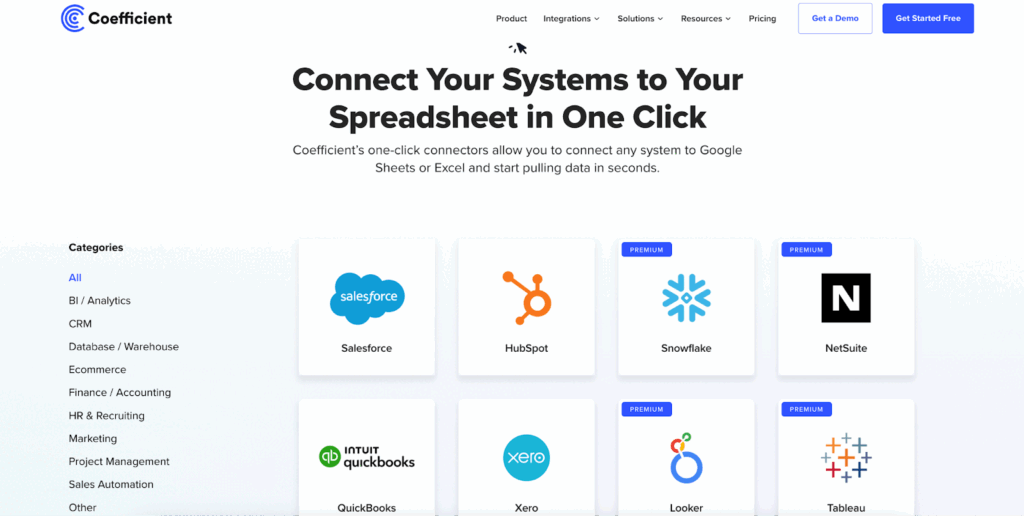
Spreadsheet integration opens up enterprise-grade connections:
Direct connections:
- MySQL, PostgreSQL, SQL Server
- Cloud warehouses through standard database connectors
Native integrations:
- Google Sheets with BigQuery
- Snowflake via third-party connectors
- Excel’s Power Platform connectivity
All without custom development.
Cost advantages compound over time
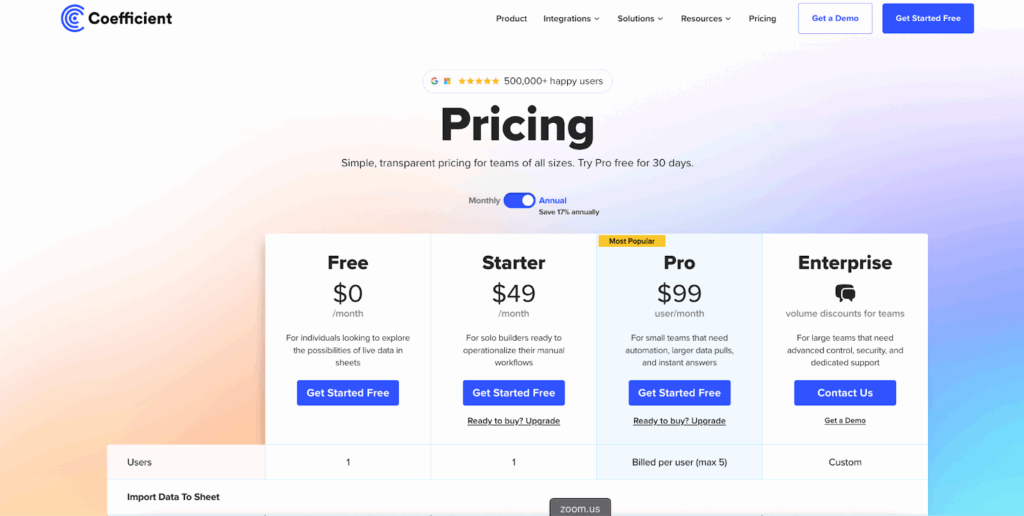
Coefficient starts at $49/month for unlimited NetSuite connections. Compare that to $499/month for SuiteAnalytics Connect alone.
Additional savings:
- No custom development means no ongoing code maintenance
- Spreadsheet familiarity reduces training requirements
- Business users maintain and enhance integrations independently
Operational simplicity
Non-technical users can modify data transformations, adjust refresh schedules, and troubleshoot issues without developer involvement.
Built-in benefits:
- Version control through cloud spreadsheet platforms
- Audit trails and rollback capabilities
- Documentation that exceeds custom integration standards
Common database sync challenges
Technical complexity barriers
Native approaches demand expertise that exceeds most small business capabilities:
- NetSuite’s data model complexity
- API authentication requirements
- Error handling implementation
API maintenance escalation
NetSuite’s quarterly updates frequently break custom integrations. This requires ongoing development cycles that average $2,000-5,000 per update.
Rate limiting management becomes increasingly complex as data volumes grow. Organizations often need expensive SuiteCloud Plus licenses to maintain performance.
Data transformation complexity
NetSuite’s unique field types create specialized mapping challenges:
- List/record references
- Multi-select values
- Custom records
- Currency conversions
- Subsidiary-specific formatting
- Audit trail requirements
Simple CSV exports cannot address these complexities.
Integration costs exceed estimates
The $15,000-30,000 development investment represents only the beginning. Ongoing maintenance, NetSuite update compatibility, and performance optimization create recurring expenses that can reach $36,000+ annually for complex integrations.
Sync NetSuite data without technical complexity
The most successful NetSuite database integrations prioritize operational simplicity over technical sophistication.
Business teams need reliable data flows that require minimal IT involvement. They need systems that adapt easily to changing requirements.
Automated solutions eliminate the developer dependency that makes native integrations fragile and expensive. When business users can configure, maintain, and troubleshoot their own data flows, organizations achieve faster time-to-value while reducing long-term operational costs.
Spreadsheet-based approaches provide the perfect balance. They offer enterprise-grade connectivity with familiar interfaces that business teams can manage independently.
Data validation, transformation, and quality control become transparent processes that finance and operations teams can verify and adjust as needed.
Get started today
Ready to eliminate NetSuite integration complexity while achieving enterprise-grade database synchronization?
Spreadsheet-based automation makes reliable NetSuite database sync achievable without technical teams or expensive custom development. You can have your first integration running in minutes, not months.Get started with Coefficient and discover how simple NetSuite database synchronization can be.