

Table of Contents

Quick Answer
Looker API integration requires admin access to generate API3 credentials, configure SDK authentication, and navigate complex documentation gaps that force developers to reverse-engineer API calls through browser network monitoring.
The process involves managing row limits (5,000 default), handling quota restrictions, and dealing with compatibility challenges across different data sources and embedded analytics scenarios. Custom integrations typically take 2-4 weeks and cost $5,000-$15,000, with ongoing maintenance for API versioning and performance optimization.
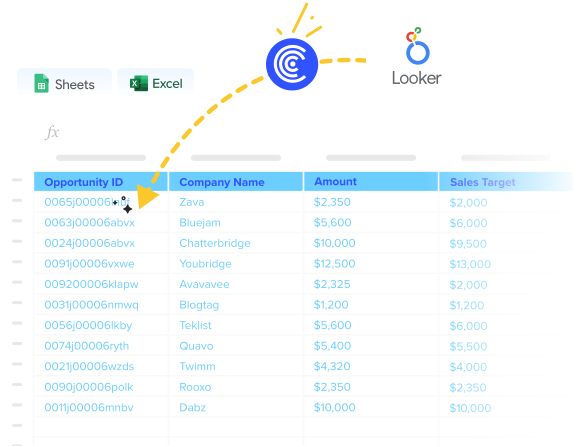
Coefficient for Google Sheets and Coefficient for Excel eliminate this complexity entirely, connecting your Looker analytics to spreadsheets in minutes with automatic data refresh, built-in error handling, and no row limits—no API credentials or SDK configuration required.
Prerequisites and Requirements
Before you begin:
- Admin Access: Must have administrator privileges in your Looker instance for API credential generation
- API3 Credentials: Client ID and Client Secret generated from Looker Admin Portal for authentication
- Service Account Setup: API credentials assigned to service account with appropriate permissions (admin or developer roles)
- Network Access: Looker instance API host URL accessible (default: https://looker-uri:19999/)
- Data Source Compatibility: Verify compatibility with your data sources and LookML model requirements
- SDK Installation: Official Looker SDKs available for Python, JavaScript, Go, or REST API tools configured
API Limits:
- Row Limits: Default 5,000-row limit for API calls; unlimited export requires download_without_limit permission and limit=-1 parameter
- File Size Limits: Email exports limited to 15MB attachments, 20MB inline content
- Connector Limits: Varies by source (1 million rows general, 150,000 for SQL Server connectors)
- Quota Restrictions: Google Analytics 4 and other sources have hourly/concurrent request limits that can halt data refreshes
- Export Limitations: Streaming required for unlimited results with appropriate user permissions
Step-by-Step Looker API Integration Setup
Step 1: Generate API Credentials in Looker
Log into your Looker instance with admin access. Navigate to Admin > Users and select your user account.
Click the API section and select Create API3 Key. This generates your essential credentials:
- Client ID
- Client Secret
Store these securely immediately. You cannot retrieve the secret again after this step. Losing credentials means regenerating new ones.
Step 2: Install and Configure Looker SDK
Install the Looker SDK for your preferred language:
bash
Create your configuration file looker.ini:
ini
Configuration is critical. Wrong base URLs or malformed credentials will cause authentication failures that waste hours debugging.
Step 3: Test Your Connection
Verify authentication with a simple connection test:
python
Start simple. Connection issues at this stage indicate credential or network problems that must be resolved before proceeding.
Step 4: Understand API Limitations and Workarounds
Looker’s API has several constraints that impact integration design:
Row limits default to 5,000 rows per query. For unlimited results:
python
Handle quota limits proactively:
python
Step 5: Navigate Documentation Gaps
The documentation problem is real. Looker’s API documentation lacks concrete examples for complex operations. Use this workaround:
- Create your desired output in Looker UI first
- Open browser developer tools > Network > XHR
- Perform the action and copy the API request structure
- Adapt the captured request for your integration
This reverse-engineering approach saves hours of trial-and-error with API payloads.
Step 6: Implement Robust Error Handling
Looker API errors can be cryptic. Build comprehensive error handling:
python
Log everything. Looker’s error messages often lack context, making detailed logging essential for troubleshooting.
Step 7: Build Data Export Functionality
Create reusable functions for common data export patterns:
python
Test with small datasets first. Large exports can timeout or hit quota limits unexpectedly.
Common Integration Issues
Lack of API Documentation and Examples
Looker’s biggest integration challenge isn’t technical complexity—it’s missing documentation. The Swagger UI provides response examples but rarely shows valid request bodies for complex operations like creating dashboards or configuring visualizations.
The reverse-engineering workaround becomes essential. Developers consistently report using browser network monitoring to capture real API calls from the Looker UI, then adapting these for their integrations.
Community consensus: “Create what you need in Looker’s UI itself. Then open the browser’s console and goto Network -> XHR and look at the API call. Most of what you need is in there…You just saved me an hour at least.”
This documentation gap forces experienced developers to spend hours deciphering payload structures that should be clearly documented, turning straightforward integrations into detective work.
Compatibility and Connectivity Challenges
Looker integrations frequently break due to data source incompatibilities and connector limitations. Mismatched data formats, unsupported connection types, or missing compatibility for your specific database can derail entire integration projects.
The expertise barrier compounds these issues. Looker integrations demand deep technical knowledge that many teams lack, leading to outsourced development or extensive training investments.
Connection failures during integration setup often provide minimal diagnostic information, forcing trial-and-error troubleshooting that can take days to resolve.
Embedding analytics in external applications creates additional compatibility challenges, with authentication, security, and rendering issues varying across different host environments.
Performance, Row Limits, and Quotas
The 5,000-row default limit creates immediate bottlenecks for organizations working with real-world datasets. API queries truncate results without warning, requiring complex batching logic to retrieve complete datasets.
Quota exhaustion strikes without warning. Google Analytics 4 connectors, high-volume database queries, and concurrent API calls quickly exceed limits, causing integration failures during peak usage periods.
The unlimited export workaround (limit=-1) requires specific user permissions and streaming capabilities that many organizations haven’t configured properly, leading to continued truncation issues.
Performance degradation occurs with large datasets, timeouts become common, and data refresh schedules must be carefully orchestrated to avoid overwhelming Looker’s API infrastructure.
Troubleshooting Obscure API Errors
Looker’s error messages provide minimal debugging context. Binary data responses when expecting JSON, generic 400/401/403 errors, and validation failures due to API versioning issues consume significant development time.
Common debugging steps include:
- Verifying API endpoint URLs and host configurations
- Ensuring correct request headers (Content-Type: application/json)
- Validating LookML models and user permissions
- Confirming API version compatibility
The community workaround approach involves extensive testing, forum searches, and trial-and-error debugging that experienced developers describe as “painful but necessary.”
HTTP client compatibility issues with binary content, authentication tokens, and response parsing create additional debugging challenges that aren’t well-documented in official resources.
Building a Looker API Integration for Google Sheets or Excel?
Skip the API complexity entirely. Coefficient for Google Sheets and Coefficient for Excel connect your Looker analytics to spreadsheets instantly—no API credentials, no SDK configuration, no row limit frustrations.
Setup takes minutes, not weeks:
- Install Coefficient from Google Workspace Marketplace or Microsoft AppSource
- Connect Looker with secure one-click authentication (enterprise security built-in)
- Import any data from dashboards, looks, or custom queries without row limits
- Schedule automatic refreshes to keep your analytics current with Looker changes
No reverse-engineering required. No browser network monitoring to figure out API calls. Coefficient handles all the authentication complexity and documentation gaps behind the scenes.
Unlimited data access by default. No 5,000-row limits, no quota concerns, no streaming requirements. Your complete Looker datasets flow directly to spreadsheets.
Built-in error handling. No cryptic API error messages or debugging sessions. Coefficient manages connectivity, authentication, and data transfer reliably.
Build executive dashboards using familiar spreadsheet tools. Create pivot tables from live Looker data. Generate reports that update automatically without hitting API limits or compatibility issues.
Custom Looker API Integration to Spreadsheets vs. Coefficient.io Comparison
| Aspect | Custom Development | Coefficient.io |
| Setup Time | 2-4 weeks | 5 minutes |
| Development Cost | $5,000-$15,000 | $29-$299/month |
| Maintenance | Ongoing dev resources | Fully managed |
| Security | Must implement yourself | Enterprise-grade built-in |
| Monitoring | Build your own | 24/7 automated monitoring |
| Scaling | Handle infrastructure yourself | Auto-scaling included |
| Updates | Maintain API changes | Automatic updates |
Get Your Analytics Flowing
Looker API integration works—if you enjoy reverse-engineering API calls and debugging quota limits. Most businesses just need their analytics accessible in familiar tools.
Your team deserves better than choosing between Looker’s power and spreadsheet simplicity. Coefficient delivers both without compromise.
Ready to connect Looker to your spreadsheets? Start your free trial and watch your analytics come alive instantly.
FAQs
How much does Looker API cost?
Looker API access is included with your Looker subscription at no additional cost. However, API usage is subject to row limits (5,000 default), quota restrictions, and performance constraints that may require upgraded plans or additional licenses for unlimited data access. Custom API integrations typically cost $5,000-$15,000 to develop plus ongoing maintenance expenses.
How can I do API integration?
API integration involves authenticating with the target system, mapping data structures, implementing error handling, and managing rate limits. For Looker specifically, you’ll need admin access to generate API3 credentials, configure SDK authentication, and handle row limits and quota restrictions. Consider pre-built solutions like Coefficient for spreadsheet integrations to avoid development complexity.
How to fetch JSON data from an API into Looker Studio?
Looker Studio (formerly Google Data Studio) doesn’t directly support custom API connections. You’ll need to use intermediary tools like Google Apps Script, scheduled data imports, or third-party connectors to fetch API data into compatible formats (Google Sheets, BigQuery) that Looker Studio can access. This process requires technical expertise and ongoing maintenance.
What are the use cases of Looker API?
Common Looker API use cases include automated report distribution, custom dashboard embedding in external applications, data export automation, user management and provisioning, scheduled data extracts for other systems, and building custom analytics interfaces. The API enables programmatic access to all Looker functionality, though implementation complexity varies significantly by use case.
