

Finance teams waste up to 46% of their time on data cleansing and spreadsheet updates. Manual processes drain productivity. Errors multiply. Reports arrive late.
AI changes that reality. Finance departments using AI tools achieve 30-40% better forecast accuracy. They close books faster. They catch fraud earlier. They make decisions with confidence.
This guide covers the top AI tools reshaping finance in 2026—from spreadsheet automation to full FP&A platforms, accounting automation to spend management. You’ll learn what each tool does best, what it costs, and whether it fits your workflow.
What to look for in AI finance tools
Before diving into specific tools, consider these evaluation criteria:
- Integration depth. Does it connect to your ERP, accounting platform, and data sources? Read-only access differs from two-way sync. Check whether it supports your specific systems—QuickBooks, NetSuite, Xero, Salesforce, Snowflake.
- Workflow fit. Some tools live inside spreadsheets. Others require new interfaces. Match the tool to where your team already works. Change management costs are real.
- AI capabilities. Distinguish between basic automation (rules, templates) and actual AI (learning, adapting, generating). Some tools use AI for categorization. Others for forecasting. Others for natural language queries.
- Pricing model. Per-user, per-transaction, per-entity, or flat platform fees? Understand how costs scale as you grow. Free tiers can help you evaluate before committing.
- Implementation burden. Quick plug-and-play versus multi-month deployment. Spreadsheet add-ons typically deploy in hours. Full FP&A platforms may take weeks or months.
Side-by-side comparison
| Tool | Category | Best For | Starting Price | Key AI Capability | Spreadsheet Integration |
|---|---|---|---|---|---|
| Coefficient | Spreadsheet Automation | Finance teams in Sheets/Excel wanting live data + AI | Free tier; paid mid-hundreds/mo | Formula generation, dashboards, data cleaning | Native (Google Sheets, Excel) |
| Microsoft Copilot | Spreadsheet Automation | Microsoft 365 organizations | $21/user/mo | Natural language analysis, formula building | Native (Excel) |
| Claude | General AI | Complex reasoning, research, custom workflows | Usage-based | Financial reasoning, document analysis | Via API/integrations |
| Vena Copilot | FP&A Platform | Mid-market/enterprise FP&A teams | Custom enterprise | Planning agents, forecast optimization | Excel-native interface |
| Cube | FP&A Platform | Mid-size teams leaving pure spreadsheets | ~$1,500-$2,800/mo | Conversational queries, automated roll-ups | Bi-directional (Excel, Sheets) |
| Jirav | FP&A Platform | SMBs and advisory firms | ~$20K/year | Driver-based forecasting, scenario analysis | Limited |
| Booke AI | Accounting Automation | QuickBooks/Xero bookkeeping | $20/business/mo | Auto-categorization, reconciliation | None |
| DataSnipper | Accounting Automation | Audit and assurance teams | ~$64/user/mo | Document extraction, intelligent snips | Excel add-in |
| Vic AI | Accounting Automation | Mid-market/enterprise AP teams | Custom (volume-based) | Invoice processing (97-99% accuracy) | None |
| MindBridge | Accounting Automation | Audit and risk teams | Custom enterprise | Anomaly detection, fraud risk scoring | None |
| Ramp | Spend Management | High-growth companies | Free (interchange model) | Expense categorization, savings insights | None |
| Brex | Spend Management | Global startups and scale-ups | Free Essentials; $12/user Premium | Compliance detection, policy enforcement | None |
AI spreadsheet and finance data automation tools
These tools bring AI directly into spreadsheets—where finance teams already work. No migration required. No new interfaces to learn.
1. Coefficient
Best for: Finance teams that live in spreadsheets but want live connections to their systems plus AI-powered automation.
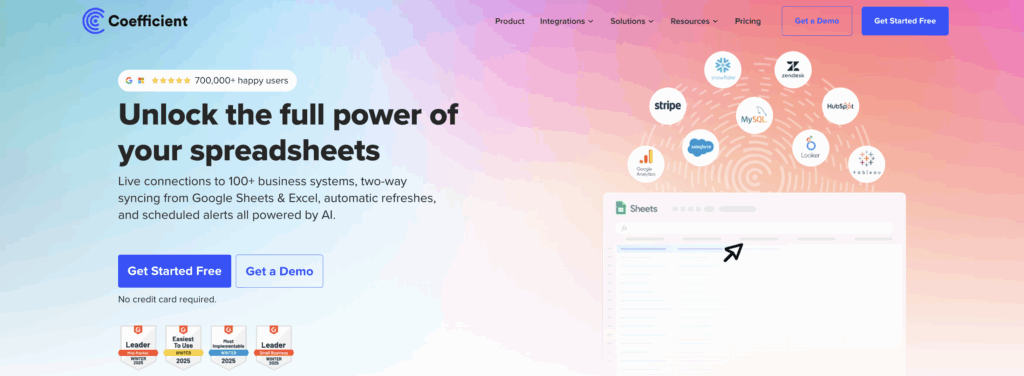
Coefficient connects Google Sheets and Excel to 100+ SaaS and data sources, then layers AI on top to automate reporting, reconciliation, and ad hoc analysis. It turns your spreadsheet into a front end for Snowflake, BigQuery, your data warehouse, or operational tools like Salesforce, NetSuite, HubSpot, and more.
Instead of copy-pasting CSVs, you pull live data into Sheets or Excel, keep it synced, and push updates back to source systems when needed. The AI Sheets Assistant uses GPT-based models to write formulas, clean data, build pivot tables, and generate full dashboards that stay wired to live data.
For finance teams, that means faster close packs, variance analysis, SaaS metrics dashboards, and cohort views—without waiting on BI teams. Coefficient hits the sweet spot when you want structured FP&A capabilities without moving off spreadsheets.
Key features
- Live data connections to 100+ sources including CRMs, ERPs, data warehouses, and databases with robust filtering and scheduled refreshes
- Two-way sync to update records in Salesforce, HubSpot, and SQL directly from Sheets or Excel—useful for corrections and bulk updates
- AI Sheets Assistant for contextual formula generation, data cleaning, chart building, and dashboard creation directly in the spreadsheet grid
- Prebuilt finance templates for SaaS metrics, forecasting, pipeline analytics, and executive dashboards to accelerate setup
Pricing
Free: 1 data source into Google Sheets, limited refreshes, and OpenAI API calls for AI Sheets Assistant.
Paid tiers: Team and Business plans with higher row limits, more connectors, governance, and SLAs. Pricing depends on users and volume—typically mid-hundreds per month for growing teams.
Pros
- Deep spreadsheet-first approach with minimal change management
- Strong connector coverage across GTM, finance, and data platforms
- AI integrated directly into spreadsheet UX rather than a separate chat window
- Excellent value compared to full FP&A platforms for early-stage teams
Cons
- Governance and modeling lighter than full FP&A suites like Vena or Anaplan
- Heavier data loads and complex joins still better handled in a warehouse
- Some advanced connectors require higher-tier plans
Verdict: Ideal if you want to supercharge Google Sheets or Excel with live data and AI before committing to a full FP&A platform.
Get started with Coefficient for free →
2. Microsoft Copilot (Excel)

Best for: Teams already on Microsoft 365 that want AI assistance directly in Excel for analysis, modeling, and reporting.
Copilot in Excel turns the grid into a conversational analytics canvas. Ask natural-language questions like “summarize month-over-month revenue changes by region” or “identify anomalies in OPEX.” Excel generates formulas, PivotTables, charts, and narrative explanations.
For FP&A, it accelerates scenario modeling, sensitivity analysis, and board-ready tables without memorizing every function. Copilot also cleans and reshapes messy data—suggesting transformations, filling missing values, and generating formulas to normalize inputs.
Because it runs inside Microsoft 365’s security and compliance stack, it safely operates over sensitive financial workbooks stored in OneDrive or SharePoint. That matters for public or regulated companies.
Key features
- Natural-language prompts to summarize, slice, and analyze Excel tables with suggested follow-up questions
- Formula and model generation including LOOKUPs, IF logic, and multi-sheet calculations
- Automated charting and dashboard elements that update as underlying data changes
- Enterprise-grade security with audit, admin controls, and integration with Teams, Power BI, and other apps
Pricing
Microsoft 365 Copilot Business: $21/user/month for organizations with 300 or fewer employees (reduced from $30 as of December 2025).
Enterprise add-on: $30/user/month on top of existing Microsoft 365 subscription.
Bundled plans: Business Standard + Copilot and Business Premium + Copilot start in the low-to-mid $20s per user per month with promotional discounts through March 2026.
Pros
- Native experience inside Excel with minimal additional training needed
- Strong security and compliance posture for sensitive finance data
- Broad applicability across PowerPoint, Outlook, Word, and Teams increases ROI
- Well-documented and familiar for IT and admins
Cons
- Requires Microsoft 365 licenses plus Copilot add-on, which adds up at scale
- Results depend on workbook structure—messy sheets produce messy outputs
- Less specialized FP&A logic than dedicated planning tools
Verdict: A no-brainer accelerator for organizations already standardized on Excel and Microsoft 365, especially where finance wants AI help without new vendors.
3. Claude

Best for: High-stakes financial reasoning, modeling, and research workflows that need a general-purpose AI with strong analytical depth.
Claude is a general AI assistant that has emerged as a favorite for financial analysis, risk modeling, and compliance-sensitive workflows. It can ingest long PDFs, board decks, CSVs, or entire policy docs, then build models, memos, and scenarios with clear reasoning you can audit.
Finance teams use Claude for due diligence, SaaS metrics analysis, cohort modeling, covenant checking, and summarizing 10-Ks and earnings transcripts. Through APIs and enterprise offerings, Claude can be wired into warehouses like Snowflake and Databricks, as well as financial data feeds and internal tools.
That makes it suitable for building custom FP&A copilots, risk engines, or reporting bots that sit on top of your existing data stack rather than replacing it. For spreadsheet-heavy teams, Claude pairs well with tools like Coefficient or Excel to explain, debug, and enhance models.
Key features
- Advanced financial reasoning for valuations, scenario modeling, sensitivity analysis, and risk simulations
- In-depth document analysis for SEC filings, policies, loan documents, and contracts with traceable references
- API and workflow integrations with data platforms (Snowflake, Databricks) and third-party finance tools
- Enterprise controls including audit trails, role-based access, and private deployments for material non-public information
Pricing
Claude.com / self-serve: Tiered usage plans (free and paid) based on messages and context size. Details vary by region and evolve frequently.
Claude API / enterprise: Usage-based pricing (per token/million tokens) negotiated with Anthropic or partners. Typically aligned with other leading LLMs.
Pros
- Strong performance on financial reasoning benchmarks and complex analytical tasks
- Flexible enough to power both ad hoc analysis and custom internal copilots
- Good fit for firms with data/engineering resources building on their own stack
- Reduces time spent on research, documentation, and executive narrative creation
Cons
- Not a turnkey FP&A platform—you must design models, connections, and governance
- API and enterprise deployments require engineering and change management
- Pricing transparency lower than SaaS tools with fixed per-seat tiers
Verdict: Best viewed as a finance “brain” you embed into existing workflows and tools, rather than a standalone FP&A or accounting system.
AI for FP&A and planning platforms
Full planning platforms deliver governance, modeling, and collaboration features that spreadsheets alone can’t match. These tools add AI to accelerate traditional FP&A workflows.
4. Vena Copilot
Best for: Mid-market and enterprise organizations that want a complete FP&A platform with embedded AI agents.
Vena is a “Complete Planning” platform that uses an Excel-like interface on top of a centralized data model. Vena Copilot adds generative AI across planning, reporting, and scenario analysis. FP&A teams can pull data, build reports, explain variances, and generate forecasts using natural language—all while anchored to governed financial models and dimensions.
This bridges the gap between Excel familiarity and enterprise-grade control. Recent releases introduced planning agents that proactively identify trends, forecast risks, and recommend scenarios using AI. These agents, combined with Copilot, position Vena as one of the more advanced agentic FP&A offerings.
The platform integrates natively with Microsoft Teams, allowing users to access Vena Copilot directly within meetings and chats—putting FP&A expertise in every conversation.
Key features
- Excel-native interface backed by Vena’s CubeFLEX data model for structured, governed financial planning
- Vena Copilot for FP&A that gathers data, generates reports, and optimizes forecasts from natural-language prompts
- AI planning agents that monitor performance, surface insights, and help build forward-looking scenarios
- Deep Microsoft integration with Azure, Teams, and Microsoft 365 for collaboration and security
Pricing
Custom pricing: Vena sells into mid-market and enterprise with packages tailored by users, entities, and complexity. Public sites emphasize tiers rather than fixed list prices.
Copilot capabilities: Bundled into higher-end plans and available as upsell for existing customers.
Pros
- Strong balance between Excel familiarity and centralized, governed FP&A data
- AI tightly integrated into core planning workflows, not just chat on the side
- Well-suited for complex, multi-entity, multi-scenario planning
- Strong Microsoft ecosystem alignment
Cons
- Implementation can be heavier and longer than spreadsheet-native add-ons
- Best suited for larger organizations—may be overkill for very small teams
- Requires sales engagement for pricing, which slows evaluation
Verdict: A top choice if you want a modern, AI-enhanced FP&A platform that still feels familiar to Excel-centric finance teams.
5. Cube
Best for: Mid-size finance teams that want FP&A structure layered on top of Excel and Google Sheets.
Cube is a spreadsheet-connected FP&A platform that centralizes financial data in the cloud while letting teams keep working in Excel or Google Sheets. It handles budgeting, forecasting, consolidations, and management reporting through templates and models that sync with source systems.
Think of it as adding version control, security, and modeling discipline to existing spreadsheets. AI features in Cube focus on faster analysis and forecasting—automating roll-ups, variance analysis, and common modeling tasks.
For Series B–D stage companies, Cube hits a sweet spot: enough structure and governance to escape Excel chaos while avoiding the implementation burden of legacy CPM suites.
Key features
- Bi-directional integrations with ERPs, CRMs, HRIS, and data sources feeding a central FP&A cube
- Spreadsheet-connected templates for budgets, forecasts, and reporting in Excel and Google Sheets
- Automated consolidations with currency handling and scenario planning for multi-entity environments
- AI capabilities including conversational AI apps for Microsoft and Slack to query and analyze financial data using natural language
Pricing
Custom pricing: Cube no longer publishes fixed tiers. Pricing depends on team size, data complexity, and integrations.
Industry estimates: Costs start around $1,500/month for lean teams, $2,800/month for growth companies, with custom pricing for larger organizations. Total annual cost typically falls between $15,000 and $45,000+.
Pros
- Strong fit for teams leaving pure spreadsheets but not ready for heavy CPM tools
- Spreadsheet-native workflows reduce change management
- Good integrations and support scores in FP&A categories
- Flexible enough to support SaaS, services, and traditional industries
Cons
- AI feature set newer and less differentiated than pure-play AI platforms
- Pricing significant for smaller teams compared to spreadsheet add-ons
- Still requires implementation and ongoing admin to get full value
Verdict: Great “step up” FP&A platform for finance teams that want control and speed without abandoning Excel or Sheets.
6. Jirav
Best for: SMBs and startups that want out-of-the-box FP&A, workforce planning, and driver-based forecasting.
Jirav is a cloud FP&A platform designed for small to mid-sized companies and accounting/advisory firms. It connects to accounting systems, payroll, and other operational tools to provide prebuilt models for budgeting, cash flow, SaaS metrics, and workforce plans.
AI enhancements focus on streamlining forecast creation, variance analysis, and scenario comparison. For firms serving multiple clients, Jirav offers templates and multi-tenant management—popular with outsourced CFO and CAS practices.
It emphasizes quick time-to-value over deep enterprise customization. That aligns well with SMB needs.
Key features
- Out-of-the-box templates for financial statements, cash flow, and driver-based models tailored to SMBs
- Integrations with popular accounting platforms including QuickBooks, Xero, NetSuite, and Sage Intacct
- Scenario planning and workforce planning modules with AI-assisted assumptions and projections
- Multi-client management features for accounting and advisory firms
Pricing
Starting at: $20,000/year ($1,700/month) including expert implementation guidance, FP&A assistance, annual operating plan tools, and unlimited user access.
Accounting firm pricing: Lower wholesale pricing available for firms serving multiple clients.
Pros
- Strong fit for startups and SMBs that need structured planning quickly
- Templates reduce modeling from scratch and speed deployment
- Good for fractional CFOs and firms serving many smaller clients
- Lighter implementation and lower complexity than enterprise FP&A platforms
Cons
- May be too opinionated for complex, multi-entity, or global organizations
- AI capabilities narrower than tools like Vena or generalized LLMs
- Requires living primarily in Jirav’s interface rather than native spreadsheets
Verdict: A pragmatic planning platform for SMBs and advisory firms that need rigorous forecasting and reporting without big-enterprise overhead.
Bonus: How Coefficient AI enables better FP&A
Coefficient’s AI features turn spreadsheets into a lightweight FP&A surface tied directly to your live data stack. Finance teams can pull GL balances, subledger details, pipeline data, and operational metrics into Sheets or Excel, then use AI to generate variance tables, cohort analyses, and SaaS dashboards in minutes.
Because everything remains in the spreadsheet environment, analysts can refine models and assumptions with familiar functions.
The AI Sheets Assistant automates repetitive FP&A tasks—building templates, writing complex formulas, and cleaning trial balance or transaction data before modeling. Combined with scheduled refresh and two-way sync, this allows always-current driver-based models without constantly re-exporting from source systems.
The net impact: Faster closes, more frequent re-forecasting, and higher quality ad hoc analysis with far less manual wrangling.
See how Coefficient transforms FP&A workflows →
AI for accounting automation
These tools automate the most manual and error-prone accounting workflows—from bookkeeping to audits to invoice processing.
7. Booke AI
Best for: Firms and businesses that want to automate day-to-day bookkeeping in QuickBooks Online and Xero.
Booke AI is an AI-driven bookkeeping platform that combines OCR, robotic process automation, and generative AI to handle categorization, reconciliation, and client queries. It connects to QuickBooks Online and Xero, continuously reviewing new bank transactions and automating coding based on learned patterns.
For accountants, it reduces manual data entry and frees time for advisory work. The platform also offers a client portal, query management, and performance dashboards—useful for multi-client accounting firms.
AI picks up anomalies and inconsistencies so bookkeepers can focus on edge cases and exceptions rather than every transaction.
Key features
- AI-driven auto-categorization of transactions with continuous self-improvement over time
- OCR for invoices, bills, and receipts plus automated document ingestion from email, Google Drive, and Dropbox
- Reconciliation assistant that flags inconsistencies and supports month-end close workflows
- Client portal and query workflows with performance dashboards for accounting firms managing many clients
Pricing
Bookkeeping Platform: From $20 per business/month including client portal, reconciliation assistant, and key automation features.
AI Bookkeeper: From $50 per business/month adding full RPA + AI-driven daily bookkeeping automation for QuickBooks Online and Xero.
Pros
- Very affordable entry price for small businesses and firms
- Deep focus on QuickBooks and Xero automation with 24/7 reconciliation
- Reduces manual data entry and follow-ups with clients
- Good feature set for multi-client firms (portal, tasks, performance dashboards)
Cons
- Primarily focused on SMB accounting stacks—limited direct support for mid-market ERPs
- Heavier reliance on QuickBooks and Xero means less relevance for NetSuite or SAP shops
- Some firms may want more configurable controls before fully trusting AI categorization
Verdict: A strong, cost-effective choice if your bookkeeping centers on QuickBooks or Xero and you want to reclaim hours from categorization and reconciliation.
8. DataSnipper

Best for: Audit and assurance teams that want to automate document review and testing inside Excel.
DataSnipper is an intelligent automation platform that runs as an Excel add-in and is widely used by audit and finance teams. It accelerates tasks like vouching, reperformance, data extraction, and cross-referencing by using AI to “snip” data from documents (PDFs, invoices, contracts) and tie it directly to Excel cells.
For financial statement audits, it dramatically reduces time spent on sampling and documentation. AI parses unstructured documents and maps them to audit tests while maintaining an audit trail regulators and reviewers can follow.
It’s increasingly used in internal audit, SOX testing, and finance operations teams that need to reconcile large volumes of supporting documents.
Key features
- Intelligent “snips” to capture data from PDFs and documents into Excel with linked references
- Automation for PBC testing, vouching, and reperformance including bulk extraction and matching
- Table, validation, and document matching features to detect inconsistencies across large populations
- Enterprise controls and collaboration features for audit firms and large finance teams
Pricing
Start: ~$64/user/month with essential automation and documentation tools for smaller teams.
Accelerate: ~$175/user/month with advanced AI capabilities including DocuMine and advanced document extraction.
Elevate: Custom quoted for larger teams with centralized controls, reporting, and web-based integrations.
Pros
- Huge time savings on repetitive audit and testing work
- Deep Excel integration keeps auditors in their primary tool
- Strong fit for both external and internal audit teams
- Improves documentation quality and traceability
Cons
- Pricing can be prohibitive for small firms or low license volumes
- Some users report functional limitations in certain snip types and features
- Primarily audit-centric—less relevant if you do little document-heavy testing
Verdict: A category-defining tool for audit and controls teams that want to modernize testing and documentation workloads.
9. Vic AI
Best for: Mid-market and enterprise AP teams looking to move from rules-based automation to AI-driven, autonomous invoice processing.
Vic AI is an AI-first accounts payable automation platform centered on invoice processing, PO matching, and approvals. It uses machine learning to extract invoice data, code GL accounts, and route approvals with minimal human intervention.
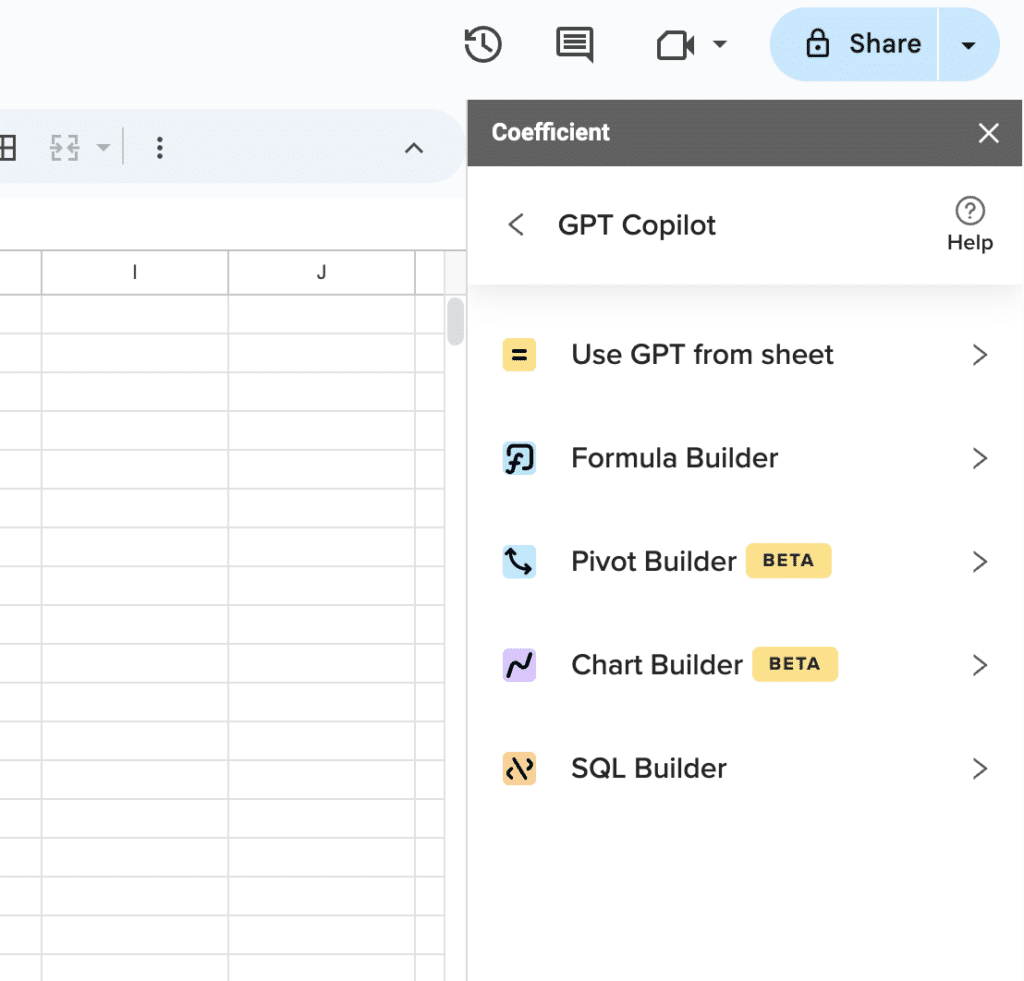
Supercharge your spreadsheets with GPT-powered AI tools for building formulas, charts, pivots, SQL and more. Simple prompts for automatic generation.

Over time, the AI learns from corrections to reach very high accuracy and increasingly “touchless” processing. The broader APSuite includes VicInbox for vendor email intake, VicPay for payments, and VicAnalytics for deep AP insights.
These modules give finance leaders visibility into cycle times, bottlenecks, and cash optimization opportunities, plus controls that reduce overpayments and duplicate invoices.
Key features
- AI-driven invoice data capture, coding, and approvals with high straight-through processing rates (up to 97-99% accuracy)
- PO matching that intelligently pairs invoices with purchase orders and flags exceptions
- VicInbox for automated capture and categorization of vendor emails and documents
- VicPay and VicAnalytics for automated B2B payments and real-time AP performance insights
Pricing
Custom pricing: Offered via sales based on invoice volume, entities, and chosen modules (APSuite components).
Typically structured as a SaaS subscription with potential usage-based elements tied to transaction volumes.
Pros
- Purpose-built AP automation with deep AI capabilities
- Strong impact on cycle times, accuracy, and AP workload reduction
- Analytics layer provides visibility to optimize cash flow and working capital
- Scales well for multi-entity, higher-volume environments
Cons
- Requires integration with ERP and AP workflows—implementation can be non-trivial
- Overkill for very small businesses with low invoice volumes
- Pricing transparency limited—requires sales engagement for exact numbers
Verdict: A leading option when you want to reinvent AP with AI, especially if invoice volumes and complexity justify an advanced platform.
10. MindBridge
Best for: Audit, finance, and risk teams seeking AI-driven anomaly detection and fraud risk analysis.
MindBridge is an AI-powered platform that ingests GL and transaction-level data to identify anomalies, unusual patterns, and potential fraud risks. It combines rules, statistical analysis, and machine learning to score transactions and accounts—helping auditors and controllers focus on higher-risk items rather than random sampling.
This is particularly valuable for large enterprises and public companies with complex transaction volumes. The product is used by both external auditors and internal finance teams for continuous monitoring.
It integrates into audit methodologies to enhance assurance and support regulatory expectations for data-driven testing.
Key features
- AI-driven anomaly detection across GL, AP, AR, and other ledgers using ensemble AI (rules + statistical models + machine learning)
- Risk scoring that helps prioritize which transactions and accounts to investigate
- Visual analytics to explore patterns, trends, and outliers in financial data
- Workflows tailored to audit and risk teams including documentation and evidence trails
Pricing
Custom enterprise pricing: Based on entities, data sources, and usage. Typically quoted for firms and large organizations.
Often licensed as part of broader audit or risk modernization initiatives rather than one-off seats.
Pros
- Significantly improves coverage and precision compared to manual sampling
- Supports both external audit and internal continuous monitoring use cases
- Helps firms modernize methodologies with data-driven techniques
- Analyzes 100% of transactions rather than samples
Cons
- Best suited for larger or more complex organizations—may be overkill for small entities
- Requires robust data extraction and integration from ERPs and subledgers
- AI outputs still require expert interpretation and governance
Verdict: A powerful fraud and anomaly detection layer for organizations ready to move beyond sample-based testing into continuous, AI-driven assurance.
AI for spend management
These platforms combine corporate cards with AI-powered expense tracking, policy enforcement, and vendor insights.
11. Ramp

Best for: High-growth companies that want an AI-first corporate card and spend management platform tightly integrated with finance workflows.
Ramp combines a corporate card, expense management, bill pay, and procurement into a single platform with heavy AI automation. The system automatically categorizes transactions, matches receipts to card charges, and enforces spend policies in real time using AI-powered rules.
For finance teams, that means cleaner data flowing into the GL with less manual review. Ramp also offers budgeting, vendor insights, and savings recommendations—often highlighting opportunities to renegotiate contracts or downgrade unused SaaS seats.
This “intelligent controller” approach makes it particularly appealing to lean finance teams that want strong control without bogging employees down in paperwork.
Key features
- Corporate cards with real-time controls and policy enforcement
- AI-powered expense categorization and receipt matching to reduce manual work
- Bill pay and approvals connected to vendor management and budgets
- Analytics and savings insights that surface optimization opportunities across vendors and categories
Pricing
No base subscription fee for the core platform. Ramp monetizes largely through interchange.
Custom pricing and terms for larger enterprises with complex needs.
Pros
- Strong automation and user experience for both employees and finance
- No base platform fee lowers friction for adoption
- Helpful savings insights that can quickly demonstrate ROI
- Integrated card + expense + bill pay stack simplifies tooling
Cons
- Availability and feature set may vary by country—heavily US-centric
- Works best when you standardize on Ramp cards, which involves migration
- Deeper ERP integrations and change management still require effort
Verdict: A compelling choice for modern finance teams that want to automate spend, reduce manual reviews, and surface savings opportunities through AI.
12. Brex

Best for: Global startups and scale-ups that need flexible corporate cards, multi-entity spend management, and AI-assisted controls.
Brex offers corporate cards, expense management, travel, and bill pay in a single platform with strong emphasis on global operations. AI features include automated expense categorization, custom rules, and real-time policy enforcement—helping finance teams control spend without manual policing.
For startups and tech companies, Brex is attractive thanks to its founder-friendly orientation and global readiness. It supports multi-entity structures, advanced approval chains, and deep ERP integrations suitable for more complex organizations.
The Premium and Enterprise tiers add AI-powered compliance audit detection, dynamic expense review chains, and more advanced budgeting features.
Key features
- Corporate cards with AI-powered custom rules and real-time spend controls—no personal guarantee required
- Expense management with automated categorization, reimbursements, and travel booking
- Multi-entity support (US and international) and advanced approval workflows in higher tiers
- Integrations with popular ERPs and HRIS plus live budgets and reporting
Pricing
Essentials: $0/month including Brex card, AI-powered custom rules, accounting integrations, local currency wires, travel booking, and core expense tools.
Premium: $12/user/month adding multiple customizable expense policies, dynamic expense review chains, AI-powered compliance audit detection, and multi-entity support.
Enterprise: Custom pricing for organizations requiring unlimited entities, global card issuance, and highly tailored implementations.
Pros
- Strong global and multi-entity capabilities for growing startups
- Generous free Essentials plan with meaningful functionality
- AI-powered compliance and policy enforcement reduces manual review effort
- Deep ERP/HRIS integrations in higher-tier plans
Cons
- Per-user Premium pricing can add up quickly for large teams
- Geo and industry eligibility constraints may limit who can use Brex
- Some advanced features gated behind Premium/Enterprise tiers
Verdict: A top choice for venture-backed or global startups that need AI-driven spend management and multi-entity support, with a strong free tier to get started.
Start transforming your finance workflows today
AI tools for finance have matured beyond hype into practical productivity gains. The question isn’t whether to adopt AI—it’s which tools fit your specific workflows and where to start.
For teams that live in spreadsheets, Coefficient offers the fastest path to live data connections and AI-powered automation without leaving Google Sheets or Excel.
Get started with Coefficient for free →
Frequently asked questions
How accurate are AI tools for financial data?
Modern AI tools achieve impressive accuracy rates. Vic AI reports 97-99% processing accuracy on invoice data. MindBridge analyzes 100% of transactions to catch anomalies that sampling misses. Booke AI reaches 95% autonomous transaction management.
That said, accuracy depends heavily on data quality, system configuration, and ongoing training. Most platforms improve over time as they learn from corrections. Finance teams should plan for human review on edge cases and exceptions—especially in the early months of deployment.
The best approach: start with high-volume, rules-based processes where AI excels, then expand to more complex workflows as you build confidence.
Will AI replace finance professionals?
No. AI handles repetitive tasks so finance professionals can focus on judgment, strategy, and stakeholder communication.
McKinsey research shows finance teams using AI for variance analysis gain significant efficiency—but they reinvest that time into strategic analysis and decision support, not headcount reduction.
The shift is from data gathering to data interpretation. From manual reconciliation to exception handling. From building reports to explaining insights.
Finance professionals who learn to work with AI tools will be more valuable, not less. Those who resist may find their manual-process skills less relevant over time.
How do I get started with AI in finance?
Start small. Pick one painful, repetitive process and solve it.
Step 1: Map your current workflows. Identify where manual work consumes the most time—data entry, reconciliation, report building, variance analysis.
Step 2: Match the problem to a tool. Spreadsheet-native teams might start with Coefficient for live data connections and AI-powered formulas. AP teams drowning in invoices might try Vic AI. Audit teams doing manual document review might pilot DataSnipper.
Step 3: Run a focused pilot. Quantify time saved and error reduction. Build the business case with measurable outcomes before scaling.
Step 4: Expand gradually. Once you prove value in one area, extend AI automation to adjacent workflows.
Can AI tools integrate with QuickBooks, NetSuite, and Xero?
Yes. Most AI finance tools offer native integrations with major accounting platforms.
QuickBooks: Booke AI, Coefficient, MindBridge, Ramp, and Brex all connect directly to QuickBooks Online.
NetSuite: Coefficient, Vic AI, Jirav, and DataSnipper integrate with NetSuite. Coefficient supports both records/lists imports and SuiteQL queries.
Xero: Booke AI, Jirav, and Brex connect to Xero for accounting automation and expense management.
When evaluating tools, check the specific integration depth. Some offer read-only connections while others support two-way sync. Some pull standard reports while others access custom fields and subledgers.







