


The weekly support report lands in your inbox. Ticket volume, resolution time, CSAT scores, first reply time. All accurate. All Zendesk. And almost none of it answers the question your VP of Customer Success asked on Tuesday: which enterprise accounts are at risk based on recent support patterns?
That question requires Zendesk ticket data combined with Salesforce renewal dates, product usage signals, and account health scores. Zendesk holds one piece of the picture. The problem is not bad data. It is incomplete data.
What Zendesk Does Well and Where It Stops
Zendesk is genuinely excellent at support analytics. Ticket volume, SLA adherence, agent performance, CSAT trends, first reply time, resolution time – all of it lives in Zendesk Explore and updates with reasonable frequency on paid plans. For understanding what your support team is doing, it is hard to beat.
The limitations kick in the moment you try to answer a cross-system question. Zendesk Explore is built to report on Zendesk data. It does not hold renewal dates, product usage signals, CRM account health scores, or revenue data. It cannot tell you which customers are at risk. It can only tell you which ones are creating tickets.
There are also meaningful plan-level constraints worth knowing. Data exports are only available on the Enterprise tier – Lite and Professional plans do not include them. On Lite plans, Explore data refreshes every 24 hours – meaning the report you pull on Tuesday morning reflects Monday’s data. Sharing dashboards with stakeholders outside Zendesk requires workarounds on most plans. One independent review of Zendesk reporting tools puts it directly: ‘Explore offers deep insights into Zendesk-specific data, but is limited in integrating data from external sources.’
The result is a platform that answers ‘how is the support team performing?’ very well, and struggles to answer ‘which customers are we about to lose?’ at all.
When Zendesk Sync Works But the Questions Still Don’t Get Answered
Here is the version of the problem that plays out in CS teams every week – and that no amount of Explore configuration will fix.
The churn risk blind spot. A key enterprise account files six tickets in two weeks. CSAT drops from 4.5 to 3.0. Resolution times are slower than average. Nobody connects these signals to the renewal conversation happening in Salesforce next month because the data lives in two separate systems and nobody has combined them. By the time the CSM finds out, the customer has already started evaluating competitors.
The support load mystery. Some customer segments generate three times more tickets than others. Marketing wants to know whether high-support customers correlate with specific acquisition channels. The answer requires Zendesk ticket data combined with CRM source data. Neither team can pull it without a manual export from each system and a messy spreadsheet join that nobody updates after week one.
The agent performance gap. Support leadership knows which agents have the best CSAT scores. Finance wants to know if higher CSAT correlates with lower churn in enterprise accounts. That analysis requires Zendesk agent and ticket data combined with Salesforce renewal and revenue data. It almost never gets done because it requires two systems to talk to each other, and they do not.
| “Once I pull a spreadsheet, I have to go in and manually merge data from two accounts and that is a drag and creates another opportunity for error.”Zendesk Community Forum, user post on cross-system reporting – community.zendesk.com |
The pattern is consistent. Christian Budnik, FP&A Analyst at Solv, described the same cycle before switching to Coefficient: ‘Before Coefficient, I was doing multiple data pulls a day. If you just add up those hours, week over week, month over month, it’s a huge time sink. It also disrupts your flow while analyzing data.’ His team was pulling from Salesforce, Looker, and QuickBooks – but the same friction applies to any CS ops team pulling from Zendesk alongside CRM and revenue data. Read the Solv case study.
Why Downloading More Reports Does Not Fix It
The natural response is to schedule more exports. Weekly Zendesk Explore reports delivered by email. A Monday morning CSV ritual. A Slack automation that pings the team with yesterday’s ticket numbers.
This reduces the lag. It does not fix the problem.
Every export is a snapshot. The moment it lands in a spreadsheet, someone edits it. They add a column to flag at-risk accounts. They annotate a row with notes from a customer call. They adjust a formula to weight CSAT by account ARR. That spreadsheet is now a separate copy of the data – not connected to Zendesk, not connected to Salesforce, drifting in a different direction the moment it was created.
Zendesk users on review platforms consistently describe the same frustration. One user quoted across multiple review sites: ‘Whenever it’s time for my team to go in and pull reports, we cringe because the platform is simply too cumbersome and complicated.’ Another describes integrating with Salesforce as ‘a bit of a hurdle’ that required significant effort. The reporting infrastructure exists. The cross-system connection does not.
Miro’s RevOps team ran into the same wall at scale. As their customer base grew, the team found itself generating ‘bespoke analyses that would quickly become obsolete’ because pulling data from multiple systems – their data warehouse, CRM, and product analytics – was too slow to keep up with the business. The answer, for Miro, was connecting everything to Google Sheets through Coefficient. ‘The realization that my spreadsheet could directly connect to our data warehouse was an absolute game-changer,’ said Alexander Bugajski, Head of GTM Strategy. Read the Miro case study.
How CS Teams Are Connecting Zendesk to the Full Customer Picture
The fix is not more exports. It is a live connection between Zendesk and the spreadsheet where CS analysis actually happens – one that combines Zendesk ticket data with the CRM context, product usage signals, and renewal data that complete the picture.

Stop exporting data manually. Sync data from your business systems into Google Sheets or Excel with Coefficient and set it on a refresh schedule.
Get Started
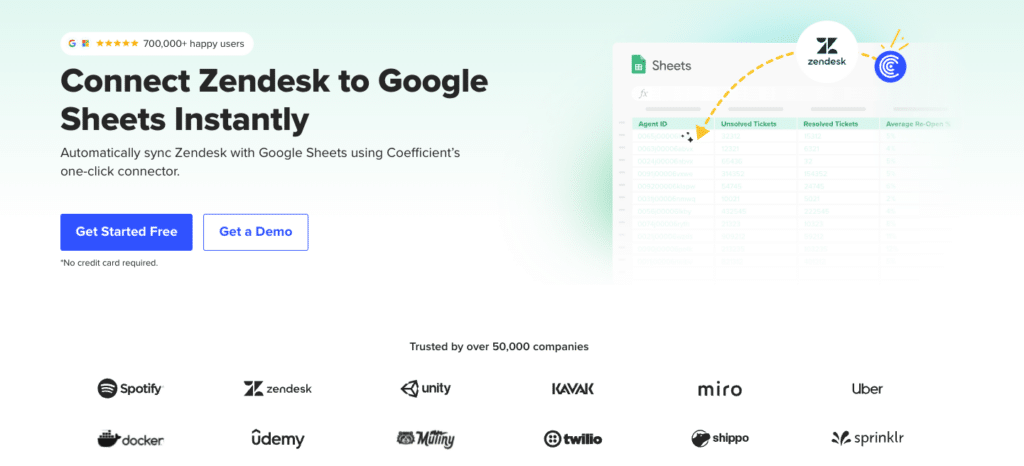
Coefficient connects Zendesk directly to Google Sheets and Excel. Tickets, CSAT scores, agent performance data, organisations, users – all pulling from Zendesk on a scheduled refresh. No manual export. The Excel connector covers the same workflow for teams that work in Microsoft.
The cross-system analysis that was impossible becomes straightforward. Pull Zendesk ticket data into the same spreadsheet as Salesforce renewal dates and account ARR. The churn risk blind spot from scenario one gets resolved: enterprise accounts with declining CSAT and upcoming renewals sit side by side. A CS lead can flag at-risk accounts in thirty seconds without filing an engineering ticket or waiting for a data team.
For analysts who want a specific slice of Zendesk data – tickets by customer segment, CSAT trends for enterprise accounts only, support load by acquisition channel – the AI SQL Builder generates the query from a plain English description. For teams building customer health dashboards that combine Zendesk, Salesforce, and product data, the AI Sheets assistant handles the formula and analysis layer.
And for the stakeholder problem – getting Zendesk-backed insights to the VP of Sales or the board without requiring Zendesk access – Vibe Dashboards closes the last mile. Describe the customer health dashboard in plain English. The AI builds a live, shareable web dashboard from the combined Zendesk and CRM data in the spreadsheet. Share a link. No per-viewer fees. No BI platform. It updates automatically as the underlying data refreshes.
| “I never worry about reports being up-to-date and accurate anymore. At this point, after setting it up, Coefficient does most of the heavy lifting.”Brian Chalif, Head of BizOps, Mutiny |
| Setup guide: How to connect Zendesk to Google Sheets with Coefficient. Excel users: Coefficient Excel Zendesk connector. |
What About the Other Zendesk Integration Needs?
The cross-system analytics gap is the most common version of the problem, but two others are worth naming.
App-to-app workflow automation. If the goal is connecting Zendesk to Slack for ticket alerts, to Salesforce for creating cases from high-priority tickets, or to HubSpot for syncing contact data, Zapier handles these workflows without code. Good for operational triggers. Not for cross-system analysis or live reporting.
Warehouse pipelines. If the data engineering team needs Zendesk ticket and user data in Snowflake or BigQuery for SQL-based attribution modeling or company-wide analytics, Fivetran and Airbyte both have managed Zendesk connectors. This is the right path for teams building infrastructure. For CS ops managers trying to keep a customer health model current, it is significant overengineering.
Most CS teams dealing with incomplete customer risk signals and stale dashboards do not have a warehouse problem. They have a cross-system visibility problem. And that is the one worth solving first.
Connect Zendesk to Your Full Customer Data Stack
If your CS team is working from incomplete customer data – Zendesk tickets in one place, renewal dates in another, product usage signals somewhere else entirely – try Coefficient for free. Connect Zendesk to Google Sheets or Excel, add Salesforce or HubSpot alongside it, and build the customer health view your team has been trying to assemble manually for months.
See Coefficient pricing for plan details, pre-built customer success dashboard templates for ready-to-use setups, and Coefficient AI for the full AI query and dashboard layer.







