


What Made Rows Worth Using and Why the Shutdown Changes Everything
Rows earned its 2.2 million users by doing something most spreadsheet tools did not: it made data connectivity genuinely easy. Native integrations with 50+ services, an AI Analyst that answered questions about your data in plain language, a clean publishing experience that turned messy spreadsheets into shareable dashboards, and a modern interface that made the whole thing feel fast.
Marketing teams used it to pull live ad performance data without leaving their spreadsheet. Ops teams built enrichment workflows. Analysts ran recurring reports that stayed current automatically. For teams that needed to work with live data without learning a BI tool or setting up API pipelines, Rows was a practical solution.
Then, on February 22, 2026, Rows announced it was acquired by Superhuman. The Rows product will fully wind down on May 31, 2026. The team is moving into Superhuman’s AI productivity ecosystem to strengthen Coda, Superhuman’s all-in-one collaboration product.
For current users, this is a migration situation. For anyone still evaluating Rows, the decision is already made. There is no workflow worth building on a platform with a confirmed shutdown date.
| If you are a current Rows customer: export your spreadsheets, document your data connections and automation logic, and begin migrating now. Do not wait until April. All workflows built on Rows will stop functioning on May 31, 2026. Contact [email protected] with questions about your account. |
How to Pick the Right Rows Alternative for Your Use Case
Every article comparing Rows alternatives defaults to a list of generic spreadsheet tools. That is not useful. The right replacement depends on which part of Rows your workflows actually relied on.
Used Rows primarily for live data connectivity, SaaS analytics or data warehouse reporting (pulling from CRMs, ad platforms, APIs, or databases into a spreadsheet): Coefficient is the closest functional match that works inside the spreadsheet environment you already have.
Hit performance ceilings with large datasets or needed proper data governance: Row Zero handles warehouse-scale data in a familiar spreadsheet interface.
Used Rows primarily as a collaborative workspace or lightweight database: Airtable or Smartsheet are more natural fits.
At a glance:
- Coefficient: Best for teams needing live data connectivity in existing Excel or Google Sheets. Ideal for SaaS and non-technical teams with data or analytics needs.
- Row Zero: Best for big data performance and warehouse-connected spreadsheets
- Airtable: Best for collaborative database and project tracking workflows
- Smartsheet: Best for structured team operations and workflow management
Rows Alternatives Compared: Quick Reference
| Tool | Works in Existing Spreadsheet | Live Data Connectivity | Excel Support | Starting Price | Status |
| Coefficient | Yes | 100+ sources | Yes | From $49/month | Active |
| Row Zero | No | Warehouse-native | No | From $12/user/month | Active |
| Airtable | No | Limited | No | Free / $12/user/month | Active |
| Smartsheet | No | Limited | No | $12/user/month | Active |
| Rows | No | 50+ sources | No | From $59/month (base) | Shutting down May 31, 2026 |
1. Coefficient
Best for: Teams needing live data connectivity & advanced AI in existing Excel or Google Sheets
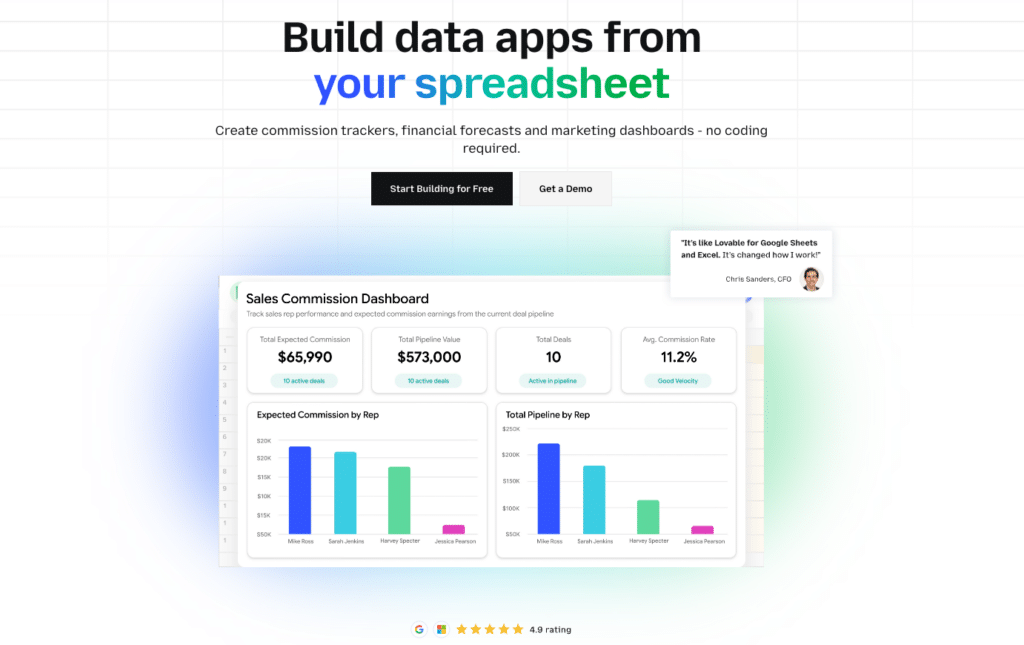
For Rows users who built workflows around live data imports, connecting Salesforce, HubSpot, Google Analytics, Meta Ads, databases, or any of Rows’ 50+ integrations, Coefficient is the closest functional replacement that does not ask you to start over.
Unlike Rows, Coefficient does not require you to migrate to a new tool. It installs as an add-in for the Excel or Google Sheets environment your team already runs on and connects 100+ data sources directly: CRMs, ad platforms, financial systems, data warehouses, and custom APIs. The live data connectivity that made Rows useful lands in the spreadsheet you already have, with the models, formulas, and logic you have already built intact.
Scheduled auto-refresh, two-way writeback, AI-assisted formula generation and AI-assisted data cleaning & modeling, and one-click web dashboard with AI all work natively within Excel or Google Sheets. The feature set covers what Rows did for data connectivity, with broader source coverage and no per-cell enrichment task limits.
The cost difference is also worth noting. Rows charged a base fee plus per-member fees, and enrichment tasks burned against a monthly ceiling. Coefficient uses a flat subscription model with no per-member penalty and no task ceiling.
Limitations: Coefficient is a data connectivity and automation layer, not a standalone spreadsheet application. If you need a full spreadsheet replacement, Coefficient is not that. It is the data layer that makes your existing spreadsheet environment live and automated.
Pricing: Starts at $49/month. Free plan available.
Pros:
- Works inside Excel and Google Sheets, zero migration
- 100+ data source connectors, broader than Rows
- No per-member fees, no enrichment task limits
- Scheduled refresh, two-way sync, AI assistance, dashboard publishing
- Active product with no shutdown risk
Cons:
- Not a standalone spreadsheet application
- Limited features in free plan.
2. Row Zero
Best for: Big data performance and warehouse-connected spreadsheets
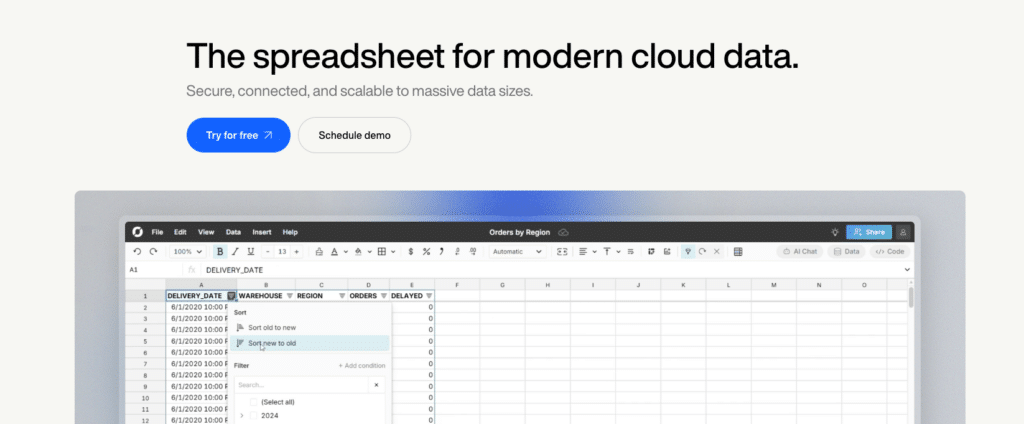
Row Zero is for a specific type of Rows migrant: teams that were using Rows as their spreadsheet but running into performance limits with large datasets, or teams that need direct warehouse connectivity (Snowflake, Databricks, Redshift, BigQuery, Postgres, Athena, S3) with enterprise-grade security controls that Rows was never designed to provide.
Founded in 2021 by former AWS engineers and backed by $10 million raised in May 2025, Row Zero is built specifically for scale. It handles datasets that would crash Excel or Google Sheets, runs 1,000 times faster than traditional spreadsheets on large data, and offers warehouse write-back from within the spreadsheet. For teams at AWS, Flexport, and other data-intensive organizations, it is already in production use.
The interface is deliberately familiar. If you know Excel or Google Sheets, you can use Row Zero without relearning anything. Excel-compatible formulas, pivot tables, charts, and keyboard shortcuts work as expected. The security layer adds SSO, row-level security, data residency controls, and private hosting options that enterprise teams need.
Limitations: If your Rows usage was relatively light, such as enrichment workflows, marketing reports, or small datasets, Row Zero is more tool than you need. Its strengths are big data performance and warehouse governance, not the breadth of SaaS integrations that Rows had. It is not an add-in for existing spreadsheets. It is a separate application.
Pricing: From $12/user/month (Pro). $25/user/month (Business). Enterprise pricing via sales.
Pros:
- Handles 1 billion+ rows where Excel and Google Sheets fail
- Direct warehouse connectivity (Snowflake, Databricks, Redshift, BigQuery, Postgres)
- Excel-compatible interface with no new learning curve
- Enterprise security: SSO, row-level security, data residency, private hosting
Cons:
- Narrower SaaS integration coverage than Rows
- Overkill for teams with small to medium datasets
- Separate application, not an add-in for existing spreadsheets
3. Airtable
Best for: Collaborative database and project tracking workflows
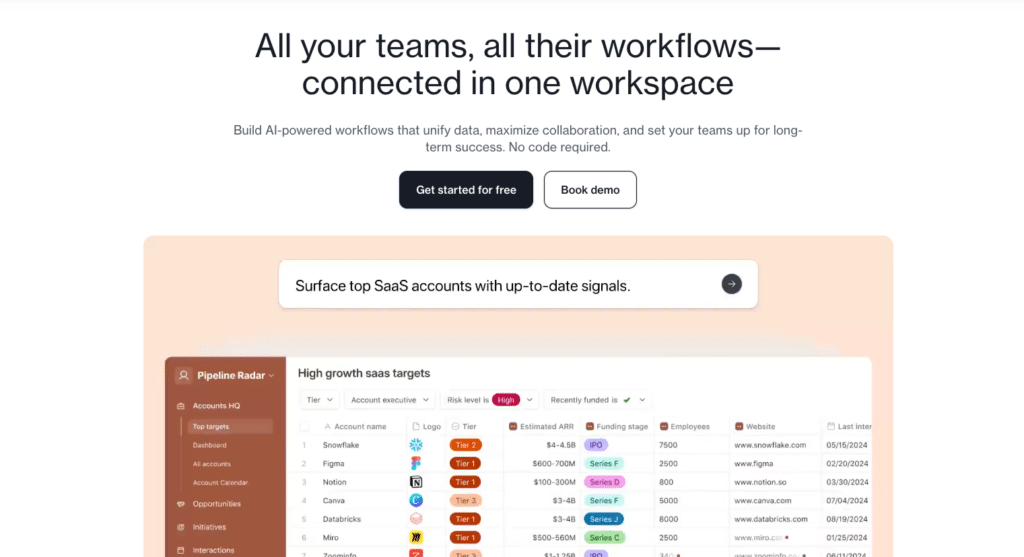
For Rows users who were primarily using the tool as a collaborative workspace, organizing data, tracking projects, managing content calendars, or running lightweight databases, Airtable is the most natural migration path on this list.
Airtable combines a spreadsheet-like grid interface with database structure, multiple view types (Kanban, Gallery, Calendar, Gantt), and workflow automation. For teams that needed Rows as a place to organize and track work rather than as a data analytics tool, Airtable delivers that structure with more operational depth.

Stop exporting data manually. Sync data from your business systems into Google Sheets or Excel with Coefficient and set it on a refresh schedule.
Get Started
The platform is well-established, with a large template library and wide third-party integration support. For content teams, project managers, and ops teams running lightweight process tracking, it is a solid alternative.
Limitations: Airtable has record count limits that can frustrate teams with growing datasets. Its data analysis and transformation capabilities are meaningfully weaker than what Rows offered at its best. If your Rows usage was analytical, building reports from live data sources, Airtable does not replicate that. It is a database and collaboration tool, not a data analytics one.
Pricing: Free plan available. Plus at $12/user/month. Pro at $20/user/month. Business at $45/user/month (all billed annually).
Pros:
- Multiple view types (Kanban, Gallery, Calendar, Gantt) for structured work
- Strong for project tracking, content pipelines, and lightweight databases
- Large template library and integration ecosystem
Cons:
- Record count limits frustrate teams with large datasets
- Weak data analytics and transformation compared to Rows
- Not a replacement for live data reporting use cases
4. Smartsheet
Best for: Structured team operations and workflow management
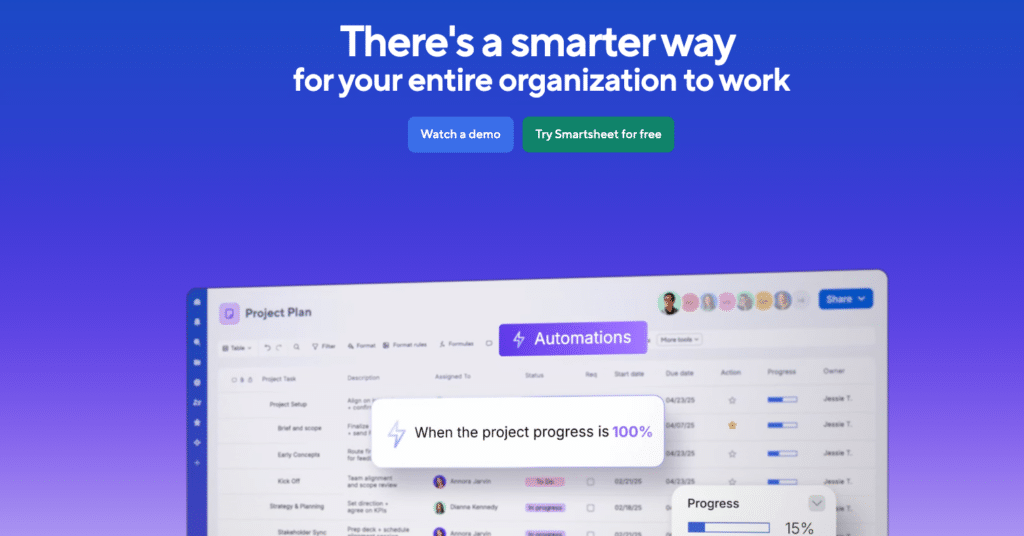
Smartsheet belongs on this list for a specific Rows segment: teams that were using Rows primarily for workflow management, project tracking, or cross-team process coordination, and who need something more structured than a spreadsheet but more familiar than a full project management tool.
Smartsheet’s grid interface feels natural to spreadsheet users. The workflow automation, Gantt charts, resource management, and reporting layer add operational depth that Rows never had. For teams managing recurring processes, deliverable tracking, or cross-department coordination, it is a step up from a spreadsheet in the right direction.
The reporting features are worth noting specifically: Smartsheet can pull data across multiple sheets into consolidated reports, which is useful for operations and program management teams that need visibility across multiple workstreams.
Limitations: Smartsheet’s formula catalog is narrower than Rows (roughly 90 functions versus Rows’ 150+). Its data transformation capabilities are weaker, and it does not solve any of the live data connectivity use cases that Rows served. If your primary Rows use case was data analytics or enrichment, Smartsheet does not cover it. Per-user pricing also adds up for larger teams.
Pricing: Pro at $12/user/month. Business at $24/user/month. Enterprise via sales (billed annually).
Pros:
- Familiar grid interface for spreadsheet users
- Workflow automation, Gantt charts, resource management
- Cross-sheet consolidated reporting for ops teams
Cons:
- Narrower formula catalog than Rows
- No live data connectivity or enrichment capabilities
- Per-user pricing compounds for larger teams
Which Rows Alternative Should You Choose?
Match the tool to the Rows use case you are actually replacing.
Live data connections in your existing spreadsheet environment: Coefficient (Try now). It is the only option that works inside Excel or Google Sheets without migration, covers 100+ sources, and eliminates the per-member and per-task billing that made Rows costs compound.
Big data performance and warehouse governance: Row Zero. If Rows was slow on large datasets or your team needs enterprise security controls, Row Zero is built for exactly that.
Collaborative database and project tracking: Airtable. For content teams, project managers, and ops teams that used Rows as an organizational workspace rather than an analytics tool.
Structured team operations and workflow management: Smartsheet. For teams that need automation, Gantt charts, and cross-team coordination built into the grid interface.







