

A successful NetSuite implementation is one of the biggest operational upgrades a growing business can make. Most teams follow a standard NetSuite ERP implementation process outlined in official Oracle guidance and partner checklists.
But while most teams focus on modules, integrations, and go-live timelines, there are a few critical areas that often get underestimated — and they tend to cause the most pain after launch.
If you’re planning a NetSuite migration (or you’re already in the middle of one), here are the top five things teams consistently forget to plan for — and how to avoid the fallout.
1. Your Reporting and Spreadsheet Connectivity
This is the most overlooked part of NetSuite implementation — and the one that hits finance teams the hardest.
Most companies rely on spreadsheets far more than they realize:
- Financial reporting
- Forecasting and budgeting
- Board and investor reporting
- Revenue analysis
- Department-level dashboards
During a NetSuite migration, teams often assume:
“We’ll deal with reporting after go-live.”
The problem is that once your old ERP is turned off:
- Custom spreadsheet connections break
- Legacy third-party tools may not support NetSuite
- Manual CSV exports quietly become the new normal
And financial reporting doesn’t stop during implementation. It continues daily, weekly, and monthly — go-live or not.
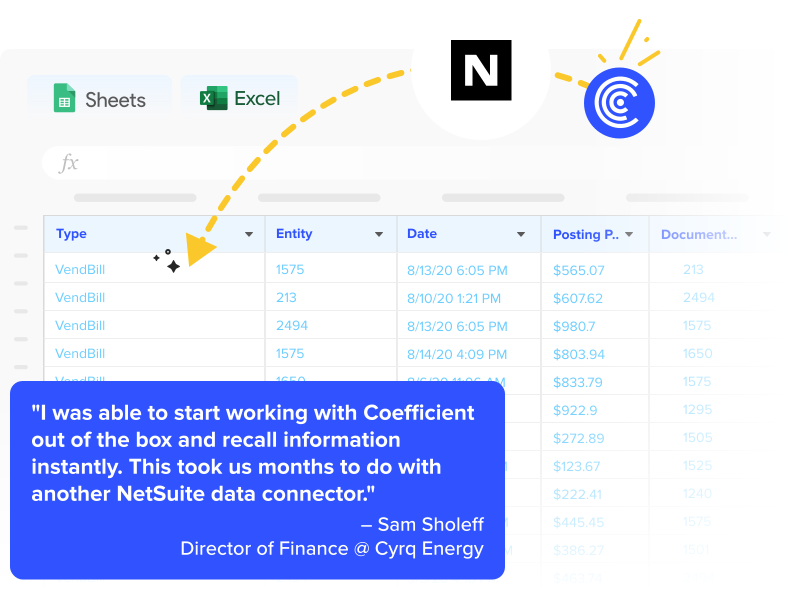
This is why many teams turn to tools like Coefficient during their NetSuite implementation — not to replace NetSuite, but to preserve spreadsheet-based reporting with out-of-the-box connectivity between NetSuite and Google Sheets or Excel. That way, reporting workflows don’t collapse while the backend system is changing.
What to do instead:
Before go-live, map every critical spreadsheet-based workflow and decide how NetSuite data will flow into those reports automatically. This single decision often determines whether your finance team stays strategic — or gets buried in manual updates for months.
2. The True Scope of Data Migration – Not Just ‘What,’ but ‘How It Is Used’
Most teams plan for what data is moving into NetSuite:
- Customers
- Vendors
- Transactions
- Historical financials
But far fewer plan for how that data is actually used day-to-day after go-live. This is where many NetSuite data migration challenges begin.
Common blind spots:
- Custom fields that don’t map cleanly
- Historical data that looks correct but no longer ties to reports
- Calculations that previously happened in spreadsheets, not in the ERP
When this happens, NetSuite may be technically “live,” but reporting accuracy becomes questionable — especially during the first few months post-implementation.
These issues align closely with broader ERP data migration risks that often surface only after the system is live.
What to do instead:
Plan migration based on use cases, not just objects. If a number shows up in a forecast, board deck, or KPI dashboard, trace it all the way back to its source before go-live.
3. Cross-Functional Impact (Not Just Finance)
NetSuite implementation is often treated as a finance or accounting project — but in reality, it touches:
- Sales operations
- RevOps
- FP&A
- Marketing ops
- Leadership and strategy teams

Each of these groups depends on shared reporting. When NetSuite replaces your old system:
- Sales loses visibility
- Marketing loses funnel data
- Leadership loses real-time performance views
If only finance is included in implementation planning, the rest of the org feels the disruption after the fact.
What to do instead:
Before go-live, identify every team that touches financial or operational data and document:
- What they access today
- Where they access it
- How often they need it
Your NetSuite implementation should preserve — or improve — access for all of them.
4. Post Go-Live Reality (Implementation Is Not the Finish Line)
Many NetSuite implementation plans treat go-live as the end of the project. In practice, it’s the beginning of:
- New reporting requirements
- Adjusted financial processes
- Learning curves for every team
- Continued optimization
Without a post-go-live ownership plan, teams often experience:
- Broken workflows lingering for months
- Repeated manual fixes
- Confusion over source of truth
What to do instead:
Plan for a 90-day post-implementation optimization window with clear ownership over:
- Data accuracy
- Reporting reliability
- Workflow improvements
5. The Cost of Temporary Manual Workarounds
The most dangerous phrase during a NetSuite migration is:
“Let’s just do this manually for now.”
Manual workarounds tend to:
- Become permanent
- Introduce errors
- Create burnout
- Undermine the ROI of NetSuite
What starts as a “temporary” CSV upload for reporting often survives for years.
This aligns with what leading analysts highlight around the cost of manual reporting in finance and the long-term gains from finance automation benefits.
What to do instead:
- If something must be done manually after NetSuite implementation, define:
- What the long-term solution is
- Who owns fixing it
- When it must be automated
Manual Exports vs. Automated NetSuite Connectivity
This is where many teams land by default after implementation.
What it looks like:
- Users export CSVs from NetSuite
- Upload into Excel or Google Sheets
- Rebuild formulas, pivots, and charts
- Repeat daily, weekly, and monthly
Trade-offs:
- ❌ High risk of human error
- ❌ No real-time data access
- ❌ Heavy manual labor during close
- ❌ Version control issues across teams
- ❌ Reporting delays for leadership
Manual exports work in emergencies — but they quietly drain time, accuracy, and trust in the numbers.
Automated NetSuite-to-Spreadsheet Connectivity
This is the model many finance teams move toward during or after NetSuite migration.
What it looks like:
- NetSuite data syncs automatically into spreadsheets using an automated, no-code data connector like Coefficient’s NetSuite connector for Google Sheets or Excel
- Reports update on a refresh schedule (or in near real-time)
- Dashboards stay live without manual uploads
- Multiple teams work from the same source of truth
Benefits:
- ✅ Always-current reporting
- ✅ No broken formulas after every export
- ✅ Faster closes and forecasts
- ✅ Clean handoffs to leadership and investors
- ✅ Less burnout for finance teams
For companies that still rely on spreadsheets as their reporting layer, this approach preserves continuity while NetSuite becomes the backend system of record.
Final Takeaway: NetSuite Implementation Shouldn’t Break Your Reporting Rhythm
A NetSuite migration is meant to improve control, visibility, and scalability — not introduce friction in everyday reporting. The teams that succeed are the ones that treat:
- Reporting continuity
- Spreadsheet connectivity
- Cross-functional data access
as core infrastructure, not afterthoughts.
If your implementation keeps reporting reliable while everything else changes underneath, you’ve done it right.